


Sorry, there were no results found for “”
Sorry, there were no results found for “”
Sorry, there were no results found for “”
Imagine it’s Friday night, and you’re finally about to unwind with a tub of ice cream and one episode (okay, season) of your favorite show, when your phone blows up.
“Hey, am I working tomorrow?”
“Can I swap my shift with Jake’s?”
“Oops, I double-booked—help!”
There goes your peaceful evening, which is now a full-blown scheduling crisis. But you’re not alone in this. You could spend that time running your business instead of playing detective with shifts.
Enter Sling, the tool that promises to save you from this chaos. But is it worth it? Let’s find out in this Sling Schedule Review!
👀 Did You Know? Managers spend five hours weekly on scheduling and task management for their team.
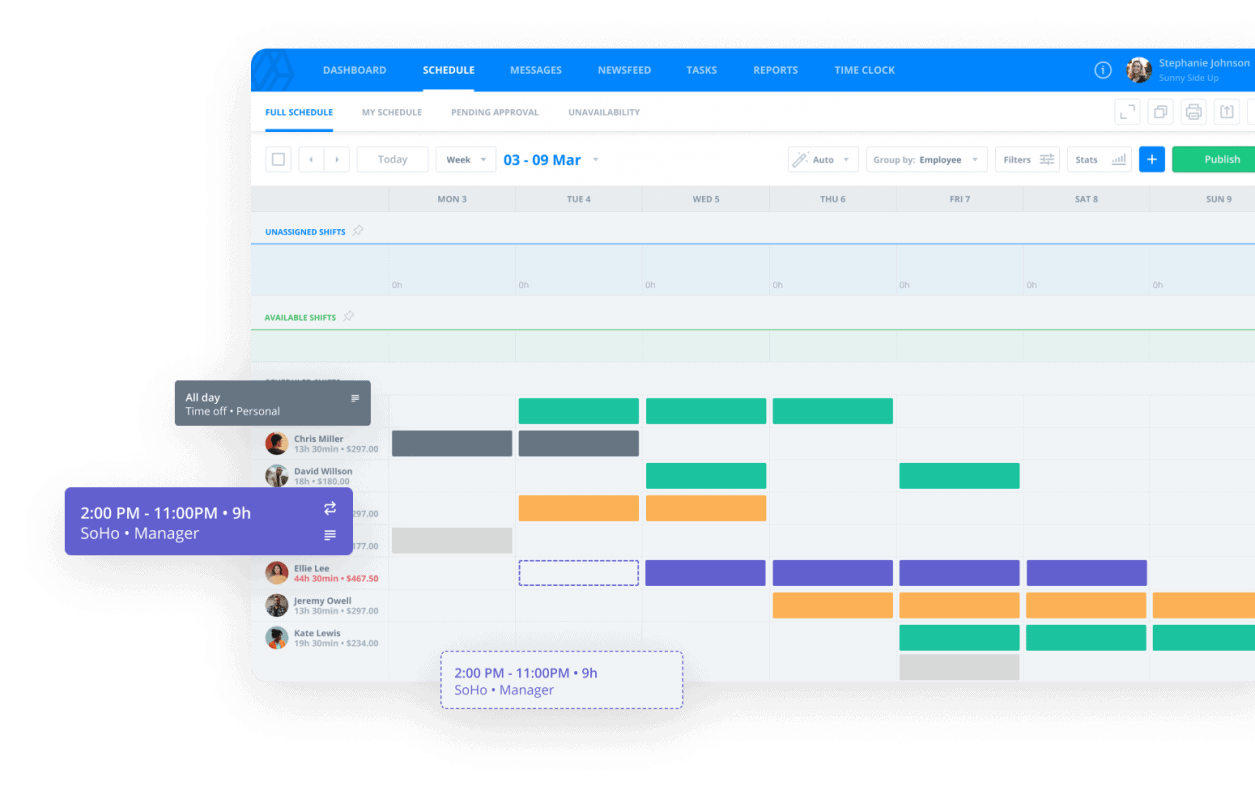
Sling is employee scheduling and workforce management software designed to help business owners, HR teams, and managers organize shift planning. It also improves team communication and optimizes labor costs—all without the usual scheduling headaches.
If you’ve ever had an employee text you at 10 PM saying, “Sorry boss, I forgot I had tickets to the game tomorrow,” you know the struggle. Even worse is when two employees show up for the same shift while the actual assignee vanishes into thin air.
Scheduling is basically a game of Tetris, but the pieces keep changing their minds.
Sling makes all the convoluted pieces manageable with an automated process. It lets you create schedules in minutes, track employee availability, approve time-off requests, and avoid double bookings.
Plus, it’s also a team messaging hub, time attendance software, and payroll assistant. Whether you manage a retail business or a restaurant, Sling is your extra set of eyes and hands (without the extra payroll cost).
🧠 Fun Fact: Businesses that adopt work schedule apps report a 30% speed increase in schedule creation and a 55% drop in errors.
Sling offers several workforce management tools in one platform, making efficient scheduling accessible to businesses. It also helps them stay compliant with labor laws. Here’s what stands out:
Creating schedules should be quick work, not a puzzle you solve at midnight. Sling’s visual calendar lets managers drag and drop shifts, apply shift templates, and manage overlapping shifts with built-in alerts.
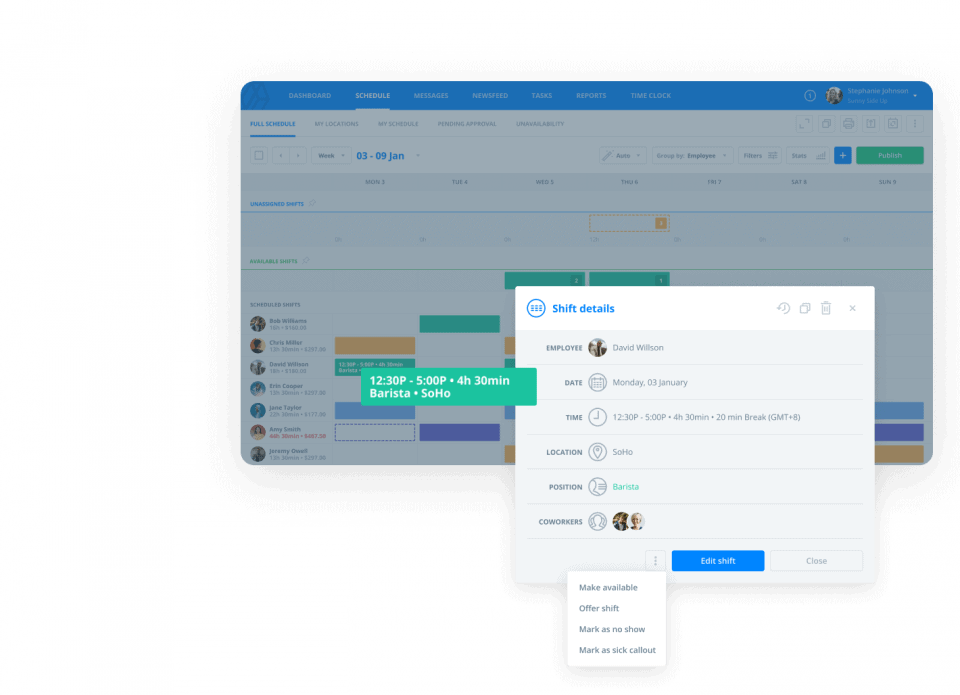
Employees can claim available shifts, check upcoming workdays, and mark unavailable days—all from their mobile devices. The ease of having a dynamic schedule that is accessible makes management less of a headache for everyone involved.
Besides selecting shifts, employees can also clock in and out directly from their smartphones. You can track hours worked and even log break times. This feature ensures accurate timekeeping, especially if your team is spread across multiple locations.
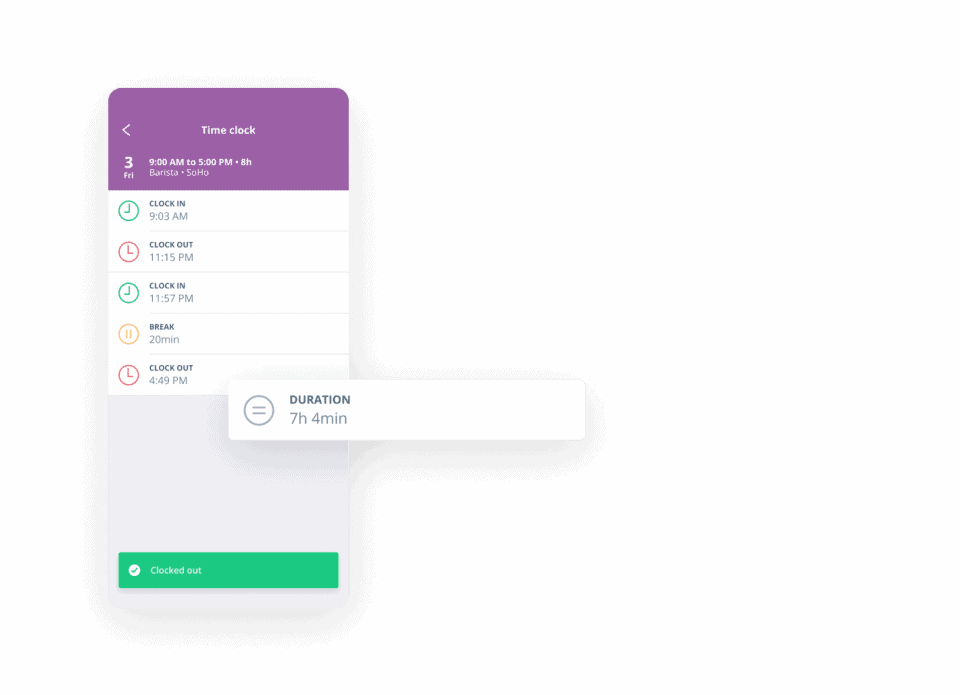
You can review timesheets by pay period, export them for payroll processing, and get insights for labor cost optimization. Say goodbye to messy spreadsheets and time theft!
Relying on sticky notes or endless group chats is passé. Sling has a built-in group messaging system, allowing managers to send important notifications, schedule updates, and announcements. This also enables them to manage shift trade requests more efficiently.
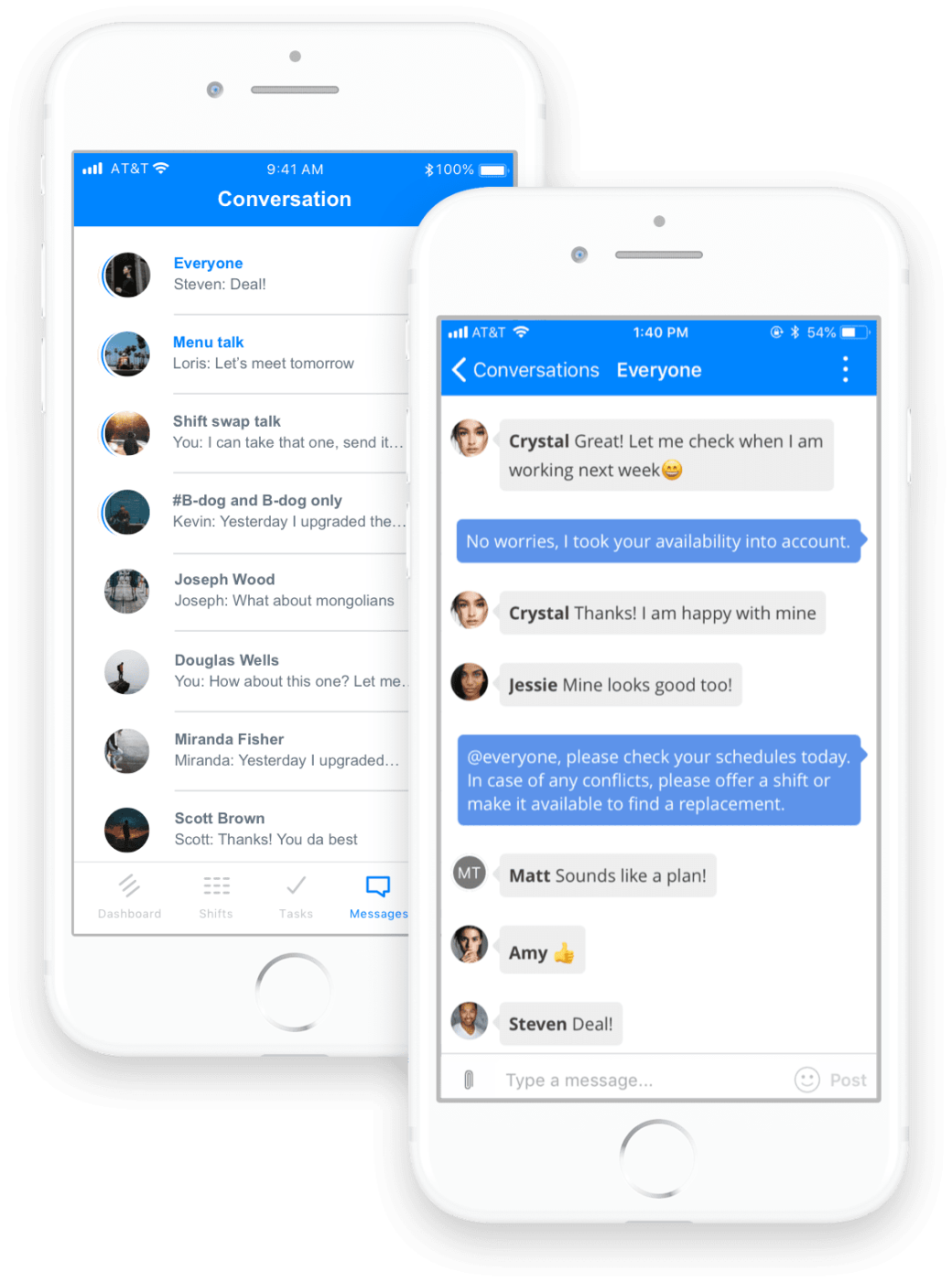
Whether through direct messages or group chats, everyone is on the same page.
Scheduling shifts is one thing, but making sure the job gets done? That’s where Sling’s task management comes in.
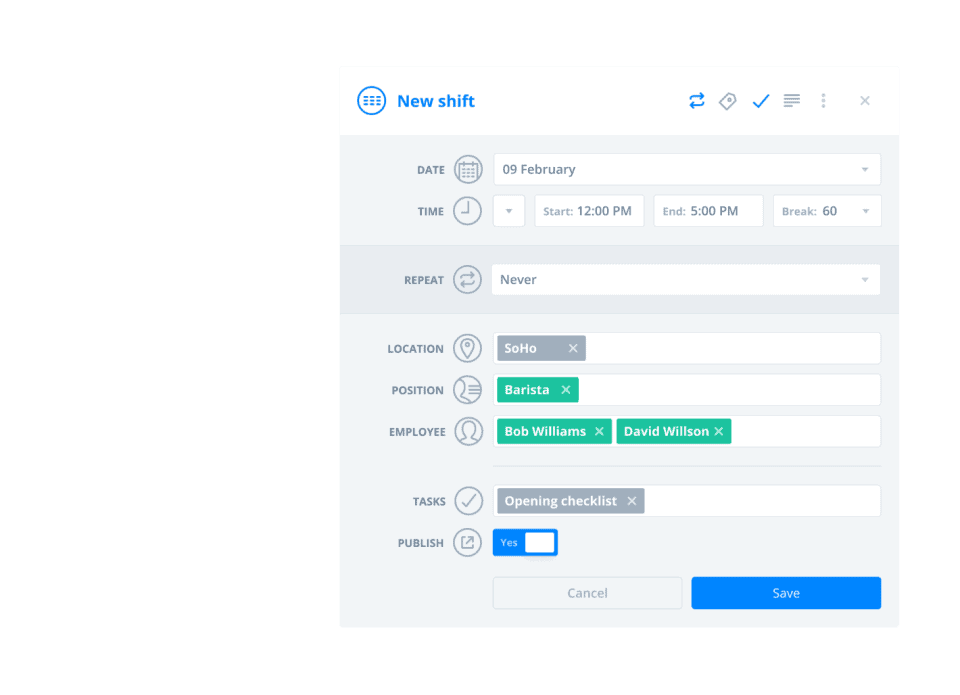
You can assign tasks, create project schedules for your team project, and track completion rates, ensuring no important responsibility goes unnoticed. It helps you improve productivity and manage project deliverables.
👀 Did You Know? The 2-2-3 schedule is a popular rotating shift pattern that ensures employees work only half the days in two weeks, offering more time off while maintaining productivity.
Sling’s Employee Documents feature stores contracts, certifications, and licenses securely in one place.
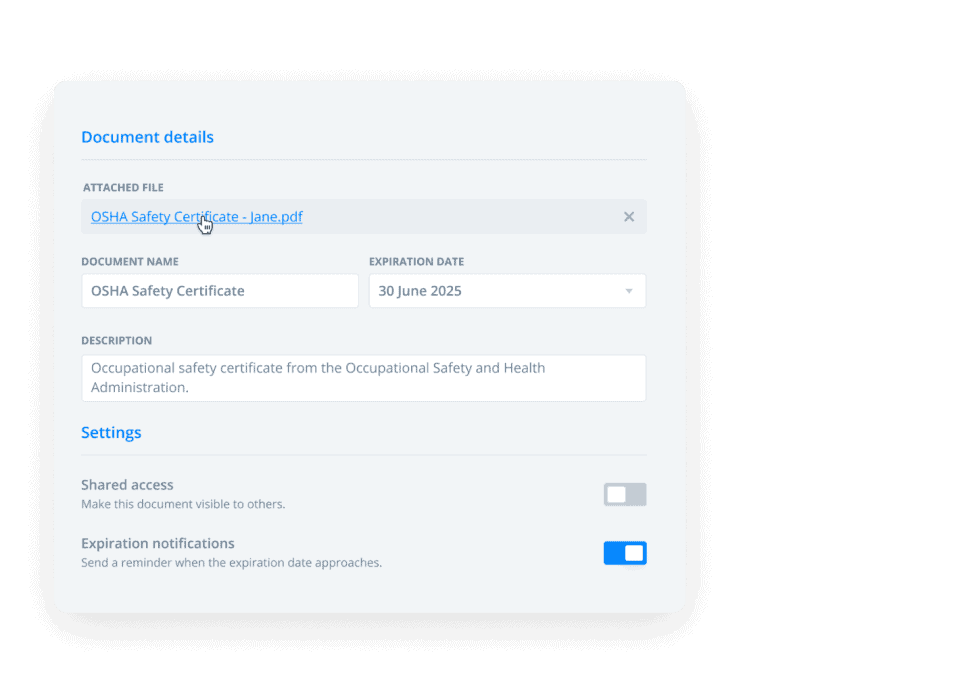
Managers can upload files to employee profiles, set expiration alerts, and control access—keeping everything organized, compliant, and hassle-free. Employees can also access their own documents, reducing back-and-forth requests and saving time.
Sling simplifies workforce management by offering integrations that connect your scheduling and payroll data. Integrations with third-party platforms such as Toast, Shopify, Square, and Gusto are quite simple to find.
This means fewer manual errors, easier payroll processing, and better insights into labor costs and sales performance. Sling not only schedules shifts but also optimizes time, labor, and team efficiency in one smart package.
But how much does this package cost? Let’s find out.
*Always check the tool’s website for the latest pricing
Sling suits small to mid-sized businesses, especially in restaurants, retail, and hospitality, where scheduling can feel like a never-ending maze. But what makes it so good? Here are some pros of using the app:
👀 Did You Know? Employee timesheet errors cost the US economy $7.4 billion daily, representing 50 million lost work hours annually.
While Sling is packed with useful features, it’s not perfect. Here are a few areas where users feel it could improve:
📮 ClickUp Insight: 18% of our survey respondents want to use AI to organize their lives through calendars, tasks, and reminders. Another 15% want AI to handle routine tasks and administrative work.
To do this, an AI needs to be able to: understand the priority levels for each task in a workflow, run the necessary steps to create tasks or adjust tasks, and set up automated workflows
.Most tools have one or two of these steps worked out. However, ClickUp has helped users consolidate up to 5+ apps using our platform! Experience AI-powered scheduling, where tasks and meetings can be easily allocated to open slots in your calendar based on priority levels. You can also set up custom automation rules via ClickUp Brain to handle routine tasks. Say goodbye to busy work!
Now that you know everything about Sling, let’s see what real-life users have to say about the software. We turned to Reddit to find what the consensus is:
A user, AmusedCindy, on r/restaurantowners points out the ease with which Sling allows scheduling:
I’m curious as to why owners/managers don’t schedule their staff monthly? We spend probably half a hour once a month using Sling to schedule our bar staff and food trucks. We currently have 12 employees, so it’s not a huge amount, but all of them appreciate that we do the monthly schedule so that they can work other jobs/arrange childcare/have a life.
On r/ToastPOS, Sling user lightbrightensight explains that while the service does its job, the customization leaves a lot to be desired:
We use Sling for multiple locations and like it. It’s $70/month, which is reasonable compared to many other options. I wish settings were slightly more customizable, particularly in terms of submitting time off and unavailability requests, but it has robust scheduling, messaging and reporting features.
However, not everyone is a fan of Sling’s mobile app. Says user BarStain on r/BarOwners:
…The desktop web version is far superior to the app or mobile web versions (on a tablet) for actually setting a schedule. The app is great as an employee but lacks the drag and drop scheduling nuance I really like.
💡Pro Tip: Create a shift bidding system where employees can request open shifts instead of having them assigned manually. This approach increases flexibility while ensuring all shifts are covered.
Sling is suitable if you have a small team and are only looking to simplify scheduling.
But if you have a larger team looking for something more competent that ticks all the workflow management boxes, there’s no tool like ClickUp.
ClickUp, the everything app for work, takes the pain out of scheduling while making your life as simple as possible. It combines project management, knowledge management, and chat—all powered by AI that helps you work faster and smarter.
So, how do you create shift schedule makers on ClickUp?
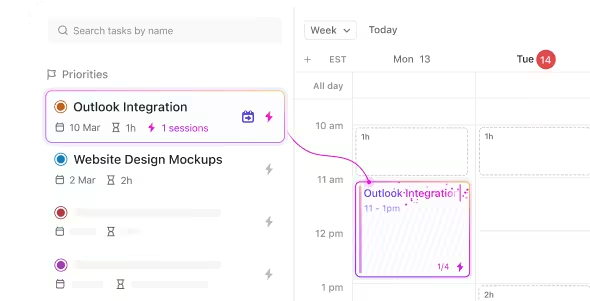
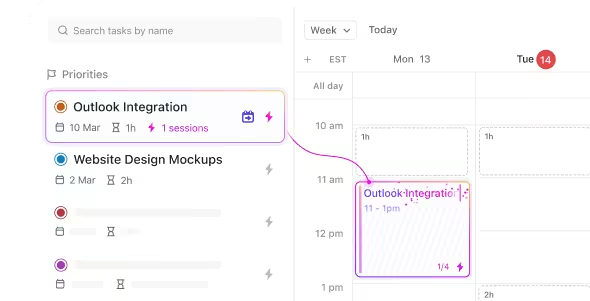
ClickUp Calendar is an AI-powered calendar designed to manage your workload and streamline your productivity intelligently. Imagine having a virtual assistant that not only analyzes your backlog but also prioritizes your tasks and automatically time-blocks them for optimal efficiency.
This is precisely what ClickUp’s AI does—it intelligently identifies the best times for you and your team to focus on your most important work, ensuring that your priorities are met.
And if it needs you to join virtual calls with your team or vendors, you can do it directly from the ClickUp workspace.
With integrations like Google Calendar, Apple Calendar, and Microsoft Outlook, any changes you make in ClickUp will be reflected in your team’s calendars. Instantly reduce miscommunication and missed shifts while continuing to work.

Manasi Nair
Max 23min read
Manasi Nair
Max 29min read
Manasi Nair
Max 14min read

© 2026 ClickUp




