
Sorry, there were no results found for “”
Sorry, there were no results found for “”
Sorry, there were no results found for “”
“MCP vs. API” sounds like a choice between two competing technologies. But they’re actually part of the same stack. An API exposes what a system can do. An MCP server can then make selected capabilities available to AI applications, whether those capabilities come from an API, a database, local files, or another source.
So contrary to what some people people believe, MCP will not replace APIs. If you’re comparing MCP vs. API to make a choice for your workflow, consider what each layer gives you, where each one adds complexity, and when using both makes more sense than choosing one.
MCP vs. API comes down to who the caller is. An API is most useful when your code controls the path, the sequence is known, and you want direct, testable calls. MCP is the stronger fit when an AI system needs to choose among available actions as the request changes.
Most teams building AI-facing products will ship both in different parts of their work. The API stays the full developer interface. The MCP server exposes a narrower, described subset that agents can discover and call on their own. Neither replaces the other; they serve different consumers of the same capability.
One thing to size before you commit: MCP carries a per-call token tax whether or not a tool gets used. Benchmarks across five model families show that a 26-tool server adds ~$0.03 to every request on Claude Opus, but only $0.003 on Gemini Flash, a 10x spread depending on the model. That overhead is recoverable with caching, but it means MCP’s cost profile is a design variable, not a constant.
| Feature/Category | API | MCP |
|---|---|---|
| Primary use case | Connect software through defined programmatic interfaces | Connect AI applications to tools, data, and external systems |
| Who controls the flow | Application logic usually decides what gets called | An AI host can choose among exposed capabilities at runtime |
| Discovery | The integration usually starts with known endpoints or schemas | The client can ask the server what capabilities are available |
| Integration effort | Often varies by provider, auth model, schema, and API style | Uses one protocol across MCP-compatible servers and clients |
| Orchestration | Usually designed and maintained in application code | Some decisions can move into the AI host or agent |
| Determinism | Better fit for fixed call paths that must be easy to test and reproduce | Tool selection may vary when a model decides what action to take |
| Performance and cost | Direct calls avoid extra model inference | Agentic use can add inference time and token cost |
| Security model | Permissions and call paths are usually enforced in application logic | Requires the same controls, plus safeguards around model-driven tool use |
| Can work alone? | Yes | Yes, though MCP servers often expose capabilities backed by existing APIs or systems |
| Where it taps out | Cross-provider integrations can require different schemas, auth, and orchestration logic | Client support varies, large tool catalogs need context management, and the spec is still evolving |
MCP, or Model Context Protocol, is an open standard that gives AI applications a shared way to discover and use external tools, data, and services.
Instead of hardcoding every possible action, an MCP client can ask a connected server what it offers. The server returns a catalog of tools with names, descriptions, and input schemas. The AI model can then decide which tool fits the user’s request.
Worth noting: Tools are the part of MCP that most closely resembles API actions. But MCP servers can also expose resources, such as files or database records, and prompts, which are reusable instructions or templates an AI application can request.
Runtime discovery is one of MCP’s main advantages. Instead of learning a different integration pattern for every service, the client gets one standard way to see what a server offers and call those capabilities when needed.
Anthropic introduced MCP in November 2024 and donated it to the Agentic AI Foundation under the Linux Foundation in December 2025.
MCP makes the most sense when an AI assistant or agent needs access to several tools and needs to decide which one to use at runtime.
Made for: AI agents, coding assistants, internal copilots, and systems that need to work across several changing tools.
Skip it if: Your application only needs a small number of fixed integrations, and the workflow is already known in advance.
An API (Application Programming Interface) is a published contract. A provider commits to a set of operations, the shape of each request, and what comes back. Your code reads that contract once and calls it the same way every time.
A developer typically reads the API documentation, chooses an endpoint, defines the required parameters, and writes the code that makes the request.
For example, an application might call one endpoint to create a task and another to retrieve a customer record. The application already knows which endpoint to use because that logic was written into the software.
Worth noting: “API” covers several incompatible styles. REST organizes operations around resources and HTTP verbs. GraphQL exposes one endpoint and lets the caller specify the fields it wants. gRPC uses binary payloads over HTTP/2 for service-to-service calls where latency matters.
The closest thing to a shared description standard is OpenAPI, which many providers publish and many don’t. What APIs do have is roughly two decades of accumulated tooling: gateways, contract testing, distributed tracing, versioning conventions, and rate-limiting infrastructure that most engineering teams already run. MCP is still assembling its equivalent.
APIs work well when the application needs predictable access to a known service, and developers want direct control over what gets called and when.
Made for: Backend integrations, data pipelines, web and mobile apps, and workflows with fixed actions.
Skip it if: You’re building an AI system that needs to discover and choose among many tools dynamically.
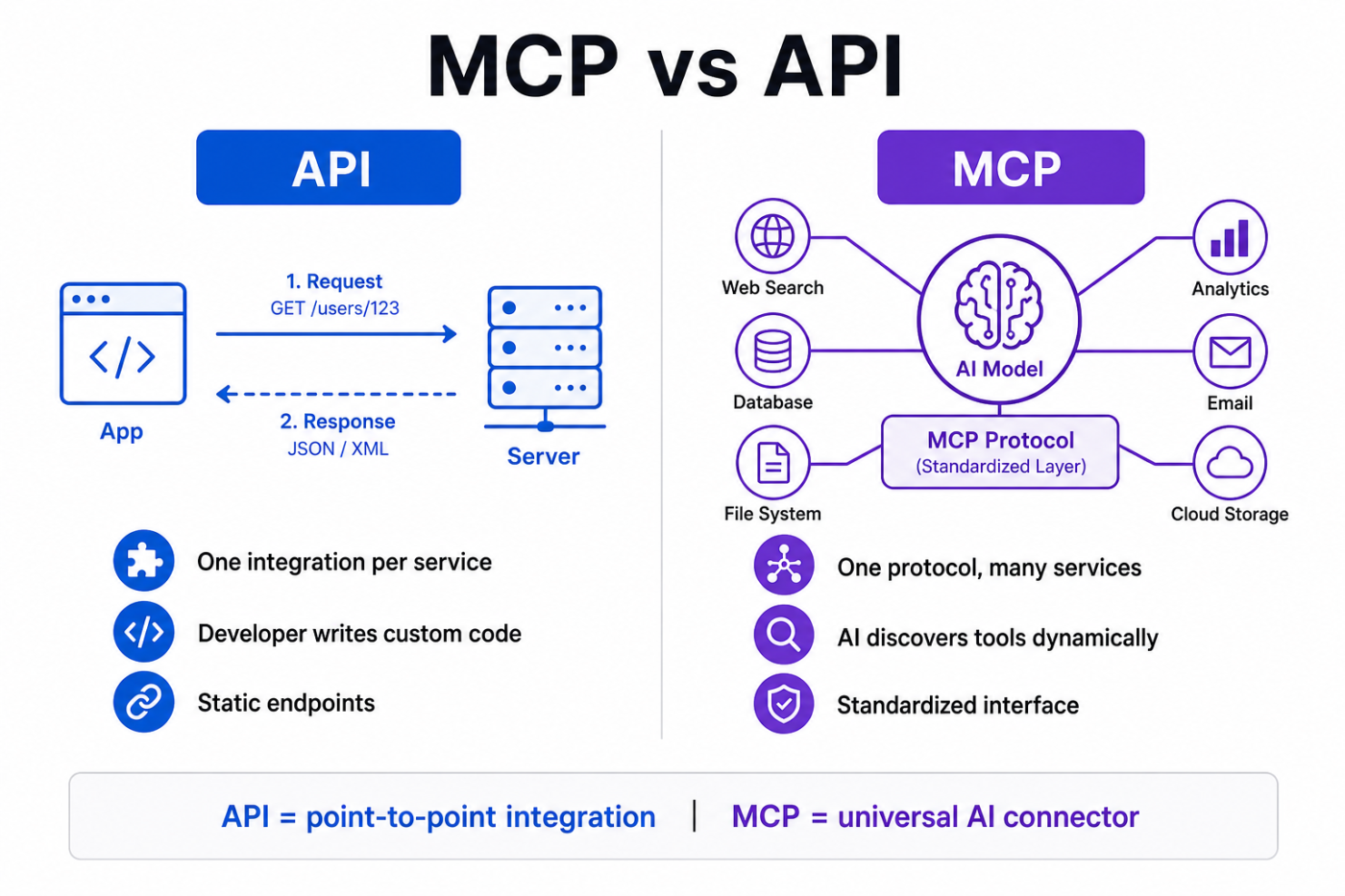
An API and MCP both expose actions, but they handle the connection differently. APIs start with a known operation. MCP starts with a question: what’s available? Three differences follow from that, and none of them is about which interface wins. They’re about which interface handles which caller.
With an API, the application already knows which endpoint it needs. A developer defines the request, sets the parameters, and writes what happens with the response.
That makes APIs a strong fit for fixed workflows. A payment clears, your system creates an invoice. The call path gets written once, tested, and reused every time.
With MCP, the path stays open. A connected client inspects what tools a server exposes, then makes them available to the AI system. The next action depends on the user’s request, not on one flow written in advance.
APIs come in many shapes. One provider uses REST, another uses GraphQL, and another relies on an SDK. Authentication, errors, pagination, and request formats all vary between services.
MCP gives AI clients one protocol for connecting to servers and reading what they expose. That doesn’t make every tool identical. Two servers can still name or design similar actions differently. But the client doesn’t need a different protocol for each one.
An API description exists for developers and their code. The application knows what to call before the request starts.
With MCP, tool names, descriptions, and input schemas get passed into the model’s working context. The model reads that information, decides which action fits the request, and fills in the arguments.
One place this difference becomes visible is in agent workflows, where the system may need to choose the next action based on the request rather than follow one fixed sequence.
Choose between MCP and an API based on how the capability needs to be exposed. APIs work well when your application already knows what service or operation to call. MCP is useful when an AI application needs a standard way to discover and use capabilities across different systems at runtime.
Build both when: You’re the vendor serving developers and AI agents. Keep the API as the full programmatic interface, then expose a smaller set of agent-safe capabilities through MCP.
APIs fall short because every integration is custom-built, they can’t adapt when users ask for something a developer didn’t code, multi-service workflows put all orchestration on you, and documentation quality is inconsistent across providers.
Also Read: Best Claude MCP Connectors for Marketing
MCP’s main limitations are the complexity of debugging, tool descriptions that can drift out of sync with server behavior, the lack of a universal server registry, and credential patterns that haven’t been standardized for enterprise use.
None of these is permanent. The spec is moving fast, and tooling is catching up. But if you’re evaluating MCP for a production deployment today, build around these constraints rather than assuming they’ll disappear by launch.
An API request goes straight to a known endpoint with fixed parameters that your code defined in advance. An MCP tool call wraps the same action in a JSON-RPC envelope that an AI model selects at runtime after reading the server’s tool catalog. The MCP server then executes the underlying API call on the model’s behalf.
Here’s “create a task in ClickUp” through each layer.
Your application already knows the list ID, the assignee, and the exact endpoint. It calls it directly.
POST https://api.clickup.com/api/v2/list/901300458/task
Authorization: pk_31090583_EXAMPLETOKEN
Content-Type: application/json

{
  "name": "Draft MCP blog post",
  "description": "First draft due Friday",
  "assignees": [183],
  "priority": 2,
  "due_date": 1723939200000
}
The response comes back with the created task object. No model was involved. The developer wrote the logic, chose the endpoint, and handled the result.
An AI client connects to the ClickUp MCP server and asks what tools exist:
→ { "jsonrpc": "2.0", "id": 1, "method": "tools/list" }

← { "jsonrpc": "2.0", "id": 1, "result": {
     "tools": [{
       "name": "create_task",
       "description": "Create a new task in a ClickUp list",
       "inputSchema": {
         "type": "object",
         "properties": {
           "title": { "type": "string" },
           "list_name": { "type": "string" },
           "assignees": { "type": "array", "items": { "type": "integer" } },
           "priority": { "type": "integer", "enum": [1,2,3,4] },
           "due_date": { "type": "string", "format": "date" }
         },
         "required": ["title"]
       }
     }]
   }}
The model reads the schema, decides create_task fits the user’s request, and returns structured arguments:
→ { "jsonrpc": "2.0", "id": 2, "method": "tools/call",
    "params": {
      "name": "create_task",
      "arguments": {
        "title": "Draft MCP blog post",
        "list_name": "Blog Posts",
        "assignees": [183],
        "priority": 2,
        "due_date": "2026-08-15"
      }
    }}
The same task gets created. The MCP server still calls the ClickUp REST API under the hood to execute it.
The outcome is identical. What changed is who made the decision.
With the API, your code knew the endpoint before the request started. With MCP, the model read a tool catalog at runtime and chose create_task from 40+ available tools based on what the user asked for in plain language.
Neither approach is better in absolute terms. The API is faster, cheaper, and deterministic. MCP is flexible, discoverable, and built for callers that reason in natural language.
Also Read: How to Write API Documentation
As of the July 28, 2026 spec, MCP’s protocol core is stateless. The distinction that older comparisons lean on (REST is stateless, MCP holds a session) now describes a deprecated transport.
The old “initialize” handshake and the “Mcp-Session-Id” header are gone. Each request carries its own protocol version, client identity, and capabilities. Any call can land on any server instance behind a plain round-robin load balancer. No sticky routing, no shared session storage.
The spec also puts method and tool names into HTTP headers. Gateways, rate limiters, and web application firewalls (WAFs) can now route or meter MCP traffic without first parsing the JSON body.
When several exchanges are still needed, MCP offers two patterns. Multi-Round-Trip Requests handle lightweight back-and-forth within a single call. The Tasks extension handles long-running operations: the server returns a durable task handle, and if it needs more information mid-execution, it pauses with an “input_required” status until the client supplies the missing input. The legacy stateful behavior is in a migration period, and Roots, Sampling, and Logging (three older features that let servers request things back from the client) are deprecated separately, with at least a 12-month window before removal.
So statefulness is no longer the dividing line. The difference that survives sits above transport: an API relies on developer-written logic to determine what gets called. MCP lets the AI model discover and mostly choose for itself.
Function calling is a model capability. MCP is a discovery and transport standard that feeds it. Function calling lets a model emit a structured request to invoke a function you defined in your own code. MCP standardizes where those definitions come from, how a client fetches them from a server at runtime, and how authorization works. A model uses function calling to act on tools that MCP delivered.
Function calling (also called tool use) is built into model APIs from OpenAI, Anthropic, and Google. You define a set of functions, pass their schemas to the model, and the model returns structured arguments when it decides one is relevant. You still choose which functions to offer, write the execution code, and handle the response. The model picks which function to call. Your code does the rest.
MCP operates one layer out. It standardizes how an AI client learns what functions exist in the first place, across multiple servers, with no hardcoding on your side. The server advertises its tools. The client reads them at runtime. The model then uses function calling to invoke the one it picks.
Put simply: function calling is how a model says, “I want to call this tool with these arguments.” MCP is what tells the model which tools exist to call.
Most MCP-compatible clients run both together. They pull tool schemas from the MCP server, format them as function definitions for the model, and route the model’s structured output back through MCP for execution. The two are layers in the same stack, so you’ll usually see them working in sequence on a single request.
Yes, MCP is both slower and more expensive than a direct API call. MCP puts an AI model inside the request loop, which adds extra delay and token costs. Direct APIs send requests straight to an endpoint, but MCP requires an LLM to choose, run, and read tools dynamically.
Use Direct APIs for predictable app tasks that need fast responses and low cost.
Use MCP when building flexible AI agents that must pick actions dynamically during a conversation.
Not inherently. MCP carries the same security requirements as any API: authentication, authorization, scoped permissions, and input validation. The difference is who decides what gets called.
| Security area | API | MCP |
|---|---|---|
| Authentication and permissions | Required | Required |
| Who selects the action | Application code | May be an AI model |
| Prompt injection | Not inherent to the API | Can influence tool selection and execution |
| Tool metadata | Describes the interface | Can influence model behavior |
| Cross-tool risk | Limited to programmed integrations | Agents may combine tools and data sources dynamically |
Two risks are worth naming:
Tool poisoning. A malicious MCP server returns hidden instructions inside a tool’s response. The model treats that response as trusted context and follows the embedded instructions. OWASP classifies this as indirect prompt injection against MCP-connected agents. It works because tool descriptions are reviewed once at connect time, but tool responses flow straight into the model’s context at runtime with no equivalent check.
The “lethal trifecta.” It’s Simon Willison’s framing. It means an agent with access to private data that consumes untrusted content and can communicate externally. Combine all three, and prompt injection becomes a path to data exfiltration. MCP makes that combination easy to assemble because users connect tools from multiple sources.
The practical question isn’t whether MCP is “secure.” It’s whether you’ve constrained what the model can see, choose, and execute, not just what code can call.
For MCP deployments:
ClickUp is one example of the “build both” pattern we described so far.
The ClickUp API is the full developer interface. Teams use it to build custom connections, sync data across systems, and run workflows with direct control over every request.
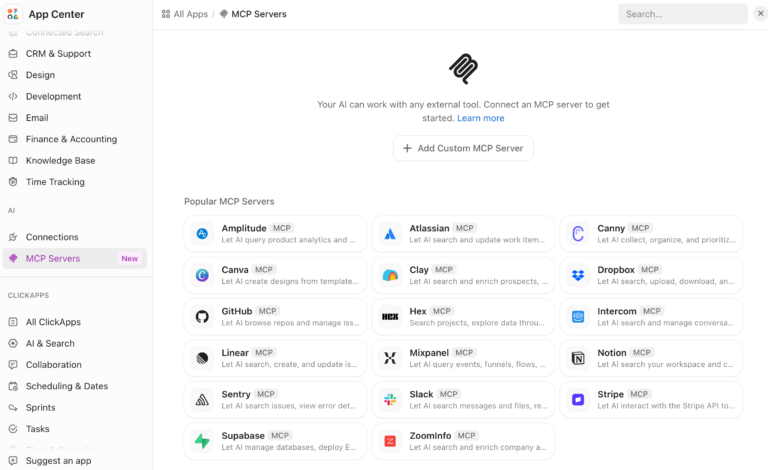
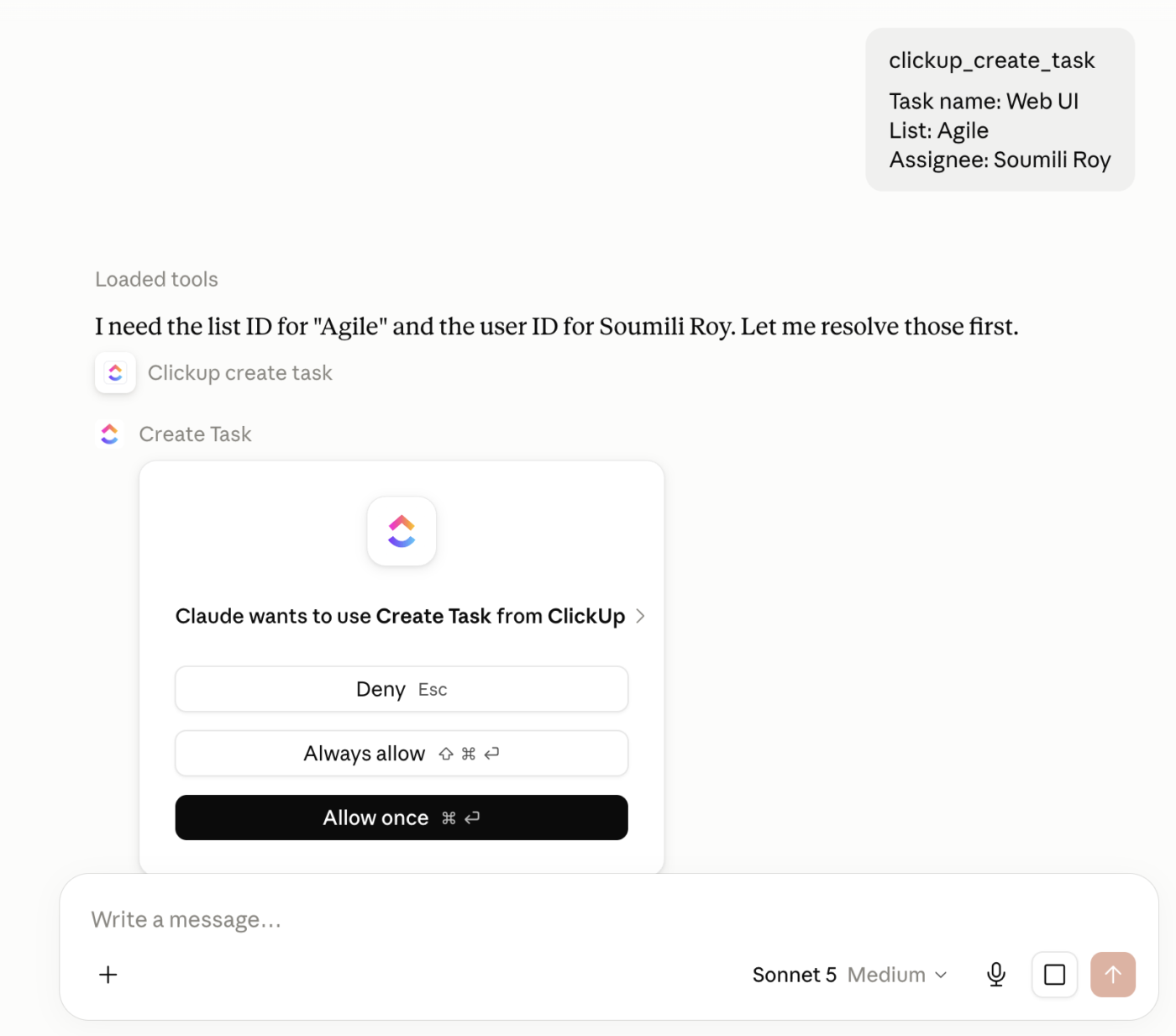
The ClickUp MCP Server exposes many of those same actions through MCP. AI clients like Claude Code, Cursor, and ChatGPT can connect, see which ClickUp tools exist, and call them from plain-language prompts. That includes creating tasks, searching a Workspace, working with Docs, posting comments, and logging time.
The user-facing AI layer sits above that. ClickUp Brain pulls context from tasks, Docs, Chat, and other work.
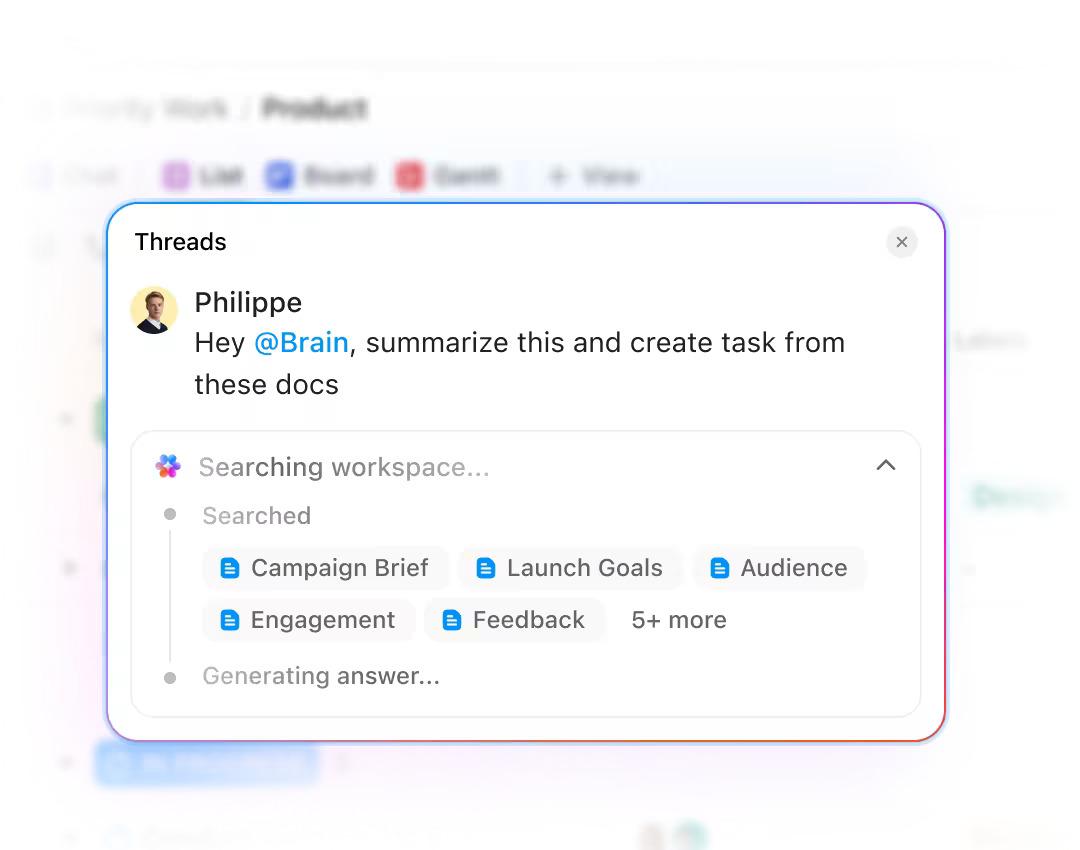
And ClickUp Super Agents use that context to make choices and run multi-step workflows on their own. You can assign them tasks, message them, and let them act across a Workspace.
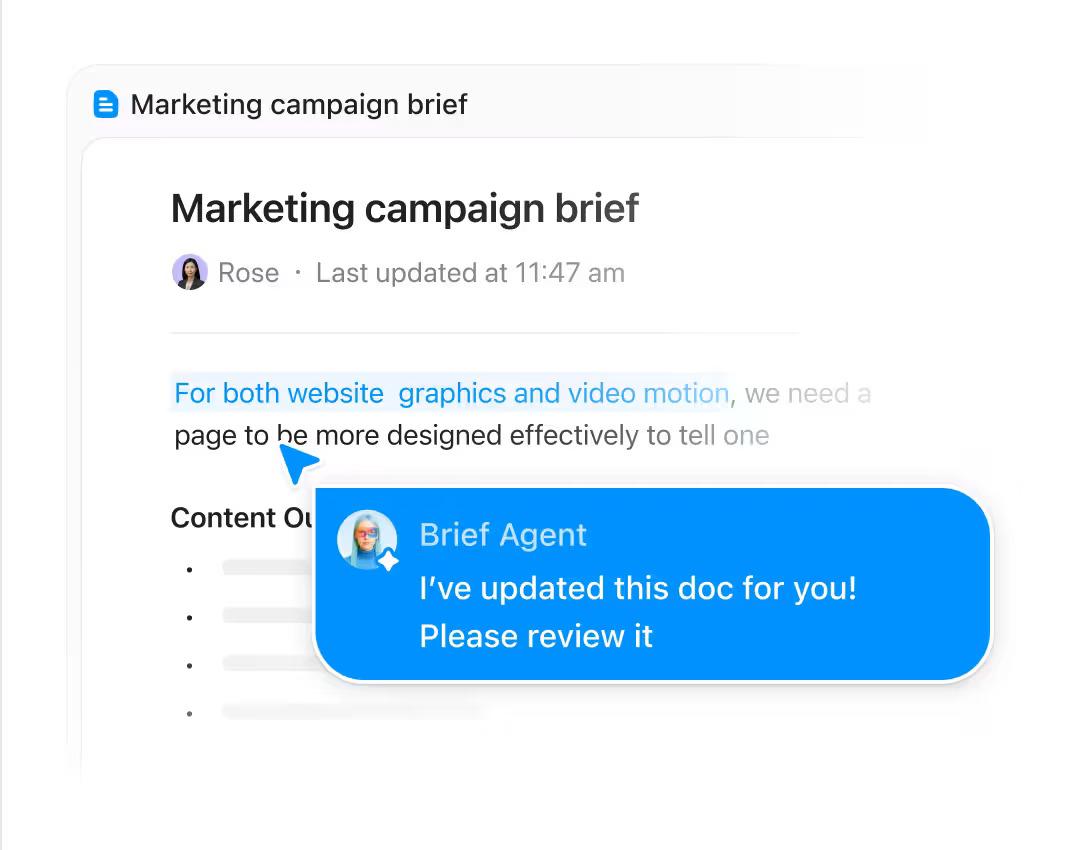
That gives ClickUp three layers. The API serves developers who want full access. MCP gives outside AI clients a standard way to find and use ClickUp tools. Brain and Super Agents bring AI reasoning into the product itself.
Of course, ClickUp also lets you connect to your other tools through their MCP Servers. No API work needed.
Where it taps out: The MCP server is still in public beta and doesn’t expose the full API surface. If the tool you need isn’t there, or your workflow needs direct control over each request, the API is the better path.
MCP and APIs aren’t competing standards, and the differences people cite most are the ones that aged fastest.
What remains is a genuine architectural decision. An API is a contract for developers. An MCP server is a contract for models, which makes it a prompt, a token cost, and an attack surface at the same time.
Design accordingly. Keep the API as your deterministic backbone. Then decide, tool by tool, what an agent is allowed to do without a human in the room, and publish only that. Measure what the catalog costs you in context, and assume every tool description and every tool response is attacker-controlled until you have verified otherwise.
Whether you choose API or MCP, ClickUp works with both. Get started with ClickUp for free.
The wire format is JSON-RPC 2.0 over HTTP, deliberately unremarkable. The value sits in the standardized capability catalog, tool schemas, and authorization model that ride on top of it. As of the July spec, each request is self-describing and stateless, with method and tool name carried in HTTP headers so gateways can route without parsing the body. One integration now serves Claude, ChatGPT, Cursor, Gemini, and Copilot without bespoke glue for each.
Yes. ClickUp offers a REST API with an OpenAPI spec for deterministic, code-driven integrations, and a separate MCP server (public beta) that lets assistants like Claude, ChatGPT, and Cursor work with workspace data in natural language. The MCP surface is a deliberate subset of the API, so anything outside it still uses the REST API. It is available on all plans.
Claude Desktop, Claude Code, ChatGPT (paid plans, including Plus, Pro, Business, and Enterprise), Cursor, GitHub Copilot, VS Code (via the Copilot extension), Gemini, Windsurf, and Microsoft Copilot Studio all support MCP as of mid-2026. OpenAI, Google, Microsoft, and several others have joined the Linux Foundation’s Agentic AI Foundation, which governs the spec. Client support is broad but uneven: not every client supports every MCP capability (e.g., resources and prompts lag behind tool calls).
Yes, and wrapping an existing API is the most common path. The server authenticates to the API, maps a chosen set of endpoints to tools, and publishes names, descriptions, and JSON schemas for each. Resist mapping every endpoint. Each tool description enters the model’s context on every turn, so a large catalog costs tokens and widens the prompt-injection surface. Expose only the actions you’re willing to let an agent take unattended.
As few as the use case requires. Anthropic’s engineering team reported that tool definitions and results combined can consume 50,000+ tokens before the model even reads the user’s request. Community guidance converges on 10-20 tools per server as a ceiling before context management techniques (progressive disclosure, tool search) become necessary. If you’re above 50, split into multiple purpose-scoped servers.
No, though most deployments have one. An MCP server can expose local files, a database, or in-process logic with no HTTP API involved, which is how the original stdio transport was designed. What MCP always needs is something to execute the tool. Wrapping an existing API is simply the fastest path, because authentication, validation, and error handling already exist.
Tools are callable actions (create a task, run a query) and most closely resemble API endpoints. Resources are read-only data the model can pull into context (files, database records, live documents). Prompts are reusable instruction templates the AI client can request, like a “summarize this PR” workflow. Tools get the most attention, but resources and prompts are what distinguish MCP from a plain function-calling list: they let the server shape the model’s context, not just its actions.

Manasi Nair
Max 31min read

Praburam Srinivasan
Max 22min read
Praburam Srinivasan
Max 10min read

© 2026 ClickUp




