
Sorry, there were no results found for “”
Sorry, there were no results found for “”
Sorry, there were no results found for “”
Add the right Cursor MCP servers, and its AI agent can do far more than write code.
Think pulling the latest docs from your library, digging through a repo’s commit history, or clicking through your staging site to find a broken form. With other servers, Cursor can trace a production error, query your database, or update tasks in your project workspace from the same chat. Each server you add expands what the agent can touch.
The options have multiplied fast. By December 2025, the Model Context Protocol project counted 10,000 active MCP servers, with Cursor among the major platforms supporting them. With that many to choose from, the hard part is narrowing them down.
Before you connect a server, ask: What can Cursor do with it? What data can it read or change? Will you use it often enough to give it that access?
Short version: Start with two or three MCP servers that support your daily work. Context7 provides library docs; GitHub adds repository activity; Playwright tests browser interactions; and Figma connects designs to code and supports design edits. Sentry helps investigate production errors, Supabase supports database work, and ClickUp, Linear, Atlassian, or Notion bring in project records and requirements. Connect servers through Cursor’s Marketplace or mcp.json, check permissions and usage costs, and use read-only access when the agent only needs information.
| Tool | Best for | Standout features | Starting price* | Where it taps out |
| Context7 | Version-specific library documentation | Documentation ranked by relevance, version-specific lookups, and targeted code examples | Free; Pro at $10/seat/month | Coverage depends on its documentation index; generated code still needs checking |
| GitHub MCP Server | Cross-repository development workflows | Pull request and issue access, tool selection, repository rules, and security findings | Free and open source; GitHub Team at $4/user/month | Account permissions can block actions; proposed changes still need review |
| Playwright MCP | Browser testing and frontend verification | Browser interactions, accessibility snapshots, console messages, and network inspection | Free and open source | Canvas-based controls may need vision tools; repeated snapshots consume context |
| Figma MCP Server | Translating design systems into code | Layout and component details, design-system search, Code Connect, and design creation/editing | Free with limits; Professional Collab at $5/seat/month | View and Collab seats get only 20 MCP read calls/month |
| Sentry MCP | Debugging production errors | Error reports, breadcrumbs, trace inspection, and Seer-assisted analysis | Free; Team at $29/month | Seer requires paid access and doesn’t support self-hosted connections; Cursor can investigate retrieved errors without it |
| Supabase MCP | Schema-aware backend development | Schema inspection, database branches, Edge Function deployment, and TypeScript generation | Free; Pro from $25/month | Destructive-query confirmation depends on client support; branching is experimental and paid |
| Linear MCP | Issue-driven engineering teams | Issue relationships, roadmap planning, read-only access, and cycle summaries | Free; Basic at $12/user/month | Each authentication session connects to one workspace |
| Atlassian Rovo MCP Server | Development using Jira and Confluence | Code search, document-version comparisons, linked project records, and on-demand tools | Free to connect; Jira Standard at $7.91/user/month | Workflow changes must be applied in Jira; code search requires OAuth 2.1 |
| ClickUp MCP | Connecting coding work with project execution | Bulk task updates, dependencies, time-in-status reporting, and task filtering | Free tier available; paid plan and AI add-on costs vary | Rolling rate limits can restrict high-volume automated workflows |
| Notion MCP | Technical specifications and knowledge retrieval | Workspace search, database queries, document verification, and targeted edits | Free; Plus at $12/user/month | AI search, multi-source SQL, and advanced filters require higher plans |
The MCP servers in this table generally have no separate installation fee, but using them may still cost money. Access can depend on your product plan, seat type, API limits, or usage credits. Context7, Figma, and Atlassian are good examples of why you should check MCP-specific limits alongside standard pricing.
We’ve also left out broader cloud-platform toolkits, such as AWS and Azure, which are better configured around specific infrastructure tasks. Slack can also help you investigate incidents and retrieve team discussions, but it may overlap with tools you already use. Both remain valid options for Cursor. This list focuses on servers with clear roles in everyday development and project execution.
Our editorial team follows a transparent, research-backed, and vendor-neutral process, so you can trust that our recommendations are based on real product value.
Here’s a detailed rundown of how we review software at ClickUp.
An MCP server gives Cursor’s AI agent tools to read data or take actions in connected apps, services, and local environments. The Model Context Protocol defines how the agent requests those tools and receives results.
For example, Cursor can use an MCP server to retrieve a Sentry error report, inspect a Figma component, or update a ClickUp task. Each server defines which tools are available, while your account permissions control what the agent can access and change.
Cursor supports three connection methods:
HTTP-based servers can run locally or remotely. Some services also use OAuth, which lets you sign in and approve access through your account.
But be sure not to confuse your MCP connections with editor extensions. Extensions add features to Cursor itself, such as highlighting errors in your code, formatting files, or changing the editor’s theme.
The following 10 options cover different stages of software development and highlight their capabilities, tool budget, pricing, and limits.
Note: G2 and Capterra primarily review the underlying software platforms. Don’t treat their scores as independent ratings for each MCP server.
Context7 is an MCP server that lets Cursor look up library documentation while you’re writing code. Developed by Upstash, it retrieves relevant API instructions and code examples from its documentation index and supplies them to Cursor’s AI agent before the agent generates an implementation.
Say you’re using Next.js 14 and need to create authentication middleware. Ask Cursor to write the middleware and add “use Context7” to your prompt. Cursor can then retrieve documentation for that version of Next.js and use the methods and syntax documented for that version. This reduces the chance of getting code based on an older framework release or a method that no longer exists.
Context7 only handles documentation retrieval. It doesn’t execute code or test your application. Because it exposes just two MCP tools, it’s also a relatively small addition to Cursor’s tool budget. You can also set a Cursor rule to request these documentation checks automatically.
/vercel/next.js/v15.1.8 tells Context7 which indexed library version to retrieve documentation forquery-docs tool selects snippets based on a defined question. Context7 limits documentation calls per question to control repeated retrieval and context usagereadOnlyHint metadata. Compatible clients can recognize these operations as read-onlyThe free plan includes 1,000 API calls per month.
A G2 user said:
Context7 solves one of the biggest issues with AI coding tools i.e. outdated knowledge and hallucinated APIs. Most AI models don’t have real time knowledge about documentation often leads to incorrect or deprecated code suggestions. Context7 fixes this by providing real time and version specific documentation directly to the agent during chat.
Where it taps out: Documentation coverage depends on Context7’s index. A newly released package version or poorly documented library may have incomplete results. Retrieved documentation still needs checking against your installed dependencies and implementation requirements, since version-aware retrieval doesn’t guarantee correct generated code.
Best for: Developers working with frequently updated frameworks, SDKs, and third-party APIs.
Skip it if: Your development environment uses a stable internal stack with few external dependencies, and its documentation is already available in the repository.
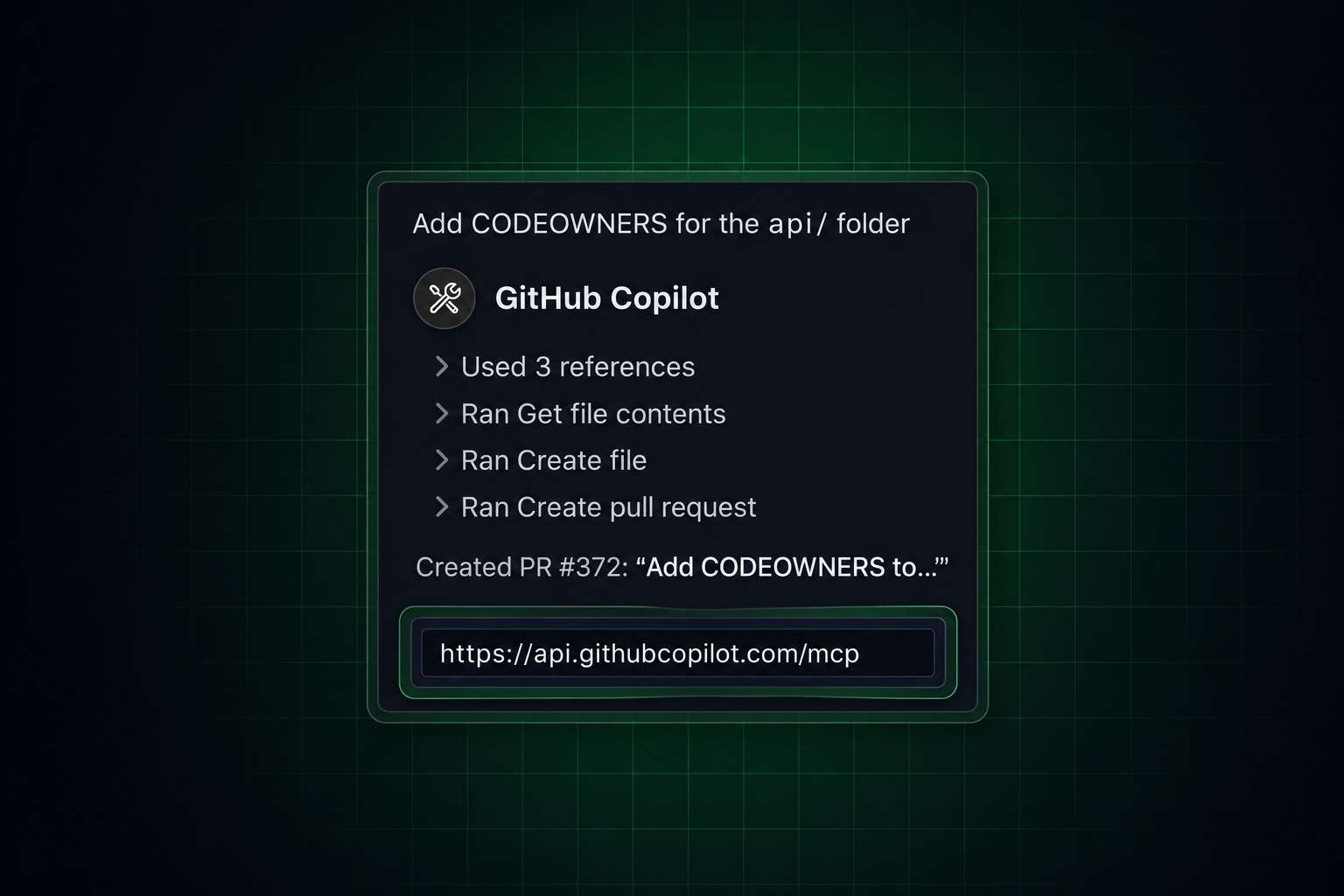
A pull request in another repository can affect the code you’re working on. With the GitHub MCP Server, Cursor can inspect those changes, read issue discussions, and retrieve development activity across repositories. GitHub maintains the server and supports both hosted and local connections.
You can ask Cursor to review a pull request in another service before changing your application. The agent can inspect the proposed code, check reviewer comments, and find related issues. It then has the context needed to account for those changes in your local implementation.
GitHub MCP also supports repository management, reviews, and workflow operations. Its extensive tool catalog lets you choose which functions Cursor can access. For teams working across several repositories, this gives the agent access to development records beyond the files currently open in the editor.
--tools or X-MCP-Tools. Use exclusion settings to remove operations you don’t needgovernance toolset to inspect and manage supported repository rulesets and custom propertiesA G2 user said:
As a web developer since 2017, GitHub has made web development so much easier for me. My code management is much cleaner, and sharing projects with friends or team members has become effortless. On top of that, my absolute favorite feature is the MCP integration for AI connectors. Nowadays, I use GitHub every time I code because it truly helps with both my daily work and personal experiments. My only regret is that I didn’t start using GitHub sooner.
Where it taps out: GitHub permissions can block an action even when Cursor is connected. Lockdown mode also filters only some untrusted repository content. You’ll still need to review the agent’s proposed changes before approving them.
Best for: Engineering teams working across multiple repositories, with active pull request reviews and issue-based development.
Skip it if: Your workflow is limited to one local repository and rarely requires GitHub activity outside the current project.
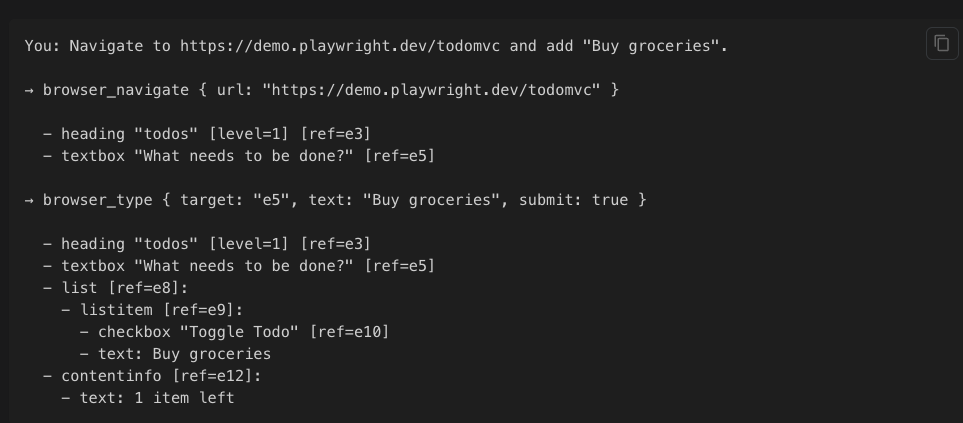
If you use Cursor to write frontend code, Playwright MCP can check the result in a real browser. Developed by Microsoft, the server gives the agent tools to open pages, complete forms, click controls, and inspect what happens after each action.
Cursor can generate a signup form and then test it through Playwright MCP. Ask the agent to open the development site, enter an invalid email address, and check whether the expected validation message appears. If the form fails, Cursor can inspect the behavior, change the code, and repeat the test.
Playwright also returns structured information about page elements. Cursor uses that information to identify buttons, fields, and other controls through the browser’s accessibility tree. Screenshots remain available when a test requires visual inspection.
A G2 user said:
What I like most about Playwright is how reliable it is for end-to-end testing. It supports multiple browsers (Chromium, Firefox) and handles modern web apps really well. The auto-waiting feature and built-in test runner make tests more stable compared to older tools like Selenium. Playwright MCP is my go-to tool for testing.
Where it taps out: Playwright MCP relies on the browser’s accessibility tree, which can’t fully represent canvas-based interfaces. Testing canvas-based controls may require Playwright MCP’s optional vision tools. Browser snapshots can also consume substantial context, and Microsoft recommends Playwright CLI for high-volume, repetitive testing.
Best for: Frontend and full-stack developers who want Cursor to reproduce and verify browser interactions.
Skip it if: Your work focuses on backend systems, CLI applications, or services without a browser interface.
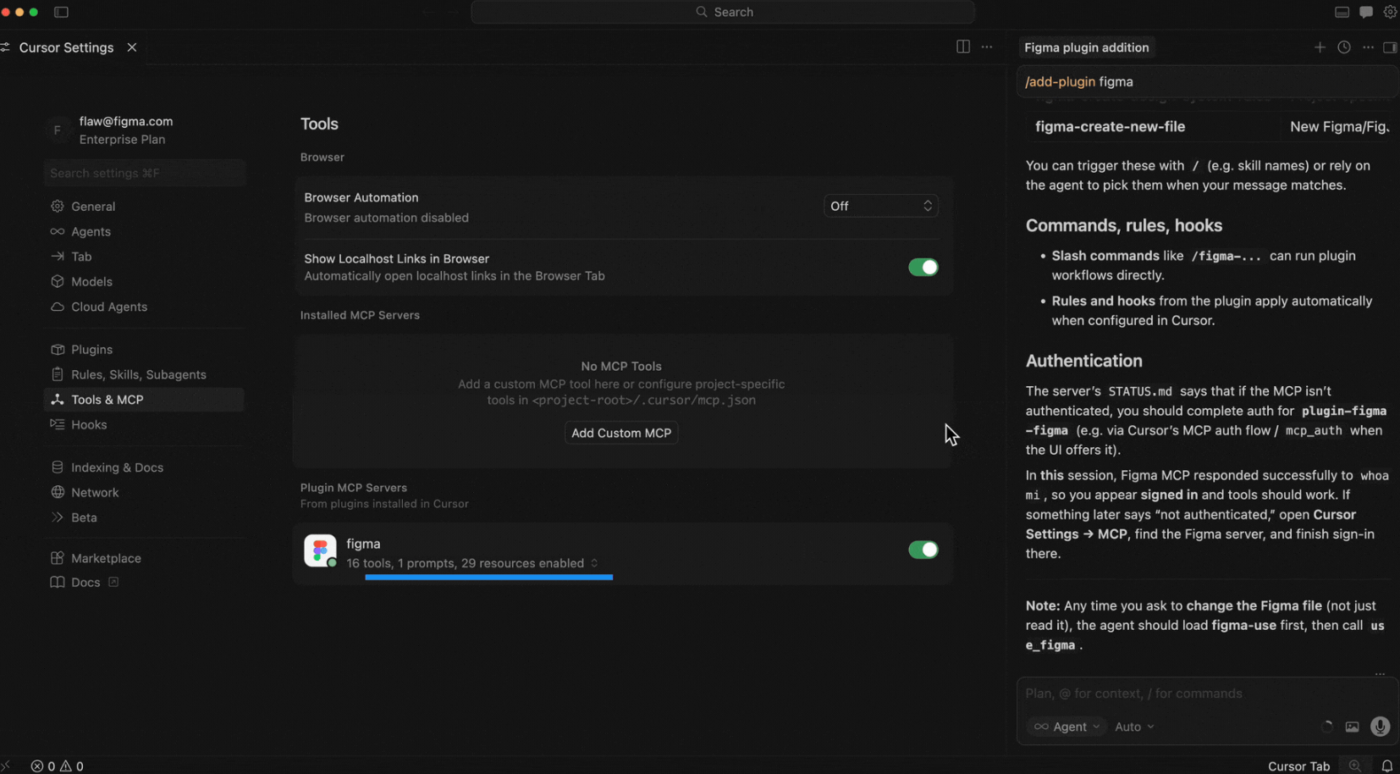
The Figma MCP Server gives Cursor access to layout details, styling information, and component references from the design file. The agent can use those details when writing frontend code.
Give Cursor a frame link and ask it to build the interface using your existing React components. Figma MCP provides the design context, while Cursor writes code in your project. You can also ask the agent to find existing components that match the design.
Figma’s remote MCP server can also create and edit designs in Figma. The generate_figma_design tool turns a running website into editable design layers, while use_figma can create or update frames, components, variables, and styles. Availability depends on the MCP client, and editing an existing file requires edit permission.
get_metadata returns a compact XML outline of a design, including layer names, IDs, positions, and sizes. Cursor can inspect the structure first, then retrieve detailed styling for the parts it needssearch_design_system finds components, variables, and styles across connected libraries. Cursor can locate an existing design element before creating anotherget_motion_context retrieves animation keyframes, easing curves, CSS animations, and motion snippets for supported designsMCP limits: Starter users receive up to 20 applicable calls/month. On paid plans, View and Collab seats also receive up to 20 calls/month. Dev and Full seats get up to 200 calls/day on Professional and Organization plans, or 600/day on Enterprise. Per-minute limits also apply, and some tools that write to Figma are exempt.
A G2 user said:
I really like Figma, especially the MCP feature they’ve launched. In the age of AI, I’m using Figma with code to make my designs, which is great. I also find Figma to be user-friendly, especially compared to Adobe XD. Once I understood it, I realized it’s a user-friendly tool that offers a good user experience. I love using it, and I think it’s a great product.
Where it taps out: Figma limits View and Collab seats to 20 MCP read calls per month, even on paid plans. Dev and Full seats offer higher daily allowances, but those also have per-minute limits. Teams using Cursor for frequent design lookups may need a higher seat tier.
Best for: Product engineering teams with maintained Figma libraries, reusable components, and frequent design-to-code work.
Skip it if: Your team works mainly from simple image mockups or doesn’t maintain a reusable design system.
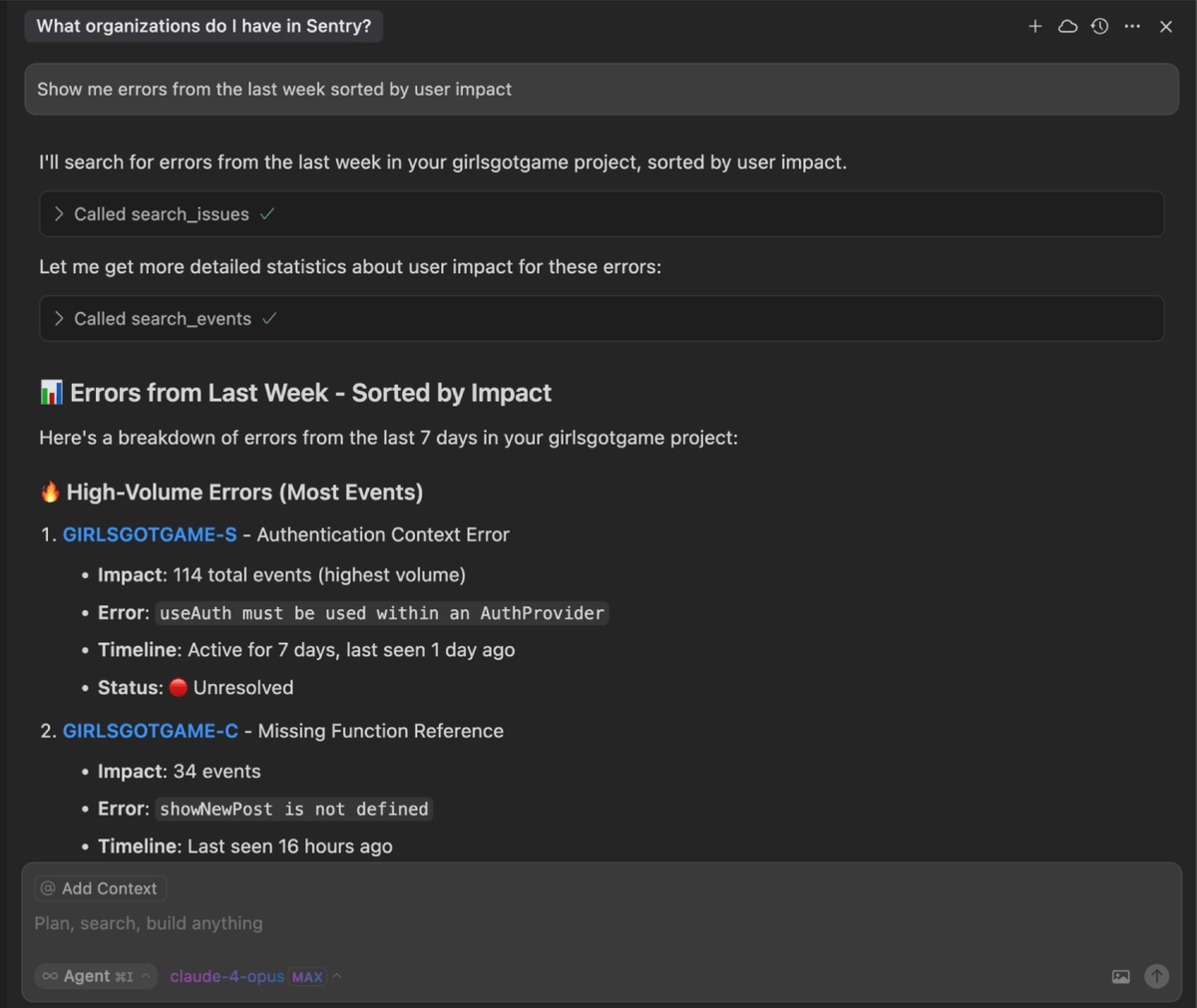
Production errors can be difficult to investigate from local code alone. Sentry MCP brings error reports, performance traces, and other diagnostic data into Cursor. The agent can examine what happened in the running application and use that evidence to investigate the failure.
When a release causes an unexpected error, Cursor can retrieve the reported issue and inspect its stack trace. It can then check the stack trace against your local code and suggest a fix. You can review the proposed change alongside the diagnostic information that led to it.
Sentry provides a hosted connection with OAuth authentication. You can restrict access to a specific organization or project, depending on the investigation. This keeps production error data available during development without requiring you to copy reports into the editor.
get_sentry_resource to retrieve a trace or inspect an individual span. Cursor can narrow the investigation to a specific operationanalyze_issue_with_seer can request AI-assisted investigation and code-fix recommendations when Seer is availableEvent volumes, usage allowances, and optional services may affect the final cost.
A G2 user said:
What I like most about Sentry is its real-time error monitoring and the detailed stack traces, which make it straightforward to pinpoint the root cause and fix issues quickly. The dashboard feels clean and is easy to navigate, and features such as performance monitoring and issue grouping help cut down on troubleshooting time. Overall, it improves application reliability by helping developers spot problems sooner and resolve them faster.
Where it taps out: Sentry MCP can retrieve errors without Seer, but AI root cause analysis and automated fixes require paid Seer access. Seer’s tools also aren’t available when the MCP server connects to a self-hosted Sentry instance. Cursor can still use error reports and stack traces retrieved through MCP to investigate the problem and suggest code changes, without Seer.
Best for: Developers responsible for live applications who regularly investigate incidents, regressions, and performance problems.
Skip it if: Your application is pre-launch, or production monitoring and incident response are handled outside your development role.
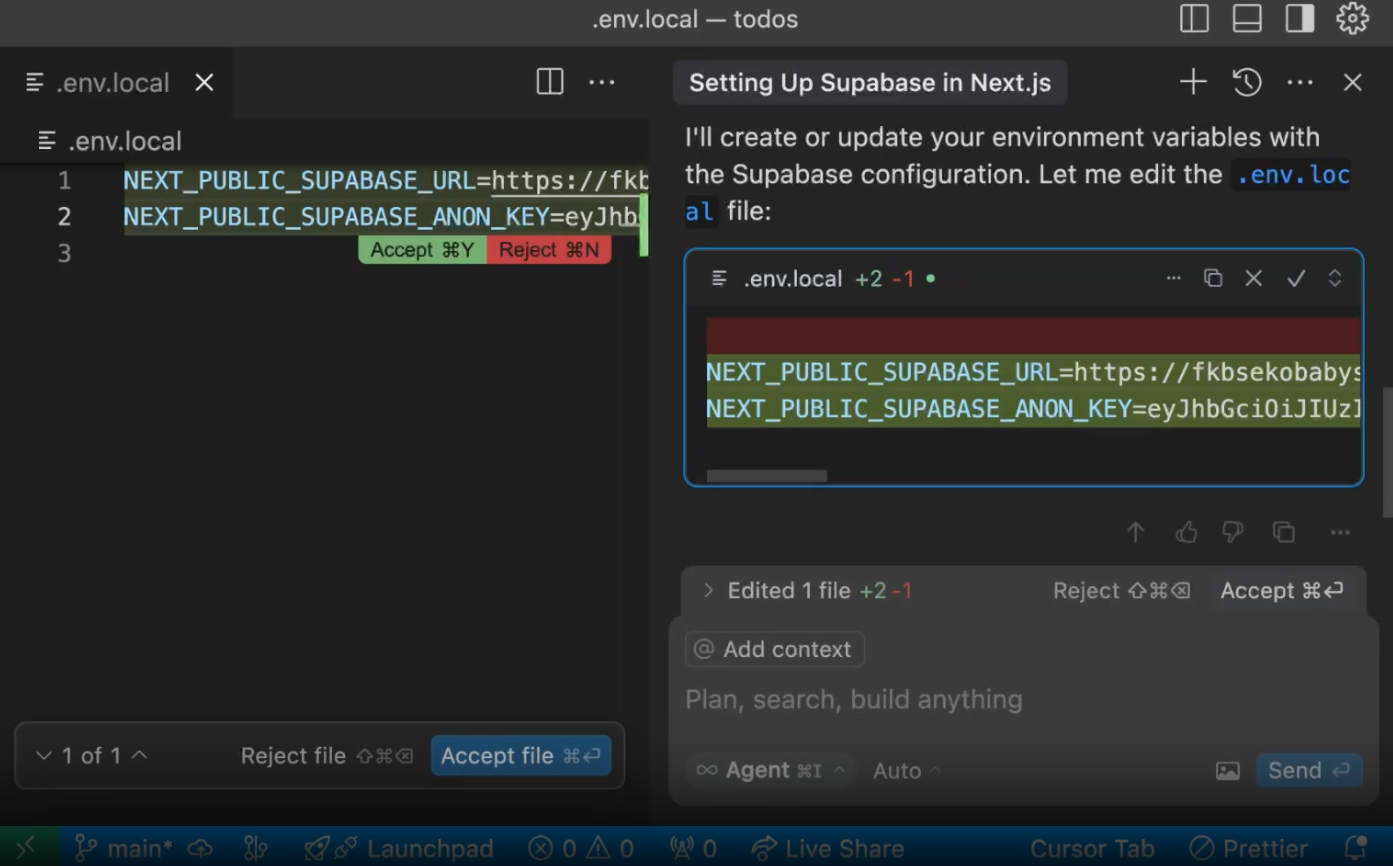
Database-backed features require accurate information about the project’s tables, columns, and relationships. Supabase MCP gives Cursor direct access to your project’s database schema. It also supports database queries, project logs, and authorized development operations.
Before writing an API endpoint, Cursor can inspect the database schema and identify the tables involved. It can then generate queries based on the existing structure. If the feature requires a schema change, the agent can prepare a migration for your review.
Supabase provides controls to restrict access to individual projects and limit write operations. You can use a read-only connection for inspection or grant additional permissions for development tasks. This choice matters because some MCP operations can modify database records and the schema.
deploy_edge_functionget_advisors to retrieve recommendations about database security, query performance, and project configurationgenerate_typescript_types creates TypeScript definitions from the current database schema so your application types match the databaseA G2 user said:
It’s super simple to use and really well documented. All the main coding AI agents are already connected to it through its MCP, which makes it easy to get started. It streamlines everything around the DB, Auth, and Edge Functions, so I can focus more on building instead of wiring things up.
Where it taps out: Supabase’s extra confirmation for destructive SQL depends on whether the MCP client supports that confirmation and may not catch every harmful query. Use a restricted development connection rather than relying on that safeguard alone. Database branching remains experimental and is restricted to paid plans.
Best for: Developers building Supabase-backed applications who need schema-aware assistance and controlled database operations.
Skip it if: You don’t use Supabase or cannot provide a suitably restricted development or diagnostic connection.
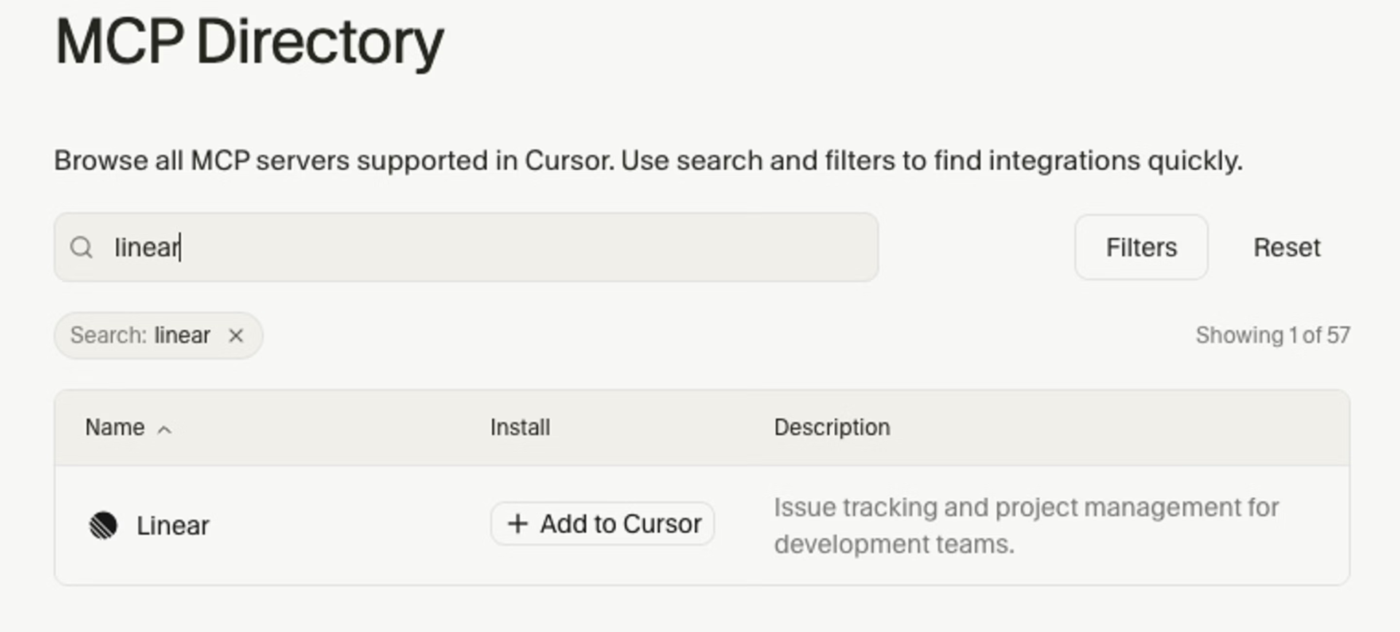
For teams that manage development in Linear, Linear MCP brings their issue records directly into Cursor. The connection gives the agent access to issue descriptions, project details, and team comments through an authenticated connection.
Cursor can retrieve a Linear issue before starting a code change. It can check the acceptance criteria, review related issues, and read any decisions recorded in the discussion. After you’ve reviewed the implementation, the agent can update the issue with the completed work, as long as it has write access.
Linear hosts its MCP server remotely and supports OAuth authentication. Developers who only need to retrieve information can use a separate read-only endpoint. This lets teams keep project records connected to development without granting every coding session permission to change them.
https://mcp.linear.app/mcp/readonly to expose retrieval tools only. You can also restrict the standard endpoint through OAuth scopesA G2 user said:
I love how fast and responsive it is. I also love how easy it is to find the fields that I need, and share links with the team. Big fan of the github integration too. Also like the MCP servers we can hook up to it and triage for us.
Where it taps out: Each Linear MCP authentication session connects to one Workspace. Switching to another Workspace requires a separate authentication context, which adds setup overhead for teams managing several workspaces.
Best for: Engineering teams with detailed Linear issues, structured development cycles, and frequent code-to-ticket updates.
Skip it if: Your team doesn’t use Linear as its main source of engineering requirements and progress.
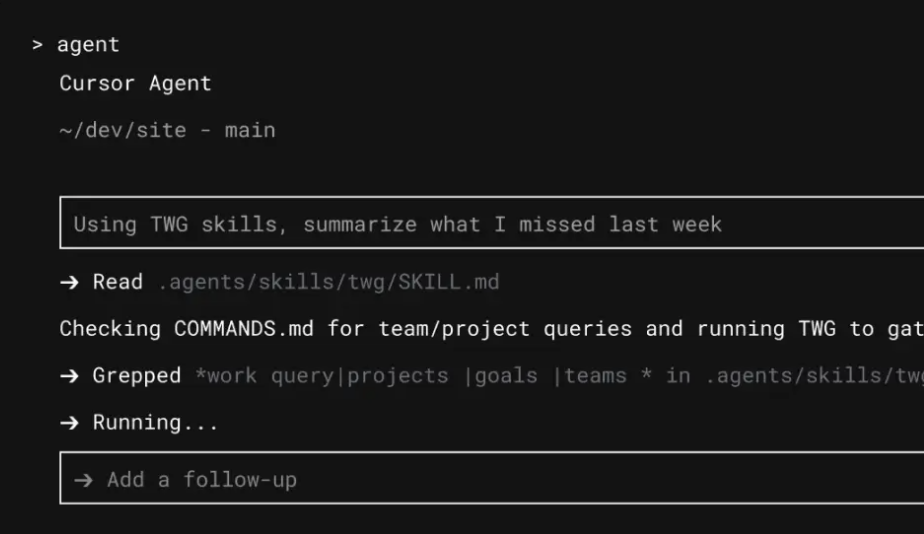
With the Atlassian Rovo MCP Server, Cursor can work with Jira issues, Confluence content, and supported source repositories through a single connection.
You can ask Cursor to retrieve a Jira issue and compare two versions of a related Confluence page. The comparison shows what changed in the document, which helps when you need to confirm the latest requirements before editing code. If your source repositories are connected, Cursor can also search for the affected functions and find where else they’re used.
Atlassian MCP v2 supports document and code search operations, plus Jira updates and other project actions. The connection uses OAuth 2.1 by default and follows your account permissions. Organization admins can also control which read, write, and search operations the agent can perform.
getCodeSymbol finds where a function, class, or variable is defined and referenced. diffCodeSymbols shows symbol changes between commitsdiffConfluenceContentVersions to compare two revisions of a technical document. Cursor can identify requirements that changedJira Cloud:
Confluence Cloud:
Prices reflect the monthly-billing view and may vary by team size.
Info: Atlassian’s Rovo MCP Server is free to connect, with no separate subscription fee. However, some advanced searches and Teamwork Graph queries consume Rovo credits. Paid Jira and Confluence plans include monthly credit allowances. Additional usage costs $0.01 per credit ($10 per 1,000 credits), with overage billing beginning December 3, 2026.
The ratings below refer to Jira. The quoted review discusses Atlassian’s broader software suite.
A G2 user said:
The biggest benefit is how well the tools support collaboration across technical teams. Issue tracking, sprint planning, and documentation are all structured in a way that makes it easy to keep projects moving and maintain visibility into what everyone is working on. It also integrates well with development workflows, which helps engineers stay connected to the work without too much overhead.
Where it taps out: Atlassian MCP can inspect Jira workflows and prepare changes, but you still need to apply them in Jira’s workflow editor. API-token connections also can’t access code-search tools, which require OAuth 2.1.
Best for: Enterprise engineering teams whose development requirements and technical decisions are maintained across Jira and Confluence.
Skip it if: Your team only uses Jira for basic status tracking and keeps its implementation context elsewhere.
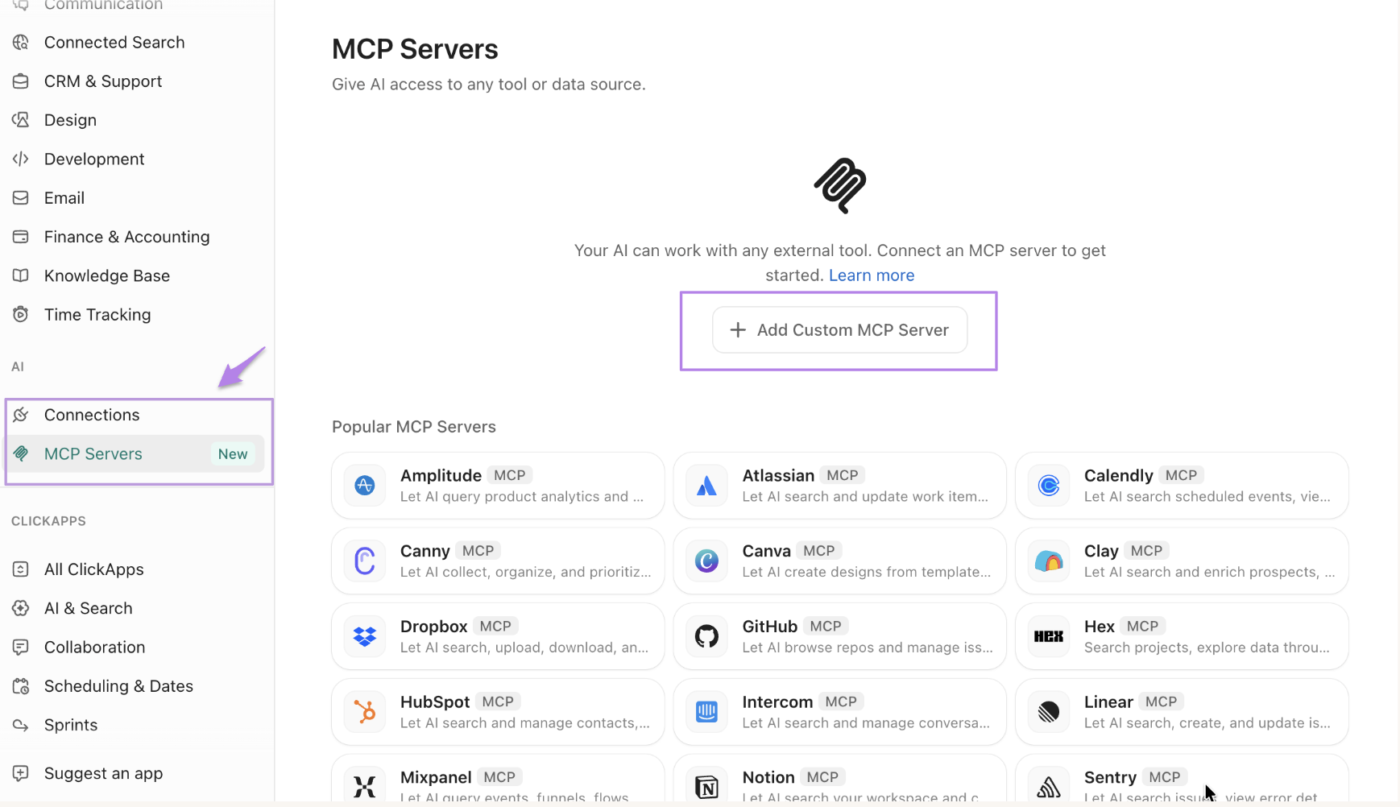
ClickUp MCP connects Cursor to a ClickUp Workspace through a hosted server at https://mcp.clickup.com/mcp. It lets external AI assistants access supported ClickUp tasks, docs, comments, and Workspace data via authenticated MCP tools.
When a feature is ready for QA, Cursor can update its ClickUp Task with the implementation details and post a handoff message to the relevant Chat channel. Product and QA teams can follow the change in the same Workspace, while engineering continues working in Cursor. From there, Brain² can use the context across Tasks, Docs, and Chat to summarize progress, surface blockers, and answer follow-up questions. Teams can also use it to generate status updates and identify what still needs attention before the release.
ClickUp also supports work beyond engineering, making the connection relevant when software changes involve product, operations, and other teams. The server is available across ClickUp plans, with usage limits that depend on the Workspace subscription and AI add-ons.
A G2 user said:
The ability to create a bespoke system makes ClickUp a formidable asset, but its implementation of AI and its ability to be fully tuned in to the work we do make ClickUp less like having a tool and more like having an extended staff! Connecting not only our work IN ClickUp, but also outside it via the ever-expanding array of integrations, as well as the AI MCP connectors, makes for a truly incredible work hub experience that is worthy of applause. The speed, reliability, and general performance of the platform are hard to beat, and the value and ROI are quite frankly unparalleled. This one tool has saved us months of time. I don’t know what else I could possibly say beyond that. If you give it a go, go all in, connect the AI, and lean into it. You’ll be surprised at how much you can accomplish.
Where it taps out: MCP usage follows rolling rate limits, so teams with frequent automated calls should check their Workspace allowance before designing high-volume workflows.
Best for: Cross-functional product and engineering teams managing development work, specifications, and project communication in ClickUp.
Skip it if: Your team uses a different work-management platform and needs only a narrow issue-tracking connection.
Beyond connecting external coding agents through MCP, ClickUp also lets teams build AI agents that work directly within their Workspace. Here’s how those agents can take on tasks and support day-to-day workflows:
Through Notion MCP, Cursor can retrieve your documents, search workspace content, and work with supported database records while you write code.
You can direct the agent to an architecture document before changing your application’s authentication flow. Cursor retrieves the specification and uses its requirements during implementation. If the document changes, the agent can fetch the latest version without you having to paste the content into chat.
Notion hosts its MCP server and uses OAuth for authentication. The connection supports structured database queries and targeted document edits, with AI search available on eligible plans.
notion-query-data-sources supports SQL queries across Notion data sources. Multi-source queries require a Business or Enterprise plan with Notion AInotion-fetch can return verification status, expiry information, and last-edited dates. Cursor can check whether a specification is still maintainednotion-update-page supports targeted search-and-replace operations. If the required text doesn’t match, the update fails without changing the pageUsage: Basic content retrieval and editing are available across plans. AI-powered search and unrestricted SQL queries across multiple data sources require a Business or Enterprise plan with Notion AI. Lower tiers allow only a limited number of single-data-source SQL queries. Some advanced search filters are also restricted to higher plans.
A G2 user said:
A complete workbook that makes it very easy to maintain a company wiki. The sub-pages are quite powerful, and the new AI features make it easier to keep project documentation up to date.
Flexibility to create your own or use template is super powerful
The MCP connection with major LLM AI tools makes it super helpful to document insightful operating knowledge and break silos in the org.
Where it taps out: Notion MCP falls back to keyword search when the Workspace lacks access to AI search. Advanced filters, such as last-edited date and content status, also require Business or Enterprise. If a requested filter isn’t available, Notion removes it and returns broader results with a notice.
Best for: Development teams that maintain detailed RFCs, architecture documents, and technical knowledge in Notion.
Skip it if: Your technical specifications already live alongside the code in your repository, and your team has little need to retrieve Notion content through Cursor.
For general development, two or three MCP servers are a practical starting point. This gives Cursor access to the services you use often without adding tools you rarely need. For example, Context7 can handle library docs while GitHub covers pull requests and repository activity. Add Playwright, Figma, or Supabase when a project needs that access.
The number of servers also tells you little about how many tools they expose. Context7 exposes two tools, while GitHub can expose dozens. In January 2026, Cursor introduced dynamic context discovery, which loads MCP tool descriptions as needed. In an internal test, Cursor reported 46.9% fewer agent tokens. This helps with larger setups, though access rights, rate limits, and costs still depend on each server.
Here are some setups worth considering:
| Development workflow | Suggested MCP setup |
|---|---|
| General application development | Context7 for library docs and GitHub for pull requests or repository work |
| Frontend development | Playwright for browser tests and Context7 for framework docs; add Figma for design handoffs |
| Supabase backend development | Supabase for database work and Context7 for API docs; add GitHub for changes across repositories |
| Production debugging | Sentry for errors and traces, plus GitHub to inspect related code changes |
| Technical documentation | Notion for architecture records, or Atlassian for work spread across Jira and Confluence |
| Engineering project execution | ClickUp, Linear, or Atlassian for tracking work, plus the development tools each task needs |
Cursor also supports global and project-level MCP configurations. Keep the servers you use across projects in your global settings. Add specialized connections for a single codebase when needed, and disable them when the work is done. GitHub also lets you choose which toolsets to expose, so you don’t have to enable its full catalog.
Access deserves just as much thought. Read-only permissions are often enough to look up docs, review issues, or inspect error reports. Grant write access only when the task requires it, and review actions before they run.
The goal is to keep the right tools within reach without giving Cursor access it doesn’t need.
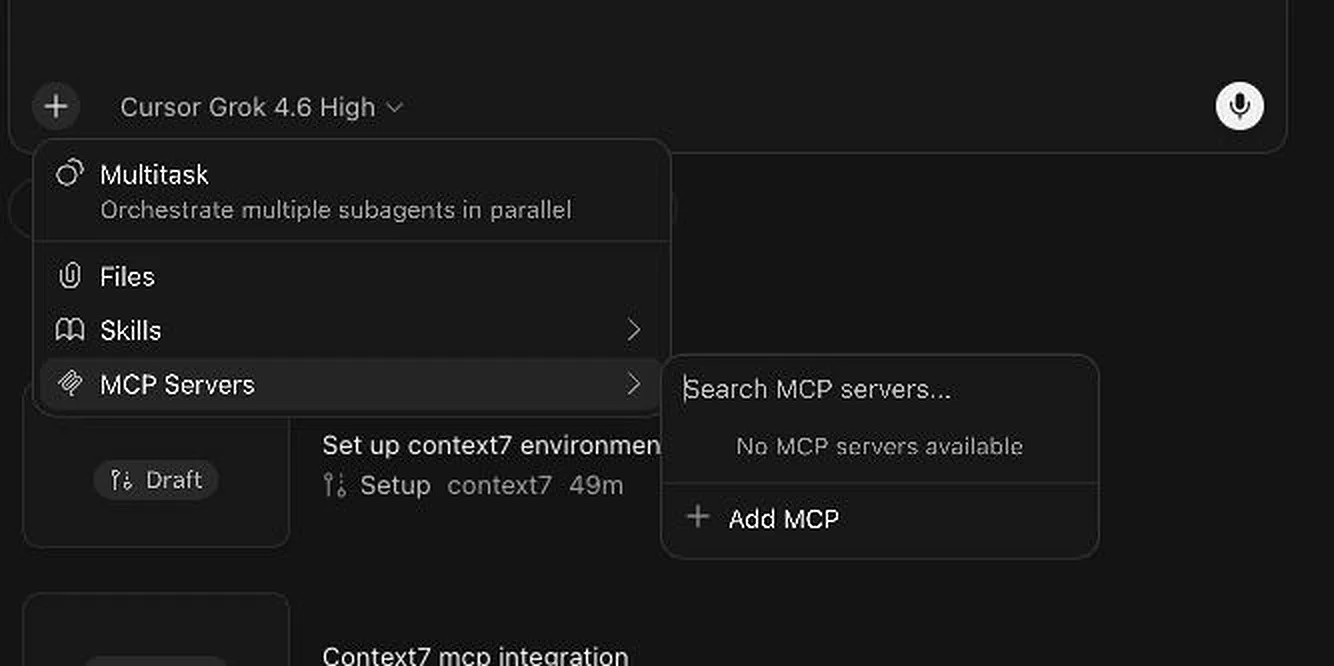
You can install MCP servers through the Cursor Marketplace or configure them yourself. To use the Marketplace, open Customize > MCPs, search for a server, and click Add to Cursor. Follow the sign-in steps if the service requires authentication.
For a custom connection, select Add New MCP Server or edit the mcp.json file directly. Cursor supports two configuration locations:
.cursor/mcp.json in your project root makes the server available to that project~/.cursor/mcp.json makes the server available across your projectsCursor combines both files. If the same server name appears in each, the project-level configuration takes priority. Keep the tools you use across projects in your global file and add specialized servers to individual projects.
Here’s an example using ClickUp’s hosted MCP server and Microsoft’s Playwright MCP:
{
  "mcpServers": {
    "clickup": {
      "url": "https://mcp.clickup.com/mcp"
    },
    "playwright": {
      "type": "stdio",
      "command": "npx",
      "args": ["-y", "@playwright/mcp@0.0.83"]
    }
  }
}
The ClickUp connection uses OAuth, so Cursor will prompt you to authorize access. Playwright runs locally through npx. Its package version is pinned to 0.0.83, a published release, which prevents the command from switching to a newer version on its own. You should still review updates and install packages from trusted sources.
For servers that require API keys, Cursor supports environment-variable references, such as "API_KEY": "${env:SOME_API_KEY}" in the configuration. Set the variable in an environment Cursor can access, then reference it in mcp.json. This keeps the secret out of the file.
After saving your changes, restart Cursor and open Customize > MCPs to check the connection. You can see which tools are available and disable servers you don’t need. If a connection fails, open Cursor’s Output panel and select MCP Logs to inspect the error.
Connecting an MCP server means trusting it with real access. A local server can read files and run commands on your machine. A remote server acts through your accounts on services like GitHub or Slack. Cursor’s agent also reads what each server sends back, from tool descriptions to data, and may act on it.
In 2025, researchers showed how attackers can abuse that trust through tool descriptions, config files, and leaked keys. The first finding came in April 2025, when Invariant Labs demonstrated tool poisoning attacks. Attackers hid instructions inside the MCP tool descriptions, the text that tells the agent what each tool does. The agent could read and follow those instructions, even when Cursor’s approval prompt didn’t show them in full.
In July 2025, Check Point Research privately disclosed MCPoison, a flaw in how Cursor handled approved MCP configurations. After you approve a server, anyone with write access to the project’s mcp.json file could change the command it runs. Cursor wouldn’t ask for approval again, so the new command could run the next time you opened the project. Cursor fixed the flaw in a subsequent update—changes to an approved MCP configuration now trigger a fresh approval prompt, even for minor edits.
The same configuration files can also leak credentials. GitGuardian’s State of Secrets Sprawl 2026 found 24,008 unique secrets exposed in MCP-related configuration files on public GitHub, and 2,117 of them were valid. Some setup guides show API keys pasted into the config file or command arguments. Copy those examples into a shared repo, and anyone with access could copy the keys and use them if they’re still valid.
Cursor supports ${env:NAME} references in mcp.json, which pulls a key from an environment variable on your machine. This keeps the key out of mcp.json, reducing the chance of exposing it when you commit or share the configuration. You’ll still need to secure the machine that stores it and limit each key to the access it needs.
Fixing a specific vulnerability doesn’t remove the risks that come with giving an agent access to sensitive systems. Security researcher Simon Willison describes one of those risks as the lethal trifecta: access to private data, exposure to untrusted content, and a way to send data outside the system.
mcp.jsonChoose MCP servers based on the work you need Cursor to do, and limit access to what each task requires. That includes where the agent records the work once the code is ready for review.
Reviewers and QA need to know what changed, why, and what still needs testing. With ClickUp MCP, Cursor can add those details to the relevant task and post handoff notes in ClickUp Chat, so the next person can pick up the work without searching through a coding session.
Brain² can then use those task updates, Docs, and conversations to summarize progress and answer project questions. Development details stay available to the team through review, QA, and release.
MCP tools work in Cursor’s agent chat, including Plan Mode. Cursor Tab handles inline code suggestions and doesn’t call MCP tools directly. To have Cursor retrieve information or perform actions through an MCP server, use the agent chat.
Not necessarily. Cursor can use Git commands to inspect local changes, create branches, and manage commits. GitHub MCP adds access to hosted GitHub data, including pull request reviews, issue discussions, Actions workflows, and repository security findings. It’s worth adding when your work depends on those records or spans multiple repositories.
Use a Cursor Skill to teach the agent a repeatable process, such as reviewing code or preparing a release. Use MCP when the agent needs a structured connection to an external service. Skills can also contain scripts and call existing tools. You can combine both when a workflow needs instructions and live data.
Yes. According to Cursor’s MCP documentation, the agent selects available MCP tools when they’re relevant to your request. You can also explicitly name a tool or server. Cursor displays tool calls in chat, where you can inspect the arguments and responses to see what the agent used.
Yes. Both support the Model Context Protocol, so compatible servers can work in either tool. You’ll need to configure the connection separately. Cursor uses mcp.json, while Claude Code supports the claude mcp add command and project-level .mcp.json files.

Manasi Nair
Max 17min read

Arya P Dinesh
Max 20min read
Manasi Nair
Max 22min read

© 2026 ClickUp





