Sorry, there were no results found for “”
Sorry, there were no results found for “”
Sorry, there were no results found for “”
We’ve all been there—staring at a login screen, certain we knew the password… until we didn’t.
There’s very interesting research done by psychologist Jelena Mirkovic that explains why people forget passwords: memorability often conflicts with security.
Users either create weak passwords based on personal information or strong passwords that they reuse across multiple accounts, both of which are risky habits. The solution to this dilemma is simple—you can use a password template.
These documents help you organize all your passwords and login information in a single place.
In this article, we’ll discuss the best free printable password templates you can use for your work and personal use.
Here’s a summary table of the best password templates:
| Template Name | Download Template | Best Features | Ideal For | Visual Format |
| ClickUp List Template | Get free template | Organized lists, categories, recurring checks, tags, sharing | Freelancers, PMs, small business owners | ClickUp List |
| ClickUp Asset Management Template | Get free template | Credentials/logins, license tracking, usage, access control | IT managers, business owners, team leads | ClickUp List, Gantt |
| ClickUp Knowledge Base Template | Get free template | Credential storage, FAQs, SOPs, onboarding, secure search | Teams, IT admins, ops managers | ClickUp Doc, List |
| ClickUp SOP Template | Get free template | Password workflows, checklists, onboarding, automation | Owners, ops managers, team leads | ClickUp Doc, List |
| ClickUp Account Management Template | Get free template | Credential storage, onboarding, access control, reminders | Account managers, client service, business owners | ClickUp List, Doc |
| Excel Password List Template by Vertex42 | Download this template | Structured table, printable, customizable, offline backup | Everyday users, small business owners | Excel, PDF |
| Excel Password Log Template by Vertex42 | Download this template | Portrait/landscape, printable, editable, category sorting | Freelancers, home users, small business | Excel |
| Password Keeper by TemplateLab | Download this template | Multiple formats, printable, customizable, team/family use | Individuals, freelancers, office teams | PDF, Word, Excel |
| Password Reset Tracker by Template.net | Download this template | Reset log, verification, audit trail, editable/printable | IT support, admins, managers | PDF, Web |
| Username and Password Sheet by Template.net | Download this template | Simple sheet, customizable, printable, team access | Small teams, office managers, IT staff | PDF, Web |
A password template is a pre-designed document, often a spreadsheet like Excel or Google Sheets, that helps you organize and keep track of all your login information for websites, apps, and online accounts in a secure place.
Password templates include fields for usernames, passwords, URLs, and sometimes security questions or notes. They help you keep track of all your passwords in a structured format for personal use, which reduces the need to memorize or reuse them.
This is how they work:
✅ Provides a structured format to organize and store passwords
✅ Can be saved in a secure place with password protection
✅ Allows centralized access to all your login information
✅ Supports customization for different accounts and categories
✅ Offers a simple, printable alternative to a password manager
A good password template should help you create passwords that are both strong and easy to remember.
Here are some tricks you can use:
📖 Also Read: SSO Tools for Secure Access
Let’s get started!
Here are 10 of the best password template free downloads to help you keep track of all your passwords safely and stay organized across different accounts.
Managing a growing list of login credentials—across personal accounts, work, or clients—can quickly become chaotic.
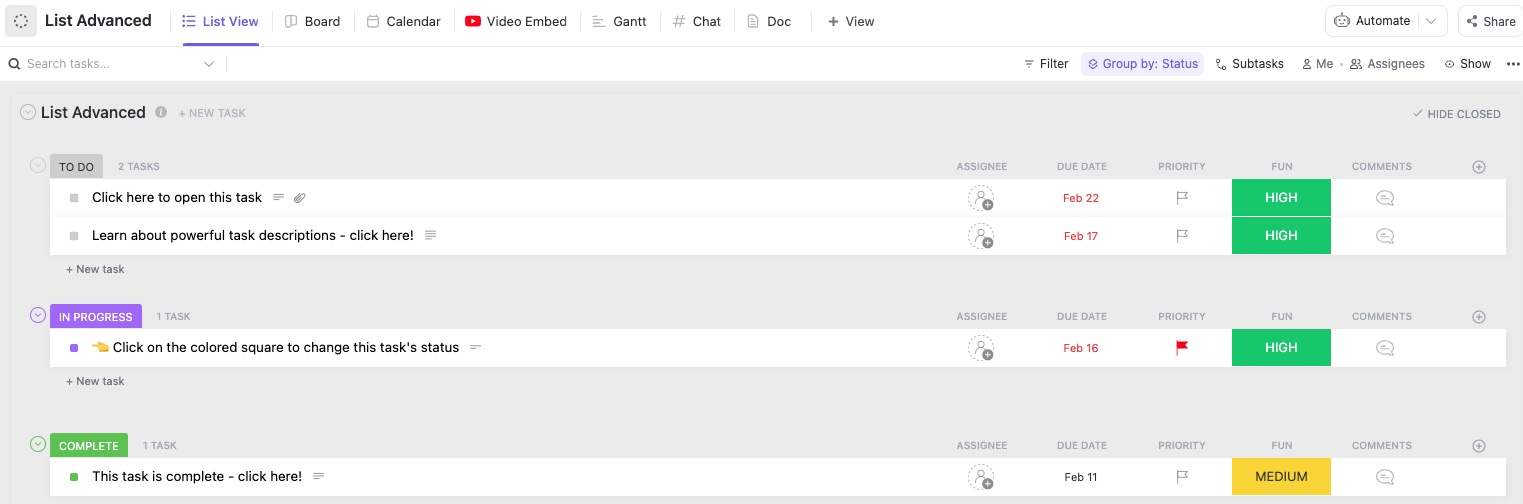
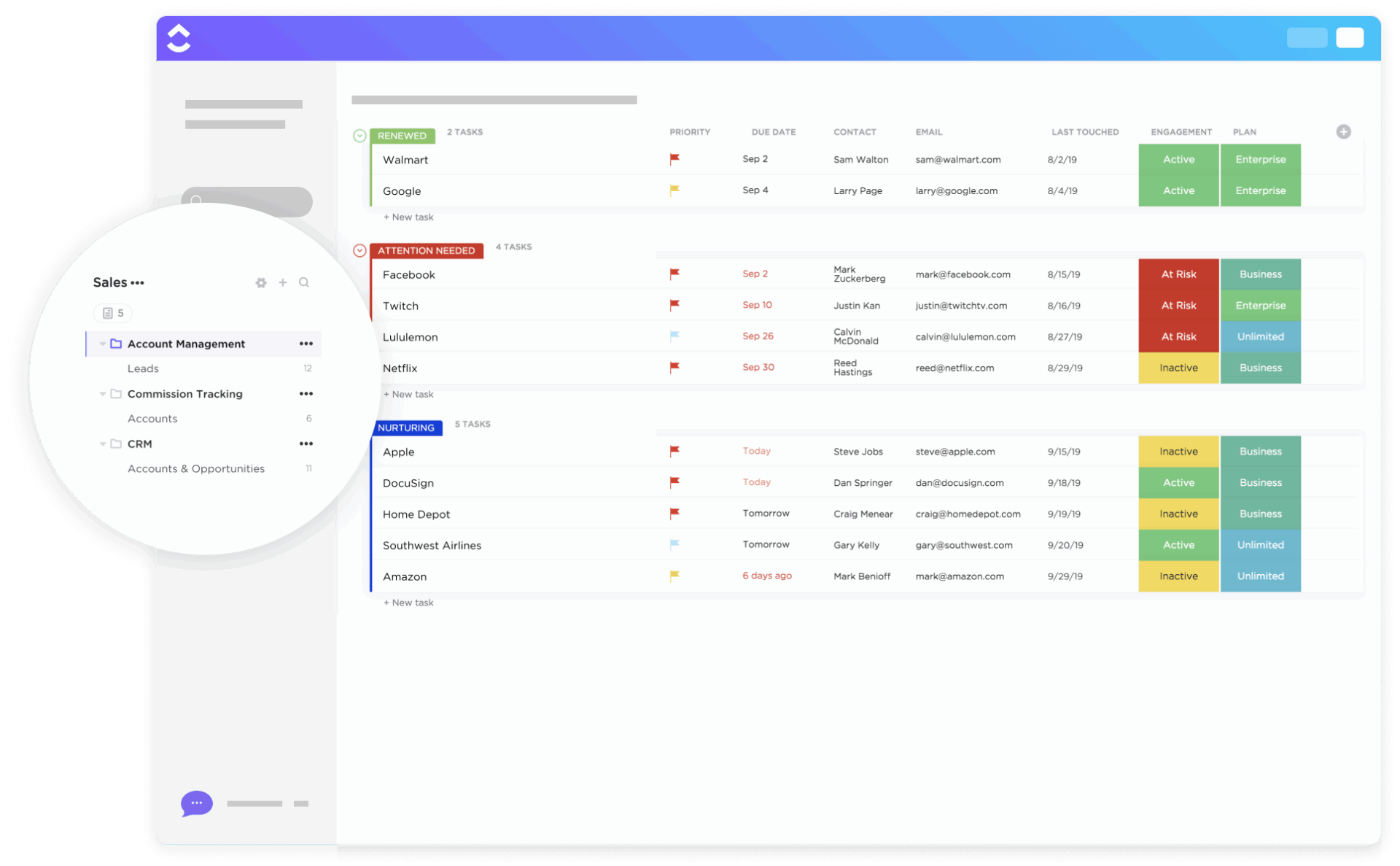
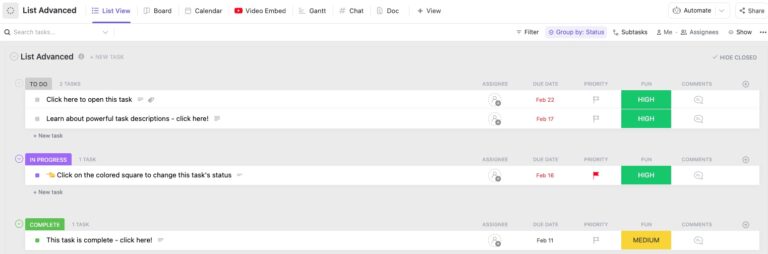
The ClickUp List Template gives you a structured system to organize passwords without needing a separate password manager. It also helps you categorize and organize your passwords in order of importance and priority.
✨ Ideal For: Freelancers, project managers, and small business owners who need a structured way to prioritize and keep track of all their passwords.
👀 Fun Fact: The word “password” was first used in military contexts, not computers. Soldiers used them as verbal codes to pass checkpoints.
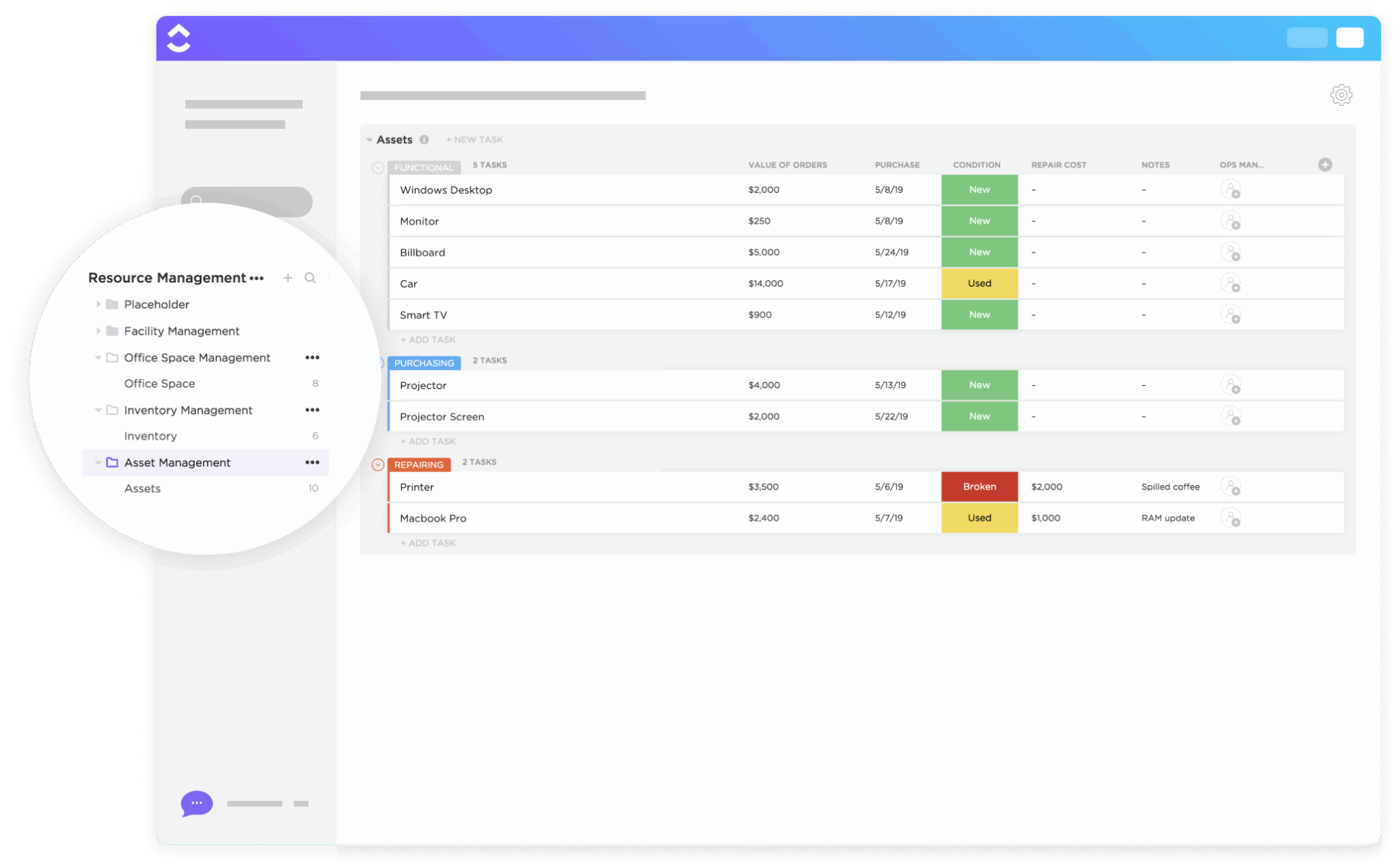
When you manage sensitive data, subscriptions, or licenses, treating passwords as digital assets is crucial. The ClickUp Asset Management Template prevents errors like losing credentials or missing license renewals by centralizing asset tracking.
It also helps you organize and store your passwords in a database that helps you track asset usage, as well as view all your data using Gantt charts.
✨ Ideal For: IT managers, business owners, and team leads who want to manage passwords, software licenses, and login data.
Management projects have become a lot easier between all departments at the company. When a new project comes in, we can use a template that raises all the tickets for us straight away. Not only that but everyone is automatically assigned their tasks so there’s no confusion about who should be doing which bit of work.
Many organizations often run the risk of data breaches. Big companies like LinkedIn and Ticketmaster have been the victims of this, which has led to more than half a million customer details being exposed on the dark web.
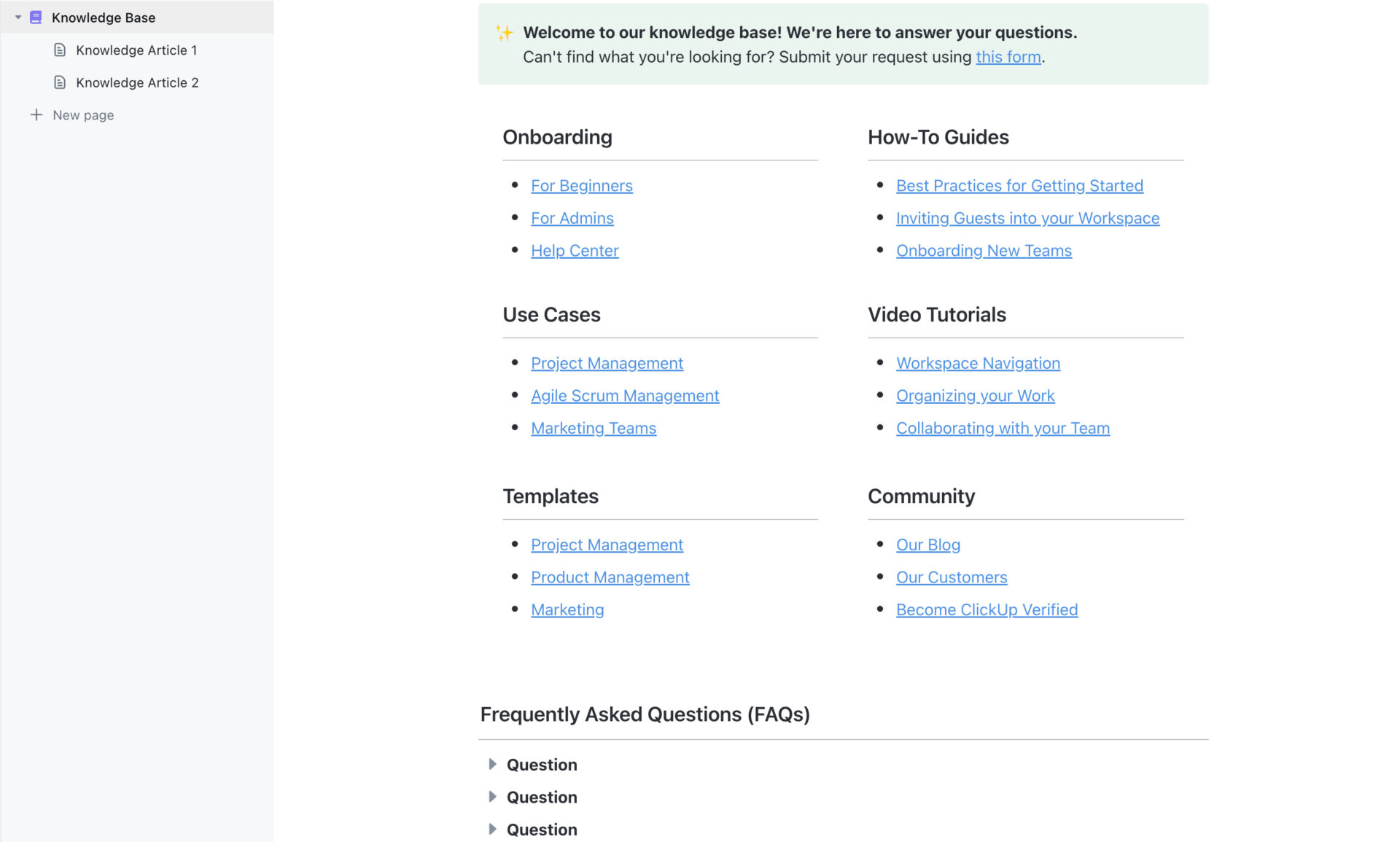
The ClickUp Knowledge Base Template helps you keep breaches at bay by helping you track your credentials while protecting sensitive business information.
This template comes pre-loaded with sections for FAQs and knowledge articles, making it easy to store, organize, and share passwords and best practices within a company.
✨ Ideal For: Teams, IT admins, and operations managers looking for a centralized hub to document passwords, SOPs, and access instructions for internal or client-facing use.
Here’s a quick video on how ClickUp features collaborate for the ultimate knowledge management experience:
When teams lack a clear process for managing login credentials, security lapses and confusion are inevitable. This is where Standard Operating Procedures (SOPs) can ensure consistency and efficiency when it comes to processes and procedures for managing passwords.
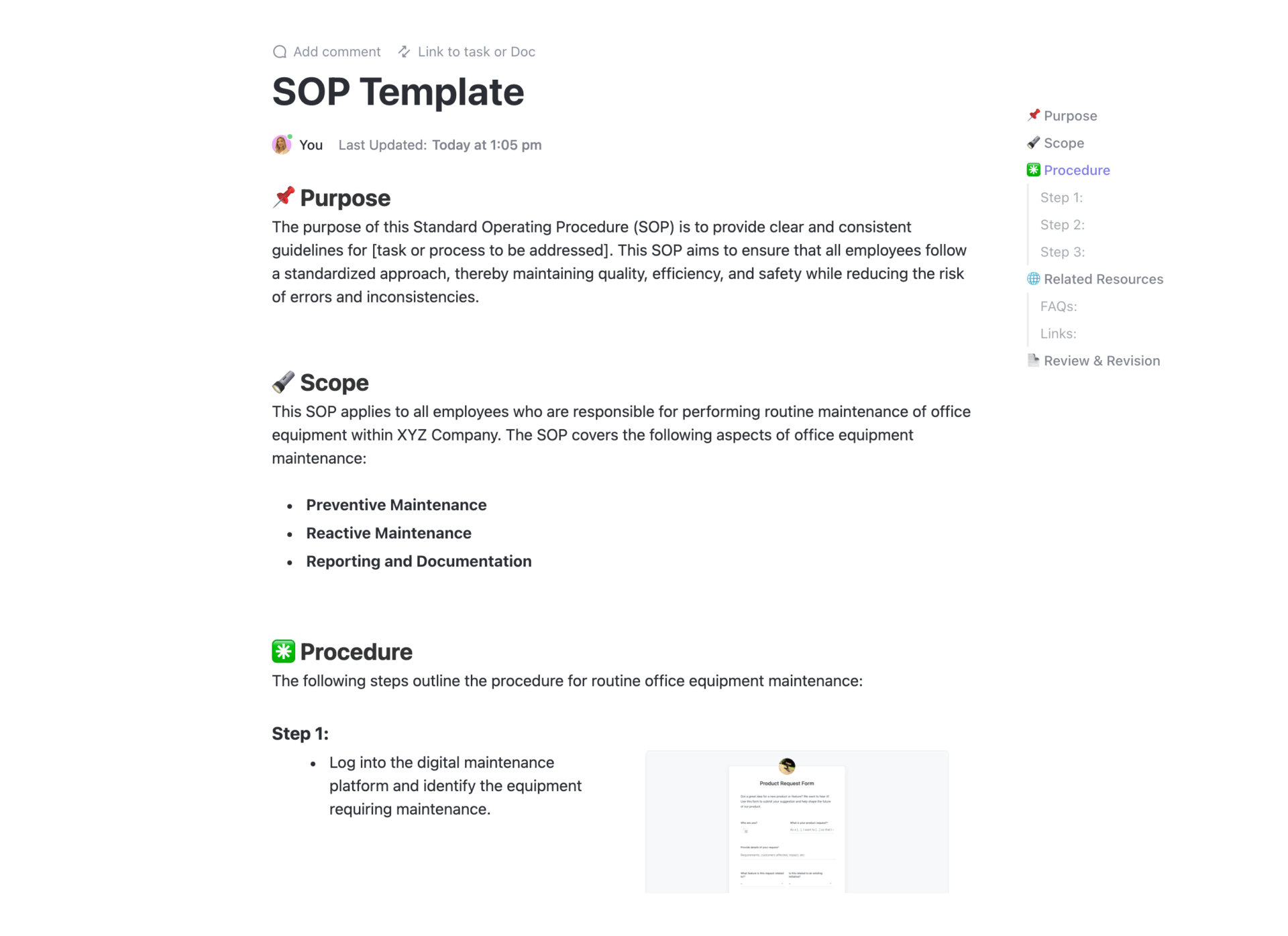
The ClickUp SOP Template helps centralize your password management workflows and safeguard critical access points.
Using this template, you can automate processes with checklists, instill uniformity for password management across your organization, and improve collaboration across departments.
✨ Ideal For: Business owners, operations managers, and team leaders who need a standardized, repeatable system for handling passwords, account access, and sensitive credentials.
📖 Also Read: 25 Best Free Project Management Software
📮ClickUp Insight: The average professional spends 30+ minutes a day searching for work-related information—that’s over 120 hours a year lost to digging through emails, Slack threads, and scattered files.
An intelligent AI assistant embedded in your workspace can change that. Enter ClickUp Brain. It delivers instant insights and answers by surfacing the right documents, conversations, and task details in seconds—so you can stop searching and start working.
💫 Real Results: Teams like QubicaAMF reclaimed 5+ hours weekly using ClickUp—that’s over 250 hours annually per person—by eliminating outdated knowledge management processes. Imagine what your team could create with an extra week of productivity every quarter!
With over 5.2 billion social media accounts worldwide, most businesses are handling way more accounts and login information than they realize. Whether it is client portals, team tools, or subscription platforms, having one place to manage these details can save you from a lot of last-minute scrambling.
The ClickUp Account Management Template gives you a single place to manage every account detail, no more scattered notes or forgotten credentials. This template also helps you design client onboarding processes with password sharing access and organize all your data in unique categories and folders.
✨ Ideal For: Account managers, client service teams, and business owners who need a simple way to organize customer accounts and manage credentials securely.
📖 Also Read: How to Develop Effective IT Policies and Procedures
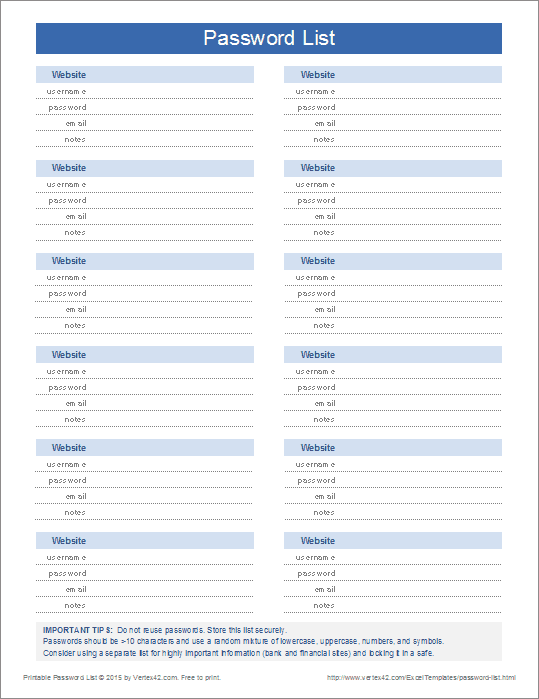
The Excel Password List Template by Vertex42 keeps things simple for users who prefer a straightforward, printable password tracker.
This Excel-based template lets you maintain a clean, organized list of your login credentials and comes pre-loaded with important tips on keeping your password safe and secure at all times. It’s available in both Excel and PDF formats.
✨ Ideal For: Everyday users and small business owners who want a printable password list they can store securely at home or in the office.
👀 Fun Fact: In the 1932 Marx Brothers film Horse Feathers, Groucho tries to enter a speakeasy and is asked for the password. After several wrong guesses, he finally gets it right with “Swordfish,” which turns into a running joke in the movie. Long before the internet, this scene made fun of the idea of secret words controlling access. It shows that passwords have been both practical and laughable for nearly a century.
60% of Americans admit to reusing passwords across multiple accounts, making them easy targets for credential stuffing and brute force attacks. It is a risky habit, often born out of the struggle to remember too many passwords.
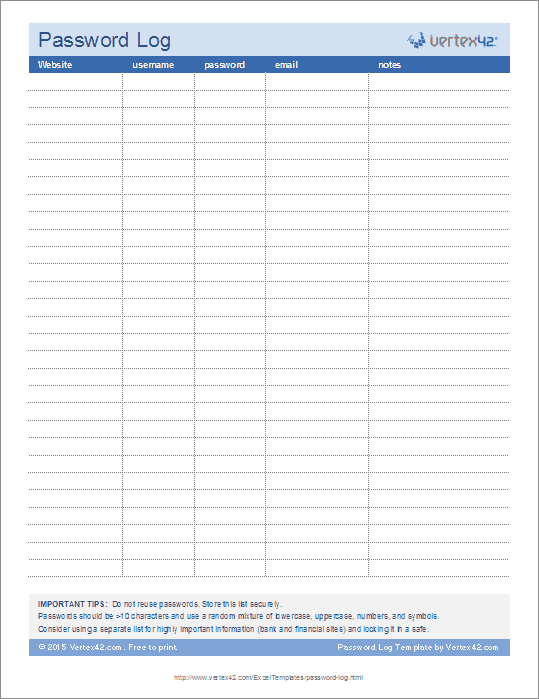
The Excel Password Log Template by Vertex42 helps you move past risky password reuse by giving you a reliable way to log all credentials in one secure place.
It comes pre-configured with two worksheets for tracking your login information across accounts and comes in both portrait and landscape orientations.
✨ Ideal For: Freelancers, home users, and small business owners who prefer an Excel-based printable password log they can secure and update as needed.
📖 Also Read: How to Manage Multiple Gmail Accounts
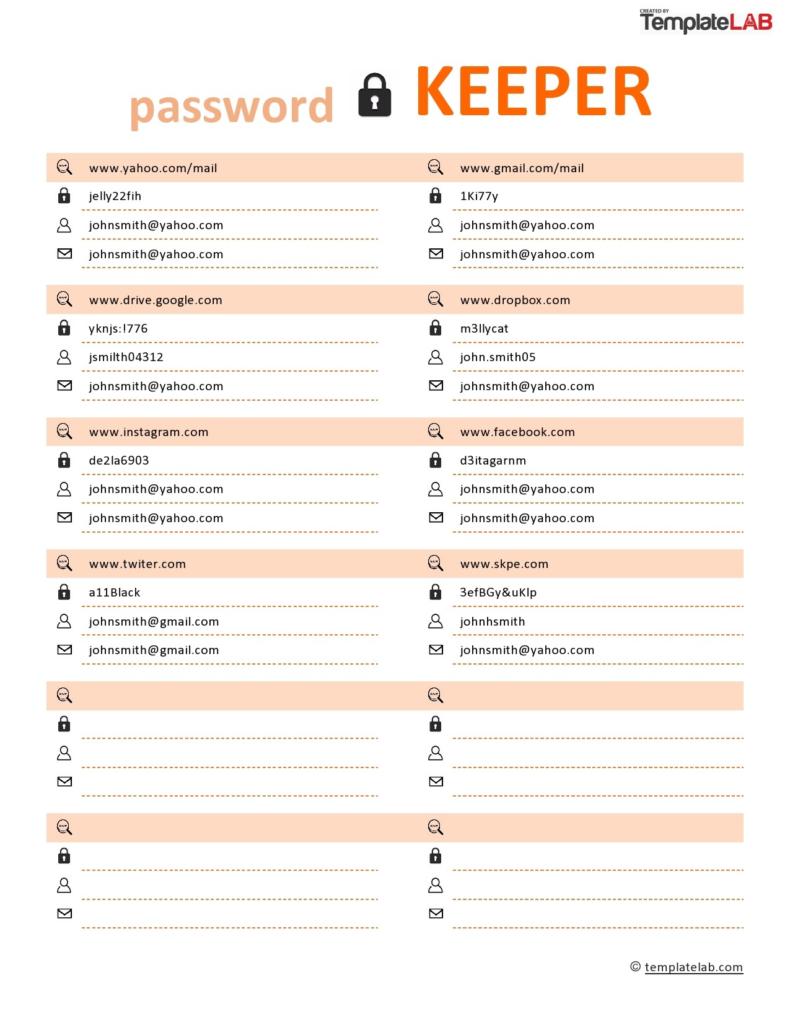
With growing numbers of online accounts, it’s tempting to reuse passwords, which puts your security at risk.
The Password Keeper by TemplateLab offers a simple solution for managing personal and shared account credentials in one printable sheet. This template comes in a variety of formats, such as PDF, and can be used within software such as Adobe Photoshop, Microsoft Word, and PowerPoint.
✨ Ideal For: Individuals, freelancers, and office teams who need a basic printable password list to manage multiple personal or work-related accounts.
👀 Fun Fact: Ancient Roman soldiers used secret passphrases called “watchwords” to identify friends from foes during night patrols.
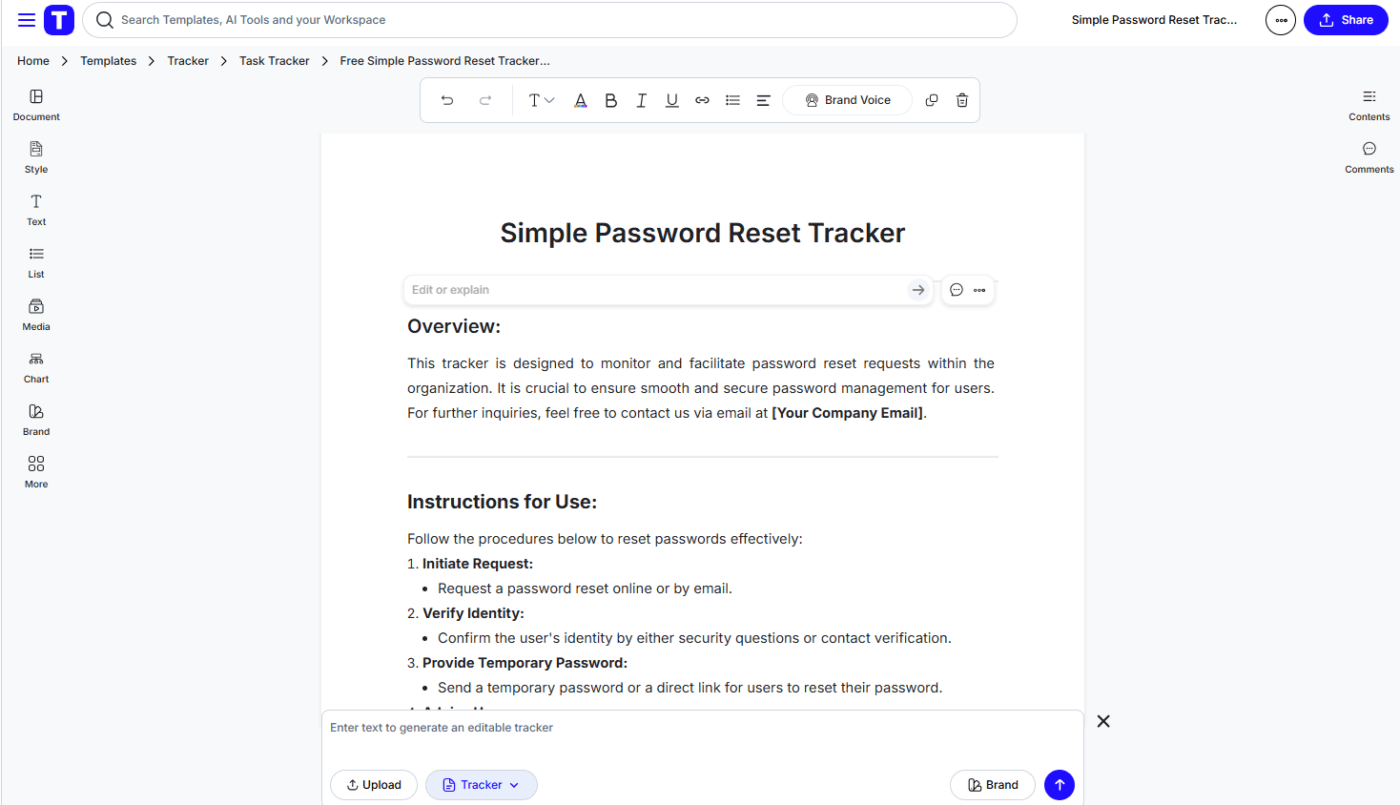
The Password Reset Tracker by Template.net helps IT teams and administrators stay on top of reset requests and security protocols.
This tracker logs every request, helping you maintain accountability and tighten security processes. It can also be edited in the website’s AI Editor Tool, and users can choose to either download or print out this template for their personal and professional use.
✨ Ideal For: IT support teams, office administrators, and managers who need a dedicated system to track password reset requests and improve password security across users
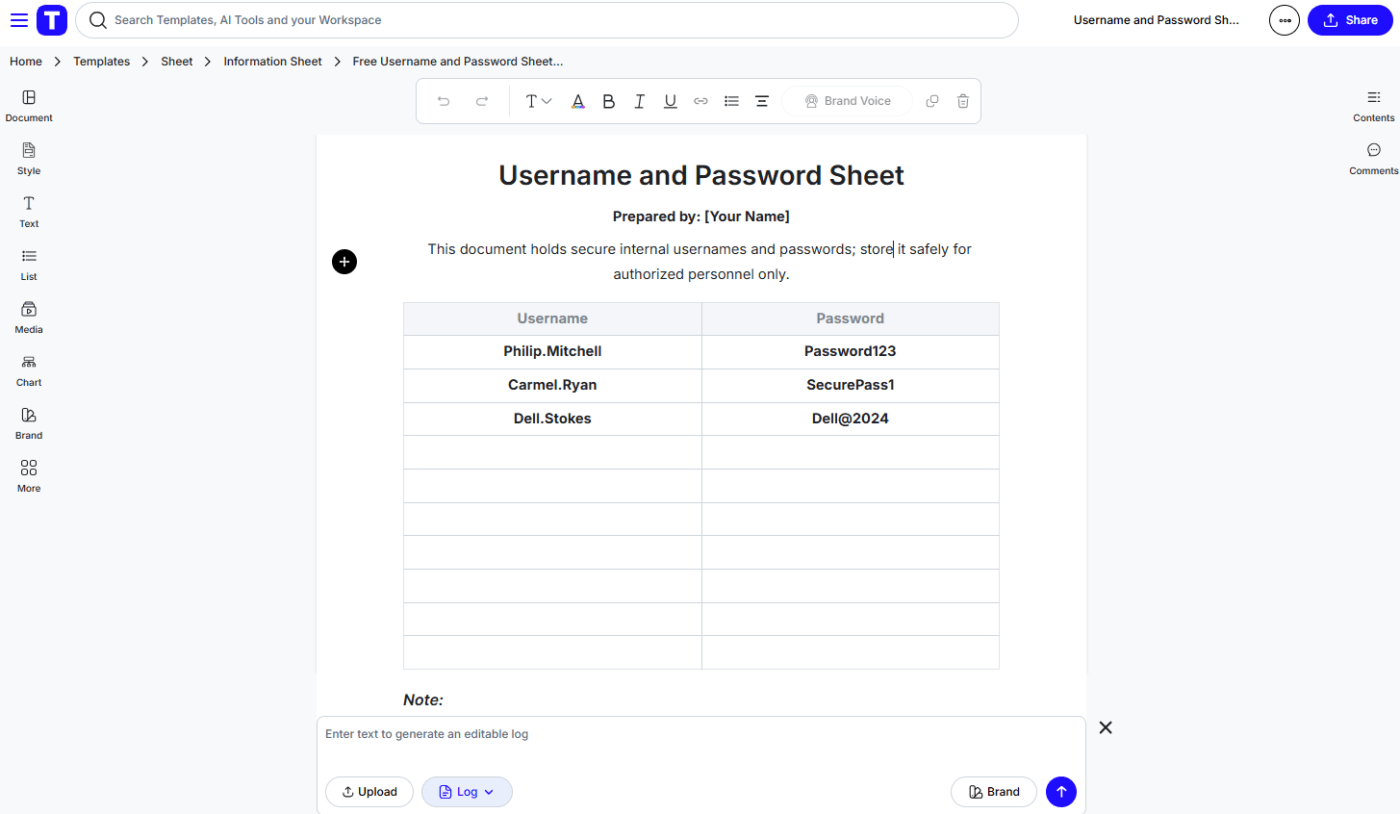
The Username and Password Sheet by Template.net is a no-frills solution for small teams managing shared credentials.
Instead of risking access issues with scattered notes, this simple sheet lets you organize usernames and passwords for internal systems or tools. It is also fully customizable and editable using the website’s built-in AI Editor Tool.
✨ Ideal For: Small teams, office managers, and IT staff who need a simple, printable username and password template to manage internal account access for free.
We’ve all been there: entering wrong passwords in hopes of guessing the right one, only to get blocked for a few hours.
At some point, it’s wise to accept that managing all your passwords without a system only increases your risk of breaches and wasted time.
Among all the options and other websites, ClickUp’s templates stand out for their flexibility, built-in collaboration features, and ability to manage way more than just passwords.
Whether you want to create a detailed password tracker or build SOPs for access, ClickUp’s ready-to-use templates help you customize your workflow.
Are you prepared to put an end to the hassle of searching for forgotten passwords? Sign up for ClickUp today!

Praburam Srinivasan
Max 10min read
Praburam Srinivasan
Max 19min read
Praburam Srinivasan
Max 20min read

© 2026 ClickUp