Sorry, there were no results found for “”
Sorry, there were no results found for “”
Sorry, there were no results found for “”
Remember those good ol’ days when teams used to gather in conference rooms, brainstorm brilliant ideas, and discuss projects on whiteboards?
With the rise of remote and hybrid work, real-time collaboration has moved over from physical whiteboards to virtual ones. Virtual whiteboards like Excalidraw are great tools for expressing your ideas and brainstorming with your teams.
However, Excalidraw may not be suitable for everyone because of certain limitations. For instance, you can only create one drawing at a time, which limits the discussion scope. Some users also find the tool lacking in terms of integrations.
So, if you are looking for a reliable Excalidraw alternative, you’ve come to the right place. Let’s have a look at the top 10 Excalidraw alternatives and their features.
Here are 10 Excalidraw alternatives, each suited for different needs:
Using an online whiteboard may seem simple enough. But if you pick one with a clunky interface, it can make your work twice as hard. Here are some important factors you must consider when seeking alternatives for Excalidraw:
Our editorial team follows a transparent, research-backed, and vendor-neutral process, so you can trust that our recommendations are based on real product value.
Here’s a detailed rundown of how we review software at ClickUp.
Let’s look at the top 10 Excalidraw alternatives for better workspace collaboration. From advanced visualization features to quick customization options, these tools offer everything your team needs to put ideas into action.
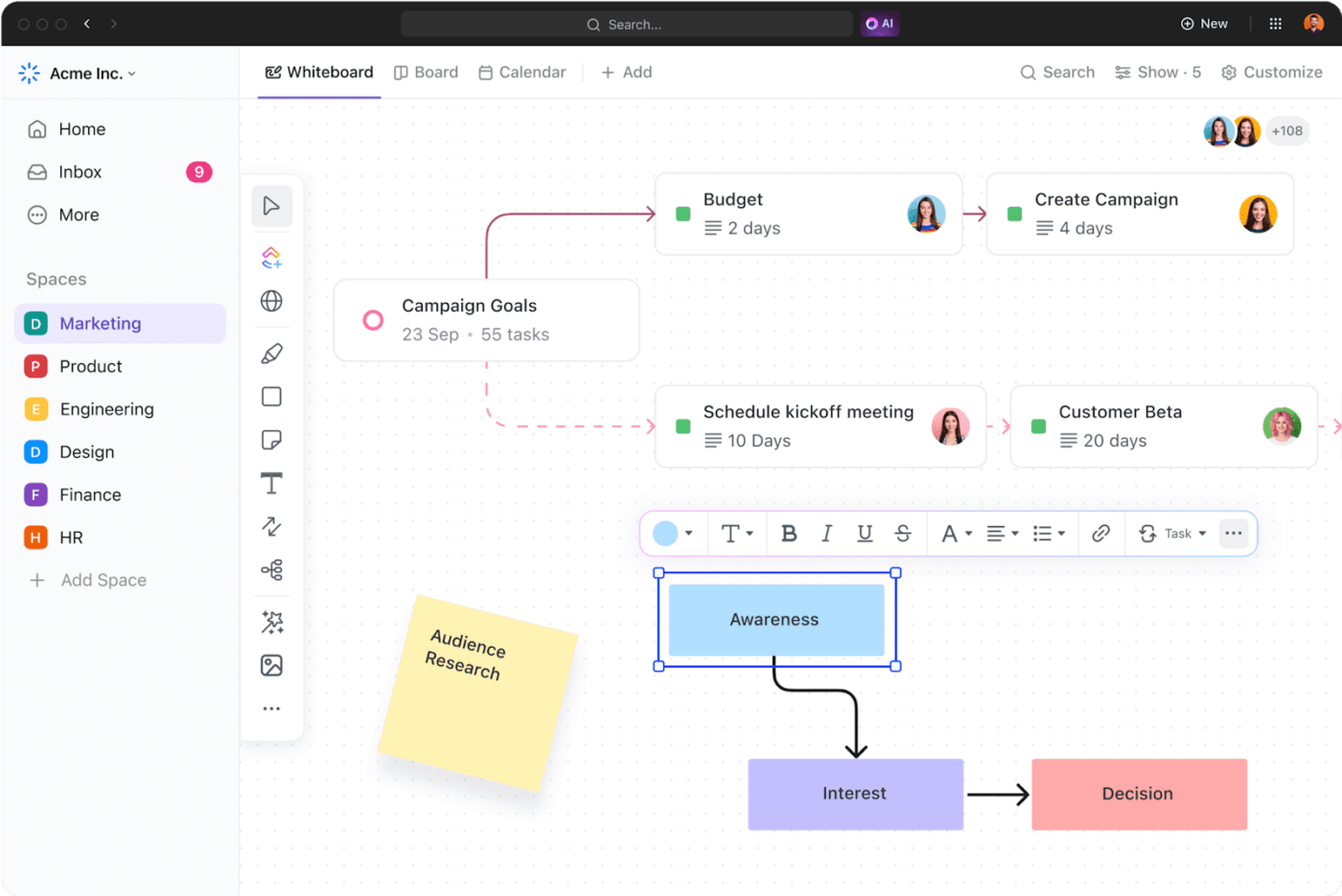
ClickUp is an all-in-one platform for project management, helping distributed teams collaborate efficiently, work smarter, and save time. ClickUp’s Whiteboard feature provides a flexible workspace for brainstorming, planning, and executing projects. You can draw, connect ideas, write notes, and add images and links for effective collaboration.
However, ideation alone does not matter. You need to convert thoughts into action items. This is where ClickUp Mind Maps help—align tasks and ideas.

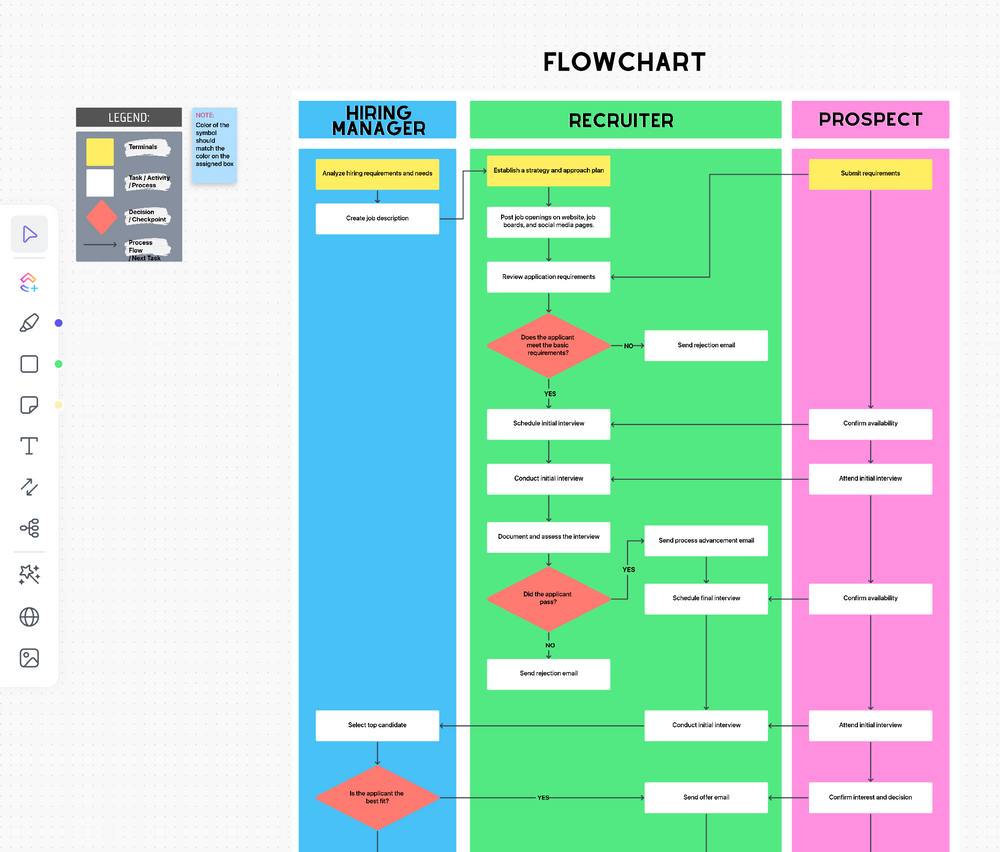
You can use mind maps to ideate, strategize, and create roadmaps and agile workflows. This helps you simplify tasks by breaking down complex project plans and connecting dependencies.For example, the ClickUp Processes Map Whiteboard Template is a ready-to-use, customizable template that is also great for beginners. It lets you easily communicate processes to the team with a visual representation. You can also customize Statuses, Fields, and even Views.
If you want to simplify processes further, use the ClickUp Process Flow Chart template. It helps visualize daily processes and track task progress easily.
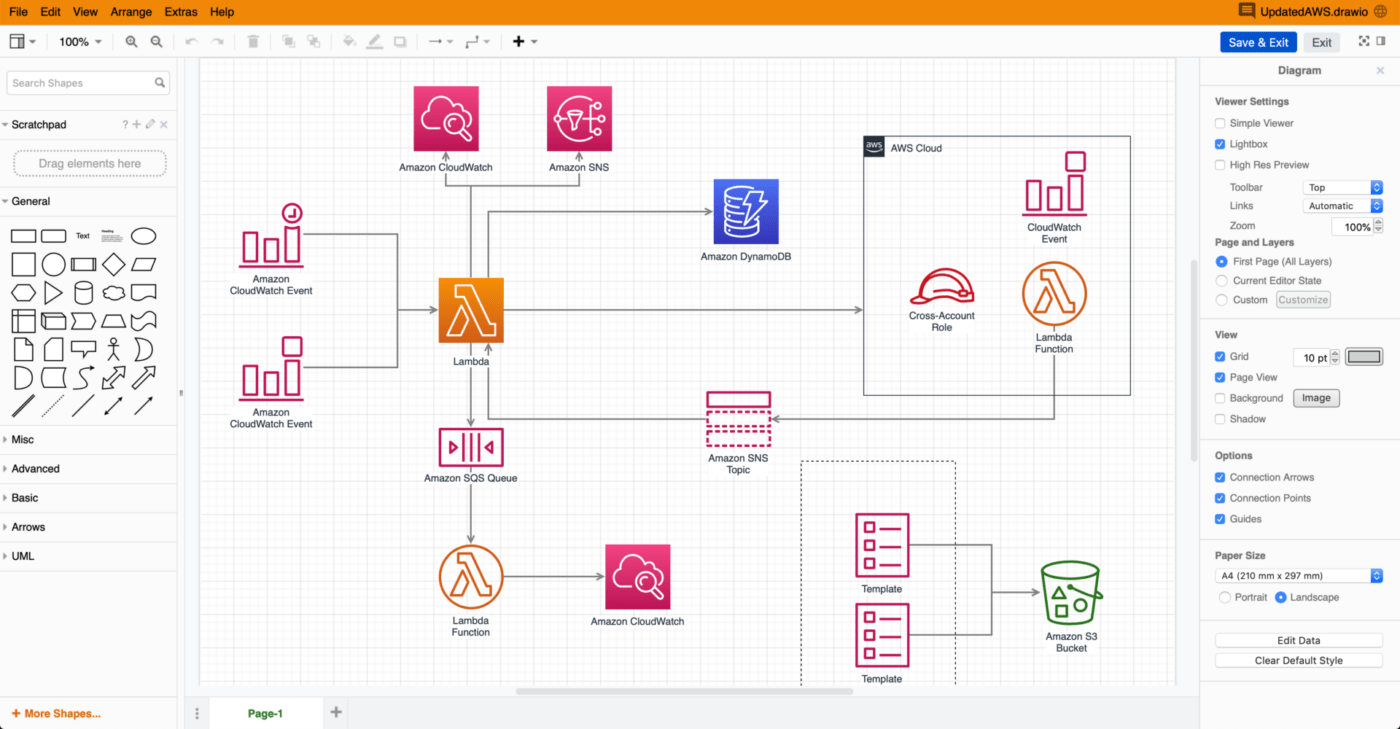
Draw.io is a versatile flowchart maker and online design software, used mostly on Atlassian apps, such as Confluence and Jira.
You can create network diagrams, flowcharts, wireframes, and do a lot more. Its user-friendly interface, with many shapes, icons, and customization options, makes it one of the most popular Excalidraw alternatives.
Mural is a virtual canvas, where you can brainstorm, solve problems, and organize ideas visually in real time with your team.
The tool allows you to create and edit various elements such as sticky notes, images, and drawings. Moreover, you can easily sketch diagrams to collaborate visually. It offers customized whiteboard solutions for design, product, engineering, innovation, and sales teams, eliminating the need for multiple collaboration apps within the entire organization.
FigJam, developed by Figma, is another Excalidraw alternative that enables teams to brainstorm, draw diagrams, design strategies, and create flowcharts and agile workflows.
It helps create project roadmaps, customer journey maps, and project timelines. You can provide real-time feedback using audio chat and live chat. FigJam also offers AI integration to automate project timelines and tracking action items.
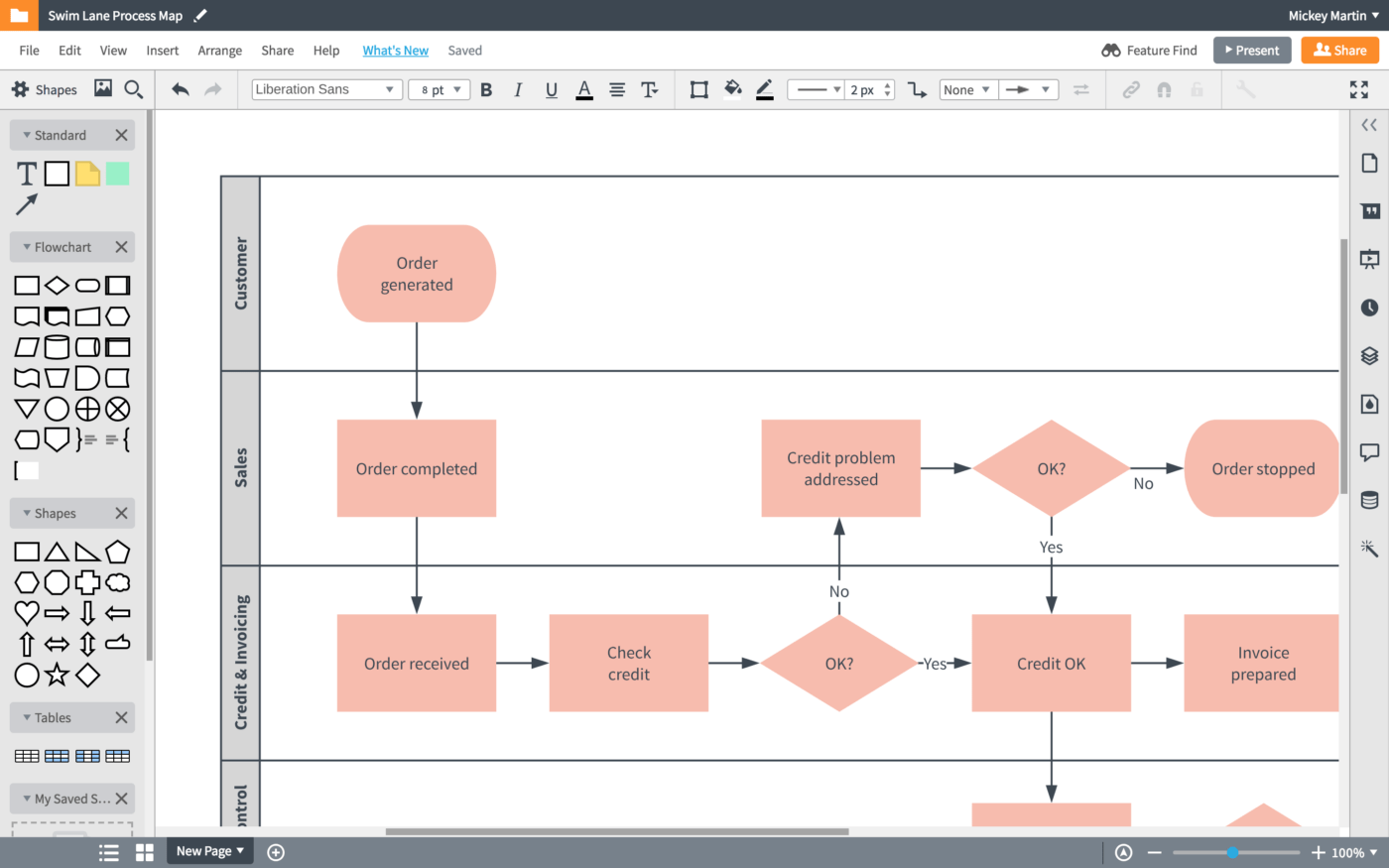
Lucidchart is a cloud-based visual collaboration and intelligent diagramming platform that empowers teams to bring their ideas to life through dynamic diagrams, flowcharts, and visualizations.
You can use cursors for live collaboration, link data, and overlay metrics on diagrams to access all important information in one place.

Invision’s flagship product, Freehand, is a virtual whiteboard for project planning, ideating, team building, brainstorming, presenting, and reviewing ideas.
It offers customized templates for engineering, design, IT, and product teams. You can use its intelligence canvas to define workflows and manage projects seamlessly.
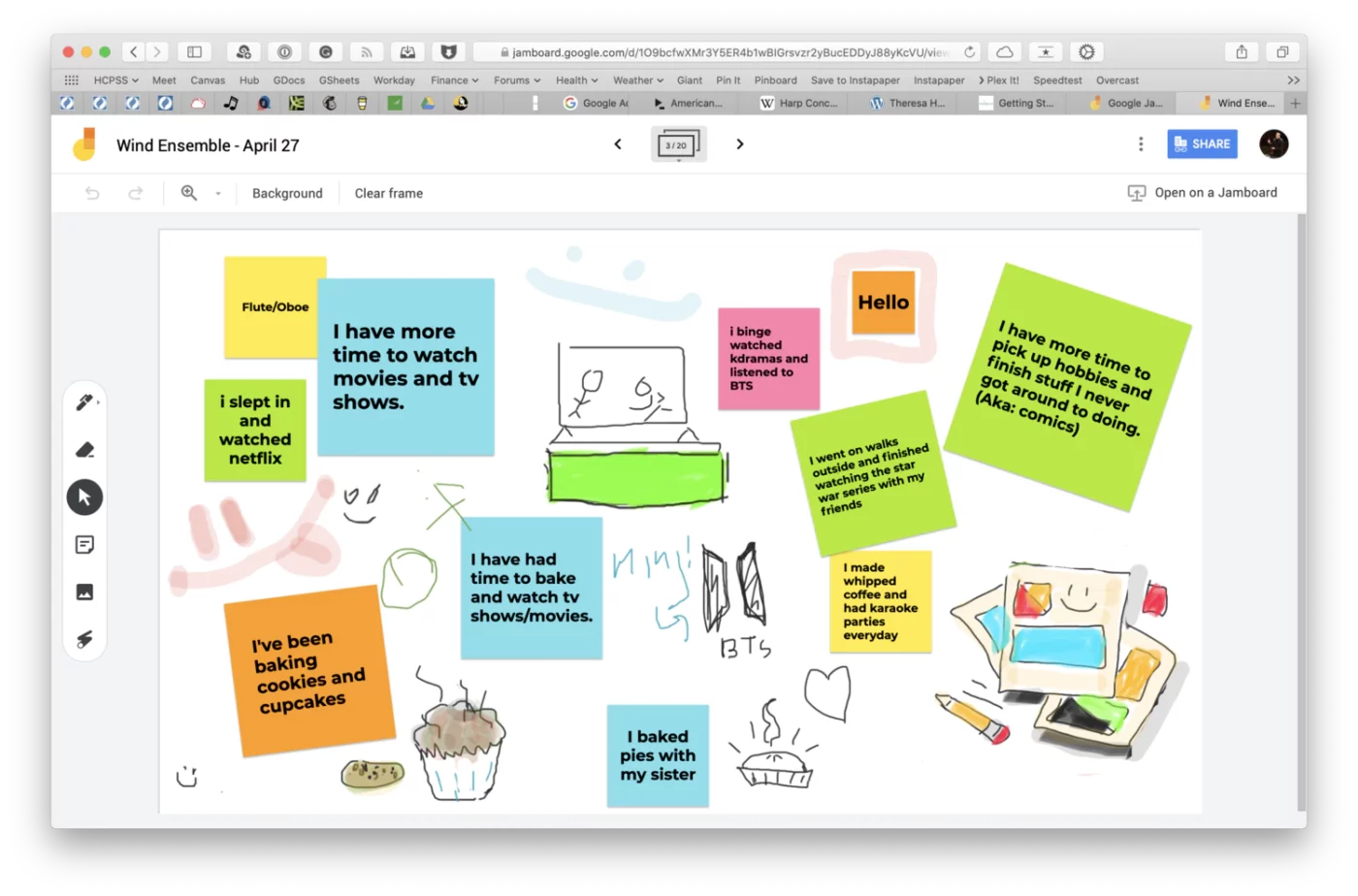
If you want to collaborate with your team in real time, you can use Jamboard, a digital whiteboard by Google. You can use it on the Jamboard device (a 55-inch digital whiteboard that works with G Suite services), web browser, or mobile app.
With Jamboard, you can write and draw with the included stylus, and convert your sketches into a refined image. However, Jamboard will be discontinued on October 1, 2024.

Collaboard is a creative whiteboard and collaboration tool with a hand-drawn feel. It provides drawing options using markers, pens, and brushes. You can use it for brainstorming or storytelling.
It allows you to change the text color and font, add hyperlinks to relevant resources, upload documents, add images, and connect objects. Moreover, you can add videos directly on the board, change view modes for better readability, and create sticky notes for quick ideas or suggestions.
Miro’s cutting edge whiteboard enables scaled product planning, mind mapping, process mapping, customer journey mapping, and strategy and planning.
Using Miro, you can provide your team with a visual, scalable and secure workspace for innovation by connecting it with 130+ apps. It enables smooth collaboration and management by automatically integrating data from spreadsheets and other apps across the tech stack.
DrawIsland is an online drawing tool to express yourself creatively through digital art. You can create GIFs, add text to images, use different shapes to create sketches and change colors and fonts.
It also has an intuitive interface and offers various drawing tools, including brushes, pens, and shapes. You can start working on DrawIsLand directly online without any signup or installations.
Virtual whiteboards can significantly improve collaborative brainstorming and creative work with their visualization features. They also play a crucial role in breaking down complex tasks and workflows, helping you see the big picture.
If Excalidraw is falling short of your expectations in these aspects, it’s time to upgrade your tech stack with ClickUp!Switch to ClickUp Whiteboard, the best alternative to Excalidraw, and turn your ideas into action plans by creating and assigning tasks directly from your brainstorming sessions.
Sign up on ClickUp for free to communicate ideas better and enhance team collaboration!

Arya P Dinesh
Max 27min read

Manasi Nair
Max 27min read
Manasi Nair
Max 32min read

© 2026 ClickUp