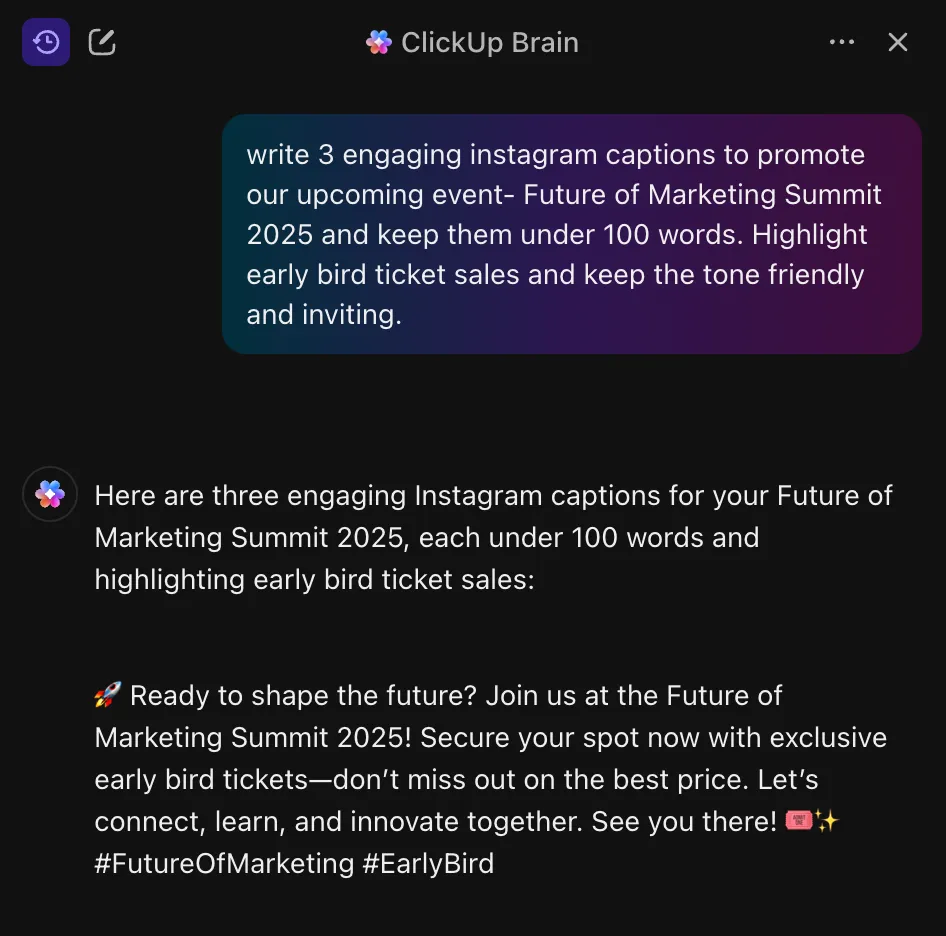

أنت على Instagram، وإصبعك يحوم فوق الشاشة، والتعليق نصف مكتوب، وعقلك قد توقف عن العمل رسميًا. لا تريد مغادرة التطبيق، أو فتح خمسة علامات تبويب، أو التفكير أكثر من اللازم. تريد فقط شيئًا يعمل.
هذه هي الحقيقة بالنسبة لمعظم منشئي المحتوى على Instagram. ولحسن حظك، هذا هو بالضبط ما يمكن أن يساعدك فيه Meta AI. تم تصميم Meta AI ليكون جزءًا لا يتجزأ من Instagram، وهو مساعد شخصي يعمل بالذكاء الاصطناعي يساعد منشئي المحتوى على تبادل الأفكار وصياغة التعليقات والرد على التعليقات وإنشاء صور في ثوانٍ معدودة.
يوضح لك هذا الدليل كيفية استخدام Meta AI لإنشاء محتوى Instagram.
وإذا كنت تبحث عن أدوات ذكاء اصطناعي أكثر ذكاءً تدعم أيضًا تقويمات المحتوى والموافقات والتعاون، فابق على اتصال، لأننا سنقدم لك ClickUp وذكاءه الاصطناعي السياقي القوي.
ما هو Meta AI على Instagram؟
Meta AI هو مساعد الذكاء الاصطناعي المدمج في Instagram، المدعوم بواسطة Llama 3 من Meta، وهو نوع من نماذج اللغة الكبيرة (LLM). فكر فيه على أنه روبوت دردشة ذكي تفاعلي ومولد يعيش مباشرة داخل التطبيق، لذا لا تحتاج إلى تنزيل أو اشتراك منفصل لاستخدامه.
تم تصميم هذا الروبوت التخاطبي ليكون مساعدًا متعدد الوسائط. يمكنه فهم النصوص والصور وإنشائها.
🧠 حقيقة ممتعة: 77% من المؤسسات التي اعتمدت الذكاء الاصطناعي التوليدي تستخدمه في المهام الإبداعية مثل كتابة نصوص وسائل التواصل الاجتماعي وإنشاء العناصر المرئية.
أين تجد Meta AI على Instagram؟
من المحبط أن تعرف أن هناك ميزة ما ولكن لا يمكنك العثور عليها. قد ترى آخرين يستخدمون Meta AI، ولكنها تبدو مخفية في التطبيق، مما يضيع وقتك قبل أن تبدأ حتى.
إليك بالضبط المكان الذي يجب أن تبحث فيه حتى تتمكن من الوصول إليه في ثوانٍ. 👀
- شريط البحث: في أعلى صفحة "استكشاف"، سترى رمز دائرة زرقاء. اضغط عليها لبدء محادثة جديدة مع Meta AI.
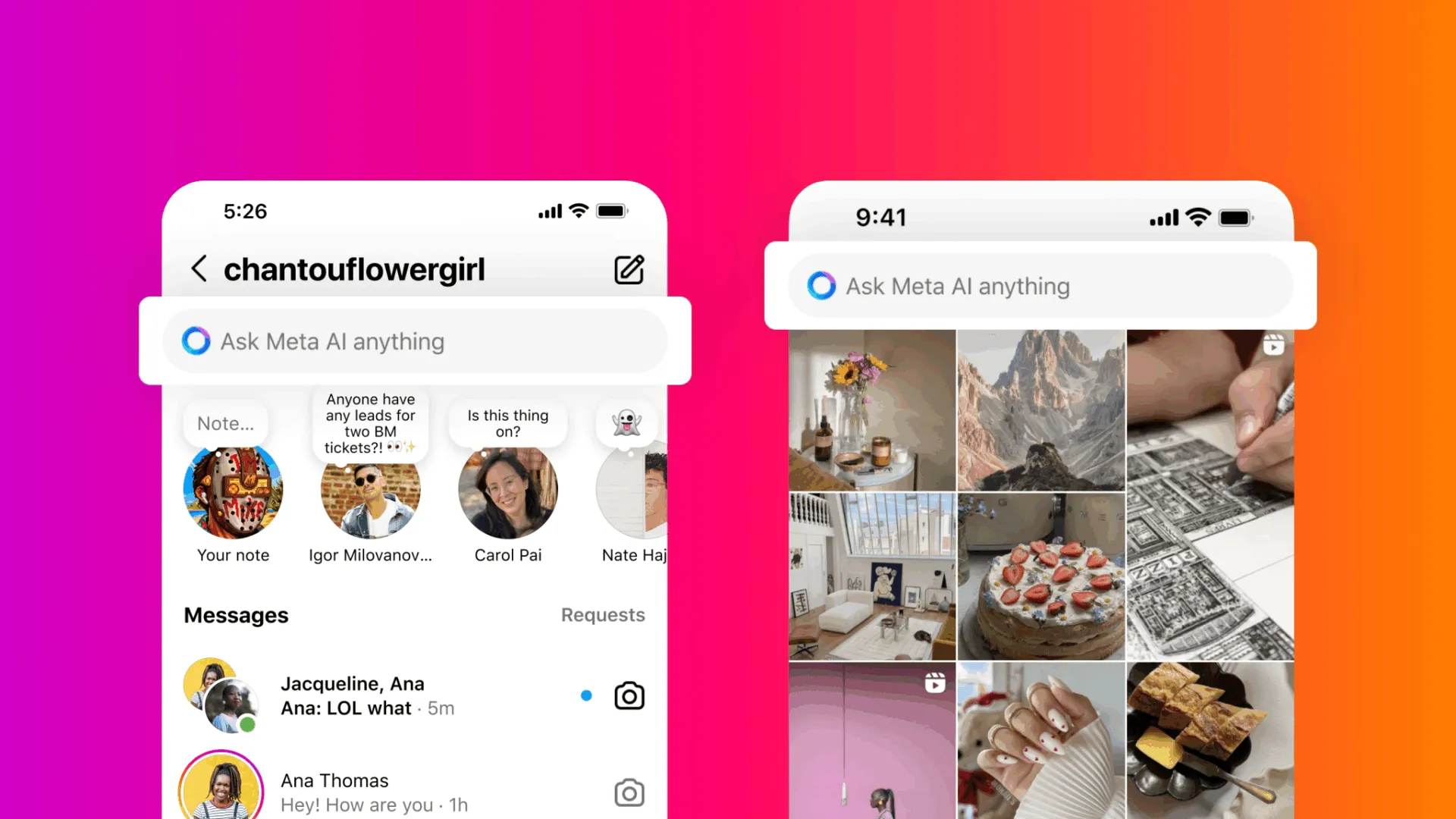

- الرسائل المباشرة (DMs): عند فتح أي سلسلة رسائل مباشرة، قد ترى اقتراحًا للدردشة مع Meta AI. يمكنك أيضًا بدء دردشة جديدة من خلال البحث عن "@MetaAI" تمامًا كما تفعل مع أي شخص آخر.
- المحادثات الجماعية: لإدخال الذكاء الاصطناعي في مناقشة الفريق، ما عليك سوى كتابة @MetaAI في أي محادثة جماعية.
- مؤلف التعليقات: أثناء كتابة تعليق على منشور، قد ترى اقتراحات مدعومة بالذكاء الاصطناعي لمساعدتك في صياغة رد.
⚠️ ملاحظة: إذا لم ترى رمز الدائرة الزرقاء أو أي من هذه المطالبات، فقد لا يكون Meta AI متاحًا لك بعد. اعتبارًا من أوائل عام 2026، يتم طرحه تدريجيًا وقد يختلف حسب المنطقة والحساب وإصدار التطبيق.
الآن، العثور على الأداة هو الجزء السهل. التحدي الحقيقي هو تعلم كيفية استخدامها بشكل جيد.
كيف تستخدم Meta AI لإنشاء محتوى Instagram؟
التحديق في نافذة دردشة فارغة مع Meta AI يشبه التحديق في صفحة فارغة. أنت تعلم أنه يمكن أن يساعدك، لكنك غير متأكد مما يجب أن تسأل. وهذا يؤدي إلى نتائج عامة وغير مفيدة.
فيما يلي ثلاث طرق رئيسية يمكنك استخدامها لتسريع إنشاء المحتوى:
اطرح أسئلة على Meta AI في الدردشة
هل سئمت من التبديل إلى المتصفح كلما احتجت إلى البحث عن موضوع ما؟ استخدم Meta AI كمساعد بحث مباشرةً من خلال رسائلك المباشرة على Instagram. هذا مثالي لتبادل الأفكار والحصول على إجابات سريعة دون تشتيت تركيزك.
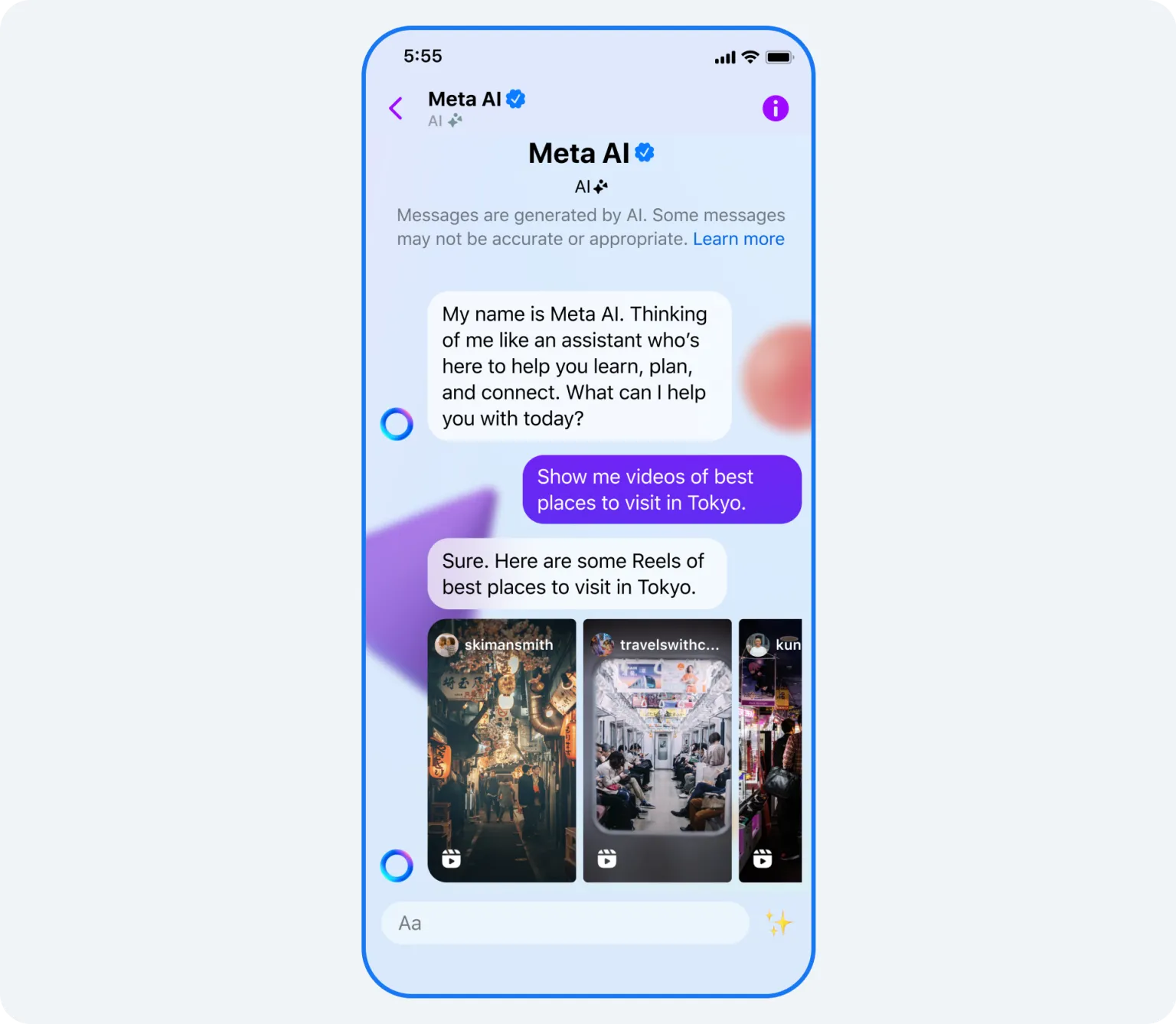
ابدأ محادثة وحاول أن تسأل عن:
- أفكار المحتوى: "أعطني خمسة أفكار لمنشورات حول الموضة المستدامة لجمهور الجيل Z."
- أبحاث الاتجاهات: "ما هو الصوت الأكثر انتشارًا في Reels اللياقة البدنية هذا الأسبوع؟"
- حقائق سريعة: "ما هي أفضل الأوقات لنشر المحتوى على Instagram لعلامة تجارية في مجال التجارة الإلكترونية؟"
✅ يتذكر Meta AI السياق داخل محادثة واحدة. يمكنك طرح أسئلة متابعة دون الحاجة إلى البدء من جديد.
⚠️ ومع ذلك، لا يمكنه الوصول إلى بيانات حسابك أو تحليلاتك المحددة، لذا ستكون نصائحه عامة دائمًا. لن يعرف أي من منشوراتك السابقة كان الأفضل أداءً أو ما الذي يستجيب له جمهورك بشكل فريد.
💡 نصيحة احترافية: فكر في إنشاء مركز رئيسي لسير عمل المحتوى الخاص بك في منصة إدارة المحتوى مثل ClickUp. لماذا؟
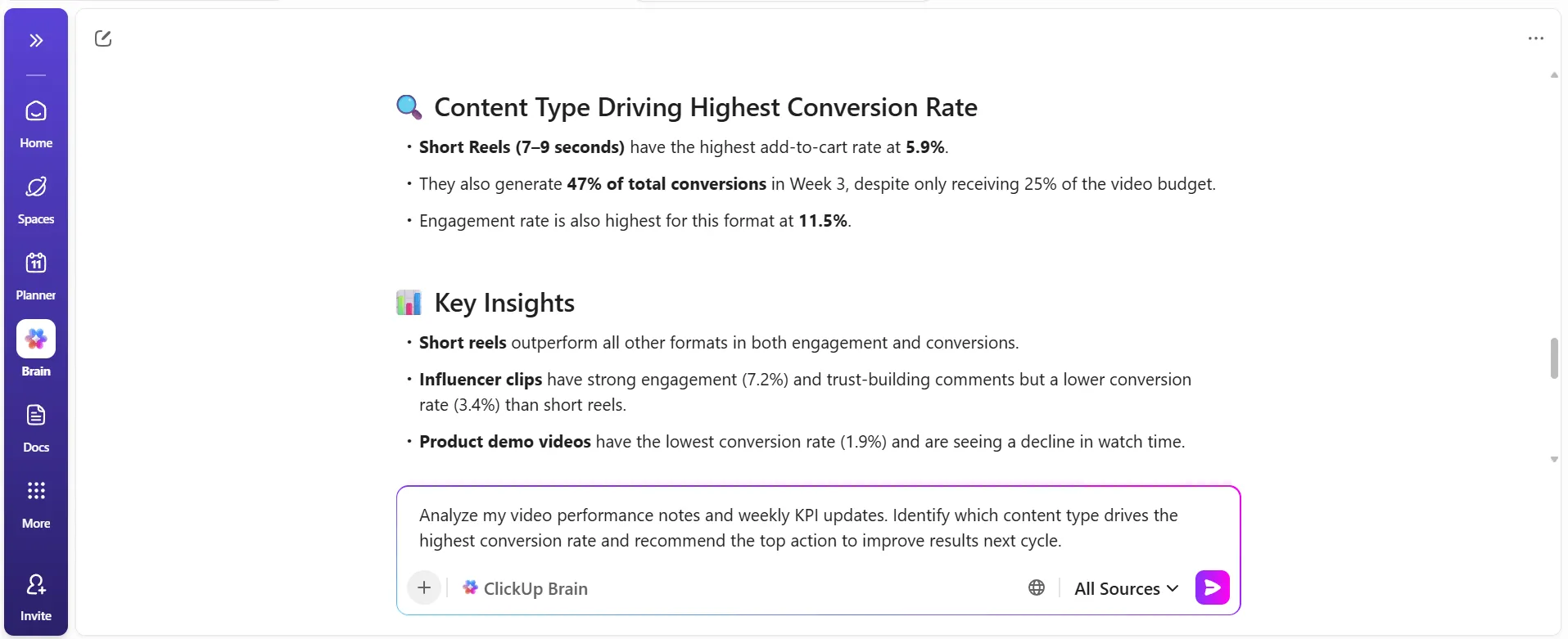
ستختبر الفرق بين الذكاء الاصطناعي الذي يخمن والذكاء الاصطناعي الذي يعرف عملك. عندما يكون ClickUp هو مركز المحتوى الخاص بك، يمكن لـ ClickUp Brain، الذكاء الاصطناعي الذي يدرك السياق ، الرجوع إلى المنشورات السابقة وملاحظات الحملات وإحصاءات الأداء التي قمت بتوثيقها بالفعل ومشاركة اقتراحات مخصصة. يساعدك هذا في اتخاذ قرارات تعكس ما نجح بالفعل مع جمهورك.
اكتب التعليقات والردود باستخدام Meta AI
قد يستغرق صياغة التعليق أو الرد المثالي وقتًا طويلاً. جرب ميزة "الكتابة باستخدام Meta AI" في أداة كتابة التعليقات والتعليقات المصاحبة في Instagram لتسريع هذه العملية.
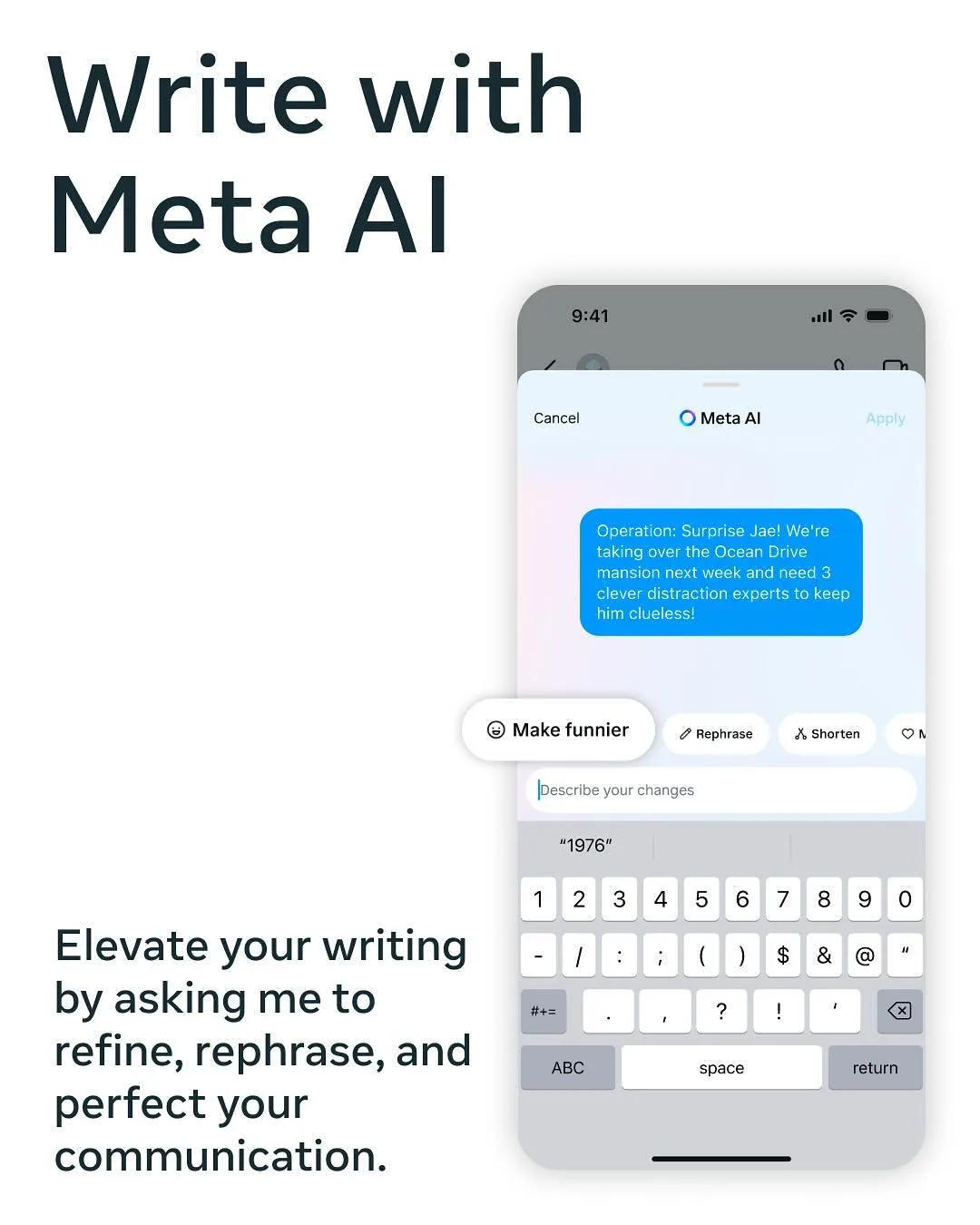
إليك كيفية عمله:
- ابدأ في كتابة تعليق على منشور أو رد على تعليق
- ابحث عن موجه اقتراحات Meta AI الذي يظهر
- يمكنك بعد ذلك قبول الاقتراح أو طلب اقتراح جديد أو تعديله ليناسب احتياجاتك.
للحصول على نتائج أفضل، أعطه تعليمات محددة.
📌 على سبيل المثال، بدلاً من مجرد طلب كتابة تعليق، جرب "اكتب تعليقًا غير رسمي وذكيًا لصورة كلبي في الحديقة. " يمكنك أيضًا أن تطلب منه "صياغة رد احترافي ومتعاطف على شكوى عميل بشأن تأخير الشحن. "
⚠️ على الرغم من أنه يوفر نغمات محددة مسبقًا، إلا أن Meta AI لا يمكنه تعلم صوت علامتك التجارية المحدد. إنه ينسى ما وافقت عليه من قبل، لذا فإن كل تعليق جديد يبدو وكأنه بداية من جديد.
📮 ClickUp Insight: 37٪ من المشاركين في الاستطلاع يستخدمون الذكاء الاصطناعي لإنشاء المحتوى، بما في ذلك الكتابة والتحرير والبريد الإلكتروني. ومع ذلك، عادةً ما تتطلب هذه العملية التبديل بين أدوات مختلفة، مثل أداة إنشاء المحتوى ومساحة العمل الخاصة بك. مع ClickUp، تحصل على مساعدة في الكتابة مدعومة بالذكاء الاصطناعي في جميع أنحاء مساحة العمل، بما في ذلك البريد الإلكتروني والتعليقات والدردشات والمستندات والمزيد — كل ذلك مع الحفاظ على سياق مساحة العمل بأكملها.
إنشاء صور باستخدام مطالبات Meta AI
هل تحتاج إلى صورة سريعة لقصتك؟ يمكنك إنشاء صور بالذكاء الاصطناعي عن طريق كتابة "Imagine" متبوعة بوصف في أي رسالة مباشرة باستخدام Meta AI. يستخدم المساعد نموذج الصور Emu من Meta لإنشاء صور من النص الذي تكتبه.
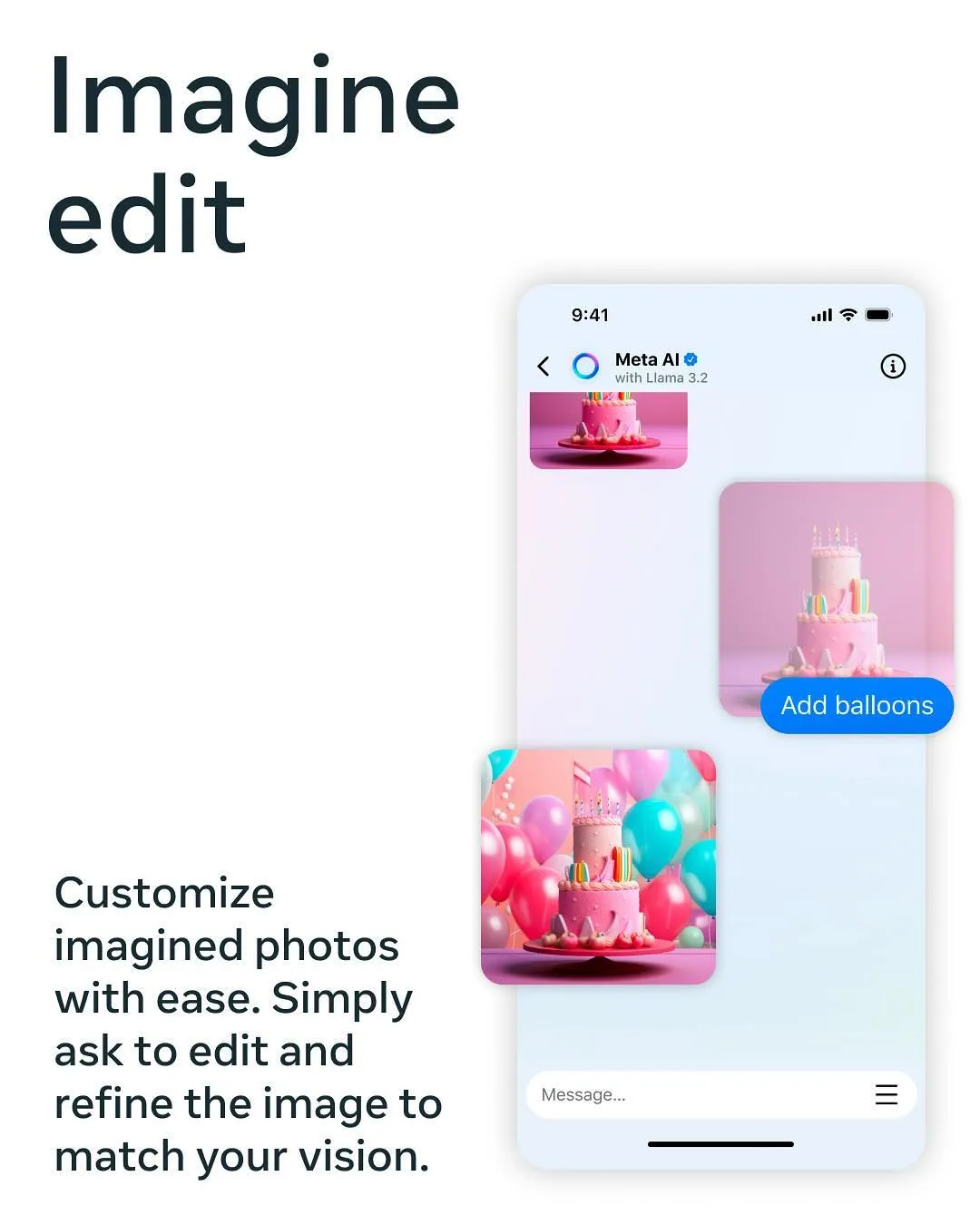
للحصول على أفضل النتائج، قم ببناء موجهاتك بتفاصيل واضحة:
- الموضوع: التركيز الرئيسي للصورة (على سبيل المثال، "كومة من الفطائر")
- الإعداد: البيئة (على سبيل المثال، "على طاولة خشبية ريفية بجوار نافذة")
- الأسلوب: الجمالية الفنية (على سبيل المثال، "بأسلوب رسوم توضيحية نابض بالحياة من فن البوب")
- المزاج: الشعور الذي تريد إثارةه (على سبيل المثال، "صباح دافئ ومبهج")
✅ يمكنك طلب تغييرات في رسائل المتابعة، مثل "اجعلها أكثر ألوانًا" أو "غيّر الزاوية".
⚠️ ومع ذلك، تتضمن الصور التي يتم إنشاؤها علامة مائية مرئية. لا يمكنك تحميل صورة مرجعية لتوجيه النمط، ولا يمكنك حفظ المطالبات لإعادة استخدامها لاحقًا من أجل الحفاظ على اتساق العلامة التجارية.
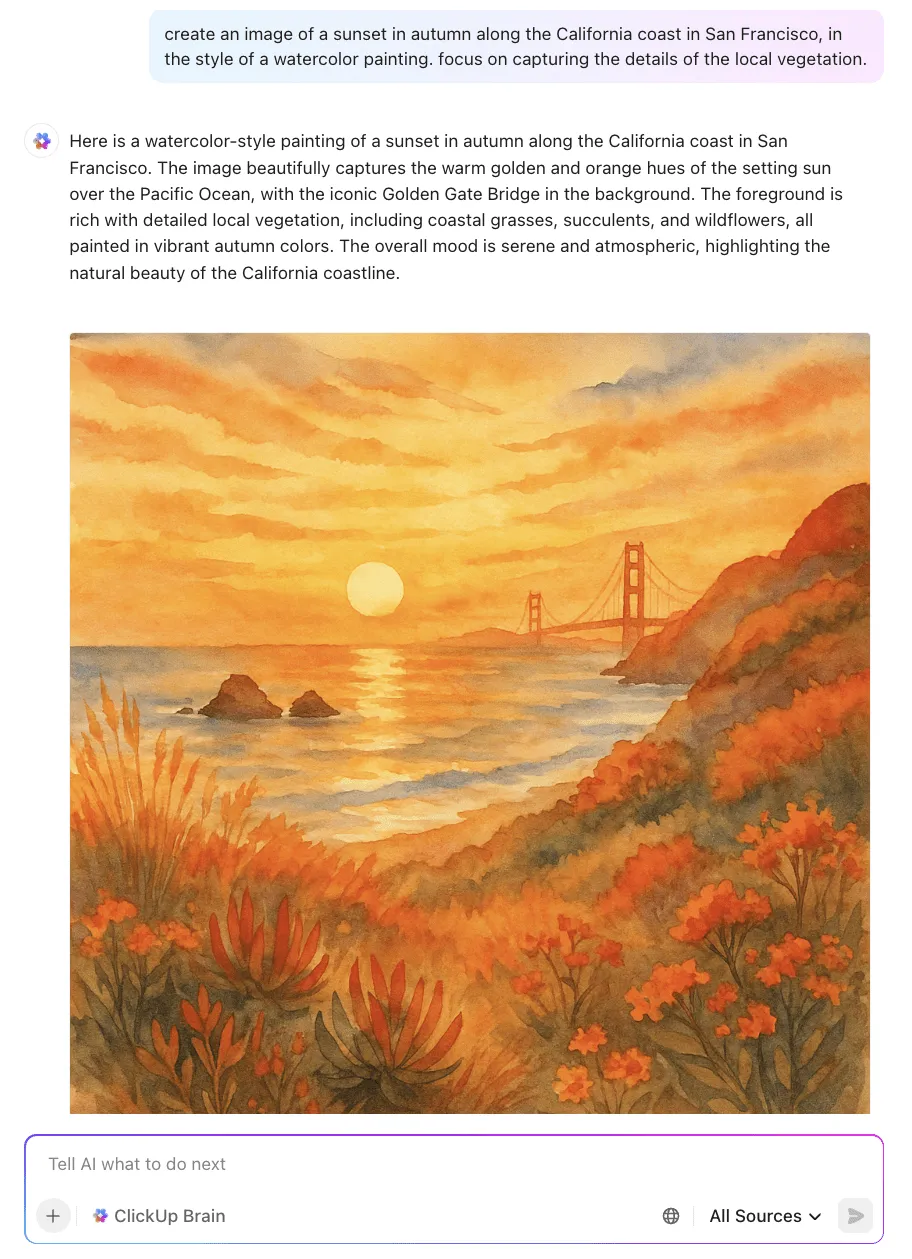
💡 نصيحة احترافية: يمكن لـ ClickUp Brain إنشاء صور عالية الجودة مباشرة في مركز عملك (بدون علامات على غرار Instagram تعيقك) ويتيح لك حفظ المطالبات ومشاركتها وإعادة استخدامها داخل ClickUp مباشرةً حتى لا تضيع أفضل تعليماتك إلى الأبد. يمكنك حتى تنظيم قوالب المطالبات لفريقك ليتمكن من الوصول إليها في أي وقت، مع الحفاظ على الصور والرسائل الخاصة بالعلامة التجارية دائمًا.
كيف تكتب مطالبات Meta AI أفضل لـ Instagram؟
الحصول على نتائج عامة أو غير ملهمة من Meta AI هو أمر محبط شائع. المشكلة ليست في الأداة، بل في الطريقة التي تستخدمها. التعليمات الغامضة تؤدي إلى نتائج غامضة. لإنشاء محتوى أكثر توافقًا مع علامتك التجارية، تحتاج إلى تقديم توجيهات واضحة ومفصلة.
استخدم إطار عمل CRISP لتزويد Meta AI بالإرشادات التي يحتاجها:
- السياق: قدم معلومات أساسية. على سبيل المثال، "أدير حساب Instagram لمكتبة صغيرة مستقلة."
- الدور: أخبره بالدور الذي يجب أن يؤديه. على سبيل المثال، "تصرف كبائع كتب ودود وواسع المعرفة".
- التعليمات: حدد المهمة بالضبط. على سبيل المثال، "اكتب تعليقًا لمنشور جديد حول اختيار نادي الكتاب الشهري لدينا."
- التفاصيل: أضف قيودًا وتفاصيل. على سبيل المثال، "اجعله أقل من 200 حرف، واذكر عنوان الكتاب ومؤلفه، وأضف سؤالًا لتشجيع التعليقات. "
- المنظور: حدد نبرة الصوت. على سبيل المثال، "استخدم نبرة دافئة وجذابة وأدبية قليلاً".
| موجه ضعيف | موجه قوي |
|---|---|
| "اكتب تعليقًا" | "اعمل كمدير وسائل التواصل الاجتماعي لعلامة تجارية متخصصة في اللياقة البدنية. اكتب تعليقًا تحفيزيًا على صورة تمرين صباحي. اجعله أقل من 100 حرف، واستخدم صيغة الفعل، واختمه بسؤال لتعزيز التفاعل." |
| "تخيل كلبًا" | "تخيل كلب بولدوج فرنسي يرتدي قبعة طاهٍ صغيرة، واقفًا في مطبخ عصري مشرق، مصورًا بأسلوب تحريري عن نمط الحياة مع إضاءة طبيعية ناعمة." |
🤝 تذكير ودي: حتى مع وجود موجه مثالي، قد تواجه عقبات. يعمل Meta AI في صومعة، منفصلاً عن تقويم المحتوى الخاص بك وأصول العلامة التجارية وتعليقات الفريق. وهذا يخلق احتكاكًا ويبطئك عندما تحاول توسيع نطاق إنتاج المحتوى الخاص بك.
🎥 إليك دليل مصغر للهندسة السريعة لمساعدتك على تحسين تفاعلاتك مع أدوات الذكاء الاصطناعي:
محدودية Meta AI في إنشاء محتوى Instagram
خلاصة القول هي أن Meta AI هو الأنسب للمساعدة السريعة والفورية. فهو ليس مصممًا لسير عمل المحتوى المعقد والمتعدد الخطوات الذي يعتمد عليه المبدعون والفرق المحترفون.
تشمل قيوده الرئيسية ما يلي:
- لا توجد ذاكرة أو اتساق للعلامة التجارية: لا يمكن لـ Meta AI تعلم صوت علامتك التجارية أو إرشادات الأسلوب أو الهوية المرئية. تبدأ كل محادثة من الصفر، مما يجبرك على إعادة شرح احتياجاتك في كل مرة. وهذا يجعل من المستحيل تقريبًا الحفاظ على أسلوب متسق للعلامة التجارية في جميع محتوياتك.
- تكامل محدود لسير العمل: يتم تخزين المحتوى الذي تم إنشاؤه في رسائلك المباشرة أو التعليقات أو التعليقات التوضيحية. لا توجد طريقة لإرسال تعليق توضيحي إلى تقويم المحتوى أو نقل صورة إلى سير عمل الموافقة أو ربط الأفكار بنظام إدارة المشاريع الخاص بك. يؤدي هذا الانفصال إلى عمل يدوي ويزيد من خطر حدوث أخطاء.
- قيود إبداعية وتعاونية: الصور التي تحمل علامات مائية: غالبًا ما تحتوي الصور على علامات مائية وملصقات، مما يجعلها غير مناسبة لمنشورات محتوى مصقولة عدم وجود صور مرجعية: لا يمكنك تحميل لوحة أفكار أو صورة للعلامة التجارية لتوجيه أسلوب الذكاء الاصطناعي البصري العمل المنفرد: لا يمكن مشاركة المطالبات والمخرجات أو حفظها بسهولة للتعاون الجماعي، مما يؤدي إلى تكرار الجهد
- الصور التي تحتوي على علامات مائية: غالبًا ما تحتوي الصور على علامات مائية وملصقات، مما يجعلها غير مناسبة للنشر في موجز الأخبار.
- لا توجد صور مرجعية: لا يمكنك تحميل لوحة مزاجية أو صورة للعلامة التجارية لتوجيه أسلوب الذكاء الاصطناعي البصري.
- العمل المنفرد: لا يمكن مشاركة المطالبات والمخرجات أو حفظها بسهولة للتعاون الجماعي، مما يؤدي إلى ازدواجية الجهود.
- نقاط الضعف في البيانات والتحليلات: لا يمكن لـ Meta AI الوصول إلى بيانات أداء حسابك. لذا، فإن توصياته عامة وليست مستندة إلى البيانات.
- الصور التي تحتوي على علامات مائية: غالبًا ما تحتوي الصور على علامات مائية وتسميات، مما يجعلها غير مناسبة لمنشورات ملفات التغذية المصقولة.
- لا توجد صور مرجعية: لا يمكنك تحميل لوحة مزاجية أو صورة للعلامة التجارية لتوجيه أسلوب الذكاء الاصطناعي البصري.
- العمل المنفرد: لا يمكن مشاركة المطالبات والمخرجات أو حفظها بسهولة للتعاون الجماعي، مما يؤدي إلى ازدواجية الجهود.
إذا كنت تبحث عن أدوات الذكاء الاصطناعي لإنشاء وإدارة محتوى وسائل التواصل الاجتماعي عبر المنصات، شاهد هذا الفيديو:
جرب ClickUp كبديل لـ Meta AI لإدارة محتوى Instagram
غالبًا ما يبدأ استخدام Meta AI بنفس الطريقة: فكرة في الرسائل المباشرة، مسودة تعليق في الدردشة، بعض التعديلات... ثم يبدأ العمل الحقيقي.
أين يوجد هذا؟ من يحتاج إلى مراجعته؟ هل هذا يتماشى مع العلامة التجارية؟ ومتى سننشره بالفعل؟
هذه هي الفجوة التي صُمم ClickUp لملئها.
مساحة عمل واحدة من ابتكار المحتوى إلى تحسينه
مساحة عمل الذكاء الاصطناعي المتقاربة من ClickUp هي المكان الذي تجمع فيه خطط المحتوى والمسودات والتعليقات والجداول الزمنية. لهذا السبب، على عكس Meta AI، لا تختفي أفكارك لحظة إغلاق الدردشة. بدلاً من التنقل بين الأدوات، يتم كل شيء من العصف الذهني إلى النشر في مكان واحد.
ذكاء اصطناعي مدرك للسياق يفهم (ويدعم) سير عمل المحتوى الخاص بك
في قلبه يوجد ClickUp Brain، الذكاء الاصطناعي المدمج مباشرة في مساحة عملك.
- نظرًا لأنها يمكنها الوصول إلى مهام ClickUp ووثائقك وجميع أعمالك السابقة، يمكنها مساعدتك في إنشاء محتوى يعكس علامتك التجارية بالفعل.
- يمكن أن تشير التسميات التوضيحية وأفكار المنشورات والموجزات إلى الإرشادات المخزنة في ClickUp Docs والحملات السابقة ومعرفة الفريق، حتى لا تبدأ من الصفر.
💡 نصيحة احترافية: اكتب @brain في أي تعليق مهمة أو رسالة دردشة ClickUp للحصول على مساعدة فورية من الذكاء الاصطناعي. يمكنك أن تطلب منه تلخيص سلسلة طويلة من التعليقات أو إنشاء عناصر عمل من اجتماع، وسوف يرد عليك مباشرة في مكان عملك!
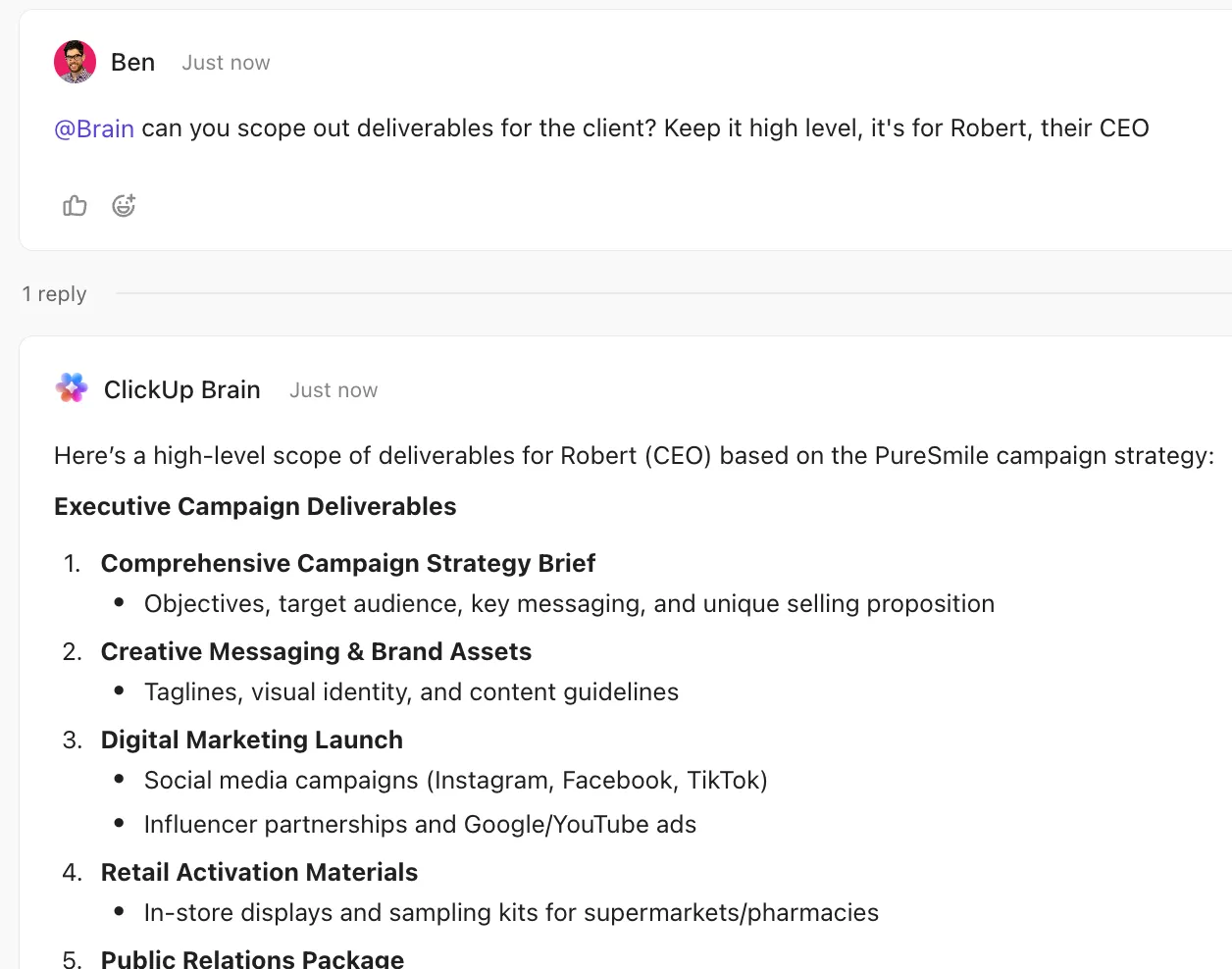
وعندما يكون هناك شيء جاهز للمضي قدمًا، لا يظل عالقًا في سلسلة محادثات الدردشة. يمكنك تحويل الرسائل من قنوات الدردشة ClickUp ورسائل DM إلى مهام مع مالكيها ومواعيدها النهائية.
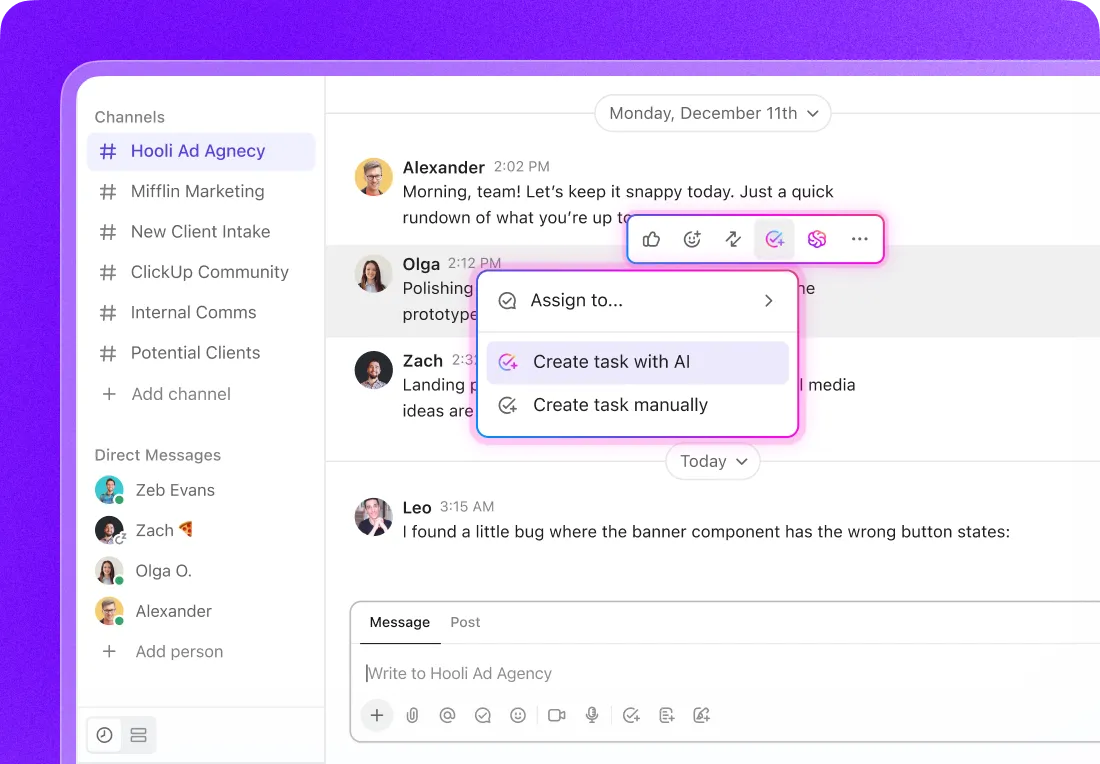
خطوط إنتاج المحتوى الآلية
في ClickUp، تظهر التعليقات بجوار العمل الذي تشير إليه. يمكنك ترك تعليقات على المهام والمستندات، وتحرير المستندات بشكل مشترك في الوقت الفعلي، وحتى تعيين تعليقات لفريقك عندما يتطلب الأمر اتخاذ إجراء.
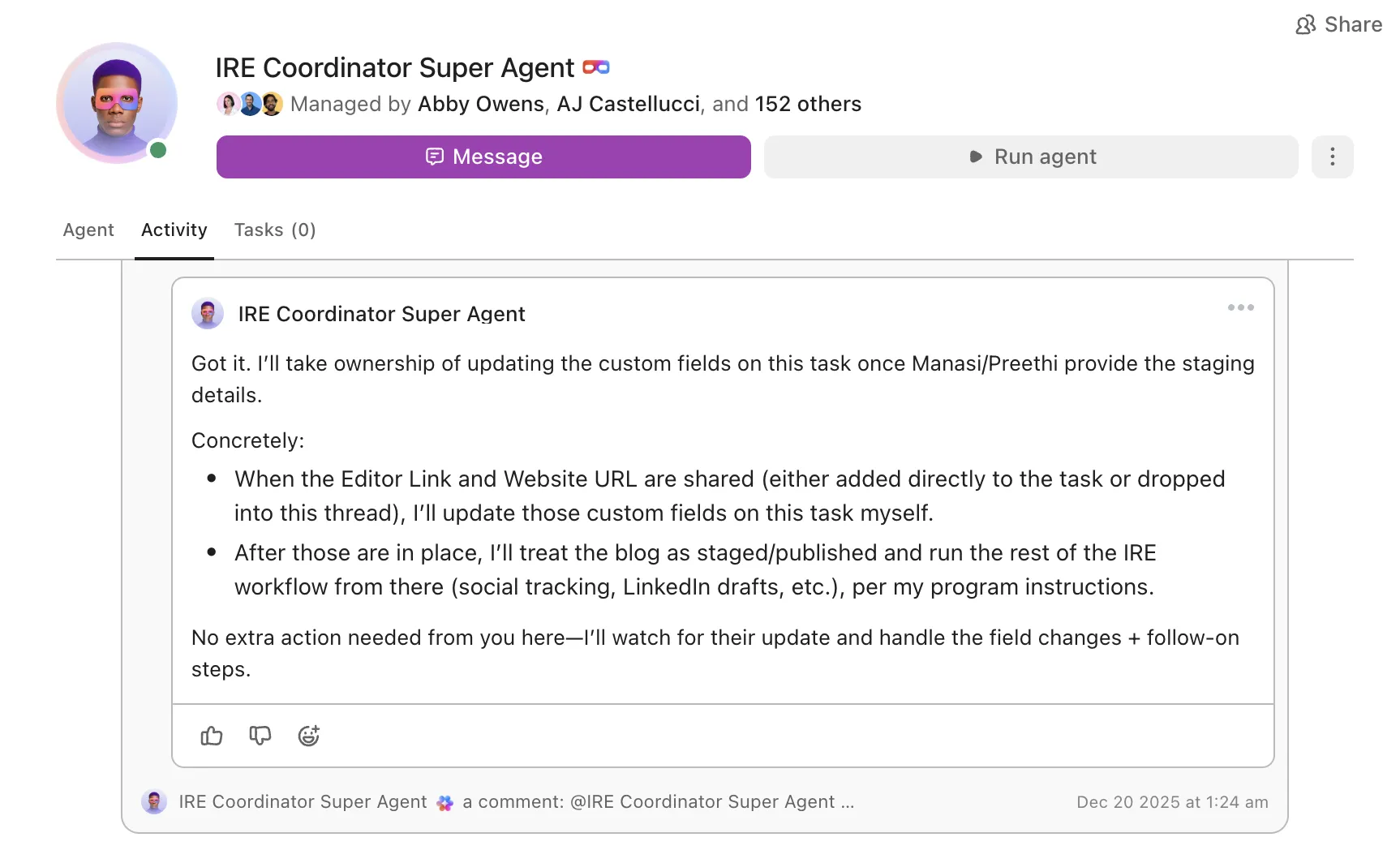
أفضل جزء؟ مع ClickUp Automations و Super Agents، تنتقل الموافقات تلقائيًا عبر سير عملك بدلاً من أن تضيع في الرسائل المباشرة.
📌 على سبيل المثال، بالنسبة لسير عمل مراجعة الحملة، يمكن أن تتولى الأتمتة المهام البسيطة المتكررة مثل نقل المسودة إلى "جاهز للمراجعة"، وإخطار المحرر، أو تعيين مراجع بناءً على تغييرات الحالة.
في الوقت نفسه، يمكن لـ Super Agent أن يعمل بشكل أشبه بـ زميل في فريق الذكاء الاصطناعي: فهو يفهم السياق، ويمكن @ذكره لكتابة مسودات التحديثات، وتلخيص التعليقات، وحتى اتخاذ إجراءات تلقائيًا بناءً على المحفزات التي تحددها — حيث يتعامل مع الأعمال متعددة الخطوات في اللحظة التي تتحقق فيها الشروط.
التوسع مع رؤية كاملة
مع توسع محرك المحتوى الخاص بك، تصبح الرؤية مهمة بقدر السرعة. يسهل ClickUp رؤية ما هو قيد التقدم، وما هو قيد المراجعة، وما هو جاهز للتسليم.
- المعرفة المشتركة: أنشئ مكتبة من المطالبات وقوالب المحتوى عالية الأداء في ClickUp Docs يمكن للجميع استخدامها، مما يضمن الاتساق.
- رؤية واضحة: استخدم لوحات معلومات ClickUp لإنشاء عرض عالي المستوى لمسار المحتوى الخاص بك. تتبع تقدم الإنتاج وحجم عمل الفريق وأداء المشروع في الوقت الفعلي باستخدام المخططات والرسوم البيانية المرئية.
يعد Meta AI على Instagram رائعًا لإنشاء المحتوى على الفور. ClickUp هو ما يساعدك على تحويله إلى نظام محتوى تعاوني قابل للتكرار.
Meta AI على Instagram مقابل ClickUp لإنشاء المحتوى
| القدرة | Meta AI على Instagram | ClickUp |
|---|---|---|
| ذاكرة صوت العلامة التجارية | ❌ لا | ✅ نعم — ClickUp Brain يشير إلى الإرشادات المخزنة |
| تكامل تقويم المحتوى | ❌ لا | ✅ نعم — مهامك وجداولك الزمنية ووثائقك ومشاريعك موجودة في مساحة عمل واحدة مدعومة بالذكاء الاصطناعي |
| التعاون الجماعي | ⚠️ يقتصر على مشاركة الرسائل المباشرة | ✅ تعاون كامل في مساحة العمل |
| سير عمل الموافقة | ❌ لا شيء | ✅ مدمج مع Automations و Super Agents |
| سياق التحليلات | ❌ لا شيء | ✅ يمكن لـ ClickUp Brain الرجوع إلى بيانات الأداء داخل ClickUp |
خطط للمحتوى وأنشئه وقم بإدارته على نطاق واسع باستخدام نظام موحد — تم تصميم ClickUp للفرق التي تجاوزت أدوات الذكاء الاصطناعي داخل المنصة.
حوّل أفكار Instagram إلى محرك محتوى قابل للتطوير
يعد Meta AI رائعًا عندما تحتاج إلى دفعة سريعة (فكرة أو تعليق أو رد) داخل Instagram مباشرةً. فهو يساعدك على الاستمرار في العمل ويزيل العقبات في الوقت الحالي، خاصةً إذا كنت تعمل بمفردك أو تنشر منشورات من حين لآخر.
ولكن بمجرد أن يصبح المحتوى نظامًا — مع جداول زمنية وموافقات وضرورة الحفاظ على هوية علامة تجارية متسقة — لا تكفي السرعة وحدها. عندئذٍ تحتاج الفرق إلى ذكاء اصطناعي يعمل مع عملياتها، وليس خارجها.
النقطة المثالية؟ استخدام الذكاء الاصطناعي لإنشاء المحتوى بسرعة ومساحة عمل موحدة للتخطيط والمراجعة وإعادة استخدام ما ينجح. عندما يكون كل شيء في مكان واحد، يتوقف المحتوى عن الشعور بالتشتت ويبدأ في التوسع.
جرب ClickUp مجانًا واكتشف كيف يربط ClickUp Brain بين التخطيط والإبداع والتعاون في مكان واحد.
الأسئلة المتداولة (FAQs)
لا يمكنك تعطيل Meta AI بالكامل. ومع ذلك، يمكنك تقليل وجوده عن طريق كتم الصوت أو إخفاء أو حظر حساب @MetaAI في رسائلك المباشرة.
تتمثل قيوده الرئيسية في عدم وجود ذاكرة للعلامة التجارية، والصور التي تحمل علامات مائية، وعدم التكامل مع تقويمات المحتوى، وعدم القدرة على الوصول إلى بيانات أداء حسابك.
Meta AI هو أداة إبداعية ولا يؤثر بشكل مباشر على أداء المحتوى الخاص بك في الخوارزمية. لا تزال منشوراتك يتم تصنيفها بناءً على عوامل قياسية، مثل التفاعل والملاءمة.
إنه آمن بشكل عام، ولكن نظرًا لأن المحادثات يمكن استخدامها لتدريب الذكاء الاصطناعي، يجب تجنب مشاركة المعلومات الحساسة أو الخاصة بالشركة في محادثاتك.