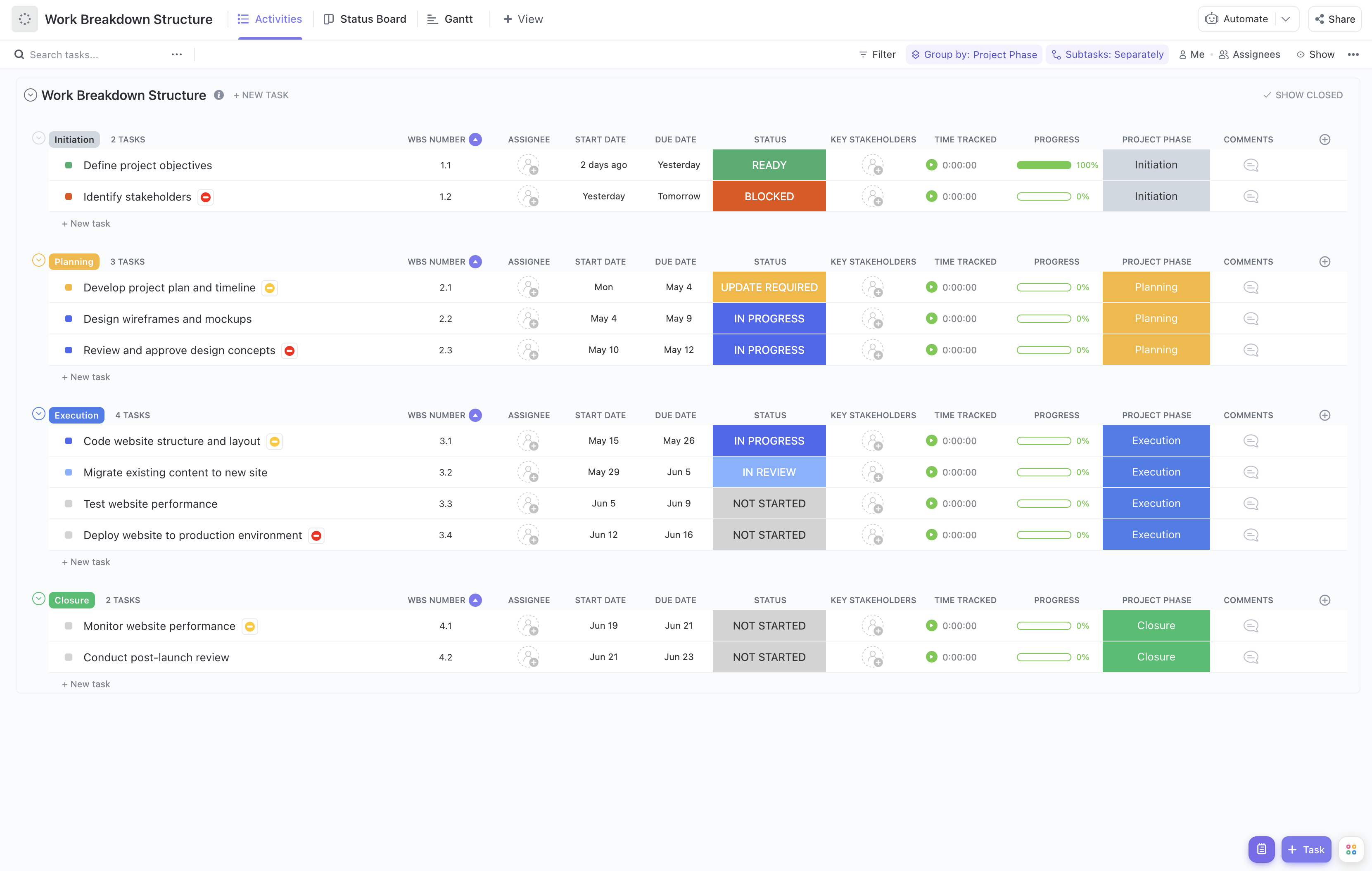
Breaking down a complex project into manageable pieces is the key to success. Managing multiple tasks and coordinating teams can be challenging, especially when using collaborative tools like Google Docs. This Work Breakdown Structure (WBS) template for Google Docs is designed to help you organize your project tasks clearly and effectively within a document format that everyone on your team can access and edit in real time.
This template helps you:
- Organize tasks into hierarchical sections for better visibility and understanding
- Align team members to their responsibilities quickly and efficiently
- Track progress through clear task descriptions and status updates
The best part? You don't need any specialized project management software or coding knowledge. Simply use Google Docs to collaborate, update, and share your project breakdown with stakeholders and team members.
Benefits of a Work Breakdown Structure Template in Google Docs
A work breakdown structure template is a powerful tool for any project manager. It provides a visual and textual representation of how the project will be completed, which can help ensure that tasks are completed on time and within budget. Using Google Docs for your WBS offers additional benefits:
- Easy collaboration with team members and stakeholders in real time
- Accessible from any device with internet access
- Simplifies version control and document sharing
- Helps define and organize the project's deliverables and goals clearly
- Provides clarity for team members on their roles and responsibilities
- Enhances communication between team members and stakeholders
- Improves the overall efficiency of the project by centralizing information
Main Elements of a Work Breakdown Structure Template in Google Docs
This Google Docs WBS template is structured to help you break down complex projects into manageable components:
Project Title and Overview: Clearly state the project name and a brief description to set the context.
WBS Hierarchy: Use numbered headings and subheadings to represent different levels of tasks and subtasks, making it easy to follow the project structure.
Task Descriptions: Provide detailed descriptions for each task, including objectives, deliverables, and dependencies.
Assigned Team Members: List the responsible individuals or teams for each task to ensure accountability.
Timeline and Milestones: Include estimated start and end dates, as well as key milestones to track progress.
Status Updates: Use simple status indicators (e.g., Not Started, In Progress, Complete) to monitor task completion.
To maximize the effectiveness of this template, regularly update the document as the project progresses, and encourage team members to provide input and feedback directly within the Google Doc. This approach fosters transparency and keeps everyone aligned.
For more insights on enhancing team communication during projects, visit ClickUp's Team Communication Guide.