Playbook

Small Business Automation Playbook: 7 Workflows That Run Themselves

Automation workflows with templates, AI agents, and tools for ops managers and small business PMs who want to stop being the bottleneck.
Problem Statement

Manual coordination has a ceiling

In lean teams, work moves because one person keeps it moving. They catch requests from email, chat, and forms, decide what matters, route it to the right owner, chase approvals, and turn scattered progress into updates for clients and leadership. That person is the system, which means your most reliable operator becomes your single point of failure.

📌 The numbers behind that squeeze:

1,200 times

a day is how often workers toggle between apps, losing nearly 4 hours a week just resetting attention ¹

42%

of workplace disruptions come from juggling platforms, emails, and meetings ²

58%

of a knowledge worker's day goes to "work about work" ³ and 41% of their time to low-value, repetitive tasks ⁴

Here's what happened at Gatekeeper, a software development agency, and how automation helped them break the bottleneck:
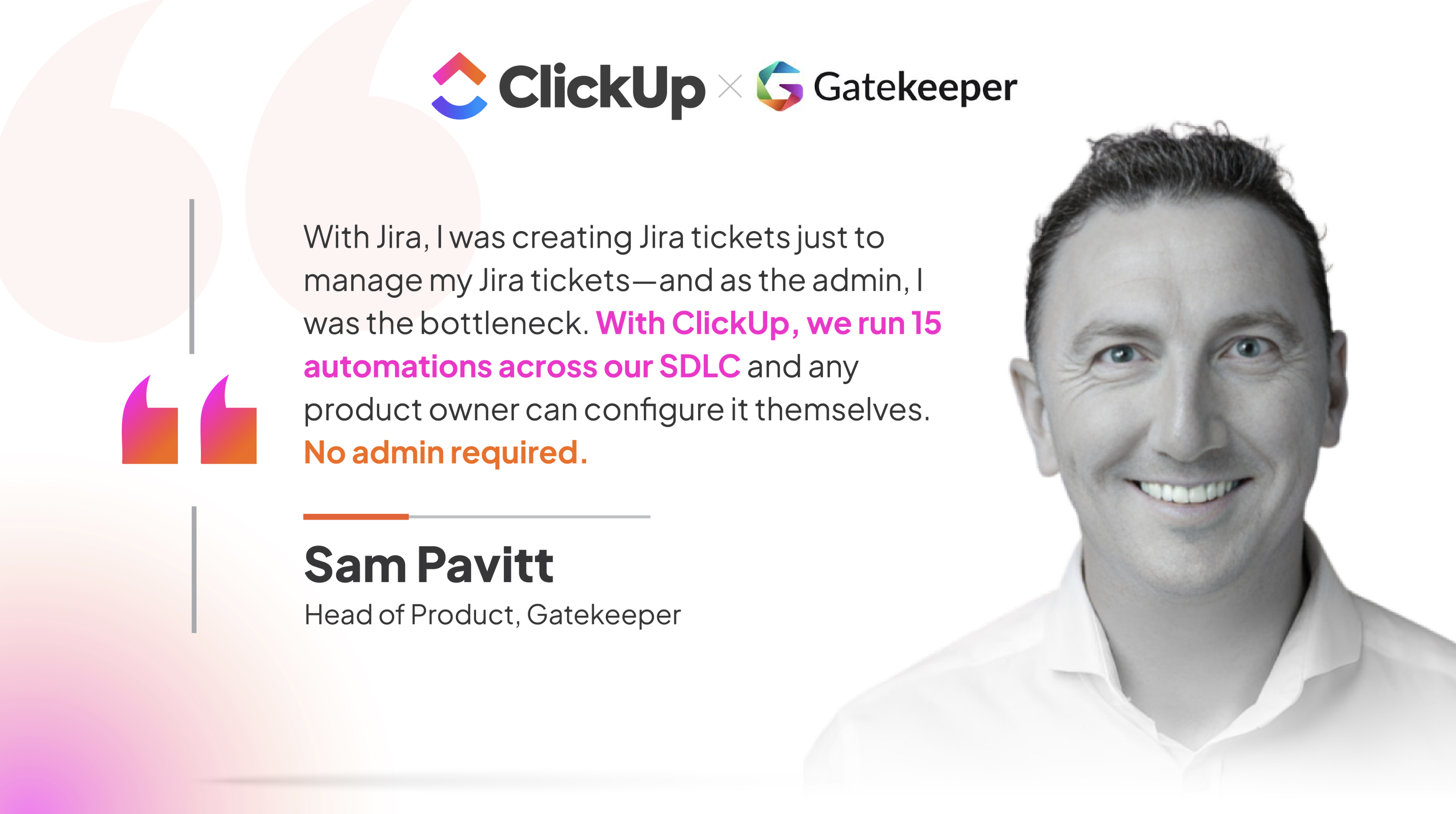
Gatekeeper Quote

You only need to automate the handoffs that keep landing on the same person. The 7 recipes below help you do exactly that. Each one gives you a template or AI agent to start with, plus the trigger-and-action setup to build it. You also get real stories from teams already living the payoff.
Recipe 1

Turn scattered requests into one intake lane

Work shows up everywhere: a client emails a request, a teammate drops it in chat, someone files a form, a stakeholder mentions it in passing during a meeting. None of it lands in the same place, and none of it arrives in the same format.

So before the team can act, one person has to collect it all, figure out what each request actually needs, fill in the missing details, and reshape it into something workable. That cleanup is invisible, constant, and always lands on the same desk.

Set it up

• Build a request form using the Intake Form Template with the fields you need, like request type, priority, and context.

• Set up the automation: when form submitted → create task in the Intake list → set Request Type from the form → move to the Triage queue.

• Add a ClickUp Brain field that summarizes messy or incomplete submissions into a one-line handoff, so triage starts with a clean read instead of a wall of text.

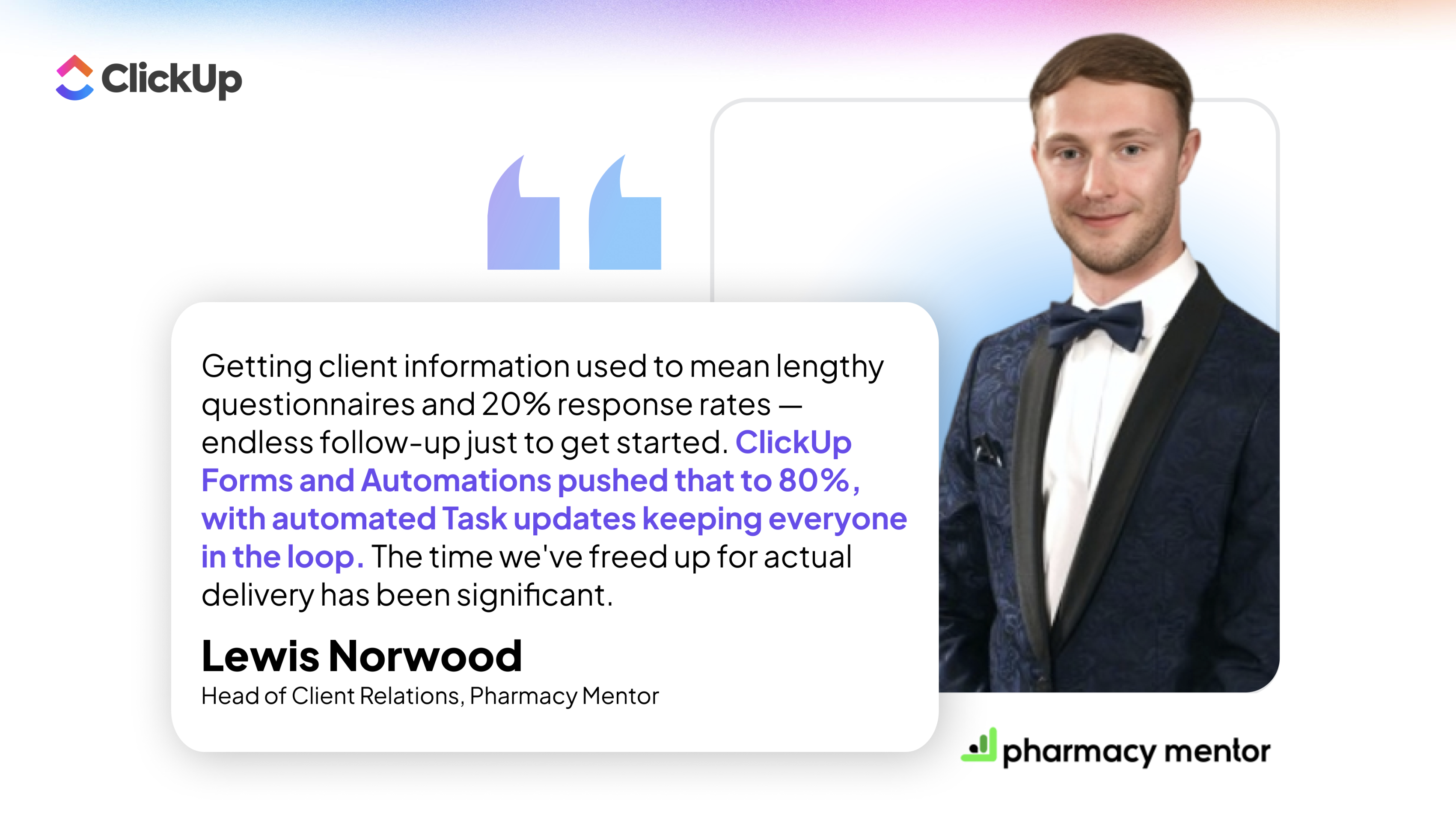
Pharmacy Mentor had 3 people serving 200 clients. They replaced scattered Google Workspace folders with a single ClickUp Form plus ticket routing, and the payoff showed up downstream: 20% fewer revisions, because work started with complete information instead of chasing details.

Pharmacy Mentor Quote

And intake isn't just a client-facing fix. Red Sky ran the same play internally for recruitment, where multiple stakeholders had been emailing back and forth for weeks just to kick off a hire. One consolidated ClickUp Form gathered every detail upfront and cut the recruitment cycle from 21 days to 7.

That same form-first discipline rippled across the whole operation:

ewa.563ebb2d.jpeg

Ewa LaleProject Manager & Recruitment Business Partner, Red Sky

We needed a platform that could eliminate repetitive manual work at scale. ClickUp automated 42% of our HR processes, cut legal analysis time by 40%, and freed our teams to focus on supporting our portfolio companies.

Recipe 2

Auto-prioritize and route work to the right owner

Capturing the work is only half the battle. Once it's in, someone still has to look at every item and make the calls: Is this urgent or can it wait? Is it a bug, a feature request, or just a question? Who actually owns it?

Set it up

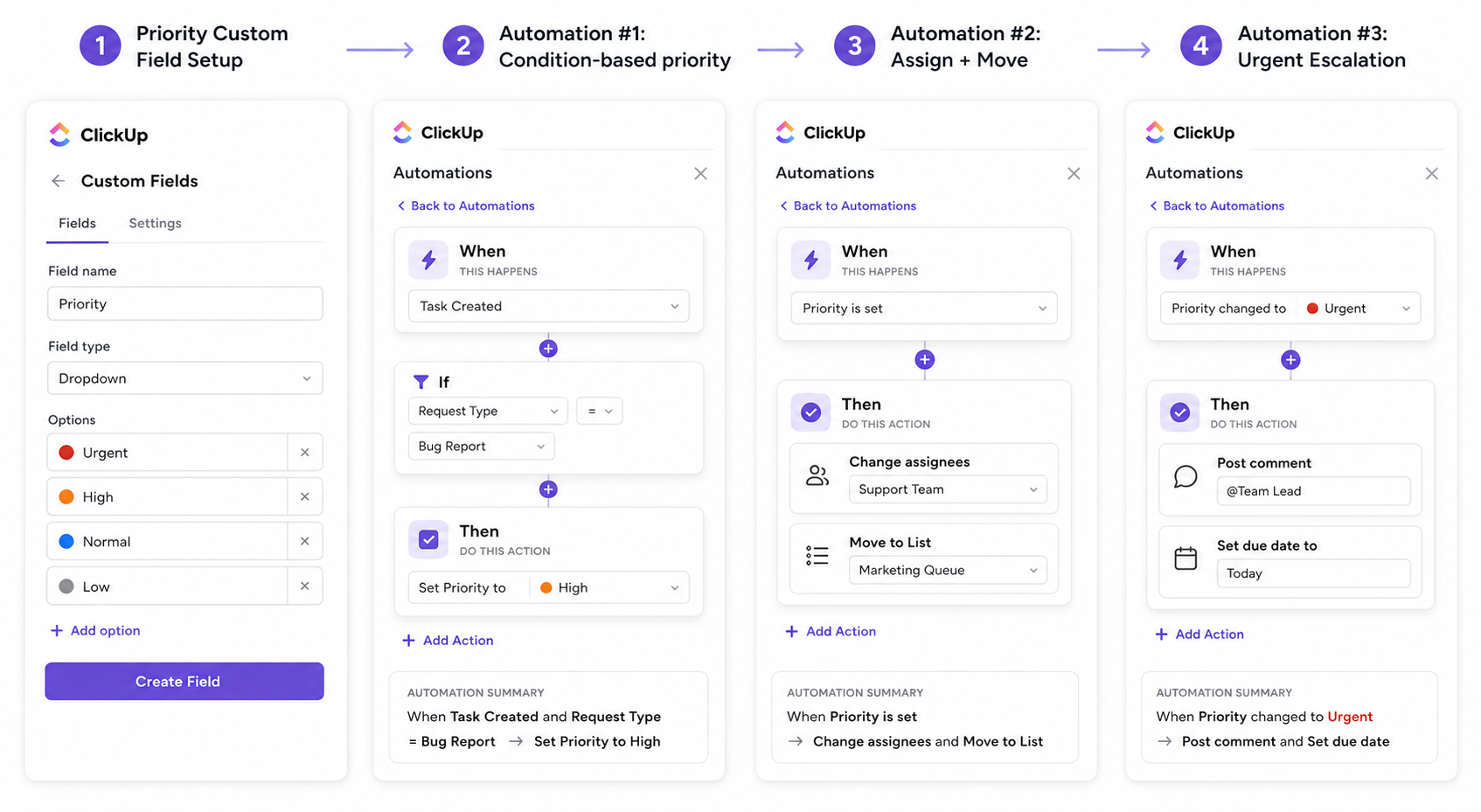
• Create a Priority custom field (dropdown: Urgent, High, Normal, Low) and a Request Type field on your Intake list.

• Automation #1: when task is created → set Priority based on Request Type (e.g., Bug Report = High, Feature Request = Normal). Use conditions to map your most common request types to a default priority.

• Automation #2: when Priority is set → assign owner by Request Type → move task to that owner's list or status column. This is the routing step: marketing requests go to the marketing lead, IT requests go to ops, etc.

• Automation #3 (escalation): when Priority = Urgent → post a comment @mentioning the team lead → set due date to today. This makes sure hot items skip the queue without someone manually triaging.

Auto-prioritize workflow

Skip the build

Not ready to wire up 3 automations? Hand the whole first pass to AI instead.

The Task Prioritizer Agent does the scoring and ranking for you. Point it at the Intake list, let it evaluate urgency, effort, and impact, then pair it with a single routing automation (step 3 above) to assign and move. Same outcome, less setup.

Recipe 3

Build approval paths that don't need babysitting

A task hits "ready for review" and stalls. The approver missed the message, forgot, or approved in a DM that never made it back. Now the person who routed it has to follow up, check status, and manually push it forward. Every approval becomes a two-person job: one thinks, one chases.

Set it up

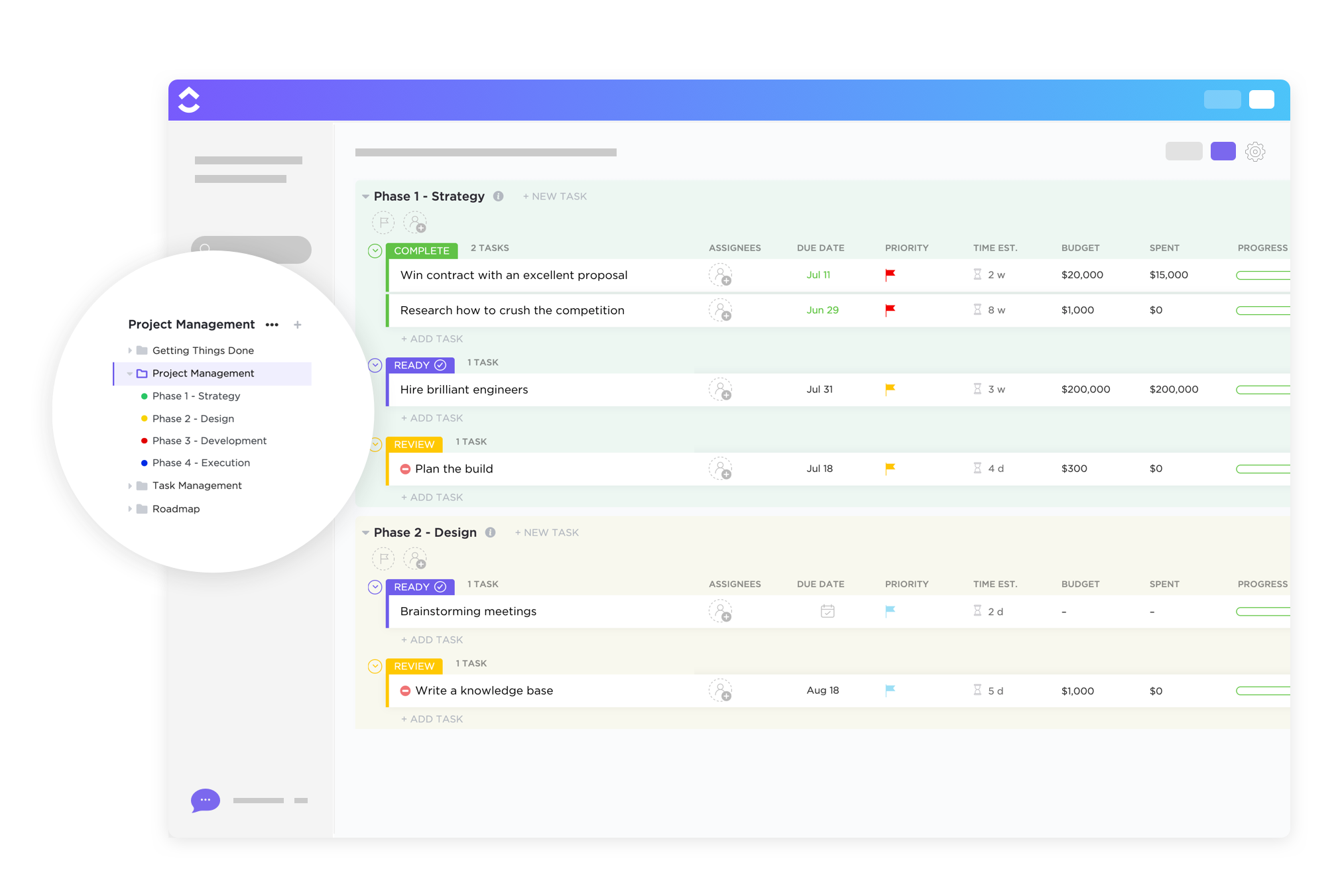
• Use the Project Request and Approval Template for a clean review structure.

Project request and approval template

• Set up the automation: when status moves to Needs Approval → assign the reviewer → set a due date → send a reminder if nothing happens in 24 hours.

• On approval, move the task into the execution queue automatically.

Status change triggers assignment, assignment triggers a deadline, and the deadline triggers a reminder. This is exactly what Beaconhouse Group's engineering team found after setting it up:

Beaconhouse group - quote

Automating approval-heavy processes improves efficiency. Revive Real Estate took it to the next level with ClickUp's automations and custom templates, which helped eliminate hours of manual work each week. Repetitive tasks, such as routing content for approvals, were streamlined, allowing the team to focus on impactful work rather than on administrative bottlenecks.

Here's a look inside their consolidated workspace, where approvals and content routing live in one place instead of scattered threads:

Revive real estate automation

The results backed it up:

Mansoor Revive

Mansoor BahramandCTO, Revive Real Estate

Our team spent more time searching for answers than executing. With ClickUp's Automations and Templates eliminating repetitive admin work, we now ship projects 30% faster and have seen a 25% increase in team productivity.

Recipe 4

Run recurring work without rebuilding it every week

Every Monday someone copies a checklist, recalculates dates, re-adds assignees, and rebuilds the same work from scratch. By building the automation logic once, this repetitive, but critical step can be easily automated.

Set it up

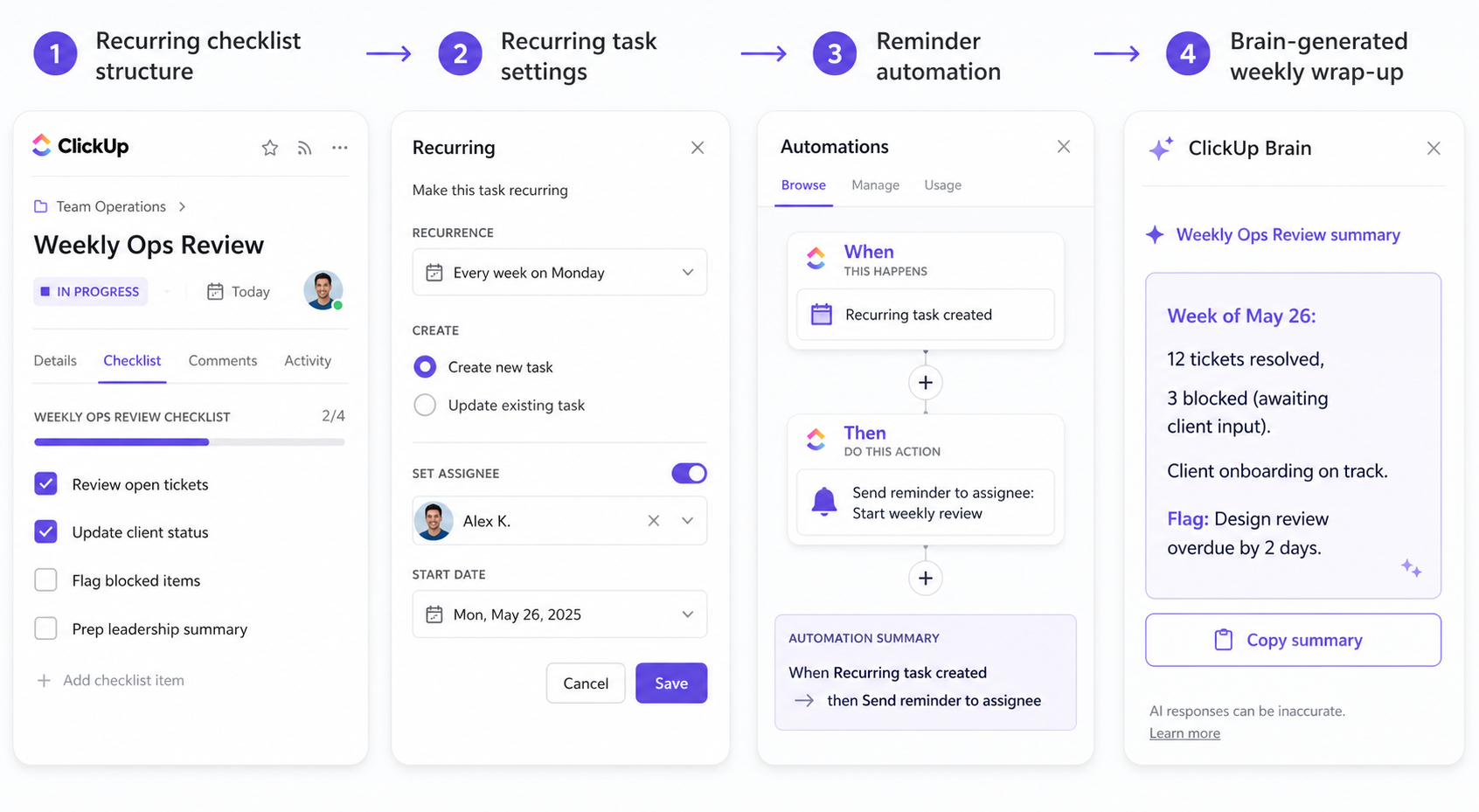
• Base the cycle on the Weekly Checklist Template.

• Turn on recurring tasks with preassigned owners and deadline logic so the work starts itself on schedule.

• Let ClickUp Brain generate the end-of-cycle wrap-up from what actually happened, instead of someone rebuilding the same update.

weekly checklist workflow

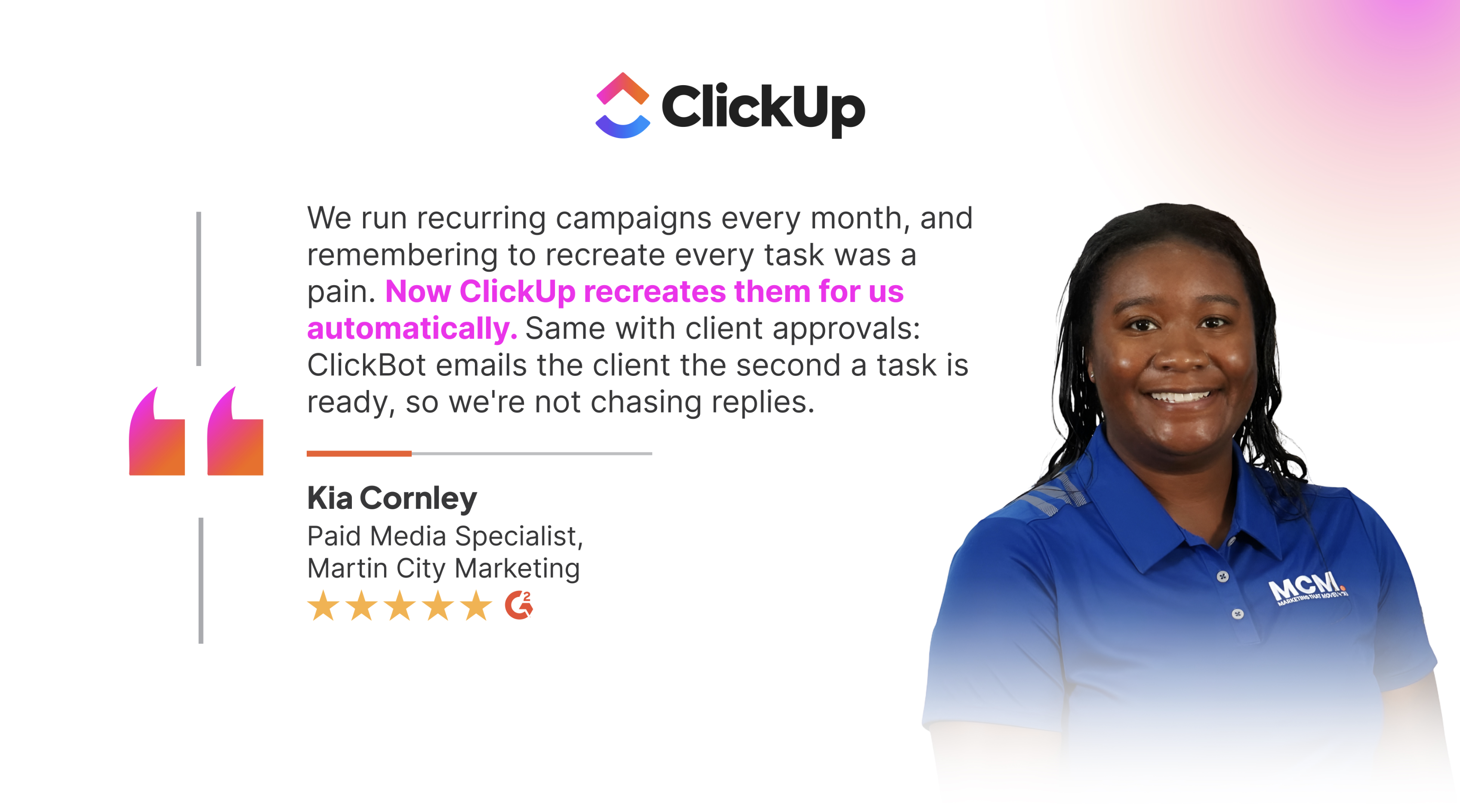
Here's what Martin City Marketing did: Martin City Marketing quote

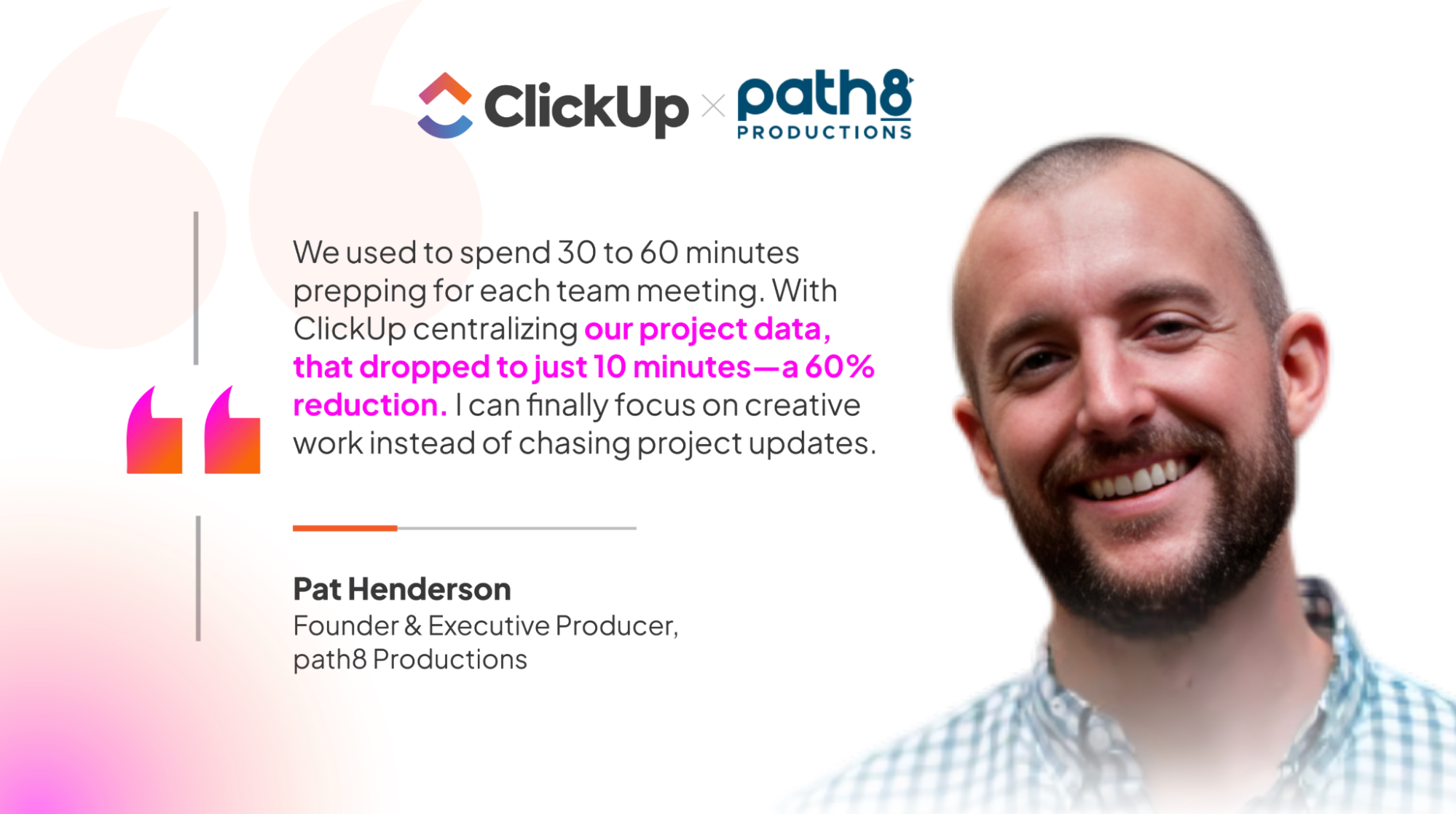
That's the same time sink path8 Productions erased. They used to spend 30-60 minutes prepping for each weekly team meeting, with producers leaning on memory to catch upcoming tasks across 6 disconnected tools.

path8 X ClickUp

Recipe 5

Automate client and stakeholder follow-ups

A client goes quiet for three days. No alert fires, no one checks, and by the time someone does, the deliverable has slipped and the next milestone has shifted. This is why automating follow-ups help.

Set it up

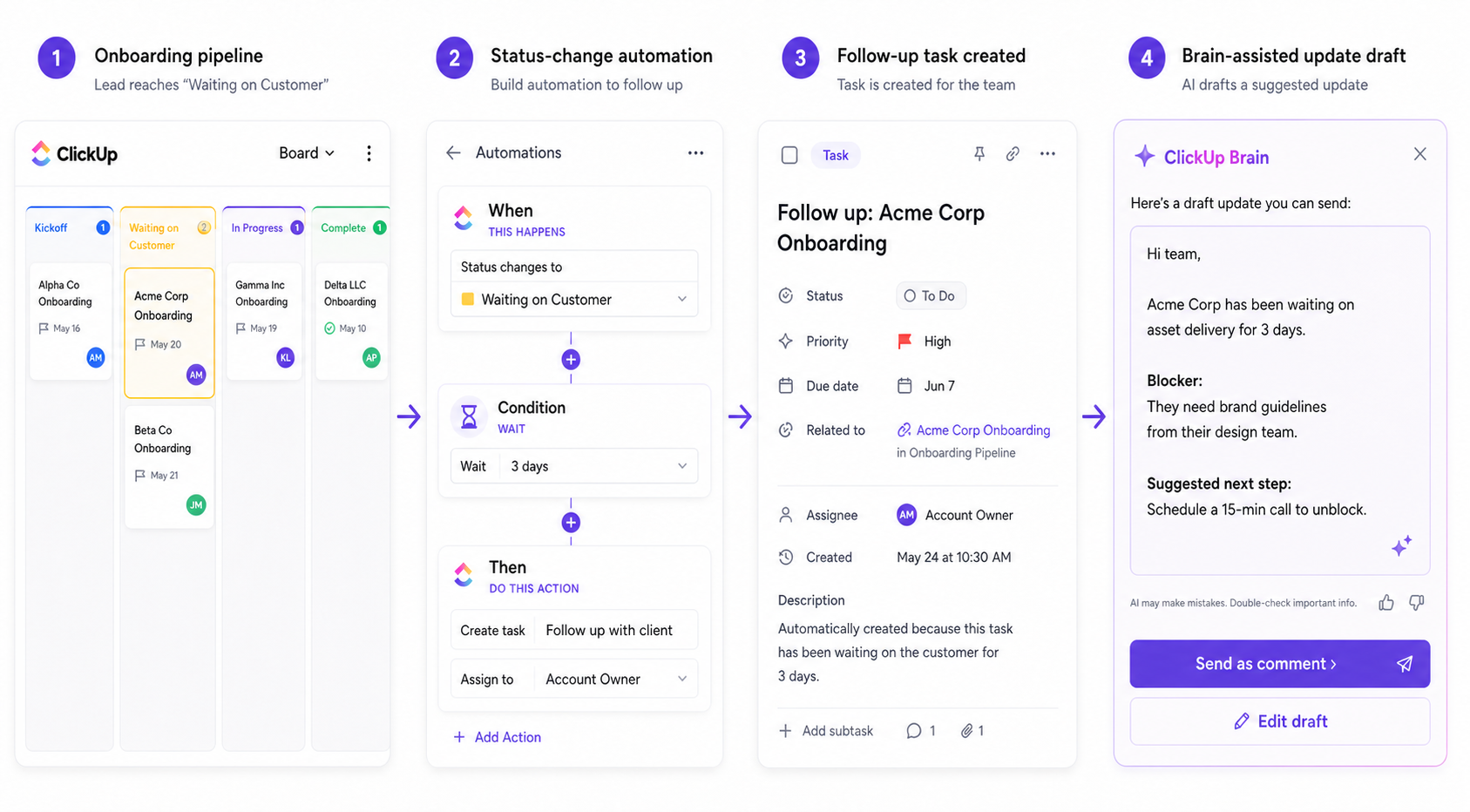
• Run the relationship on the Customer Onboarding Template so every stage is a status.

• Set up the automation: when status = Waiting on Customer for 3 days → create a follow-up task and remind the owner.

• Use Brain to draft the follow-up or summarize what's stuck, so sending it takes seconds.

Client follow up automation.png

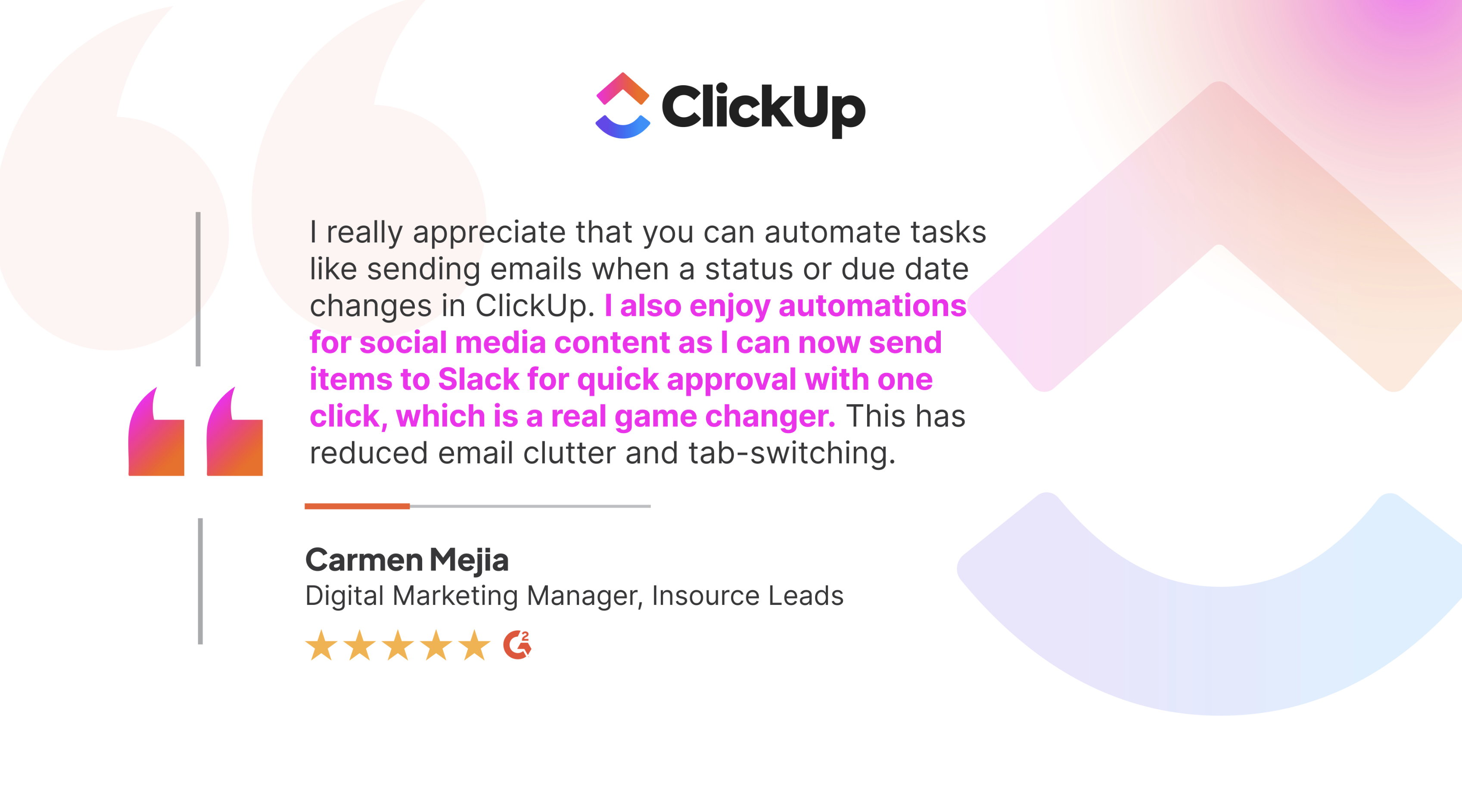
This type of repetitive admin task vanishes once the triggers are set up. See what Carmen Mejia, Digital Marketing Manager at Insource Leads has to say:

Insource leads quote

Recipe 6

Generate progress updates without writing them from scratch

Every Friday, someone manually counts what moved, what didn't, and what's overdue, then rewrites it into a Slack message for leadership. The data already exists. But without a mechanism to pull it together, 30–45 minutes go into assembling what should be a live readout.

Set it up

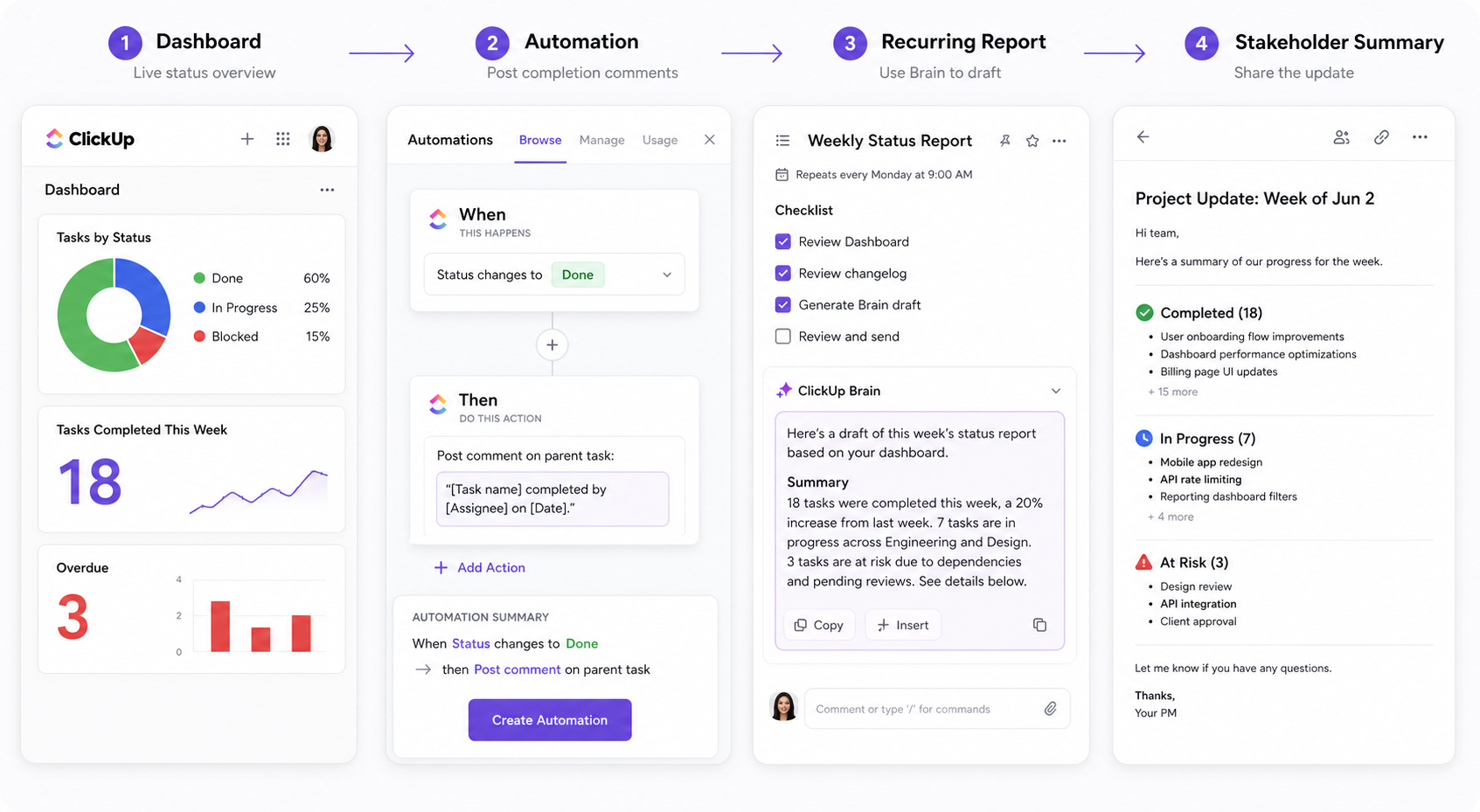
• Create a Dashboard with widgets that pull live data: task completion by status, overdue count, and tasks completed this week. This becomes your single source of truth for reporting.

• Set up the automation: when status changes to Done → post a comment on the parent task (or project summary task) logging what was completed and when. This builds a running changelog without anyone writing it.

• Set a recurring task on your reporting cadence (weekly, biweekly) with a checklist: review Dashboard, copy the key numbers, draft the update, send.

• Use ClickUp Brain to generate the draft from the Dashboard data and the changelog comments so you start from a summary, not a blank page.

dashboard reporting automation

Scale that up and the payoff gets dramatic.

Global Vaccine Data Network (GVDN) ran 68 concurrent studies across 20+ countries with a tiny ops team. Leadership questions like "how many sites are delivering on this study?" used to take hours of digging across spreadsheets.

After building Dashboards and automations that log progress automatically, those answers take minutes, and the team reclaimed a full FTE that was previously spent stitching reports together.

"Project deliverables used to mean emails flying between data managers, project managers, and sites, then someone updating a spreadsheet after the fact to confirm. Hundreds of ClickUp automations now route deliverables, notify approvers, and advance stages on their own. The exchange isn't logged afterward — it is the log." - Senior Project Manager, Global Vaccine Data Network

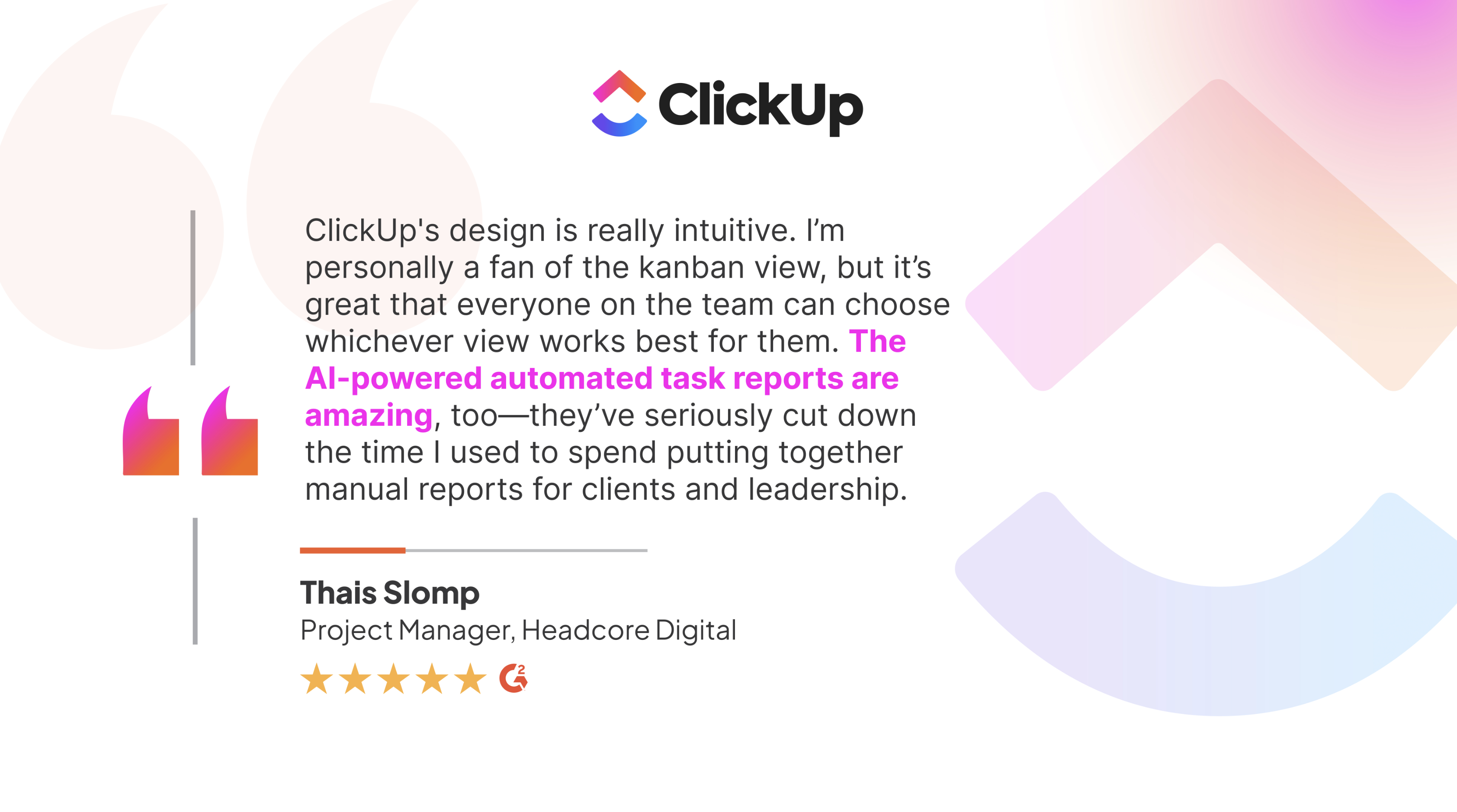
Smaller teams feel the same relief: Headcore Digital quote

Skip the build

Prefer to skip the Dashboard-and-automation setup entirely? One agent covers the whole loop:

The Project Status Reporter Agent does all of the above in one step. Point it at a project or list, and it pulls live workspace data into a stakeholder-ready summary of progress, risks, and next steps. You review and send. Same outcome, zero setup.

Recipe 7

Surface stalled work before it becomes a fire drill

Work stalls because no one is assigned to keep watch or the right person is not tagged for the job. That's why automating visibility is important. Instead of relying on someone to catch it, ClickUp can alert the right person based on triggers.

Set it up

• Point the Stale Work Detector Agent at a Space or List. It scans for tasks that haven't moved, proposes practical follow-ups, and runs read-only so nothing changes until you decide.

• Add the Issue Tracker Template as the structural view for overdue and blocked items.

• Set up the automation: when a task sits in the same status too long or misses its due date → raise priority and flag it.

• Optionally, layer the Priorities Manager Agent to keep rankings current as conditions shift, so risk rises to the top on its own.

The agent spots the drift → the automation acts on it → the priority layer keeps the worst of it on top

What's next?

What these 7 workflows give you back

Routine coordination stops depending on one person to remember, nudge, summarize, and sort. You still own the decisions that matter; you just stop rebuilding the same admin layer around them every week.

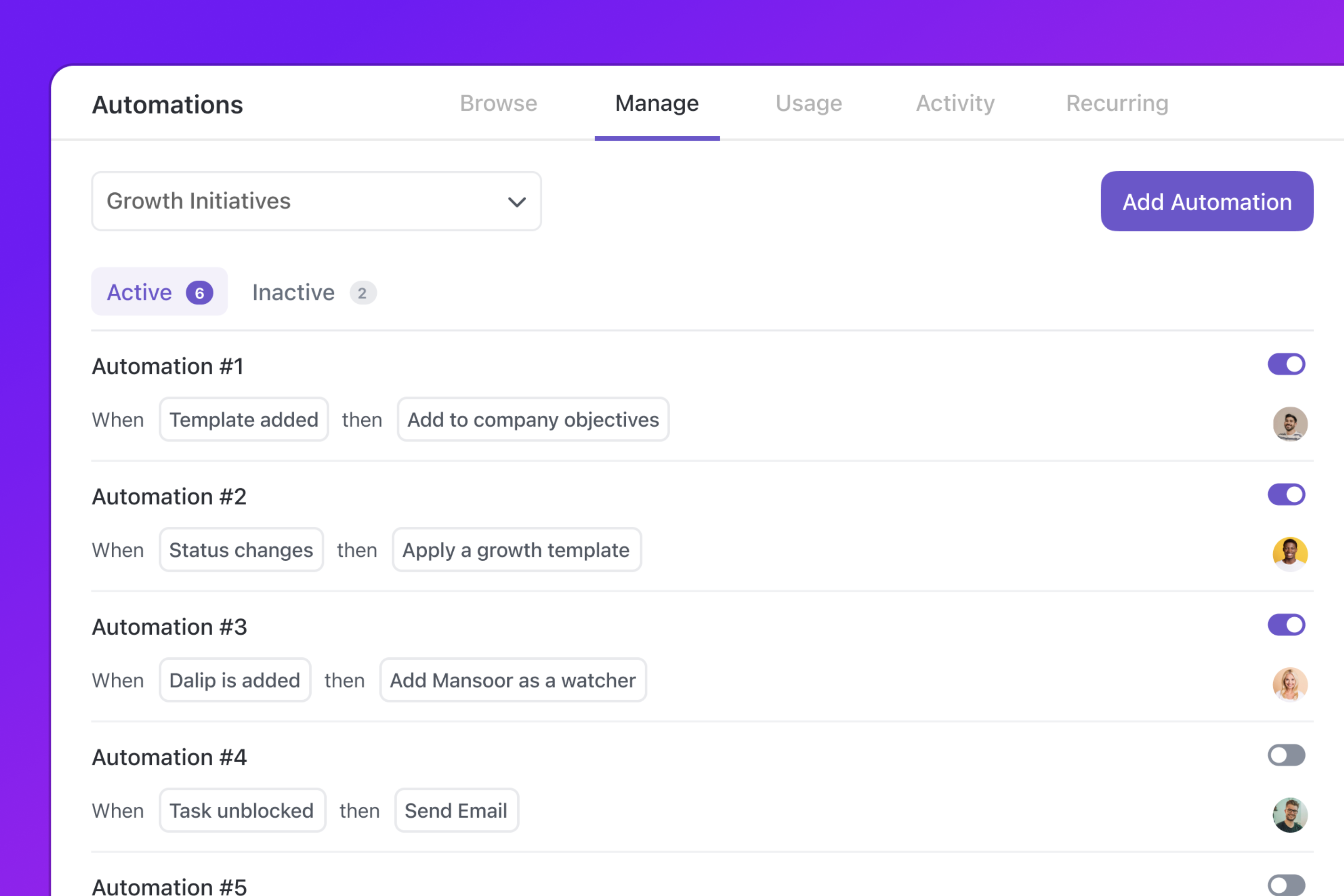
Learn how to increase efficiency with ClickUp Automations:

That shift is measurable.

ClickUp's small-business AI roundup found that:

• Brandtegic cut manual setup by 90% and saved 15-25 hours a week ⁵

• Pontica Solutions saved over 2,000 hours in a year across 60,000+ automations ⁵

Start with the one workflow that keeps slowing you down: intake, routing, approvals, recurring ops, follow-ups, reporting, or escalations.

Ready to automate your biggest time sinks?

Begin from a template, add automations where the handoffs break, and bring in ClickUp Brain where the work needs prioritizing, summarizing, or a cleaner next step.
Try ClickUp Automations
clickup-og-super-agents
Trusted by the best