






Still downloading templates?
There’s an easier way. Try a free AI Agent in ClickUp that actually does the work for you—set up in minutes, save hours every week.
Sorry, there were no results found for “”
Sorry, there were no results found for “”
Sorry, there were no results found for “”
Notion has long been the go-to for teams who live inside their docs. But as work gets more connected, a standalone docs tool starts showing its limits.
What happens when your documentation needs to talk to your tasks, your timelines, and your team’s actual workflow? That’s exactly where ClickUp Docs enters the picture.
This Notion Docs vs. ClickUp Docs comparison takes an honest look at both tools, where Notion holds its ground, where ClickUp pulls ahead, and why more teams are rethinking their documentation setup entirely.
ClickUp Docs and Notion Docs solve different problems. ClickUp Docs is the documentation layer inside a Converged AI Workspace, a single, secure platform where projects, documents, conversations, and AI intelligence live together.
Notion Docs use a block-based editor built for flexible, standalone internal knowledge bases. 👀
That difference shapes everything from formatting to how your team acts on what’s written.
| Feature | ClickUp Docs | Notion Docs |
| Editor | Rich text with headings, tables, code blocks, checklists, embedded media, nested pages, and real-time co-editing | Block-based with drag-and-drop content blocks, synced blocks, toggles, callouts, and column layouts |
| AI | ClickUp Brain with Connected Search across workspace and apps, ClickUp Brain MAX, ClickUp Talk to Text, multi-LLM access | Notion AI with inline writing, page summarization, and Q&A scoped to selected pages |
| Wiki | Nested pages, ClickUp Doc Hubs, and ClickUp Connected Search anchored to ClickUp Spaces, ClickUp Folders, and ClickUp Lists | Infinite page nesting, sidebar navigation, breadcrumbs, and relational database linking |
| Collaboration | Assigned comments that convert to tracked tasks, @mentions, granular permissions, guest access controls | Inline comments, page-level sharing, guest invites, team spaces, and version history |
| Task linking | Embed live tasks inside docs, one-click text-to-task conversion | Reference database views inside pages; task creation requires manual steps or third-party tools |
ClickUp Docs is a built-in document editor inside ClickUp that lets you create, edit, and organize documents directly within your workspace. Instead of jumping between different tools and dealing with Tool Sprawl, everything lives in one place alongside your tasks and projects.
With ClickUp Docs, you can write anything from meeting notes and wikis to SOPs and project briefs. You can link documents directly to tasks, collaborate with teammates in real time, leave comments, and even create tasks straight from your doc by highlighting text.
Here are the features that set apart ClickUp Docs from other documentation tools.
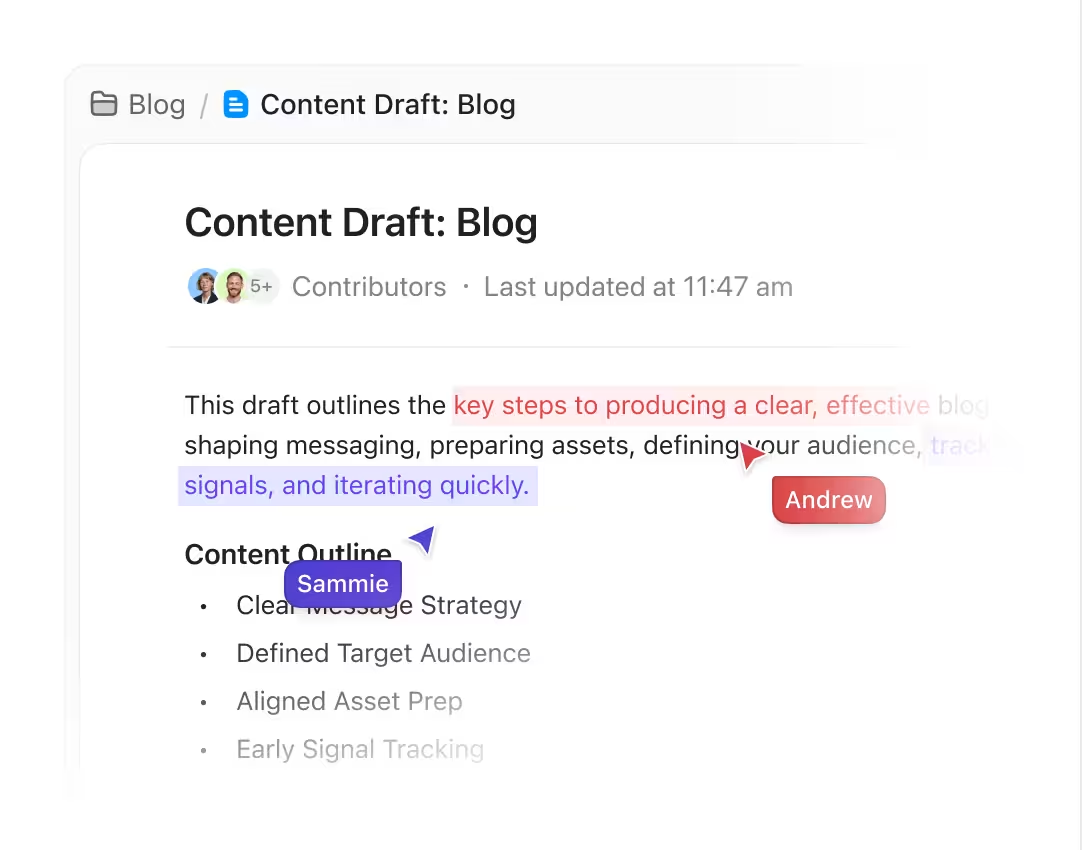
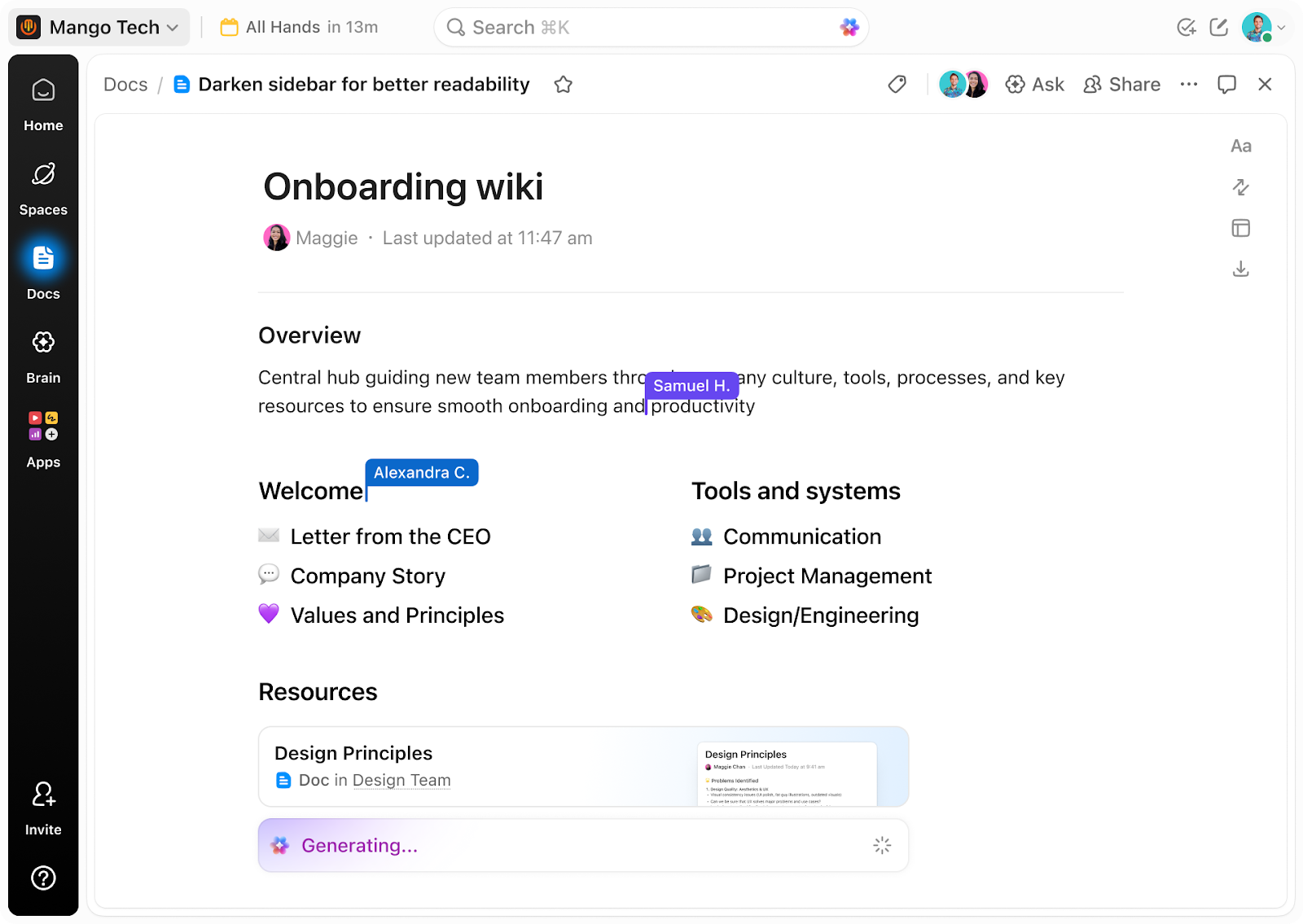
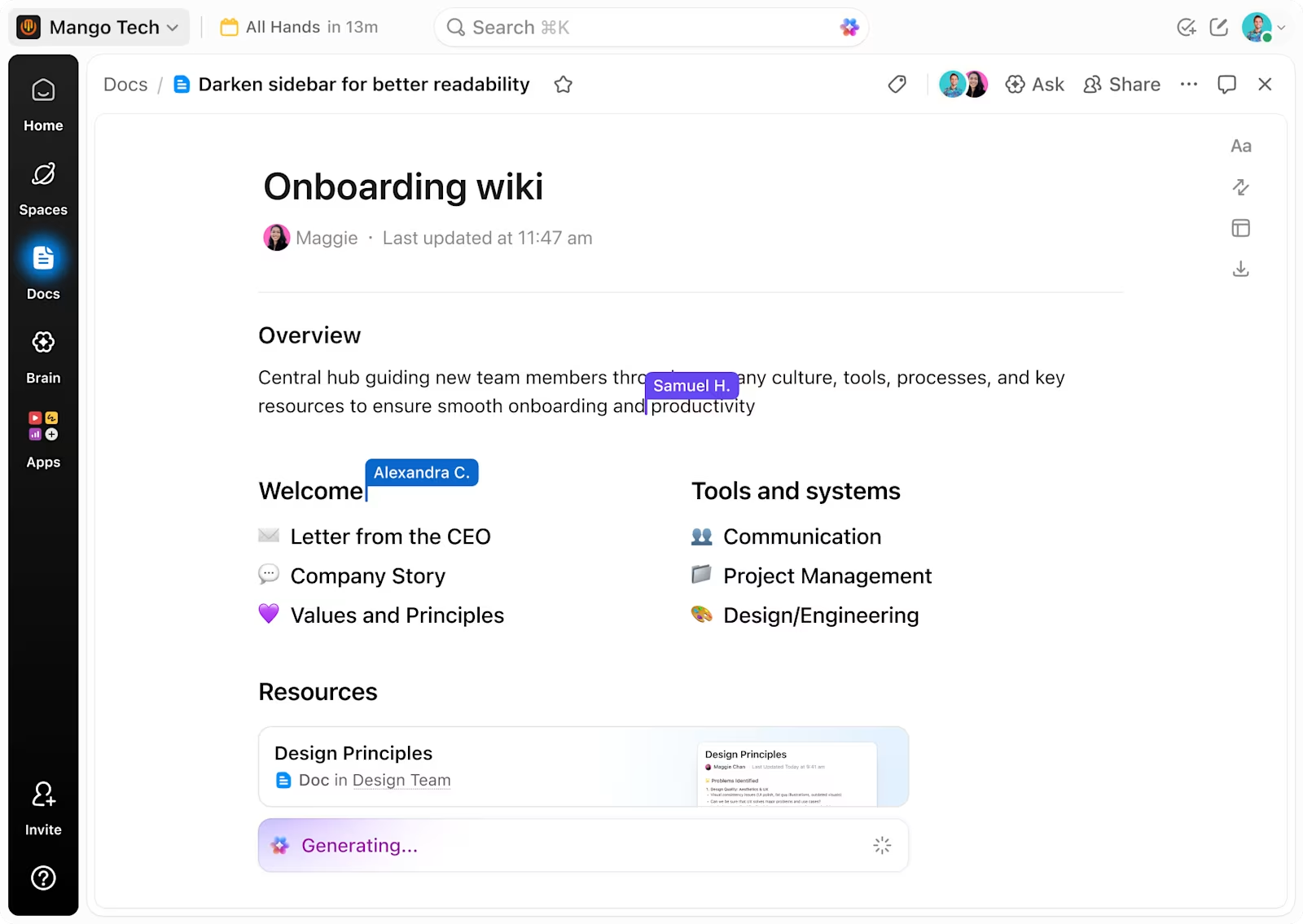
Who saved last? Did someone overwrite my section? Is this the latest version? ClickUp Docs removes all of that friction. Every teammate sees live cursors, edits appear instantly, and inline comments keep feedback tied exactly to the text it refers to.
Picture this: your team is finalizing a product launch brief an hour before a client call. The copywriter is tightening the messaging, the designer is embedding visual references, and the project lead is updating timelines. All at the same time. One doc, always current.
A user shares:
What I like most about ClickUp is how flexible and truly all-in-one it feels. I can customize workflows and views to match the way I work, whether I’m managing a simple to-do list or running a more complex project. Having tasks, docs, goals, time tracking, and automations all in one place makes it much easier to stay organized and collaborate with others without constantly switching between multiple tools.
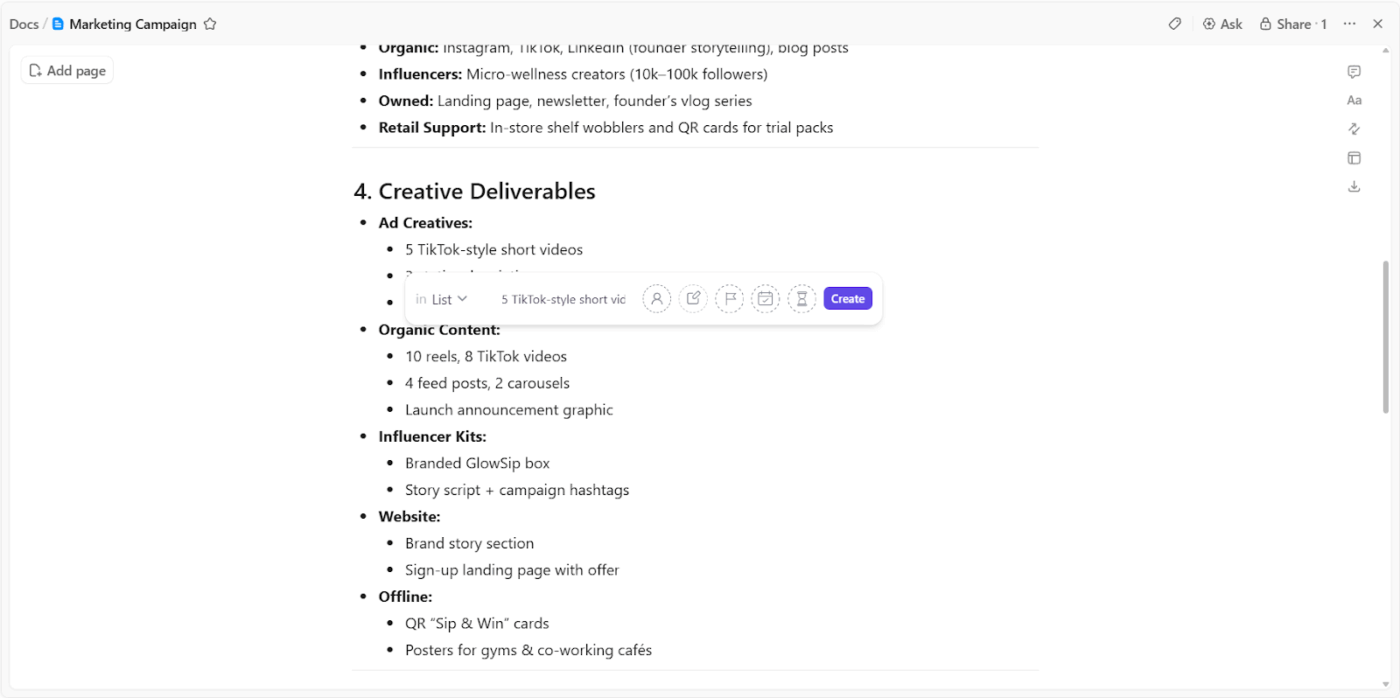
Highlight any text inside a doc and convert it into a task instantly.
When a bug gets flagged mid-review or an action item comes up during planning, it becomes a tracked task right there, complete with:
📖 Also Read: How ClickUp Uses AI Docs to Simplify SOP Creation
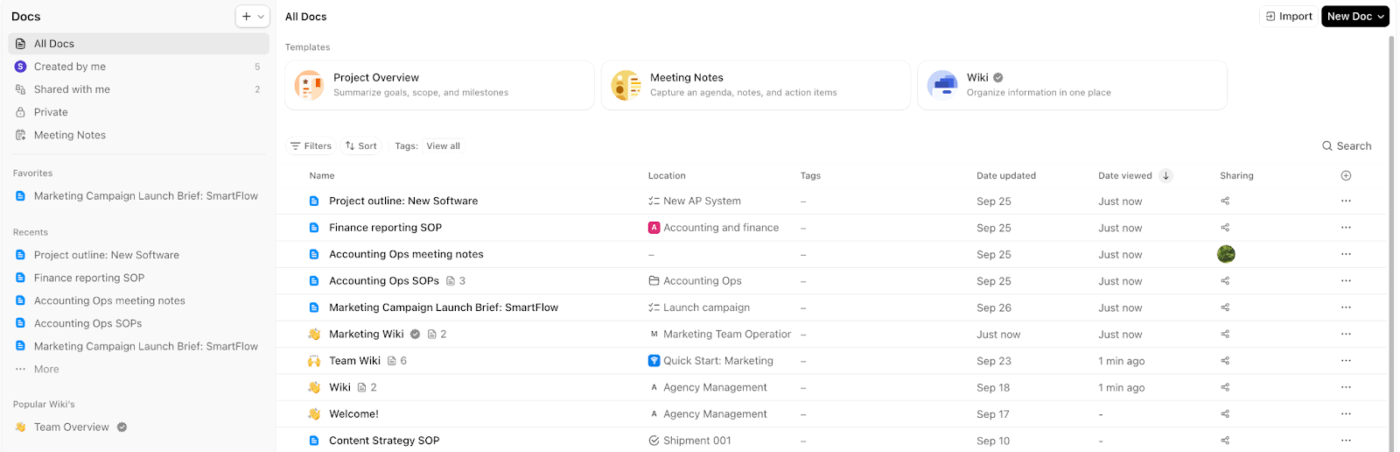
Every team eventually ends up with docs scattered across folders, inboxes, and people’s local drives. ClickUp Docs Hub brings every document in your workspace into one searchable, filterable view, with verified wikis surfaced at the top so the most important resources are always easy to find.
A new engineer joining the team does not need to ping four people to find the deployment guide. They open Docs Hub, search, and they are reading the correct, up-to-date version in under a minute.
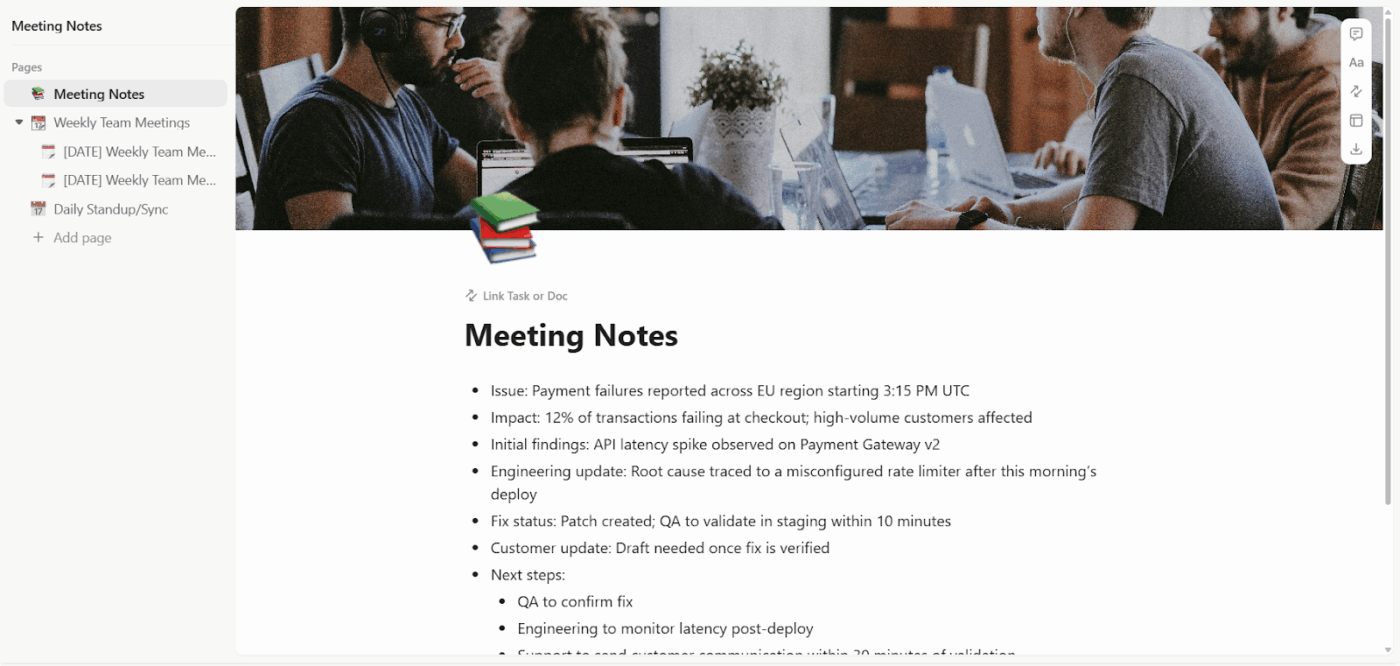
Some projects need more than one flat document. ClickUp lets you build nested subpages inside a single doc, so complex information stays structured without becoming one overwhelming scroll.
A quarterly roadmap doc, for instance, might look like this:
Everyone can jump straight to what they need without hunting through the whole thing.
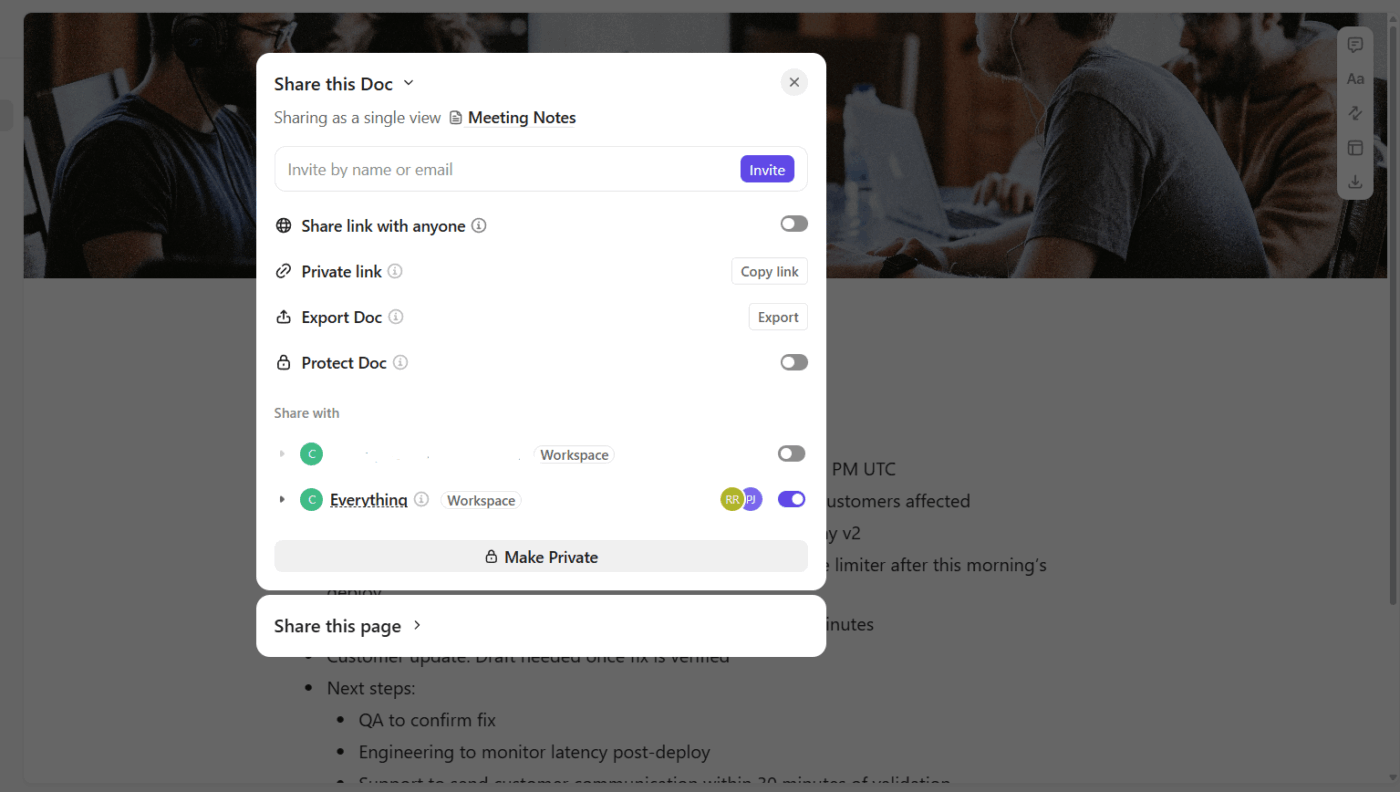
🚀 ClickUp Advantage: Control exactly who sees, comments on, or edits each Doc in ClickUp. It lets you set specific permissions for each Doc, whether that is view-only, comment access, or full editing rights, and generate shareable links for teammates, guests, or public viewers independently.
ClickUp Brain is an AI assistant that lives inside your workspace and actually knows what is in it. It reads across your docs, tasks, comments, and wikis, and gives you direct answers with links to the source.
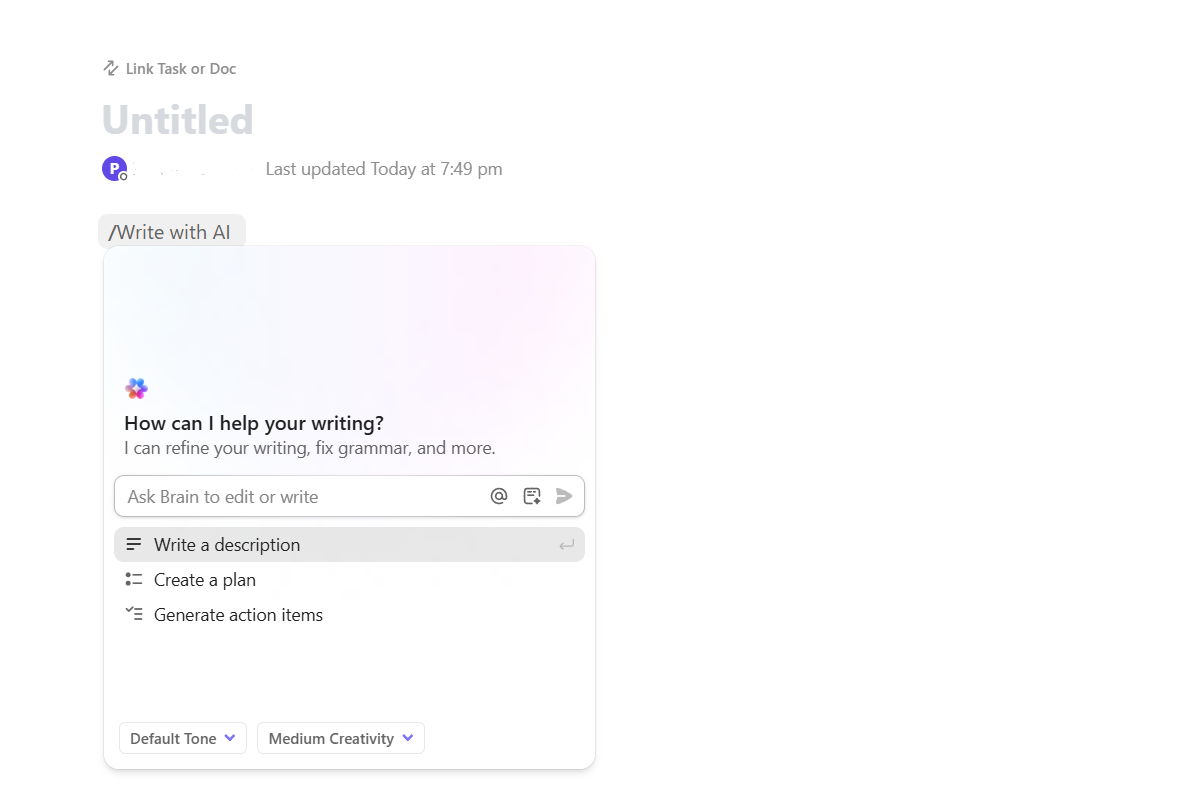
Inside Docs, it works as a full writing and content assistant. Type ‘/Write with AI’ anywhere in your document and ClickUp Brain activates right there in the editor. From that prompt, you can:
So if your team just wrapped a kickoff call and someone dumps raw notes into a doc, the Contextual AI can turn that mess into a clean plan with tasks ready to assign, in seconds.
On top of content generation, ClickUp Brain also works as your workspace memory. Ask it something like: ‘What feedback did the client give on the homepage redesign, and what tasks were created from it?’
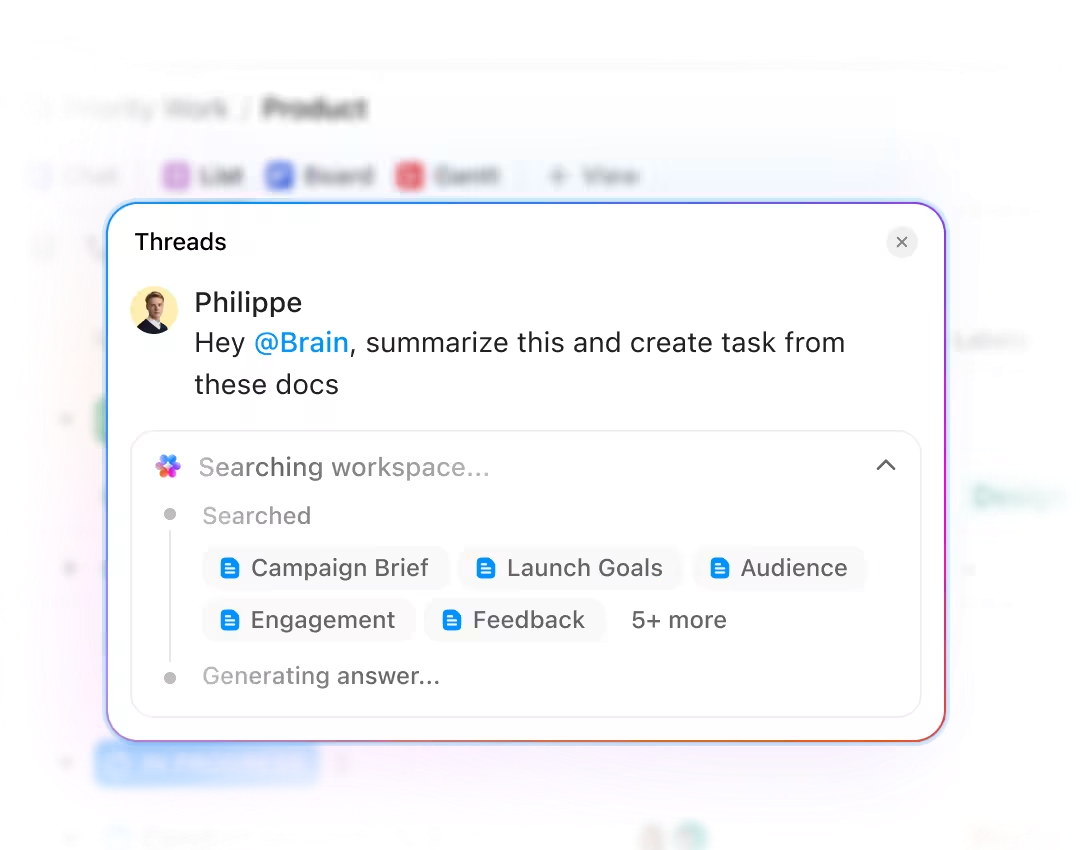
It pulls the answer from wherever that information lives, whether that is a doc, a comment thread, or a completed task, and links you straight back to it.
It also works without you asking. ClickUp AI Super Agents pull updates from conversations, meetings, and completed tasks to keep your docs current automatically, so documentation stays accurate without anyone having to remember to update it.
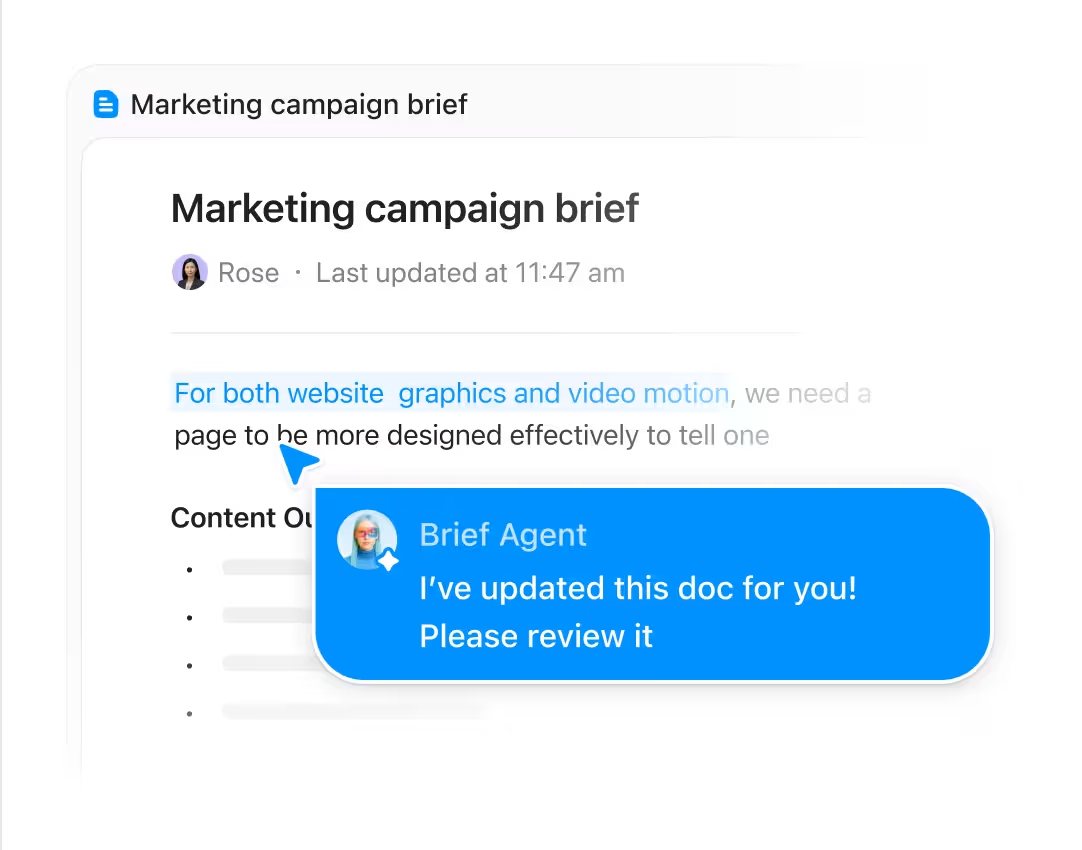
Watch this video to understand how to automate documentation in ClickUp:
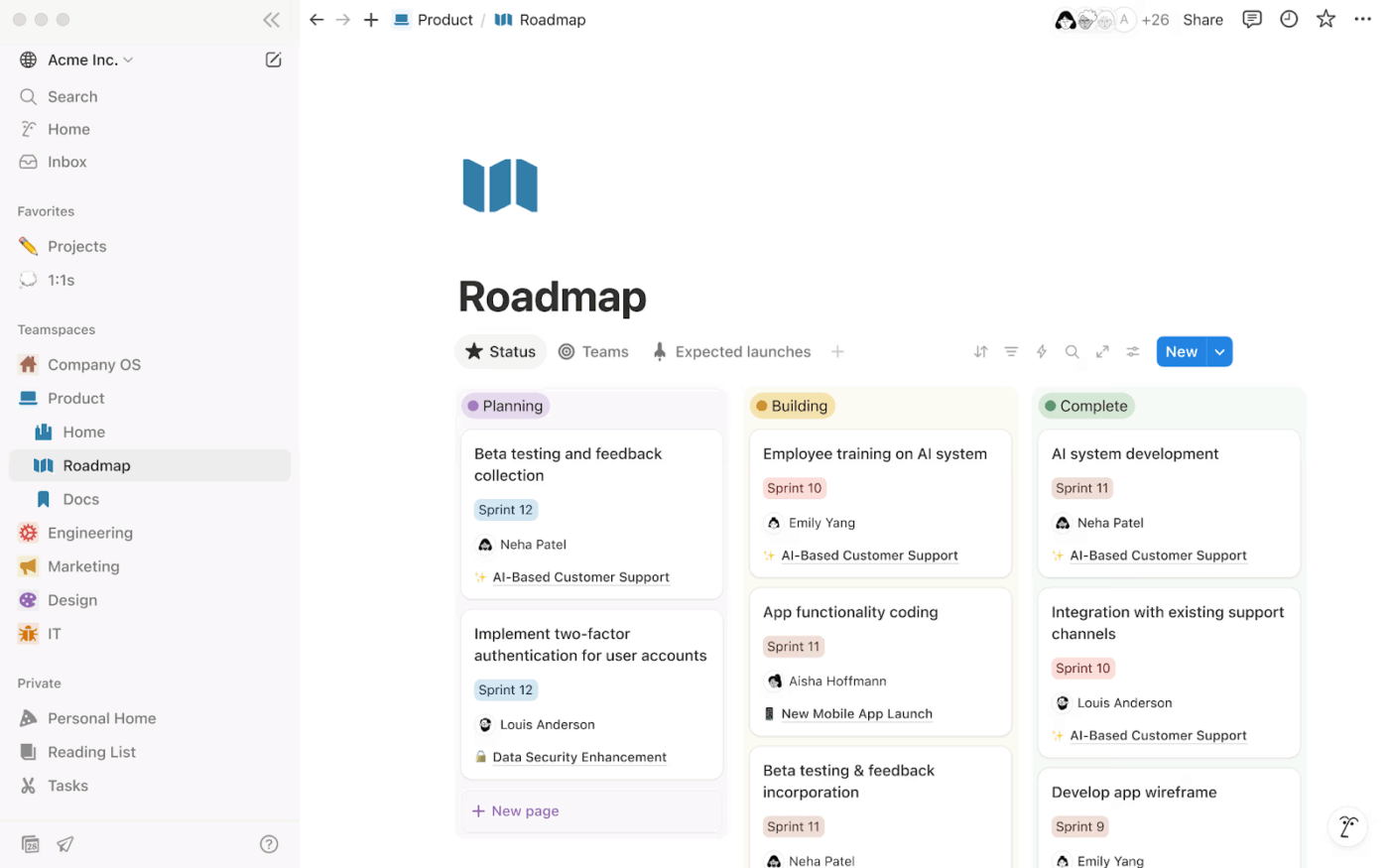
Notion Docs is the document editor built into Notion. It covers everything from quick notes and meeting summaries to structured wikis, SOPs, and long-form project documentation.
What makes it structurally different from most document tools is its block-based editor. Every element on a page, whether that is a paragraph, a table, an image, a toggle, or an embedded database, is its own independent block.
Blocks can be dragged, reordered, and nested freely, which gives you a lot of control over how a page is laid out and what it contains.
Let’s look at Notion Docs’ top features.
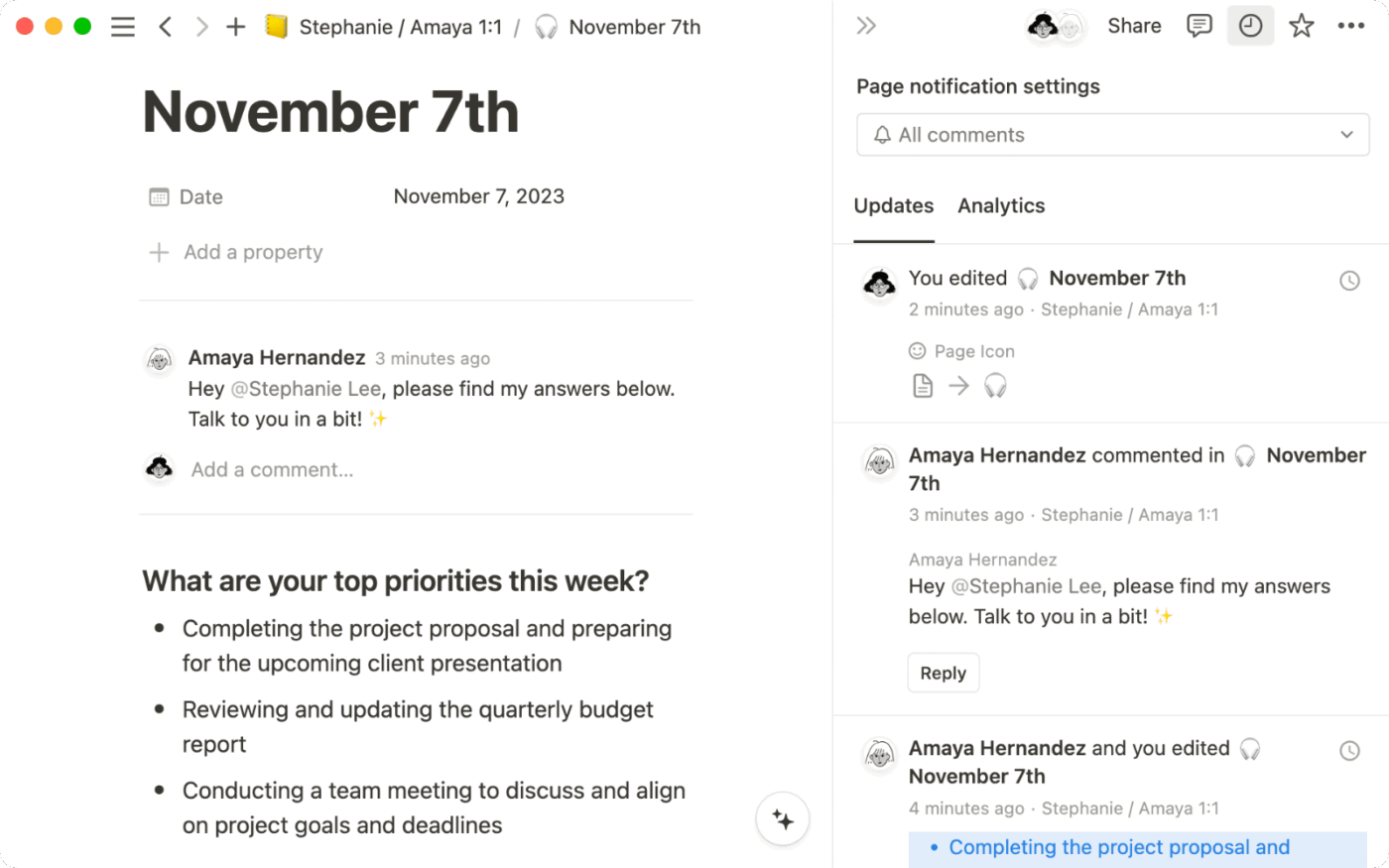
When multiple people edit a document, Notion shows exactly who is working on which block in real time. You can see moving avatars next to content, jump to where someone is editing, and leave contextual comments tied to specific sections.
This makes it easier to review or edit long docs without overlapping work or confusion.
📮 ClickUp Insight: 1 in 4 employees uses four or more tools just to build context at work. A key detail might be buried in an email, expanded in a Slack thread, and documented in a separate tool, forcing teams to waste time hunting for information instead of getting work done.
ClickUp converges your entire workflow into one unified platform. With features like ClickUp Email Project Management, ClickUp Chat, ClickUp Docs, and ClickUp Brain, everything stays connected, synced, and instantly accessible. Say goodbye to “work about work” and reclaim your productive time.
💫 Real Results: Teams are able to reclaim 5+ hours every week using ClickUp—that’s over 250 hours annually per person—by eliminating outdated knowledge management processes. Imagine what your team could create with an extra week of productivity every quarter!
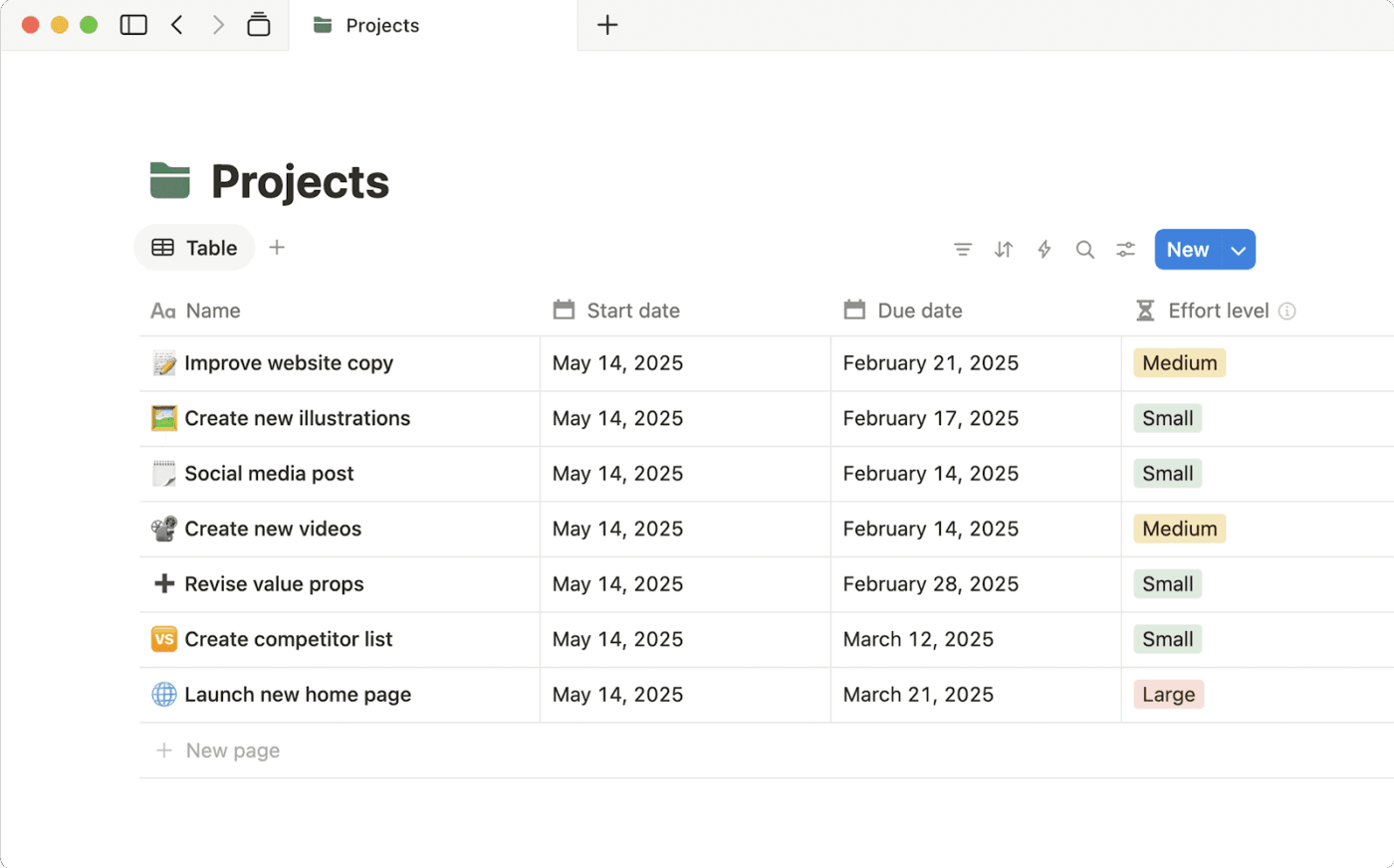
Notion doesn’t treat documents and data as separate things. You can drop a database right inside a page and use it like a table, kanban board, or calendar.
For example, a simple meeting notes doc can also include a task tracker that updates in real time.
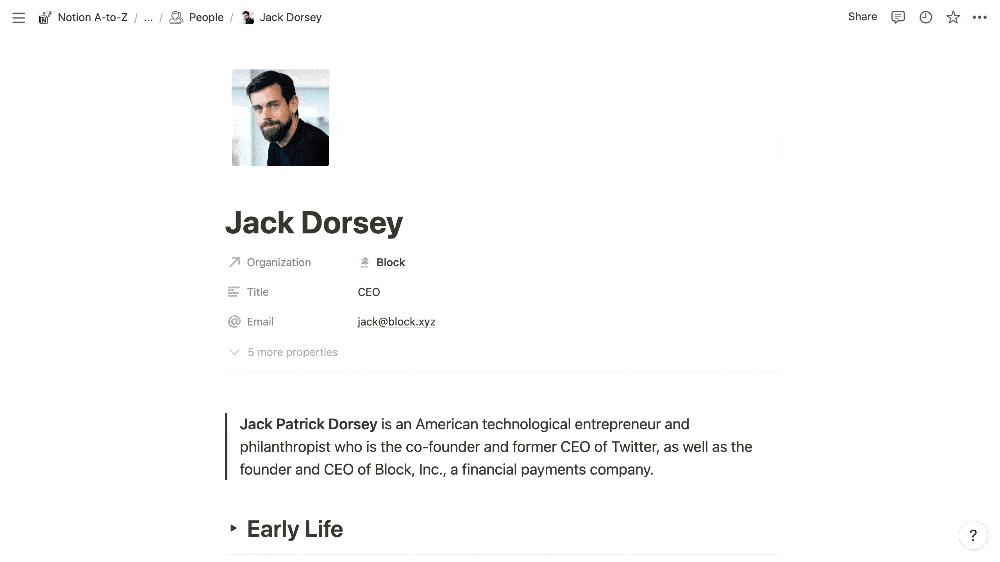
You can hide sections inside toggle blocks, which readers can expand only if they need to.
This works well for long docs. You can keep the main content clean while still adding extra details, notes, or instructions underneath.
💡 Pro Tip: Establish a ‘Definition of Done’ by adding a mandatory checkbox at the bottom of each guide that requires a second person to follow the steps and sign off. If a colleague can’t finish the task using only your doc, the guide isn’t finished yet, which forces you to catch those tiny implied’ steps that usually get missed.
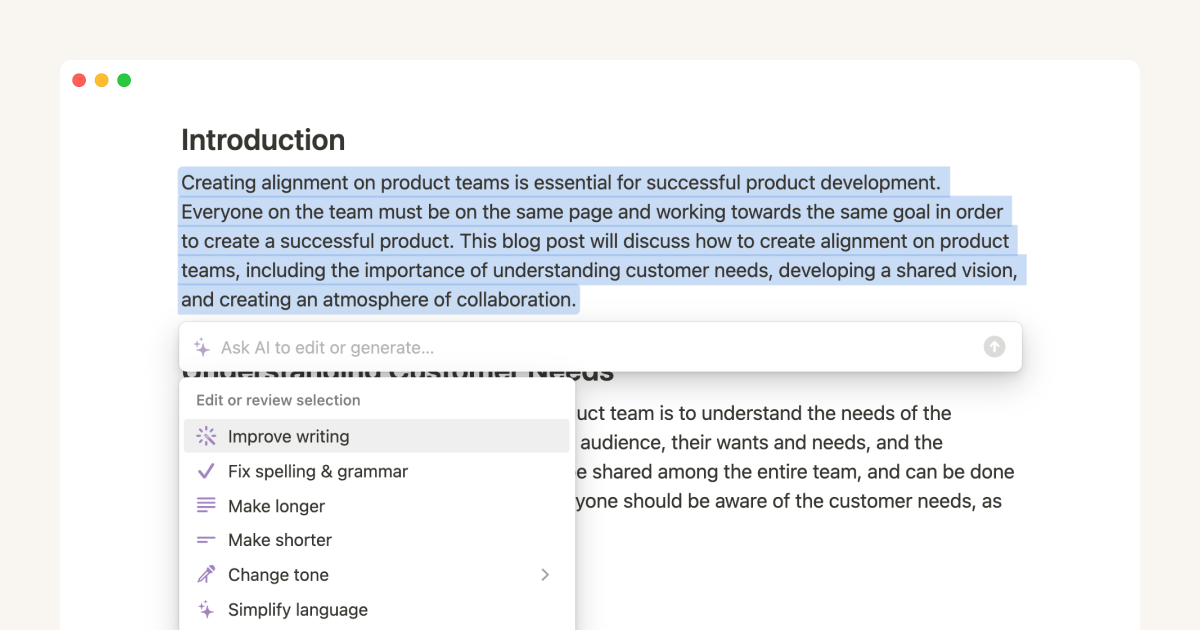
Notion AI sits inside the editor and works on whatever text you’re already writing. You can highlight a section and ask it to rewrite, shorten, expand, or change the tone.
You can also ask it to continue writing, explain something, or restructure content into lists or sections.
Here’s how the two tools stack up on the features that matter most for your team. 👀
First up, let’s talk about real-time collaboration. Here’s how ClickUp Docs and Notion Docs compare when it comes to keeping your team in sync while editing.
ClickUp Docs makes collaboration seamless with live cursors, instant edits, and inline comments tied directly to the relevant text.
What sets it apart is how collaboration extends beyond the doc itself. You can assign comments, convert feedback into tracked tasks with due dates and assignees, and @mention teammates, all without leaving the document.
Notion shows moving avatars next to content blocks as people edit, so you always know who’s working where.
Its inline comments and page-level sharing work well for reviewing long documents, and version history makes it easy to roll back changes if something gets overwritten.
🏆 Winner: ClickUp Docs takes this round. Its collaboration tools go further by turning comments into actionable tasks, bridging the gap between discussion and execution.
Next, we’re looking at AI. How do these tools use artificial intelligence to help your team work smarter inside documents?
ClickUp Brain is deeply woven into the entire workspace, not just the doc editor. It can search across your docs, tasks, comments, and integrated apps to answer questions and surface information from wherever it lives.
Inside docs, a simple /Write with AI command lets you draft content, build structured plans, or generate action items from raw notes. ClickUp AI Super Agents can even keep docs updated automatically based on activity across your workspace.
Notion AI handles inline writing tasks well, drafting content, summarizing pages, and generating meeting notes with timestamps and action items. It can reference other Notion pages for more tailored results.
However, its Q&A and search capabilities are scoped to page content rather than a broader connected workspace.
🏆 Winner: ClickUp Docs wins here. ClickUp Brain’s ability to index and search your entire workspace, covering tasks, comments, chats, and docs together, gives it a meaningful edge over Notion AI’s page-scoped approach.
Now let’s look at how each tool handles structuring and organizing your documentation at scale.
ClickUp offers nested subpages to keep complex documents structured without endless scrolling, plus Docs Hub, a centralized searchable view of every document across your workspace.
Docs are also anchored to Spaces, Folders, and Lists, so they live close to the work they support.
Notion’s infinite page nesting is one of its strongest suits. Pages can live inside pages with no real limit, and sidebar navigation with breadcrumbs makes it easy to move around a deep knowledge base.
Relational databases can also link directly to wiki pages, making Notion a reliable tool for teams building a standalone internal knowledge repository.
🏆 Winner: It depends on your use case. Notion wins for pure knowledge base depth and flexibility. ClickUp wins when documentation needs to stay connected to active project work.
💡 Pro Tip: Set an ‘Expiration Date’ in your doc properties or header that triggers a notification for a quarterly cleanup. If a doc passes its date without a Reviewed stamp, it gets a ‘Proceed with Caution’ banner at the top, preventing your team from accidentally following outdated SOPs that no longer apply to your current tech stack.
Finally, let’s see how well each tool connects your documents to the actual work being done.
You can highlight any text inside a doc and instantly convert it into a tracked task, complete with an assignee, due date, priority, and a direct link back to the original document.
Live ClickUp Tasks can also be embedded directly inside docs, so the latest status is always visible without switching tools.
Notion lets you embed database views inside pages and reference project data, which works well for tracking information.
However, creating tasks from doc content requires manual steps or third-party integrations. It’s a more disconnected experience for teams that need documentation to drive action.
🏆 Winner: ClickUp Docs wins this one decisively. The one-click text-to-task conversion and live task embedding make it a far more execution-focused documentation tool than Notion for project management.
If your team needs documentation that actually connects to how you work, ClickUp Docs is the clear choice. It wins on collaboration, AI, organization, and task integration, giving you a single workspace where docs drive real action.
Notion Docs is a solid tool for building beautiful standalone knowledge bases. But the moment your documentation needs to talk to your tasks, your timelines, and your team’s workflow, it starts to show its limits.
For teams that want to stop switching between tools and start working from a true single source of truth, ClickUp is simply the more complete solution.
Get started with ClickUp today! ✅
Yes, ClickUp supports nested pages, Docs Hub, and Connected Search, which cover core wiki use cases like centralized knowledge and organized page hierarchies. Teams relying heavily on Notion’s infinite nesting and relational database views inside wiki pages should evaluate both before switching.
ClickUp Brain offers broader context because Connected Search indexes your entire workspace—docs, tasks, comments, chat, and integrated apps—while Notion AI’s Q&A is scoped to page content. Notion AI is effective for inline writing and summarization, but teams needing AI insights across all their work will find ClickUp Brain more connected.
Yes, you can export Notion pages as Markdown or HTML files and migrate from Notion to ClickUp Docs, preserving basic formatting and structure. ClickUp’s import tool supports bulk transfers to streamline larger migrations.

© 2026 ClickUp

There’s an easier way. Try a free AI Agent in ClickUp that actually does the work for you—set up in minutes, save hours every week.