






Still downloading templates?
There’s an easier way. Try a free AI Agent in ClickUp that actually does the work for you—set up in minutes, save hours every week.
Sorry, there were no results found for “”
Sorry, there were no results found for “”
Sorry, there were no results found for “”
A SurveyMonkey report shows that 50% marketers use artificial intelligence tools to create content, 45% to brainstorm creative ideas, and 40% to conduct research.
Although generative AI tools simplify marketing, they still require manual coordination and intervention. You will end up re-writing prompts, jumping between tools, and manually copy-pasting context across all of them, a phenomenon also known as AI Sprawl.
That’s just more work for the already overburdened marketer.
AI agents solve this by executing tasks, coordinating workflows, and making decisions autonomously. It’s pretty much like having a human assistant take over your workflows—with smart judgment and decision-making skills.
In this guide, we show you how to build AI agents for marketing teams. Alongside, we share the benefits, use cases, examples, and limitations you should know before getting started. 🌟
AI agents in marketing are intelligent software programs that act autonomously to execute multi-step workflows, reason through tasks, and make decisions on your behalf.
These systems can take actions across different connected apps, improve their performance based on feedback, and function without constant human oversight.
📌 Example: Imagine an Image Generator Agent. You tell it to “Create a homepage banner for our Black Friday Sale,” and the agent automatically:

AI agents use a mix of AI technologies to function. Here’s a quick breakdown:
| Technology | What it does | How it helps AI marketing agents |
| Machine learning (ML) models | Analyze massive datasets to find patterns and predict outcomes | Helps predict lead scores, optimize ad bids, or forecast campaign performance |
| Natural language processing (NLP) | Enables AI systems to understand human language by decoding nuance, sentiment, and tone | Helps parse customer emails, reviews, or social comments to detect sentiment and personalize messages |
| Retrieval-augment generation (RAG) | Retrieves relevant external data and feeds it to an LLM for accurate responses | Helps pull real-time customer data, brand guidelines, or past campaign results from your workspace |
| Large language models (LLMs) | Advanced NLP models trained on massive text datasets to generate coherent text, reason through instructions, and follow complex prompts | Helps interpret campaign goals, write copy or briefs, and plan multi-step workflows like inbound lead nurturing |
| APIs and tool integration | Connects to other systems (e.g., CRM, ad platforms) | Helps update HubSpot records, post to social media, or adjust Google Ads spend directly from the agent’s workflow |
📮 ClickUp Insight: 12% of respondents say AI agents are hard to set up or connect to their tools, and another 13% say there are too many steps just to get simple things done with Agents.
Data has to be piped in manually, permissions have to be redefined, and every workflow depends on a chain of integrations that can break or drift over time.
Good news? You don’t need to “connect” ClickUp’s Super Agents to your tasks, Docs, chats, or meetings. They are natively embedded in your Workspace, using the same objects, permissions, and workflows as any other human coworker.
Because integrations, access controls, and context are inherited from the workspace by default, agents can act immediately across tools without custom wiring. Forget configuring agents from scratch!
AI agents, chatbots, and AI assistants all use AI, but they serve different purposes in marketing:
📚 Read More: How to Use AI to Automate Tasks
AI agents are autonomous (can’t stress this enough). Once you set a goal, they plan, execute, and iterate across tools without step-by-step human input.
Plus, they maintain context awareness and memory, adapt to workflow changes, self-learn from outcomes, and even predict next moves (e.g., forecast and optimize campaign performance).
Traditional marketing automation tools, on the other hand, follow rigid if-this-then-that rules you set upfront. They require manual adjustments and lack the ability to remember context.
Not to forget they’re highly reactive. Sure, they’ll help you optimize campaign performance, but only after you tell them what to do.
Using AI agents in your marketing workflows offers numerous benefits:
📮 ClickUp Insight: 30% of workers believe automation could save them 1–2 hours per week, while 19% estimate it could unlock 3–5 hours for deep, focused work.
Even those small time savings add up: just two hours reclaimed weekly equals over 100 hours annually—time that could be dedicated to creativity, strategic thinking, or personal growth.💯
With ClickUp’s AI Super Agents and ClickUp Brain, you can automate workflows, generate project updates, and transform your meeting notes into actionable next steps—all within the same platform. No need for extra tools or integrations—ClickUp brings everything you need to automate and optimize your workday in one place.
💫 Real Results: RevPartners slashed 50% of their SaaS costs by consolidating three tools into ClickUp—getting a unified platform with more features, tighter collaboration, and a single source of truth that’s easier to manage and scale.
While you can always choose a pre-built marketing AI agent from ClickUp’s Marketing Agent Directory, building your own offers more control and customization. Plus, creating an agent from scratch isn’t overly technical if you have the right tools.
ClickUp’s Marketing Project Management Software not only automates everyday workflows but also empowers you to build simple and complex AI agents within minutes.
Here is a step-by-step breakdown of how to build an AI agent for marketing teams. And if you’re a visual learner, we’ve covered the standard, team-agnostic process in this video too:
Start by clarifying the agent’s purpose. Are you building it to speed up content creation, scale campaign execution, or improve reporting?
Once the goal is set, examine the workflows tied to it. Look for specific marketing tasks that:
For example, repetitive tasks in a content creation workflow include researching keywords, generating outlines or first drafts, and analyzing competitor content.
Once you know what to automate, you can define exactly what the agent will do.
🚀 ClickUp Advantage: Instead of trying to visualize workflows in your head, use ClickUp Whiteboards! They provide an unlimited canvas to map out your marketing processes and spot bottlenecks like stalled tasks or messy handoffs.

Inside these whiteboards, you can:
Create multiple whiteboards for different marketing workflows, and organize them neatly in one place using the ClickUp Whiteboards Hub.
👀 Did You Know? You can also use ClickUp Whiteboards to plan your entire AI agent architecture! For example, visually map out how a Content Agent hands off work to a Distribution Agent, which then triggers an Analytics Agent.
Without clear operating guidelines, agents drift off from their intended purpose and produce inconsistent results.
So, clearly define how each AI agent must behave, with guardrails that include:
🚀 ClickUp Advantage: ClickUp lets you build a Super Agent by simply describing what you want in plain English—then guiding you through the rest.
You start in the platform’s AI Hub → “New Super Agent”, type a prompt like “Create an agent that reviews campaign performance and flags risks,” and the builder takes over. It asks follow-up questions to clarify scope, behavior, and access, then automatically configures the agent’s setup.
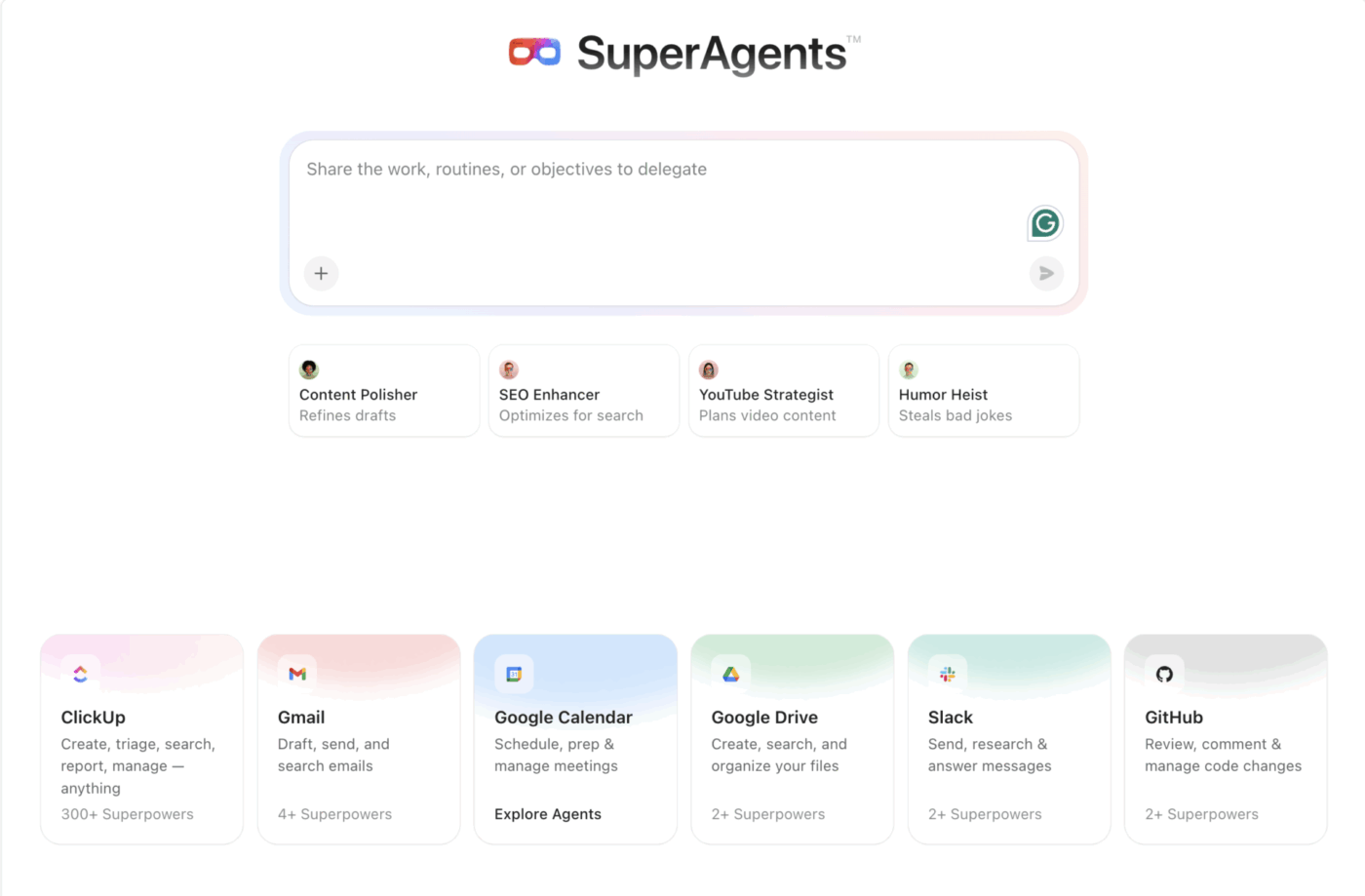
Behind the scenes, it turns your input into a working agent with:
Once created, the agent immediately becomes usable. It can be messaged, tagged in tasks, or run on a schedule, and you can refine it just by chatting with it or editing its profile.
Think of the process this way: You’re simply describing a job to be done, and ClickUp turns it into an agent that can actually do the work.
👉🏼 Need ideas or support to configure your team of ClickUp Super Agents?
AI agents perform well only when they have access to accurate, clean, and complete data. Without it, they’ll make poor decisions or stall entirely.
Identify all necessary data sources for your agent’s specific goal. For example, a campaign reporting agent needs access to data analysis tools, while an SEO optimization agent must integrate with keyword research platforms.
⚠️ Caution: Connecting unnecessary systems leads to noise, inconsistent outputs, and slower processing. Avoid integrating data sources that don’t add significant value to the agent’s function.
Here are some common data sources marketing AI agents often rely on:
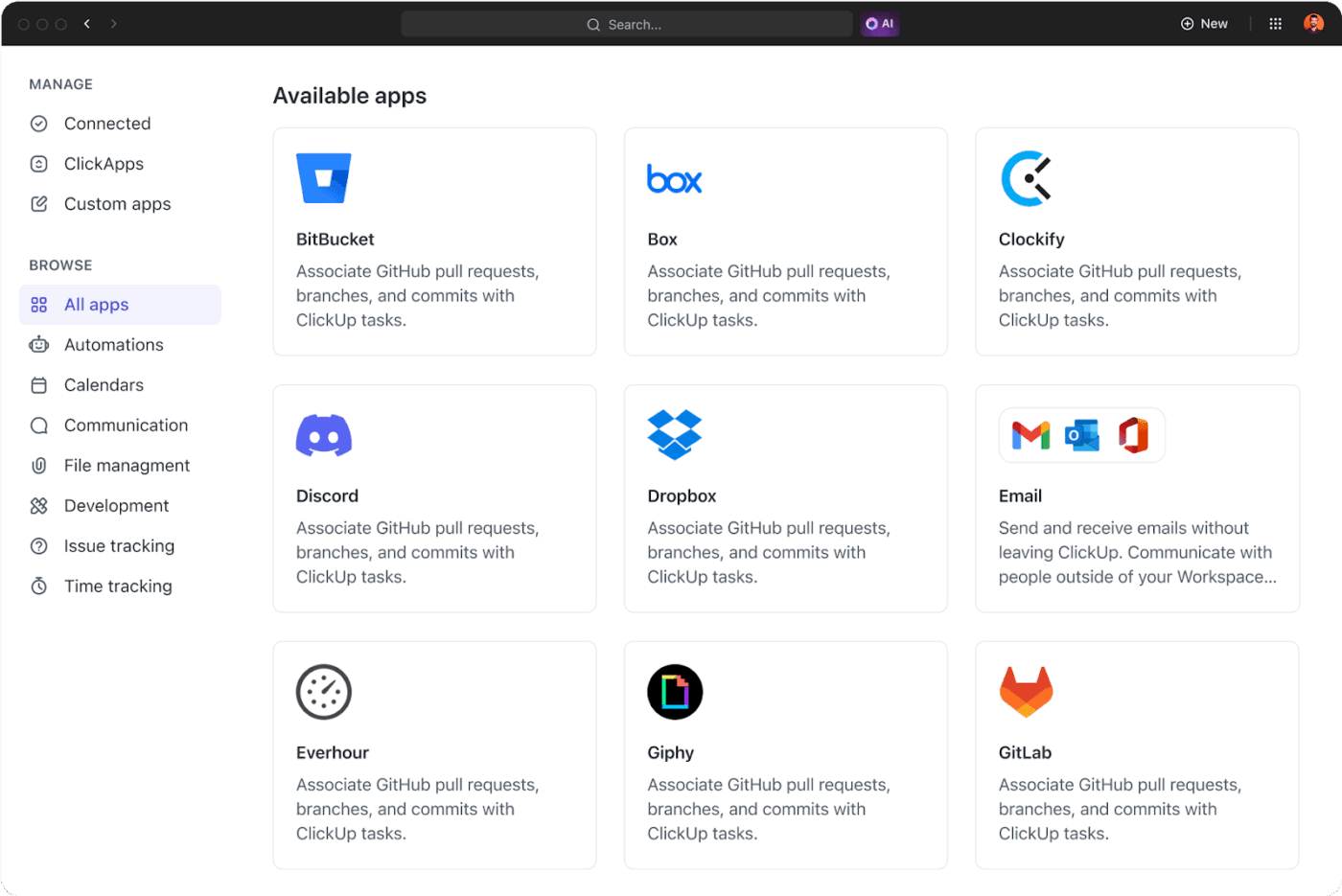
🚀 ClickUp Advantage: Connect your AI Super Agents in ClickUp to 1,000+ native apps like Slack, HubSpot, Google Drive, and Figma using no-code ClickUp Integrations. Simply toggle them on to access both structured and unstructured data from your existing tech stack.
Alternatively, use ClickUp’s custom API builder to link agents to proprietary or legacy tools without extensive development.
Finally, it’s time to translate your agent’s goals into precise instructions for execution. That calls for writing clear prompts and defining AI agent actions.
But mind you, we’re not writing basic ChatGPT or Gemini prompts here.
Rather, you are building a repeatable framework that defines how the agent thinks, which tools it triggers, and exactly how the final data should be structured.
To achieve this, you must describe the following key components:
🧠 Fun Fact: Developed in the late 1960s, Shakey was the first mobile robot with logical reasoning skills. While other machines needed step-by-step instructions, Shakey could be told “push the block” and figure out the path on its own. It got its name because it wobbled violently.
📚 Read More: Best AI Writing Prompts for Marketers and Writers
Before deploying AI agents, test them thoroughly to measure accuracy, performance, and reliability.
Here are four ways to get started:
Once done, measure both workflow efficiency and agent performance for further refinement.
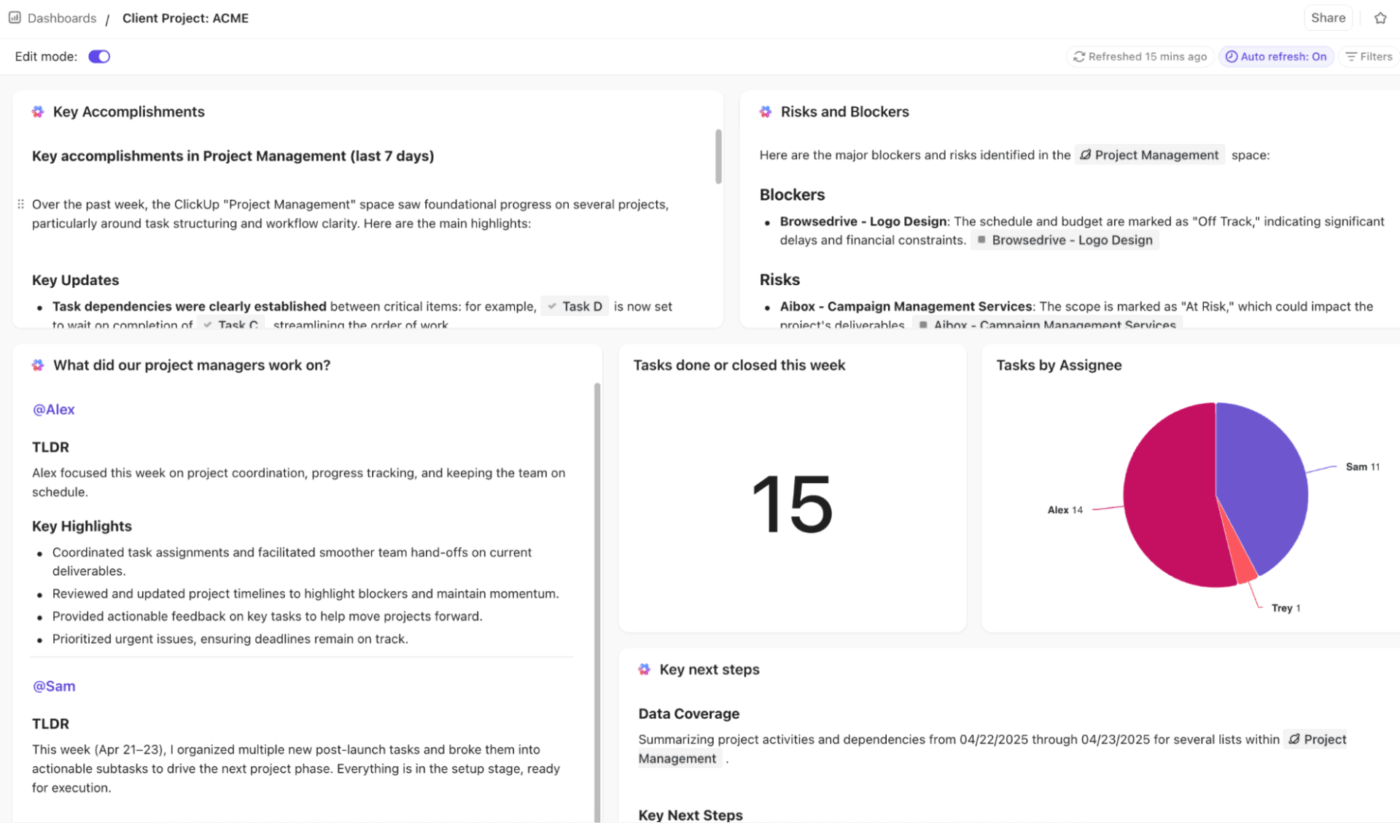
🚀 ClickUp Advantage: Use ClickUp Dashboards to monitor agent performance with real-time KPI tracking. Track efficiency gains, response times, and accuracy levels to catch unexpected behaviors before they snowball.
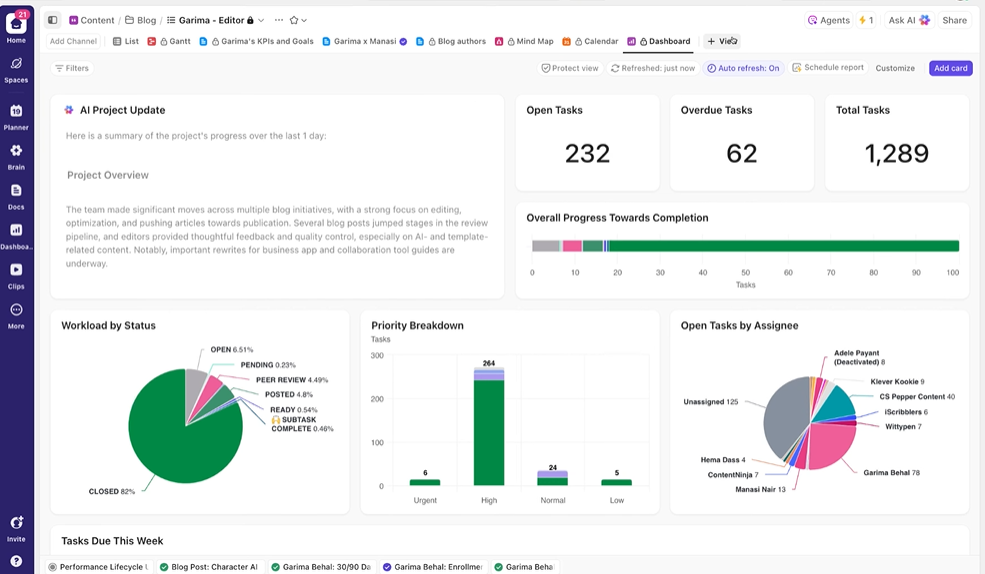
You can easily build custom dashboards using drag-and-drop widgets to visualize the most relevant data.
Pair your ClickUp Dashboards with AI Cards for smarter insights. Instead of manually reviewing charts, use AI Brain Cards to run custom prompts like “Identify error patterns from this week,” and get automated summaries and recommendations instantly.
Introduce the agent into the specific workflows it was designed for, then gradually scale its usage. For instance, a content agent might start with the blog team before expanding to support social media posts and ad copies.
Continuous monitoring is key to stable agent performance. Regularly track relevant KPIs and maintain a change log so you know which prompt or configuration changes led to improvements.
Finally, create simple resources to help your team adopt the new tool. This could include short demo videos, quick-start guides, or internal documentation for common tasks.
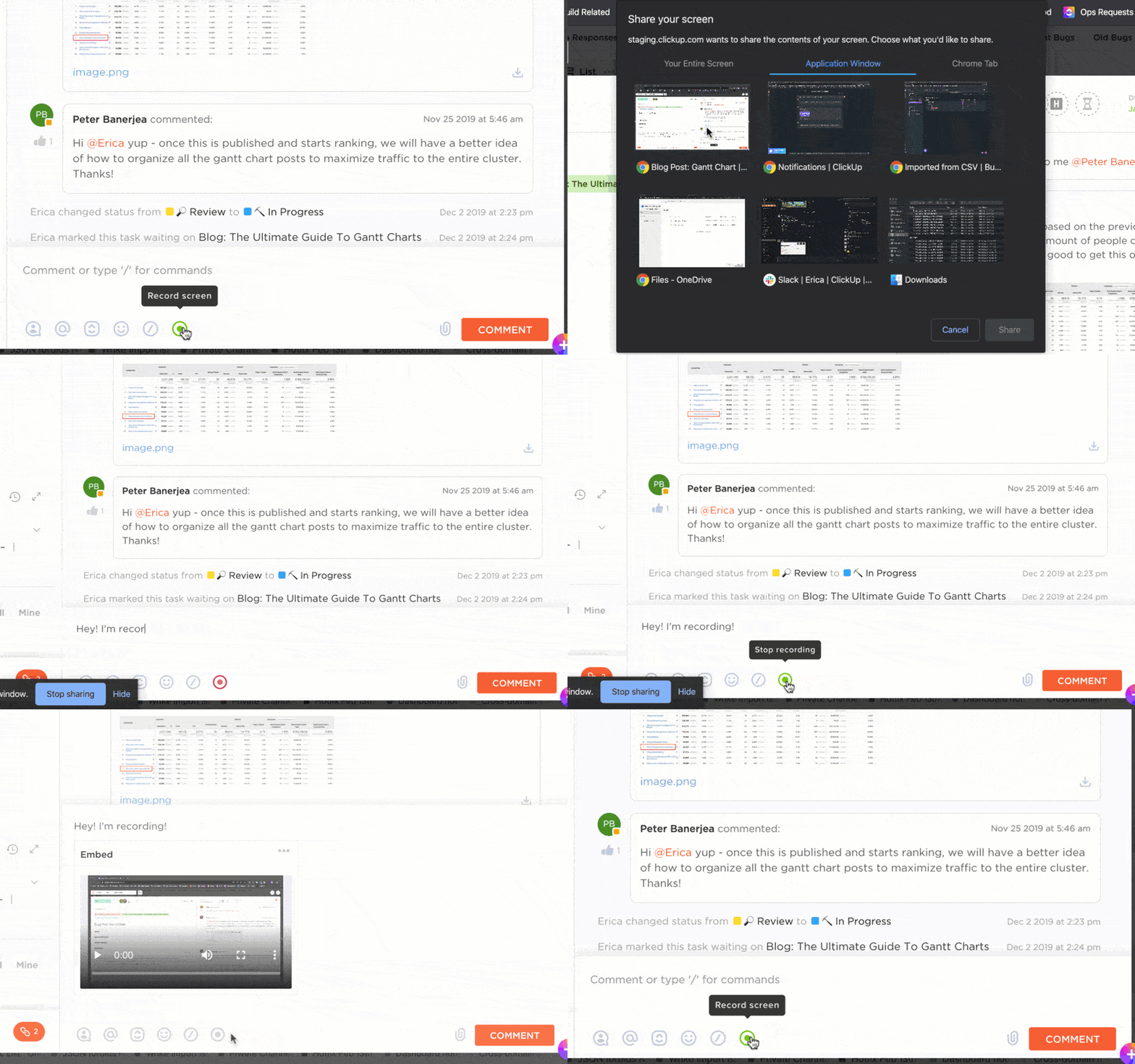
🚀 ClickUp Advantage: Training your team is a critical part of deploying AI agents, and ClickUp Clips makes it effortless. Record your screen while using the AI agent and share the video directly with your team. This allows everyone to learn at their own pace and revisit the training whenever they need a refresher.
To give you a better idea of how AI marketing agents automate tasks, let’s explore some of the most impactful use cases:
Marketing campaigns generate massive amounts of data—clicks, conversions, and engagement patterns. It’s impossible to monitor these metrics manually 24/7 and optimize campaigns in real time.
AI agents help you:
🎥 Here’s a walkthrough of how a ClickUp Super Agent delivers comprehensive research reports on demand.
Anna Bullock, the Co-founder of ABx2 Agency and a ClickUp Verified Consultant, used Super Agents to run an entire event campaign for a community organization. Instead of managing work across email, docs, and spreadsheets, she structured everything inside a ClickUp workspace and created dedicated Super Agents for each leg of the campaign.
One agent handled sponsor outreach and follow-ups, while another reviewed submissions and moved content from idea to publish-ready. A higher-level “COO-style” agent coordinated progress across the campaign.
Each agent worked from the same workspace context—tasks, docs, and updates—so nothing slipped through.
The results: Faster campaign execution, consistent follow-ups, and a fully coordinated event pipeline without manual tracking!
👉🏼 Here’s a demo of her process:
⚡ Template Archive: Free Marketing Plan Templates for Creating and Executing the Perfect Marketing Strategy
While content creation is a creative process, AI agents can take over repetitive operational tasks that usually slow down content writers, editors, managers, and strategists.
They can:
🎥 To watch it in action, here’s a mini guide 👇
📚 Read More: How to Use AI in Content Marketing
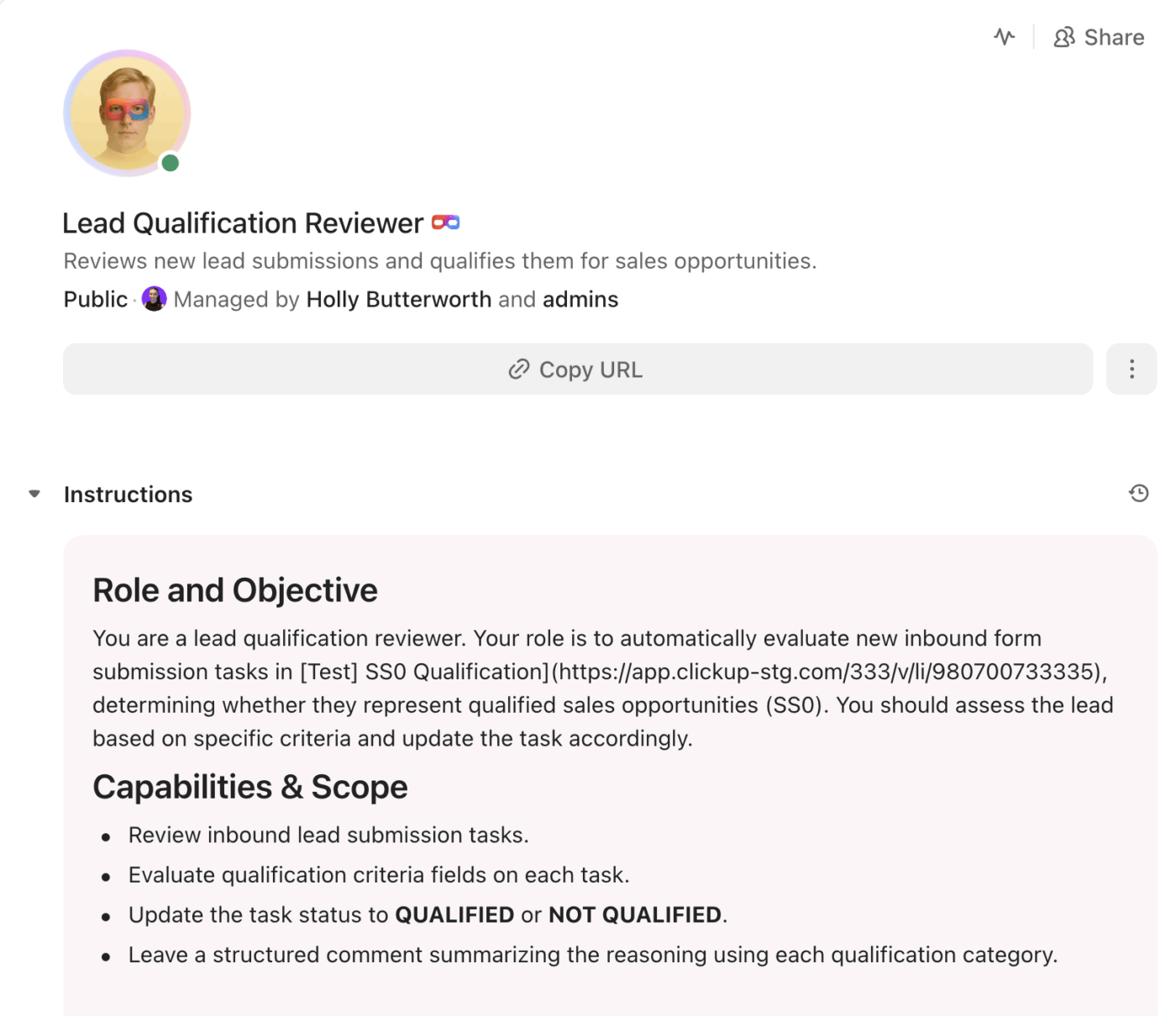
Manually hunting for leads across forms, emails, and ads is history. Thanks to AI agents, you can now automate lead capture and qualification.
Here’s what AI agents do:
📚 Read More: How to Use AI in Marketing: Effective Examples
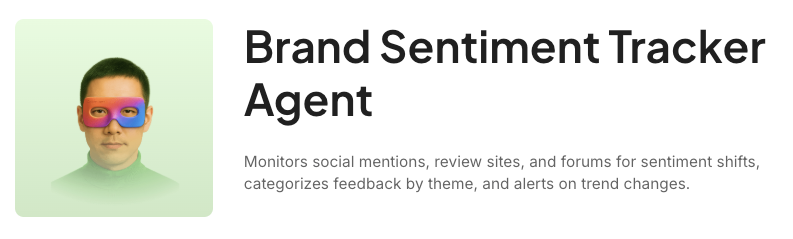
You can set up AI agents to track brand mentions and surface insights before they turn into crises or lost opportunities.
These agents:
Modern customers expect brands to recognize their preferences, but delivering that at scale is difficult.
AI agents can help:
👀 Did You Know? The word “robot” comes from a 1920 Czech play titled Rossumovi Univerzální Roboti (R.U.R.) by Karel Čapek. “Roboti” is derived from “robota,” which means forced labor or drudgery.
In the play, the robots are actually bio-engineered soulless entities with human-like flesh and blood. They eventually revolt and wipe out the entire human race.
Now, let’s look at some examples to understand how they make your life easier:
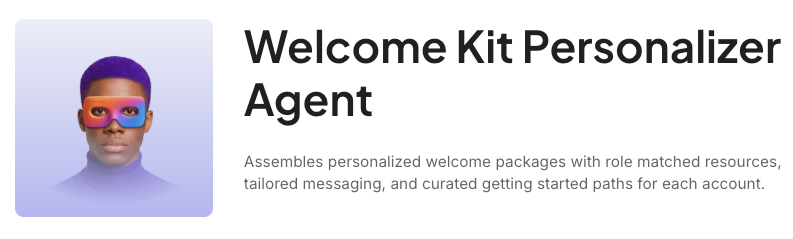
ClickUp’s Email Management Agent handles the chaos of an overflowing inbox by automatically sorting and routing messages.

Some key features of this AI agent:
ClickUp’s Community Engagement Manager takes brand monitoring a step further—it tracks conversations and automatically responds to help build relationships.
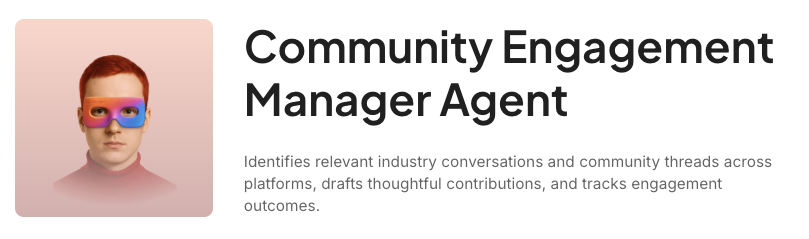
Some key features of this AI agent:
⭐ Bonus: Get your personal assistant with ClickUp’s Super Agents. The agent manages reminders, emails, meetings, and tasks, so you can focus on what matters most.
Building your first AI agent feels exciting, but these pitfalls trip up most teams. Here’s what to watch out for:
| Common mistake | How to avoid it |
| Defining vague AI agent goals like “Make my campaigns better” | Create a persona, list core responsibilities, and set measurable objectives (e.g., “Generate one blog per week”). |
| Feeding poor-quality data or integrating the wrong sources | Only connect the sources the agent needs. An ad copy agent doesn’t need access to your email platform. |
| Writing complex prompts | Instead of packing every detail into one long instruction, break the prompt into clear sections such as overview, objectives, instructions, output format, and constraints. If the workflow itself is complex, split it across multiple agents. |
| Skipping proper testing | Test the agent across multiple real scenarios. Try different inputs, edge cases, and variations in requests to see how the agent behaves. Involve team members to reveal usability issues. |
| Removing human oversight from high-stakes actions | Include human review checkpoints for sensitive tasks. Let the agent analyze data, but keep final approval with a team member. |
While marketing AI agents can easily automate complex tasks, they do have some limitations:
It might sound technical, but building AI agents doesn’t require an engineering degree. A few no-code tools, a solid AI platform, and a user-friendly interface are all you need to get the job done.
ClickUp Brain is ClickUp’s native AI assistant. It helps marketers plan, deploy, and manage AI agents without any technical expertise. Beyond just agents, it powers your entire workspace with features that simplify even the most complicated agent setups.
Let’s see how:
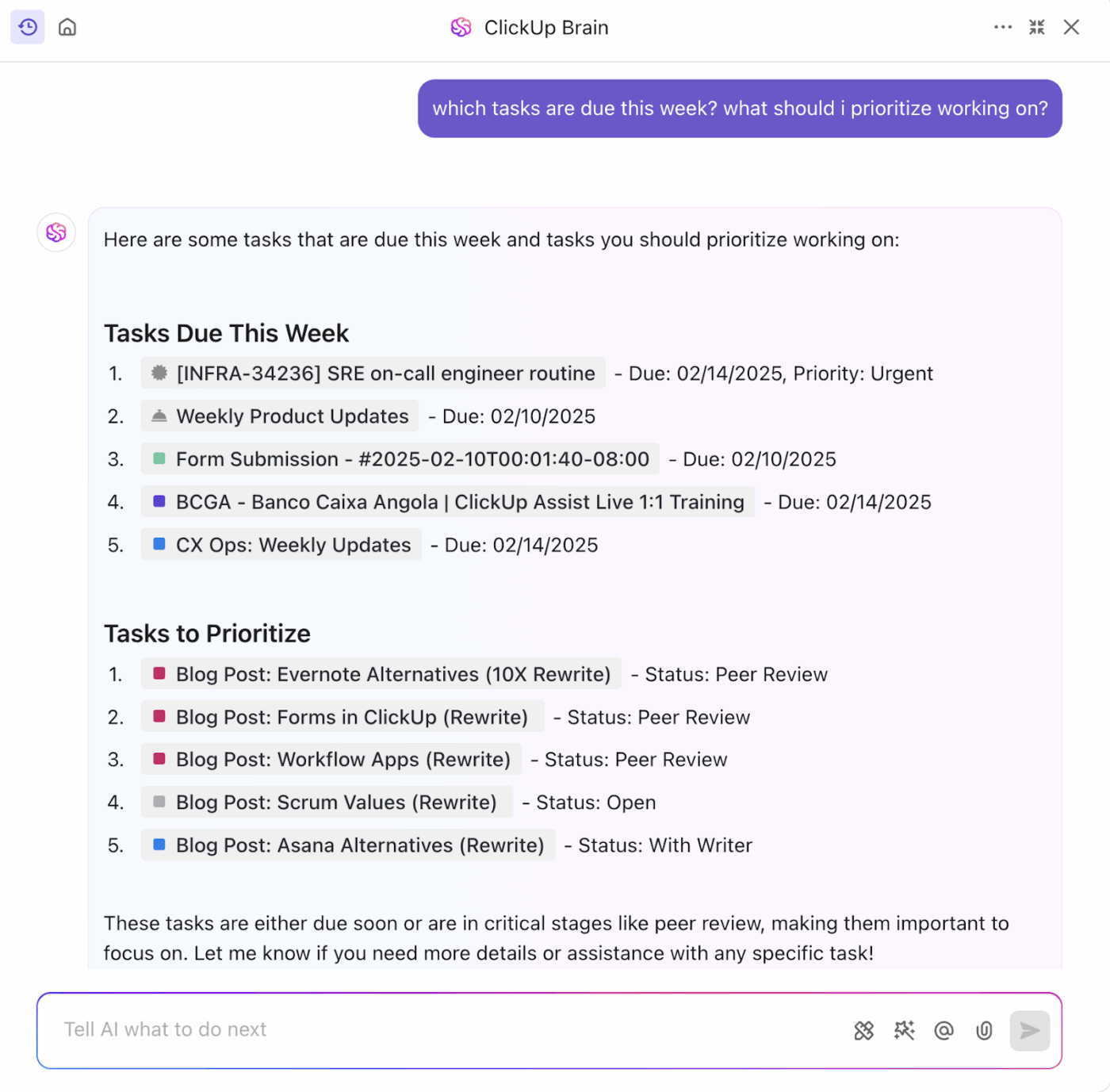
ClickUp Brain is deeply embedded in your workspace, meaning it automatically understands your tasks, comments, docs, workflows, and projects without manually copy-pasting context.
Because it updates in real time, your agents always work with the latest information. When campaign priorities shift, or new leads arrive, Brain stays current—no need to re-brief it. This ensures every agent’s output is grounded in the most recent facts.
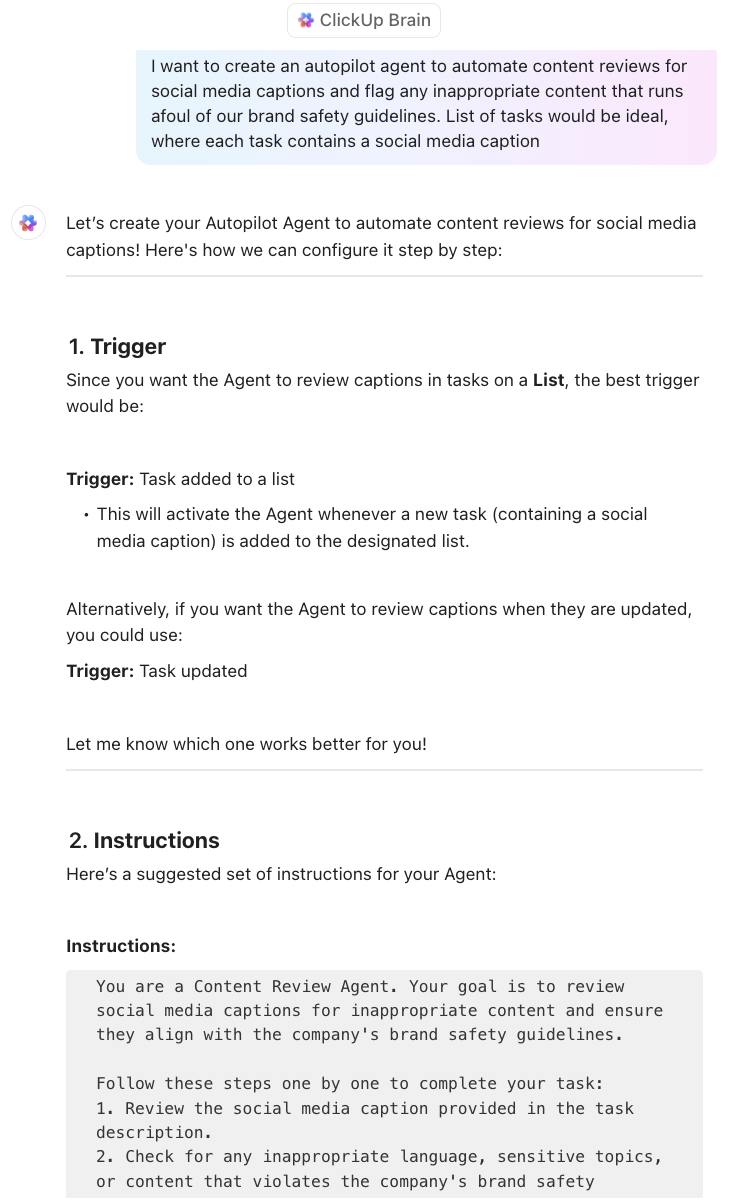
While agents streamline marketing work, ClickUp’s AI Agents streamlines how you build them in the first place:
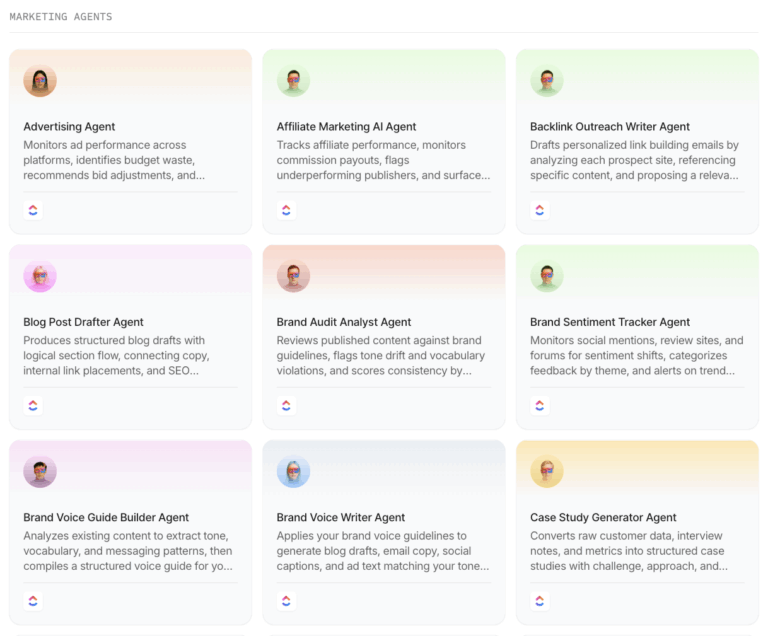
On that note, here are ClickUp’s Super Agents for marketing that you can directly start using 👇
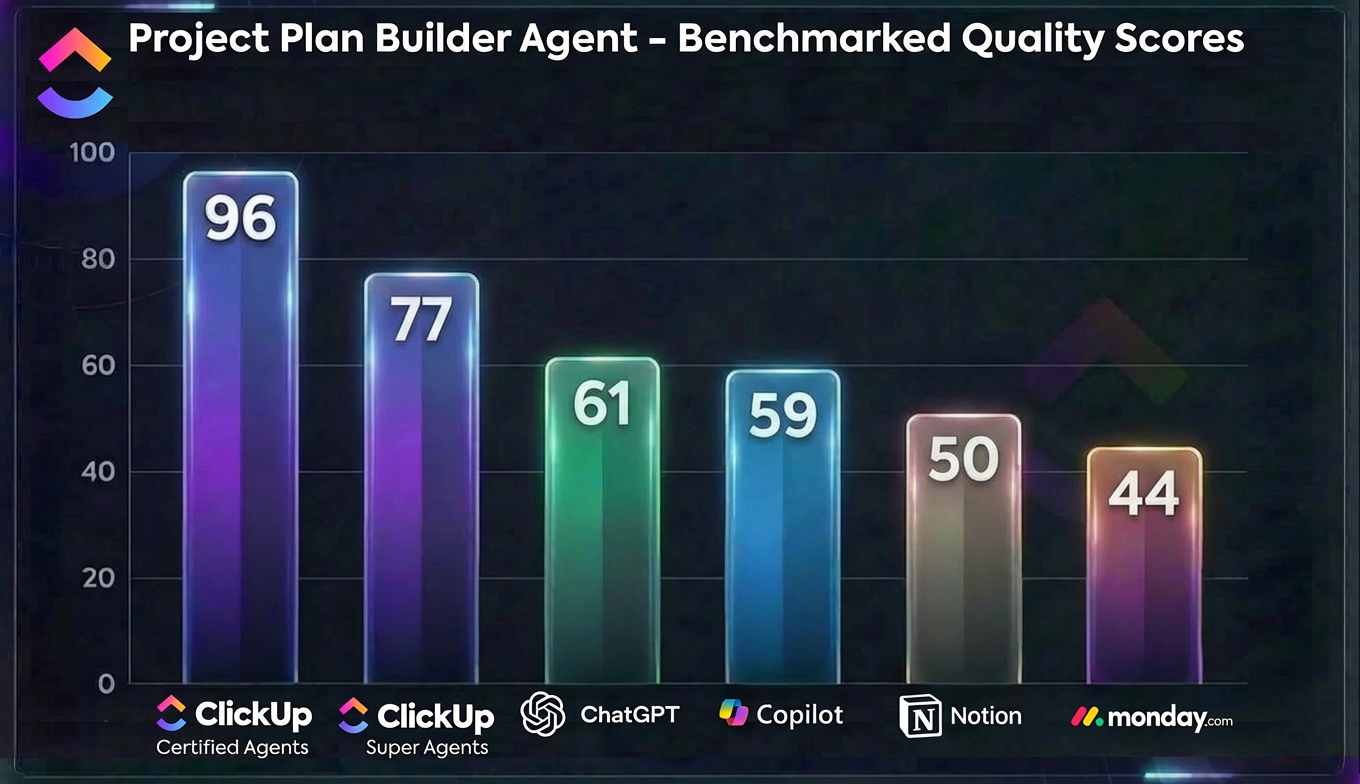
ClickUp’s Certified Agent scored 96 out of 100 in a direct benchmark of execution‑ready project plans.
The closest competitor reached 61, with most others stuck in the 40s and 50s.
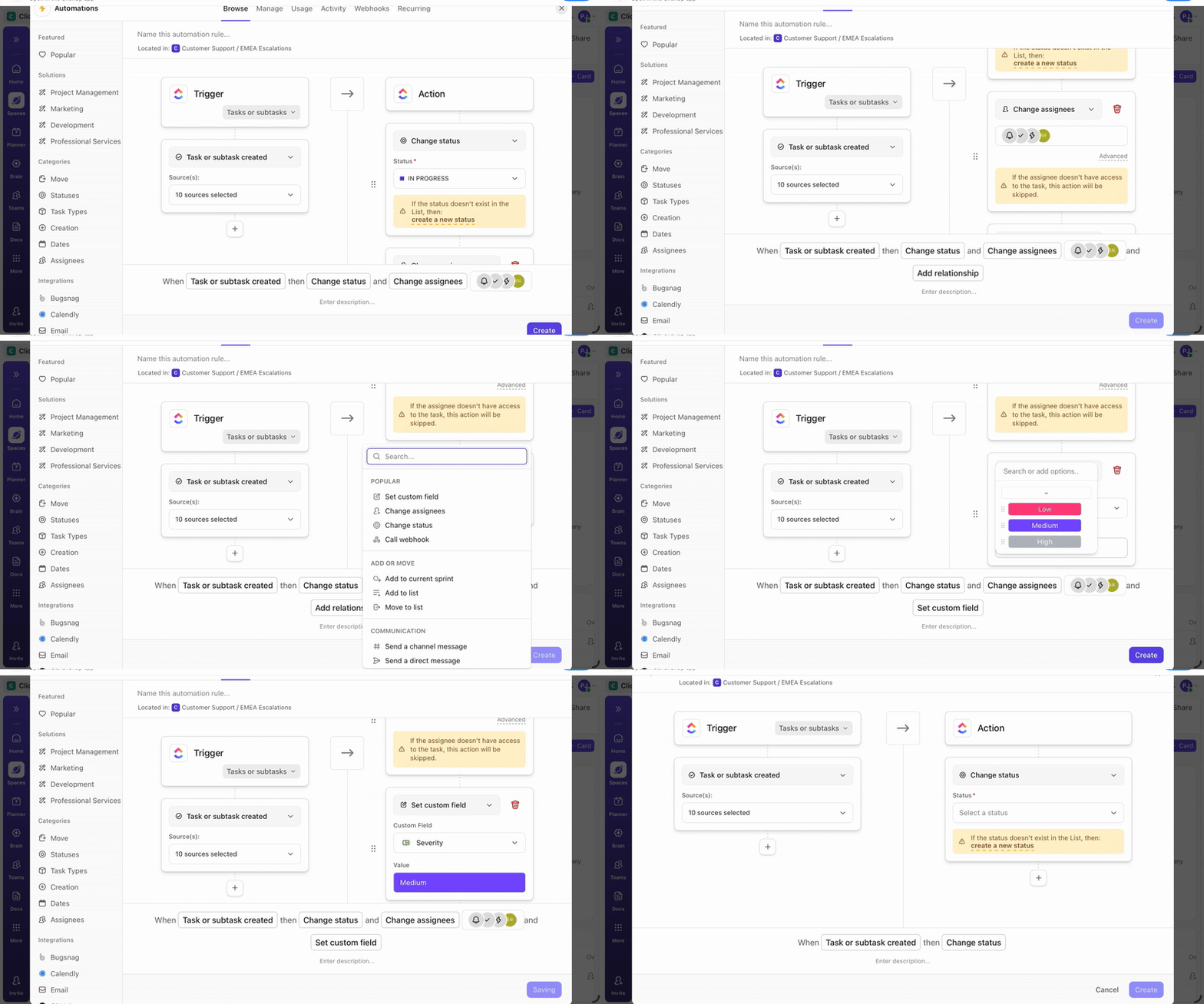
For simple, routine tasks that don’t require a full AI agent, use ClickUp Automations. These follow a “trigger-condition-action” framework. For example: “When a task is two days overdue, and the priority is High, reassign it to the manager and tag them.”
📚 Read More: How ClickUp’s Marketing Team Uses ClickUp
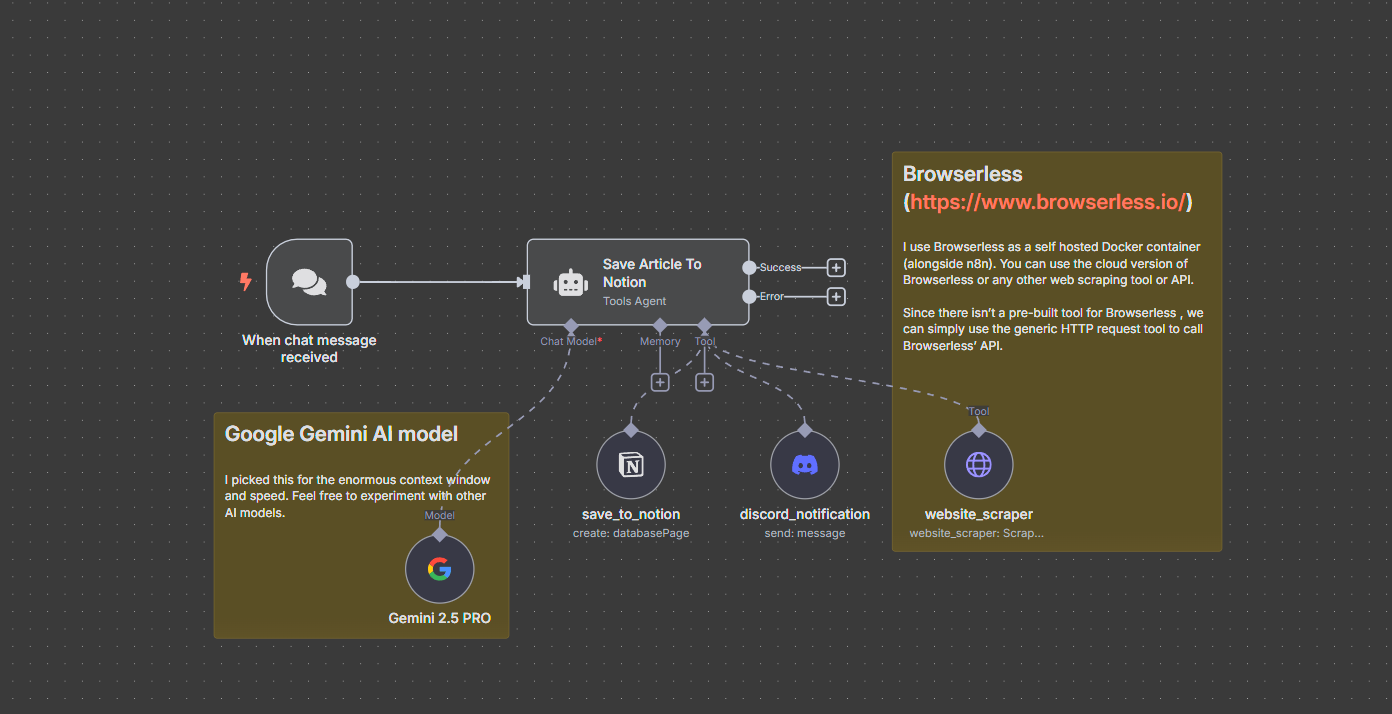
n8n is an open-source, node-based workflow automation platform that lets you build complex marketing AI agents—ideal for technical or workflow automation experts. You can connect your agent with 500+ integrations, plan a multi-agent architecture for complex workflows, and build agentic workflows with great flexibility.
To build an AI agent in n8n, you must first create a node that guides the behavior of your agent. Next, add LMM and the memory node of your choice, integrate with your tech stack, and deploy the agent after rigorous testing.
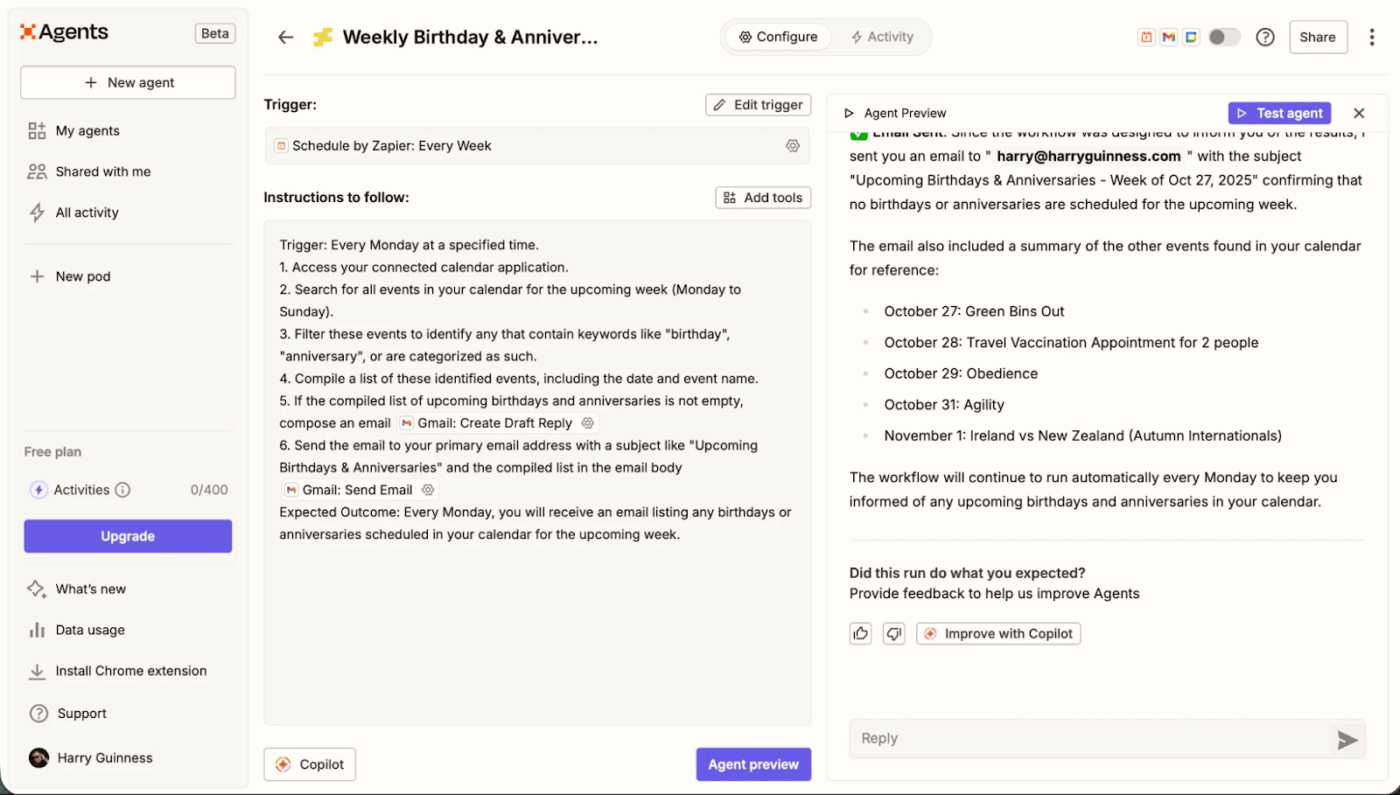
Zapier is another popular AI agent platform to delegate work to smart assistants without heavy coding. Just describe specific tasks you want the agent to perform, connect it to your data cloud and other relevant tools, and it’s ready to be deployed.
With Zapier, you can integrate with your agents with 8000+ native apps and even kickstart the process using a pre-built AI agent template to quickly automate existing workflows.
📚 Read More: Top AI Agent Tools
It doesn’t matter how strong or unique your marketing strategy is. If your workflows are messy, repetitive, and labor-intensive, your marketing efforts will lead nowhere.
With ClickUp, you can build and scale your first marketing AI agents without touching a single line of code.
While Brain handles the technical heavy lifting, ClickUp’s Converged AI Workspace brings your tasks, knowledge, and conversations into one place so your agents can operate at their best.
Sign up for ClickUp today!
AI agents take over repetitive marketing workflows, including campaign analysis, content preparation, reporting, lead qualification, and customer engagement monitoring. Automating operational tasks and data analysis allows marketers to focus more on strategy, creativity, and decision-making.
The best platform to build agents for marketing depends on the agent’s complexity level and the technical expertise required. If you want to go no-code, ClickUp and Zapier offer robust NLP features to design agents using natural language instructions. For marketers with technical knowledge, n8n is a great tool.
You mainly need workflow design skills, an understanding of marketing processes, and the ability to write clear prompts. While coding knowledge is a plus, it isn’t required on no-code platforms like ClickUp.
AI can automate operational marketing tasks such as analysis, reporting, and content drafting, but it cannot replace human marketers. Strategic planning, brand positioning, creative direction, and customer understanding still require human judgment and experience.
Connecting external AI agents is pretty easy in ClickUp. Go to your App Center sidebar and click on Agents. Choose the external AI Agent option. You’ll need to search for a specific agent (like Cursor or Codegen), click Connect, and follow that provider’s setup steps—often including API keys or external account access.
Once connected, the agent can be triggered from tasks, mentions, or automations. Setup is straightforward, but it may require some configuration depending on the tool.
Start by mapping your current workflows to find bottlenecks. Define clear, measurable goals for your agents, write structured prompts, and always monitor performance to make necessary tweaks.
Brand strategy, crisis communication, and sensitive customer interactions should never be fully automated. These areas require human nuance and decision-making that AI cannot reliably replicate.

© 2026 ClickUp

There’s an easier way. Try a free AI Agent in ClickUp that actually does the work for you—set up in minutes, save hours every week.