
ClickUp Time Tracking Integration with TMetric. How to get the most from it

Sorry, there were no results found for “”
Sorry, there were no results found for “”
Sorry, there were no results found for “”
Jun 30, 2019
3min read
We all strive to be top performers, but to really become one requires strengthening your digital work habits. The absolute best way to improve the efficiency of you and your team is through reliable time tracking. Computers and time management apps have made it easy to facilitate efficient workflows and enhance productivity.
You’re an efficient task manager! But seriously, this connection incorporates tons of useful features all packed into one place:
Amongst the diverse task management softwares out there, ClickUp is the obvious choice because it works for all teams and provides customized environments for any type of project.
But integrating task management software with time tracking gives you even more benefit, i.e., completing projects on time and meeting deadlines hassle-free.
To empower the workflow created in ClickUp, you need precision in measuring the task performance. When choosing a time tracker, it’s important to choose one with the features you need at an affordable price.
A reliable digital time tracker should provide:
Overall, combining task and time tracking will let you move forward with efficiency in monitoring the performance of any member of your team.
Essential for remote workers and holding accountability for the entire team.
Integrating TMetric is simple.
While other time trackers require tons of setup, TMetric is done in three clicks.
That’s it! The TMetric logo next to “Start timer” button will appear automatically.
Now you’re all set to track time.
With TMetric time tracking in ClickUp, you can add a detailed description of your tracked time under the header ‘Notes’. You make the information easily accessible to yourself as well as your team in case you need to retrieve it for reports, analysis, and further planning.
You can also include the information on the project title and add tags.
Once you hit the start button, all the information and time utilized on ClickUp tasks will store in TMetric timeline and sync with the list of ClickUp tasks.
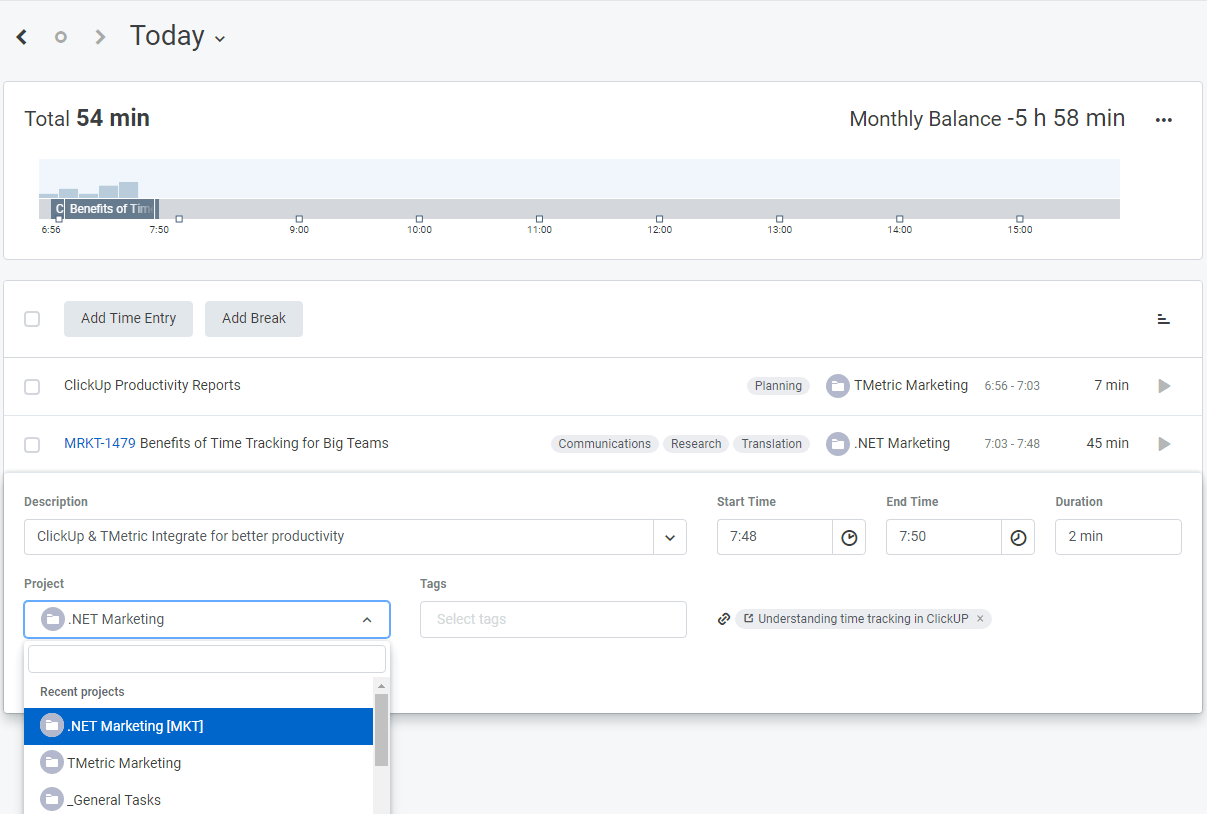
ClickUp and TMetric working together as full-fledged productivity tools to assist you and your team in staying accountable and obtaining the following stats:
Overall, TMetric tracks time automatically in the web and desktop app which lets you easily turn it into accurate invoicing, billing, reporting and managing ClickUp tasks.
As we all know, the internet can be distracting in this age, and focus is hard to maintain.
TMetric makes it easy to see inside what your team’s spending their time on.
Author: Ekaterina Skylarova

Arya P Dinesh
Max 15min read

Manasi Nair
Max 15min read
Manasi Nair
Max 19min read

© 2026 ClickUp




