



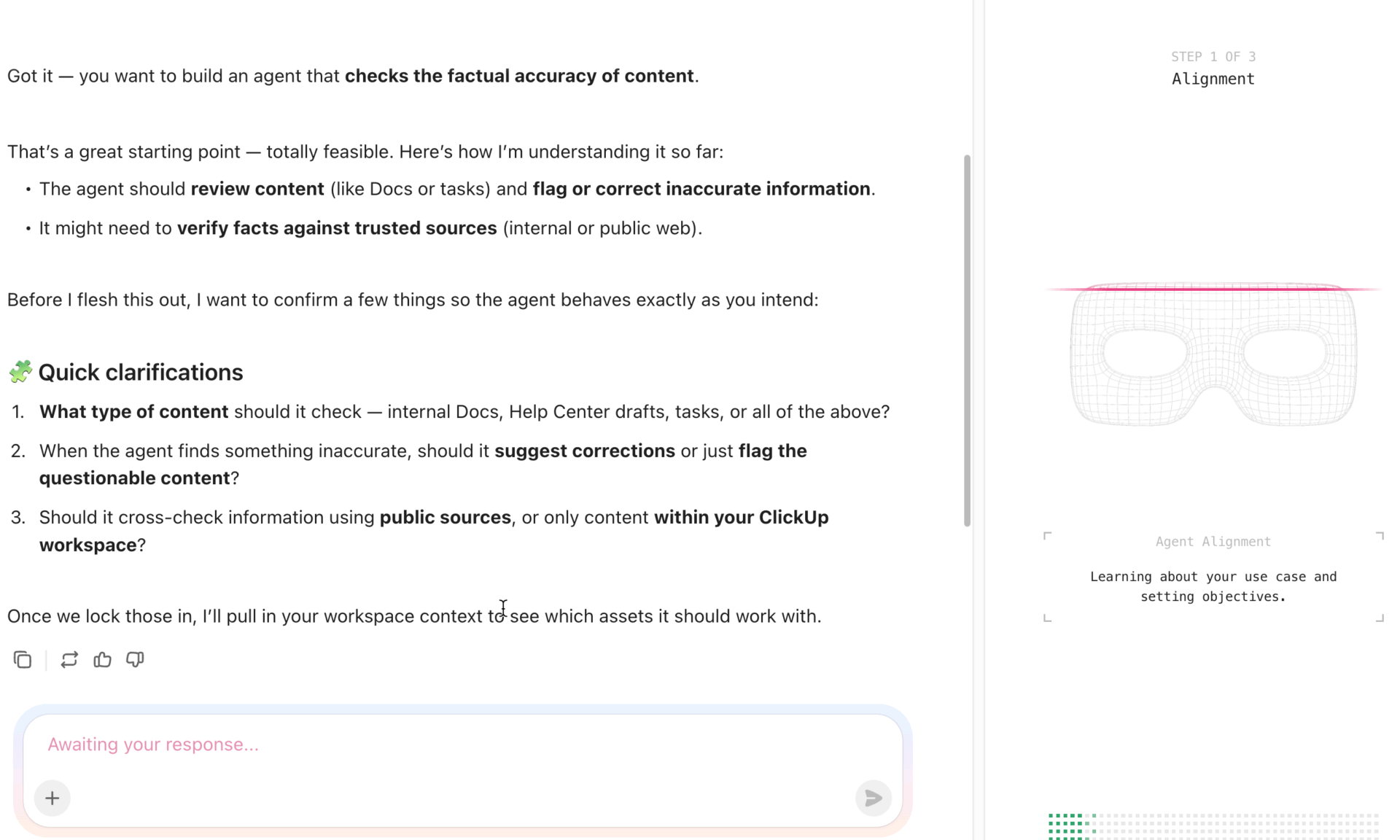



Still downloading templates?
There’s an easier way. Try a free AI Agent in ClickUp that actually does the work for you—set up in minutes, save hours every week.
Sorry, there were no results found for “”
Sorry, there were no results found for “”
Sorry, there were no results found for “”
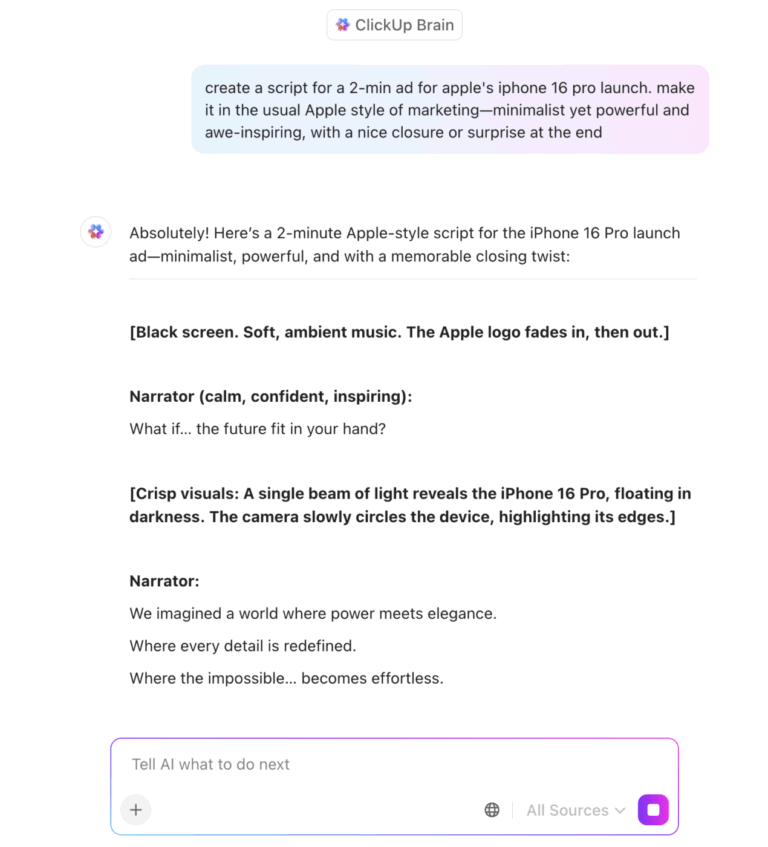
Most software vendors slap ‘AI-powered’ on their product page and call it a day. But there’s a massive difference between a tool that has AI features and one built around AI from the ground up. That gap directly determines how much value your team gets out of it.
This article breaks down what AI-native vs. AI-powered means. You’ll learn how the underlying architecture shapes everything from data flow to decision-making.
We’ll also explore how ClickUp, the world’s first Converged AI Workspace, is the perfect AI-native platform for you! 🤩
An AI-powered product is one that was built without AI and later added AI features on top of its existing architecture. This means the AI layer sits outside the product’s core workflow engine.
You’ve probably seen this in your work tools already. The project tracker can summarize a document and the chat app can suggest replies. But none of those AI features talk to each other or share context across the platform.
That’s the telltale sign of an AI-powered (sometimes called AI-enabled) tool. Each feature handles one isolated job well enough, but the AI can’t see the full picture of your work.
This gets frustrating for teams. Your tasks live in one tool, your docs in another, and your conversations in a third; that’s Work Sprawl. When AI is bolted onto that fragmented setup, it can only access data inside one feature at a time, usually by sending it to external models via API calls.
🔍 Did You Know? McKinsey’s 2025 State of AI report found that over 80% of organizations have yet to see a tangible enterprise-level impact from gen AI despite widespread adoption.
An AI-native platform is one where AI was woven into the system’s architecture, data model, and decision-making from day one.
Three architectural traits separate AI-native from AI-powered:
📮 ClickUp Insight: Our AI maturity survey found that 33% of people resist new tools, and only 19% adopt and scale AI quickly.
When every new capability comes in the form of another app, another login, or another workflow to learn, teams are hit with tool fatigue almost instantly.
ClickUp Brain closes this gap by living directly inside a unified, converged workspace where teams already plan, track, and communicate. It brings multiple AI models, image generation, coding support, deep web search, instant summaries, and advanced reasoning into the exact place where work already happens.
The gap between these two approaches shows up in three dimensions: how data moves, how decisions happen, and how the system evolves.
| Dimension | AI-Powered | AI-Native |
| Data flow | AI accesses data from one feature at a time via API | AI reads across all connected work objects natively |
| Decision-making | Suggests actions for humans to approve within one tool’s context | Reasons across full workspace context and executes multi-step actions autonomously |
| Scalability | Each new AI feature adds integration complexity and technical debt | New capabilities inherit the existing data layer and intelligence infrastructure |
In AI-powered tools, data lives in disconnected tools. When the AI needs information, it queries one source at a time through a middleware layer, creating latency and blind spots.
Here, all work data feeds into a single connected layer. The AI doesn’t need to ‘fetch’ context because it already has it. That’s why an AI-native workspace can draft a status update pulling from task progress, recent doc edits, and chat threads at the same time.
🔍 Did You Know? Gartner predicts that over half of enterprises will abandon assistive AI in favor of platforms that deliver workflow results in the next few years.
With AI-powered tools, the AI recommends and you decide. Every action requires a click, a confirmation, a manual step. That’s fine for low-stakes suggestions like grammar fixes but becomes a bottleneck for complex workflows.
AI-native flips this. The AI can be trusted with execution because it has full context and guardrails built into the system, like triaging tasks, reassigning work based on capacity, and kicking off automations without waiting for approval on each step.
This doesn’t mean humans are removed from the loop. It means the default shifts from ‘human acts, AI suggests’ to ‘AI acts, human oversees.’
🚀 ClickUp Advantage: Deploy ClickUp Super Agents to act as your AI-native teammates that can execute workflows end-to-end with the full context of your workspace.
The agentic AI can:
For instance, a Sales Pipeline Super Agent monitors deals across stages. When a deal progresses, it updates tasks, drafts follow-ups, schedules next steps, and flags risks. It’ll only loop in a human when approvals are needed.
A guide to your Super Agent:
AI-powered tools accumulate technical debt with every new AI feature. Each one needs its own data pipeline, its own maintenance, its own wiring. The more you add, the more fragile the system gets. The AI’s usefulness plateaus because it can never learn from the full picture—what we call context sprawl.
AI-native platforms work differently. New capabilities plug into the existing intelligence layer because the data model, permissions, and orchestration infrastructure are already there. This creates a growing benefit over time, helping you avoid information silos. Every piece of work your team does inside an AI-native system makes the AI smarter.
Automate complex workflows:
When you adopt multiple AI-powered tools, you end up with AI sprawl. This means there’s an unplanned proliferation of AI tools, models, and platforms with no shared context, oversight, or strategy. Each one works well alone but can’t share context with the others. And that is an architecture gap.
This gap shows up in daily work:
ClickUp is an AI-native workspace where tasks, knowledge sources, conversations, and automation are all connected through AI.
Let’s explore how the convergence software helps:
ClickUp Brain acts as the central intelligence layer across your workspace. It connects your tasks, documents, people, and conversations. This way, instead of searching, all you have to do is ask in natural language. It’s deeply embedded into your workflows and can access real-time context from across your workspace.
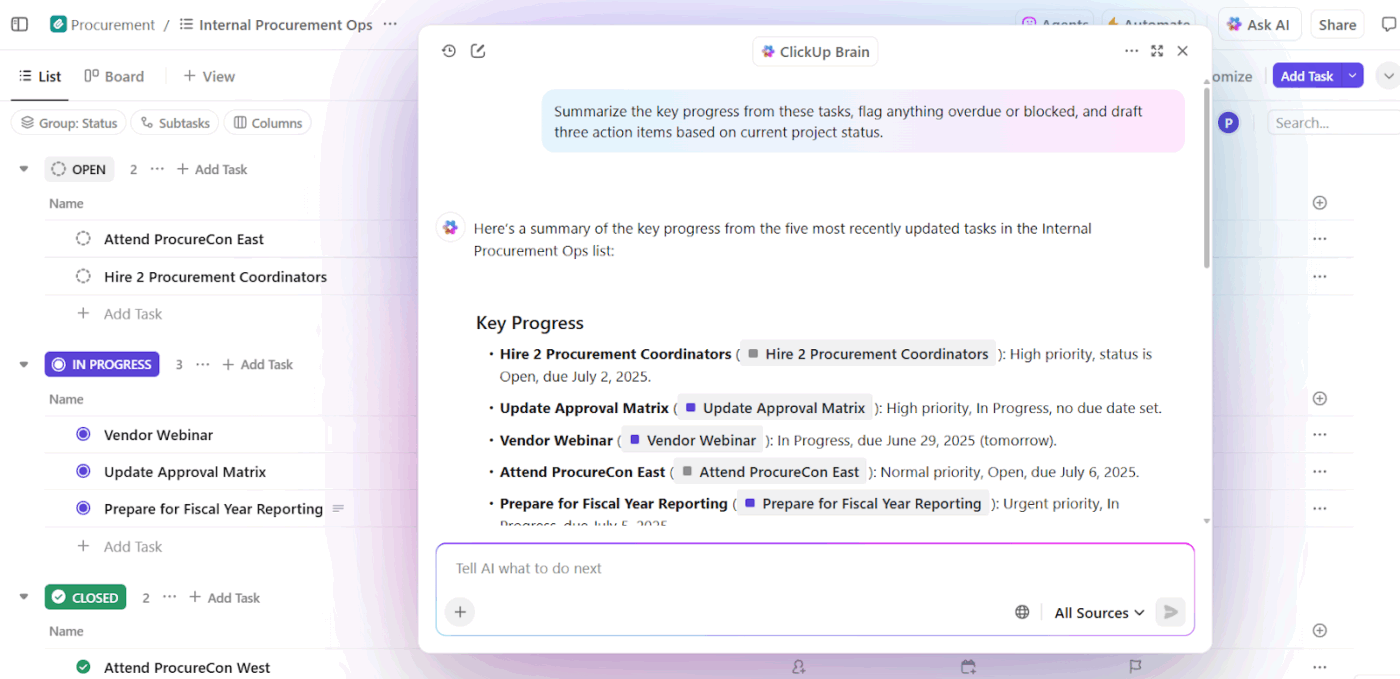
What it does:
For instance, a product manager preparing for a sprint review can simply ask: Summarize sprint progress, blockers, and pending tasks.
ClickUp Brain MAX takes things further by becoming your AI command center across tools, apps, and the web. It’s designed to eliminate AI sprawl, which means no more switching between ChatGPT, docs, and search tabs.
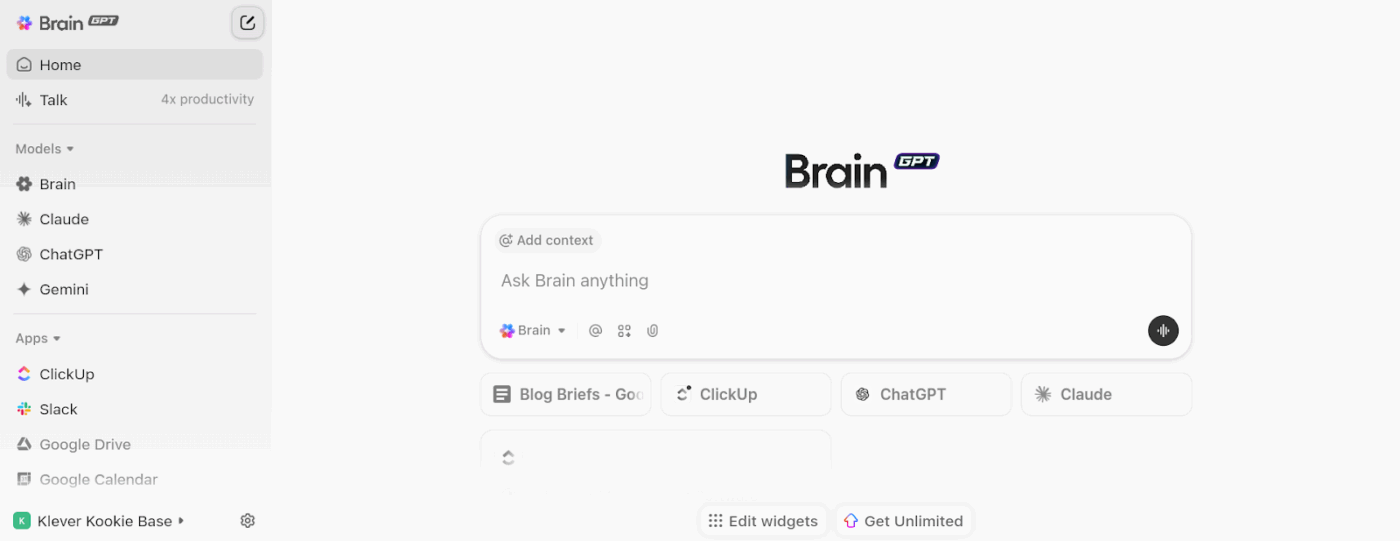
It acts as a desktop AI companion that connects your workspace with external tools and knowledge sources.
The AI tool offers:
Refuse multiple AI subscriptions:
🚀 ClickUp Advantage: When meeting action items get lost between your notes app and your task list, capture everything automatically with ClickUp AI Notetaker. It takes meeting notes for you so you can stay fully engaged. After the meeting, action items, summaries, and follow-up tasks appear inside your workspace.
ClickUp Automations ensure that once a decision is made, work moves forward automatically. These automations can be rule-based or enhanced with AI, enabling workflows to adapt dynamically as work evolves.
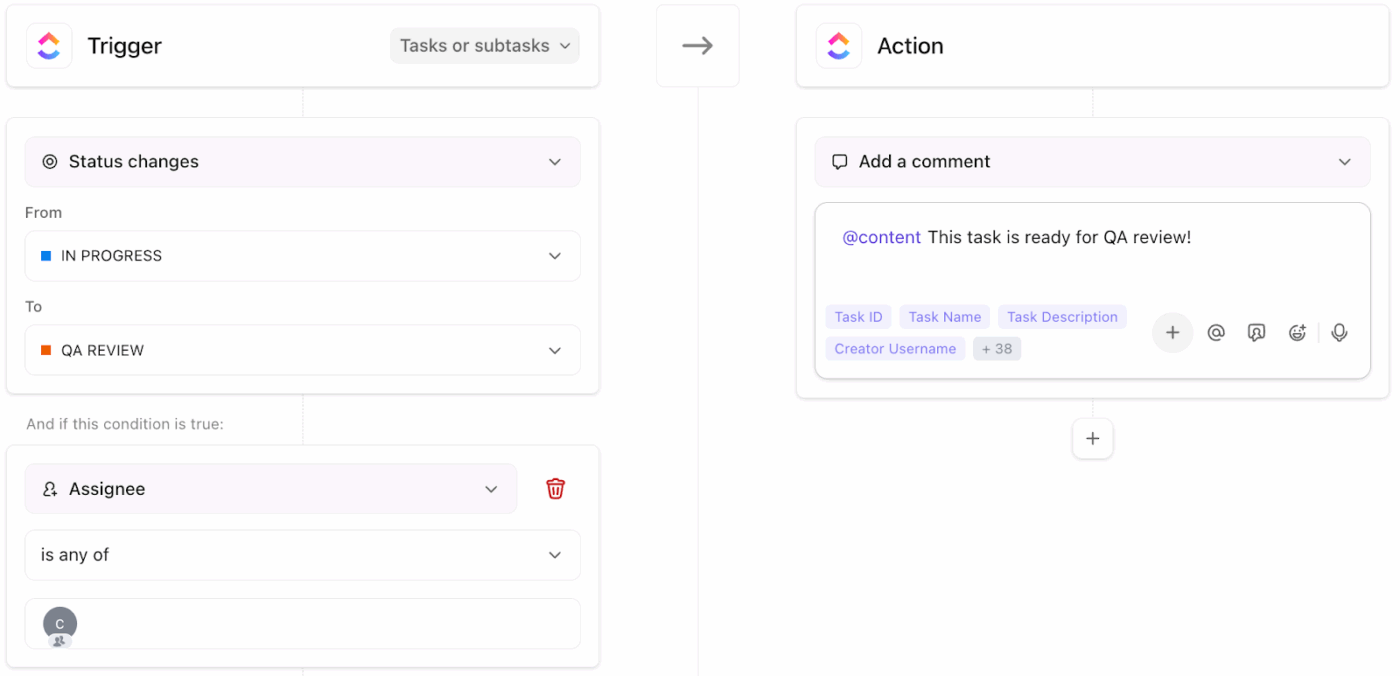
How it works:
For instance, when a sales team closes a deal, an automation instantly creates a new onboarding Task, assigns it to customer success, and sets a deadline.
Here’s what a user had to say about automating complex workflows using ClickUp Super Agents:
I am using them with success. Simple but effective.
In our project lists with our schedules, we have a task named “Weekly Status.”
In this task, the PM adds a comment with a narrative status, meaningful accomplishments (since hundreds of tasks could be completed or milestones), and any risks or issues. I have the superagent review these, comment with suggestions for formatting, and then copy this latest status and place it into a document that is used for our weekly status.
Most teams today are still operating in an AI-powered way. While it’s useful, it depends heavily on humans to connect context, make decisions, and push work forward.
AI-native work is different and ClickUp makes the shift real. With ClickUp Brain, your team moves beyond searching to instantly accessing context across tasks, docs, and chats. ClickUp Brain MAX eliminates tool sprawl by bringing Talk-to-Text and multiple AI models into one workspace. And with ClickUp Automations, decisions trigger actions automatically.
So, what are you waiting for? Sign up to ClickUp for free today! ✅
They’re often used interchangeably, but AI-driven usually implies AI plays a bigger role in decision-making while AI-powered simply means AI is present somewhere in the product.
AI-enabled and AI-powered mean roughly the same thing: a product that wasn’t originally built around AI but now includes AI features. The distinction is mostly marketing language. So what matters more is whether the tool provides assisted AI (human-led, AI-supported) or is truly AI-native.
In theory yes, but it requires rebuilding the data model and architecture from the ground up, not just adding more AI features. Most platforms that started without AI at their core face significant technical debt when trying to make this shift.
No. AI-native means the platform’s architecture gives AI access to all your work data and the ability to act across the system. Individual features may or may not use AI. However, it’s important to note whether AI can operate anywhere in the product because the foundation supports it.

© 2026 ClickUp

There’s an easier way. Try a free AI Agent in ClickUp that actually does the work for you—set up in minutes, save hours every week.