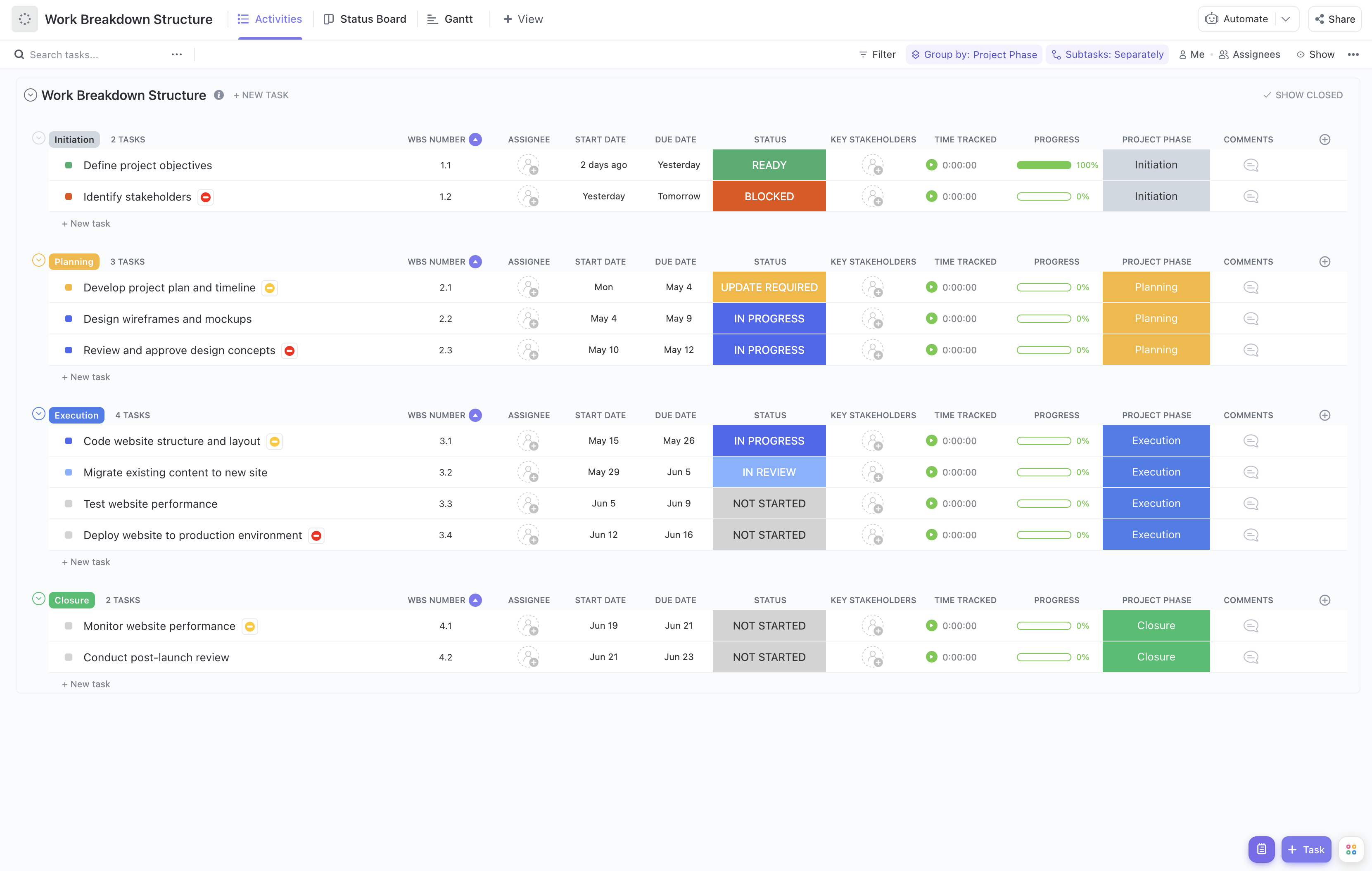
Managing a platform upgrade rollout involves coordinating multiple teams, tasks, and timelines to ensure a seamless transition without impacting business operations. This Platform Upgrade Rollout Work Breakdown Structure Template is crafted to help project managers systematically break down the upgrade process into manageable components.
With this template, you can:
- Organize the upgrade project into distinct phases such as planning, development, testing, deployment, and post-launch support.
- Assign specific tasks to technical teams, QA, communications, and support staff, ensuring clear accountability.
- Monitor progress in real-time, identifying potential bottlenecks and mitigating risks promptly.
Best of all, this template requires no coding or specialized software—just ClickUp to get started and keep your platform upgrade on track.
Benefits of Using the Platform Upgrade Rollout WBS Template
Implementing a structured WBS for your platform upgrade rollout provides several advantages:
- Clear Definition of Deliverables:
Break down the upgrade into tangible deliverables such as infrastructure setup, software updates, data migration, and user training.
- Role Clarity:
Ensure every team member understands their responsibilities, from developers handling code changes to support teams preparing for user inquiries.
- Enhanced Communication:
Facilitate seamless communication between stakeholders, technical teams, and management through shared visibility of tasks and timelines.
- Improved Efficiency:
Streamline the rollout process by identifying dependencies and scheduling tasks to minimize downtime and resource conflicts.
Main Elements of the Platform Upgrade Rollout WBS Template
This template is structured to cover all critical aspects of a platform upgrade rollout:
- Project Phases:
Planning, Development, Testing, Deployment, and Post-Deployment Support.
- Task Breakdown:
Detailed tasks such as environment setup, code integration, regression testing, user acceptance testing, deployment scheduling, and rollback planning.
- Resource Assignment:
Assign tasks to specific teams and individuals, including developers, QA engineers, system administrators, and communication leads.
- Progress Tracking:
Use status indicators like Not Started, In Progress, At Risk, Blocked, and Complete to monitor task progress.
- Stakeholder Management:
Identify key stakeholders and their involvement during each phase to ensure alignment and timely decision-making.
By leveraging this comprehensive WBS template, your platform upgrade rollout can be executed with greater control, transparency, and success.