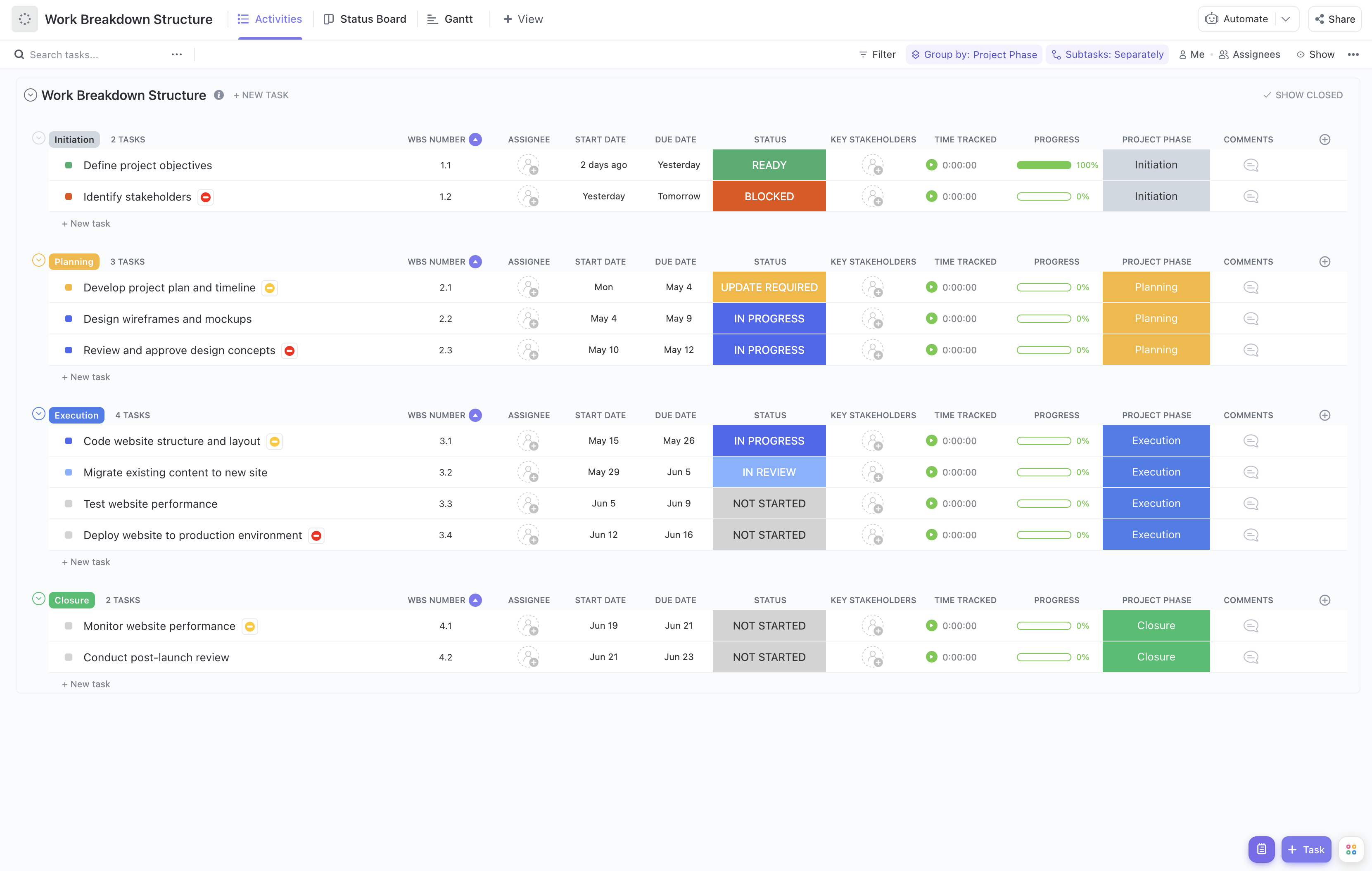
Managing an operational backlog can be complex, with numerous tasks competing for attention and resources. To maintain efficiency and clarity, breaking down the backlog into manageable work components is essential. The Operational Backlog Execution Work Breakdown Structure (WBS) Template provides a structured approach to organize, prioritize, and track operational tasks effectively.
This specialized template enables your team to:
- Segment the operational backlog into clear, actionable tasks for improved focus and execution
- Assign responsibilities swiftly to the appropriate team members, ensuring accountability
- Monitor progress in real-time, facilitating quick adjustments and updates as priorities shift
Designed with operational teams in mind, this template requires no coding skills or complex software—just your ClickUp workspace to get started and maintain control over your backlog execution.
Benefits of Using the Operational Backlog Execution WBS Template
Utilizing this template brings multiple advantages to your operational workflow, including:
- Clear definition and organization of backlog items, making prioritization transparent and manageable
- Enhanced clarity for team members regarding their specific tasks and deadlines, reducing confusion and overlap
- Improved communication channels between operational staff and stakeholders, fostering collaboration and alignment
- Increased efficiency in addressing operational demands, leading to faster resolution and delivery of services
Main Elements of the Operational Backlog Execution WBS Template
This template is structured to support operational backlog management through the following components:
- Backlog Categories: Organize tasks by operational domains such as maintenance, support, and process improvements to streamline focus areas.
- Task Breakdown: Decompose backlog items into subtasks with clear descriptions, acceptance criteria, and estimated effort.
- Assignment and Ownership: Allocate tasks to team members based on expertise and availability, with visibility into workload distribution.
- Priority and Status Tracking: Use customizable priority levels and status indicators (e.g., not started, in progress, blocked, complete) to monitor task progression.
- Progress Monitoring: Leverage real-time dashboards and reports to track overall backlog health, identify bottlenecks, and adjust plans accordingly.
- Integration Capabilities: Seamlessly connect with communication tools and calendars to ensure timely updates and reminders.
By adopting this Operational Backlog Execution WBS Template, your team gains a powerful framework to tackle operational demands systematically, ensuring nothing falls through the cracks and that every task contributes to your organization's success.