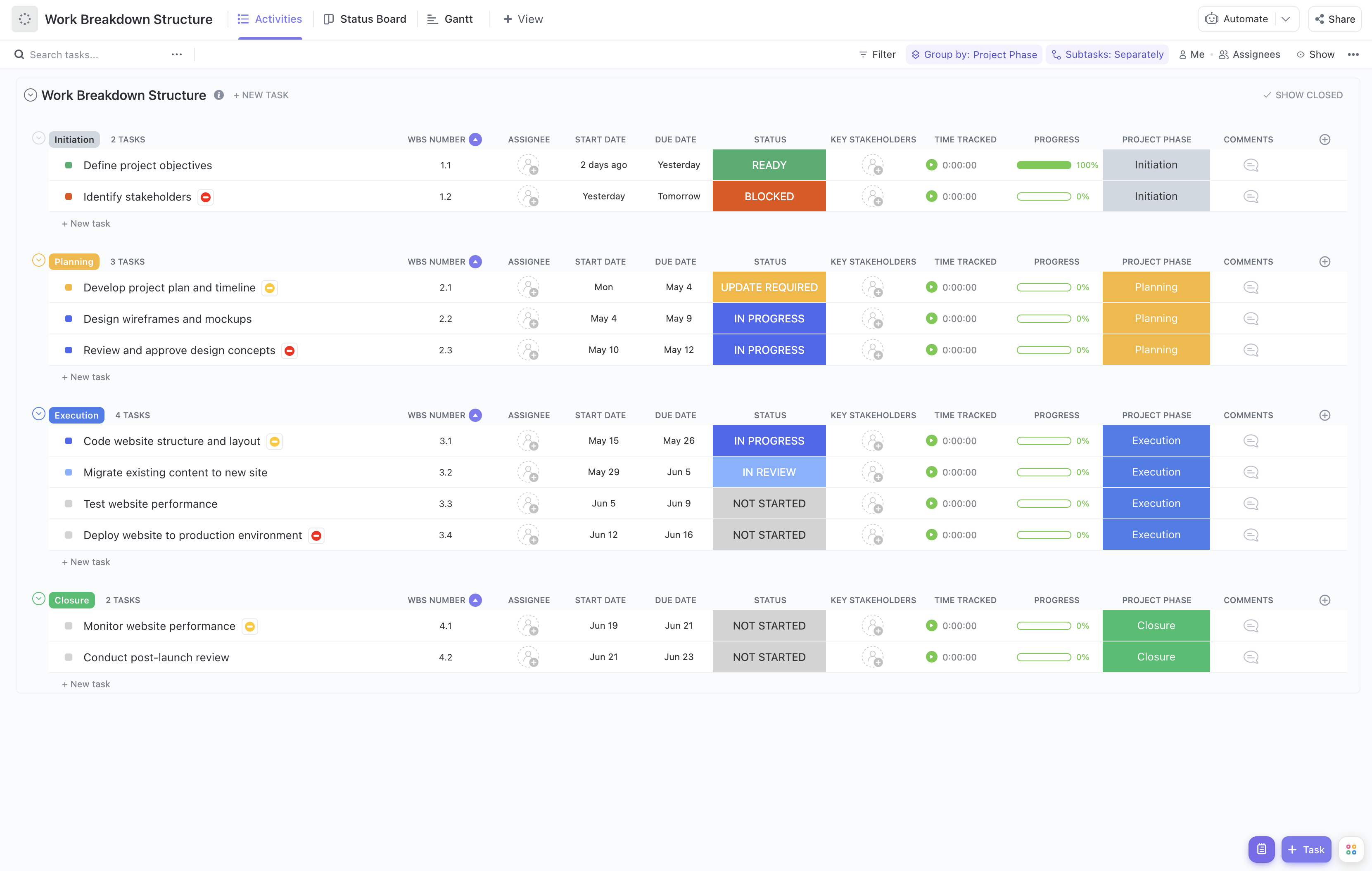
Rolling out an incident tracking system involves coordinating multiple teams, tasks, and milestones to ensure the system is effectively integrated and adopted. Managing this complexity requires a structured approach, and that's where our Incident Tracking Rollout Work Breakdown Structure Template comes in!
This specialized template helps you:
- Organize rollout activities into clear phases such as planning, configuration, testing, training, and deployment
- Assign responsibilities to IT, support, and operations teams to align efforts efficiently
- Monitor progress with real-time updates to quickly identify and address any blockers
Best of all, no coding or specialized software skills are needed—just ClickUp to get started breaking down your incident tracking rollout into actionable steps.
Benefits of an Incident Tracking Rollout Work Breakdown Structure Template
Using this WBS template specifically for incident tracking rollout offers several advantages:
- Clearly defines and organizes all deliverables, from system requirements gathering to post-deployment support
- Provides transparency on roles and responsibilities across cross-functional teams, reducing confusion
- Enhances communication between project stakeholders, IT staff, and end-users through structured task tracking
- Improves efficiency by enabling proactive identification of risks and dependencies during rollout phases
Main Elements of the Incident Tracking Rollout Work Breakdown Structure Template
This template breaks down the rollout project into key components:
- Project Initiation: Define scope, identify stakeholders, and establish project governance.
- Requirements and Planning: Gather incident management requirements, select tools, and develop rollout plan.
- System Configuration: Customize incident tracking software, set up workflows, and integrate with existing systems.
- Testing: Conduct functional and user acceptance testing to ensure system readiness.
- Training and Documentation: Develop training materials and conduct sessions for support teams and end-users.
- Deployment: Roll out the system in phases or organization-wide, monitor adoption, and provide support.
- Post-Deployment Review: Collect feedback, address issues, and optimize processes.
Each task can be assigned WBS numbers, key stakeholders, and progress tracking fields to maintain clarity and accountability throughout the rollout. This structured approach ensures your incident tracking system is implemented smoothly, on time, and meets organizational needs.