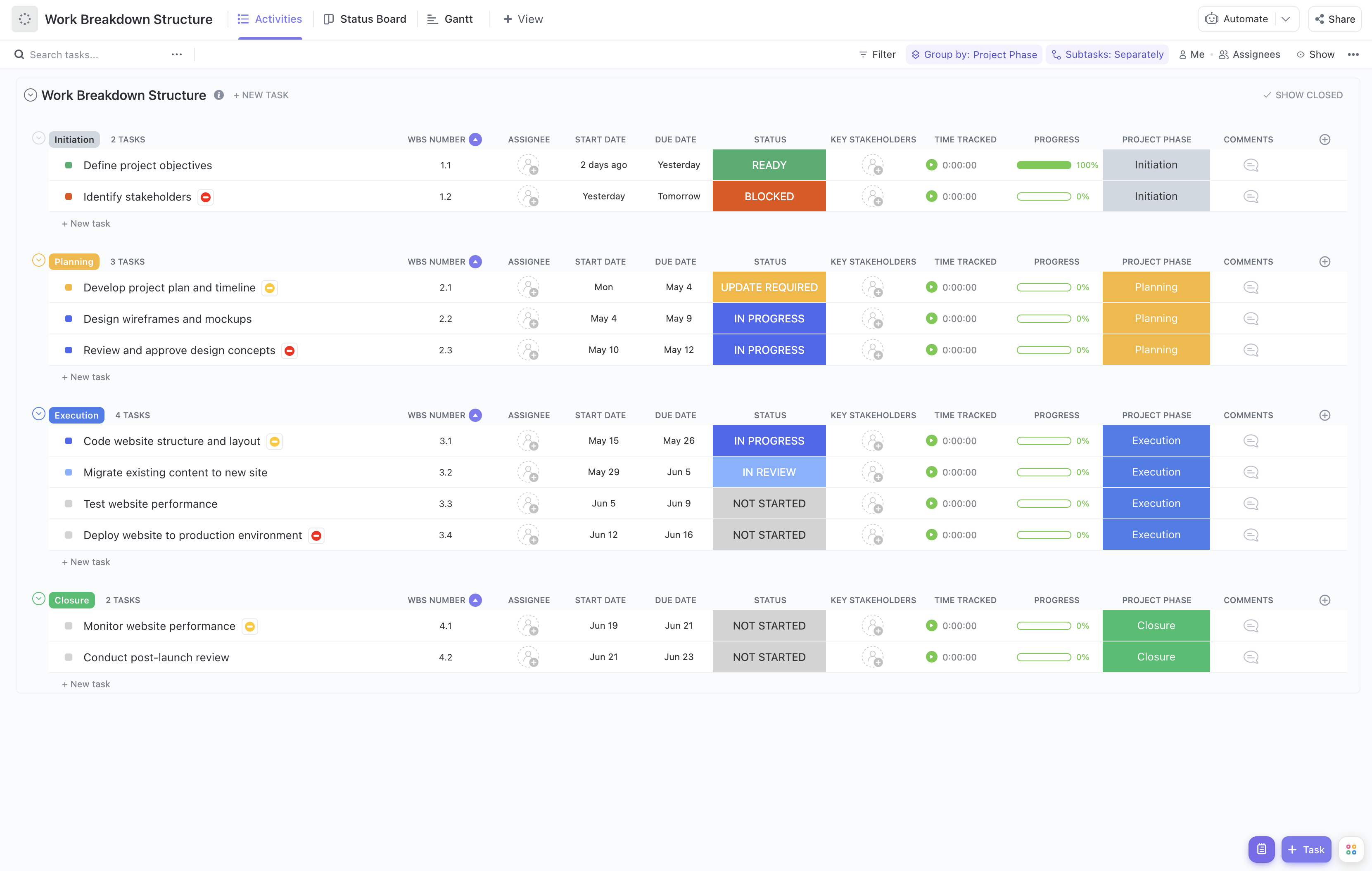
Managing the grading process can be complex, involving multiple assignments, graders, and deadlines. This adapted Grading Workflow Execution Breakdown Template simplifies the process by breaking down grading tasks into clear, manageable components.
With this template, you can:
- Organize grading tasks by assignment, course, or student groups for better oversight
- Assign grading responsibilities to teaching assistants, instructors, or peer reviewers efficiently
- Track grading progress and completion status in real-time to meet academic deadlines
Best of all, no specialized software or coding skills are needed—just use ClickUp to manage your grading workflow seamlessly.
Benefits of Using the Grading Workflow Execution Breakdown Template
This template offers a structured approach to grading management, providing several key advantages:
- Clearly defines grading deliverables such as assignments, exams, and projects, ensuring nothing is overlooked
- Clarifies roles and responsibilities among graders, reducing confusion and overlap
- Enhances communication between instructors, graders, and academic staff, fostering collaboration
- Improves grading efficiency by tracking progress and identifying bottlenecks early
Main Elements of the Grading Workflow Execution Breakdown Template
The template is structured to support comprehensive grading management through the following components:
- Grading Tasks: Breakdown of each grading activity, including assignment types, grading criteria, and deadlines.
- Assignee Allocation: Assign graders to specific tasks, such as individual assignments or sections of exams.
- Progress Tracking: Monitor the status of grading tasks with real-time updates, including stages like "Not Started," "In Progress," "In Review," and "Complete."
- Quality Review: Incorporate review phases where grading is checked for accuracy and consistency before finalization.
- Stakeholder Communication: Facilitate updates and feedback loops between graders, instructors, and academic coordinators.
By leveraging this template, educational institutions can ensure a transparent, organized, and efficient grading process that supports academic integrity and timely feedback to students.