

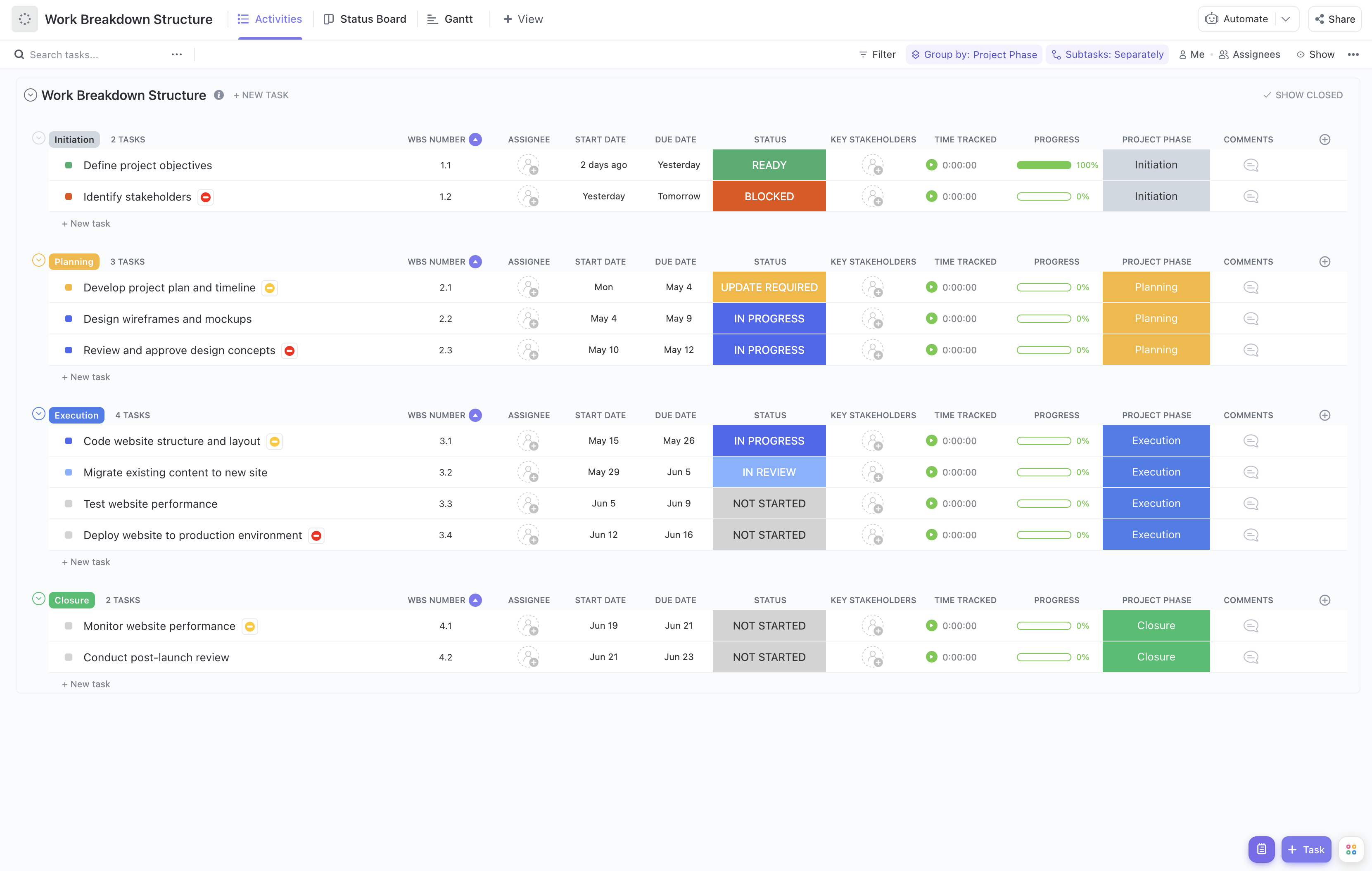


Implementing an ERP system is a complex endeavor that involves multiple phases, teams, and deliverables. Breaking down this complexity into manageable components is essential for success. Our ERP Implementation Work Breakdown Structure Template provides a structured approach to organize and oversee every aspect of your ERP project.
This specialized template helps you:
- Decompose the ERP implementation into clear, manageable work packages, from initial planning through to post-deployment support
- Assign responsibilities to the appropriate team members, including IT, business analysts, and external consultants
- Monitor milestones and task progress with real-time updates to keep your project on schedule and within budget
Best of all, this template requires no coding or specialized software knowledge—just your ClickUp workspace to get started on organizing your ERP project efficiently.
Benefits of an ERP Implementation Work Breakdown Structure Template
Using a WBS tailored for ERP projects offers significant advantages:
- Clearly defines and organizes critical ERP deliverables such as system design, data migration, testing, training, and go-live activities
- Provides transparency on roles and responsibilities across cross-functional teams, ensuring accountability
- Enhances communication between stakeholders including project sponsors, IT teams, and end-users, reducing misunderstandings
- Improves project efficiency by identifying dependencies and potential bottlenecks early in the process
Main Elements of the ERP Implementation Work Breakdown Structure Template
This template is structured to cover all essential phases of ERP implementation:
- Project Initiation: Defining scope, objectives, and assembling the project team
- Requirements Gathering: Documenting business processes and system requirements
- System Design and Configuration: Customizing ERP modules to fit organizational needs
- Data Migration: Planning and executing data transfer from legacy systems
- Testing: Conducting unit, integration, and user acceptance testing to ensure system readiness
- Training and Change Management: Preparing end-users and managing organizational change
- Deployment: Executing go-live activities and monitoring initial system performance
- Post-Implementation Support: Providing ongoing support and system optimization
Each task within these phases can be assigned WBS numbers, key stakeholders, and progress tracking fields to facilitate detailed project management. Visual tools such as Gantt charts and status boards integrated within ClickUp enhance visibility and control throughout the ERP implementation lifecycle.
By leveraging this ERP Implementation Work Breakdown Structure Template, your organization can navigate the complexities of ERP deployment with confidence, ensuring a structured, transparent, and successful project outcome.










