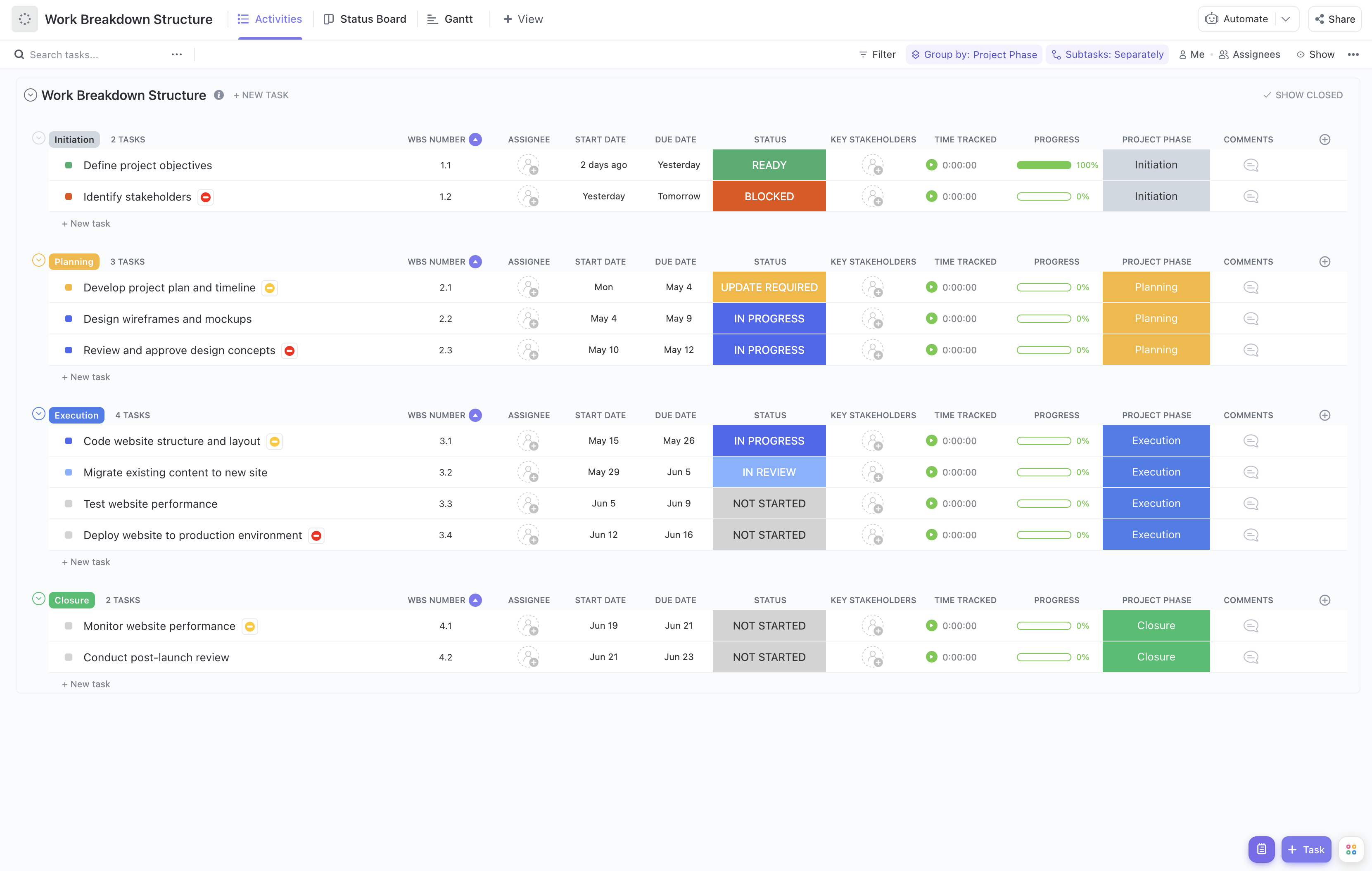
Rolling out enterprise software across an organization involves coordinating numerous interdependent tasks, stakeholders, and technical components. To navigate this complexity, our Enterprise Software Rollout Work Breakdown Structure Template provides a structured approach to break down the rollout into clear, actionable segments.
This template enables you to:
- Segment the rollout into phases such as planning, infrastructure setup, customization, testing, training, deployment, and post-launch support for enhanced clarity
- Assign responsibilities to cross-functional teams including IT, business units, vendors, and support staff to ensure accountability
- Monitor real-time progress and milestones to keep the rollout on schedule and within scope
Best of all, no specialized coding or software expertise is required—just leverage ClickUp’s intuitive platform to manage your rollout effectively.
Benefits of Using This Enterprise Software Rollout WBS Template
Implementing this WBS template offers significant advantages for enterprise software projects, including:
- Clear Definition of Deliverables: Break down complex rollout objectives into tangible deliverables such as system configurations, user acceptance testing, and training materials.
- Role Clarity: Ensure every team member understands their responsibilities, from network engineers setting up infrastructure to trainers preparing end-user sessions.
- Enhanced Communication: Facilitate seamless collaboration between IT, business stakeholders, and external vendors through transparent task assignments and status updates.
- Improved Efficiency: Identify dependencies and potential bottlenecks early, enabling proactive risk management and resource allocation.
Main Elements of the Enterprise Software Rollout WBS Template
This template is structured to cover all critical components of an enterprise software rollout:
- Project Management: Governance, scheduling, risk management, and stakeholder communication plans.
- Infrastructure Preparation: Hardware procurement, network configuration, and environment setup.
- Software Customization & Integration: Tailoring software features, integrating with existing systems, and data migration.
- Testing: Unit testing, system testing, user acceptance testing, and issue resolution.
- Training & Documentation: Developing training programs, user manuals, and support documentation.
- Deployment: Rollout scheduling, cutover planning, and go-live support.
- Post-Deployment Support: Monitoring, troubleshooting, and continuous improvement initiatives.
Utilize this comprehensive WBS template to ensure your enterprise software rollout is meticulously planned, executed, and monitored, leading to a successful deployment that meets organizational goals.