

Implementing a document digitization rollout involves numerous interrelated tasks that require careful coordination. Breaking down this complex project into manageable components is essential for success. The Document Digitization Rollout Work Breakdown Structure Template provides a structured approach to organizing and overseeing every phase of your digitization project.
This innovative template helps you:
- Organize digitization tasks into clear, manageable sections for enhanced visibility and control
- Assign team members to specific roles such as scanning, indexing, quality assurance, and IT support efficiently
- Track progress and milestones in real-time to ensure the project stays on schedule and within budget
The best part? You don't need any coding knowledge or specialized software—just ClickUp to get started and streamline your document digitization rollout!
Benefits of a Document Digitization Rollout Work Breakdown Structure
Using this tailored WBS template for your digitization project offers several advantages:
- Clearly defines and organizes deliverables such as document preparation, scanning, metadata tagging, and digital storage setup
- Provides clarity for team members on their specific roles and responsibilities, reducing overlaps and gaps
- Enhances communication between project stakeholders, IT teams, and operational staff through transparent task tracking
- Improves overall project efficiency by identifying dependencies and potential bottlenecks early
Main Elements of the Document Digitization Rollout Work Breakdown Structure Template
This template breaks down the digitization rollout into key components, including:
- Project Initiation: Defining scope, objectives, and stakeholder engagement
- Document Preparation: Sorting, cleaning, and organizing physical documents for scanning
- Digitization Process: Scanning documents, quality checks, and error correction
- Metadata and Indexing: Assigning metadata, tagging, and ensuring searchability
- Digital Storage Setup: Configuring databases, cloud storage, and backup systems
- Training and Support: Educating staff on new digital systems and workflows
- Project Closure: Final audits, documentation, and handover
By following this structured approach, your team can efficiently manage the complexities of document digitization, ensuring a successful rollout that meets organizational goals.
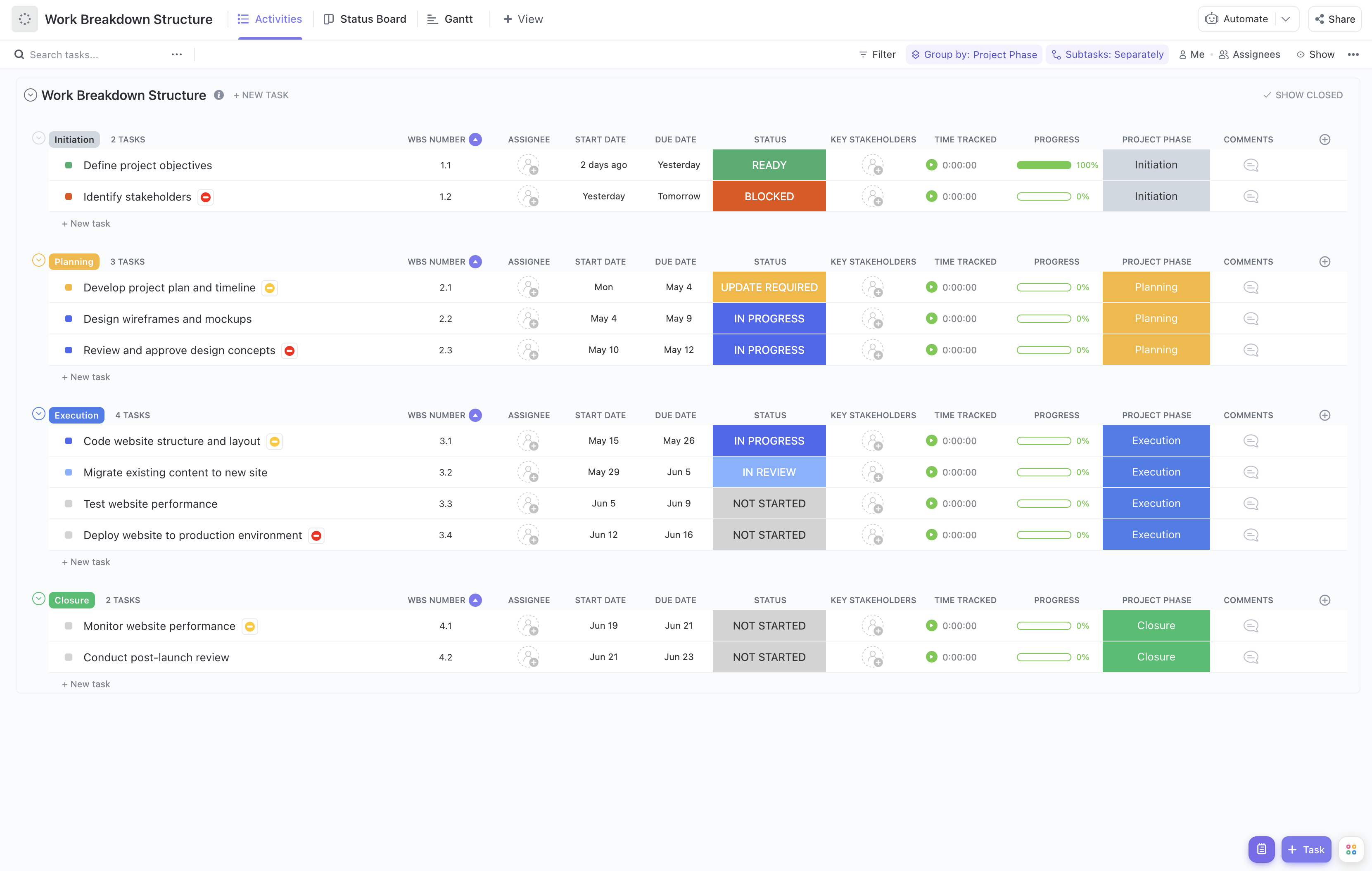


Utilize this template to keep your document digitization project organized, on track, and successful from initiation to completion.










