

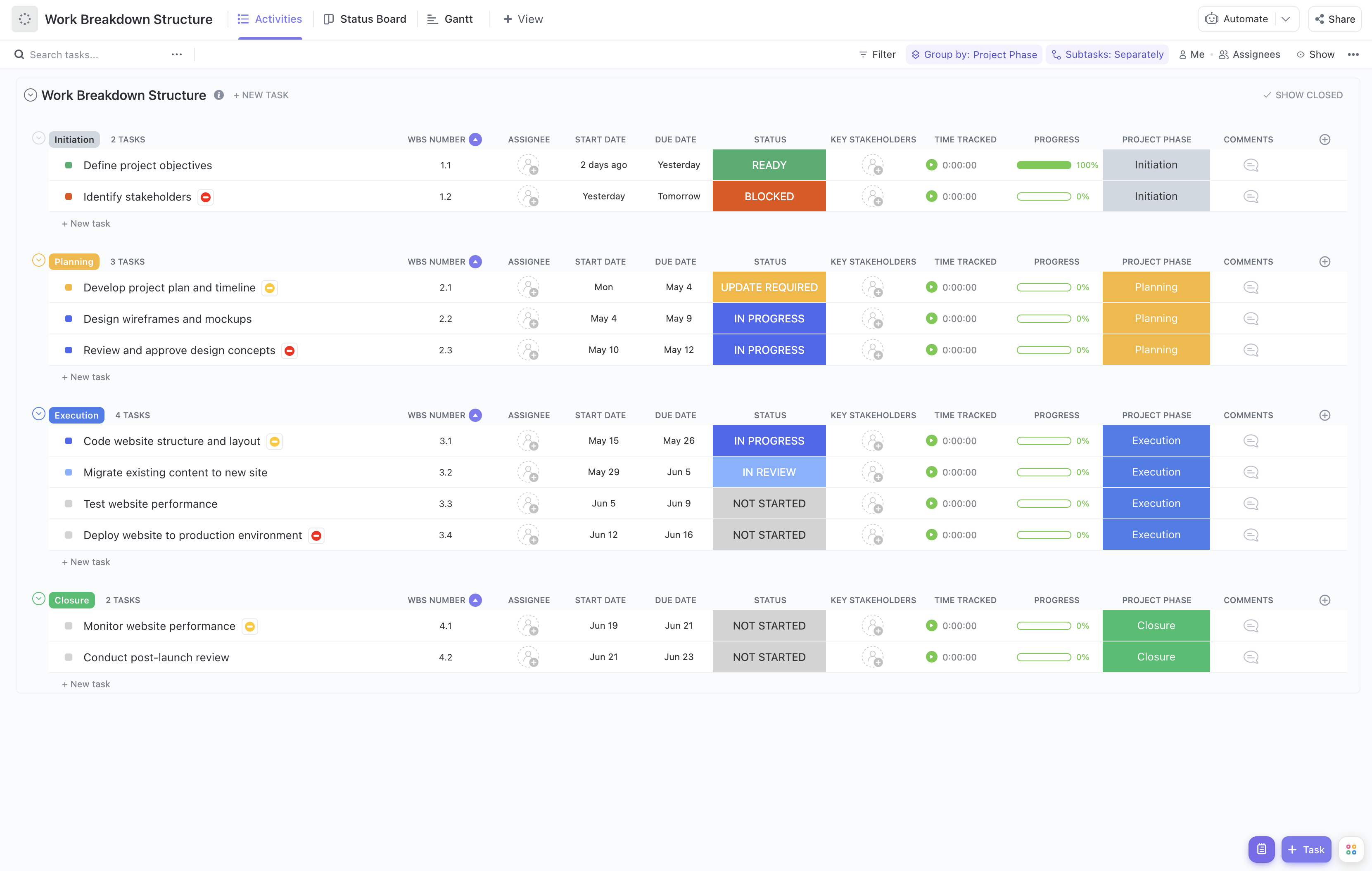


Coordinating the lifecycle of an application involves managing multiple phases, teams, and deliverables simultaneously. This complexity can be challenging without a structured approach. Our Application Lifecycle Coordination Work Breakdown Structure Template is crafted to simplify this process, breaking down the application lifecycle into manageable, trackable components.
This specialized template enables you to:
- Segment the application lifecycle into clear phases such as requirements gathering, design, development, testing, deployment, and maintenance
- Assign responsibilities to development teams, QA, DevOps, and stakeholders efficiently
- Monitor progress and milestones with real-time updates to ensure on-time delivery
With no need for coding expertise or complex software, this template leverages ClickUp's intuitive platform to bring clarity and control to your application projects.
Benefits of Using This Application Lifecycle Coordination Template
Utilizing a work breakdown structure tailored for application lifecycle coordination offers numerous advantages:
- Clearly defines deliverables for each phase of the application lifecycle, reducing ambiguity
- Clarifies roles and responsibilities among cross-functional teams, improving accountability
- Enhances communication between developers, testers, project managers, and stakeholders through transparent task tracking
- Improves project efficiency by identifying dependencies and potential bottlenecks early
Main Elements of the Application Lifecycle Coordination Work Breakdown Structure
This template organizes your application project into hierarchical levels that reflect the lifecycle stages:
- Project Level: Overall application project with defined objectives and scope
- Phase Level: Major lifecycle stages such as Planning, Development, Testing, Deployment, and Maintenance
- Task Level: Specific activities within each phase, like requirement analysis, UI/UX design, code implementation, unit testing, user acceptance testing, and release management
- Subtask Level: Detailed steps or deliverables under each task, for example, writing test cases, configuring servers, or conducting training sessions
By structuring your application lifecycle in this manner, teams gain a comprehensive view of the project, enabling better resource allocation and risk management.
Integrate this template with ClickUp’s automation and reporting features to receive notifications on task status changes, generate progress reports, and maintain alignment across all stakeholders throughout the application lifecycle.










