Small Business Resource

How Small Businesses Outgrow Notion and What They Build Instead

How approvals, scattered context, ownership, and scale turn seemingly flexible documentation into operational drag.

The Four Signals


So, how do you know you've outgrown Notion?

The docs still hold the brief just fine. But you'll find that the work around the documents is starting to get expensive—the approvals, ownership, status, follow-up, and reporting that a growing business generates.

A page can hold an idea. It simply wasn't built to withstand the load of coordination that builds up around it. Sure, comment threads within your Notion Doc can hold some of it, but not all of it. The test is simpler: how much your team now spends keeping all that coordination running manually, week after week.

01 Execution — Running live work from a document

02 Approvals — Sign-off lost in comments

03 Context — Work split across tools

04 Governance — Scale outpacing flexibility

Each of the four shows up the same way: a process that used to run perfectly starts to break over time and becomes a real pain point. For each one, you'll see what the leak looks like, what replaces it inside a system built for execution, and how to start fixing it this week.

Notion hero
Signal 01

When You're Running Live Work From a Doc


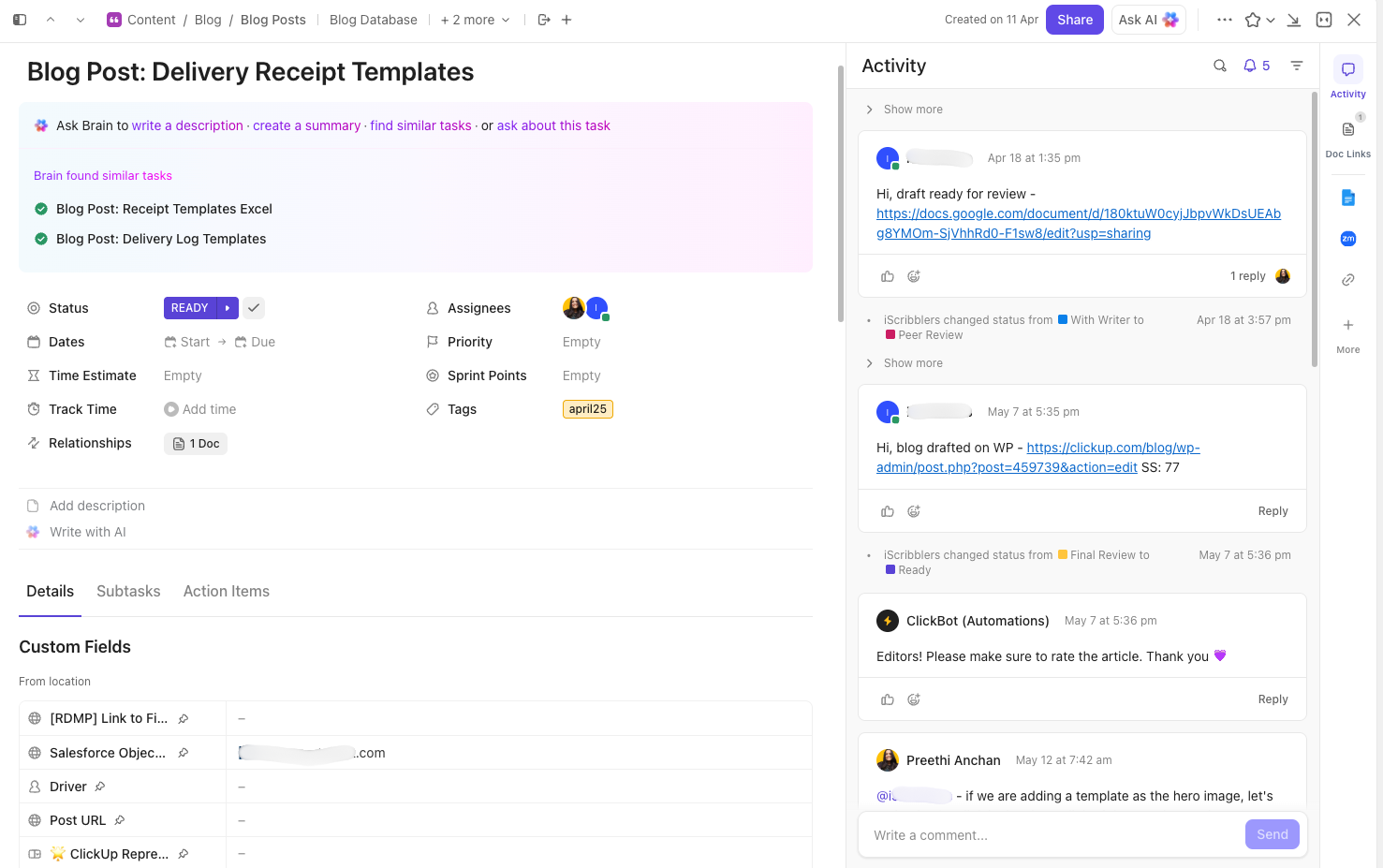
Notion is at its best when the job is to capture something: a brief, an SOP, a body of knowledge. The strain starts when the same page is asked to run active work—deadlines, owners, timelines, and the day-to-day.

You can feel the shift. The team stops storing information in docs and starts executing from it. The current status remains with whoever last edited the page. And someone—often the founder—becomes the human control layer, piecing together what's done, what's late, and who has the ball, because the page won't surface any of it on its own.

What changes when the system carries the work

✅ Status becomes a property of the task. Custom stages you define move work forward, so the state of play is readable at a glance

✅ Dashboards roll live tasks into one view, so progress shows itself in real time and no one has to reconstruct it

✅ Time-tracking and timeline (Gantt) views make deadlines, dependencies, and workload visible while the work is still in progress

Software Teams — conviction card 2 — 2026-05-06

If the status lives inside a page someone has to read end to end, this is the swap. The tracker gives every piece of live work an owner, a stage, and a due date; the agent reads that work and writes the status update on demand.

Grab the template + agent toolkit 👇🏼

Michael Montefusco, CEO, Fitness Marketing Machin

Michael MontefuscoCEO, Fitness Marketing Machine

ClickUp does the whole "second brain" thing better than Notion. It houses all key data/resources, and has an outrageously cutting-edge project management suite of tools, from time-tracking to custom dashboards to Gantt charts. It helps me better lead my remote team and stay in control of our business.

Signal 02

When Approvals Become Manual Debt


A flexible setup feels solid right up until approvals depend on comments, memory, and follow-up. That's one of the clearest signs a team has moved past what Notion docs can carry.

An approval living in a doc's comment thread is basically a mental note. That holds until the note gets missed—the thread scrolls out of view, and the deliverable either ships without sign-off or stalls for days while people wait on each other.

The cost is paid twice: once in rework, and once in the trust that erodes when work goes out unchecked.

What changes when the system carries the approval

✅ The approval becomes a tracked step in the workflow. A status like Ready for Review, an assigned approver, and a due date make the handoff explicit

✅ Automations do the chasing. A status change reassigns the task, notifies the approver, and nudges when a review goes overdue

✅ The request, the work, and the sign-off lives on the same platform, so the full trail sits in one place when you need to prove what happened

ClickUp approvals task

For instance where sign-off depends on someone remembering to check a comment, this closes the gap. The template routes each request down one approval path with an owner and a due date; the agent reads the review thread and turns its decisions into assigned next steps.

Grab the template + agent toolkit 👇🏼

Signal 03

When Notion Becomes One More Place Work Gets Lost


Often the problem is Notion plus everything beside it. You have Slack, Google Drive, Trello: each holding a piece of the same workflow.

Requirements may live in Notion, updates in Slack, files in Drive, and the task board sits somewhere else. Every handoff turns into a search, and "is this the latest version?" becomes a question the team asks all day.

The cost shows up in the work itself: effort duplicated because no one saw the update, decisions made on stale information, hours lost just locating the source of truth. Each tool is fine on its own; what's missing is a shared structure for the whole workflow to live in.

What changes when context lives in one place

✅ Requirements, tasks, and status share one workspace, so planning and execution sit side by side

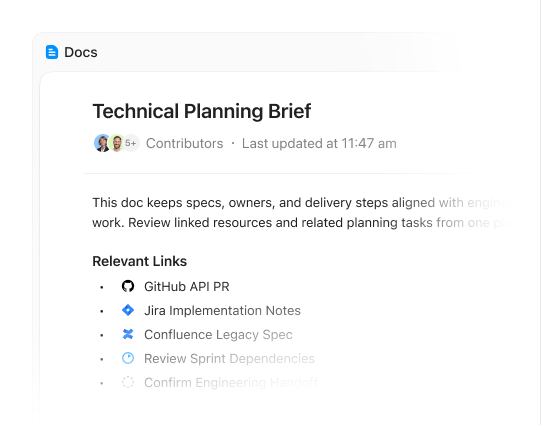
✅ A task carries its own context. The brief, the discussion, and the files attach to the work, so context travels with it

✅ There's one place to look for priorities and progress, which ends the daily hunt for the current version

Convergence Hero

When the plan, the work, and the updates are spread across four tools, this pulls them together. The roadmap holds priorities and current state in a single view; the agent sweeps decisions and to-dos out of scattered threads and drops them into the work.

Grab the template + agent toolkit 👇🏼

Raúl Becerra, Product Manager, Atrato Headshot

Raúl BecerraProduct Manager, Atrato

Before ClickUp, our roadmap was scattered across Notion, Google Drive, and Slack — nobody had one place to see work. ClickUp let us centralize requirements, tasks, and status updates in a single workspace, so every team knows exactly where to find priorities and progress.

Signal 04

When Flexibility Stops Being Cheap


Flexibility is a big part of why teams choose Notion. As the business grows, that same flexibility starts to carry a cost: someone has to standardize the work, make it repeatable, and keep the system usable as complexity climbs.

This is a different strain from Signal 01: there, the trouble is running live work; here, it's repeating that work reliably as you grow.

A blank page adapts to anything, which is the appeal. At 10 people, that's workable. At 40, the missing structure shows up as slow onboarding, the same work done five different ways, and a founder who doubles up as the system of record.

What changes when structure scales with you

✅ Templates make a process repeatable. The same statuses, fields, and views spin up every time, so quality doesn't depend on who set it up.

✅ The hierarchy gives complexity a home. Spaces, Folders, and Lists organize growing work without a rebuild each time.

✅ A fuller stack sits in one workspace. Docs, dashboards, whiteboards, and automation grow with you, so scaling up doesn't mean wiring in another tool.

ClickUp Hierarchy

When work gets done a different way every time, depending on who sets it up, this makes it repeatable. The SOP template captures how the work should move, once; the agent gives leadership a live read on whether teams are running it that way in practice.

Grab the template + agent toolkit 👇🏼

What Teams Get Back


The payback shows up first as subtraction: the manual coordination disappears, and the time and money spent propping it up come back. Here's what that looked like for the teams above.

⚡ $5K in workarounds avoided

Micayla Land was quoted $5K by outside experts to automate her Notion approval process. ClickUp's built-in automation removed the need to pay for it

⚡ 3 subscriptions collapsed into one

The same switch replaced Notion, Loom, and Slack with a single workspace

⚡ A tighter grip on live work

Fitness Marketing Machine moved into dashboards, time tracking, and Gantt views that made leading a remote team and staying on top of the business easier

⚡ Less lost between tools

Atrato pulled a roadmap scattered across Notion, Google Drive, and Slack into one workspace for requirements, tasks, and progress

⚡ Less drag as the company grows

WRKSTN describes the result as fewer apps, less context-switching, and a structure that scales

ROI notion

Start With the First Workflow That Already Leaks


You don't have to rebuild everything at once. Start with the workflow that's costing your team the most right now, and let the result make the case for the next one.

  • If approvals are where work slows down, move the approval flow first. Build a workflow with clear owners, status changes, and automations so reviews stop living in comments, memory, and follow-up messages
  • If ownership and active work are unclear, move execution first. Put the live work into a shared workflow with assignees, due dates, and status visibility so the team can see what is moving, what is blocked, and who owns the next step
  • If updates are split across Notion, chat, and other tools, move the context layer first. Bring tasks, current status, and the working version of the plan into one place so people stop reconstructing the truth from scattered systems
  • If growth is starting to strain the system, move the repeatable process first. Build the recurring workflow with templates, standard statuses, automations, and views that can support more work without adding more coordination overhead

Not sure where to start?

Every team's coordination gaps are different. If none of these map cleanly to your situation, book a 15-minute working session with our team. We'll audit your current setup, identify the highest-leverage workflow to move first, and map out a phased rollout.

Sources

  1. Michael Montefusco, Fitness Marketing Machine — G2 review.
  2. Justin McDonald, UPMC Health Plan — G2 review.
  3. Micayla Land, Founder — G2 review.
  4. Raúl Becerra, Atrato — ClickUp customer story.
  5. Nicole Paleng, The Alternative Copy Studio — G2 review.
  6. Jennifer Price, WRKSTN — G2 review.