Best Prompts to Automate Workflows in ChatGPT

Sorry, there were no results found for “”
Welcome to the world of workflow automation, where your AI assistant doesn’t sleep, doesn’t forget, and doesn’t judge your chaotic calendar.
Good news: ChatGPT can be that assistant, and a well-crafted prompt can turn it into your behind-the-scenes productivity powerhouse. Whether you’re a solo founder, a team manager, or someone just trying to tame the chaos of your workday, this prompt list is your shortcut to working smarter.
In this guide, you’ll find the best prompts to automate workflows in ChatGPT.
Plus, we’ll see how ClickUp becomes your go-to tool for AI-powered workflow automation. Let’s dive in and start outsourcing the manual stuff.
Workflow automation is the process of replacing manual, repetitive steps in business processes with technology-driven routines that save time and enhance productivity.
For freelancers and small teams, this often means tasks such as drafting client emails, summarizing notes, generating blog ideas, or filling out forms.
Here is how ChatGPT helps with workflow automation. You can ask it to write a follow-up email, summarize an interview, brainstorm content, translate a message, or sort through info by typing a simple prompt. Another way to utilize AI workflow automation is by connecting ChatGPT with your productivity tools.
For example, using Zapier, you can set up a workflow where a new form entry is automatically summarized by ChatGPT and added as a task in ClickUp.
📖 Also Read: How Does ChatGPT Work? Get the Most Out of ChatGPT
If you’ve felt buried under a mountain of repetitive tasks—copying data between sheets, sorting through endless emails, or writing the same reply for the tenth time today—using ChatGPT to automate tasks is a smart move:
Here’s why:
We don’t kid you when we say that with the right prompts and a little creativity, ChatGPT can turn your daily workflow from a time sink into a self-running system.
Here’s a step-by-step guide to integrating ChatGPT into your workflow:
List the exact events that should trigger ChatGPT automatically, like ‘a new creative brief is submitted,’ ‘a lead fills out a form,’ or ‘a task status changes to review.’ These triggers become the entry point for your automation.
Instead of typing ChatGPT prompts each time, save structured prompt templates.
For example, when a new creative brief is submitted, generate a project summary with goals, target audience, and timeline in bullet points.
This way, the system always knows what to run without human copy-pasting.
💡 Pro Tip: Here’s a ChatGPT hack for you. Chain prompts together so the output of one becomes the input for the next, creating multi-step workflows without manual intervention.
ChatGPT won’t run on its own. You need automation software to glue it together and allow it to react to real-world events without manual input.
Here’s how it works:
This way, you essentially build an AI agent with ChatGPT that works for you!
A single automated step is good, but chaining them transforms your briefs from static documents into living workflows.
Here’s what you can do:
You’re essentially building a domino chain of logic where each AI-generated or manual action automatically sets up the next step.
Check outputs regularly to spot errors or improve tone. Update prompt templates and automation rules as your projects evolve. Once stable, you can scale to advanced use cases like automated reporting, campaign recaps, or personalized client updates.
💡 Pro Tip: Test prompts with edge cases to uncover hidden flaws before deploying automation at scale.
Below, we’ve grouped 25+ ready-to-use prompts by various business processes so you can plug them directly into ChatGPT and start automating tasks with AI. 🤖
Prompt: Act as an automation consultant. Analyze a marketing team’s daily workflows and pinpoint repetitive tasks that can be automated. Present them in a table with tasks, time spent, automation potential, and suggested tools.

Prompt: I’m [mention the problem you’re facing in detail with background context]. Create a list of 5 practical automation use cases for [industry or department, e.g., ‘HR departments in mid-sized companies’]. For each use case, describe the workflow, the benefits of automation, and suggest suitable tools or platforms. I want you to [mention how you want the output in detail with examples].

Prompt: Act as a systems analyst. Create a checklist to evaluate if a process is ready for automation. Include criteria like repeatability, rules, data format, and exception handling.

🎥 Watch: How to use AI that integrates with your workspace
Prompt: Act as a technology advisor. Recommend the best automation platform for handling [task]. Compare Zapier, Make, ClickUp Automations, or APIs in a pros/cons chart with costs.

Prompt: I use [Tool A] for CRM and [Tool B] for email marketing. Design an automation workflow to sync contacts between the two. List required APIs, steps, and security considerations.

Prompt: Act as a workflow architect. Create an integration plan where ClickUp, Slack, and Google Drive work together for [process]. Map out the exact triggers and actions across tools.

Prompt: Step into the role of an automation specialist. Design a workflow to automate tasks like [Insert Task]. Include detailed steps for setting up automation using tools like [Insert Tool] and integrating them with platforms like [Insert Platforms, e.g., Excel, Google Sheets, or Trello].

📖 Also Read: How to Use ChatGPT for Project Management Efficiency
Prompt: Act as a rules engine. Build conditional logic for an automation that routes new tasks differently depending on priority and department. Present as an IF → THEN flowchart.

Prompt: Act as a process engineer. Generate a documentation template for automation workflows with sections: Overview, Trigger, Action, Tools, Exception Handling, and Owner.

🔍 Did You Know? Automated toll collection systems, like E-ZPass, were first introduced in the late 1980s. Before that, drivers had to wait in long cash lines, making road automation one of the earliest mainstream convenience techs.
Prompt: Act as a data automation expert. Provide a step-by-step plan to automate data collection, organization, and report generation for [Insert Purpose, e.g., sales tracking, performance monitoring]. Include guidance on using tools like Google Apps Script, Power Query, or APIs.

📮 ClickUp Insight: 62% of our respondents rely on conversational AI tools like ChatGPT and Claude. Their familiar chatbot interface and versatile abilities—to generate content, analyze data, and more—could be why they’re so popular across diverse roles and industries.
However, if a user has to switch to another tab to ask the AI a question every time, the associated toggle tax and context-switching costs add up over time.
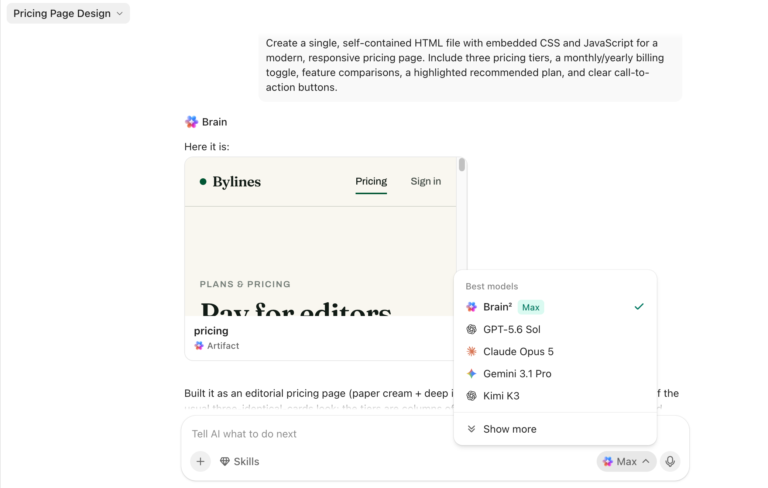
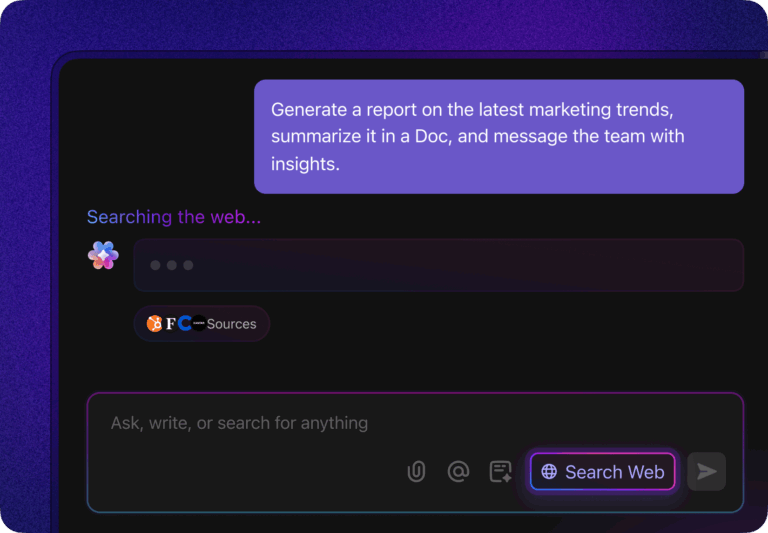
Not with ClickUp Brain, though. It lives right in your Workspace, knows what you’re working on, can understand plain text prompts, and gives you answers that are highly relevant to your tasks! Experience 2x improvement in productivity with ClickUp!
Prompt: Act as a business analyst. Build an automation workflow that updates a dashboard in [Tool, e.g., Google Data Studio, Power BI, ClickUp Dashboards] with real-time data from [sources]. Outline the triggers, data transformations, and update frequency.

Prompt: Design an automated workflow that validates incoming data for errors before reporting. Include steps for duplicate detection, formatting checks, and notifications when issues are found.

Prompt: Build a workflow where new customer inquiries auto-generate a task in ClickUp, draft a reply in Gmail via ChatGPT, and send it for approval to a manager in Slack.

⚙️ Bonus: The ClickUp Email Automation Template automates your email workflows by triggering emails based on task status, due dates, or customer actions. You can set up sequences, reminders, and follow-ups so campaigns run automatically, reducing manual work while keeping every message on schedule and on target.
Prompt: Design an automation that posts a summary of all ClickUp tasks moved to ‘Complete’ at 5 PM daily. Include task name, assignee, and time to completion.

Prompt: Design an automation that posts updates from [Tool A, e.g., ClickUp] into [Tool B, e.g., Slack] in a structured daily digest. Include fields like task status, assignee, and due date.

🚀 ClickUp Advantage: You don’t always have time to type out a prompt. ClickUp Brain MAX supports Talk to text, so you can dictate prompts or ideas while moving between meetings.
For example, a project lead can make a quick request like ‘summarize yesterday’s engineering standup and highlight blockers’, and Brain MAX will produce a written summary connected to the right task list.
Prompt: Write a Python script to automatically download attachments from Gmail and save them to Google Drive. Include comments for deployment.

Prompt: Generate a webhook script that triggers when [Insert Event, e.g., new form submission] happens in [Tool]. The script should call ChatGPT to summarize the event and post it into [Target Tool]. Include deployment instructions.

Prompt: Act as an API expert. Write the API calls required to sync [data type] between [Tool A] and [Tool B]. Provide authentication steps, endpoint examples, and error handling strategies.

🚀 ClickUp Advantage: When you collect survey responses through ClickUp Forms, every submission becomes a task in your workspace. That means the data is already structured and ready to explore.
You can then ask ClickUp Brain to review the responses, highlight recurring themes, and identify key quotes. For instance, if multiple customers mention difficulty during onboarding, AI can flag that trend and help you assign a follow-up task to the onboarding team immediately.
Prompt: I’m [mention the problem you’re facing in detail with background context]. Help me estimate the return on investment (ROI) for automating [describe process, e.g., ‘invoice data entry’]. List the factors to consider, provide a sample calculation template, and explain how to interpret the results. I want you to [mention how you want the output in detail with examples].

Prompt: Build a time savings projection model for automating lead qualification. Share the output in a 12-month forecast chart.

Prompt: Generate three scenarios (conservative, realistic, aggressive) showing the impact of automating customer onboarding tasks on team productivity.

Prompt: I’m encountering [error] in my Zapier workflow. Analyze possible causes, list diagnostic steps, and suggest fixes in a checklist format.

🧠 Fun Fact: The first email autoresponder was created in 1971 for ARPANET, the early internet. It sent simple ‘out of office’ notices to explain delays in email replies.
Prompt: Act as a reliability engineer. Suggest failover strategies if an automation step fails (e.g., API timeout). Output as a decision tree.

Prompt: I’m [mention current automation setup]. Suggest a roadmap to scale this workflow across multiple departments. Include dependency mapping, tool consolidation, and governance considerations.

Prompt: I’m [mention HR team context]. Suggest five automation workflows for HR covering recruitment, onboarding, payroll, and compliance. Provide details of tools and steps to implement.

📖 Also Read: How to Use ChatGPT-4o at Work
Prompt: Act as a marketing automation consultant. Design five automation workflows for creative briefs, asset approvals, campaign reporting, and stakeholder updates. Output as a use case library.

🚀 ClickUp Advantage: Support teams often spend hours replying to the same questions, like password resets or billing queries. ClickUp’s Prebuilt Autopilot Agent pulls accurate steps from your help docs and replies directly to the customer.

For example, when several customers request updates to their payment details, the agent provides the instructions immediately, allowing your team to focus on addressing issues that require a personal touch.
ChatGPT Projects are smart digital workrooms, reliable for anything complex or long-running.
You pull together all your chats, reference files, and project‑specific instructions into a folder so the AI collaboration tool can form an understanding of what you’re working on and stay on topic.
It also offers Deep Research, which lets you run multi-step web-enabled investigations, and Voice Mode, which allows you to brainstorm hands‑free or ask questions about a PDF by tapping the mic icon.
Here are some best practices for optimizing ChatGPT automation:
🔍 Did You Know? Ancient Greeks created some of the earliest automated devices. The Hero of Alexandria designed a steam-powered machine in the 1st Century AD, often considered the first recorded example of a programmable device.
⚙️ Bonus: Get inspired by these workflow examples to give your crew the freedom to nail the big projects.
While ChatGPT can automate many text-based tasks, there are boundaries to its capabilities.
These limitations mean businesses must design workflows with safeguards and human oversight, and even consider ChatGPT alternatives for specialized needs:
🧠 Fun Fact: The first industrial robot was named Unimate, and it started work at a General Motors plant in 1961. Its job? Moving hot die-cast metal pieces. People were so scared of it at first that they made the company keep it behind a safety cage.
Modern workflows often combine task automation software with AI. When used smartly, ChatGPT can fit right into this setup. Let’s break it down with two efficient methods. ⚒️
Zapier connects ChatGPT to 8,000+ apps, triggering AI-powered actions based on events elsewhere.
For instance, when a new Google Form response arrives, you can trigger ChatGPT to draft an email, then save it as a draft in Gmail.
Freelancers have also developed smart project management automations, such as when an incoming message is passed through ChatGPT, which then categorizes it (attendance, cancellation, or question), and updates Airtable accordingly, all powered via Zapier.
ClickUp integrates with Zapier to let ChatGPT-generated content seamlessly land as actionable items in your workspace. You can trigger task creation from prompts, flag inappropriate comments, or auto-summarize task updates using AI.
Here’s how to turn AI insights into structured PM workflows:
📌 Example: Let’s suppose a blogger adds ideas to a Google Sheet.
A Zap monitors new rows and, via Zapier, triggers ChatGPT to refine the concept into a blog outline. Then, it creates a ClickUp Task with mapped fields like title, writer, and due date. This way, you go directly from brainstorming ideas to managed, assigned work.
Teams often lose hours every week on tasks that don’t push projects forward: rewriting the same prompts, chasing context across apps, or setting up task assignments manually.
The result is usually slower execution and frustrated teammates.
ClickUp, a Converged AI Workspace, makes a real difference here by combining project management templates, automation, and AI to streamline the entire workflow.
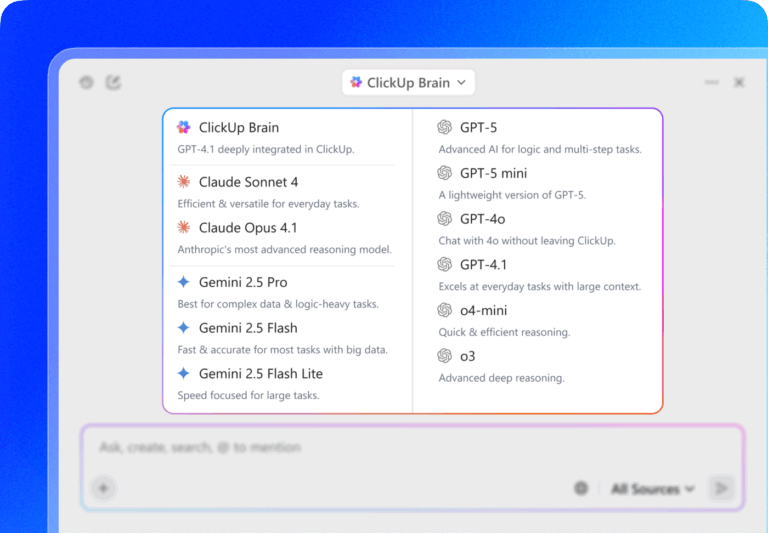
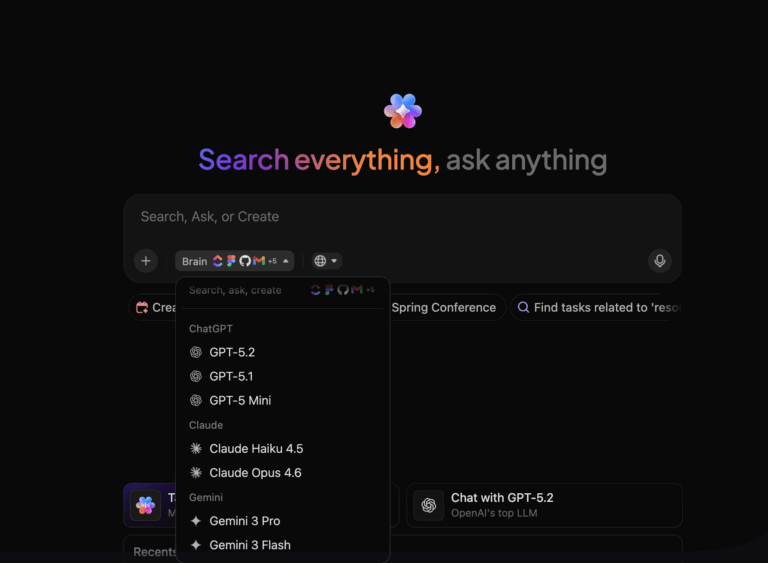
Plus, ClickUp AI users get full access to the latest premium AI models, including ChatGPT, Gemini, and Claude!
Let’s take a closer look at how. 💁

Insights have little value if they stall in planning. ClickUp Automations keep work moving by triggering the next step without manual effort.
For example, when a product team copies a feature rollout plan from ChatGPT into a ClickUp task, Automations can instantly assign engineers, create testing tasks, and notify QA once development milestones are complete.
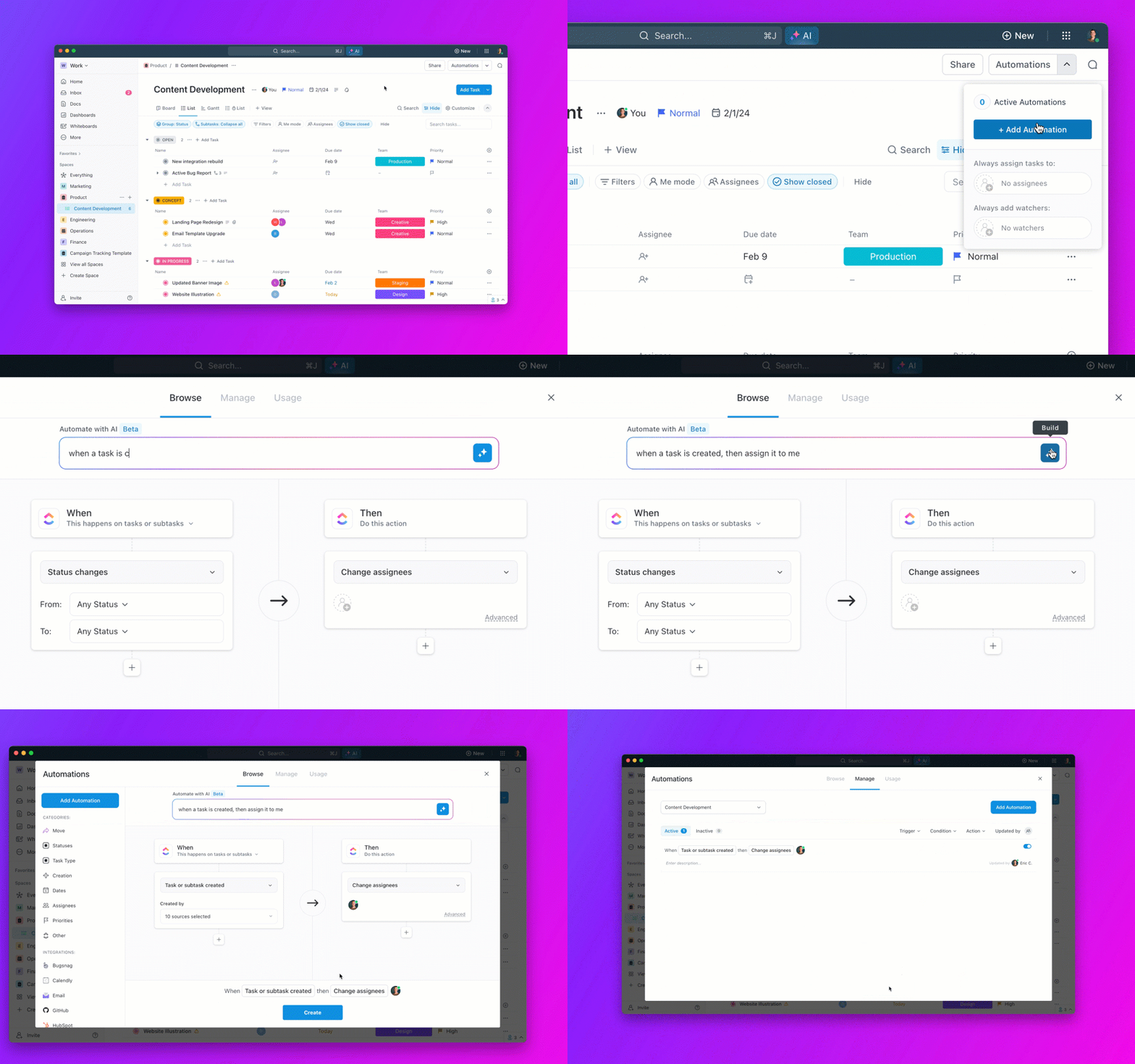
Here’s how to set up this workflow automation software and maximize its potential:

ClickUp offers 100+ prebuilt workflow automation templates designed to handle common workflows, so you don’t have to start from scratch.
To apply a prebuilt automation example:

For workflows that need more flexibility, the AI Automation Builder allows you to create custom automations using plain English prompts:
📣 Customer voice: Jodi Salice from United Way Suncoast shares:
I can’t say enough good things about it. Between the automation, templates, and all the different sorts of tracking and views, there’s just no way to go wrong with ClickUp.

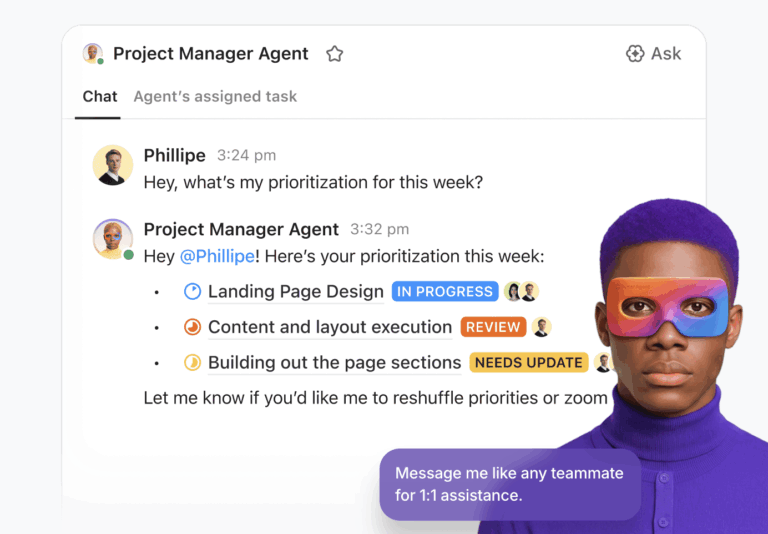
ClickUp’s AI Agents are AI agents that can autonomously perform complex, multi-step actions, make decisions, and interact with your workspace using natural language and context.
If you spend hours pulling updates together for stakeholders, you can deploy the Weekly Report Agent to handle that for you. It gathers tasks, progress, and deadlines into a clear summary and posts it automatically.
Or when daily check-ins start eating into productive time, the Daily Standup Agent creates quick recaps of progress, priorities, and blockers, so your team gets the clarity of a standup without spending 30 minutes in a meeting.
If your team is constantly asking the same questions like ‘Who owns this task?’ or When is this due? ’, the Auto-Answers Agent steps in, pulling data straight from ClickUp, so answers are instant and accurate without someone having to dig around.

You can also use AI for productivity to design ClickUp Custom Autopilot Agents.
For example, turn messy meeting notes into actionable task summaries, automatically route form submissions to the right owner, or even chain multiple actions together, like generating a creative brief summary and sending it straight to Slack and email for approval.
🎥 Watch: How to set up your first AI agent?
⚙️ Bonus: You can also try ClickUp’s ChatGPT Prompts for Content Marketing and Creation Template. Stored right in ClickUp Docs, it’s packed with ready-to-use prompts for crafting blogs, social posts, or ad copy.
Even with resources documented, teams often struggle to piece together context.
ClickUp Brain addresses this by connecting to tasks, Docs, chats, and integrated apps, so answers come instantly.

Suppose a marketing manager is preparing a monthly performance report. They can ask the AI task manager which campaigns generated the highest engagement in the past month, and get a summary linked to tasks, campaign briefs, and creative assets.
The manager saves hours of manual review and can present insights backed by direct references to the team’s work.

Quick summaries help, but some situations require a deeper level of analysis.
ClickUp Brain MAX creates a dedicated desktop environment for this, connecting workspace data, external tools, and multiple AI models like GPT, Claude, or Gemini. This means you don’t need to go AI tool hopping anymore. With Brain Max, you avoid AI sprawl entirely. Here’s how:
For instance, an HR director preparing for annual reviews can ask Brain MAX to analyze employee performance notes, completed tasks, and peer feedback.
The system produces a detailed report highlighting each team member’s strengths, areas for improvement, and notable achievements. With this information consolidated, the HR director can run reviews more efficiently and provide meaningful feedback supported by data.
🎥 Watch: Tap into the limitless potential of Brain MAX
Reusing information often feels harder than creating it from scratch. A team might have a great ChatGPT prompt for summarizing client feedback, but if it lives in someone’s notes, no one else benefits.
ClickUp Docs solves this problem by letting teams store reusable prompt templates where everyone can find them.

For example, a customer support team can build a Doc filled with reusable prompts for drafting ticket responses, summarizing customer feedback, and escalating issues.
When a high-volume day hits, agents open the Doc, grab a tested prompt, and produce accurate responses that align with team standards. Over time, the Doc evolves into a knowledge base that new agents can use on day one, significantly reducing training time.
At the end of the day, ChatGPT is a brilliant tool for sparking creative ideas, drafting content, or answering questions on the fly.
But when it comes to automating workflows and bringing tasks, documents, communication, and reporting under one roof, ClickUp takes the lead.
Why switch between tools when ClickUp puts AI, project management, and automation all in one spot? With ClickUp Brain and ClickUp Automations, you get answers and turn them into action, without leaving your workspace.
Start automating with ClickUp today!
ChatGPT facilitates secure data processing as per OpenAI’s standards, but security depends on your implementation when integrating AI into your workflows. Always use secure API connections, restrict access through authentication, and avoid sharing sensitive or personally identifiable information directly with the AI.
You don’t need to be a coding expert, but familiarity with basic prompt writing and understanding your workflow’s key steps helps. Knowledge of the tools you’re integrating (like ClickUp, Zapier, or APIs) and some experience with automation platforms can accelerate setup.
Time savings vary by task complexity, but many users report cutting hours off repetitive tasks like content drafting, data summarization, and status updates.
ChatGPT excels at generating suggestions and analyzing text-based inputs, but it isn’t designed to fully replace human judgment in complex decisions. For high-stakes or complex decisions, it’s best used as a supportive tool paired with rule-based automation and human oversight.
© 2025 ClickUp