
Transforming a traditional school environment into a fully digitized institution involves numerous complex tasks and coordination among various stakeholders. Managing these activities effectively is crucial to the success of the digitization initiative. That's where our School Digitization Initiative Work Breakdown Structure Template comes in!
This specialized template empowers your team to:
- Break down the digitization project into clear, manageable phases such as infrastructure setup, software deployment, staff training, and student onboarding
- Assign responsibilities to IT staff, educators, administrators, and external vendors with clarity and precision
- Monitor progress in real-time to ensure milestones like network installation, digital curriculum integration, and device distribution are met on schedule
Best of all, no advanced technical skills are required to utilize this template effectively. With just ClickUp, your school can systematically plan and execute its digital transformation.
Benefits of a Work Breakdown Structure for School Digitization
Utilizing a WBS tailored for school digitization offers significant advantages:
- Clearly defines deliverables such as upgraded hardware, learning management systems, and digital resources
- Clarifies roles for teachers, IT personnel, and administrators, fostering accountability and collaboration
- Enhances communication among stakeholders including school boards, parents, and technology partners
- Improves efficiency by identifying dependencies and potential bottlenecks early in the project
Main Elements of the School Digitization Work Breakdown Structure
This WBS template is structured around key components essential to successful digitization:
- Project Management:
Planning, scheduling, budgeting, and stakeholder engagement
- Infrastructure Development:
Network upgrades, hardware procurement, and installation
- Software Implementation:
Selection, customization, and deployment of educational software platforms
- Training and Support:
Professional development for staff, student orientation, and ongoing technical support
- Evaluation and Feedback:
Monitoring usage, assessing outcomes, and implementing improvements
By systematically addressing each of these elements, your school can navigate the complexities of digitization with confidence and clarity.
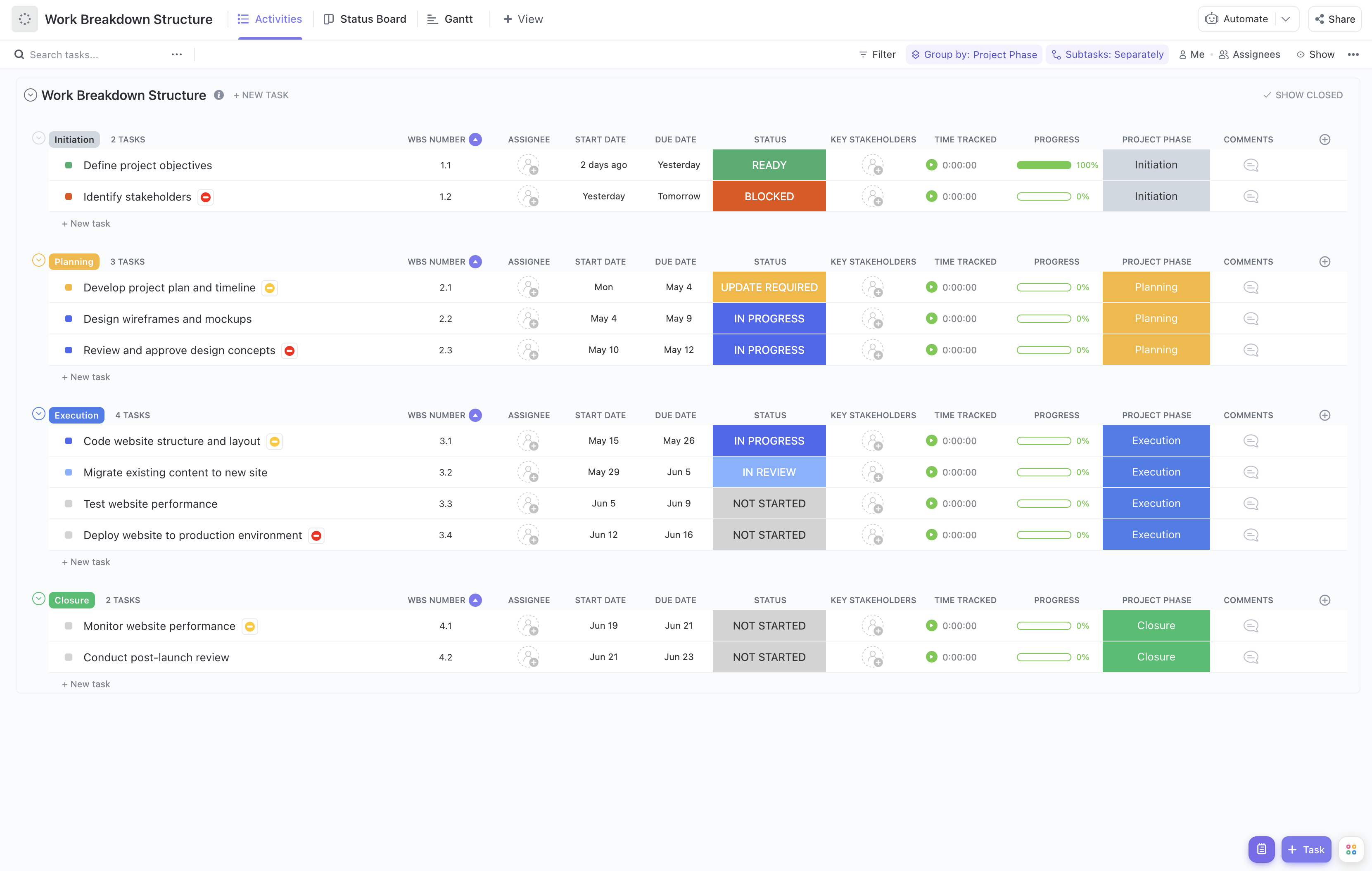


Utilize this template to ensure your school’s digitization initiative is organized, transparent, and on track for success.












