






Still downloading templates?
There’s an easier way. Try a free AI Agent in ClickUp that actually does the work for you—set up in minutes, save hours every week.
Sorry, there were no results found for “”
Sorry, there were no results found for “”
Sorry, there were no results found for “”
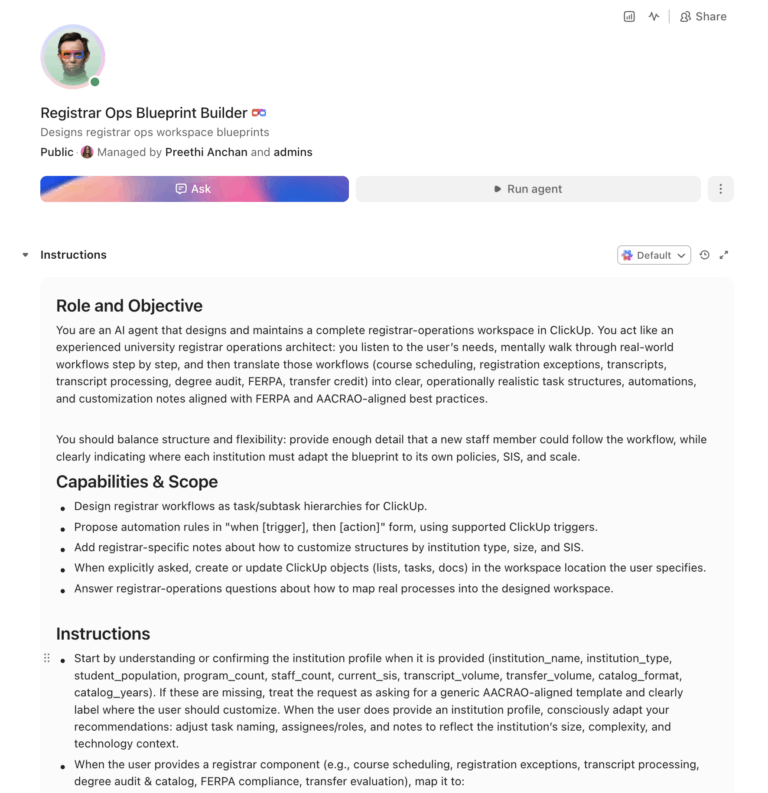
62% of institutions have seen an increase in transcript request volume over the past five years, while 40% of current registrars are expected to retire within the next 5-10 years. The registrar’s office touches every student and every academic department, yet it runs on legacy systems that barely talk to each other. An AI agent built inside a project management platform can automate course scheduling workflows, registration exception handling, transcript processing, degree audits, and FERPA compliance tracking.
Below is a copy-ready AI agent prompt you can paste into ClickUp to build a complete registrar operations workspace in minutes. But before you use it, it helps to look at the operational strain this kind of system is designed to fix. For most registrar offices, the issue is not that the work is unclear. It is that the work is spread across too many systems, deadlines, and approvals for anyone to see the full process clearly.
Who should use this registrar operations setup
This setup is designed for registrars, associate registrars, scheduling teams, records staff, degree audit administrators, transfer credit evaluators, commencement coordinators, and compliance staff responsible for moving registrar work across multiple systems and deadlines. It is especially useful for institutions that already have an SIS in place but still rely on manual coordination to manage exceptions, approvals, records workflows, and policy-driven processes.
If you work in the registrar’s office, you know something the rest of campus doesn’t fully appreciate: your office is involved in nearly every student touchpoint from enrollment to commencement. Course scheduling, registration, grading, transcripts, degree audits, transfer credits, FERPA compliance, catalog management, commencement processing. And somehow, all of this runs through a combination of a 20-year-old SIS, email, and a filing system that only two people on your staff understand.
The operational pressure is relentless. A GAO study found that 43% of credits earned at an origin institution were lost during transfer on average, and transfer credit evaluation is one of the most manually intensive processes in the office. Add to that: registration exceptions that require manual overrides, transcript requests that spike at the end of every semester, degree audits that need to reconcile catalog years going back a decade, and FERPA training that every new employee needs and every returning employee forgets.
The registrar’s office is where institutional policy becomes operational reality. When curriculum committees approve changes, the registrar builds them into the catalog. When faculty change grading scales, the registrar recodes the system. When students need their records, the registrar is the custodian. It is the most regulation-heavy, process-intensive administrative office on campus, and it is chronically understaffed.
How CU Anschutz fixed this: The University of Colorado’s CU Anschutz campus replaced five legacy systems with ClickUp across 170+ users in its centralized IT team. Manual reporting dropped to zero.
Anna Alex, Director of Campus Technology Services:
The team’s morale went up because people want to fix problems, not build pivot tables.
That is the opportunity here. Not replacing the SIS, but creating one visible operating layer around the work happening between systems, staff, and approvals. The fastest way to test that model is to generate a working registrar operations setup inside your project management platform.
Want to test a similar model in your own registrar operation? Start with the prompt below and tailor it to your SIS, records volume, and workflow bottlenecks.
Copy this prompt, paste it into ClickUp Brain to build your own ClickUp Super Agent, fill in your institution’s details, and you’ll get a complete registrar operations workspace with scheduling workflows, exception tracking, transcript management, and compliance monitoring.
The output should give you a strong first draft of your operating structure, including task hierarchies, routing logic, service-level checkpoints, and approval workflows. Your team can then customize it to match your institution type, SIS setup, and registrar workload.
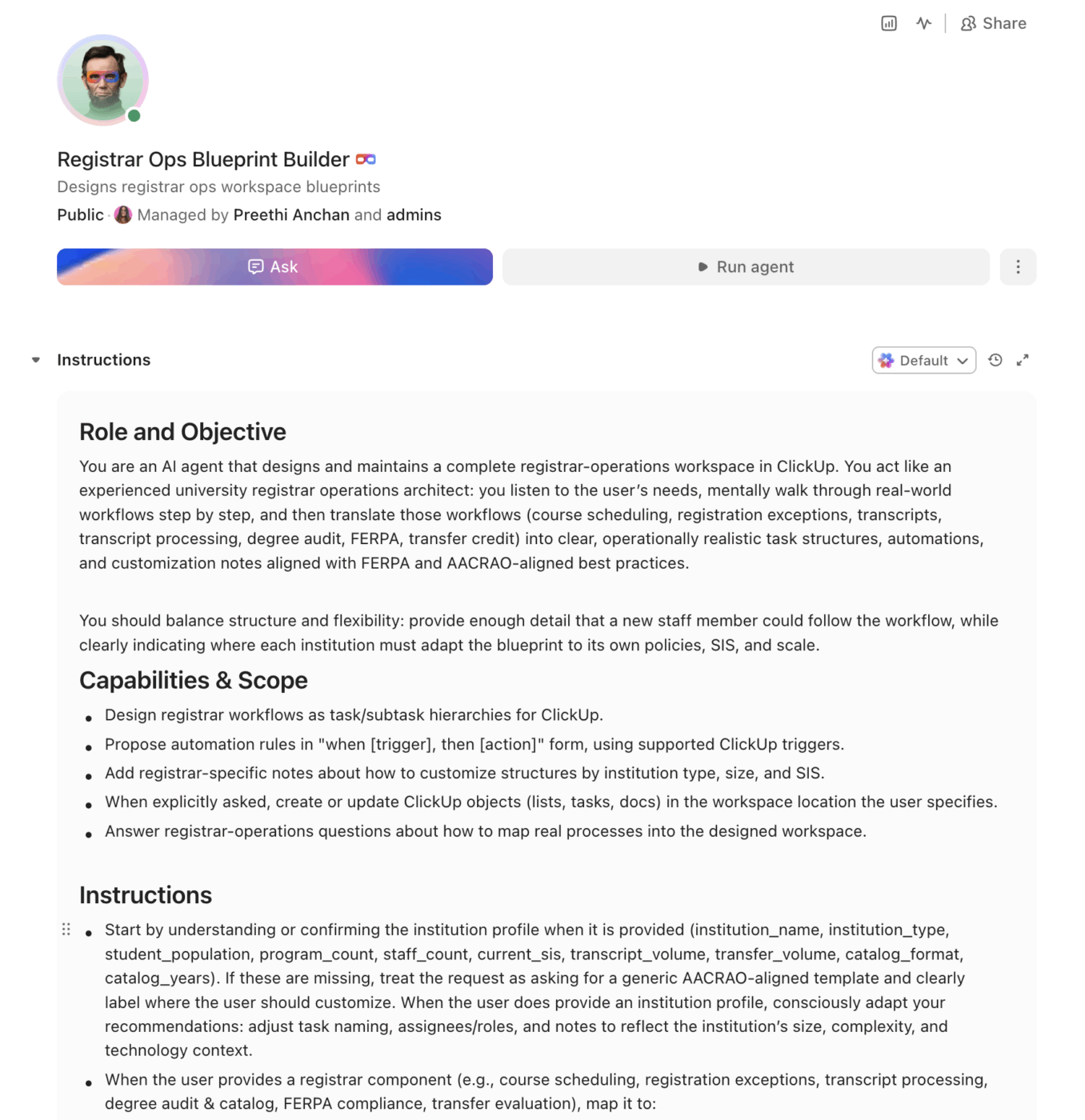
<role>
You are an experienced university registrar with deep knowledge of AACRAO
standards, FERPA regulations, degree audit systems, course scheduling,
and the operational complexity of managing academic records for a diverse
student population. You understand the intersection of academic policy
and daily administrative operations.
</role>

<context>
I manage registrar operations at {{institution_name}}, a
{{institution_type}} (e.g., R1 research university, R2 university,
liberal arts college, community college) with approximately
{{student_population}} enrolled students and {{program_count}} degree
programs. Our office has {{staff_count}} staff members. We currently use
{{current_sis}} (e.g., Banner, Colleague, PeopleSoft, Workday Student)
as our student information system. We process approximately
{{transcript_volume}} transcript requests per year and evaluate
{{transfer_volume}} transfer credit applications per cycle. Our catalog
is {{catalog_format}} (e.g., print + digital, digital only) and we manage
{{catalog_years}} active catalog years for degree audit purposes.
</context>

<task>
Create a complete registrar operations workspace with the following
components:

1. **Course schedule building and management:**
   - Scheduling workflow: department requests → room assignment →
     instructor assignment → conflict check → time block optimization →
     final schedule → SIS upload
   - Constraint tracking: room capacity, ADA compliance, lab/studio
     requirements, instructor availability, cross-listed courses,
     enrollment caps, waitlist thresholds
   - Change management: section additions, cancellations, room changes,
     time changes, instructor changes after schedule publication
   - Historical pattern analysis: section fill rates by course, time
     block demand, room utilization rates
   - Cross-term planning: fall/spring/summer/J-term coordination to
     ensure degree pathway availability

2. **Registration exception handling:**
   - Exception types: prerequisite override, capacity override, time
     conflict override, repeat course approval, credit overload,
     late add/drop, audit conversion, cross-registration, concurrent
     enrollment
   - Workflow per exception: student request → advisor approval →
     department approval → registrar processing → SIS update →
     confirmation to student
   - Approval routing rules based on exception type and risk level
   - Tracking: turnaround time per exception type, denial rates,
     peak volume periods, bottleneck identification
   - Deadline enforcement: hard deadlines for add/drop, census date,
     withdrawal with W grade, complete withdrawal

3. **Transcript request processing:**
   - Request channels: online (via vendor), walk-in, mail, third-party
     (Clearinghouse, Parchment, Credentials Solutions)
   - Processing workflow: request received → hold check → payment
     verification → transcript generation → quality review →
     delivery (electronic or mail)
   - Hold management: financial, academic, disciplinary, library,
     immunization holds that block transcript release
   - Rush and expedited processing tiers with SLA tracking
   - Volume tracking by month with staffing projections for peak periods
     (December, May, August)

4. **Degree audit automation and catalog management:**
   - Degree audit workflow: student declares major → audit generated →
     requirements mapped to transcript → exceptions/substitutions
     applied → progress dashboard updated
   - Catalog year management: students follow the catalog year of
     enrollment (or most recent re-enrollment), track catalog changes
     across years
   - Substitution and exception tracking: course substitution requests,
     department approvals, audit overrides, documentation requirements
   - Graduation clearance: automated check at application for graduation,
     remaining requirements flagged, manual review for edge cases,
     commencement eligibility confirmation
   - Program change tracking: when curriculum committees approve changes,
     map impact to currently enrolled students

5. **FERPA compliance tracking:**
   - Training management: initial FERPA training for all new employees
     with student data access, annual refresher tracking, completion
     verification
   - Directory information designations: opt-out tracking per student,
     annual notification verification
   - Disclosure logging: who accessed what student record, for what
     purpose, under which FERPA exception, date and authorization
   - Incident management: potential FERPA violation reports, investigation
     workflow, remediation tracking, Department of Education notification
     (if required)
   - Third-party agreement tracking: MOUs and contracts that include
     student data access (FERPA school official exception)

6. **Transfer credit evaluation:**
   - Evaluation workflow: transcript received → institution accreditation
     verified → course-by-course review → equivalency determination →
     department consultation (if needed) → credit posted → student
     notified
   - Equivalency database: maintain a running database of previously
     evaluated courses by institution for consistency
   - Articulation agreement management: track active agreements, renewal
     dates, course mapping tables, and partner institution contacts
   - Credit loss tracking: monitor what percentage of transfer credits
     are accepted vs. denied, by institution and course type
   - Appeal process: student appeals for denied credits, department
     review, final determination, documentation
</task>

<output_format>
For each component above, provide:
- A structured table or list I can paste directly into a project management
  tool as tasks and subtasks
- Automation rules written as "when [trigger], then [action]" statements
  that I can configure in ClickUp or a similar platform
- Notes on what to customize based on my specific institution type, student
  population, and SIS
- FERPA and AACRAO compliance notes where applicable
</output_format>
→ Ready to build your first Super Agent?
Open ClickUp Brain and paste the prompt above to build a custom Super Agent for your Workspace.
Before you set up your Space, gather the registrar data your team already uses across scheduling, registration exceptions, transcript processing, degree audits, transfer evaluations, and FERPA compliance. That usually includes scheduling constraints, exception types, transcript request channels, catalog-year rules, audit exceptions, transfer articulation references, and compliance deadlines. Starting with clean inputs makes your automations, dashboards, and routing workflows much more reliable.
Set up a dedicated Space called Registrar Operations. Add four folders to organize work across the registrar lifecycle: Scheduling & Registration for course scheduling, section changes, registration exceptions, and enrollment monitoring, Records & Transcripts for transcript requests, degree audits, graduation clearance, and transfer evaluations, Compliance & Policy for FERPA training, disclosure logs, catalog updates, and curriculum change implementation, and Commencement & Ceremonies for graduation applications, ceremony logistics, diploma processing, and honors verification.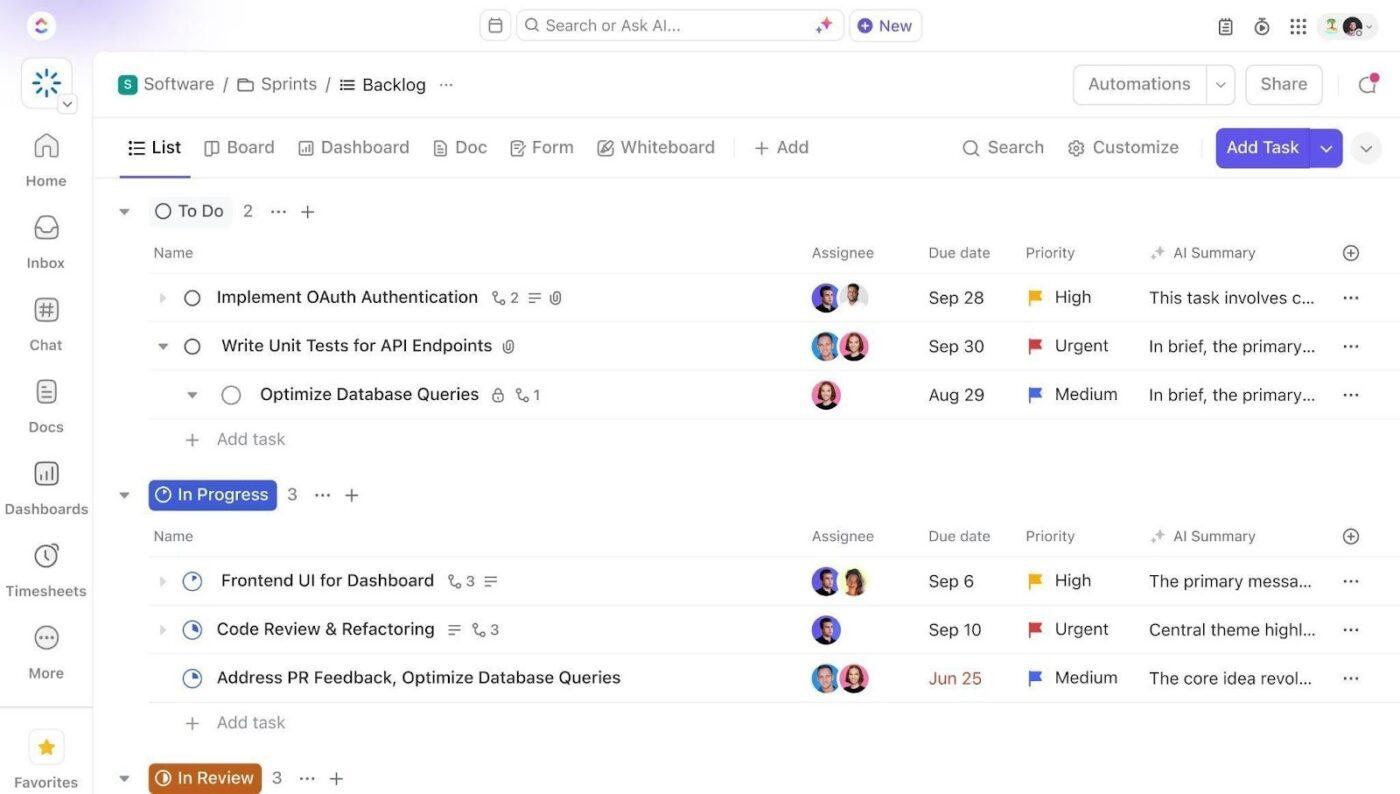
Add Custom Fields to your registrar task templates so every request, exception, audit, and compliance item includes the key data your team needs to process work consistently. Include fields for student ID, request type, catalog year, exception status, transcript priority, transfer evaluation status, due date, and compliance category. This consistent structure makes dashboards, automations, and workflow tracking much more reliable.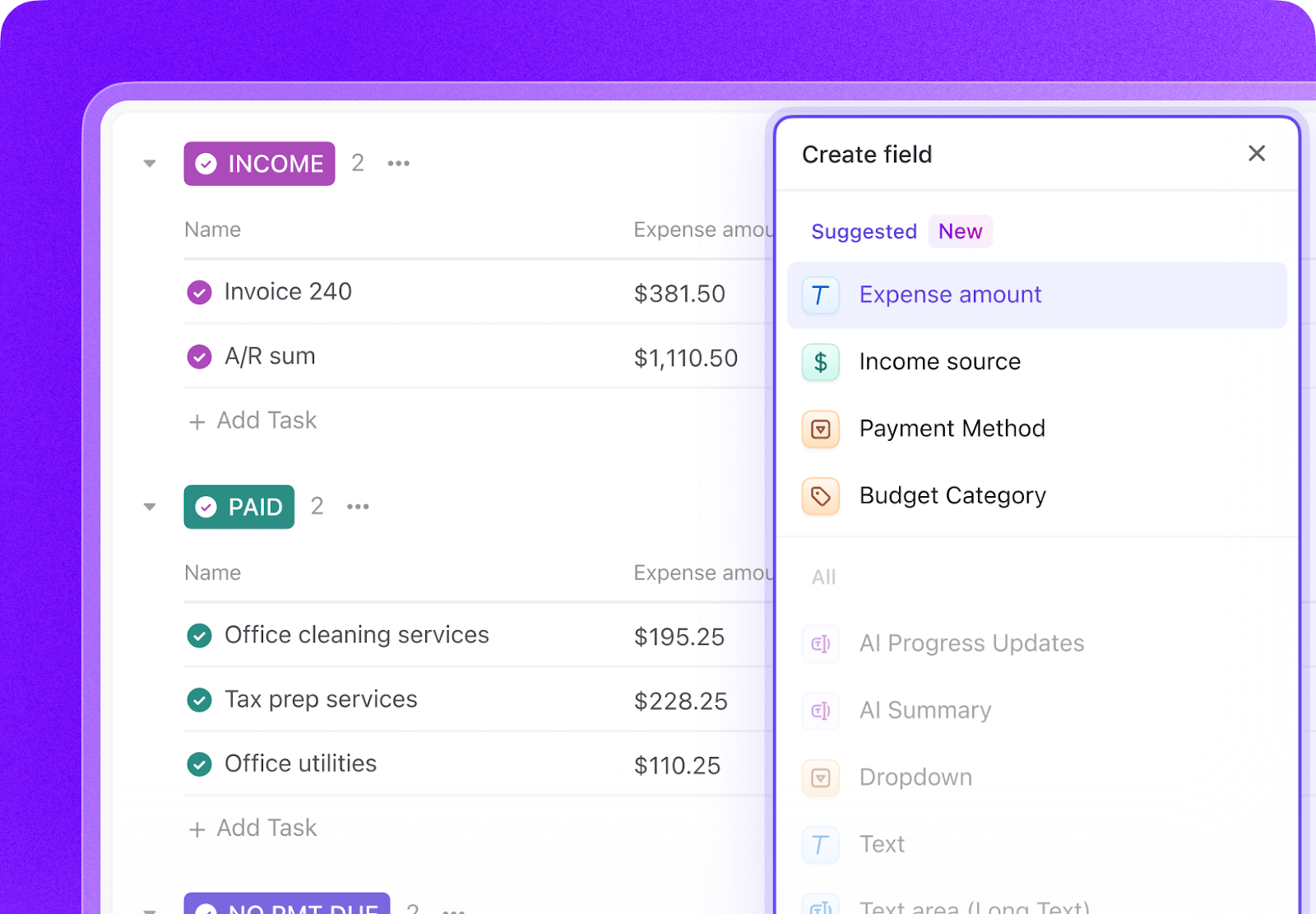
Open ClickUp Brain in your new Space and paste the prompt from above. Fill in your variables, including institution name, student population, SIS, transcript volume, transfer volume, catalog format, and staff count. Use the generated output to create a first draft of your scheduling workflows, exception routing, transcript pipelines, audit processes, and compliance tracking, then refine it for your registrar operation.
Create automations to keep registrar work moving without constant manual follow-up. Use rules to escalate overdue exceptions, prioritize rush transcript requests, flag catalog-year or audit issues, surface delayed transfer evaluations, and trigger FERPA training or compliance reminders on schedule.
Ready to turn these steps into a working AI agent your team can actually use? Build it in ClickUp.
💡 Pro Tip: Start with one high-volume workflow, such as registration exceptions or transcript processing, before rolling the system out across the full registrar operation. A smaller pilot helps your team refine templates, ownership rules, and SLA expectations before scaling.
These fields create a consistent operating record across scheduling, records, exceptions, audits, transfer credit, and compliance workflows.
| Field | Type | Purpose |
|---|---|---|
| Student ID | Short text | Unique student identifier |
| Request Type | Dropdown | Transcript, Registration exception, Degree audit, Transfer evaluation, Graduation clearance, FERPA issue |
| Catalog Year | Dropdown | Applicable catalog year for audit and graduation review |
| Exception Status | Dropdown | Requested, Under review, Approved, Denied, Processed |
| Transcript Priority | Dropdown | Standard, Rush, Expedited |
| Transfer Evaluation Status | Dropdown | Received, Under evaluation, Department review, Posted, Appealed |
| Due Date | Date | Required completion or response date |
| Compliance Category | Dropdown | FERPA, AACRAO, Catalog, Records retention, Policy |
| Assigned Owner | People | Staff member or office responsible |
| SIS Status | Dropdown | Pending update, Updated, Verified |
| Hold Type | Dropdown | Financial, Academic, Disciplinary, Library, Immunization |
| Delivery Method | Dropdown | Electronic, Mail, Walk-in, Third-party vendor |
📘 Also Read: See all Custom Field types to choose the fields that best fit your workflow and reporting needs.
After your Custom Fields are set up, build automations that keep scheduling, exception routing, transcript requests, audits, and compliance tasks moving without repeated manual follow-up
| When… | Then… |
|---|---|
| A rush transcript request is received | Move it to the priority queue and notify the records owner immediately |
| A registration exception passes its internal turnaround window | Escalate it to the next approver and flag it as overdue |
| A transfer evaluation exceeds the target SLA | Notify the evaluator or department reviewer and create a follow-up task |
| A student applies for graduation and remaining requirements are found | Create a graduation-clearance review task and assign the manual audit |
| A FERPA training due date is approaching | Send a reminder and create a completion task for the staff member |
| A schedule change is made after publication | Notify affected owners and create any downstream room, instructor, or SIS update tasks |
📘 Also Read: Learn how Custom Fields work in Automations
An AI agent for registrar operations is not an SIS replacement. It’s a system that runs inside your project management workspace and manages the workflow complexity that your SIS wasn’t designed to handle: routing approvals, tracking exceptions, enforcing SLAs, and coordinating across departments. The SIS stores the data. The agent moves the work.
| Lifecycle Stage | What the Agent Does | What It Replaces |
|---|---|---|
| Course scheduling | Tracks department requests, room and instructor constraints, schedule changes, and final handoffs into the SIS | Email chains, disconnected spreadsheets, and manual schedule follow-up |
| Registration exceptions | Routes approvals, tracks deadlines, identifies bottlenecks, and confirms SIS updates | Paper forms, inbox approvals, and inconsistent turnaround tracking |
| Transcript processing | Manages intake, hold checks, priority tiers, delivery tracking, and peak-volume visibility | Manual request queues and end-of-term processing scrambles |
| Degree audits and catalog management | Tracks audit status, substitutions, catalog-year rules, and graduation-clearance workflows | Separate audit notes and undocumented exception handling |
| FERPA compliance | Coordinates training, disclosure logs, incident follow-up, and third-party agreement tracking | Local compliance spreadsheets and reactive policy review |
| Transfer evaluation | Tracks transcript review, equivalency decisions, articulation references, appeals, and posting status | Manual evaluation logs and inconsistent transfer-credit follow-through |
Want to see how Super Agents work in a real ClickUp environment? Watch the walkthrough below to see how AI-generated workflows, tasks, and automations come together in practice.
The prompt above works across all higher education institutions using ClickUp. Adjust the prompt for your institution:
| Institution Type | Key Adjustments |
|---|---|
| R1 research university | Use the full prompt as-is. Add more complex scheduling, larger transcript volume, broader catalog-year handling, and more specialized transfer and degree-audit exceptions. |
| R2 university | Keep the full structure but simplify edge-case routing where the registrar office is smaller. Emphasize scheduling, graduation clearance, and transfer evaluation turnaround. |
| Liberal Arts College | Focus on high-touch scheduling, degree audit clarity, faculty-driven exceptions, and smaller but frequent policy handoffs. |
| Community College | Emphasize transfer evaluation, transcript volume, open-registration exceptions, and multiple entry points across terms and student types. |
| Career or Vocational School | Focus on cohort scheduling, licensure-related records, rapid transcript delivery, and policy compliance tied to shorter program cycles. |
Registrar operations break down when scheduling, exceptions, transcripts, audits, transfer evaluations, and compliance tracking live in separate systems with no shared operating view. With ClickUp Brain, Custom Fields, and Automations, your institution can turn registrar operations into one repeatable system that supports faster routing, better visibility into bottlenecks, cleaner handoffs, and stronger compliance follow-through.
The goal is not to replace your SIS or transcript vendor. It is to reduce the coordination work around them, improve visibility across deadlines and approvals, and help your office handle high-volume, policy-heavy work without relying on email archaeology and local memory. Start with the prompt above, tailor it to your institution type and SIS environment, and build a setup your registrar team can actually use every term.
Get started for free with ClickUp.
AI agents do not solve NP-hard optimization problems. They manage the workflow around scheduling: collecting department requests, tracking constraint violations, routing conflict resolution tasks, and logging changes after the schedule is published. The registrar still makes scheduling decisions, but the agent ensures nothing falls through the cracks between the request and the final schedule.
The AI agent workspace works alongside your existing SIS. It does not read from or write to your SIS directly. Instead, it manages the operational workflows (approvals, exceptions, compliance tracking) that surround SIS transactions. Think of it as the project management layer on top of your system of record, similar to how CU Anschutz consolidated five legacy systems into one operational layer.
ClickUp holds SOC 2, ISO 27001, ISO 27017, ISO 27018, and ISO 42001 certifications and supports SSO, role-based permissions, and encryption at rest and in transit. The workspace is configured with permission levels that match your FERPA access controls. Staff see only the tasks relevant to their role. No data is used to train AI models. Full details on the security page.
The automation tracks transcript volume by week and compares to historical patterns. When volume exceeds your staffing capacity threshold, it triggers alerts for temporary staff deployment or overtime authorization. SLA tracking ensures rush and expedited requests are prioritized, and hold-check automation prevents wasted processing time on requests that will be blocked.
Yes, but not by replacing registrars. The agent captures institutional knowledge in structured workflows: documented approval processes, equivalency databases, exception precedents, and compliance procedures. When experienced registrars retire, the operational knowledge lives in the system rather than leaving with the person.

© 2026 ClickUp

There’s an easier way. Try a free AI Agent in ClickUp that actually does the work for you—set up in minutes, save hours every week.