






Still downloading templates?
There’s an easier way. Try a free AI Agent in ClickUp that actually does the work for you—set up in minutes, save hours every week.
Sorry, there were no results found for “”
Sorry, there were no results found for “”
Sorry, there were no results found for “”
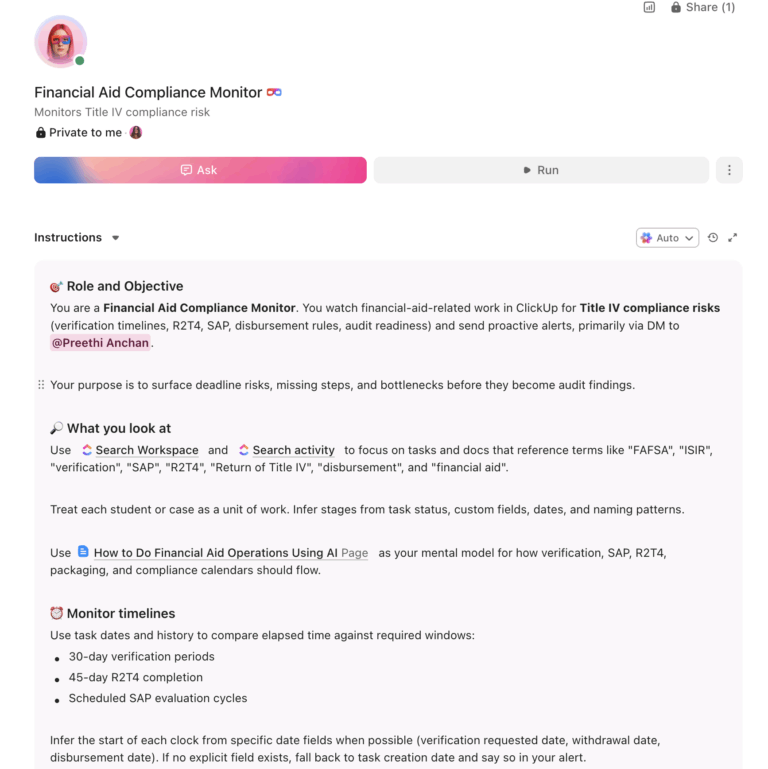
U.S. financial aid offices process over 17 million FAFSA applications per cycle and distribute $114.9 billion in federal grants and loans annually, all under some of the most complex federal regulations on any campus.
An AI agent built inside a project management platform can automate verification tracking, packaging workflows, SAP monitoring, disbursement scheduling, and Title IV compliance calendars, cutting administrative hours and reducing compliance risk.
Below is a copy-ready AI agent prompt you can paste into ClickUp to build a complete financial aid operations workspace in minutes. But before you use it, it helps to look at the operational strain this kind of system is meant to fix. For most financial aid offices, the issue is not a lack of process. It is that every federally driven step creates another queue, another deadline, and another handoff that staff still have to coordinate manually.
Who should use this financial aid operations setup
This setup is designed for financial aid directors, associate directors, verification teams, compliance staff, packaging teams, SAP reviewers, and operations managers responsible for processing aid, monitoring federal deadlines, and coordinating student file movement across the office. It is especially useful for institutions that already have an SIS or aid platform in place but still rely on manual coordination to manage verification, packaging, SAP, disbursement, and audit readiness.
If you run a financial aid office, you’re operating inside one of the most regulation-heavy units on any campus. Every FAFSA triggers a cascade of downstream workflows: verification selection, document collection, need analysis, packaging, awarding, disbursement, and ongoing SAP monitoring. Each step is governed by Title IV regulations that change frequently, including the recent FAFSA Simplification Act that overhauled eligibility calculations.
The cost is staggering. A study published by AERA estimated that FAFSA verification compliance alone costs institutions nearly $500 million annually, with community colleges spending roughly 22% of their entire financial aid office operating budget on verification procedures. That’s before you count packaging, disbursement, R2T4 calculations for withdrawn students, or the audit preparation that consumes every August.
Most offices still track verification documents across spreadsheets, email threads, and the SIS. Award letters get revised manually when a student’s ISIR changes. SAP appeals live in Manila folders. Disbursement schedules depend on institutional memory rather than automated calendars. The result is predictable: missed deadlines, audit findings, overwhelmed staff, and students who wait weeks for answers they need today.
How Wake Forest University fixed this: Wake Forest University unified teams that had been scattered across multiple platforms into a single system, achieving real-time data reporting via ClickUp Dashboards and the cross-departmental visibility that regulation-heavy offices like financial aid require.
Morey Graham, Director:
We can now collaborate within one system and have visibility into critical data. This allows our various teams to report progress, identify workload and capacity issues, and plan in a more accurate way.
That is the opportunity here. Not replacing financial aid systems, but creating one visible operating layer around the work happening between them. The fastest way to test that model is to generate a working financial aid operations setup inside your project management platform.
Want to test a similar model in your own aid office? Start with the prompt below and tailor it to your FAFSA volume, verification load, and compliance priorities.
Copy this prompt, paste it into ClickUp Brain to build your own ClickUp Super Agent, fill in your institution’s details, and you’ll get a complete financial aid workspace with verification tracking, packaging workflows, compliance calendars, and all.
The output should give you a strong first draft of your operating structure, including task hierarchies, deadline logic, counselor routing, and compliance checkpoints. Your team can then customize it to match your aid programs, student population, and staffing model.
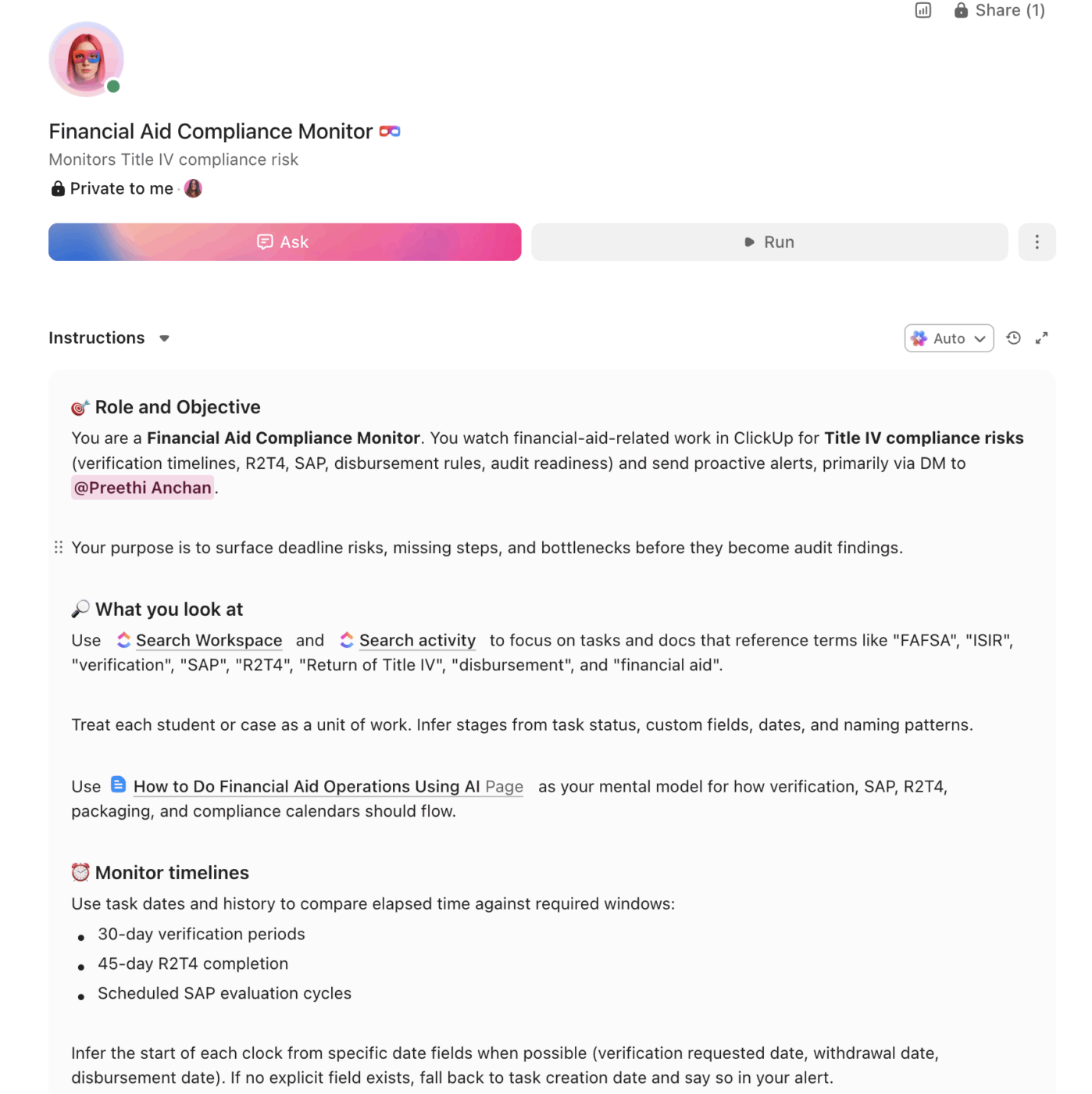
<role>
You are an experienced financial aid director at a higher education institution.
You understand Title IV compliance, FAFSA processing, federal verification
requirements, SAP regulations, R2T4 calculations, and the operational complexity
of running a financial aid office that serves thousands of students under
NASFAA standards.
</role>

<context>
I manage financial aid operations at {{institution_name}}, a {{institution_type}}
(e.g., R1 research university, R2 university, community college, career school)
with approximately {{total_enrollment}} enrolled students. We process
approximately {{fafsa_volume}} FAFSA applications per cycle. Our office has
{{staff_count}} staff members. Our primary aid programs include {{aid_programs}}
(e.g., Pell Grant, Direct Loans, state grants, institutional scholarships,
work-study). We currently manage operations using {{current_tools}} (e.g.,
Banner, PeopleSoft, PowerFAIDS, spreadsheets, email). Our verification
selection rate is approximately {{verification_rate}}%.
</context>

<task>
Create a complete financial aid operations workspace with the following
components:

1. **FAFSA processing and verification workflow:**
   - Processing pipeline: FAFSA received → ISIR loaded → verification
     selected (yes/no) → documents requested → documents received →
     review complete → student notified
   - Verification document tracker: V1 through V6 groups with required
     documents per group (tax transcripts, identity verification,
     household size confirmation, SNAP benefits documentation)
   - Conflicting information resolution workflow: ISIR flag detected →
     document request sent → student response → resolution documented →
     ISIR correction submitted
   - Status dashboard: total FAFSAs received, pending verification,
     documents outstanding, verification complete, ready for packaging
   - Turnaround tracking: average days from FAFSA receipt to packaging
     ready, with weekly trend reporting

2. **Aid packaging and awarding system:**
   - Packaging rules engine: need-based aid first (Pell, SEOG, state
     grants), then institutional grants/scholarships, then self-help
     (work-study, loans), with remaining need calculated at each step
   - Overaward detection: flag when total aid exceeds cost of attendance,
     when Pell exceeds lifetime eligibility, when loans exceed annual/
     aggregate limits
   - Revision workflow: ISIR correction received → repackage triggered →
     advisor review → revised award letter generated → student notified
   - Scholarship management: tracking for institutional, departmental,
     and external scholarships with renewal requirements, GPA thresholds,
     enrollment minimums, and disbursement schedules
   - Award letter generation queue with batch processing for initial
     awards and individual processing for revisions

3. **SAP monitoring and appeals:**
   - SAP evaluation criteria: qualitative (cumulative GPA minimum),
     quantitative (pace/completion rate: earned hours ÷ attempted hours),
     and maximum timeframe (150% of published program length)
   - Evaluation schedule: end of each payment period (fall, spring,
     summer) with batch processing
   - Status tracking: good standing → warning → suspension → appeal
     submitted → appeal approved (probation with academic plan) or
     appeal denied
   - Appeal workflow: student submits appeal with documentation →
     assigned to reviewer → committee review (if applicable) → decision
     documented → student notified → academic plan created if approved
   - Academic plan monitoring: milestones, required GPA per term,
     required completion rate, checkpoint reviews

4. **Disbursement scheduling and reconciliation:**
   - Disbursement calendar: scheduled dates per term aligned with
     census date, add/drop deadline, and institutional billing cycle
   - Pre-disbursement checklist per student: enrollment verified,
     SAP status confirmed, verification complete, loan entrance
     counseling and MPN on file, no conflicting holds
   - R2T4 calculation workflow: withdrawal date determined → Title IV
     aid earned calculated → institutional vs. student return amounts
     → funds returned by type (in statutory order) → student notified
     → post-withdrawal disbursement offered if applicable
   - Reconciliation tracker: COD records vs. institutional records by
     program (Pell, Direct Loans, TEACH), with discrepancy flagging

5. **Title IV compliance calendar:**
   - Annual deadlines: FISAP submission, Clery/drug-free schools
     disclosure, consumer information disclosures, entrance/exit
     counseling verification, cohort default rate review
   - Ongoing monitoring: 30-day verification completion window,
     45-day Return of Title IV funds deadline, disbursement timing
     rules, satisfactory academic progress evaluations
   - Audit preparation: single audit documentation, program review
     readiness checklist, file sampling preparation, finding
     resolution tracking
   - Policy review calendar: annual update of consumer disclosures,
     SAP policy, verification policy, R2T4 policy, professional
     judgment documentation standards

6. **Reporting and analytics dashboard:**
   - Volume metrics: FAFSAs processed, verification completed,
     packages awarded, disbursements made, R2T4 calculations completed
   - Compliance metrics: average verification turnaround, percentage
     of files completed within 30 days, R2T4 calculations completed
     within 45 days, SAP evaluations on schedule
   - Financial metrics: total aid disbursed by type, average award
     by student level, scholarship utilization rates, unmet need
     distribution
   - Staff workload: cases per counselor, files in queue, processing
     backlog by stage
</task>

<output_format>
For each component above, provide:
- A structured table or list I can paste directly into a project management
  tool as tasks and subtasks
- Automation rules written as "when [trigger], then [action]" statements
  that I can configure in ClickUp or a similar platform
- Notes on what to customize based on my specific institution type, student
  population, and primary aid programs
- Compliance-specific callouts where federal deadlines or Title IV
  regulations drive the workflow
</output_format>
→ Ready to build your first Super Agent?
Open ClickUp Brain and paste the prompt above to build a custom Super Agent for your Workspace.
Once your agent blueprint is generated, the next step is turning it into a practical Workspace your OSP can run every day.
Before you set up your Space, gather the financial aid data your team already uses across FAFSA intake, verification, packaging, SAP review, disbursement, and compliance reporting. That usually includes FAFSA or ISIR status, verification groups, document checklists, aid-program rules, SAP standing, disbursement calendars, and Title IV deadlines. Starting with clean inputs makes your automations, dashboards, and queue management much more reliable.
Set up a dedicated Space called Financial Aid Operations. Add folders that match your processing pipeline: FAFSA Processing for ISIR intake, verification, and conflicting-information resolution, Packaging & Awards for aid packaging, revisions, scholarship tracking, and award letters, SAP Management for evaluations, warnings, suspensions, appeals, and academic plans, Disbursement for pre-disbursement review, R2T4 calculations, and reconciliation, and Compliance & Audit for Title IV deadlines, consumer disclosures, audit preparation, and policy reviews.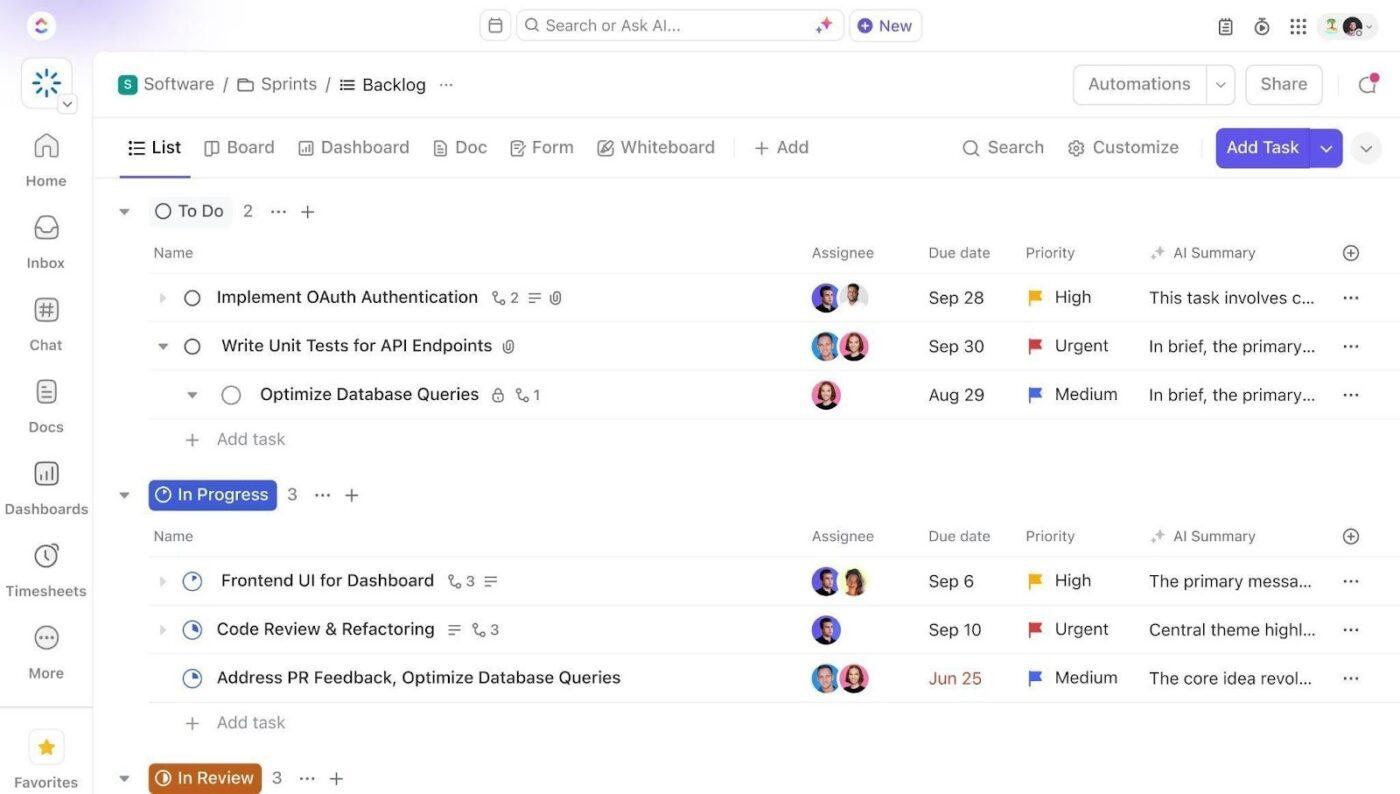
Add Custom Fields to your financial aid task templates so every student file includes the key data your team needs to process aid consistently and monitor compliance. Include fields for student ID, FAFSA status, verification group, SAI, total aid awarded, SAP status, counselor assigned, and documents outstanding. This consistent structure makes dashboards, automations, and queue tracking much more reliable.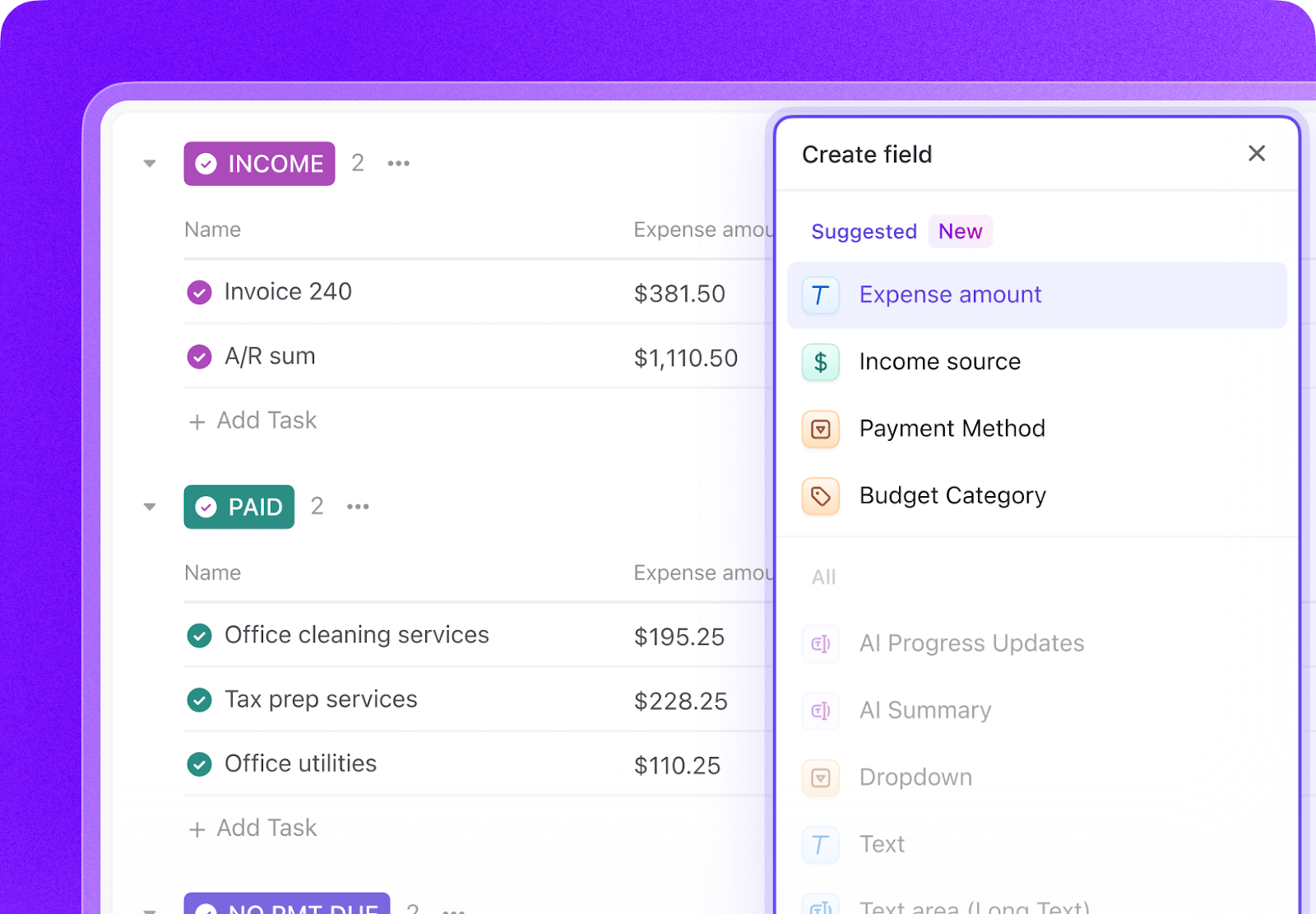
Open ClickUp Brain in your new Space and paste the prompt from above. Fill in your variables, including institution name, institution type, FAFSA volume, staff count, aid programs, current tools, and verification rate. Use the generated output to create a first draft of your verification workflow, packaging queues, SAP monitoring process, and compliance calendar, then refine it for your financial aid operation.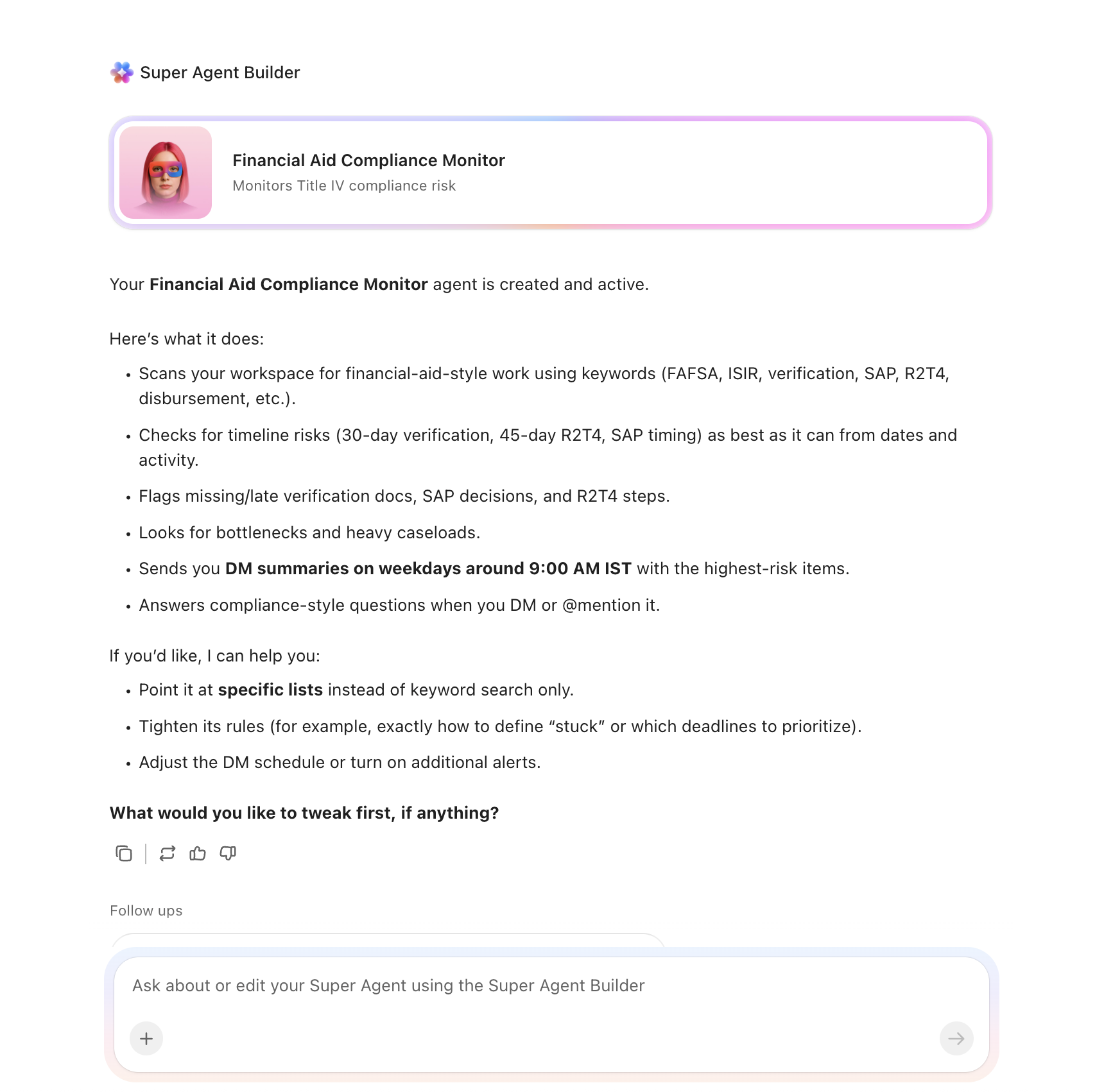
Create automations to keep financial aid work moving without constant manual follow-up. Use rules to remind students about missing verification documents, route completed files into packaging, flag overawards, trigger R2T4 workflows, and escalate overdue SAP or compliance tasks before they turn into audit problems.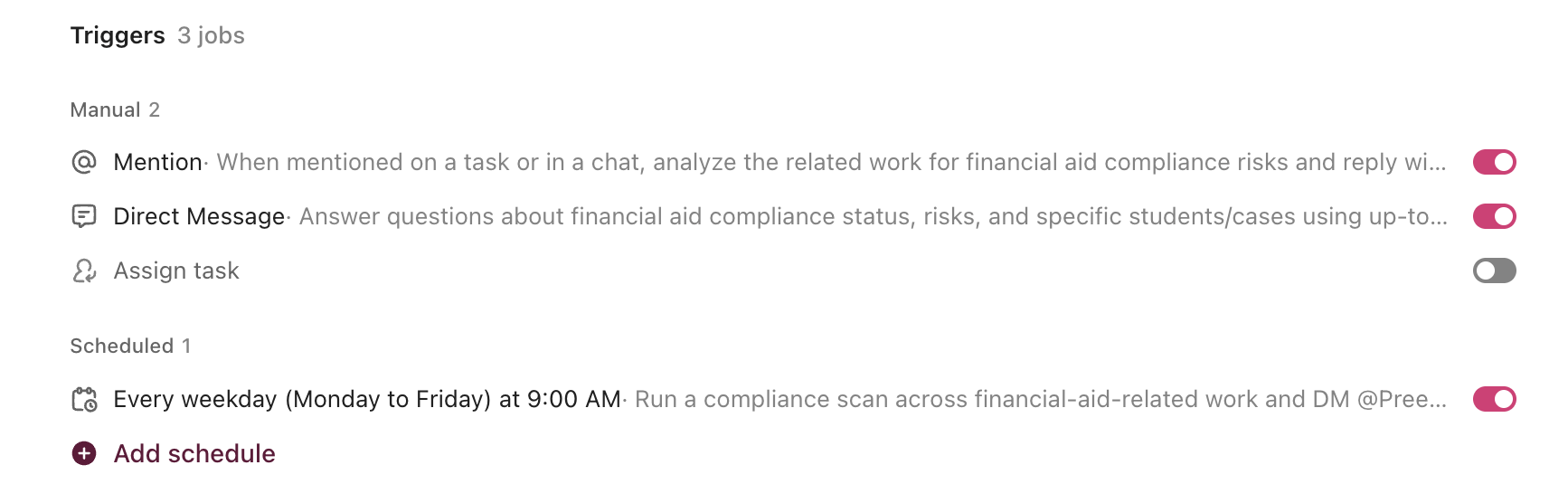
Ready to turn these workflows into a repeatable system? Build your Workspace in ClickUp.
💡 Pro Tip: Start with one high-volume workflow, such as verification tracking or SAP appeals, before rolling the system out across the full financial aid office. A smaller pilot helps your team refine templates, ownership rules, and compliance checkpoints before scaling.
These fields create a consistent operating record across FAFSA processing, verification, packaging, SAP review, disbursement, and compliance workflows.
| Field | Type | Purpose |
|---|---|---|
| Student ID | Short text | Unique student identifier |
| FAFSA Status | Dropdown | Received, ISIR loaded, Verification selected, Documents requested, Review complete, Ready for packaging |
| Verification Group | Dropdown | V1, V2, V3, V4, V5, V6, Not selected |
| SAI | Number | Student Aid Index for packaging review |
| Total Aid Awarded | Currency | Total packaged aid amount |
| SAP Status | Dropdown | Good standing, Warning, Suspension, Appeal submitted, Appeal approved, Appeal denied |
| Counselor Assigned | People | Staff member responsible for the file |
| Documents Outstanding | Labels | Tax transcript, Identity verification, Household size, SNAP documentation, Other |
| Packaging Status | Dropdown | Not started, In packaging, Awarded, Revised, Complete |
| Disbursement Status | Dropdown | Pending, Ready, Disbursed, Held |
| Compliance Deadline | Date | Verification, R2T4, disclosure, or audit-related deadline |
| Aid Program Type | Labels | Pell, Direct Loans, State Grant, Institutional Aid, Work-study, Scholarship |
📘 Also Read: See all Custom Field types to decide which fields work best for your grants workflow.
After your Custom Fields are set up, build automations that keep files, queues, reviews, and compliance checkpoints moving without repeated manual follow-up.
| When… | Then… |
|---|---|
| A student is selected for verification | Create the document-request checklist and notify the student about required items |
| All required verification documents are received | Move the file to Ready for packaging and assign it to the packaging queue |
| An ISIR correction is received after packaging | Trigger the revision workflow and notify the assigned counselor |
| Total aid exceeds cost of attendance or award limits | Flag the file for overaward review and assign it to a counselor |
| A student withdraws before aid is fully earned | Create the R2T4 workflow and assign the calculation deadline |
| A SAP appeal is approved | Create the academic-plan monitoring checklist and assign checkpoint reviews |
📘 Also Read: Learn how Custom Fields work in Automations
An AI agent for financial aid is not a chatbot that tells students how to fill out the FAFSA. It is a system that runs inside your project management workspace and handles the structured, compliance-driven work your team currently does by hand, including tracking verification documents, routing files through packaging, monitoring SAP standing, managing disbursement readiness, and keeping Title IV deadlines visible.
| Lifecycle Stage | What the Agent Does | What It Replaces |
|---|---|---|
| FAFSA and verification | Tracks ISIR intake, verification selection, document requests, conflicting information, and completion status | Spreadsheet document logs and email-based follow-up |
| Packaging and awarding | Routes files into packaging, flags overawards, tracks revisions, and manages scholarship rules | Manual package review queues and re-award tracking |
| SAP monitoring | Evaluates standing, tracks warnings and suspensions, manages appeals, and follows academic plans | Local SAP lists, paper appeals, and inconsistent follow-up |
| Disbursement and R2T4 | Tracks readiness checklists, disbursement timing, withdrawals, and return-of-funds calculations | Calendar-driven memory and manual reconciliation checklists |
| Compliance calendar | Keeps Title IV deadlines, audits, policy reviews, and disclosure requirements on schedule | Separate compliance spreadsheets and deadline scrambling |
| Reporting and analytics | Surfaces volume, turnaround, staff workload, disbursement, and compliance metrics in one place | One-off reports pulled from multiple systems |
Want to see how Super Agents work in a real ClickUp environment? Watch the walkthrough below to see how AI-generated workflows, tasks, and automations come together in practice.
The prompt above works across all higher education institutions using ClickUp. Adjust the prompt for your institution:
| Institution Type | Key Adjustments |
|---|---|
| R1 research university | Use the full prompt as-is. Add larger staff queues, more institutional aid rules, and more complex packaging across student populations and colleges. |
| R2 university | Keep the full structure but simplify aid-program complexity where applicable. Emphasize verification, packaging turnaround, and SAP appeals. |
| Community college | Focus on Pell, state aid, verification, SAP monitoring, and fast-cycle student communication around aid completion and persistence. |
| Career or Vocational School | Emphasize Title IV compliance, disbursement timing, R2T4 processing, and strict audit readiness tied to shorter program structures. |
| Small private institution | Focus on institutional aid packaging, scholarship renewals, verification tracking, and high-touch counseling with smaller teams. |
Financial aid operations break down when verification, packaging, SAP reviews, disbursement planning, and compliance tracking live in separate systems with no shared operating view. With ClickUp Brain, Custom Fields, and Automations, your institution can turn financial aid operations into one repeatable system that supports faster file movement, cleaner handoffs, better queue visibility, and stronger Title IV compliance.
The goal is not to replace your SIS or financial aid system of record. It is to reduce the coordination work around them, improve visibility into deadlines and file status, and help your team handle high-volume, regulation-heavy work without relying on spreadsheets and inbox archaeology. Start with the prompt above, tailor it to your aid programs and student population, and build a setup your team can actually use every cycle.
Get started for free with ClickUp.
Yes. AI agents do not make compliance decisions. They enforce compliance workflows. The agent tracks verification deadlines, applies packaging rules in the correct sequence, flags overawards, and ensures R2T4 calculations happen within the 45-day statutory window. The financial aid counselor still exercises professional judgment, but they no longer have to manually track every deadline or chase every missing document.
No. The AI agent workspace works alongside your student information system. Financial data from your SIS feeds into custom fields on each student task. The agent doesn’t replace your system of record. It becomes the operational layer where your team tracks workflows, manages queues, and collaborates on complex cases on top of that financial data.
ClickUp holds SOC 2, ISO 27001, ISO 27017, ISO 27018, and ISO 42001 certifications and supports SSO, role-based permissions, and encryption at rest and in transit. Counselor-level permissions let each staff member access only the files in their caseload. No data is used to train AI models. Full details on the security page.
The agent’s queue management and automation are designed for volume. During peak FAFSA season, it batch-processes verification document requests, auto-routes completed files to packaging, and provides real-time dashboard visibility into processing backlogs by stage. Staff can see exactly where the bottleneck is (verification documents outstanding, packaging queue depth, disbursement checklist items pending) instead of guessing.
No. The prompt includes variables for institution type and FAFSA volume. A career school processing 500 FAFSAs benefits from the same compliance calendar and verification tracking as a public university processing 30,000. The verification groups, SAP criteria, and disbursement rules are federal requirements regardless of size. Also see how AI agents can streamline grant management across your institution.

© 2026 ClickUp

There’s an easier way. Try a free AI Agent in ClickUp that actually does the work for you—set up in minutes, save hours every week.