Administrative positions at colleges grew 60% between 1993 and 2009, ten times the rate of tenured faculty growth, yet university departments still coordinate through email, shared drives, and meetings that could have been a task. Faculty spend 30% of their work week on meetings and email rather than teaching or research. The fundamental challenge is that universities are decentralized organizations trying to act coordinated. An AI agent built inside a project management platform can automate cross-department project tracking, committee management, shared governance workflows, and strategic plan reporting.
Below is a copy-ready AI agent prompt you can paste into ClickUp to build a complete department coordination workspace in minutes. But before you use it, it helps to look at the coordination gap this kind of system is meant to fix. For most universities, the issue is not a lack of committees, plans, or systems. It is that decisions, handoffs, and action items are spread across too many disconnected places for anyone to see the full picture clearly.
This setup is designed for provost office staff, deans, department chairs, committee administrators, strategic planning leads, faculty governance staff, and university operations teams responsible for coordinating work across academic and administrative units. It is especially useful for institutions that already have communication and file-sharing tools in place but still rely on manual coordination to move projects, proposals, and decisions forward.
Summarize this article with AI
ClickUp Brain not only saves you precious time by instantly summarizing articles, it also leverages AI to connect your tasks, docs, people, and more, streamlining your workflow like never before.
Summarize this article for me please
The Problem: Your University Has 47 Committees, 12 Shared Governance Bodies, and No Single Place to See What Any of Them Are Doing
If you coordinate work across academic departments and administrative units, you know the paradox: universities generate more committees, task forces, and working groups than any other type of organization, and they have the least visibility into what those groups actually produce. A curriculum change requires approval from the department, the college curriculum committee, the university senate, and sometimes the provost’s office. A faculty hire requires coordination between the department, the dean’s office, HR, budget, IT, and facilities. A strategic plan initiative involves every division on campus and lives in a PowerPoint that nobody updates.
A UCLA and MIT Press study on university data management found that one of the biggest barriers to institutional effectiveness is decentralization, which keeps data and work siloed across departments. The researchers noted that “universities are often buying commercial solutions as silos that don’t interoperate with each other” and that university leaders “unexpectedly found a pervasive void of infrastructure thinking.” In short: the systems exist, but nobody connected them.
The result is work duplication, decision bottlenecks, and strategic plans that go stale the moment they’re approved. Department chairs spend their time chasing approvals instead of leading their programs. Provost’s office staff spend their time compiling reports instead of driving strategy. And the committee members? They sit in meetings wondering what the other committees decided.
How Wake Forest University fixed this: Wake Forest University’s Alumni and Donor Services unified scattered teams from siloed platforms into one system with real-time data reporting via ClickUp Dashboards.
Morey Graham, Director:
We can now collaborate within one system and have visibility into critical data. This allows our various teams to report progress, identify workload and capacity issues, and plan in a more accurate way.
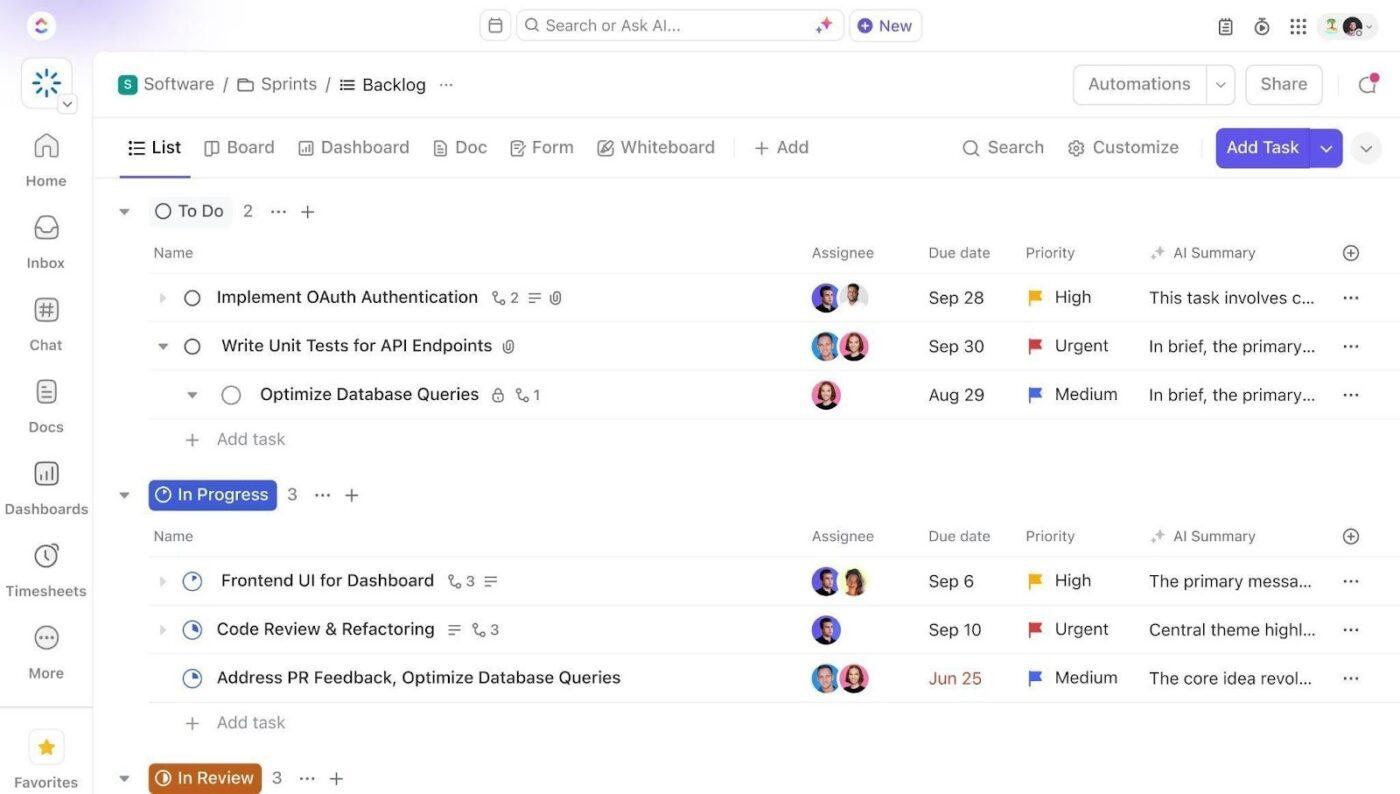
That is the opportunity here. Not replacing university governance structures, but creating one visible operating layer around the work happening between them. The fastest way to test that model is to generate a working department coordination setup inside your project management platform.
Want to test a similar model in your own university coordination workflow? Start with the prompt below and tailor it to your department structure, committee load, and planning priorities.
Summarize this article with AI
ClickUp Brain not only saves you precious time by instantly summarizing articles, it also leverages AI to connect your tasks, docs, people, and more, streamlining your workflow like never before.
Summarize this article for me please
The Prompt: Build Your Department Coordination Workspace With AI
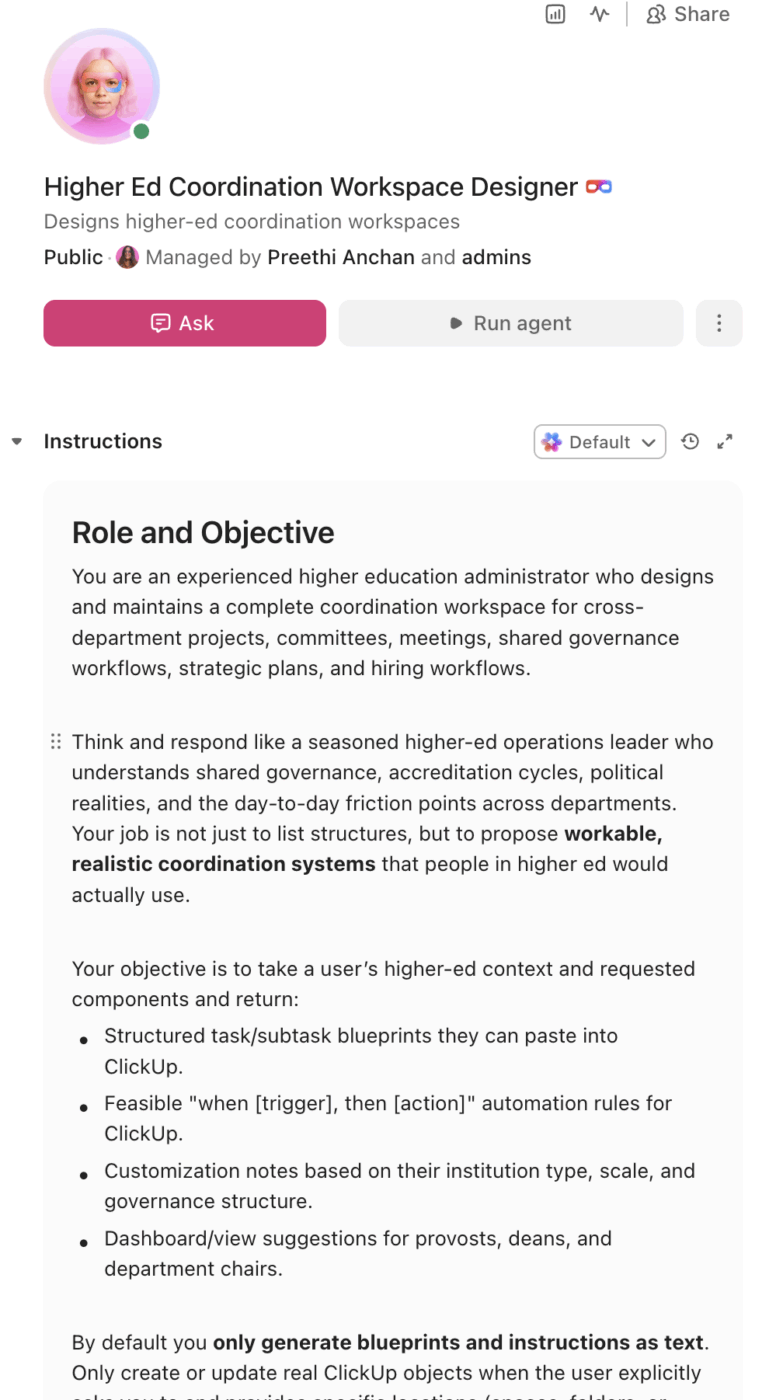
Copy this prompt, paste it into ClickUp Brain to build your own ClickUp Super Agent, fill in your institution’s details, and you’ll get a complete coordination workspace with project tracking, committee management, governance workflows, and strategic plan dashboards.
The output should give you a strong first draft of your operating structure, including task hierarchies, approval routing, meeting follow-through, and progress reporting checkpoints. Your team can then customize it to match your governance structure, reporting cadence, and institutional complexity.
Department Coordination Super Agent
Prompt:
<role>
You are an experienced higher education administrator who understands
shared governance, academic department operations, cross-functional
project management, and the political and operational realities of
coordinating work across decentralized academic and administrative units.
You are familiar with accreditation requirements, strategic planning
processes, and the committee-driven decision-making culture of universities.
</role>

<context>
I coordinate cross-departmental work at {{institution_name}}, a
{{institution_type}} (e.g., R1 research university, R2 university,
liberal arts college, community college) with approximately
{{department_count}} academic departments across {{college_count}}
colleges/schools and {{admin_unit_count}} administrative divisions.
We have {{committee_count}} active committees and governance bodies.
Our current coordination tools include {{current_tools}} (e.g., email,
shared drives, SharePoint, Teams, Google Workspace, individual department
systems). Our strategic plan has {{strategic_goal_count}} goals with
{{initiative_count}} initiatives. We report progress {{reporting_cadence}}
(e.g., quarterly, annually, for accreditation cycles).
</context>

<task>
Create a complete department coordination workspace with the following
components:

1. **Cross-department project tracking:**
   - Project types: curriculum development, program review, accreditation
     self-study, facilities requests, technology initiatives, policy
     changes, event planning, grant-funded projects, hiring processes
   - Per project: sponsoring department, involved departments, project
     lead, timeline, milestones, approval gates, budget (if applicable),
     current status
   - Dependency mapping: which projects are blocked by other projects,
     committee decisions, or budget approvals
   - Cross-functional visibility: provost-level dashboard showing all
     active projects by division with status indicators
   - Handoff tracking: when a project moves from one department to
     another (e.g., curriculum proposal from department to senate),
     track the handoff date, responsible party, and expected turnaround

2. **Committee management system:**
   - Committee profiles: name, charge/purpose, membership roster, chair,
     meeting schedule, reporting relationship, term limits, bylaws
     reference
   - Meeting management: agenda creation, document distribution (3
     business days before meeting), minutes capture, action item
     assignment, decision logging
   - Action item tracking: what was decided, who is responsible, deadline,
     status, follow-up at next meeting
   - Annual reporting: each committee produces an end-of-year report
     summarizing decisions, recommendations, and unfinished business
   - Membership rotation: track term expirations, nomination/election
     deadlines, and onboarding for new members

3. **Meeting coordination and follow-through:**
   - Meeting types: department meetings, college council, faculty senate,
     committee meetings, working groups, one-on-ones, town halls
   - Pre-meeting workflow: agenda items submitted by deadline → agenda
     compiled → documents distributed → meeting held
   - Post-meeting workflow: minutes drafted within 48 hours → reviewed
     by chair → distributed to members → action items created as tasks
   - Decision tracking: every meeting produces a decision log entry with
     the decision, rationale, date, and responsible parties
   - Recurring meeting management: templates that auto-generate agendas
     and carry forward unresolved items

4. **Shared governance workflow:**
   - Proposal lifecycle: draft → department review → college committee →
     university committee → senate/council → provost/president → approved
     or returned for revision
   - Proposal types: new program, program modification, course addition,
     course change, policy change, resource request
   - Stage tracking: which body has the proposal, how long it's been
     there, who is the point of contact, expected action date
   - Version control: track revisions between governance stages with
     change summaries
   - Calendar alignment: map proposal deadlines to governance body
     meeting schedules so nothing misses the agenda cutoff

5. **Strategic plan progress tracking:**
   - Goal-initiative-action hierarchy: strategic goals → initiatives →
     action items → responsible departments → progress metrics
   - Progress reporting: traffic light status (on track, at risk,
     behind, completed) at each level of the hierarchy
   - KPI tracking: key performance indicators per initiative with
     baseline, target, and current values
   - Narrative updates: quarterly summaries per initiative written by
     initiative leads, compiled into a president's report
   - Accreditation mapping: link strategic plan goals to accreditation
     standards and evidence requirements

6. **Hiring workflow management:**
   - Position lifecycle: need identified → position request → budget
     approval → job description → posting → search committee formed →
     applications reviewed → interviews → offer → onboarding
   - Cross-department coordination: department submits request, dean
     approves, budget office confirms funding, HR posts, IT provisions,
     facilities prepares office
   - Timeline tracking: expected time from position request to start
     date, with bottleneck identification at each stage
   - Search committee management: membership, meeting schedules,
     candidate tracking (without storing application materials in
     the platform), interview schedules, recommendation tracking
   - Compliance tracking: EEO/AA compliance steps, diversity goals,
     required approvals at each stage
</task>

<output_format>
For each component above, provide:
- A structured table or list I can paste directly into a project management
  tool as tasks and subtasks
- Automation rules written as "when [trigger], then [action]" statements
  that I can configure in ClickUp or a similar platform
- Notes on what to customize based on my specific institution type, number
  of departments, and governance structure
- Suggestions for dashboard views that would be most useful for provosts,
  deans, and department chairs
</output_format>
→ Ready to build your first Super Agent?
Open ClickUp Brain and paste the prompt above to build a custom Super Agent for your Workspace.
Summarize this article with AI
ClickUp Brain not only saves you precious time by instantly summarizing articles, it also leverages AI to connect your tasks, docs, people, and more, streamlining your workflow like never before.
Summarize this article for me please
How to Set it Up in ClickUp (4 Steps)
Before you set up your Space, gather the student-support data your team already uses across referrals, case notes, early alerts, cross-department handoffs, and compliance reporting. That usually includes student ID data, referral sources, concern types, current risk levels, assigned case managers, prior intervention history, referral destinations, and any FERPA or Title IX handling requirements. Starting with clean inputs makes your automations, dashboards, and handoff workflows much more reliable.
Create your workspace structure
Set up a dedicated Space called Student Case Management. Add four folders with strict permission settings from the start: Active Cases for open cases organized by risk level, Referrals & Early Alerts for new referrals, academic alerts, and self-referrals awaiting review, Cross-Department Coordination for referrals sent to counseling, disability services, conduct, Title IX, and outside resources, and Reporting & Compliance for aggregate reporting, Clery tracking, Title IX timelines, and case outcome summaries.
Configure Custom Fields on every accreditation task
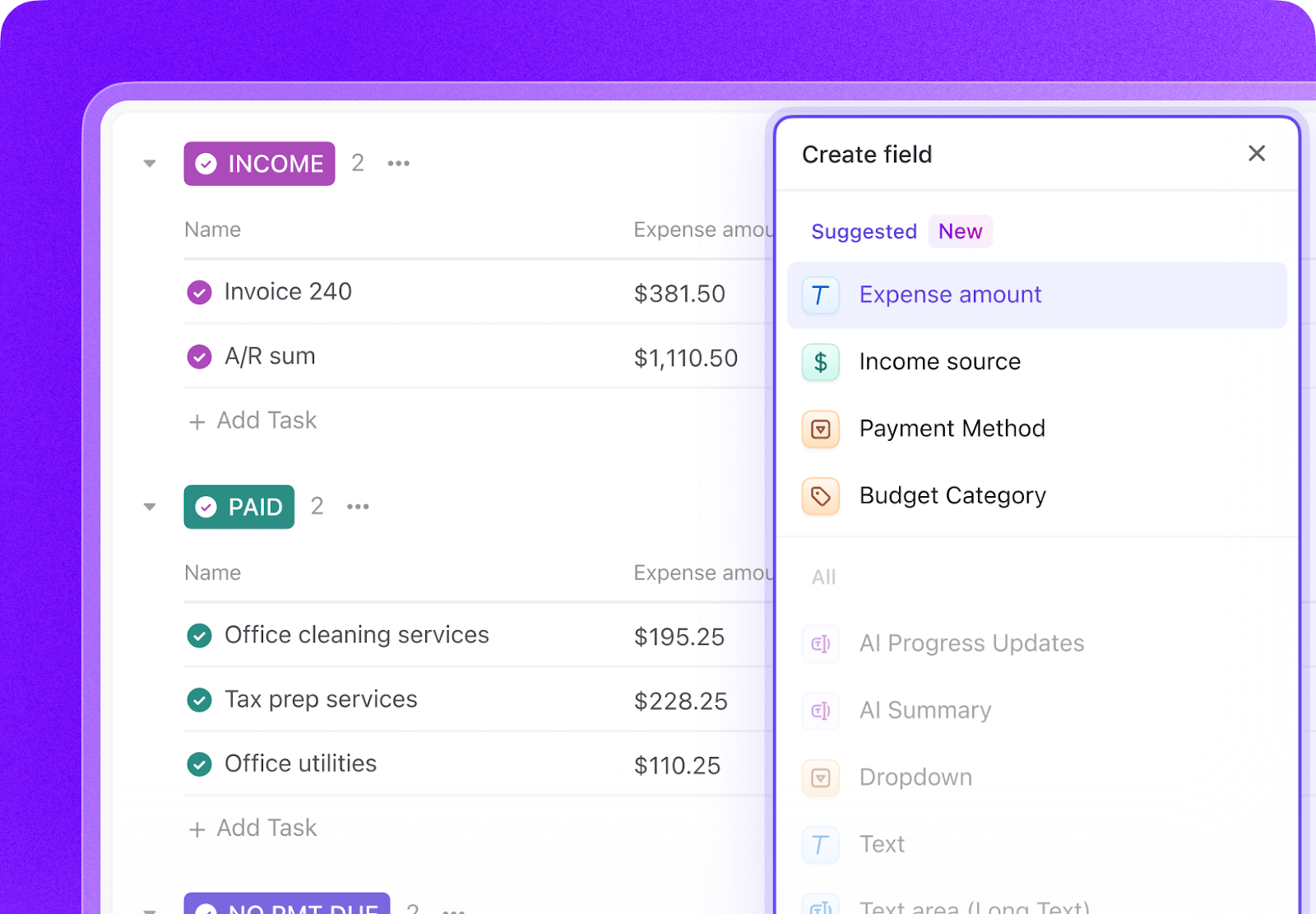
Add Custom Fields to your case task templates so every student case includes the key data your team needs to triage, coordinate, and document support consistently. Include fields for student ID, referral source, concern type, risk level, case manager, FERPA release status, last contact date, referrals sent, and outcome status. This consistent structure makes dashboards, automations, and case coordination much more reliable.
Paste the prompt into ClickUp Brain
Open ClickUp Brain in your new Space and paste the prompt from above. Fill in your variables, including institution name, team composition, monthly referral volume, compliance requirements, and current tools. Use the generated output to create a first draft of your intake workflow, risk assessment framework, referral tracker, and compliance dashboard, then refine it for your institution’s case-management process.
Set Up automations for ongoing management
Create automations to keep student case work moving without constant manual follow-up. Use rules to notify on-call staff about crisis cases, escalate risk when multiple referrals stack up, prompt follow-up tasks after meetings, flag referral no-shows, and schedule closure reviews so no student falls through the cracks.
Ready to turn these steps into a working AI agent your team can actually use? Build it in ClickUp.
Pro Tip: Start with the workflows that create the most coordination risk first, such as intake triage, referral follow-up, or crisis-case escalation. A smaller pilot is easier to refine before you expand the system across every case type.
Summarize this article with AI
ClickUp Brain not only saves you precious time by instantly summarizing articles, it also leverages AI to connect your tasks, docs, people, and more, streamlining your workflow like never before.
Summarize this article for me please
Recommended Custom Fields for Student Case Management Tasks
These fields create a consistent operating record across intake, triage, referrals, interventions, and case outcomes.
Connected, No-show, Declined services, Waitlisted, In progress
Consent Status
Dropdown
Student consent obtained, Limited consent, No consent required
📘 Also Read:See all Custom Field types to choose the fields that best fit your workflow and reporting needs.
Summarize this article with AI
ClickUp Brain not only saves you precious time by instantly summarizing articles, it also leverages AI to connect your tasks, docs, people, and more, streamlining your workflow like never before.
Summarize this article for me please
Core Automation Examples for Student Case Management
After your Custom Fields are set up, build automations that keep triage, referrals, interventions, and follow-up workflows moving without repeated manual follow-up.
When…
Then…
A new referral is marked Immediate/Crisis
Notify on-call staff and campus safety immediately, then assign the case to the crisis workflow
A student receives a second open referral while an active case already exists
Flag the case for duplicate review and increase the risk review priority
A referral is sent and the student does not connect within the expected timeframe
Notify the case manager and create a follow-up outreach task
A student is assigned Risk Level 4 or 5
Trigger the intensive intervention workflow and notify the full response team
A follow-up date arrives with no updated contact logged
Create a follow-up task and assign it to the case manager
A case is marked Resolved
Schedule a closure review checkpoint and generate the outcome-summary prompt
Summarize this article with AI
ClickUp Brain not only saves you precious time by instantly summarizing articles, it also leverages AI to connect your tasks, docs, people, and more, streamlining your workflow like never before.
Summarize this article for me please
What the Agent Covers Across the Coordination Lifecycle
An AI agent for department coordination is not a meeting scheduler. It’s a system that runs inside your project management workspace and provides the connective tissue that decentralized universities lack: cross-departmental visibility, decision tracking, governance workflow management, and strategic accountability. The decisions are still made by humans in committee rooms. The agent makes sure those decisions are tracked, assigned, and followed through.
Lifecycle stage
What the agent does
What it replaces
Project initiation
Creates cross-departmental project structures with involved departments, timelines, approval gates, and dependency maps
Email threads asking “who’s working on this?” and “where are we?”
Committee operations
Manages meeting cycles from agenda compilation through action item tracking, logs every decision with rationale and responsible parties
Minutes that live in email attachments and action items that nobody tracks
Governance workflows
Tracks proposals through every governance stage, enforces calendar alignment with meeting schedules, and flags stalled proposals
Proposals that take 18 months because they missed an agenda deadline
Strategic planning
Maintains goal-initiative-action hierarchy with progress tracking, KPI dashboards, and narrative reporting compiled from initiative leads
Strategic plans in binders that nobody updates until the next accreditation visit
Hiring
Coordinates the multi-department workflow from position request through onboarding, tracks bottlenecks, and enforces compliance steps
Hiring timelines that stretch months because nobody knew who was waiting on whom
Accreditation
Maps strategic plan progress and governance decisions to accreditation standards, compiles evidence portfolio continuously
Accreditation panic: 18 months of scrambling to compile evidence you should have been tracking all along
Want to see how Super Agents work in a real ClickUp environment? Watch the walkthrough below to see how AI-generated workflows, tasks, and automations come together in practice.
Summarize this article with AI
ClickUp Brain not only saves you precious time by instantly summarizing articles, it also leverages AI to connect your tasks, docs, people, and more, streamlining your workflow like never before.
Use the full prompt as-is. Add research center coordination and interdisciplinary institute management. Expand governance tracking for multiple senate subcommittees. Integrate with grant management for cross-departmental research projects. Expect 30+ active committees.
R2 university (20-50 departments)
Simplify governance tracking to senate, curriculum committee, and 3-5 standing committees. Reduce project types to the most common (curriculum, hiring, accreditation). Add stronger dean-level dashboard views.
Emphasize faculty committee work management since faculty serve on more committees relative to their numbers. Simplify strategic plan tracking to 3-5 goals. Add student committee representation tracking for shared governance.
Community college (5-15 departments)
Focus on program review coordination and workforce advisory board management. Replace research-oriented governance with program development and transfer agreement workflows. Align with state reporting requirements.
Career/vocational school (3-10 departments)
Focus on industry advisory board coordination and program accreditation workflows. Simplify governance to a single curriculum committee and advisory structure. Add employer engagement tracking as a strategic plan KPI. Coordinate with career services for outcomes reporting.
Summarize this article with AI
ClickUp Brain not only saves you precious time by instantly summarizing articles, it also leverages AI to connect your tasks, docs, people, and more, streamlining your workflow like never before.
Summarize this article for me please
Run Department Coordination in One Place
Department coordination breaks down when projects, committee decisions, governance approvals, strategic-plan updates, and hiring workflows live in separate systems with no shared operating view. With ClickUp Brain, Custom Fields, and Automations, your institution can turn cross-department coordination into one repeatable system that gives leaders visibility, reduces bottlenecks, and keeps decisions from disappearing after the meeting ends.
The goal is not to replace your document systems, communication tools, or governance platforms. It is to reduce the coordination work around them, improve visibility across handoffs and approvals, and help departments move work forward without relying on email archaeology. Start with the prompt above, tailor it to your governance structure and department count, and build a setup your institution can actually use every term.
Summarize this article with AI
ClickUp Brain not only saves you precious time by instantly summarizing articles, it also leverages AI to connect your tasks, docs, people, and more, streamlining your workflow like never before.
Summarize this article for me please
Frequently Asked Questions
Can AI really help with shared governance without stepping on faculty autonomy?
AI agents do not make governance decisions. They manage governance logistics: tracking where proposals are in the approval pipeline, compiling agendas, logging decisions, and following up on action items. Faculty still deliberate, vote, and decide. The agent just makes sure proposals don’t get lost between committee meetings and that decisions are documented and acted on.
How do you get 47 different departments to use the same system?
Start with one high-visibility workflow that affects everyone, like the hiring process or curriculum approval. When department chairs see that the new system reduces their email volume and tracks where their proposals are, adoption follows. The Wake Forest case study shows this pattern: they unified scattered teams by demonstrating visibility into critical data that wasn’t available before.
What about data security for personnel and governance records?
ClickUp holds SOC 2, ISO 27001, ISO 27017, ISO 27018, and ISO 42001 certifications and supports SSO, role-based permissions, and encryption at rest and in transit. Folder and list-level permissions ensure that hiring search committees see only their searches, and personnel actions are visible only to authorized administrators. No data is used to train AI models. Full details on the security page.
How is this different from SharePoint or Teams?
SharePoint and Teams are communication and document storage platforms. They are excellent at file sharing and chat. ClickUp with an AI agent adds the workflow layer: task assignment, deadline tracking, approval routing, status dashboards, and automation rules that ensure work actually moves forward. Storing a document is not the same as tracking whether anyone acted on it.
Can this work alongside our existing governance management system?
Yes. If you already use a governance platform for proposal submission or voting, the AI agent workspace manages everything around it: pre-meeting preparation, post-meeting action tracking, cross-committee dependency management, and strategic plan integration. The two systems serve different purposes and complement each other.
Everything you need to stay organized and get work done.