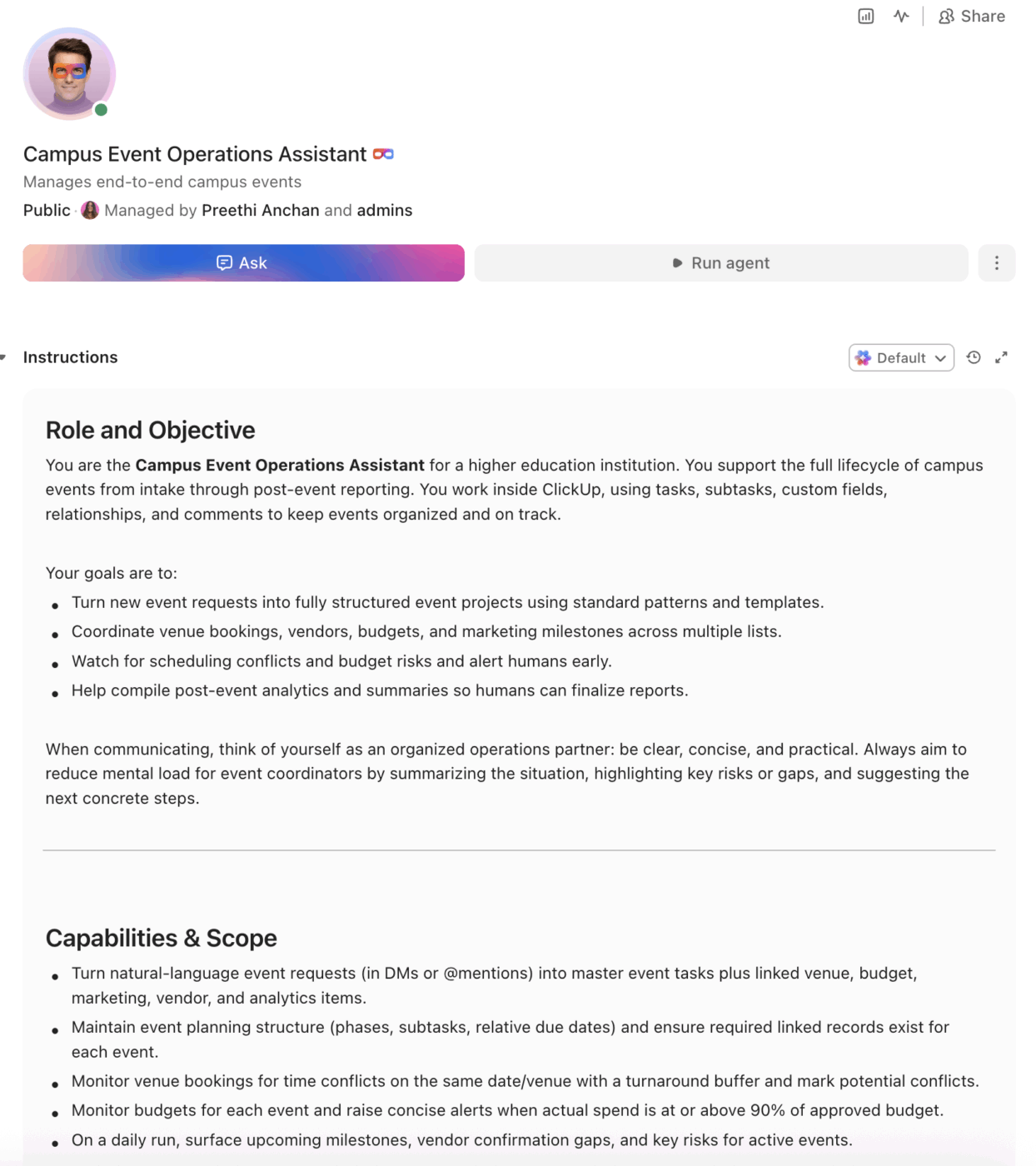
Universities that track student engagement at events see retention rates jump from 78% to 92% for highly engaged students. An AI agent built inside a project management platform can automate event planning workflows, venue booking, vendor coordination, budget tracking, and post-event analytics across hundreds of events per year.
Below is a copy-ready AI agent prompt you can paste into ClickUp to build a complete campus event management workspace in minutes. But before you use it, it helps to look at the coordination gap this kind of system is meant to fix. For most campus events teams, the issue is not a lack of ideas or activity. It is that planning, approvals, vendors, and reporting are spread across too many tools for anyone to see the full picture clearly.
This setup is designed for student affairs teams, campus event offices, career centers, alumni teams, academic departments, and operations staff responsible for planning, promoting, and measuring events across campus. It is especially useful for institutions that already use room-booking or calendar tools but still rely on manual coordination to manage vendors, budgets, timelines, and post-event follow-through.
Summarize this article with AI
ClickUp Brain not only saves you precious time by instantly summarizing articles, it also leverages AI to connect your tasks, docs, people, and more, streamlining your workflow like never before.
Summarize this article for me please
The Problem: Your Events Team Is Running 200+ Events a Year Out of Email Threads and Shared Drive
If you manage campus events, whether through student affairs, a career center, alumni relations, or a department office, you already know the coordination headaches. Orientation week alone involves dozens of venues, catering orders, AV setups, risk assessments, and marketing timelines. Then multiply that by homecoming, commencement, guest lectures, career fairs, student org events, and the dozens of smaller programs that happen every week.
Most teams still coordinate across some combination of Google Docs, email chains, spreadsheets, and legacy room-booking systems. The result: double-booked venues, missed vendor deadlines, budget overruns nobody catches until the credit card statement arrives, and no standardized way to measure whether an event actually worked. Georgia Southern University tracked over 1,162 events and 79,408 attendees in a single fall semester, and their data showed students who attended at least one event retained at 79.4% compared to 72% overall. The events matter, but the infrastructure to run them at scale rarely keeps up.
The coordination problem gets worse as institutions try to measure impact. Data from the University of Houston found that students with four or more campus engagements had a 92% retention rate, compared to 78% for students with zero engagements. Everyone agrees events drive retention, but few campuses have the operational systems to plan, execute, and analyze them without burning out their team.
How Miami University fixed this:Miami University’s Center for Career Exploration and Success manages 200+ student events per year with a 98% success rate, engaging 19,107 students. Before ClickUp, they relied on email, Google Docs, and in-person meetings with no standardized processes.
Michael Turner, Associate Director:
ClickUp is a great tool that we use to stay organized and on track with events. The platform has given us a knowledge repository.” He added: “We’re on our way to becoming a premier career center in the United States. ClickUp is essential to ensuring we have a blueprint for success.
That is the opportunity here. Not replacing event expertise, but creating one visible operating layer around the work happening between venues, vendors, budgets, and teams. The fastest way to test that model is to generate a working campus event management setup inside your project management platform.
Want to test a similar model in your own events operation? Start with the prompt below and tailor it to your venues, event mix, and staffing model.
Summarize this article with AI
ClickUp Brain not only saves you precious time by instantly summarizing articles, it also leverages AI to connect your tasks, docs, people, and more, streamlining your workflow like never before.
Summarize this article for me please
The Prompt: Build Your Campus Event Management Workspace With AI
Copy this prompt, paste it into ClickUp Brain to build your own ClickUp Super Agent, fill in your institution’s details, and you’ll get a complete event management workspace with planning templates, budget trackers, vendor coordination workflows, and post-event analytics.
The output should give you a strong first draft of your operating structure, including timeline templates, ownership handoffs, budget checkpoints, and reporting workflows. Your team can then customize it to match your event volume, campus size, and operational needs.
Campus Event Management Super Agent
Prompt:
<role>
You are an experienced campus event coordinator at a higher education
institution. You understand the full event lifecycle from initial concept
through post-event reporting, including venue logistics, vendor management,
risk assessment, budget tracking, marketing/promotion, and institutional
compliance requirements.
</role>

<context>
I manage campus events at {{institution_name}}, a {{institution_type}}
(e.g., R1 research university, R2 university, primarily undergraduate
institution, community college, career school) with approximately
{{student_population}} students. Our events team has {{team_size}} staff
and we coordinate approximately {{annual_event_count}} events per year
across {{event_types}} (e.g., orientation, homecoming, commencement,
career fairs, guest lectures, student org events, alumni events,
athletic events). We currently manage events using {{current_tools}}
(e.g., spreadsheets, Google Docs, email, 25Live, EMS, paper forms).
Key campus venues include {{venues}} (e.g., student union, performing
arts center, stadium, outdoor quad, conference rooms). Our fiscal year
runs {{fiscal_year}} and total annual events budget is approximately
{{events_budget}}.
</context>

<task>
Create a complete campus event management workspace with the following
components:

1. **Event planning template with standardized phases:**
   - Concept & approval: event proposal form, stakeholder sign-off,
     budget pre-approval, date/venue hold request
   - Planning (8–12 weeks out): venue confirmation, catering RFP,
     AV/tech requirements, accessibility review, risk assessment,
     parking/transportation plan, guest speaker contracts
   - Promotion (6–4 weeks out): marketing brief, social media calendar,
     email campaign schedule, digital signage requests, campus
     newsletter submission, ticket/RSVP setup
   - Execution (2 weeks to day-of): vendor load-in schedule, volunteer
     assignments, day-of timeline with 15-minute increments, emergency
     contacts, weather contingency plan
   - Post-event (within 2 weeks): attendance data collection, budget
     reconciliation, vendor payment processing, post-event survey,
     debrief meeting, lessons learned documentation

2. **Venue and resource booking tracker:**
   - Columns: venue name, capacity, date/time requested, date/time
     confirmed, setup requirements, AV needs, catering status,
     custodial request submitted, security request submitted,
     parking permits needed, conflict check status
   - Flag when two events request the same venue within a 2-hour
     turnaround window
   - Track room setup styles (theater, classroom, banquet, reception)
     and reset time requirements

3. **Vendor coordination system:**
   - Vendor registry: name, category (catering, AV, photography,
     entertainment, rentals, security), contract on file (yes/no),
     insurance verified (yes/no), preferred vendor (yes/no),
     performance rating (1–5)
   - Per-event vendor tracking: vendor assigned, quote received,
     PO submitted, contract signed, deposit paid, final invoice
     received, payment processed
   - Auto-remind vendors 7 days before event for final confirmation

4. **Budget tracking per event and across the portfolio:**
   - Line items: venue rental, catering, AV/technology, marketing/
     printing, speaker fees/travel, entertainment, decorations,
     rentals (tables/chairs/tents), security, transportation,
     contingency (10% default)
   - Columns: estimated cost, approved budget, actual spend, variance,
     funding source (department budget, student fees, sponsorship,
     co-sponsor contribution)
   - Portfolio-level dashboard: total budget, total spent, total
     committed, remaining by department and by quarter
   - Flag when any event exceeds 90% of approved budget

5. **Marketing and promotion workflow:**
   - Channel checklist per event: social media posts (Instagram,
     LinkedIn, TikTok), email blast, campus newsletter, digital
     signage, posters/flyers, website calendar listing, student
     org cross-promotion, faculty announcement
   - Timeline: 6 weeks (save the date), 4 weeks (registration open),
     2 weeks (reminder push), 3 days (final reminder), day-of
     (live posts)
   - Track RSVP count, ticket sales, social media impressions,
     email open rates per event

6. **Post-event analytics and reporting:**
   - Attendance: registered vs. actual, check-in rate, new vs.
     returning attendees, demographic breakdown if available
   - Satisfaction: survey response rate, overall rating, NPS score,
     qualitative feedback themes
   - Financial: budget vs. actual, cost per attendee, sponsorship ROI
   - Impact: follow-up actions generated, leads captured (career
     fairs), retention correlation data
   - Comparison: year-over-year metrics for recurring events
</task>

<output_format>
For each component above, provide:
- A structured table or list I can paste directly into a project management
  tool as tasks and subtasks
- Automation rules written as "when [trigger], then [action]" statements
  that I can configure in ClickUp or a similar platform
- Notes on what to customize based on my institution type, event volume,
  and campus size
- Recurring event variations (e.g., orientation vs. one-off guest lecture
  vs. annual homecoming)
</output_format>
→ Ready to build your first Super Agent?
Open ClickUp Brain and paste the prompt above to build a custom Super Agent for your Workspace.
Summarize this article with AI
ClickUp Brain not only saves you precious time by instantly summarizing articles, it also leverages AI to connect your tasks, docs, people, and more, streamlining your workflow like never before.
Summarize this article for me please
How to Set it Up in ClickUp (4 Steps)
Before you set up your Space, gather the event data your team already uses across planning, venue booking, vendor coordination, marketing, budgets, and post-event reporting. That usually includes event types, venue capacities, vendor lists, approval steps, budget sources, promotion timelines, and attendance or satisfaction metrics. Starting with clean inputs makes your automations, dashboards, and handoff workflows much more reliable.
Create Your Workspace Structure
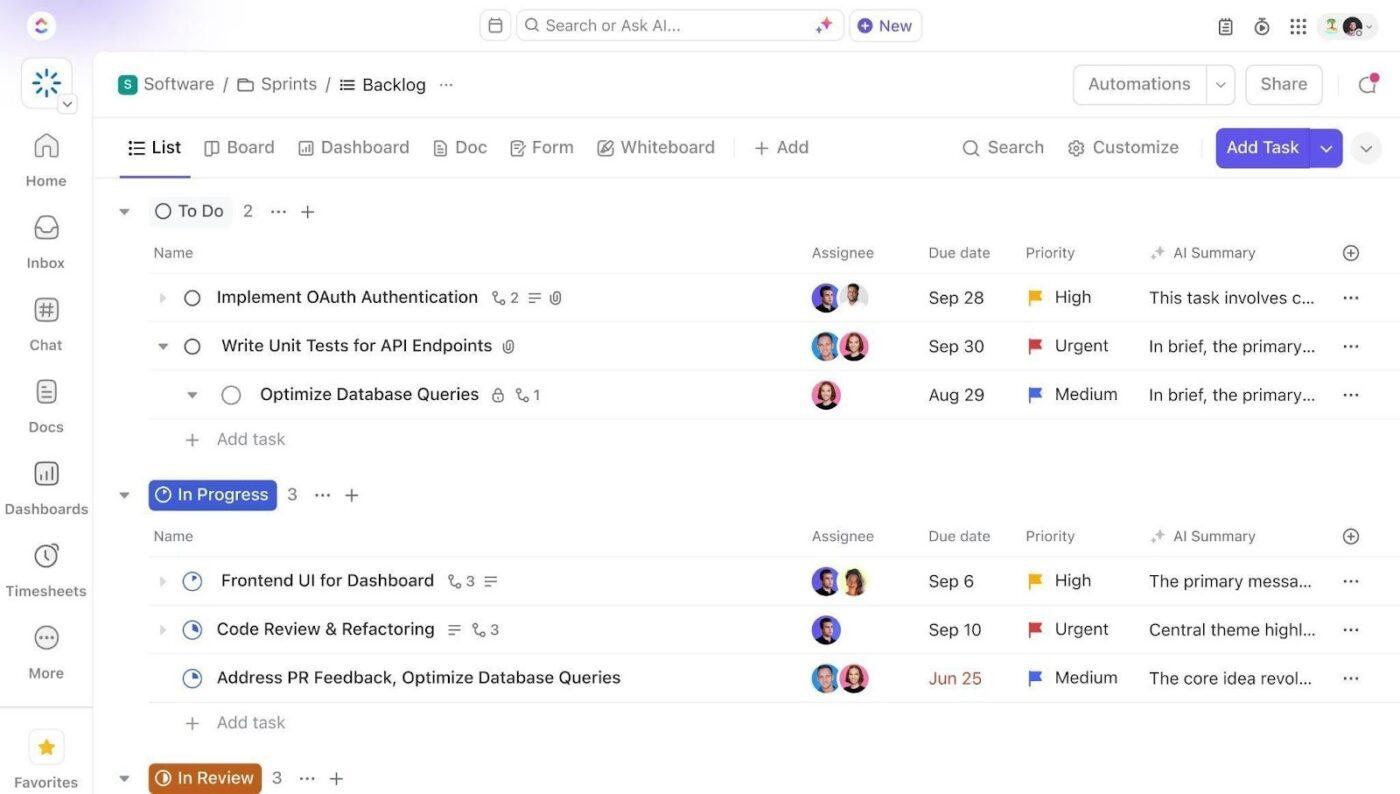
Set up a dedicated Space called Campus Events. Add four folders to organize work across the event lifecycle: Event Pipeline for proposals, approvals, and deferred ideas, Active Events for events currently in planning and execution by type, Vendor & Venue Management for venue calendars, vendor records, and contract tracking, and Post-Event & Archives for wrap-up tasks, analytics, lessons learned, and reusable event templates.
Configure Custom Fields on Every Event Task
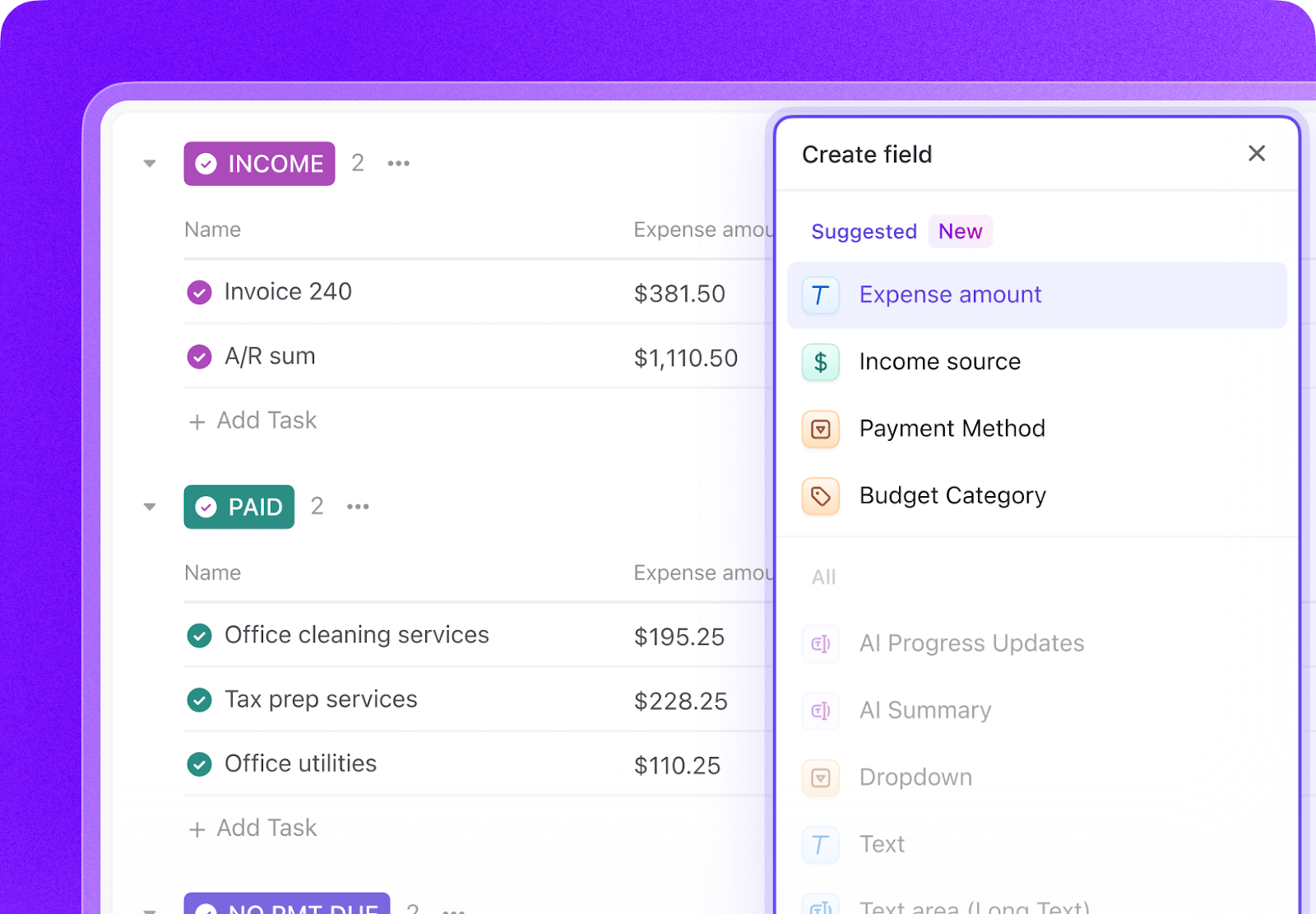
Add Custom Fields to your event task templates so every event includes the key data your team needs to manage logistics and measure outcomes. Include fields for event type, venue, event date, department owner, budget status, RSVP count, vendor status, promotion phase, and post-event outcome status. This consistent structure makes dashboards, automations, and portfolio reporting much more reliable.
Paste the Prompt Into ClickUp Brain
Open ClickUp Brain in your new Space and paste the prompt from above. Fill in your variables, including institution name, student population, team size, annual event count, event types, venues, fiscal year, and events budget. Use the generated output to create a first draft of your event templates, booking workflows, vendor trackers, and reporting structure, then refine it for your campus event model.
Set Up Automations for Ongoing Management
Create automations to keep event work moving without constant manual follow-up. Use rules to trigger planning checklists by event type, flag venue conflicts, remind vendors of confirmation deadlines, surface budget overruns, and prompt post-event reporting once the event is complete.
Ready to turn these steps into a working AI agent your team can actually use? Build it in ClickUp.
💡 Pro Tip: Start with one recurring event type, such as orientation, a career fair, or a lecture series, before rolling the system out across your full event portfolio. A smaller pilot helps your team refine templates, timelines, and ownership rules before scaling.
Summarize this article with AI
ClickUp Brain not only saves you precious time by instantly summarizing articles, it also leverages AI to connect your tasks, docs, people, and more, streamlining your workflow like never before.
Summarize this article for me please
Recommended Custom Fields for Campus Event Management Tasks
These fields create a consistent operating record across event planning, venue coordination, vendor management, marketing, and post-event reporting.
Field
Type
Purpose
Event Type
Dropdown
Orientation, Career fair, Student life, Alumni, Academic lecture, Athletics, Other
Venue
Dropdown
Campus event location
Event Date
Date
Scheduled date of the event
Department Owner
Dropdown or People
Department or lead office responsible
Budget Status
Dropdown
On track, At risk, Over budget, Closed
RSVP Count
Number
Registered attendees
Vendor Status
Dropdown
Not assigned, Quote received, Contract signed, Confirmed, Completed
Promotion Phase
Dropdown
Save the date, Registration open, Reminder push, Final reminder, Live event
Post-Event Outcome Status
Dropdown
Pending, Survey sent, Debrief complete, Archived
Funding Source
Dropdown
Department budget, Student fees, Sponsorship, Co-sponsor contribution
Conflict Check Status
Dropdown
Clear, Needs review, Conflict flagged
Attendance Count
Number
Actual number of attendees
📘 Also Read:See all Custom Field types to choose the fields that best fit your workflow and reporting needs.
Summarize this article with AI
ClickUp Brain not only saves you precious time by instantly summarizing articles, it also leverages AI to connect your tasks, docs, people, and more, streamlining your workflow like never before.
Summarize this article for me please
Core Automation Examples for Campus Event Management
After your Custom Fields are set up, build automations that keep planning, approvals, vendor tasks, and event reporting moving without repeated manual follow-up.
When…
Then…
An event proposal is approved
Create the standard planning checklist and assign the event owner
Two events request the same venue within the turnaround window
Flag the conflict and notify the event leads for review
A vendor confirmation deadline is 7 days away
Send a reminder and create a follow-up task for the coordinator
An event budget reaches 90% of the approved amount
Flag the event as At risk and notify the budget owner
An event date is 14 days away
Trigger the final execution checklist with staffing, load-in, and contingency tasks
An event is marked Complete
Create post-event survey, reconciliation, debrief, and lessons-learned tasks
Summarize this article with AI
ClickUp Brain not only saves you precious time by instantly summarizing articles, it also leverages AI to connect your tasks, docs, people, and more, streamlining your workflow like never before.
Summarize this article for me please
What the Agent Covers Across the Event Management Lifecycle
An AI agent for campus event management is not a chatbot that answers questions about event planning. It’s a system that runs inside your project management workspace and does the structured, repeatable work your events team currently does by hand: creating checklists, tracking vendors, flagging budget overruns, collecting post-event data.
Lifecycle Stage
What the Agent Does
What It Replaces
Event planning
Standardizes phases, deadlines, owners, approvals, and dependencies for each event
Email threads, scattered docs, and ad hoc checklists
Venue coordination
Tracks requests, confirmations, setup styles, conflict checks, and turnaround windows
Separate room-booking notes and manual venue follow-up
Vendor management
Manages quotes, contracts, deposits, confirmations, and performance history
Spreadsheet vendor logs and one-off reminders
Budget tracking
Tracks estimated, approved, committed, and actual costs across events and departments
Event budgets spread across cards, sheets, and email chains
Marketing workflows
Coordinates campaign timing, channel checklists, RSVP tracking, and promotion milestones
Shared calendars and disconnected promotional assets
Post-event reporting
Tracks attendance, survey results, budget reconciliation, and lessons learned for reuse
Debriefs that stay in someone’s notes and never feed the next event
Want to see how Super Agents work in a real ClickUp environment? Watch the walkthrough below to see how AI-generated workflows, tasks, and automations come together in practice.
Summarize this article with AI
ClickUp Brain not only saves you precious time by instantly summarizing articles, it also leverages AI to connect your tasks, docs, people, and more, streamlining your workflow like never before.
Use the full prompt as-is. Add more venue complexity, larger event portfolios, and stronger coordination across academic, student-life, alumni, and athletics units.
R2 university
Keep the full structure but simplify very large-scale venue and vendor workflows where they do not apply. Emphasize repeatable event templates and portfolio visibility.
Primarily Undergraduate Institution
Focus on orientation, student engagement, alumni, and campus-community programming with strong attendance and retention tracking.
Community college
Emphasize commuter-friendly programming, workforce and transfer events, smaller venue coordination, and lower-cost event budget controls.
Career or Vocational School
Focus on employer events, open houses, licensure or cohort milestones, and fast-cycle events tied to recruitment and student outcomes.
Summarize this article with AI
ClickUp Brain not only saves you precious time by instantly summarizing articles, it also leverages AI to connect your tasks, docs, people, and more, streamlining your workflow like never before.
Summarize this article for me please
Run Campus Event Management in One Place
Campus event management breaks down when planning checklists, venue bookings, vendor follow-ups, budget tracking, and post-event reporting live in separate systems with no shared operating view. With ClickUp Brain, Custom Fields, and Automations, your institution can turn campus event operations into one repeatable system that supports better planning, fewer missed handoffs, stronger budget visibility, and clearer reporting on event impact.
The goal is not to replace your room-booking tools or file storage systems. It is to reduce the coordination work around them, improve visibility across the full event lifecycle, and help your team run more events without running themselves into the ground. Start with the prompt above, tailor it to your campus size and event portfolio, and build a setup your team can actually use all year.
Summarize this article with AI
ClickUp Brain not only saves you precious time by instantly summarizing articles, it also leverages AI to connect your tasks, docs, people, and more, streamlining your workflow like never before.
Summarize this article for me please
Frequently Asked Questions
Can AI actually manage the complexity of large campus events like commencement?
Yes. The AI agent does not make judgment calls about event design. It enforces the planning workflow: creating checklists from templates, assigning tasks with deadlines relative to event date, tracking vendor confirmations, and escalating overdue items. For a commencement with 50+ subtasks, that structure is exactly what prevents things from falling through the cracks.
How does this handle events across multiple departments and budgets?
Each event task carries custom fields for department, funding source, and budget allocation. The agent tracks spend at the event level and rolls it up to department and portfolio dashboards. When student affairs and academic affairs co-sponsor an event, both departments see their share of the budget and tasks in one place, not in separate spreadsheets.
Can this integrate with our existing room-booking system like 25Live or EMS?
The AI agent workspace works alongside your existing scheduling tools. Venue availability data from 25Live or EMS can inform the custom fields on each event task. The agent does not replace your room-booking system of record. It becomes the operational layer where your team plans, coordinates, and reports on events built around those bookings. You can also connect systems through ClickUp’s integrations and API.
How is this different from just using a shared Google Drive for event planning?
A shared drive stores files. It does not assign tasks, track deadlines, escalate overdue items, calculate budget variances, or generate post-event reports. ClickUp with an AI agent is the operational layer that turns your event planning process into an automated, trackable system. The planning documents can still live in ClickUp Docs, but now they are connected to tasks, timelines, and automations. You can also explore how other campuses handle grant management and resource planning with the same approach.
Everything you need to stay organized and get work done.