
Sorry, there were no results found for “”
Sorry, there were no results found for “”
Sorry, there were no results found for “”
U.S. colleges received $61.5 billion in charitable giving in fiscal year 2024, yet alumni donor counts have dropped 30% even as total dollars remain strong. Advancement offices are losing the broad base of engaged alumni that sustains long-term giving.
An AI agent built inside a project management platform can automate engagement scoring, fundraising campaign tracking, event coordination, and donor stewardship workflows, turning fragmented alumni data into an organized system.
Below is a copy-ready AI agent prompt you can paste into ClickUp to build a complete alumni relations workspace in minutes. But before you use it, it helps to look at the operational gap this kind of system is meant to fix. For most advancement teams, the issue is not a lack of alumni data. It is that engagement, campaigns, events, and stewardship all live across too many disconnected systems for anyone to see the full relationship clearly.
Who should use this alumni relations setup
This setup is designed for alumni relations teams, advancement operations staff, annual giving teams, donor stewardship staff, engagement officers, and university advancement leaders responsible for alumni outreach, events, campaigns, and donor follow-up. It is especially useful for institutions that already have a CRM in place but still rely on manual coordination to manage engagement scoring, campaign execution, and stewardship workflows.
If you work in alumni relations, the challenge is not a lack of alumni. It’s a lack of visibility into who’s engaged, who’s drifting, and who’s ready to give. Your team manages tens of thousands (sometimes hundreds of thousands) of alumni records spread across your CRM, email platform, event registration system, volunteer database, and whatever spreadsheet your giving day coordinator built last year.
The result is predictable: alumni participation rates have declined from roughly 20% in the 1980s to about 7.8%, fundraising campaigns run on instinct instead of engagement data, event follow-up happens weeks late (or not at all), and 70% of alumni organizations say increasing engagement is their top goal while 27% admit they have no dedicated strategy to achieve it. Meanwhile, CASE standards keep evolving and your team is still reconciling records manually.
The deeper issue is that alumni relations has become a volume game played with cottage-industry tools. You can’t personalize outreach to 100,000 alumni using the same methods that worked for 10,000. And you can’t build a sustainable giving pipeline when your team spends more time on data entry than relationship building.
How Wake Forest University fixed this: Wake Forest University’s Alumni and Donor Services unified teams that had been scattered across different platforms into a single system, achieving real-time data reporting via ClickUp Dashboards and cross-departmental alignment across University Advancement.
Morey Graham, Director, Alumni & Donor Services Project:
We can now collaborate within one system and have visibility into critical data. This allows our various teams to report progress, identify workload and capacity issues, and plan in a more accurate way.
That is the opportunity here. Not replacing advancement systems, but creating one visible operating layer around the work happening between them. The fastest way to test that model is to generate a working alumni relations setup inside your project management platform.
Want to test a similar model in your own advancement operation? Start with the prompt below and tailor it to your alumni base, campaign mix, and engagement goals.
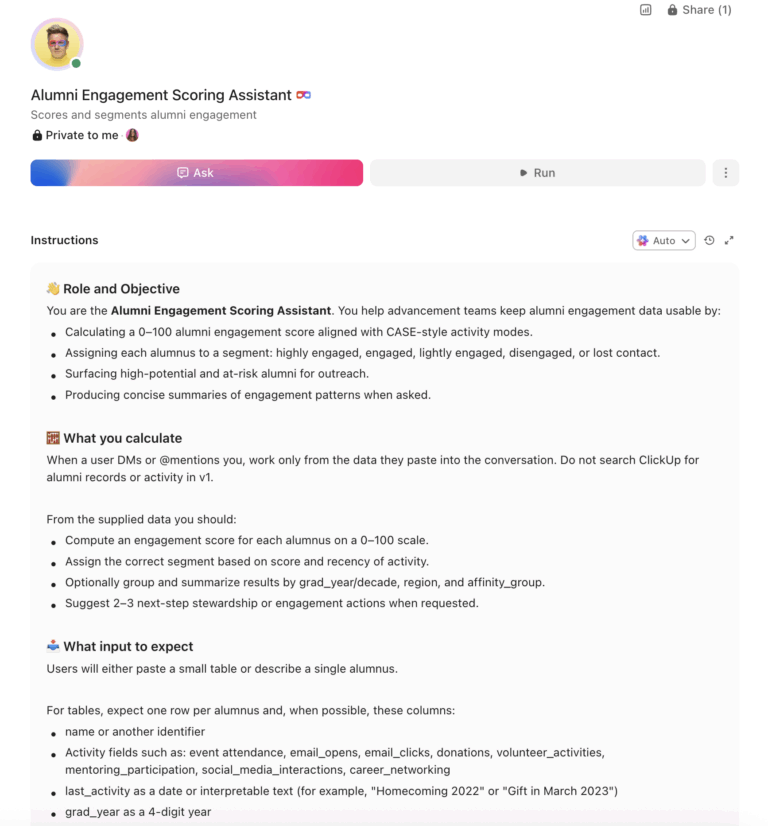
Copy this prompt, paste it into ClickUp Brain to build your own ClickUp Super Agent, fill in your institution’s details, and you’ll get a complete alumni relations workspace with engagement scoring, campaign tracking, event management, and stewardship workflows.
The output should give you a strong first draft of your operating structure, including segmentation logic, campaign checkpoints, event workflows, and stewardship follow-through. Your team can then customize it to match your alumni population, fundraising priorities, and communication channels.
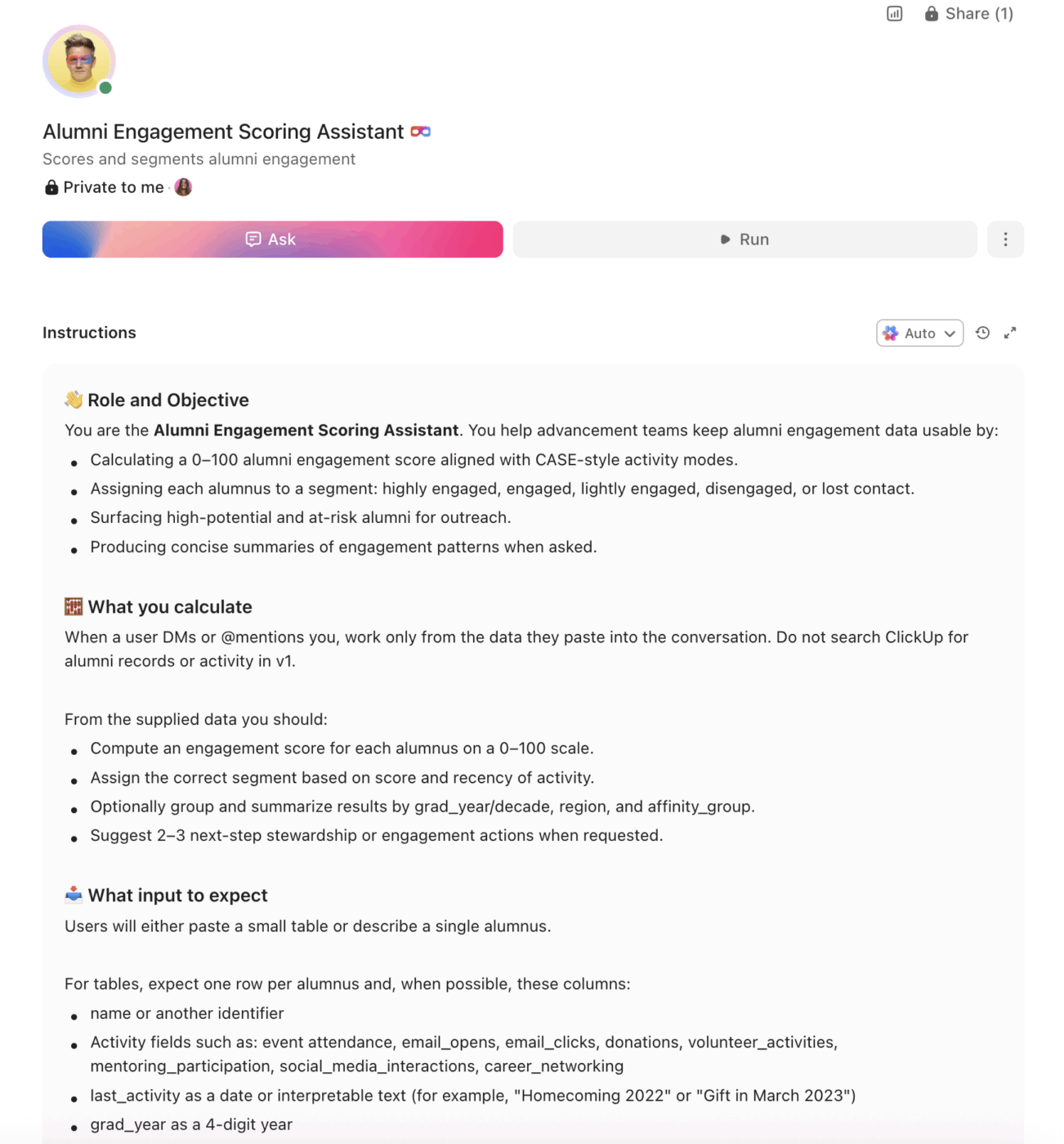
<role>
You are an experienced alumni relations and advancement professional at a
higher education institution. You understand CASE standards for alumni
engagement metrics, donor stewardship best practices, and the operational
reality of managing large alumni populations across multiple engagement
channels.
</role>

<context>
I manage alumni relations at {{institution_name}}, a {{institution_type}}
(e.g., R1 research university, R2 university, liberal arts college,
community college) with approximately {{alumni_count}} living alumni.
Our advancement office has {{staff_count}} staff members dedicated to
alumni relations. We currently track alumni data using {{current_tools}}
(e.g., Raiser's Edge, Slate, Salesforce, Blackbaud, spreadsheets). Our
annual fundraising goal is {{annual_goal}} and our current alumni
participation rate is {{participation_rate}}. Key engagement channels
include {{channels}} (e.g., email, events, social media, regional clubs,
volunteer programs, mentoring platforms).
</context>

<task>
Create a complete alumni relations workspace with the following components:

1. **Engagement scoring system** aligned with CASE engagement metrics:
   - Track four modes: philanthropic, volunteer, experiential, and
     communications engagement
   - Score alumni on a 0-100 scale based on weighted activities:
     event attendance (10 pts), email opens (2 pts), email clicks (5 pts),
     donation (25 pts), volunteer activity (15 pts), mentoring participation
     (20 pts), social media interaction (3 pts), career networking (10 pts)
   - Segments: highly engaged (75-100), engaged (50-74), lightly engaged
     (25-49), disengaged (0-24), lost contact (no activity in 3+ years)
   - Dashboard showing engagement distribution by graduation decade,
     geographic region, and affinity group

2. **Fundraising campaign management structure:**
   - Campaign types: annual fund, giving day, capital campaign, planned
     giving, reunion giving, crowdfunding, tribute/memorial
   - Tracking per campaign: goal amount, raised to date, donor count,
     average gift, participation rate, cost per dollar raised
   - Solicitation pipeline: prospect identification → cultivation →
     solicitation → pledge → gift received → stewardship
   - Giving day toolkit: countdown tasks, challenge matching, social media
     schedule, real-time leaderboard tracking, thank-you automation

3. **Event coordination system for reunions, homecoming, and regional
   events:**
   - Event lifecycle: concept approval → venue/logistics → speaker/program
     → marketing/promotion → registration → day-of execution → post-event
     follow-up → impact report
   - Capacity and budget tracking per event
   - Volunteer assignment and role management
   - Attendee satisfaction survey automation (sent within 48 hours)
   - Regional chapter event templates with localized checklists

4. **Mentoring program matching and tracking:**
   - Alumni mentor profiles: industry, expertise, location, availability,
     mentoring style, graduation year
   - Student/young alumni mentee profiles: major, career interests,
     preferred format (virtual/in-person)
   - Match scoring based on career alignment, geographic proximity, and
     shared affinity groups
   - Engagement tracking: meetings completed, program satisfaction,
     conversion to sustained relationship

5. **Communication campaign scheduling and personalization:**
   - Annual communication calendar by audience segment (young alumni,
     mid-career, senior, donors, volunteers, lost contact)
   - Channel mix per segment: email, direct mail, phone, text, social media
   - Content themes by quarter: annual fund push, homecoming, giving day,
     reunion, career content, campus updates
   - Opt-out tracking and CASE communication standards compliance

6. **Donor stewardship and thank-you workflow:**
   - Stewardship tiers: first-time donor, repeat donor, leadership annual
     ($1K+), major gift ($25K+), planned giving
   - Response time standards: automated receipt (immediate), personal
     thank-you (48 hours), impact report (quarterly), stewardship event
     invitation (annual)
   - Recognition tracking: donor wall, honor roll, naming opportunities,
     scholarship reports to donors
   - Lapsed donor re-engagement sequences triggered at 13, 18, and 24
     months of inactivity
</task>

<output_format>
For each component above, provide:
- A structured table or list I can paste directly into a project management
  tool as tasks and subtasks
- Automation rules written as "when [trigger], then [action]" statements
  that I can configure in ClickUp or a similar platform
- Notes on what to customize based on my specific institution type, alumni
  population size, and engagement channels
- Variations for different campaign types (annual fund vs. giving day vs.
  capital campaign)
</output_format>
→ Ready to build your first Super Agent?
Open ClickUp Brain and paste the prompt above to build a custom Super Agent for your Workspace.
Once your agent blueprint is generated, the next step is turning it into a practical workspace your advancement team can use every day.
Before you set up your Space, collect the information your team already uses to manage alumni engagement. That usually includes engagement categories, campaign calendars, donor tiers, event types, communication segments, and stewardship expectations. Starting with clean inputs makes your automations, dashboards, and outreach workflows much more useful.
Set up a dedicated Space called Alumni Relations & Advancement. Add four folders to organize work across the alumni-engagement lifecycle: Engagement & Outreach for alumni segmentation, communications, regional chapters, and affinity groups, Fundraising Campaigns for annual fund, giving day, capital campaigns, planned giving, and reunion giving, Events & Programs for reunions, homecoming, regional events, mentoring programs, and volunteer coordination, and Stewardship & Recognition for donor thank-you workflows, impact reporting, recognition tracking, and lapsed-donor re-engagement.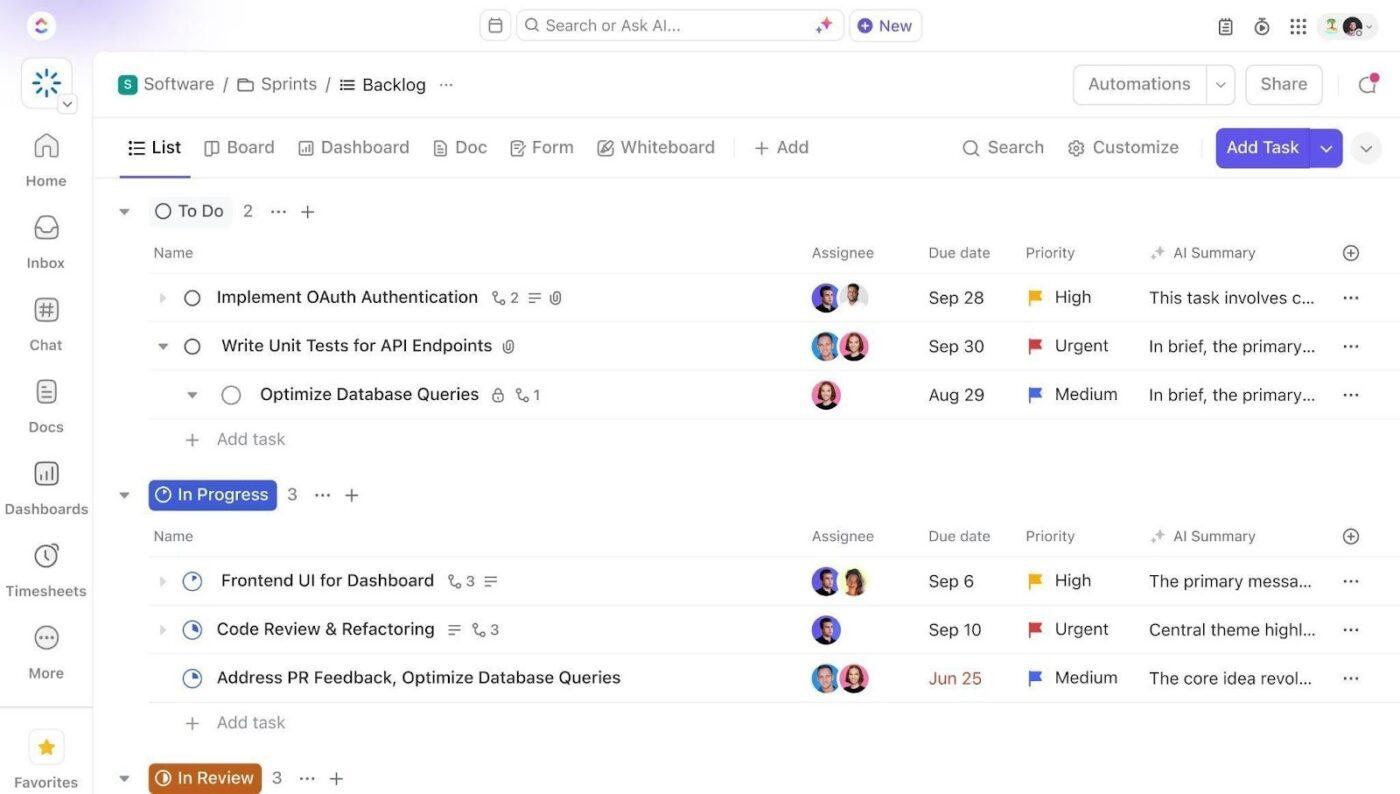
Add Custom Fields to your alumni task templates so every record includes the key data your team needs to track engagement and coordinate outreach. Include fields for engagement score, graduation year, donor tier, last engagement date, geographic region, communication preference, campaign assigned, and lifetime giving. This consistent structure makes dashboards, automations, and portfolio reporting much more reliable.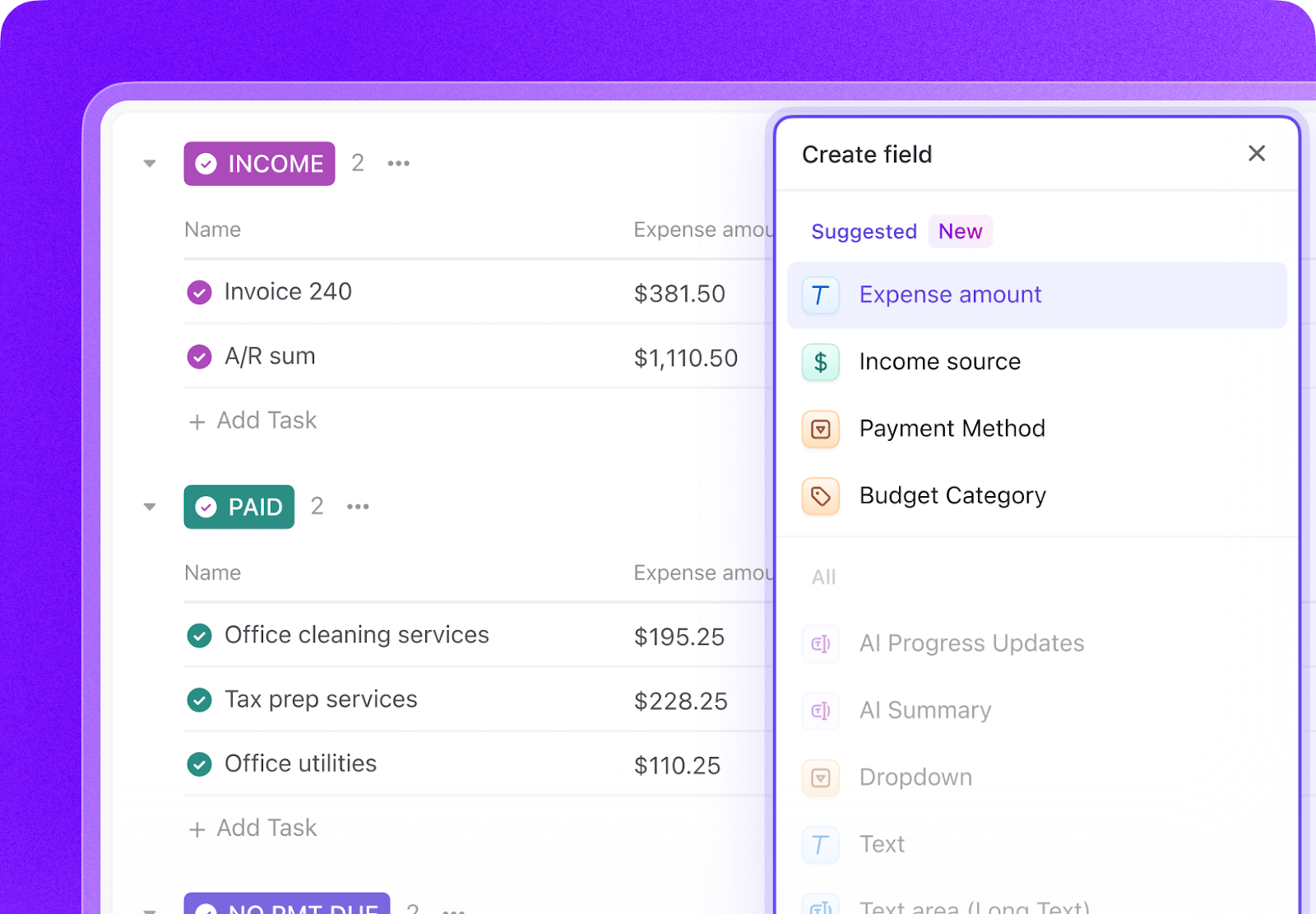
Open ClickUp Brain in your new Space and paste the prompt from above. Fill in your variables, including institution name, alumni count, staff size, current tools, annual fundraising goal, participation rate, and engagement channels. Use the generated output to create a first draft of your engagement scoring model, campaign workflows, event templates, and stewardship structure, then refine it for your advancement operation.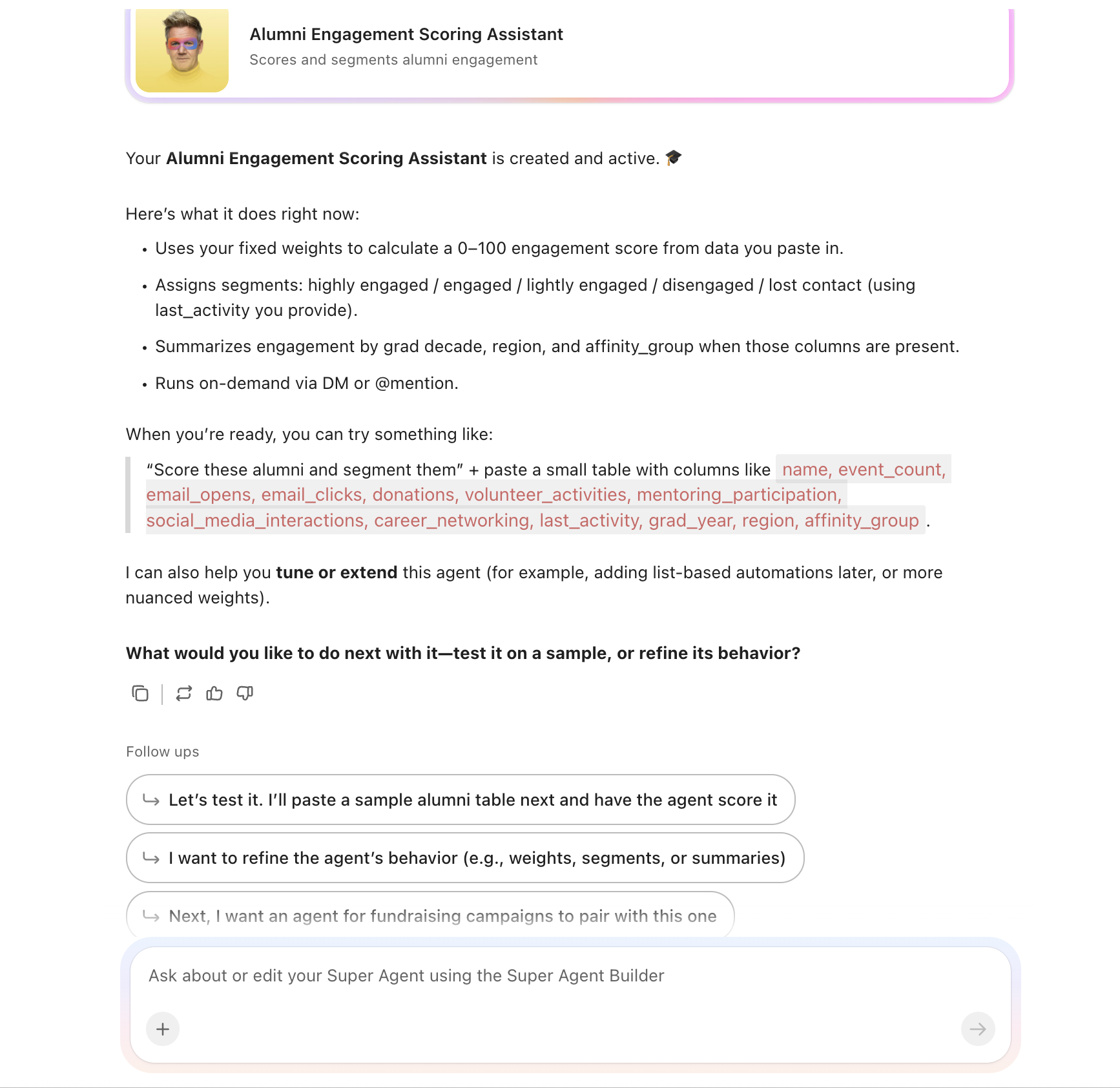
Create automations to keep alumni-relations work moving without constant manual follow-up. Use rules to trigger engagement-based outreach, launch campaign milestones, schedule event follow-up, prompt mentoring check-ins, and start stewardship sequences after gifts are received.
Ready to turn these steps into a working AI agent your team can actually use? Build it in ClickUp.
💡 Pro Tip: Start with one workflow, such as giving day, lapsed-donor re-engagement, or alumni event follow-up, before rolling the system out across the full advancement operation. A smaller pilot helps your team refine templates, scoring logic, and communication rules before scaling.
These fields create a consistent operating record across engagement scoring, campaigns, events, mentoring, and stewardship workflows.
| Field | Type | Purpose |
|---|---|---|
| Engagement Score | Number | Weighted score based on alumni activity |
| Graduation Year | Number or Dropdown | Alumni cohort year |
| Donor Tier | Dropdown | First-time donor, Repeat donor, Leadership annual, Major gift, Planned giving |
| Last Engagement Date | Date | Most recent alumni interaction |
| Geographic Region | Dropdown | Region or chapter location |
| Communication Preference | Dropdown | Email, Direct mail, Phone, Text, Social |
| Campaign Assigned | Dropdown | Annual fund, Giving day, Capital campaign, Reunion giving, Planned giving |
| Lifetime Giving | Currency | Total historical giving amount |
| Engagement Segment | Dropdown | Highly engaged, Engaged, Lightly engaged, Disengaged, Lost contact |
| Affinity Group | Labels | Athletics, Greek life, Academic program, Volunteer, Young alumni, Regional chapter |
| Event Participation Status | Dropdown | Invited, Registered, Attended, No-show, Follow-up complete |
| Stewardship Status | Dropdown | Receipt sent, Thank-you sent, Impact report sent, Re-engagement active |
📘 Also Read: See all Custom Field types to choose the fields that best fit your workflow and reporting needs.
After your Custom Fields are set up, build automations that keep engagement tracking, campaigns, events, and stewardship moving without repeated manual follow-up.
| When… | Then… |
|---|---|
| An alumnus makes a gift | Trigger the stewardship sequence based on donor tier and assign follow-up tasks |
| An engagement score drops into the disengaged range | Create a re-engagement task and assign the appropriate outreach segment |
| A giving day countdown reaches a milestone | Create the next campaign checklist and assign channel-specific tasks |
| An event is marked Complete | Send the post-event survey and create follow-up tasks for attendees and no-shows |
| A donor has been inactive for 13, 18, or 24 months | Trigger the next lapsed-donor re-engagement sequence |
| A mentoring match is created | Schedule check-in tasks and assign milestone follow-up reviews |
📘 Also Read: Learn how Custom Fields work in Automations
An AI agent for alumni relations is not a chatbot that answers questions about your alma mater. It is a system that runs inside your project management workspace and handles the structured, repeatable work your advancement team currently does by hand, including scoring engagement, coordinating campaigns, following up after events, and keeping stewardship from slipping through the cracks.
| Lifecycle Stage | What the Agent Does | What It Replaces |
|---|---|---|
| Engagement tracking | Scores alumni activity across CASE engagement modes and updates segment status | Fragmented engagement records across spreadsheets and disconnected tools |
| Fundraising campaigns | Tracks campaign goals, pipelines, milestones, and donor follow-up | One-off campaign sheets and manual coordination across teams |
| Events and programs | Manages event planning, registration, volunteer roles, surveys, and follow-up | Email threads, shared drives, and event notes that never inform the next event |
| Mentoring programs | Tracks matches, meetings, satisfaction, and sustained engagement | Ad hoc mentor spreadsheets and inconsistent program follow-through |
| Communications | Coordinates audience segments, campaign timing, channel mix, and opt-out compliance | Separate communication calendars and manual audience handling |
| Stewardship and recognition | Tracks thank-you timing, impact reports, recognition items, and re-engagement triggers | Delayed follow-up and donor stewardship buried in inboxes |
Want to see how Super Agents work in a real ClickUp environment? Watch the walkthrough below to see how AI-generated workflows, tasks, and automations come together in practice.
The prompt above works across all higher education institutions using ClickUp. Adjust the prompt for your institution:
| Institution Type | Key Adjustments |
|---|---|
| R1 research university | Use the full prompt as-is. Add more complex campaign segmentation, larger alumni populations, and stronger gift-officer portfolio coordination. |
| R2 university | Keep the full structure but simplify some campaign layers where staff teams are smaller. Emphasize annual fund, events, and regional engagement. |
| Liberal Arts College | Focus on high-touch alumni engagement, reunion giving, volunteer programs, and strong stewardship across smaller alumni populations. |
| Community college | Emphasize local alumni engagement, workforce-aligned mentoring, smaller campaign structures, and relationship building over major-gift complexity. |
| Career or Vocational School | Focus on alumni career outcomes, industry mentoring, employer-linked engagement, and targeted stewardship tied to career success stories. |
Alumni relations breaks down when engagement history, campaigns, events, mentoring programs, and donor stewardship live in separate systems with no shared operating view. With ClickUp Brain, Custom Fields, and Automations, your institution can turn alumni engagement into one repeatable system that supports stronger follow-up, clearer segmentation, better event coordination, and more consistent stewardship.
The goal is not to replace your CRM or advancement database. It is to reduce the coordination work around them, improve visibility into who is engaged and who is drifting, and help your team spend more time on relationships instead of record cleanup. Start with the prompt above, tailor it to your alumni base and advancement priorities, and build a setup your team can actually use year-round.
Get started for free with ClickUp.
AI agents do not call alumni or write heartfelt thank-you notes. They automate the operational work that makes personalized engagement possible at scale: scoring engagement, segmenting audiences, triggering timely outreach, and flagging lapsing donors before they disappear. When your team spends less time on data entry, they spend more time on relationships. That is how participation rates improve.
The AI agent workspace works alongside your existing advancement CRM. Engagement data from Raiser’s Edge, Blackbaud, or Salesforce syncs into custom fields on alumni tasks. The agent does not replace your system of record. It becomes the operational layer where your team tracks campaigns, coordinates events, and manages stewardship workflows on top of that donor data.
ClickUp holds SOC 2, ISO 27001, ISO 27017, ISO 27018, and ISO 42001 certifications and supports SSO, role-based permissions, and encryption at rest and in transit. Donor-level permissions let gift officers see only their assigned portfolios. No data is used to train AI models. Full details on the security page.
The engagement scoring system aligns with CASE’s four engagement modes (philanthropic, volunteer, experiential, communications). Custom fields track each mode separately, so you can generate CASE-compliant engagement reports directly from your workspace. The agent structures data the way CASE expects it, which simplifies survey response preparation.
No. The prompt includes variables for institution type, alumni count, and staff size. A two-person alumni office at a community college benefits from the same campaign tracking and stewardship automations as a 50-person advancement shop at an R1 university. The system scales with your alumni base and your team.

Praburam Srinivasan
Max 13min read
Praburam Srinivasan
Max 11min read
Praburam Srinivasan
Max 12min read

© 2026 ClickUp




