
Expansion ideas usually begin with enthusiasm.
Someone spots a new market opportunity. A regional team proposes opening another location. Leadership asks for a feasibility analysis before the idea moves forward.
Then the work begins. But market research lives in one document, and financial projections appear in a spreadsheet. Decision-makers get information in different formats and levels of detail.
Expansion feasibility templates give teams a shared structure for researching demand, estimating costs, and identifying risks. This outlines an execution plan before the proposal reaches leadership.
Below are 10 ClickUp expansion feasibility templates that help teams evaluate expansion opportunities and organize the analysis in one place.
Expansion Feasibility Templates at a Glance
| Template name | Download link | Ideal for | Best features | Evaluation focus |
| Business Case Analysis Template by ClickUp | Get free template | Strategy teams and analysts preparing early expansion proposals | Structured business justification; stakeholder alignment; assumption tracking | Early-stage opportunity evaluation |
| Financial Analysis Report Template by ClickUp | Get free template | FP&A teams and finance leads validating economic viability | Revenue projections; cost breakdowns; scenario modeling | Financial feasibility |
| Budget Proposal Template by ClickUp | Get free template | Project managers and finance teams requesting expansion funding | Line-item budgeting; funding source tracking; approval workflows | Budget planning and funding approval |
| Competitive Analysis Template by ClickUp | Get free template | Strategy and marketing teams analyzing market competition | Competitor profiling; pricing comparisons; differentiation mapping | Market feasibility |
| Go-to-Market Strategy Template by ClickUp | Get free template | Marketing, sales, and product teams planning market entry | Customer segmentation; pricing strategy; launch phases | Market launch planning |
| Go-to-Market Strategy Communication Template by ClickUp | Get free template | Marketing and communications teams coordinating launch messaging | Internal announcement plans; PR strategy; sales enablement materials | Launch communication alignment |
| Resource Planning Template by ClickUp | Get free template | Operations leaders and HR teams assessing expansion capacity | Staffing plans; skill gap analysis; vendor dependency tracking | Operational feasibility |
| Risk Benefit Analysis Template by ClickUp | Get free template | PMOs and executives weighing risks against potential gains | Risk scoring; mitigation planning; benefit quantification | Risk assessment |
| Buy vs Build Analysis Template by ClickUp | Get free template | Product and engineering teams deciding capability sourcing | Side-by-side comparison; cost analysis; strategic fit scoring | Capability sourcing decisions |
| Implementation Plan for Simple, Complex, and Enterprise Teams Template by ClickUp | Get free template | Project managers and operations teams executing approved expansions | Phase planning; milestone tracking; dependency mapping | Execution and rollout planning |
What Is an Expansion Feasibility Template?
An expansion feasibility template is a pre-built, structured document that enables consistent analysis. It guides your team in evaluating whether a proposed growth initiative is worth pursuing before you commit significant resources.
Think of it as a standardized checklist for due diligence.
When every department creates its own feasibility study, you end up with a varied collection that is impossible for leadership to compare. This leads to decisions based on incomplete or biased information, creating a massive, unnecessary risk for any growth initiative.
A strong feasibility document template makes deal-breakers apparent, helping you decide whether to execute the business case at all.
📮ClickUp Insight: 16% of managers struggle with integrating updates from multiple tools into a cohesive view. When updates are scattered, you end up spending more time piecing together information and less time leading.
The result? Unnecessary administrative burdens, missed insights, and misalignment. With ClickUp’s all-in-one workspace, managers can centralize tasks, documents, and updates, reducing busywork and surfacing the insights that matter most, right when they’re needed.
💫 Real Results: Convene unified 200 professionals into one ClickUp workspace, using customizable templates and time tracking to reduce overhead and improve delivery times across multiple locations.
Why Use Expansion Feasibility Templates?
🔎 Did You Know? Nearly half of employees (48%), and more than half of leaders (52%), say their work feels chaotic and fragmented.
To avoid falling into this category, your team should adopt a structured approach to analyzing growth opportunities. In other words, expansion bets based on gut feelings will lead to siloed analyses and costly mistakes.
The consequences are predictable. Teams either skip the feasibility analysis entirely and pay for it later, or they waste precious time reinventing the wheel for every new idea. You invite misallocated resources, poor stakeholder alignment, and expensive surprises no one asked for.
Using expansion feasibility templates creates a single source of truth that everyone can rely on.
It’s especially done well within a converged AI workspace like ClickUp, a single platform where projects, documents, conversations, and analytics live together.
This approach delivers several key benefits:
- Risk mitigation: Templates force you to identify potential blockers, whether regulatory, competitive, or operational, before they become costly emergencies
- Faster decision-making: Standardized frameworks provide leadership with comparable data across multiple expansion options, making it easier to decide
- Resource allocation clarity: You’ll know exactly what budget, headcount, and timeline you need before you even walk into the approval meeting
- Stakeholder alignment: A shared template ensures finance, operations, and strategy teams are all working from the same playbook
Market research is a critical part of your preparation for expansion. See how you can use AI tools to do this more efficiently.
10 Expansion Feasibility Templates for Your Next Growth Initiative
These expansion feasibility templates cover the full spectrum, from initial idea to final implementation plan. Each one is designed to address a specific phase of the evaluation process, ensuring every angle is covered without overwhelming your team.
All are available in the ClickUp Template Center and can be fully customized to fit your organization’s unique workflows and market strategy.
1. Business Case Analysis Template by ClickUp
The first question leadership asks when a new expansion idea lands on the table: Why should we do this?
Answering that question is harder than it sounds. Expansion proposals often start as scattered research, rough estimates, and loosely defined benefits. This lack of structure forces stakeholders to argue over minor details rather than the big picture.
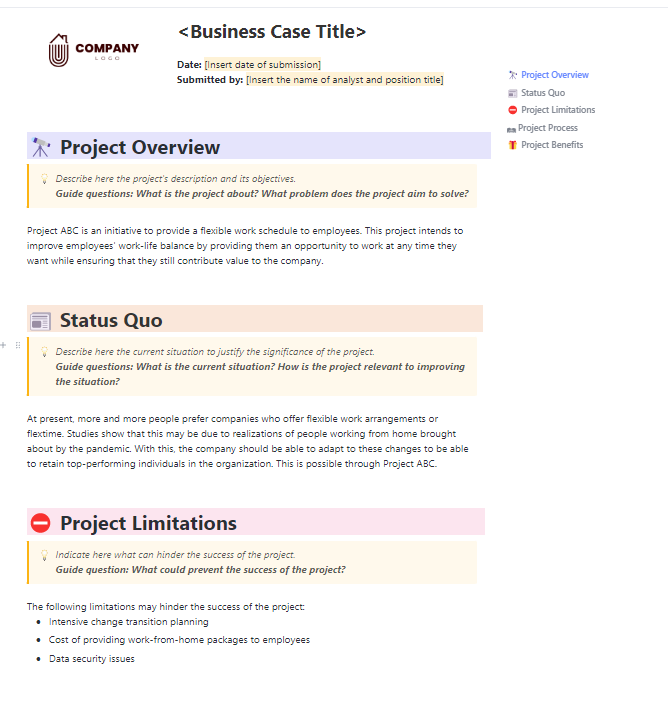
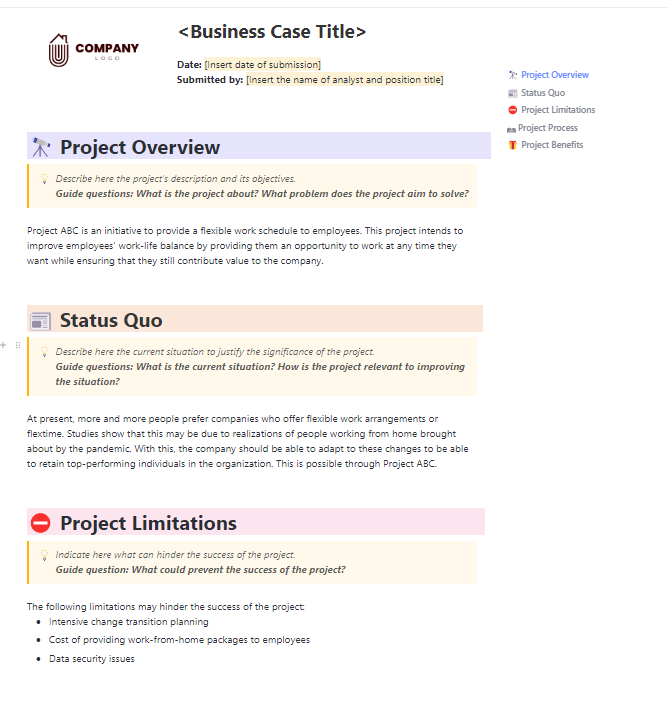
The ClickUp Business Case Analysis Template gives teams a clear framework for early-stage ideas. It organizes the core elements so that decision-makers focus on the project’s actual value.
Why use this template:
- Draft the business case collaboratively in ClickUp Docs so strategy, finance, and operations teams can refine the proposal together
- Track key assumptions and cost–benefit estimates with Custom Fields to organize financial projections and impact indicators
- Turn analysis into action by creating ClickUp Tasks for research, validation, or stakeholder review
- Review timelines and dependencies across multiple initiatives using ClickUp Views
📈Ideal for? Strategy teams, analysts, and operations leaders preparing early-stage expansion proposals that need a structured business justification
2. Financial Analysis Report Template by ClickUp
🔎Did You Know? 73% and 86% of tax and FP&A teams, respectively, use spreadsheets for core financial analysis.
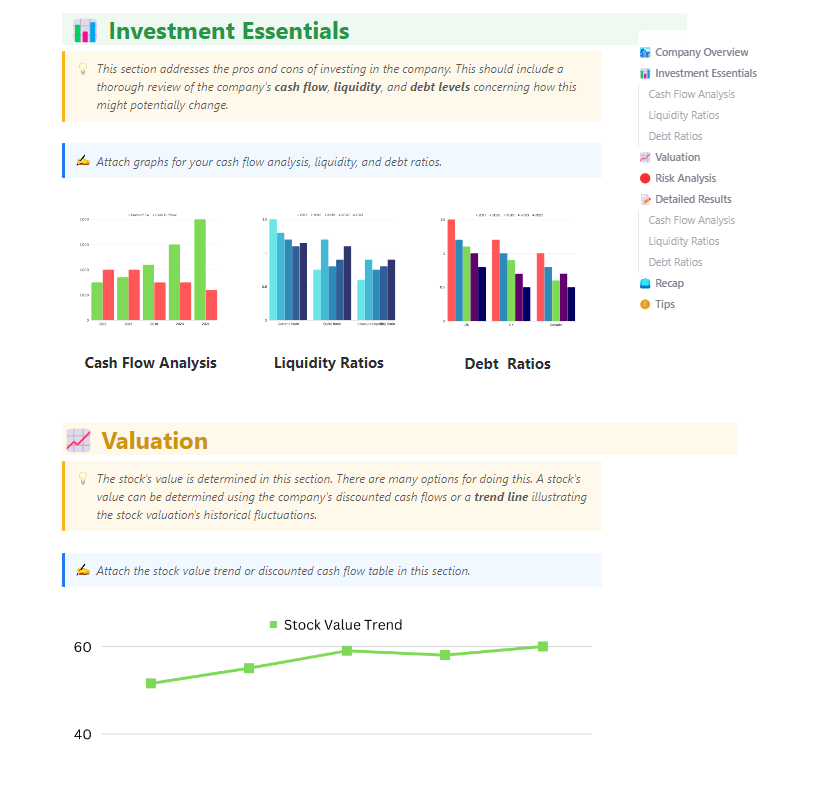
The ClickUp Financial Analysis Report Template is a dedicated framework for evaluating the financial viability of a potential initiative.
It streamlines complex data like revenue, costs, and profit outlooks. With scenario analysis, it clearly shows stakeholders how an expansion might perform under different conditions.
Why use this template:
- Organize revenue forecasts and cost projections so stakeholders can review assumptions and estimates in one place
- Break down capital and operating expenses to evaluate how different cost structures affect profitability
- Model multiple financial scenarios to understand how changes in demand, pricing, or operating costs impact projected returns
- Summarize complex financial findings faster with ClickUp Brain for executive updates
📈Ideal for? Finance teams, FP&A analysts, and project sponsors assessing the financial viability of expansion initiatives before leadership approval.
💡 Pro Tip: Build a custom Super Agent as your dedicated feasibility analyst. It can:
- Monitor your evaluation project 24/7
- Flag overdue risk assessments
- Pull status updates across workstreams
- Send stakeholders a clean summary every Monday morning
See how you can quickly set up and use a Super Agent in minutes!
3. Budget Proposal Template by ClickUp
Securing funding for an expansion rarely depends on the idea alone. Leadership wants to know how the money will be used and how you’ll monitor spending.
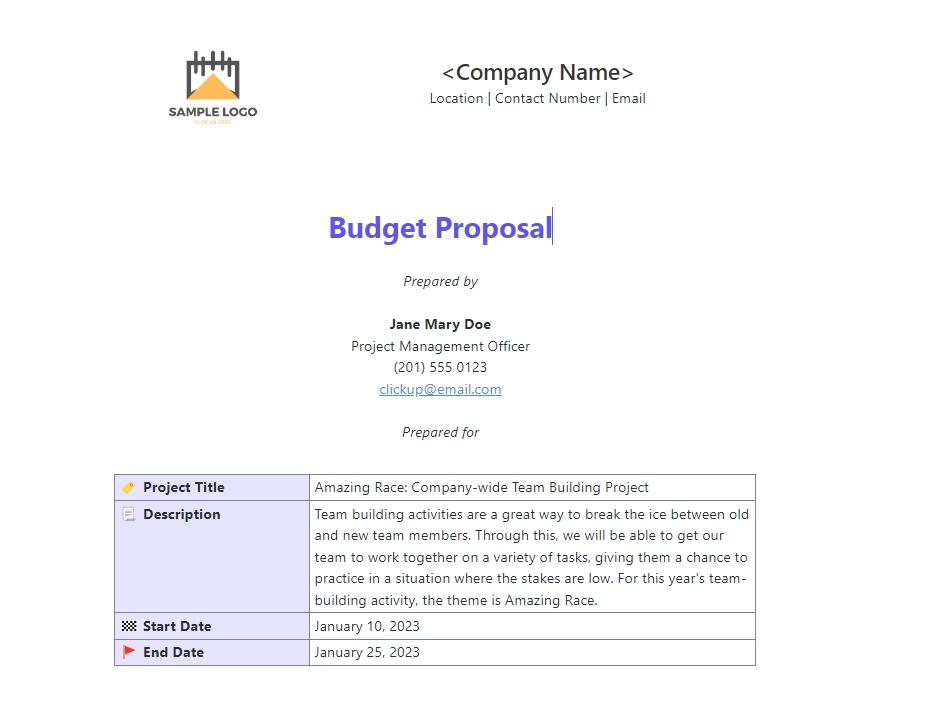
The ClickUp Budget Proposal Template presents those financial details in a structured, approval-ready format. Ditching scattered files, it pulls together all expenses, funding sources, safety nets, and approval flows into one place.
Why use this template:
- Break down project costs into clear budget categories so stakeholders can review how funding will be allocated
- Track funding sources and contingency allocations to ensure the proposal accounts for both expected and unexpected expenses
- Organize cost estimates and spending categories in one place with the ClickUp Table View
- Streamline the approval process by triggering notifications with ClickUp Automations
📈Ideal for? Project managers, finance leads, and operations teams preparing detailed budget proposals for expansion initiatives that require executive or board approval.
4. Competitive Analysis Template by ClickUp
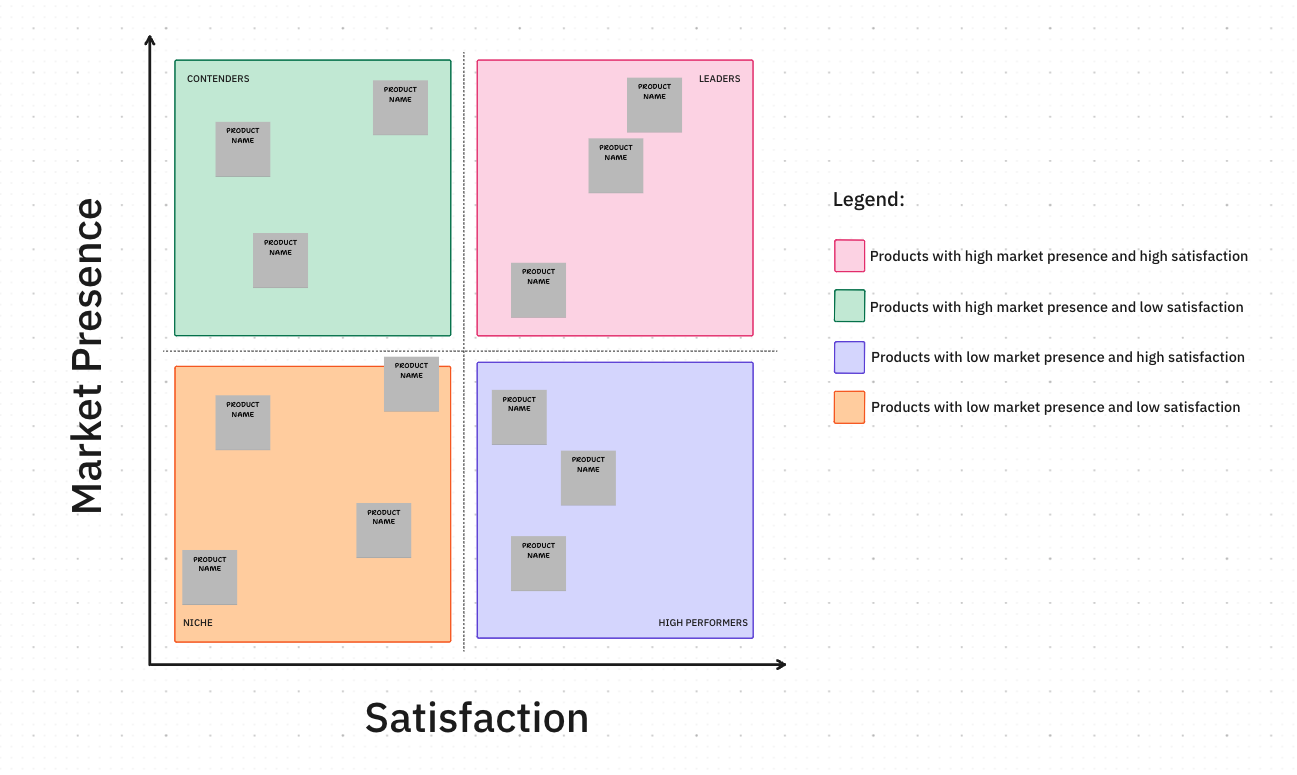
Research and competitor notes are often scattered and hard to act on. The ClickUp Competitive Analysis Template gathers them all into a cohesive strategy before you commit to expanding.
Use it to map out competitors, estimate market positioning, evaluate strengths and weaknesses, and identify potential differentiation opportunities.
Why use this template:
- Map the competitive landscape visually using ClickUp Whiteboards to compare competitors, positioning, and market gaps in one workspace
- Document and understand competitor profiles and pricing strategies
- Analyze strengths, weaknesses, and differentiation opportunities for your expansion strategy
- Link competitive insights to the broader project feasibility so strategy, marketing, and leadership teams can reference the analysis during planning
📈Ideal for? Strategy and marketing teams evaluating market positioning before entering a new region, product category, or customer segment.
💡 Pro Tip: Use ClickUp Brain Max’s deep research and connected search to compile competitive intelligence from across your workspace AND the web in one query, no tab-hopping required. It works from your desktop or browser, so you can pull market data while reviewing a competitor’s pricing page.
5. Go-To Market Strategy Template by ClickUp
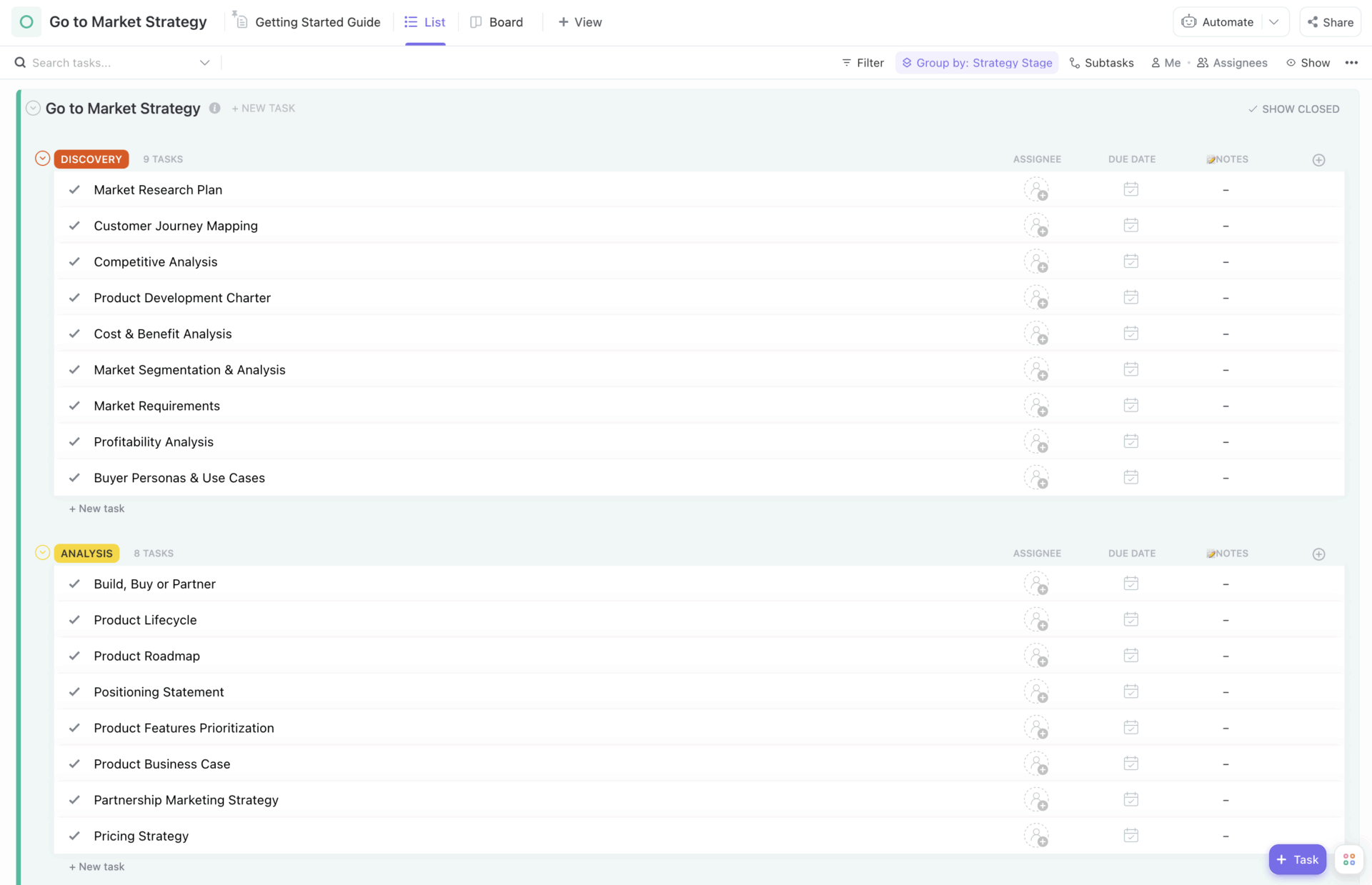
A feasibility study might confirm that an expansion is worth pursuing, but the next question comes quickly: How will the launch happen?
The ClickUp Go-to-Market Strategy Template translates feasibility insights into a structured launch plan. It aligns sales, marketing, and product teams on who the customer is, why they should care, and how you’ll reach them.
With the strategy organized in one place, teams can focus on building momentum.
Why use this template:
- Break the launch strategy into actionable ClickUp Milestones covering planning, launch, and post-launch activities
- Coordinate marketing, sales, and product initiatives so each team understands its role in the launch
- Map task relationships with ClickUp Dependencies to highlight which steps must happen before others
- Track progress across GTM initiatives so leadership can monitor launch readiness
📈Ideal for? Marketing, sales, and product teams planning the launch strategy for a new market entry, product rollout, or service expansion
💡 Pro Tip: Turn on ClickUp’s AI Notetaker during stakeholder alignment meetings. It auto-captures decisions, objections, and action items, then converts them into tasks linked to your feasibility project. No more ‘what did we decide last Thursday?’
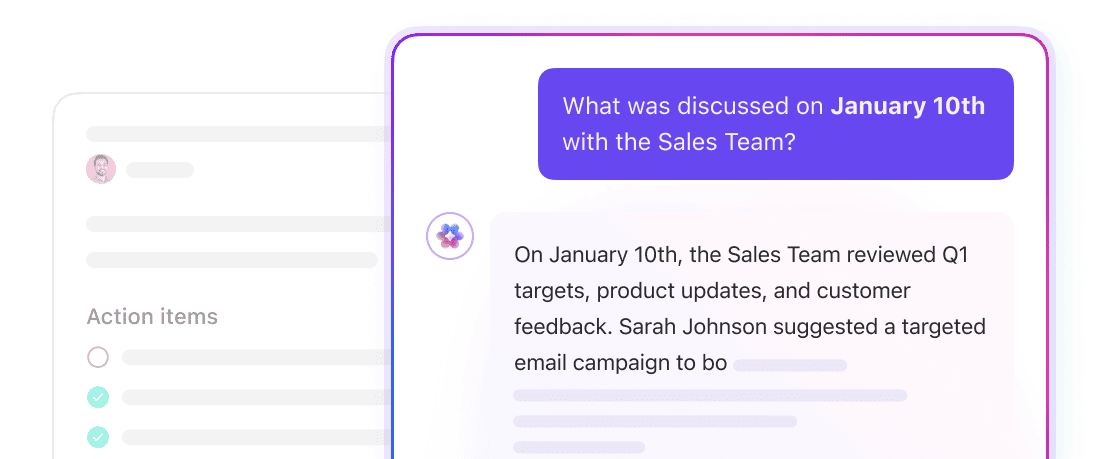
6. Go-To Market Strategy Communication Template by ClickUp
🧠Fun Fact: Consistency is the hallmark of high-growth companies. In fact, outperformers are 80% more likely to frequently communicate their strategies both internally and externally.
If you’re aspiring to join that metric, try the ClickUp Go-to-Market Strategy Communication Template.
A shared communication plan ensures everyone tells the same story. It ensures your message stays consistent across all channels and helps every department coordinate their launch communications.
Why use this template:
- Outline internal and external communication plans for leadership, sales, and customer teams
- Develop and refine messaging in ClickUp Docs with input from multiple teams
- Convert feedback or approvals into ClickUp Tasks with clear owners
- Bring consistency to sales enablement materials and customer messaging
📈Ideal for? Marketing, communications, and product teams coordinating internal announcements, PR messaging, and customer communication during a market or product launch.
💡Pro Tip: Keep launch discussions connected to the work itself with ClickUp Chat. Your team can discuss announcements, sales talking points, and PR updates directly inside the workspace where the strategy lives.
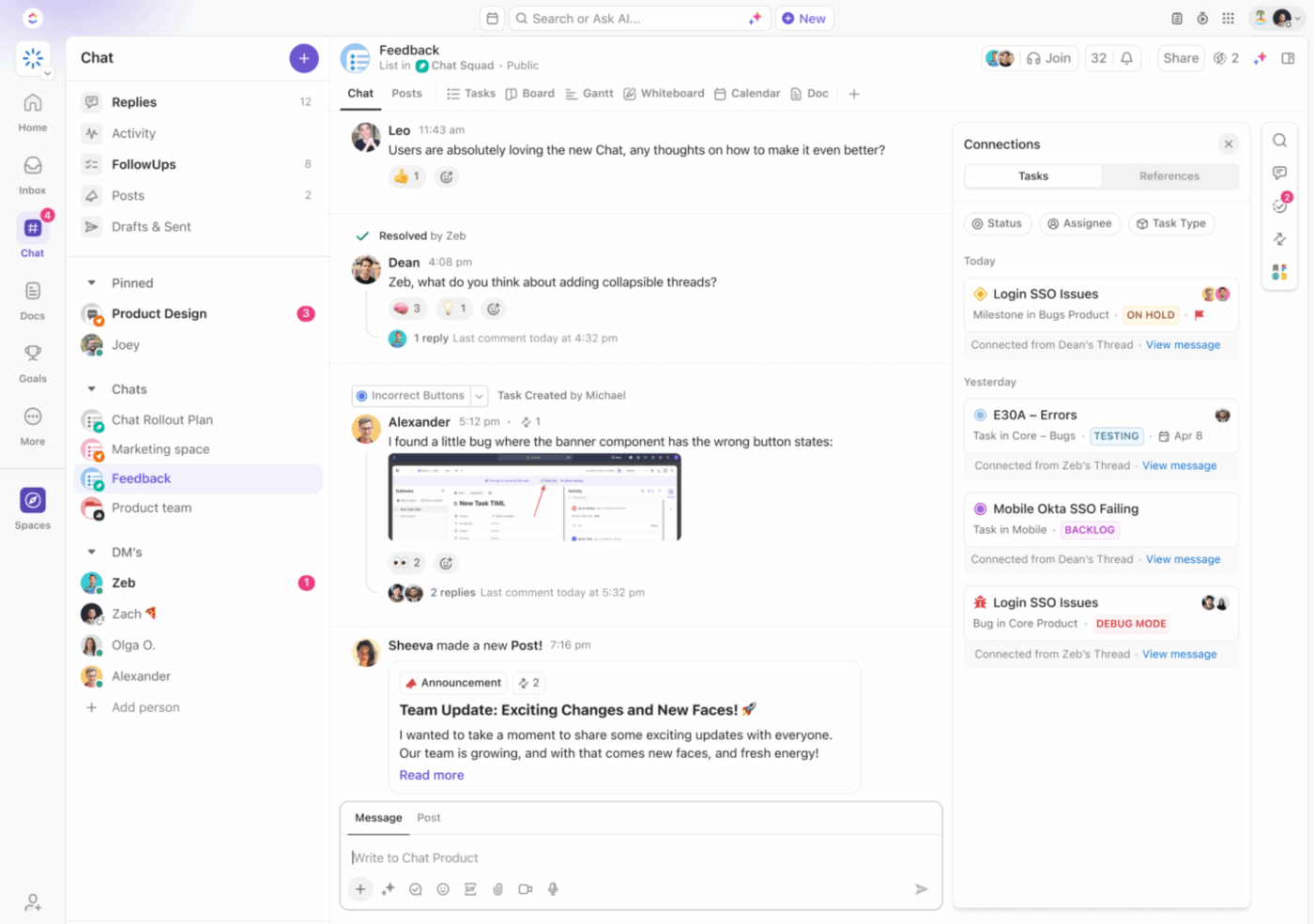
Because ClickUp Chat is built into the platform, conversations stay linked to the tasks, documents, and launch plans they reference. That means when someone asks about a messaging change or campaign update, the context is already attached.
Use ClickUp Chat to:
- Turn conversations into action items: Convert launch feedback or messaging updates into tasks directly from chat threads
- Keep launch discussions organized: Structure conversations by project or campaign so marketing, sales, and product teams stay aligned
- Link discussions to work: Attach messages to tasks, docs, and strategy plans so decisions stay documented alongside the execution
With ClickUp Brain built into Chat, you don’t need to scroll through long threads to understand what happened.
Ask Brain to summarize discussions, highlight decisions, or surface action items from launch planning conversations. It pulls context from your tasks, docs, and chats to give you the key takeaways instantly.
7. Resource Planning Template by ClickUp
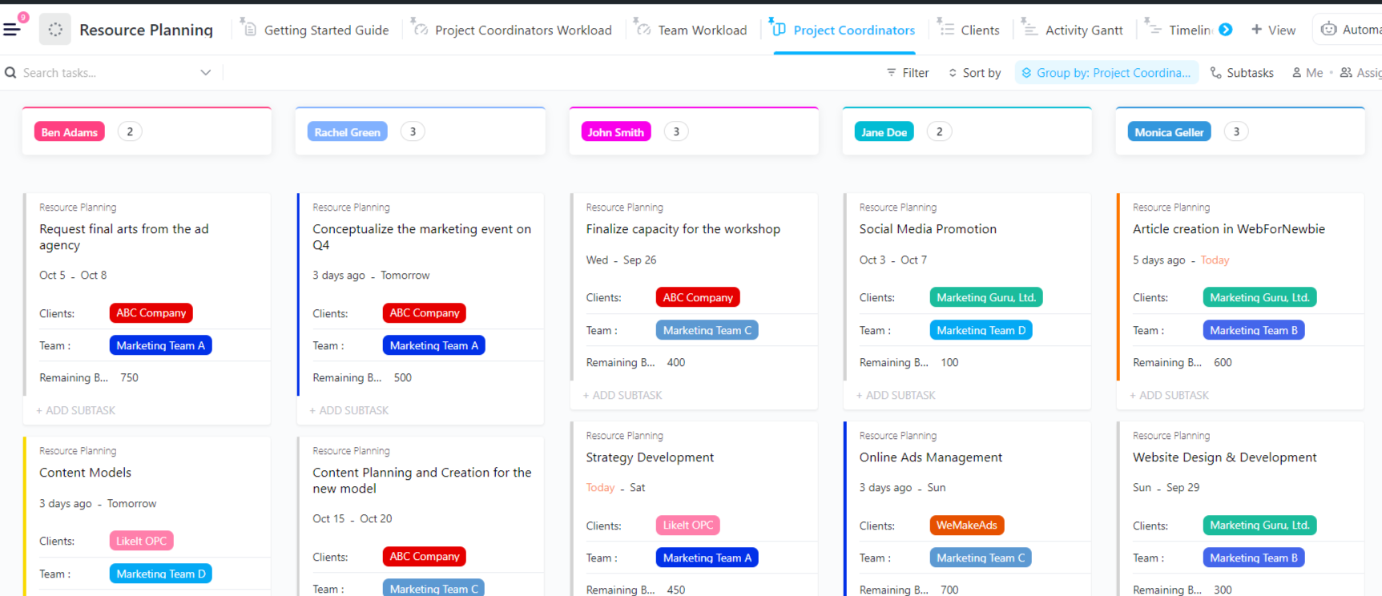
An expansion may look promising on paper, but do you have the resources to support it?
The ClickUp Resource Planning Template ensures you have the people, tools, and vendors ready before you hit the “start” button.
It helps you spot hiring needs, skill gaps, and vendor dependencies so you don’t overpromise and under-deliver. It’s your essential tool for proper resource forecasting.
Why use this template:
- Visualize team capacity and physical resources in a centralized location
- Allocate budgets and track actual costs using custom attributes to maintain financial oversight
- Monitor workload distribution to prevent team burnout and over-allocation
- Update task progress through Custom Statuses to keep stakeholders informed
📈Ideal for? Operations leaders, HR teams, and project managers assessing staffing, tools, and infrastructure requirements before executing an expansion initiative.
8. Risk Benefit Analysis Template by ClickUp
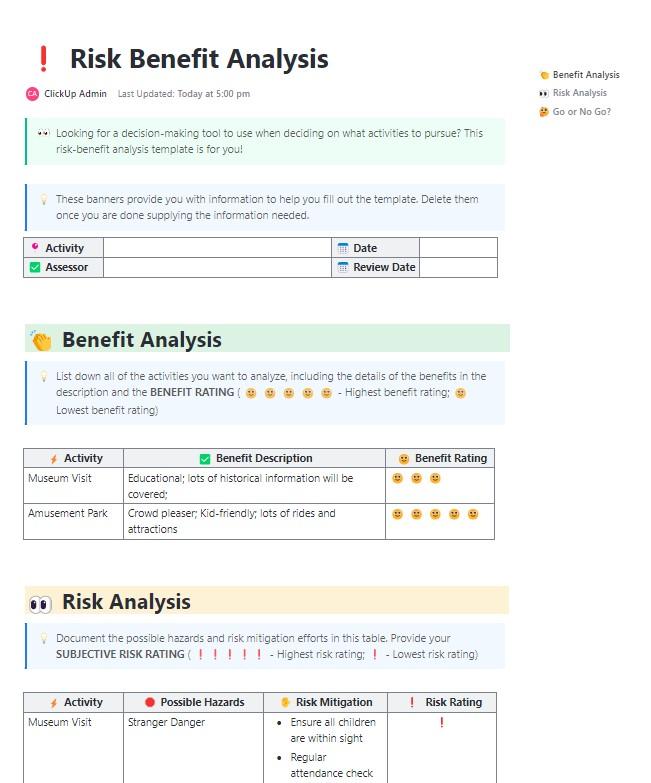
Every expansion opportunity comes with trade-offs. The same initiative that promises new revenue or market share may also introduce operational risk or financial uncertainty.
The ClickUp Risk Benefit Analysis Template lets you understand both sides of that equation before committing resources. It offers a structured way to identify potential risks, estimate their likelihood and impact, and weigh them against expected benefits.
Why use this template:
- Score risks based on probability and impact using ClickUp Custom Fields
- Outline mitigation strategies for major risks before execution begins
- Quantify the expected benefits of the initiative to compare potential upside against risks
- Visualize overall risk exposure across the project using ClickUp Dashboards
📈Ideal for? PMOs, strategy teams, and executive stakeholders evaluating whether the benefits of an expansion initiative outweigh the associated risks.
💡 Pro Tip: Get the Risk Mitigation Summarizer Agent to get an overview of what could derail delivery.

9. Buy vs. Build Analysis Template by ClickUp
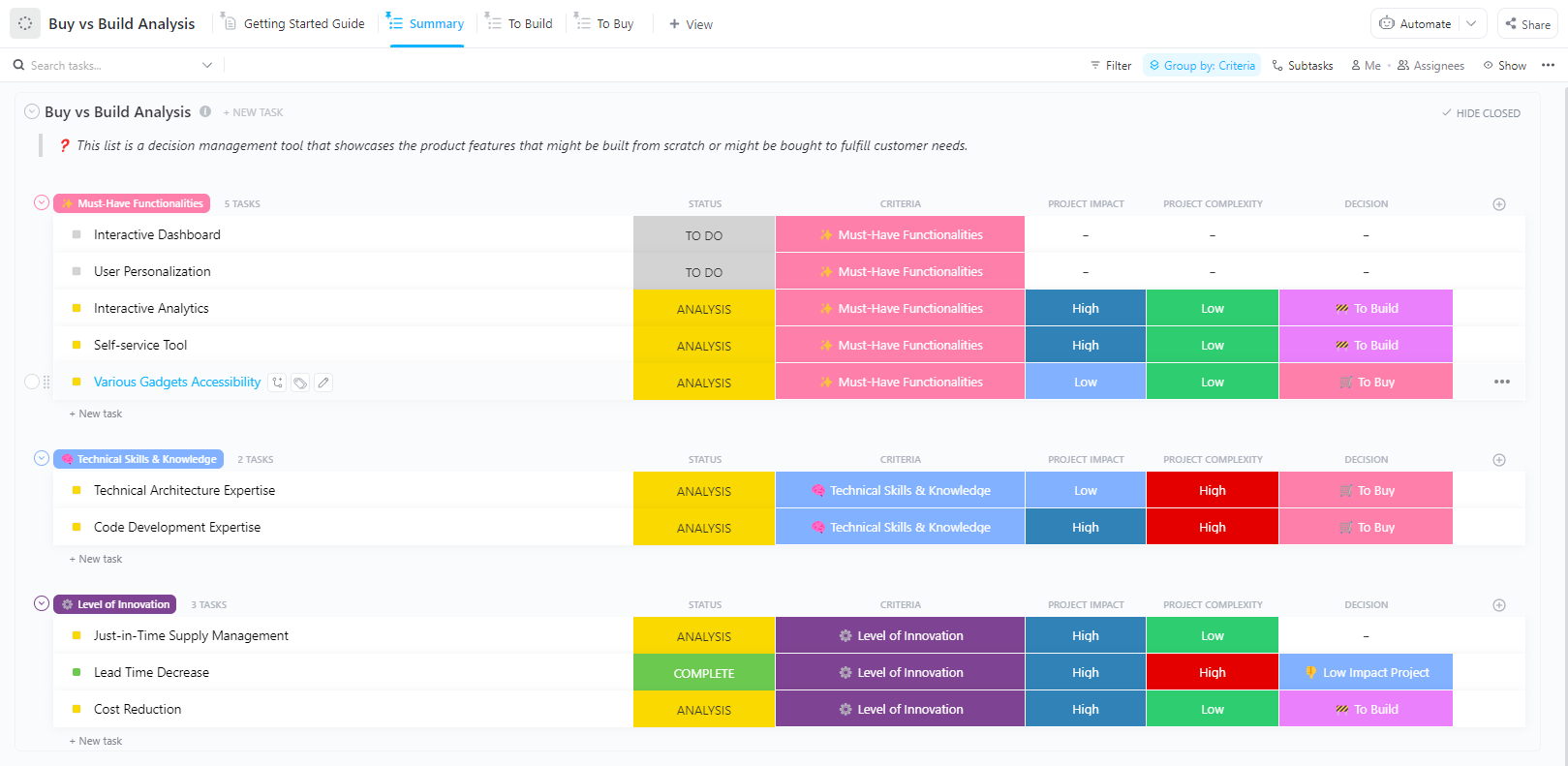
Choosing whether to build a solution in-house or buy from a vendor is a high-stakes decision. The ClickUp Buy vs. Build Analysis Template removes the guesswork by putting both options side by side.
It helps you compare costs, development timelines, technical requirements, and risks. This makes it easier to decide which path delivers the capability faster, more cost-effectively, or with less risk.
Why use this template:
- Define capability requirements clearly so teams understand what the expansion initiative needs
- Estimate development timelines and internal resources needed to build the capability in-house
- Compare vendor or partnership options to assess the benefits of buying the capability
- Create a structured side-by-side comparison with key decision criteria using ClickUp Table View
📈Ideal for? Product, engineering, and strategy teams deciding whether to develop new capabilities internally or acquire them.
10. Implementation Plan for Simple, Complex, and Enterprise Teams Template by ClickUp
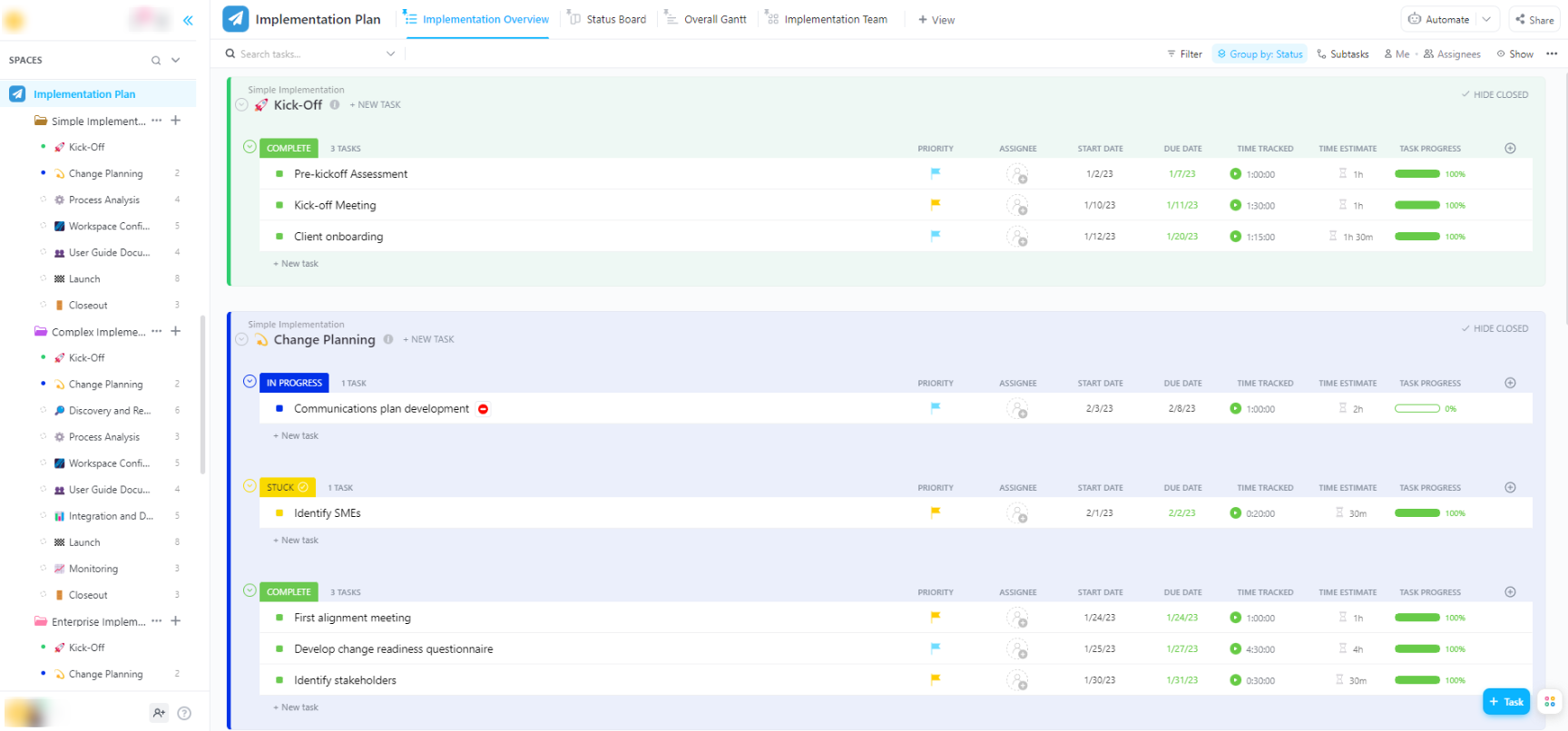
Approval is just the start; the real work lies in the rollout.
The ClickUp Implementation Plan for Simple, Complex, and Enterprise Teams Template acts as your post-launch roadmap. It defines ownership and steps for every department involved.
Since the template fits different project scopes, it’ll support anything from a small operational rollout to a large-scale enterprise implementation plan.
Why use this template:
- Break the rollout into structured phases, such as planning, execution, and launch, so teams know what to expect
- Map milestones and project timelines visually using the ClickUp Gantt Chart View
- Clarify which actions must be completed before others begin using ClickUp Dependencies
- Trigger progress updates automatically using ClickUp Automations when key milestones are completed
📈Ideal for? Operations leaders, project managers, and cross-functional teams translating project approval into a structured implementation roadmap.
How to Use Expansion Feasibility Templates in ClickUp
A template provides structure for evaluating expansion feasibility. However, you must still turn it into an active evaluation workflow connecting research, analysis, and decisions. Here’s how to do that in ClickUp:
- Choose the template that matches your evaluation stage: Start with a business case, financial analysis, or competitive analysis template, depending on where the expansion review begins
- Adapt the template to your internal evaluation process: Add Custom Fields for approval stages, budget codes, scoring criteria, or risk levels. This ensures that each expansion proposal is reviewed through the same lens
- Document research and projections in one place: Capture market insights, financial estimates, competitor findings, and operational assumptions directly inside the template. Use ClickUp Brain to summarize research or draft analysis sections
- Turn evaluation steps into trackable work: Assign ClickUp Tasks for financial modeling, market validation, or risk analysis. Add owners and deadlines, so the feasibility study progresses in a clear order
- Review findings with stakeholders directly in the workspace: Use ClickUp Comments and ClickUp @mentions to gather feedback without circulating multiple document versions
- Present the analysis for leadership review: Summarize key metrics, risks, and resource requirements with ClickUp Dashboards, so decision-makers can quickly evaluate the proposal
- Convert the analysis into an execution plan: Plan implementation in the same workspace so tasks, documentation, and decisions remain connected
Once the evaluation process is structured this way, every expansion opportunity follows the same path.
🎥 See how ClickUp’s AI tools help you and your team move faster without switching contexts.
Bring Structure to Your Expansion Decisions With ClickUp
Expansion ideas often start strong. But without a structured evaluation process, they can be hard to take ahead.
Expansion feasibility templates offer a repeatable framework for evaluating growth opportunities. By using a standard process, you get clearer insights, fewer surprises, and a team that’s fully aligned.
ClickUp, the converged AI workspace, brings this process together into a single workspace. Instead of jumping between disconnected apps, your research, financial models, and team chats live in one place. No more work sprawl.
Get started with ClickUp today and organize your next expansion feasibility study for strategic decision-making.
Frequently Asked Questions About Expansion Feasibility Templates
What are the four types of feasibility analysis for expansion projects?
The four core types are technical feasibility (whether the product, service, or infrastructure can be built or delivered), financial feasibility (whether projected revenue justifies the costs), market feasibility (whether demand exists and how strong the competition is), and operational feasibility (whether the organization has the people, processes, and capacity to execute). Some frameworks also include legal or regulatory feasibility as a fifth category.
How do I choose the right expansion feasibility template for my project?
Choose the template based on your stage in the evaluation process: use a Business Case template for early justification, a Financial Analysis template to validate costs and revenue potential, and an Implementation Plan template after the initiative is approved. For complex expansions, combine multiple templates so that each part of the evaluation is in a single workspace.
Can I combine multiple feasibility templates for a single expansion initiative?
Yes. Most expansion evaluations require multiple analyses, so teams often combine templates such as business cases, financial analyses, risk assessments, and implementation plans. In ClickUp, these can live in a single project, so stakeholders can review the full evaluation without switching between documents.
What’s the difference between a feasibility study template and a business plan?
A feasibility study template helps determine whether an initiative should move forward by evaluating viability, risks, and requirements. A business plan focuses on execution, outlining how the approved initiative will operate, grow, and generate revenue.