Mastering Client Acquisition for Event Decorators
Centralize your lead management, client outreach, bookings, and follow-ups into one streamlined workflow designed for event professionals.
No credit card.
 25,000+ reviews from
Common Pitfalls in Event Decorator Client Management
Success in event decorating isn’t just about creativity—it hinges on managing client acquisition efficiently. Many decorators struggle when their marketing, inquiries, and bookings are spread across disconnected tools.
Here’s where client management often breaks down:
- No unified client pipeline: Leads arrive via Instagram, referrals, emails, and remain unorganized
- Irregular follow-ups: Inconsistent messaging and missed opportunities to engage
- Lost inquiries: DMs, form entries, and emails overlooked across platforms
- Delayed responses: Time-consuming project work slows client communication
- Unclear lead prioritization: Difficulty identifying high-value or urgent prospects
- Unsystematic promotions: Lack of cohesive content marketing strategy
- Excessive manual tasks: Contracts, quotes, and scheduling handled separately
- Growing pains: More leads create chaos without repeatable systems
Many event decorators centralize client acquisition workflows to keep leads, tasks, conversations, and schedules connected effortlessly.
Comparing Conventional Methods with ClickUp for Event Decorator Client Acquisition
The more channels you use, the greater the need for coordinated management.
Traditional Approaches
- Leads scattered across social media DMs, emails, and contact forms
- Manual tracking of follow-ups and no reminders
- Lack of insight into client progress stages
- Random and unplanned promotional activities
- Client info stored in fragmented notes
- Difficulty prioritizing and categorizing inquiries
- Risk of missed deadlines and events
- Inefficient switching between multiple apps
ClickUp Advantages
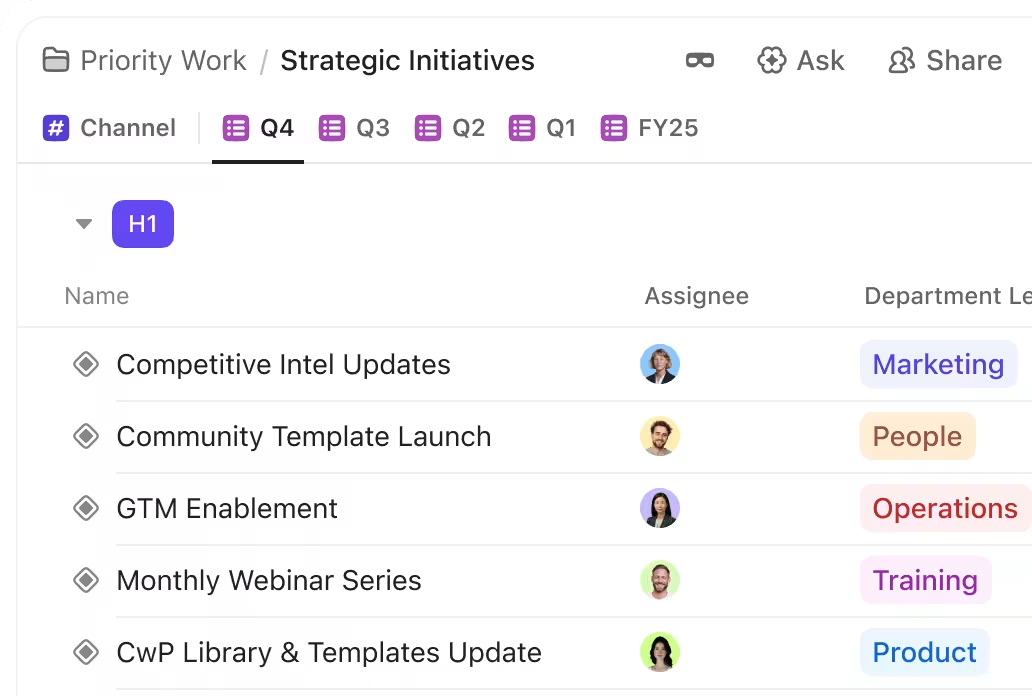
- Capture and organize all inquiries within a single workspace
- Automate follow-up tasks and client communications
- Visualize leads with flexible List, Board, or CRM-style views
- Plan and schedule marketing campaigns cohesively
- Store contracts, design concepts, and client files centrally
- Tag and filter leads by event type, budget, and urgency
- Use dependencies, reminders, and timelines to stay on track
- Collaborate seamlessly across your team for bookings and events
Building an Effective Event Decorator Client Pipeline
Develop a clear system that transforms inquiries into confirmed bookings.
Identify Your Lead Sources Clearly
- Map where your inquiries come from: social media, vendor referrals, website forms, or event platforms
- Use Docs to define service packages, pricing tiers, and outreach templates
- Convert each lead source into trackable workflows
Establish a Consistent Lead Pipeline
- Create reusable workflows for handling inquiries
- Automate reminders and follow-up messages
- Standardize stages: Inquiry → Consultation → Proposal → Booking → Event
Design Client-Focused Marketing Campaigns
- Schedule Instagram posts and email blasts using calendar views
- Coordinate promotions without juggling separate tools
- Analyze which channels generate the most qualified leads
Maintain Context-Rich Client Outreach
- Attach mood boards, past event photos, and pricing details directly in tasks
- Assign follow-up responsibilities and set deadlines
- Track all communications without losing context
Optimize Client Onboarding Processes
- Auto-trigger workflows upon new inquiry submissions
- Centralize contracts, timelines, and deliverables
- Minimize back-and-forth emails
Monitor Performance with Dashboards
- Track inquiry volume and conversion rates
- Visualize upcoming events and deadlines
- Identify the most effective client acquisition strategies

Transform Event Inquiries into Confirmed Bookings





Who Gains from an Event Decorator Client Pipeline?
Independent Event Decorators
Handling every aspect solo can make client growth unpredictable.
- Capture leads from Forms → Auto-create tasks
- Schedule marketing content → Use calendar views
- Generate outreach drafts with Brain AI → Save time on admin
- Link design concepts, contracts, and notes to each client
- Visualize inquiry progress from first contact to event completion

Event Decorating Teams and Studios
- Multiple team members managing design, client relations, and marketing can face communication gaps.
- Assign task ownership for leads and follow-ups
- Collaborate on quotes, proposals, and approvals
- Manage shared calendars and deadlines
- Centralize client conversations and assets

How ClickUp Empowers Event Decorators to Convert Leads
Plan with Docs
Lead Management in Tasks
Track inquiries, consultations, and bookings with clear assignments and deadlines.
Create with Brain AI
Visualize Progress with Multiple Views
Switch between List, Board, Calendar, or Timeline views to manage events and campaigns efficiently.
Collaborate Using Forms and Comments
Automatically capture inquiries and keep all feedback within your workflow.
Monitor with Dashboards
Track client acquisition metrics, marketing effectiveness, and upcoming event milestones in real time.
Common Questions About Gaining Clients as an Event Decorator
Coordinate Event Decorating Clients Seamlessly
Unify lead capture, outreach, and bookings within one organized workflow designed for event decorators.