Master the AI Critical Path Generator
 25,000+ reviews from
Understanding the AI Critical Path Generator
An AI Critical Path Generator automates the identification of the longest sequence of dependent tasks in your project, highlighting the essential route to completion. Traditional methods often rely on manual timeline assessments, spreadsheet formulas, and static Gantt charts prone to outdated data.
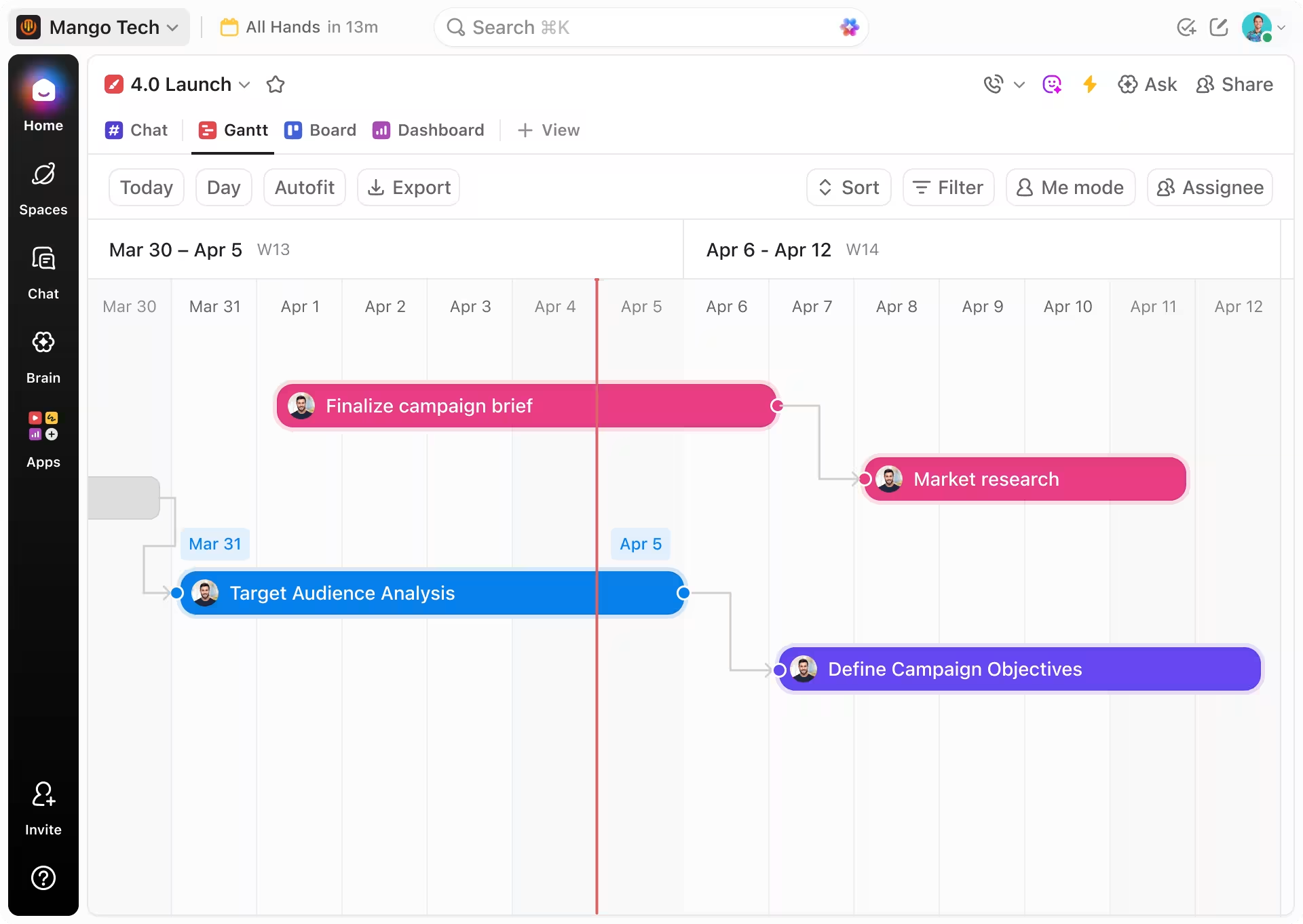
AI reshapes this process by analyzing task dependencies, resource allocations, and timelines dynamically. Simply input project details or use ClickUp Brain's workspace data to generate a live critical path that adapts as projects evolve.
With ClickUp Brain and Brain Max integrations, your project schedules become interactive, actionable plans that keep your team aligned and on track.
Why Choose ClickUp Brain for AI Critical Path Generation
Conventional Scheduling Tools
- Isolated applications: Separate scheduling software requiring manual data transfers.
- Static timelines: Updates are labor-intensive and often delayed.
- Limited collaboration: Teams struggle to stay synchronized across platforms.
- Rigid dependency mapping: Inflexible handling of complex task relationships.
- Fragmented data sources: Lack of integration causes inconsistent project views.
ClickUp Brain
- Integrated AI: Embedded within your project workspace for seamless updates.
- Real-time critical path updates: AI recalculates as tasks and resources change.
- Collaborative environment: Teams can view, edit, and comment on schedules instantly.
- Advanced dependency analysis: Understands nuanced task relationships and constraints.
- Brain Max customization: Tailor AI logic for unique project methodologies.
How to Generate an AI Critical Path in ClickUp
1. Import Your Project Data
Traditional approach: Manually compile tasks, durations, and dependencies from multiple tools.
With ClickUp Brain:
Automatically pull tasks, milestones, and timelines from your workspace, ensuring your data reflects real-time project status. Simply ask: “Show me the critical path for the Website Redesign project.”
2. Analyze Task Dependencies with AI
Traditional approach: Manually define dependencies, risking errors and oversights.
With ClickUp Brain:
AI examines task links, resource assignments, and workload to identify true critical dependencies impacting project delivery.
3. Visualize Your Critical Path
Traditional approach: Static Gantt charts that are difficult to update or customize.
With ClickUp Brain:
Generate dynamic visualizations through Gantt or Mind Maps that reflect your preferred style and project complexity. AI suggests optimizations to optimize flow and reduce bottlenecks.
4. Keep Your Schedule Adaptive
Traditional approach: Schedules become outdated with changing project conditions.
With ClickUp Brain:
Your critical path updates automatically as tasks progress or shift, ensuring your team always focuses on what matters most.






3 Impactful Use Cases of the AI Critical Path Generator
Accelerate Product Launches with Precision Planning
Product managers use AI to pinpoint bottlenecks and allocate resources efficiently, ensuring launch deadlines are met without compromising quality.
This real-time insight helps teams pivot quickly and maintain momentum throughout the development cycle.

Optimize Construction Project Timelines
Construction leads employ AI-generated critical paths to coordinate subcontractors, manage supply chains, and foresee delays early.
This leads to smoother handoffs and adherence to tight delivery schedules in complex builds.

Streamline Marketing Campaign Execution
Marketing teams rely on AI to map out campaign tasks, ensuring each dependent step is completed on schedule.
AI-driven schedules reduce last-minute rushes and enhance cross-team collaboration for impactful results.