
Most agencies lose clients because the relationship layer lacks a clear owner, structure, or systems that survive growth.
McKinsey’s 2024 B2B Pulse found over half of B2B buyers would switch suppliers over a disjointed cross-channel experience.
That’s why this guide covers how to build a client management approach that actually scales. We’ll cover everything, from defining your ideal client profile to building communication cadences, repeatable workflows, and retention metrics.
Let’s get started! 💪
What Client Management Means for a Growing Agency
Client management is the system of processes, communication rhythms, and tools your agency uses to deliver work, maintain trust, and retain clients over time. This matters most once you move past your first handful of accounts, when the founder can’t personally touch every deliverable or hop on every call.
At five clients, relationships run on memory and goodwill. Past 15 or 20, that breaks down fast and creates work sprawl that quietly eats into your agency’s margins.
Here’s what that gap looks like in practice:
- The founder knows every client’s preferences by heart: You need a documented system that makes client context accessible to anyone on the team
- Updates happen when someone remembers to send them: You need an automated reporting cadence built into the workflow
- One person manages delivery and the relationship: You need a clear ownership split between account management and execution
🤝 Friendly Reminder: There’s a difference between client management vs. project management. Project management tracks tasks and deadlines. On the other hand, client management wraps around the entire relationship: onboarding, communication cadence, deliverable tracking, reporting, and renewal. You can ship every task on time and still lose a client because nobody owns the relationship layer.
💫 Hear it straight from an agency
See how path8 Productions, a small video production company, scaled their operations. 👇🏼
How To Build a Client Onboarding Process That Scales
Most agencies improvise onboarding differently every time. That inconsistency eats senior team members’ time and leaves new clients confused about what to expect. The fix is a repeatable process to store client information once and make it accessible to everyone on the account.
We’ll also see how ClickUp, the world’s first Converged AI workspace, helps you build one!
Define your ideal client profile before signing anyone
An ideal client profile (ICP) is a description of the type of client your agency serves best, protecting delivery capacity. When you take on misaligned clients, those accounts consume way more time and wear your team down.
Document your ICP in a shared, living doc that both your sales and delivery teams can reference:
- Industry fit: Ensures that your team’s expertise matches the client’s market, so ramp-up time stays low
- Budget range: Filters out clients who’ll push for more work at the same price
- Communication style: Identifies whether the client expects daily check-ins or monthly summaries
- Internal team maturity: Gauges whether the client has a dedicated point of contact or if you’ll coordinate across six departments
🚀 ClickUp Advantage: Turn your ICP into a living, collaborative workspace that’s directly connected to execution with ClickUp Docs.
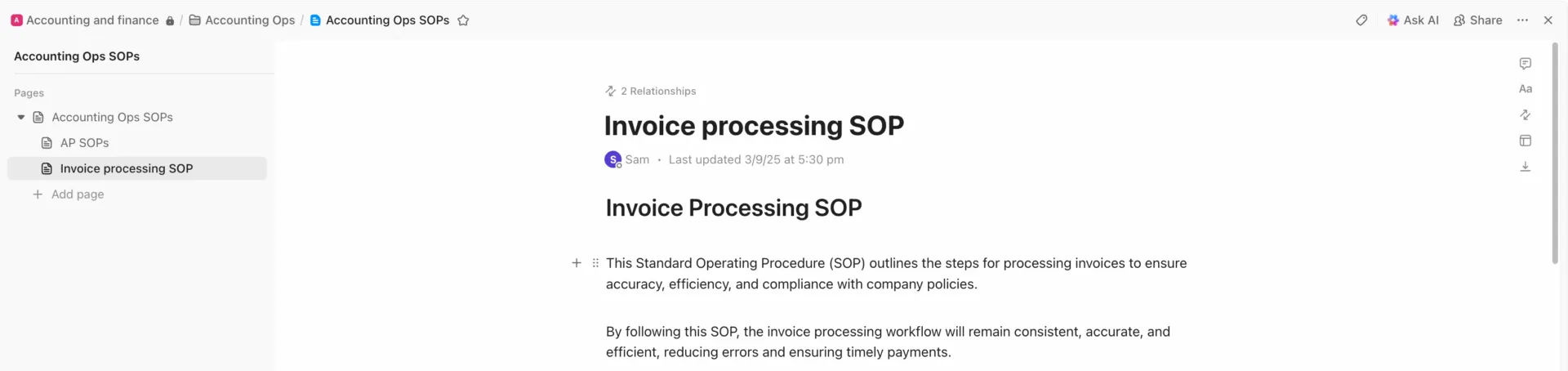
Here’s how it plays out in practice:
- Centralize your ICP as a company wiki: Structure your ICP Doc with pages and subpages (industry fit, budget thresholds, communication expectations, etc. )
- Make it accessible across teams: With Docs Hub and global search, anyone can pull up the ICP in seconds
- Collaborate and refine in real time: Teams can leave comments, tag stakeholders, and update criteria collaboratively
- Connect ICP insights directly to client work: Link Docs to ClickUp Tasks, projects, and workflows so your ICP informs who you onboard
- Standardize with templates: Once finalized, your ICP Doc can be turned into a reusable ClickUp Template
Set expectations and boundaries from day one
Agencies that skip this step end up in scope creep spirals that tank profitability. Be clear about:
- Scope of work
- Communication channels
- Response time service-level agreements (SLAs)
- Revision limits
- Escalation paths
- Reporting cadence
Build a lightweight client onboarding checklist and rules of engagement doc. Cover who the points of contact are, how feedback gets submitted, and what the approval workflow looks like.
⚡ Template Archive: Get a pre-built onboarding system to standardize your onboarding process with the ClickUp Customer Onboarding Template.
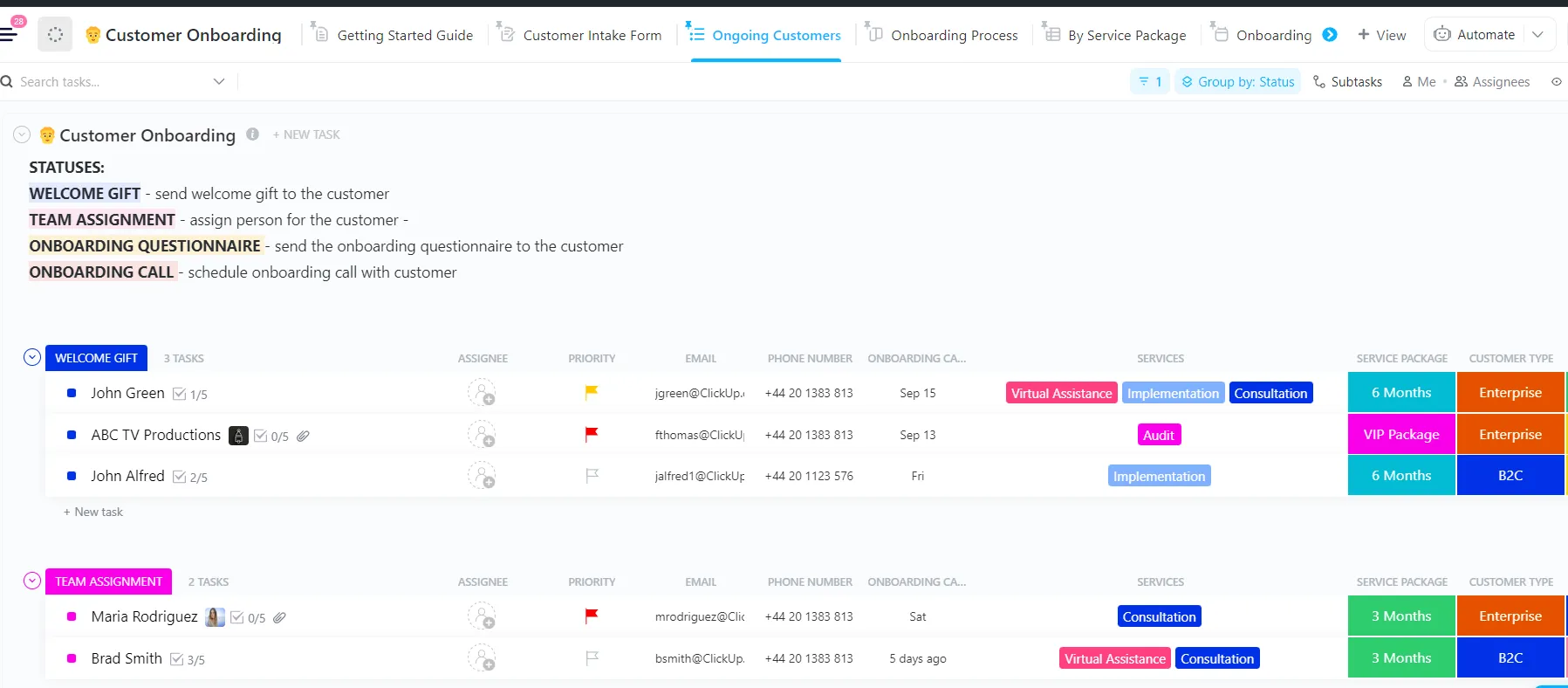
Why you’ll love this template:
- Pre-built onboarding workflow: Track every client from kickoff to completion with ClickUp Custom Statuses like New Customer, Onboarding Call, Onboarding Questionnaire, Team Assignment, and Complete
- Structure to capture client data: Store key onboarding info in ClickUp Custom Fields like Email, Customer Type, Services, Service Package, and Onboarding Call
- Multiple views for different onboarding stages: Switch between ClickUp Views like Customer Intake Form, Onboarding Process, Getting Started Guide, and By Service Package
- Built-in intake and questionnaire system: Capture requirements and feedback early using dedicated intake and onboarding questionnaire views
Communication Strategies That Keep Agency Clients Loyal
In agency life, the perception of progress matters as much as actual progress.
Because when clients feel uninformed, they start looking elsewhere.
As you grow, communication needs to be systematized. Context sprawl —information scattered across email, Slack, texts, and portal logins—makes clients feel like they have to chase their own agency for answers.
A smart choice for a meeting cadence is a hybrid setup: async weekly updates paired with monthly live strategy calls. Here’s how each of them plays out:
| Weekly check-ins | Monthly deep-dives | |
| Best suited for | Active campaigns with moving parts | Strategic planning and relationship building |
| Format | Async written update or short 15-min sync | 45–60 min live video call |
| Typical agenda | Task status, blockers, upcoming deadlines | Performance review, next-quarter adjustments, feedback |
| Risk if used alone | Can feel like micromanagement for mature accounts | Small issues fester for weeks before surfacing |
Where ClickUp helps
As your agency scales, communication fragments. ClickUp Chat solves this by bringing conversations and work into the same space, so nothing gets lost between updates.
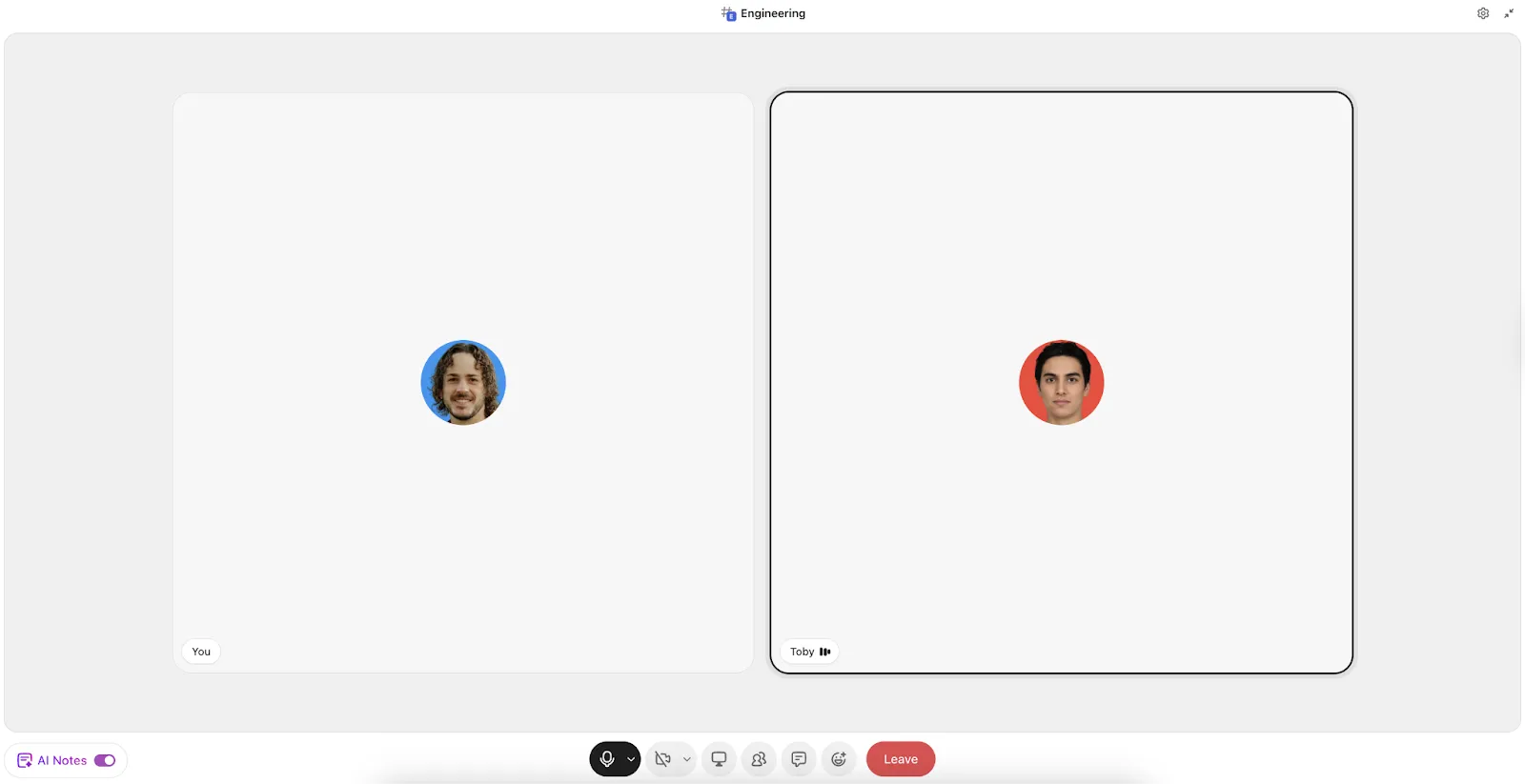
Share async updates and hop on a call anytime you need from one interface with ClickUp Chat
Here’s how it fits naturally into your hybrid communication model:
- Run quick calls: For monthly deep dives, use ClickUp SyncUps to jump into audio or video calls directly within your workspace
- Turn conversations into action: During weekly async updates, if a client flags a blocker in Chat, you can convert that message into a Task with one click
- Keep context tied to specific work: Chats can live alongside tasks, lists, or projects
- @mentions and real-time collaboration: Loop in the right stakeholders instantly, whether it’s your internal team or the client’s POC
🧠 Fun Fact: The 1950s-60s ‘ Mad Men ’ era of advertising was defined by a culture of heavy drinking. Three-martini lunches and office whiskey meetings often served as the setting for major creative and client decisions.
Workflows and Systems for Managing Multiple Client Accounts
You need proper workflow management that runs whether or not the founder is watching.
Agencies often resist the process because it feels bureaucratic. But the right systems free up creative energy by removing decision fatigue from routine work. 🛠️
Prioritize tasks with a simple urgency-and-value framework
When all your tasks feel like a priority, nothing is. A two-axis framework helps account managers make faster decisions every day. Urgency measures deadline pressure and value measures client impact or revenue impact.
- High urgency + high value: Do it now, assign your best people
- High urgency + low value: Delegate or batch with similar quick tasks
- Low urgency + high value: Schedule it and protect the time
- Low urgency + low value: Deprioritize or drop entirely
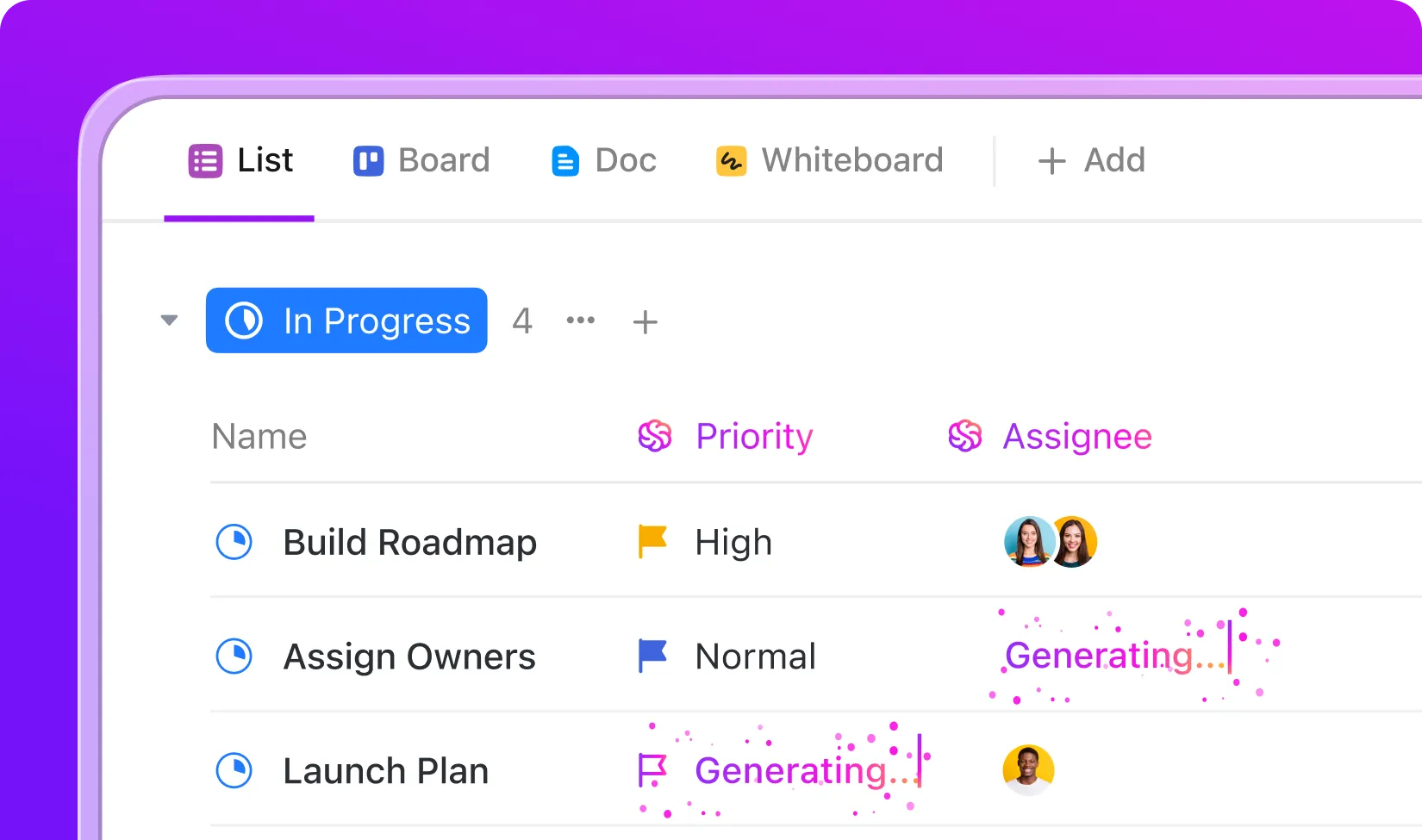
🚀 ClickUp Advantage: Bring your urgency-value framework to life inside your workflow with ClickUp Task Priorities. Assign flags like Urgent, High, Normal, and Low to Tasks, making instantly obvious what needs attention first. You can then even ask AI to prioritize Tasks!
🎥 Learn how to build a client roster efficiently:
Create repeatable processes for every client type
The idea here is a baseline process for each service type (monthly retainer, one-off campaign, ongoing SEO) that you can clone and customize per client. Here’s what to templatize:
- Task lists: Standardizes the deliverables and steps for each service offering
- Folder structures: Keeps every client account organized the same way so anyone can jump in
- Approval stages: Ensures client sign-off happens at the same checkpoints every time
- Client report templates : Makes weekly or monthly updates consistent across all accounts
⚡ Template Archive: Stay ahead of churn by monitoring renewal timelines and engagement with the ClickUp Client Success Template.
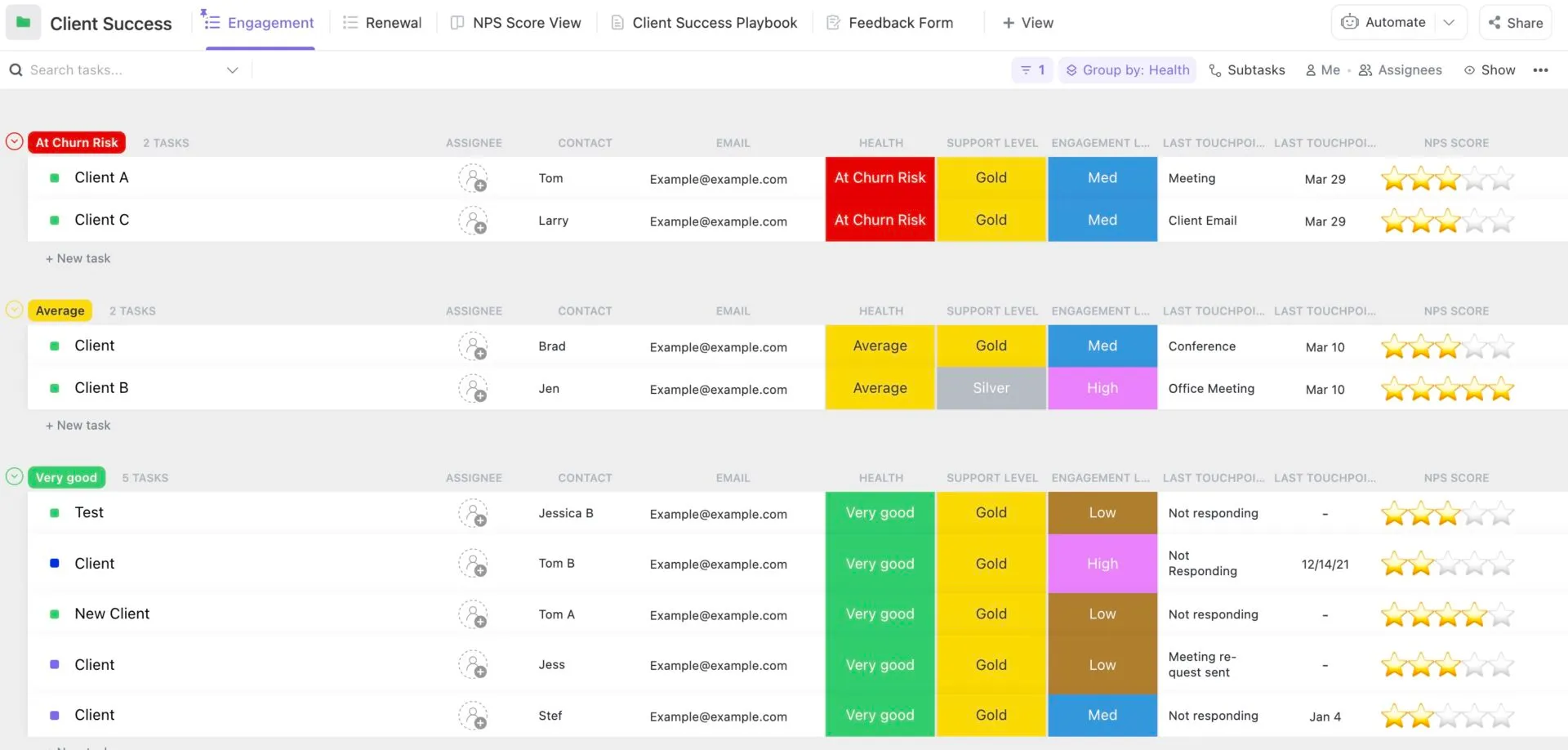
Why you’ll love the template:
- Built-in playbooks: Document best practices and standard operating procedures in dedicated views
- End-to-end client lifecycle tracking: Manage every client from onboarding to retention with statuses like Onboarding, Nurturing, Up For Renewal, Renewed, and Churned
- Centralized client data: Capture and organize key client information using custom fields to segment accounts, track performance, and personalize engagement
- Multiple views: Access views like Client Success Playbook, Getting Started Guide, Feedback Form, Renewal, and Engagement
How To Use ClickUp To Manage Clients as Your Agency Grows
Most agencies stitch together a CRM, a project management tool, a docs tool, a chat app, and a reporting dashboard, then wonder why nothing connects.
Eliminate this tool sprawl by bringing ClickUp Small Business Suite into the picture. 🤩
It connects your tasks, docs, chat, dashboards, and workflows in one place, turning your onboarding process into a structured, repeatable system instead of a one-off effort. Client information is captured once and stays accessible across the entire team, so nothing gets lost between handoffs.
And because it consolidates 20+ tools you’d normally need to piece together, it gives agencies an enterprise-grade tech stack at a fraction of the cost, without the overhead of managing multiple systems.
Here’s how it helps:
ClickUp Forms for onboarding
Most onboarding breaks before it starts – clients send half-complete briefs, requirements live in emails, and your team spends hours clarifying basics.
ClickUp Forms fixes this by turning onboarding into a standardized data capture system that feeds directly into your workflow.
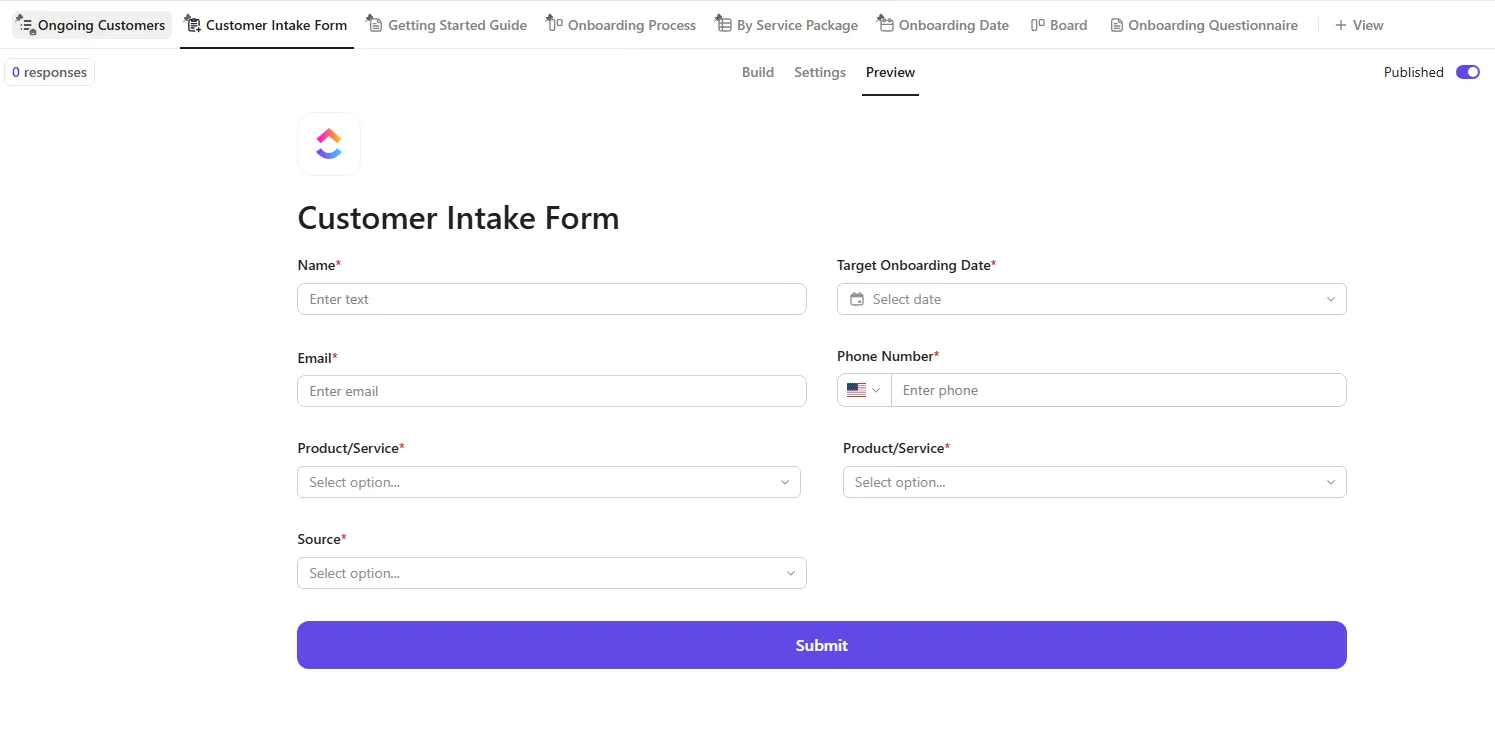
Turn messy client intake into structured, reusable data with ClickUp Forms
For instance, a new SEO client signs. Instead of a kickoff call full of basic questions, you send a ClickUp Form that captures:
- Business goals, target keywords, competitors
- Access credentials
- Budget + service scope
Once submitted, it automatically creates a ClickUp Task with all details pre-filled. Additionally, ClickUp Custom Fields in Forms map responses directly into structured Task data. Clients can also attach brand assets, briefs, or credentials upfront.
🔍 Did You Know? The average customer gives a company just 2.2 chances before walking away, and even a ‘satisfactory’ experience isn’t safe. In fact, 27% of customers won’t return, even if they felt things were just okay.
ClickUp Brain to optimize work
As you scale, the problem becomes scattered context. ClickUp Brain solves this by acting as an AI layer across tasks, docs, chat, and history, so your team can ask questions instead of digging for answers.
You can:
- Find answers across tasks, docs, and even old conversations
- Get updates without opening tasks by asking it questions
- Auto-generate weekly client updates from actual work data
- Turn chats, notes, or briefs into structured tasks instantly
- Ask it to assign work based on workload and expertise
📮 ClickUp Insight: 24% of people say they want AI agents mainly to automate boring tasks.
The expectation here is relief from low-value work, and that’s fair. If an agent needs ongoing setup, supervision, or prompting, it stops feeling helpful and starts feeling like more work.
In ClickUp, Super Agents operate continuously in the background, updating tasks, drafting docs, and moving work forward with the same tools your team already uses.
You can DM them for one‑off help, and even @mention them in a Doc to turn a brainstorm into a clear plan!
ClickUp Brain MAX to unify client knowledge
You use ChatGPT for writing, Perplexity for research, Claude for notes… and context gets lost everywhere. ClickUp Brain MAX solves this by giving you a central AI workspace that connects all your tools, data, and models in one place.
It offers:
- Unified search across apps: Access ClickUp, connected tools, and web in one place
- Multiple AI models: Choose the best AI model per task, including Claude, GPT, and Gemini
- Deep context awareness: It understands tasks, docs, chats, and history together
- Voice-to-text generation: Dictate tasks, notes, or updates instantly with ClickUp Talk-to-Text
🚀 ClickUp Advantage: Reclaim hours lost to repetitive manual steps by using workflow automation via ClickUp Automations. Automations have three customizable components: triggers (events that start the automation), conditions (optional criteria that must be true), and actions (what happens next).
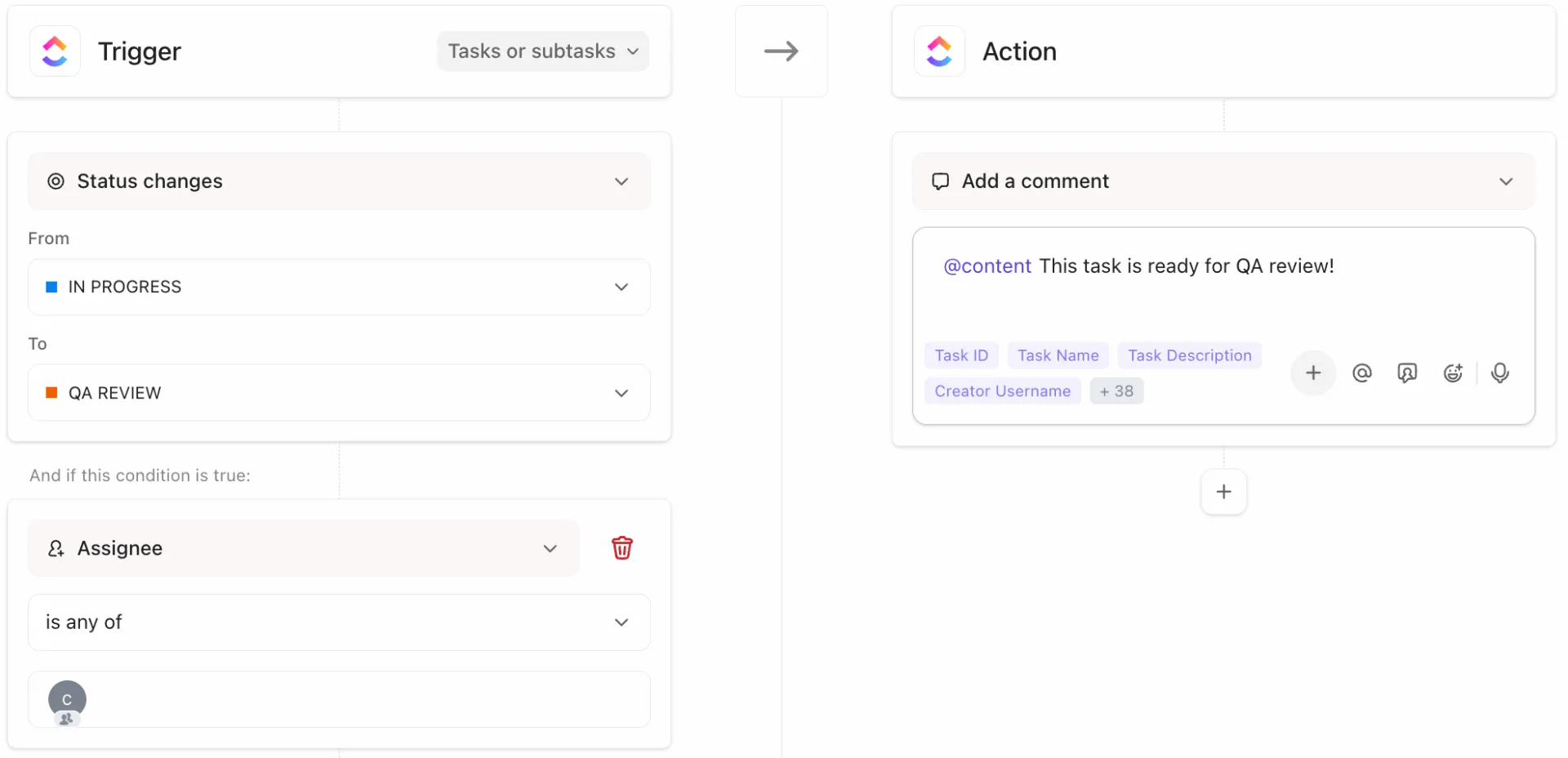
Let workflows run themselves as client volume grows with ClickUp Automations
Example workflow:
When a client onboarding form is submitted:
- Client is notified
- Task is created
- Assigned to the onboarding manager
- Status set to ‘Kickoff’
- Internal checklist triggered
A real-life user had to say:
It is working fine with agile methodology and also working perfectly for client management. For managing daily tasks and TO_DO efficiently. Can create different spaces to work on different scenarios such as issues/ enhancement, development, etc. Its dashboard is so attractive and time-saving that it saves a lot of time and efficient analysis.
It is working fine with agile methodology and also working perfectly for client management. For managing daily tasks and TO_DO efficiently. Can create different spaces to work on different scenarios such as issues/ enhancement, development, etc. Its dashboard is so attractive and time-saving that it saves a lot of time and efficient analysis.
It is working fine with agile methodology and also working perfectly for client management. For managing daily tasks and TO_DO efficiently. Can create different spaces to work on different scenarios such as issues/ enhancement, development, etc. Its dashboard is so attractive and time-saving that it saves a lot of time and efficient analysis.
It is working fine with agile methodology and also working perfectly for client management. For managing daily tasks and TO_DO efficiently. Can create different spaces to work on different scenarios such as issues/ enhancement, development, etc. Its dashboard is so attractive and time-saving that it saves a lot of time and efficient analysis.
ClickUp Dashboards for real-time client visibility
Clients want visibility, and ClickUp Dashboards give you real-time reporting. Instead of manually preparing reports, your team opens a dashboard that already shows campaign progress, team workload, and key metrics.
You can access:
- Milestone Card: Monitor key deliverables and deadlines across accounts
- Time Tracking Card: Log hours spent per client or project
- Calculation Card: Aggregate data (e. g. , total billable hours, campaign costs)
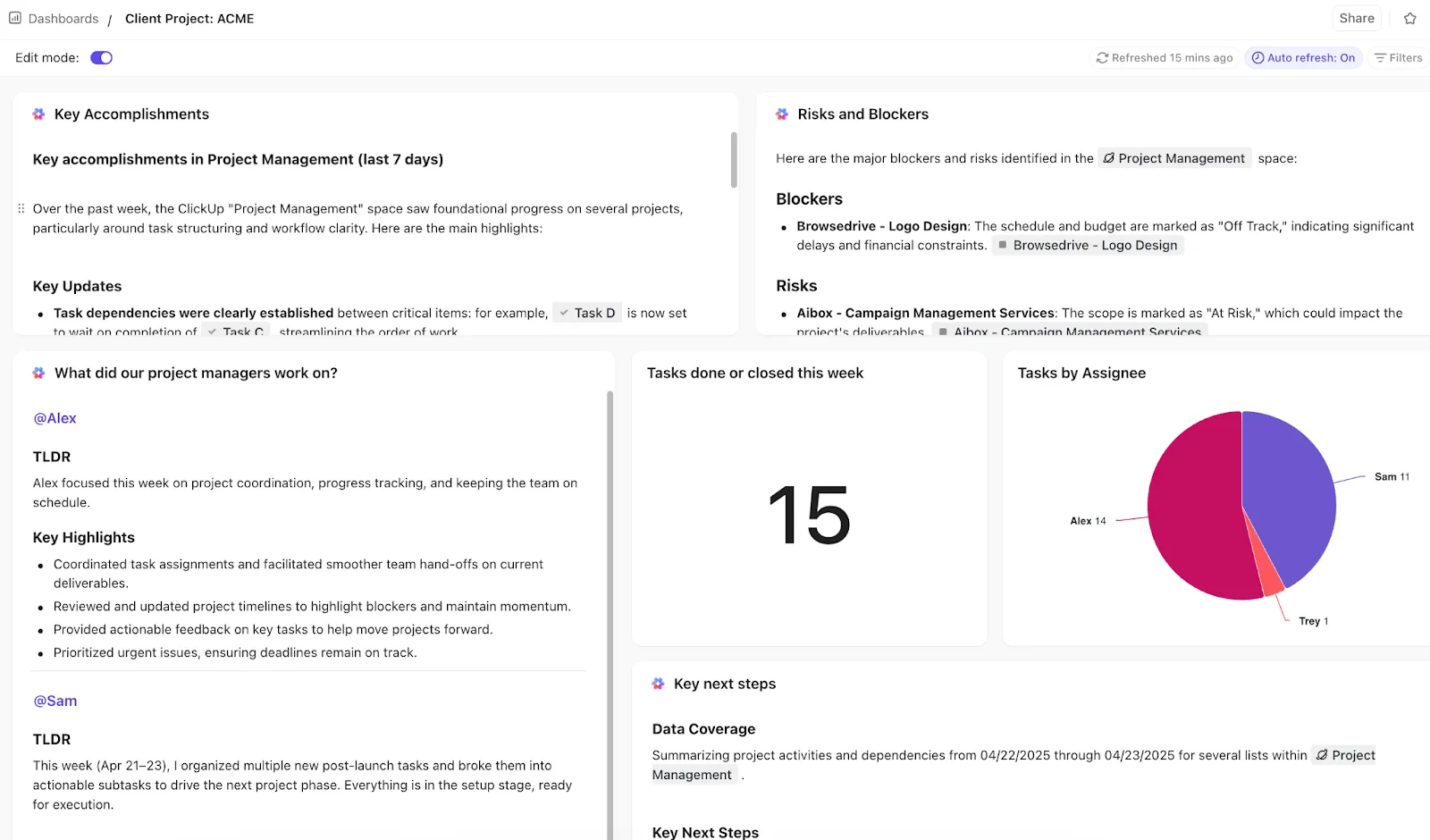
Turn reporting into a live system instead of a monthly scramble with ClickUp Dashboards
Additionally, ClickUp Brain is built into your Dashboards, which means you get access to AI Cards such as:
- AI Project Update Card: Summarizes current status, blockers, and next steps
- AI Executive Summary Card: High-level overview perfect for client reporting
- AI Brain Card (custom prompts): Ask questions like ‘What risks should I flag for this client?’ and get instant answers
Build a client dashboard:
Client Retention Metrics That Prove Your System Is Working
PwC’s 2025 Customer Experience Survey found 83% of executives need better tools to measure what’s driving purchases. This makes structured retention metrics essential.
Here are some to watch:
- Client retention rate : The percentage of clients who stay over a given period. If it drops as you add accounts, your relationship layer has gaps
- Average client lifetime: How long clients stick around. A rising number means your onboarding and communication systems are working
- Project profitability per client: Revenue minus cost of delivery. If retention is high but profitability is dropping, your scope management is leaking
- Time-to-delivery trends: Are you getting slower as you add clients? If so, your workflows aren’t truly scaling
- Client satisfaction score: A simple customer satisfaction survey or quarterly pulse check
🔍 Did You Know? Early agencies often worked on handshake deals rather than formal contracts. Trust (and reputation) was everything.
Retain Your Clients With ClickUp
Growing an agency is about handling more complexity without slowing everything down. More accounts mean more moving parts, more stakeholders, and more chances for things to slip.
With ClickUp, you build a connected workspace where client onboarding starts with structured data through Forms, and strategy and execution stay aligned through Docs and ClickUp Brain. Additionally, Automations quietly handle the repetitive coordination, and Task Priorities make sure your team always knows what matters most.
Communication stays tied through ClickUp Chat and SyncUps. When it’s time to report, Dashboards and AI Cards turn raw data into clear, real-time insights your clients don’t have to ask for.
So, what are you waiting for? Talk to an expert today! ✅