
Your expense process shouldn’t feel like detective work. Yet for many teams, month-end still means scrolling through email threads, chasing receipts, and guessing which card charge belongs to which trip or expense.
Research from American Express shows that small and medium businesses waste an average of 11 hours per month submitting or managing expenses. That’s more than three working weeks every year spent on admin instead of analysis.
That’s where AI for expense management makes a real difference. Instead of relying on manual spreadsheets and memory, AI can read receipts, flag out-of-policy spending, and feed cleaner data into your accounting tools in the background.
In this guide, we’ll look at what AI can actually do for expense management and the main use cases finance teams care about. We’ll also cover the must-have features in modern tools and how to fit everything into your current workflows.
⭐ Featured Template
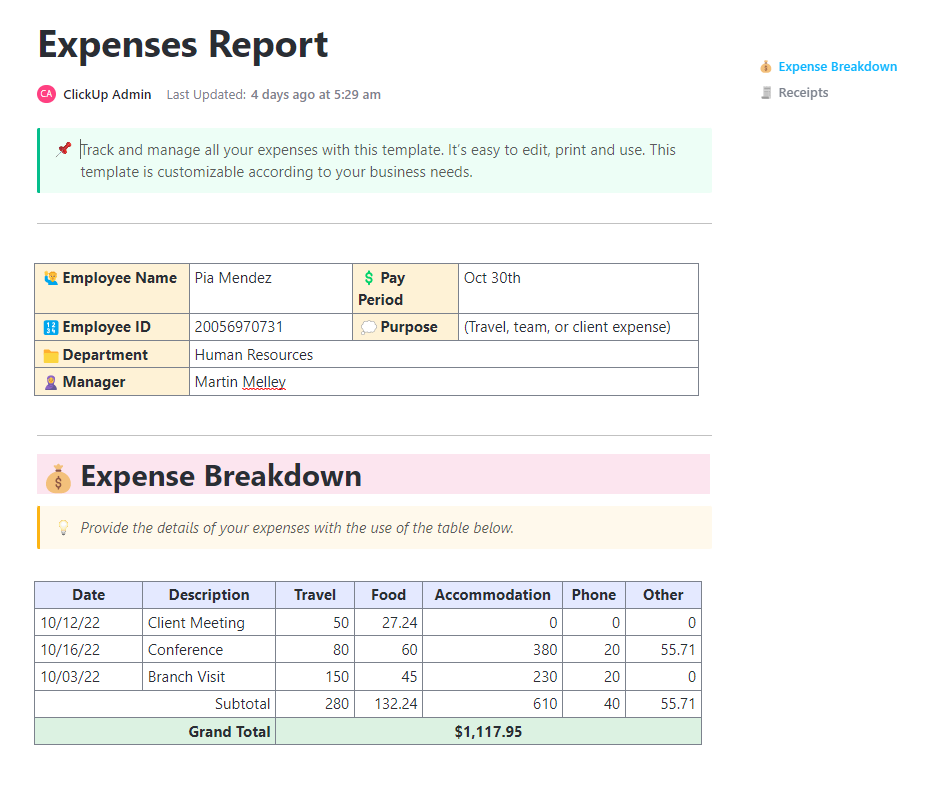
The ClickUp Expenses Report Template gives your team a structured way to collect, review, and summarize business expenses without chasing spreadsheets or email threads. Instead of everyone building their own format, you get a consistent layout for dates, categories, amounts, payment methods, and approvals in one place.
What Is AI for Expense Management?
AI for expense management uses machine learning and automation to reduce manual work across the expense process. This includes everything from receipt capture to approvals, reconciliation, and reporting.
Most tools rely on a mix of capabilities:
- Optical character recognition (OCR) to read receipt data from images or PDFs and convert it into structured text
- Data extraction and categorization to suggest appropriate expense coding (like travel expenses vs subscriptions) based on past patterns
- Policy enforcement to flag out-of-policy expenses during submission instead of after the fact
- Anomaly detection to catch duplicate charges or unusual spending patterns that need a second look
A useful way to think about it: AI-powered expense management helps remove repetitive steps, so finance teams can focus on controls, analysis, and cost-saving opportunities.
Benefits of AI for Expense Management
AI takes the repetitive work out of managing expenses and gives finance teams a clearer view of what’s really happening with company spending. Some of the biggest wins include:
- Reduce manual data entry and errors: AI can automatically capture receipt data and prefill expense fields, which cuts down on manual entry and the cleanup work finance teams do later. OCR is a common foundation here, because it converts receipt scans into usable data
- Speed up expense submissions and approvals: Employees can upload receipts, submit expenses with the key fields already filled, and move through the approval process with fewer follow-ups. Approvers get clearer context, so they can approve expenses faster instead of requesting edits
- Improve real-time visibility into company spending: Instead of waiting for month-end rollups, finance leaders can spot trends earlier: which teams are over budget, where travel and expense spending is rising, and which vendors are driving surprises
- Strengthen policy enforcement and ensure compliance: AI can flag missing receipts, spending over limits, or suspicious expenses at the point of submission. That reduces back-and-forth and keeps approvals consistent across teams and multiple entities
- Protect financial health with better data: Cleaner expense data leads to more reliable reporting. When expense tracking data is reliable, it’s easier to analyze spending, identify cost-saving opportunities, and make data-driven decisions
👀 Fun Fact: Long before AI expense tools, business travelers were already trying to simplify how they paid for client dinners and trips. In 1950, Diners Club launched the world’s first multi-purpose charge card so professionals could cover entertainment and travel expenses without carrying cash.
Top AI Use Cases In Expense Management
Here are some of the most practical use cases with AI that you can rely on to manage your expenses:
1. Automate receipt capture
Receipt capture is where expense management usually starts going sideways. AI helps by turning receipt scanning into structured receipt data (date, merchant, amount, tax) that’s ready to review.
📌 Example: A salesperson snaps a photo after a client dinner. The system extracts key fields, suggests “Meals and entertainment,” and attaches the receipt to the expense report.
Why it helps:
- Reduce manual expense reports and manual data entry
- Improve accurate data capture from receipts
- Cut time spent chasing missing documentation
2. Enforce policy in real time
Instead of waiting for finance to spot problems after expense reports are submitted, AI can apply customizable rules during submission and trigger alerts when something looks out of bounds.
📌 Example: A hotel charge exceeds a travel cap. The tool flags it immediately and asks for a reason before it enters the approval workflows.
Why it helps:
- Catch policy enforcement issues earlier
- Route low-risk expenses through automated approvals
- Help managers approve expenses with clearer context
👀 Fun Fact: AI isn’t just fixing expense fraud; it’s also creating it. In 2025, expense platform AppZen reported that 14% of the fraudulent documents it detected were AI-generated fake receipts, up from 0% the previous year.
3. Surface spend visibility
AI pulls together expense data across cards, reimbursements, and travel tools, then highlights spending patterns. That’s where “instant spend visibility” becomes real rather than a month-end spreadsheet exercise.
📌 Example: Finance sees that a single software vendor is being reimbursed across three teams, suggesting duplicate tools and cost-saving opportunities.
Why it helps:
- Support real-time spend visibility for finance leaders
- Make it easier to control spend before it compounds
- Improve conversations with budget owners using real-time insights
4. Accelerate month-end close
Month-end close slows down when expenses are late, uncategorized, or missing receipts. AI can reduce the backlog by keeping expense data cleaner as it comes in and supporting credit card reconciliation earlier.
📌 Example: Corporate card transactions match uploaded receipts during the month. By close, fewer exceptions remain.
Why it helps:
- Reduce rework and manual tasks at close
- Improve confidence in expense data
- Shorten the time between spending and reporting
📖 Also Read: Project Management Dashboard Examples & Templates
Features to Look for in AI Expense Management Software
Once you know where AI can help, the next step is picking an expense management solution with the right features baked in. Here are the capabilities that make the most significant difference for finance teams from day to day.
Receipt OCR and memo automation
OCR is the baseline for automatically capturing workflows. If the software can’t reliably extract receipt data, the rest of the automation tends to be fragile. OCR is designed to identify and convert text from images or scanned documents into machine-readable text.
✅ What to check:
- Support for receipt scanning from mobile, email, and uploads
- Strong data extraction for tax, currency, and vendor details
- Fast exception handling when a receipt is unreadable
💲 Why it matters for finance teams:
- Reduce manual data entry by convert receipt images into structured, usable data
- Strengthen documentation and substantiation for business expenses (especially when receipts are required, like lodging or higher-dollar spending)
- Improve accuracy of expense reports by capturing key receipt fields consistently (merchant, date, amount, tax)
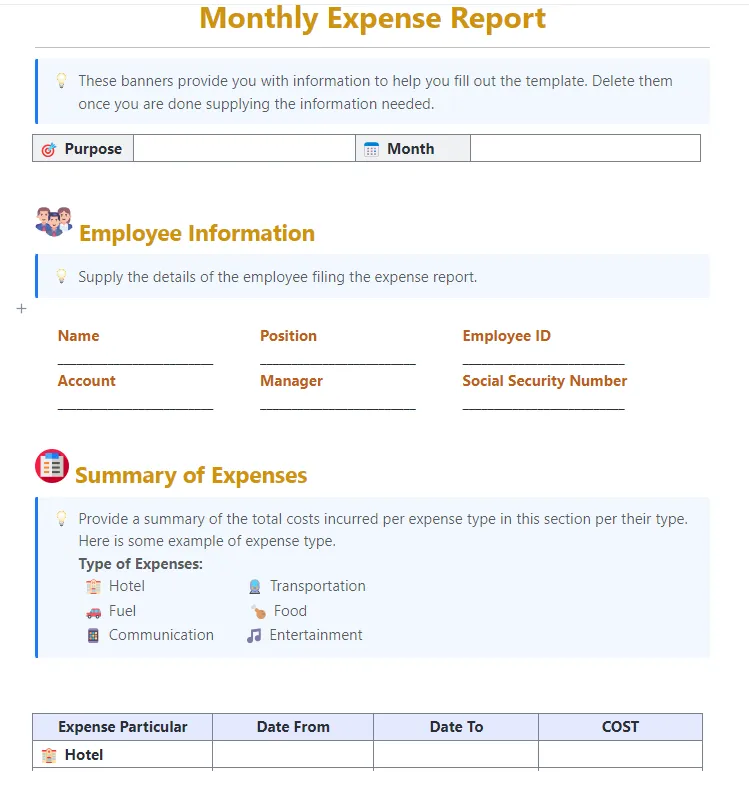
💡 Pro Tip: Looking for an easy way to track your monthly expenses without building workflows from scratch? ClickUp’s Monthly Expense Report Template can help you by tracking and reporting your monthly expenses in an easily customizable format.
Here’s why you’ll like this template:
- Report monthly expenses accurately and confidently
- Easily identify potential areas of cost savings
- Analyze spending trends over time to improve forecasting
AI categorization and coding
Once the receipts are in, the next headache is usually tagging everything correctly. Every line needs to go to the right category, project, or general ledger account.
Look for AI categorization that learns over time and supports consistent coding, especially if you need cost centers, projects, or GL-related tagging.
✅ What to check:
- Ability to automatically categorize common vendors
- Controls so finance can approve or override coding rules
- Audit trail for changes to expense categorization
💲 Why it matters for finance teams:
- Improve integrity of financial data by keeping expense categorization consistent
- Make spending patterns easier to analyze because categories and codes are applied the same way across teams and entitiesReduce audit friction by maintaining a clearer “why” behind coding decisions
Real-time policy enforcement and alerts
Policy enforcement matters most when it is applied during submission, not weeks later. Strong tools combine rules, alerts, and workflow routing.
✅ What to check:
- Customizable rules by team, location, or entity
- Alerts for missing receipts, over-limit spending, and duplicates
- Workflow support for approvals, escalations, and exceptions
💲 Why it matters for finance teams:
- Support stronger internal controls by enforcing approvals and checks as spending happens
- Safeguard company assets and reduce the risk of loss or noncompliance by catching exceptions early
- Reduce approval cycle time by routing clean, policy-aligned requests automatically
📽️ Watch a video: If your project budgets are always going over (or you’re constantly surprised by last-minute costs), this video will help.
This step-by-step guide will teach you how to confidently manage project budgets, from estimating costs to tracking real-time spending and avoiding overruns.
ERP integrations and two-way sync
An expense management solution only helps if expense data ends up in the accounting system accurately. Two-way sync reduces duplicate work and prevents mismatched numbers.
✅ What to check:
- Sync expenses, categories, and approvals back to ERP/accounting software
- Support for multi-entity setups and shared charts of accounts
- Clear handling of edits after submission (so changes don’t get lost)
💲 Why it matters for finance teams:
- You get closer to real-time data in your core financial tools
- Spend management views are based on the same numbers everyone else sees
- Month-end and audits run smoother because there’s one consistent source of truth instead of scattered systems to reconcile manually
📖 Also Read: How to Use ChatGPT Voice to Text: A Simple Guide
Global support and multi-entity controls
If you operate across countries or multiple entities, support for currencies, local rules, and consolidated reporting becomes essential.
✅ What to check:
- Multi-currency and region-specific tax handling
- Separate approval workflows per entity
- Roll-up reporting so finance leaders can compare company spending across regions
💲 Why it matters for finance teams:
- Global business operations run on one consistent expense process instead of regional one-offs
- Company spending becomes easier to compare across regions because data is structured the same way
- Finance leaders get a clearer view of financial health at both entity and group level, without extra manual work to consolidate reports
All this automation works best when there’s a structured workflow around it. That’s where ClickUp becomes the operating system for approvals and visibility.
📖 Also Read: Top AI Tools Transforming Businesses
Risks and Guardrails Finance Teams Should Plan For
AI speeds up expense workflows, but finance teams should protect three things: accuracy, compliance, and trust.
Here are the common risks—and how to reduce them:
- AI-generated fake receipts: Add stronger receipt validation rules (duplicates, vendor patterns, metadata checks) and require reviewer approval for higher-risk categories
- Mis-categorization: Keep human override controls and maintain an audit trail for coding changes
- Policy drift: Update rules when travel caps or per diems change, and document exceptions consistently
- Data privacy: Confirm where receipt data is stored, who can access it, and how long it’s retained
- Over-automation: Let AI prepare and route—but keep humans responsible for high-stakes approvals and exception decisions
A simple rule works well: Automate the routine. Escalate the exceptions.
Implementation Checklist: How to Roll Out AI Expense Automation Without Chaos
You don’t need a huge transformation project. You need a controlled rollout.
Use this sequence:
- Standardize fields first (category, cost center, vendor, project, receipt required)
- Start with one workflow (e. g. , reimbursements or travel expenses)
- Define “auto-approve” rules (low-dollar, policy-aligned categories)
- Define “always-review” rules (high-dollar, cash-like, unusual vendors, missing receipts)
- Pilot with one team for 2–4 weeks and review exception rates
- Measure outcomes: time to submit, time to approve, % expenses auto-coded, month-end exceptions
- Expand gradually by entity, region, or department
The goal is not to approve faster at all costs. It’s to approve cleaner and close earlier.
How ClickUp Uses AI to Streamline Expense Workflows
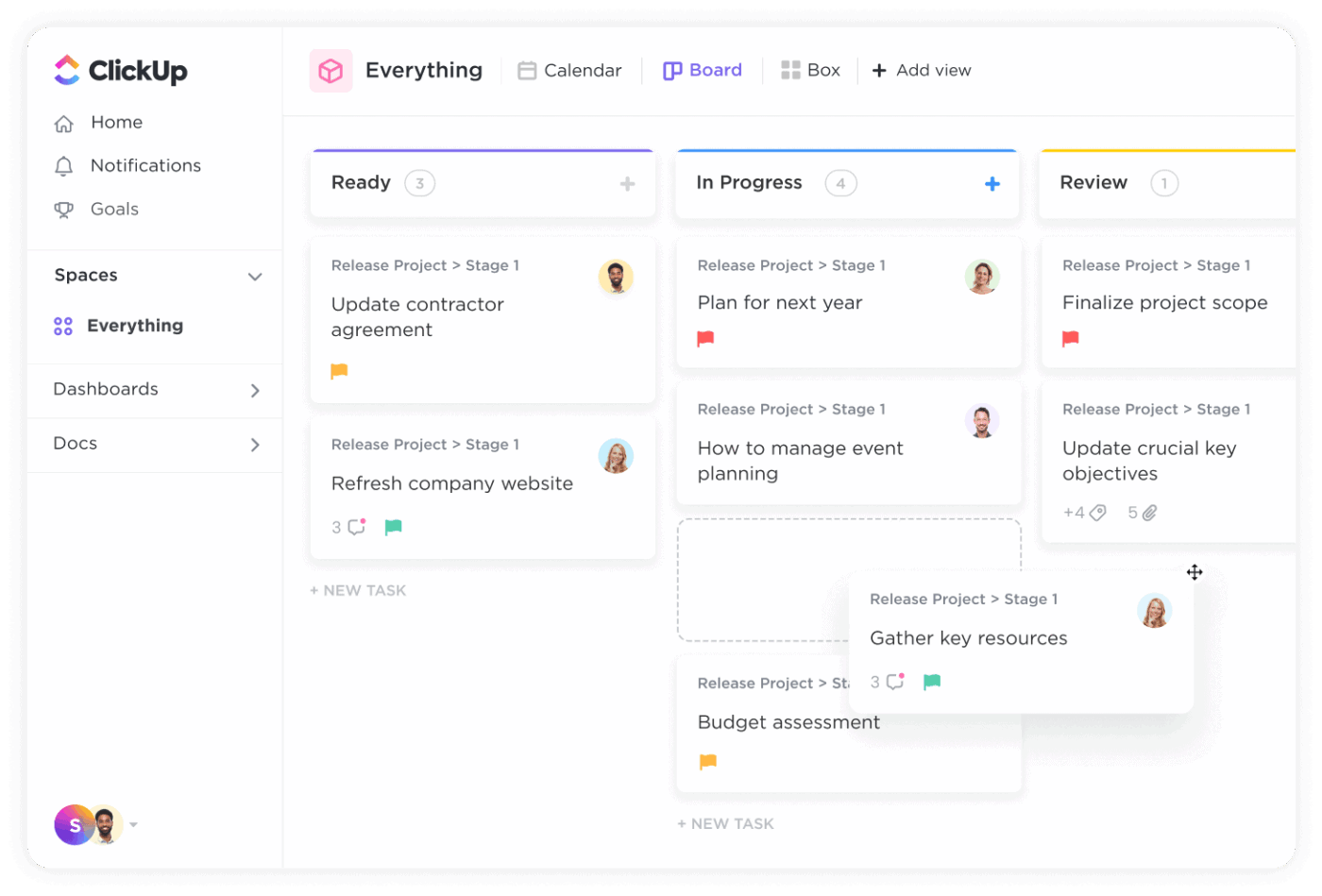
ClickUp isn’t exactly an expense reimbursement tool, but it works well as the “workflow layer” around expense management software: intake, documentation, approvals, follow-ups, and visibility.
This is especially helpful when expense requests live in too many places (inbox, chat, spreadsheets) and the approval process becomes hard to track. This is work sprawl, and it costs businesses time and money.
ClickUp solves this challenge by being a converged AI workspace. The goal is simple: keep expense requests, policy context, approvals, and visibility in one place, then use ClickUp Brain to clean up the “messy middle” (unclear memos and meeting decisions that never turn into action).
Here’s what a typical flow looks like:
Create expense policies and approvals in ClickUp
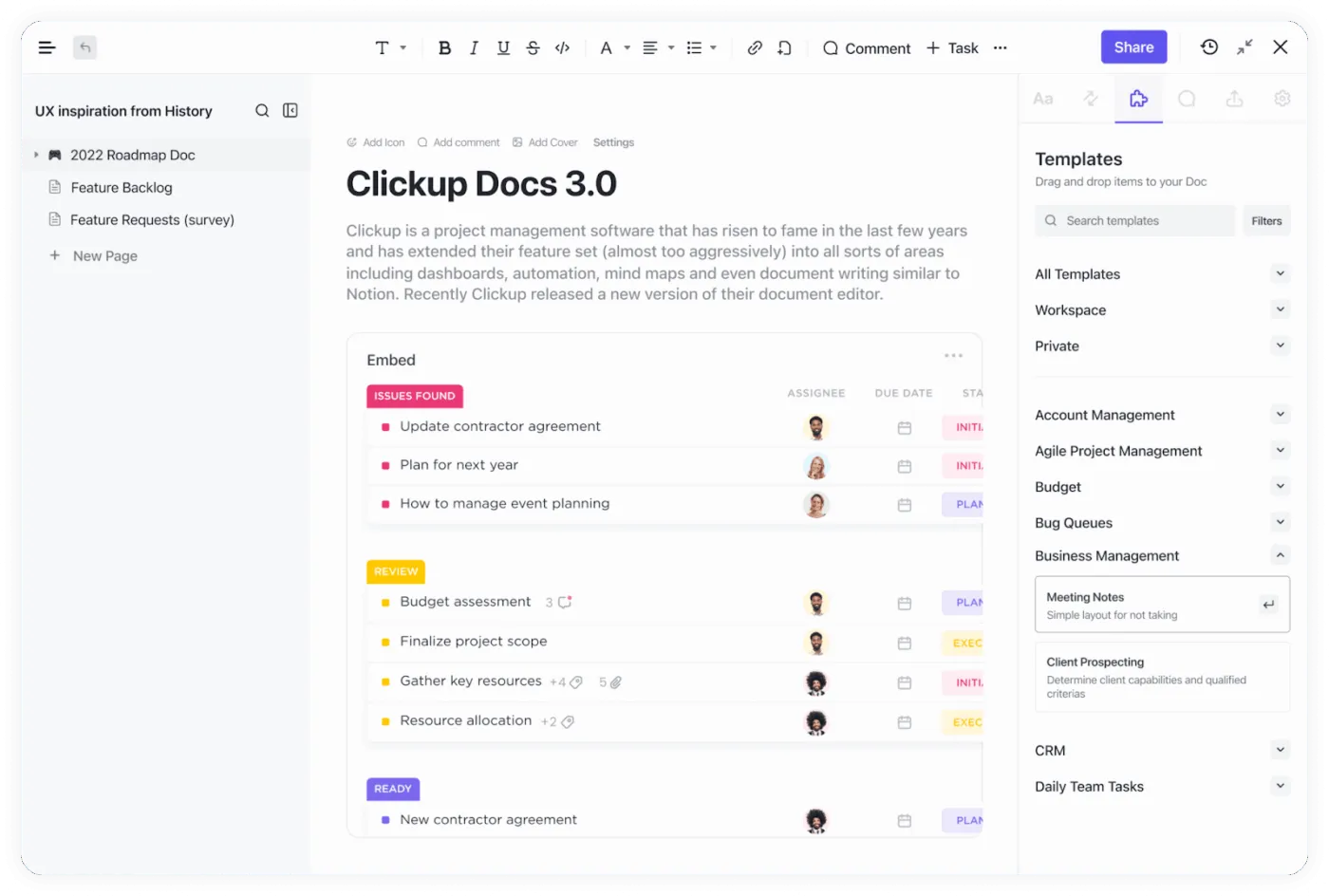
Most expense slowdowns start with two problems: policies that live in a PDF nobody reads and approvals that happen in threads across multiple platforms.
In ClickUp, you can keep the policy and the approval trail connected by turning each expense request into a trackable task, then linking back to the policy Doc for instant reference.
How to set it up in ClickUp (practical, finance-friendly):
- Store your expense policy in ClickUp Docs, then link it directly in the expense request task through ClickUp Tasks
- Add Custom Fields like amount, category, cost center, vendor, payment date, and “receipt attached” so approvals are based on structured data
- Use ClickUp Automations to reduce manual follow-ups, for example: Trigger approvals when a task is created or when a Custom Field changes Automatically change assignees, apply a template, set Custom Fields, create subtasks, or move the task to the right List for the next step
- Trigger approvals when a task is created or when a Custom Field changes
- Automatically change assignees, apply a template, set Custom Fields, create subtasks, or move the task to the right List for the next step
- Trigger approvals when a task is created or when a Custom Field changes
- Automatically change assignees, apply a template, set Custom Fields, create subtasks, or move the task to the right List for the next step
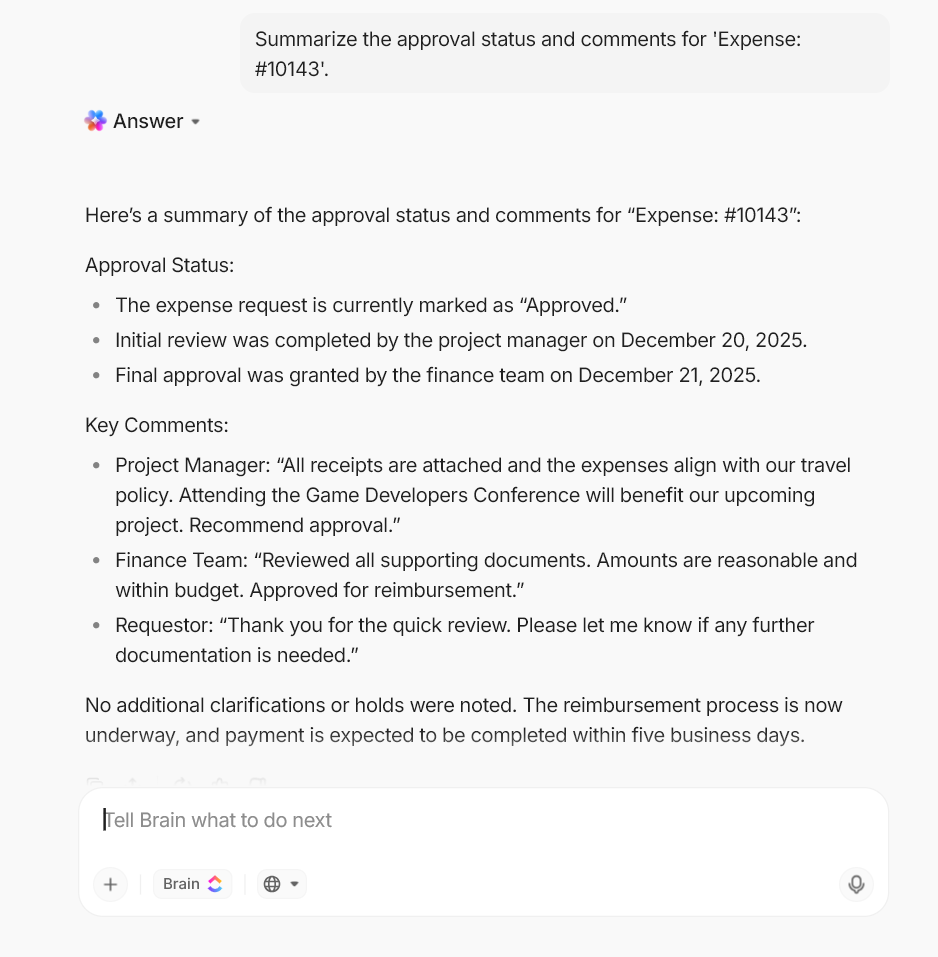
Where ClickUp AI helps:ClickUp Brain can help employees rewrite unclear expense notes inside tasks and Docs. It can also help finance teams summarize long comment threads so approvers see the decision-critical details faster.
💡 Pro Tip: Use ClickUp Super Agents to keep expense approvals moving automatically.
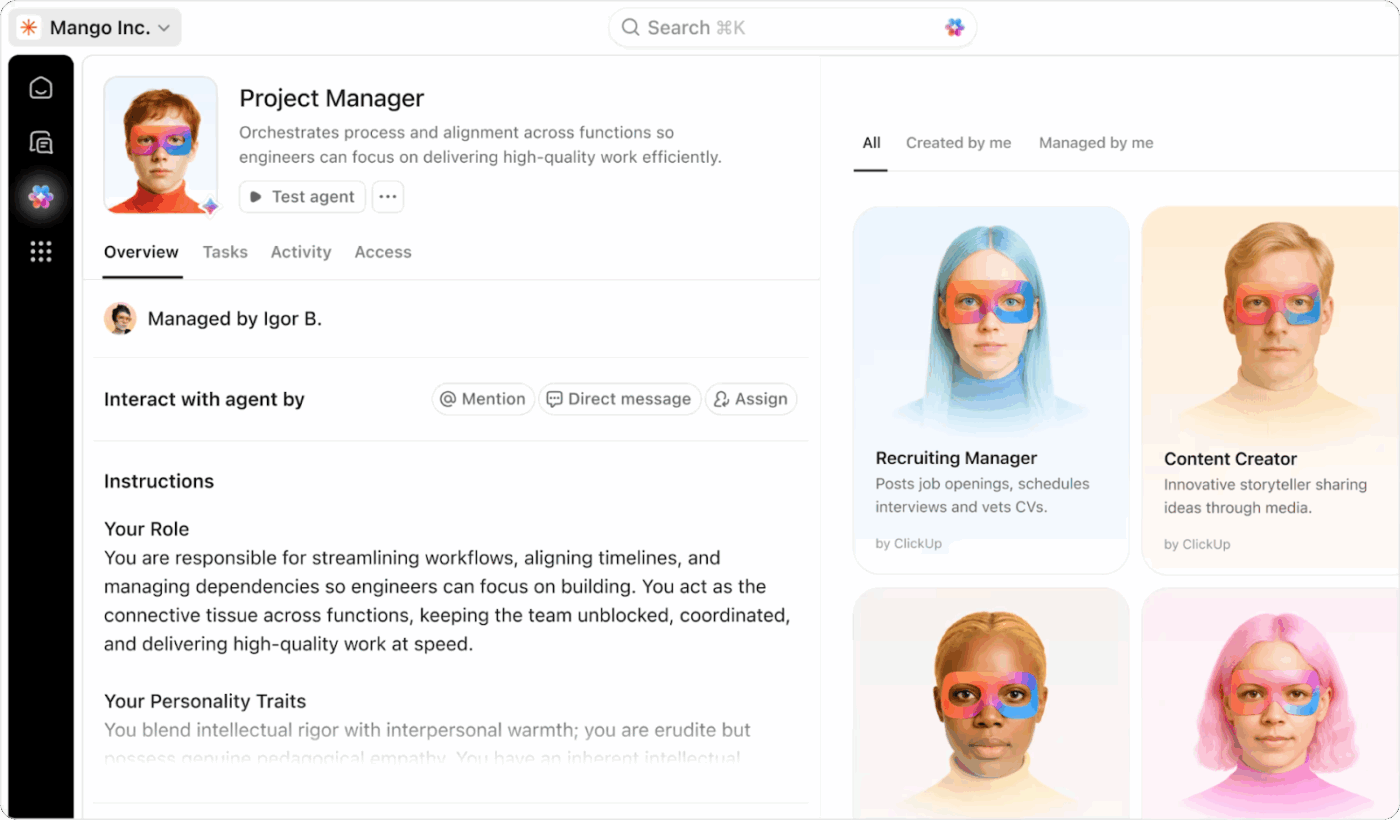
If your expense List has predictable bottlenecks (missing receipts, stalled approvals, unclear memos), set up a Super Agent that runs in that List and takes action only when triggered by defined events and conditions.
Because these AI Agents can use ClickUp AI (like updating a task, changing a status, or posting a comment), you can turn “someone should follow up” into an automatic step.
- Post a reminder comment when an expense task moves into a “Needs receipt” status
- Update the task (or comment) with a short checklist of what’s missing before it can be approved
- Change the task status once the required fields/attachments are in place, so approvers only review complete submissions
If you also want fast Q&A inside a finance ClickUp Chat channel (“Which reimbursements are stuck?”), ClickUp’s Ambient Answers agent can reply with context-aware answers from the knowledge sources you allow.
Automate intake and routing with ClickUp Forms
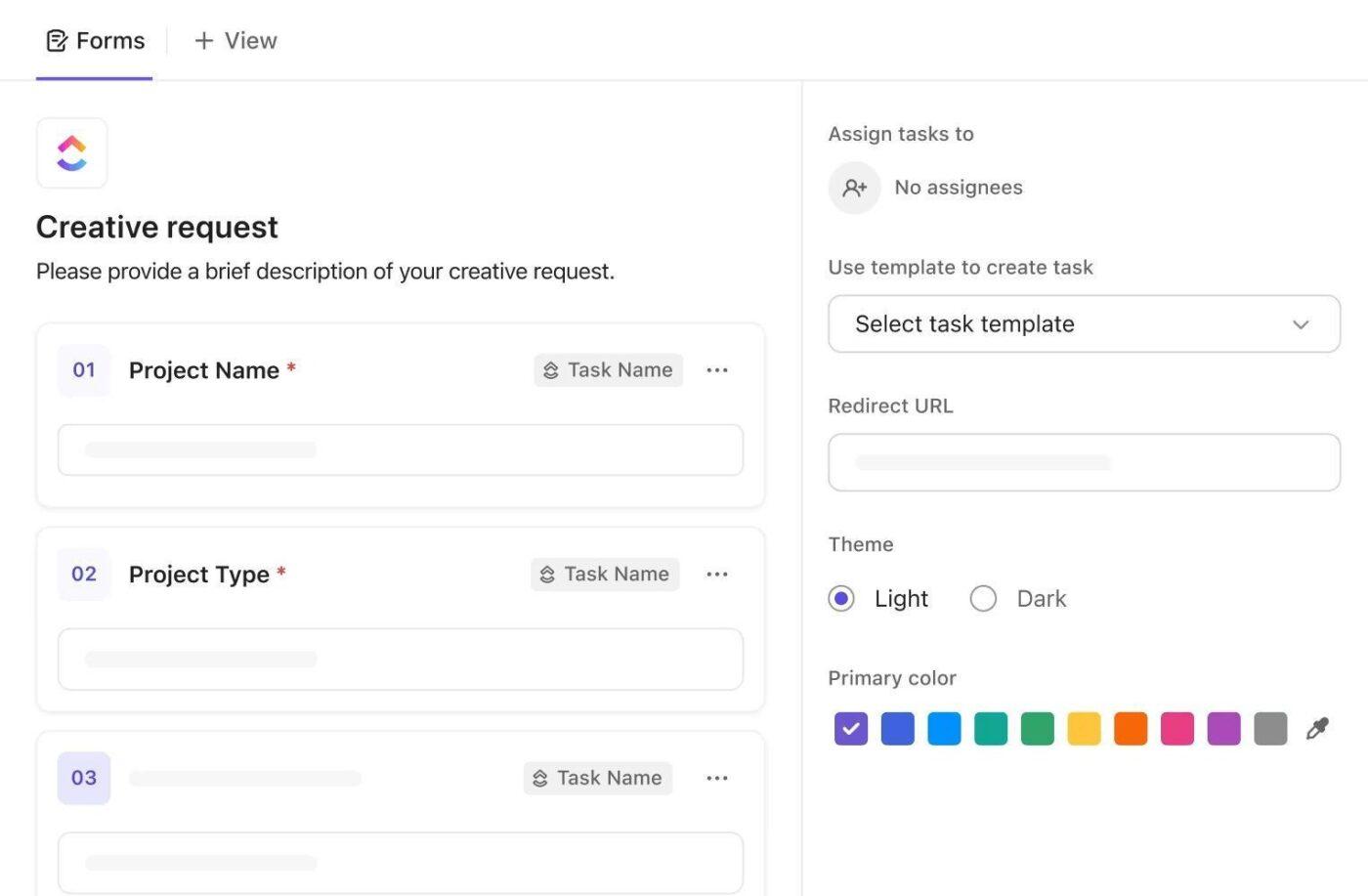
Intake is where manual expense management usually falls apart: different formats, missing receipt data, and inconsistent fields that force finance into manual entry.
ClickUp Forms solve this by capturing the same required fields every time, then turning each submission into a task so it can move through an approval process.
You can make your Forms smarter (and reduce back-and-forth) through these steps:
- In Form settings, you can apply a task template to submissions or automatically assign submissions, so every request starts with the right structure and owner
- If you’re on Business Plus or Enterprise, you can add conditional logic so the form asks only what’s relevant (example: if “travel expense” is selected, add fields for trip dates or client name)
- If you need tighter control, ClickUp supports Account Authenticated Forms so only people in your Workspace can view and submit forms
Routing idea (simple but effective):Use ClickUp Automations so that when an “Amount” Custom Field crosses a threshold, the task is reassigned or escalated. When the status changes to “Approved,” the task moves to the reimbursement queue.
💡 Pro Tip: Use ClickUp Brain to fill in the gaps around your forms. When an expense request comes in, you can ask ClickUp Brain to summarize the details, rewrite unclear memos, or generate quick follow-up questions inside the task so approvers don’t have to chase context over chat. It keeps every intake clean and easy to review.
See approval and reimbursement status in real time with ClickUp Dashboards (plus AI Cards)
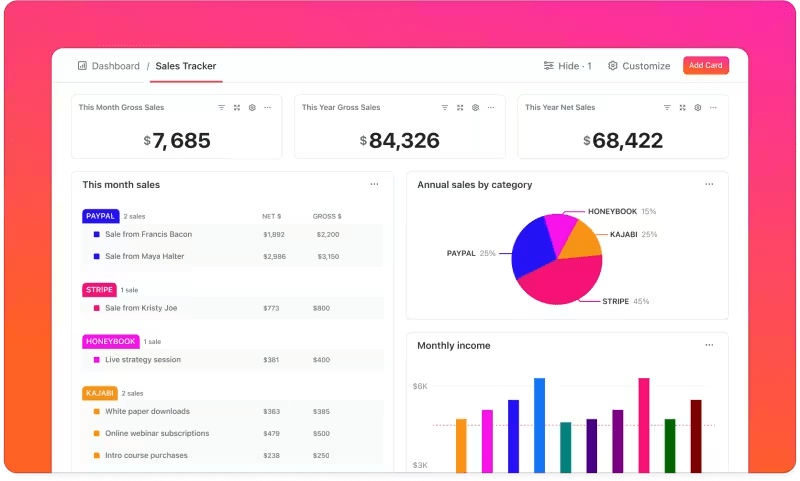
ClickUp Dashboards turn live task data (statuses, assignees, dates, Custom Fields) into visual reporting, so you’re not waiting for a month-end spreadsheet to see what’s stuck.
For expense workflows, this is your visibility layer: what’s pending, what’s blocked, what’s approved, and what’s waiting on a receipt.
Use a finance dashboard to track things like approval queue size, high-value reimbursements, requests missing receipts, and aging approvals using Dashboard cards and filters. ClickUp Dashboards also support sharing and exporting as a PDF when you need a quick leadership-ready view
How ClickUp AI fits in: Add AI Cards to generate standups and summary-style reporting using context from your team’s work.
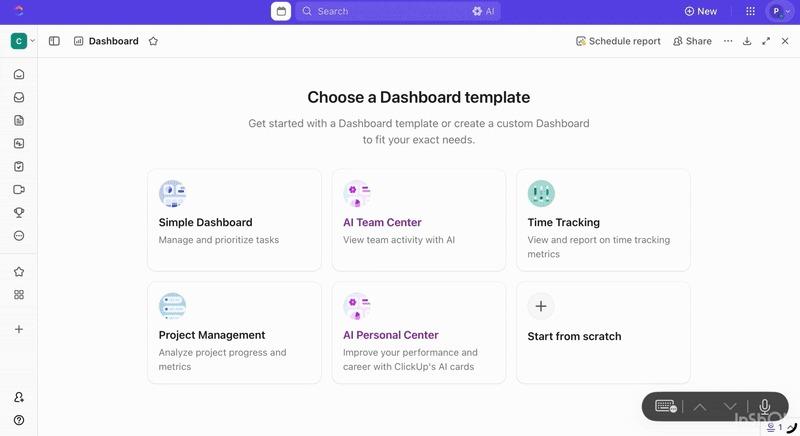
This is useful when you want a quick written snapshot of what changed since last week or what needs attention right now.
📖 Also Read: How to Write a Listicle with Examples
Summarize spend conversations with ClickUp AI Notetaker

Expense policy decisions often happen in meetings, then disappear in someone’s notes. ClickUp AI Notetaker is built to capture those decisions and make them actionable. ClickUp AI Notetaker can join meetings, generate a structured summary with action items and a transcript, and save those notes back in ClickUp.
For finance teams, this is especially useful for:
- Capturing “we approved this vendor” or “we changed the travel cap” decisions with a timestamped record
- Turning action items into trackable tasks, instead of hoping someone remembers after the call
- Keeping a searchable history of policy changes and budget calls inside the workspace
💡 Pro Tip: Speed up expense reviews with ClickUp BrainGPT.
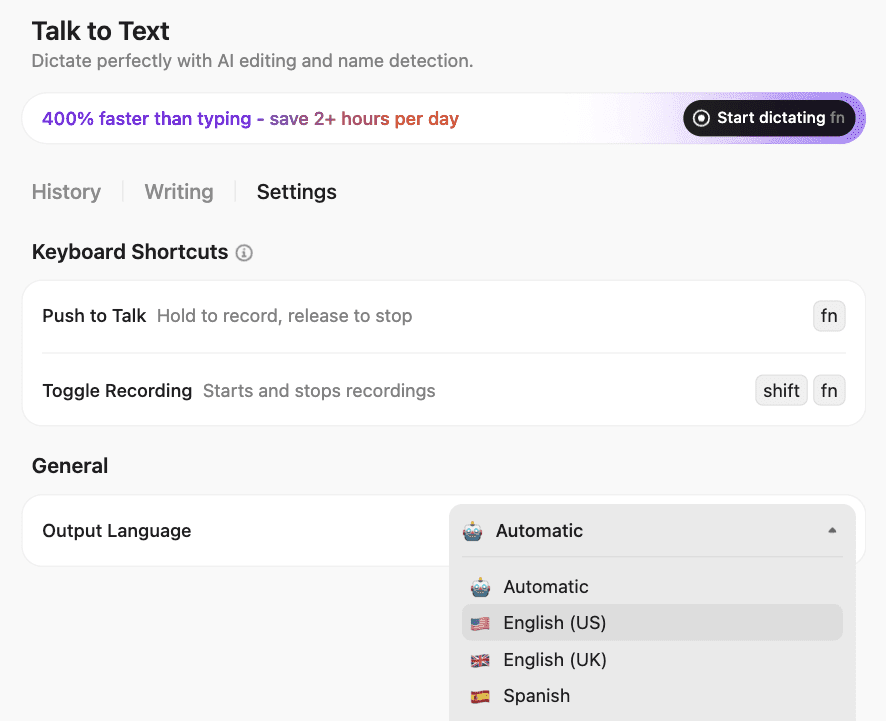
ClickUp BrainGPT helps you keep expense requests readable, searchable, and easy to approve, all without turning every submission into a back-and-forth thread. Here’s how:
Capture expense context with your voice: Use Talk to Text to dictate the key details, like vendor, amount, purpose, cost center, and who approved it, straight into BrainGPT or any text box. Your speech is converted to text, improved using AI, and pasted where you need it
Ask ClickUp BrainGPT to surface the “why” behind spending instantly: Open ClickUp BrainGPT search and ask questions like “What’s the status of vendor renewal approvals?” or “Show expenses tagged ‘travel’ that are still pending. ” Enterprise Search uses ClickUp content plus connected apps (by default), so you’re not hunting across tools for the same answer
Find past decisions before you relitigate them: Use ClickUp BrainGPT to search prior chats, Docs, and meeting notes for phrases like “travel cap,” “per diem,” or a vendor name. Then pull the relevant thread into your current approval task so finance doesn’t have to rely on memory
Switch AI models when you need a different kind of help: In ClickUp BrainGPT, you can change the model from Brain to ChatGPT (GPT-5. 1/GPT-4. 1), Claude, or Gemini
Who AI Expense Management Is Best For
AI expense management helps most when:
- You have high volume reimbursements or corporate card spend
- Approvals are slow because receipts and memos are inconsistent
- You manage multiple entities, currencies, or regions
- Finance spends too much time on data cleanup instead of analysis
- Leadership wants real-time spend visibility, not month-end surprises
If your expense tool handles transactions, ClickUp becomes the system that keeps intake, approvals, exceptions, and accountability visible and moving.
Manage Expenses Smarter With ClickUp
Expense management will always matter, but it doesn’t have to hijack every month-end close like season finale week. When you use AI for expense management thoughtfully, the painful parts start to ease up.
Receipts are captured automatically, expense reports are cleaner, policy checks happen in real time, and finance teams see company spending earlier instead of reacting after the fact.
The real shift comes when your expense data is not scattered across chats, spreadsheets, and inboxes.
With a single workspace like ClickUp, you keep the process, the people, and the story around in one place. AI then becomes less about cleaning up broken data and more about supporting better day-to-day decisions.
Used this way, expense management software stops feeling like a monthly fire drill and starts feeling like a steady system that quietly keeps the numbers, context, and approvals in sync.
Sign up for ClickUp for free and build an expense workflow where requests and insights finally move together in one workspace.
Frequently Asked Questions (FAQs)
AI doesn’t just help you clean up expense reports. It grabs receipts, pulls out the details, sorts each line into the right category, checks your policies, and sends requests to the right approver. It can even handle parts of credit card reconciliation quietly in the background. In a workspace like ClickUp, those steps turn into clear tasks and approval flows. You see where every request sits at a glance instead of digging through long email chains or old chat threads.
An AI expense tracker is usually personal. It logs spending for one user or card and puts each transaction in a category. AI for expense management is bigger. It handles submissions, approvals, policy checks, and syncing with your accounting system so finance can see spending as it happens, not weeks later. Most teams use an expense tool for card and reimbursement data, then run approvals, policies, and reporting around it in ClickUp so the whole process stays connected.
Most teams plug their expense tool into ClickUp and treat it as the approval control center. Expense requests come in through ClickUp Forms and instantly become tasks with fields for amount, category, and cost centers. Those tasks then move through simple automated workflows that tag the right manager based on team or approval limits. Finance leaders can open a ClickUp Dashboard and see what’s pending, approved, or blocked in seconds, instead of chasing updates across email and chat.
The most useful metrics are pretty simple. Look at how long it takes people to submit and approve expenses, how many expenses are auto-coded, how many out-of-policy claims you catch before payment, and how many days it takes to close the books. You can also track hours saved on manual work and turn that into a rough productivity gain for your finance team. Many teams watch these trends in ClickUp Dashboards and use tools like the free ClickUp Employee Productivity Calculator to put a clear value on the time they’ve won back with AI-driven expense automation.