
Time Management Methods
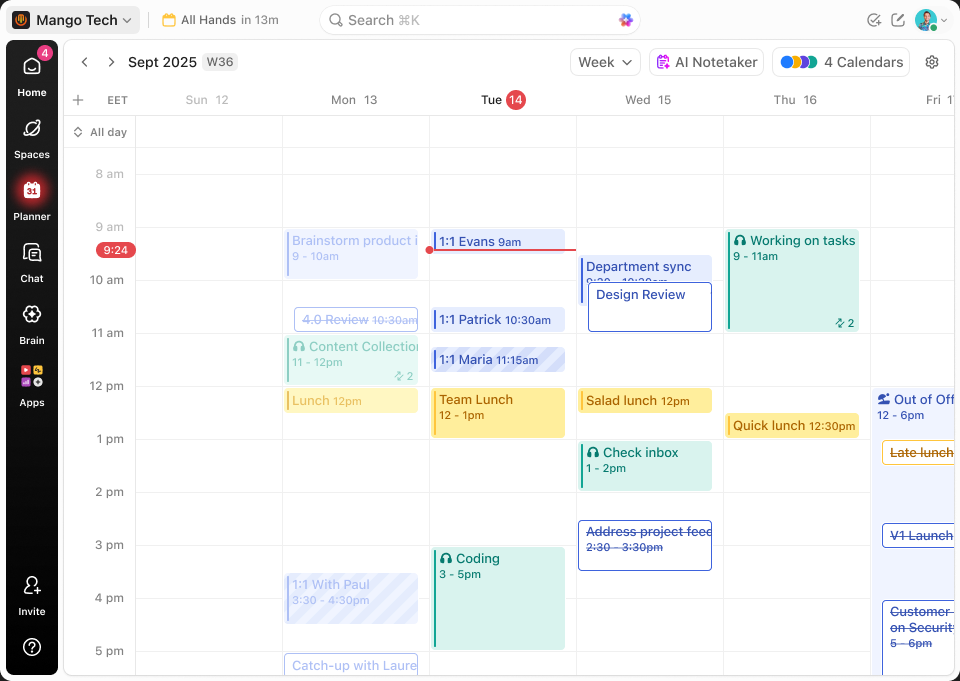
Proven techniques for controlling how you spend your time instead of reacting to whatever shows up next.
The best time management method depends on your work style, not on what is popular. Structured methods like Pomodoro work best for focused execution. Flexible methods like time blocking work best for varied schedules. Start with one, test it for two weeks, and adapt.
Browse Time Management Methods
Eat the Frog
Eat the Frog is a time management method where you identify your single most important and difficult task and complete it first each day. Brian Tracy formalized the concept in his 2001 book, which has sold over 3 million copies in 46 languages.
Eat the FrogEisenhower Matrix
A prioritization framework that sorts tasks into four quadrants based on urgency and importance, helping you focus on what matters and eliminate what does not.
Eisenhower MatrixGetting Things Done (GTD)
A five step productivity system (Capture, Clarify, Organize, Reflect, Engage) that externalizes all commitments into a trusted system so your brain can focus on doing work instead of remembering it.
Getting Things Done (GTD)Pomodoro Technique
A time management method that breaks work into 25 minute focused intervals called pomodoros, separated by 5 minute breaks, with a longer break after every four intervals.
Pomodoro TechniqueTime Blocking
A scheduling method where you assign every hour of your workday to a specific task or category, eliminating unstructured time and reducing decision fatigue.
Time BlockingLessons
How to Use the Pomodoro Technique
The Pomodoro Technique works because it removes two decisions that waste energy: when to start and when to stop. The timer starts and you work. The timer rings and you rest. After a week of consistent use, most people find they accomplish more in 8 focused pomodoros than they previously did in a full unstructured day.
Pomodoro Technique for ADHD
The Pomodoro Technique works for ADHD when adapted to shorter intervals, external accountability, and active breaks. The timer compensates for time blindness, the short commitment lowers the start barrier, and the tracking data reveals patterns that help you work with your attention style instead of fighting it.
Pomodoro Technique for Studying
The Pomodoro Technique improves studying by making it easier to start, preventing burnout during long sessions, and creating a data trail that shows exactly how you spend your study hours. Pair it with active recall and spaced repetition for the strongest retention results.
How to Block Out Focus Time
The task appears in Planner as a focus time block. For a task scheduled by dragging it from the Planner Sidebar, the time allotted is based on its estimate.
How to Get Control of Your Hours
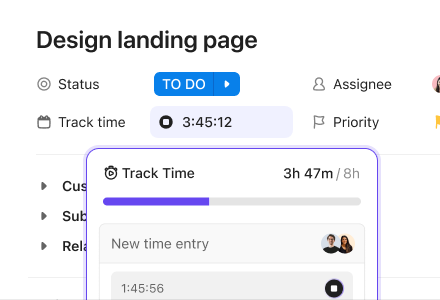
The task has an estimate and a scheduled Planner block. When you track time from a view, the progress bar compares tracked time with the estimate if the Time Estimate ClickApp is enabled and the task has an estimate.
How to Build a Daily Schedule
Day is selected in Planner, and the task appears in the calendar time slot you chose.
Six Ways to Manage Time in ClickUp
Prioritize tasks
Use the Priorities ClickApp to set a task to Urgent, High, Normal, or Low. After Priorities are enabled in a Workspace, you can sort or filter tasks by Priority in List view. For a method to help choose what deserves attention, see the Eisenhower Matrix.
Block work in your week
Drag a task from the Planner Sidebar to the Calendar to schedule it as a focus time block. The time allotted for the task is based on its time estimate. Start with the Time blocking guide.
Get a suggested focus time
ClickUp Brain AI can recommend times for tasks using their estimates. Recommended times are outlined on the calendar. To confirm one, click the time block and select Confirm work session. See how to block out focus time.
Track time on a task
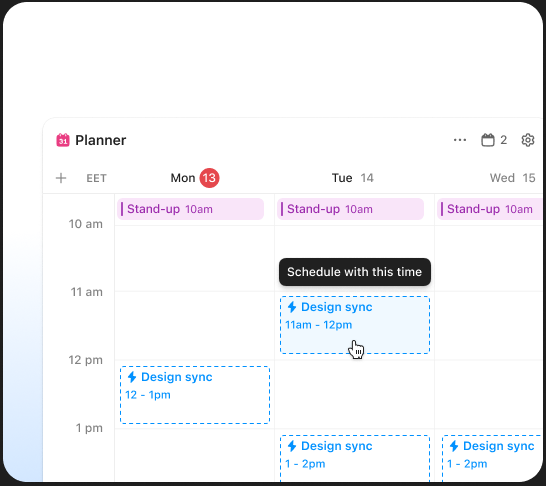
Start a timer from a task. A running timer is visible in the toolbar in the upper-right. The hours lesson shows how to start a timer from a task.
Review tracked hours
In Timesheets Hub, My timesheet shows tracked time by task. Choose Timesheet to see entries based on task or Time entries to see them by date. You can filter by billable status, tag, tracked time, or archived tasks. See Timesheets Hub.
See team capacity
Workload view can measure tasks or time estimates and show your team’s workload by day, week, or month. A task needs a start date or due date to appear on the Workload canvas. Read how to use Workload view and how tasks appear on its canvas.
Why Time Management Methods Matter
Every knowledge worker has the same 8 to 10 hours in a workday. The difference between feeling overwhelmed and feeling in control usually comes down to one thing: whether you have a deliberate system for deciding how those hours get spent.
Without a method, your day defaults to reactive mode. You respond to the loudest email, sit through the next meeting on your calendar, and work on whatever feels most urgent. By 5 PM, you have been busy all day but made no progress on the work that actually matters.
Time management methods solve this by giving you a repeatable process for allocating attention. Some methods help you prioritize tasks (Eisenhower Matrix). Others help you protect blocks of focused work (time blocking, deep work). Others help you maintain energy across the day (Pomodoro, batching). The right method depends on the type of work you do, how much control you have over your schedule, and how you naturally manage energy.
Three Categories of Time Management Methods
Time management methods fall into three broad categories based on what problem they solve.
Prioritization methods help you decide what to work on. The Eisenhower Matrix sorts tasks by urgency and importance into four quadrants. The Ivy Lee method forces you to choose your six most important tasks the night before. The two minute rule (from Getting Things Done) tells you to handle anything that takes less than two minutes immediately rather than adding it to a list.
Scheduling methods help you decide when to work on things. Time blocking assigns specific hours to specific tasks or categories of work. Day theming dedicates entire days to one type of work (meetings on Monday, deep work on Wednesday). Timeboxing sets a fixed duration for a task regardless of whether it is finished, which prevents perfectionism from eating your schedule.
Execution methods help you sustain focus while you work. The Pomodoro Technique uses 25 minute focus intervals with 5 minute breaks. Batching groups similar tasks together to reduce context switching. Eat the frog tells you to start with your hardest task while your energy is highest.
Most productive people combine methods from all three categories. You might use the Eisenhower Matrix to plan your week, time blocking to structure each day, and Pomodoro to execute focused work sessions.
How to Choose the Right Time Management Method
The best method is the one you will actually use for more than a week. Here is how to narrow it down.
If your biggest problem is not knowing what to work on, start with a prioritization method. The Eisenhower Matrix is the simplest entry point because it only requires you to answer two questions: is this urgent, and is this important?
If you know what to work on but your calendar is too fragmented to do it, start with time blocking. Block two to three hours for your most important work before your calendar fills up with meetings. Protect those blocks the way you would protect a meeting with your CEO.
If you can sit down to work but lose focus within minutes, try the Pomodoro Technique. The 25 minute intervals are short enough to feel manageable, and the forced breaks prevent the mental fatigue that leads to scrolling.
If you manage a team, consider day theming. It gives your team predictability about when you are available and when you are heads down.
Do not try to adopt three methods at once. Pick one, use it consistently for at least two weeks, and evaluate whether it reduced your biggest friction point. If it did, keep it and layer on a second method. If it did not, try the next category.
Common Time Management Mistakes
The most common mistake is treating time management as a tool problem instead of a behavior problem. No app will save you if you do not have a habit of planning your day before it starts.
Second: over scheduling. Blocking every minute of your day leaves no buffer for the interruptions, emergencies, and tasks that take longer than expected. Build in 60 to 90 minutes of unscheduled time per day.
Third: ignoring energy patterns. Most people have 3 to 4 hours of peak cognitive performance per day. Scheduling your most demanding work during a post lunch slump wastes your best hours. Track your energy for a week and align your hardest tasks with your peak periods.
Fourth: optimizing for busy work. Completing 47 small tasks feels productive but may not move any meaningful project forward. Use prioritization methods to ensure at least one of your daily tasks connects to a goal that matters over the next 90 days.
Common Questions About Time Management Methods
What is the Pomodoro Technique?
The Pomodoro Technique is a time management method that breaks work into 25 minute focused intervals called pomodoros, separated by 5 minute breaks. After four pomodoros, you take a longer break of 15 to 30 minutes. It was created by Francesco Cirillo in the late 1980s and named after the tomato shaped kitchen timer he used.
Which time management method is best for ADHD?
People with ADHD often benefit from methods with external structure and short time horizons. The Pomodoro Technique provides built in accountability through its timer. Body doubling (working alongside someone else) adds social accountability. Time blocking with visual calendars makes abstract plans concrete. Experiment to find what provides enough structure without feeling restrictive.
How is time blocking different from a regular calendar?
A regular calendar shows commitments other people have placed on your time. Time blocking goes further by proactively scheduling your own priorities into open slots before they fill up. The key difference is intention: with time blocking, every hour has a purpose you assigned, not just the hours where someone booked a meeting.
Can you combine multiple time management methods?
Yes, and most productive people do. A common combination uses a prioritization method like the Eisenhower Matrix for weekly planning, a scheduling method like time blocking for daily structure, and an execution method like Pomodoro for focused work sessions. Start with one method and layer in others gradually.
One app for work management
Projects, docs, goals, and tasks in a single workspace. Free forever.