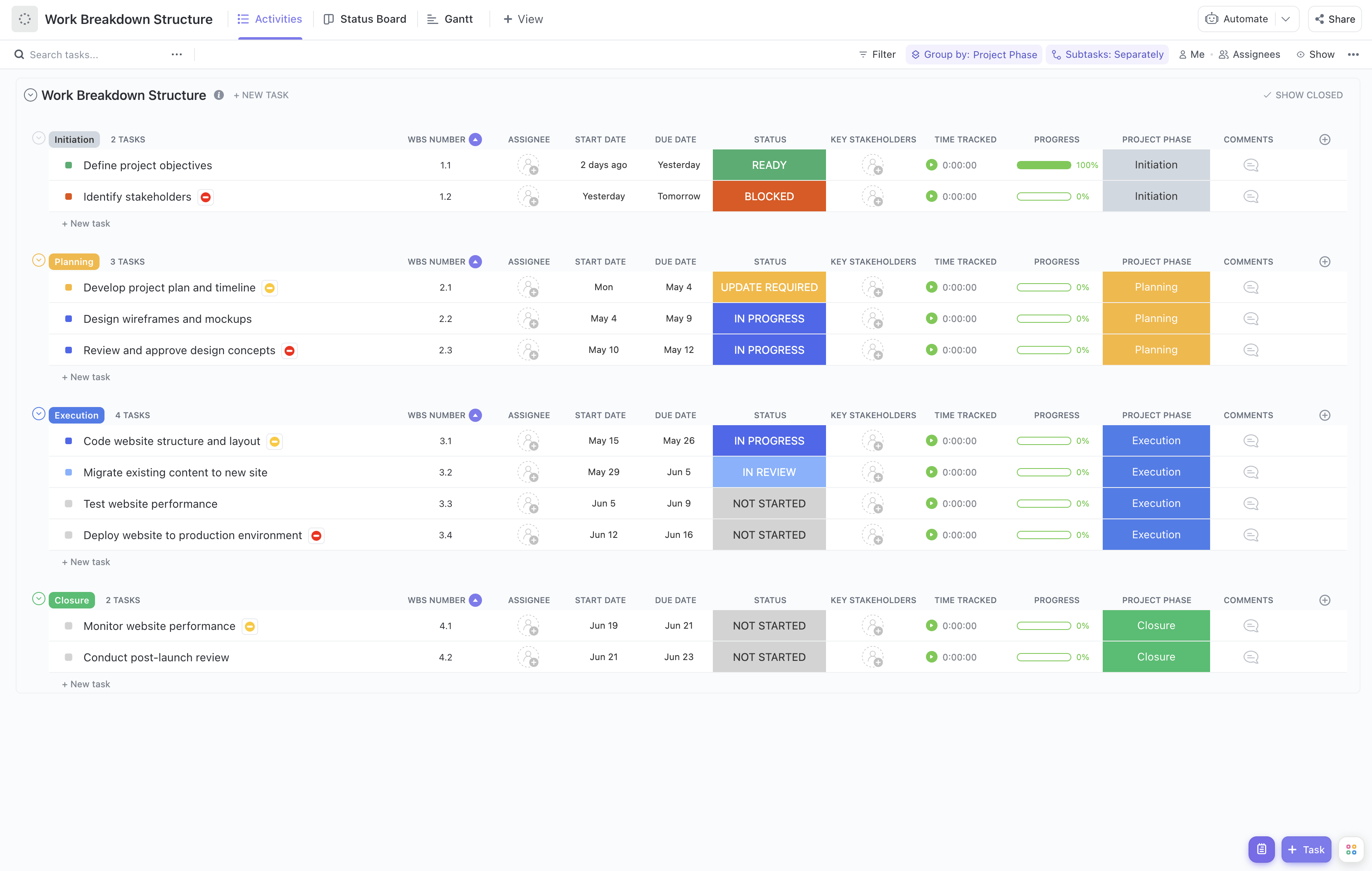
Digitizing case files is a complex initiative that requires careful coordination of multiple tasks and teams. Managing this process efficiently is crucial to ensure timely completion, data accuracy, and compliance with legal standards. The Case Digitization Program Work Breakdown Structure template provides a structured approach to breaking down this project into manageable components.
This specialized template helps you:
- Segment the digitization process into clear phases such as preparation, scanning, quality assurance, and integration
- Assign responsibilities to team members including IT staff, legal experts, and quality controllers
- Monitor progress in real-time to identify bottlenecks and maintain project timelines
Best of all, this template requires no coding skills or additional software—just ClickUp to get started and keep your case digitization project on track.
Benefits of a Case Digitization Program Work Breakdown Structure
Using this WBS template for your case digitization program offers several advantages:
- Clearly defines and organizes all deliverables, from document preparation to final digital archiving
- Clarifies roles and responsibilities across departments, ensuring accountability and smooth collaboration
- Enhances communication between project stakeholders, including legal teams, IT, and management
- Improves overall project efficiency by providing a detailed roadmap and tracking mechanisms
Main Elements of the Case Digitization Program Work Breakdown Structure
This template breaks down the digitization program into key components such as:
- Project Initiation: Define scope, objectives, and identify key stakeholders
- Document Preparation: Sorting, indexing, and preparing physical files for scanning
- Scanning and Digitization: High-quality scanning, OCR processing, and metadata tagging
- Quality Assurance: Verification of digital files against originals, error correction
- Integration and Archiving: Uploading to document management systems and secure storage
- Training and Support: Educating staff on accessing and managing digital records
- Project Closure: Final review, documentation, and handover
By following this structured approach, your team can efficiently manage the complexities of digitizing case files, ensuring compliance, accuracy, and accessibility throughout the project lifecycle.