
Priority Matrix Templates
This priority matrix template includes a task input table with columns for task name, urgency score (1 to 5), and importance score (1 to 5). Tasks are automatically placed into one of four quadrants based on their scores. A weekly review section prompts you to reassess items that have shifted quadrants since last week.
Priority Matrix Templates
| # | Template | Best For | Format |
|---|---|---|---|
| 1 | Eisenhower Priority Matrix | Weekly task triage | Board View |
| 2 | Action Priority Matrix (Impact vs. Effort) | Project selection | Board View |
| 3 | Weighted Scoring Priority Matrix | Multi-stakeholder decisions | List View |
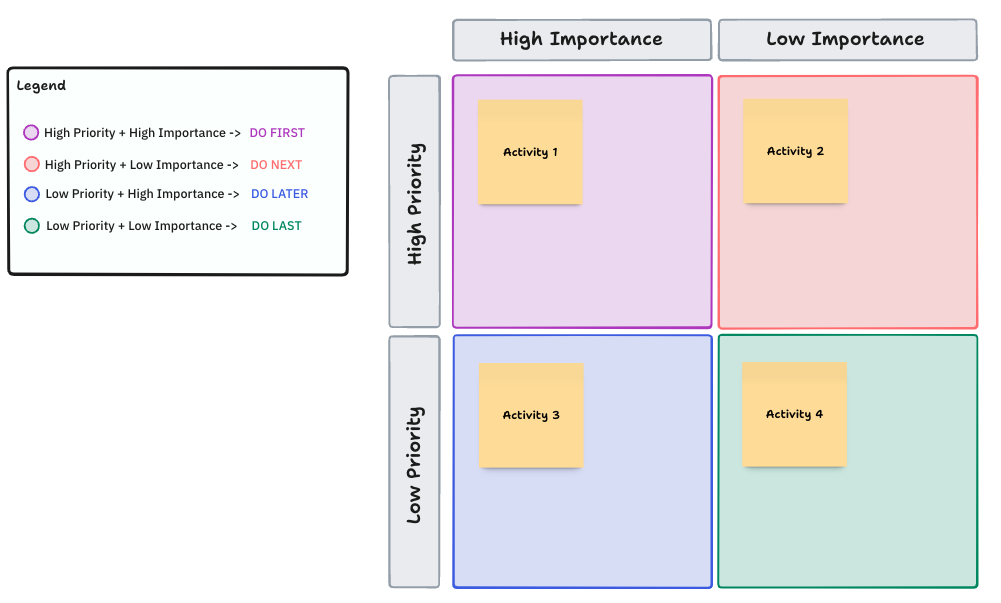
The classic four quadrant matrix based on urgency (1 to 5) and importance (1 to 5). Tasks scoring 4 to 5 on both axes land in Q1 (Do First). High importance but low urgency lands in Q2 (Schedule).
High urgency but low importance lands in Q3 (Delegate). Low on both lands in Q4 (Eliminate). Includes a weekly review section that prompts you to check which tasks shifted quadrants since last week.
- Task input table with dual scoring columns
- Four labeled quadrants with color coding
- Weekly review prompts for shifted items
- Quadrant distribution summary
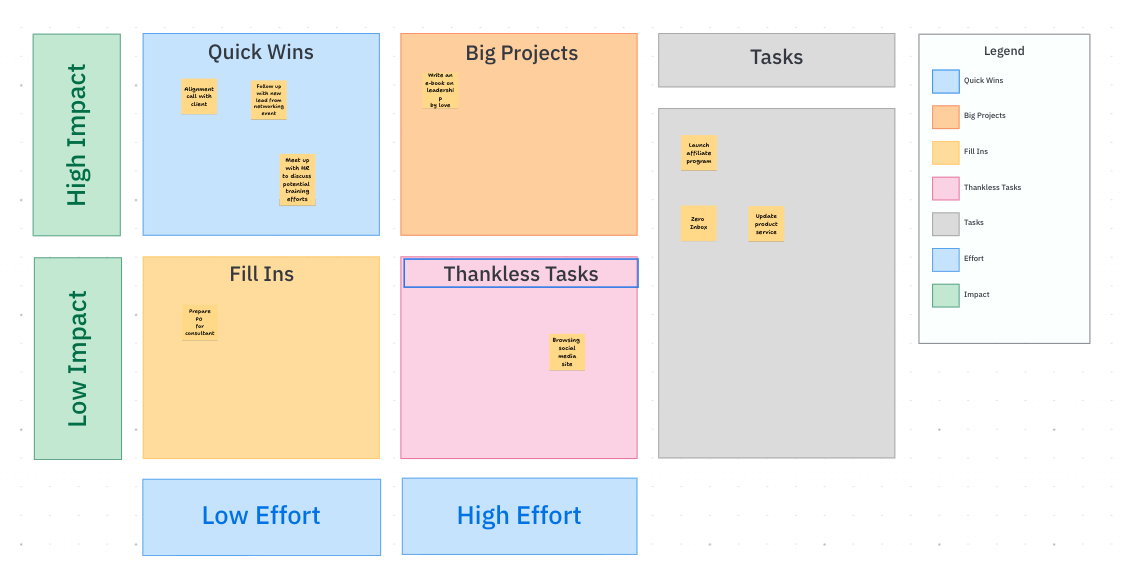
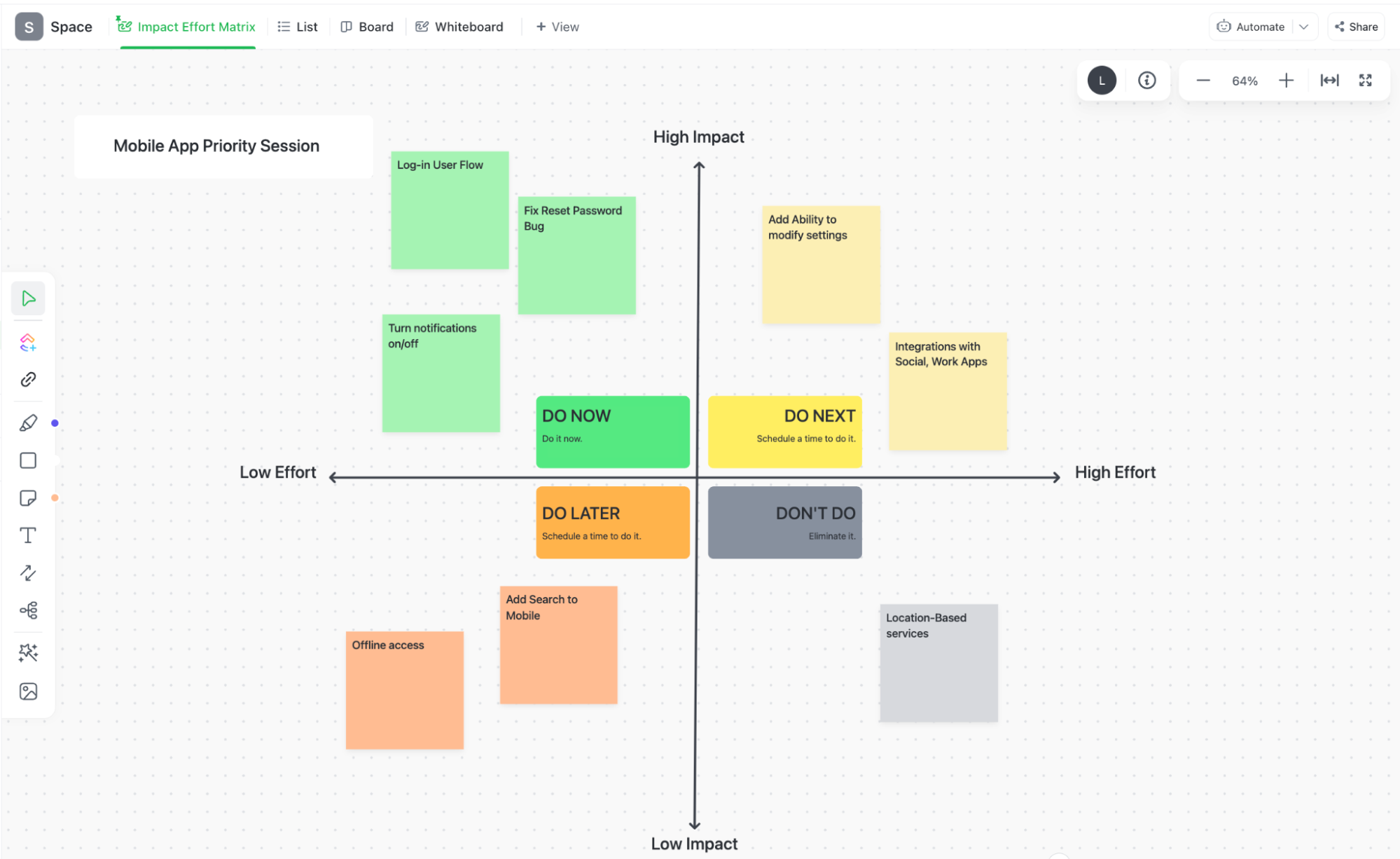
Maps tasks and initiatives by expected impact (low to high) against estimated effort (low to high). The four quadrants become Quick Wins (high impact, low effort), Major Projects (high impact, high effort), Fill Ins (low impact, low effort), and Thankless Tasks (low impact, high effort).
Especially useful for backlog grooming and quarterly planning when you need to compare projects rather than individual tasks.
- Initiative input table with impact and effort scoring
- Four action quadrants (Quick Wins, Major Projects, Fill Ins, Thankless Tasks)
- Owner and deadline columns per initiative
- Resource allocation summary row
A multi-criteria scoring matrix for teams that need more precision than a 2×2 grid. Define 3 to 6 evaluation criteria (such as strategic alignment, revenue impact, customer demand, implementation risk, and resource cost), assign a percentage weight to each, then score every item 1 to 5 on each criterion.
The template calculates a weighted total and ranks items automatically. Best used when stakeholders disagree on priorities and need an objective framework to resolve it.
- Criteria definition table with percentage weights
- Item scoring grid (1 to 5 per criterion)
- Automatic weighted total calculation
- Priority ranking by score
- Tie-breaking notes column
These templates structure the prioritization frameworks described in the Priority Matrix guide. Each one applies a different scoring model to the same core question: what should you work on next?
Which Priority Matrix Template Should You Use?
The Eisenhower Matrix (urgency vs. importance) works best for individual task triage and weekly planning. It is the fastest to fill out and the easiest to act on because every quadrant maps to a single verb: do, schedule, delegate, or eliminate.
The Action Priority Matrix (impact vs. effort) works better for project selection and backlog grooming. It helps teams compare initiatives rather than individual tasks and surfaces “quick wins” that justify immediate allocation of resources.
The Weighted Scoring Matrix works best when multiple stakeholders disagree on priorities. It replaces gut feel with explicit criteria weights, which forces the conversation from “I think this is more important” to “we agreed strategic alignment counts for 30% of the score.”
Common Scoring Mistakes
The most frequent failure mode is Q1 overload. When more than 7 items land in the “Do First” quadrant, the matrix is not helping you prioritize because everything still feels equally urgent. This usually happens because urgency is easier to score than importance. A task with a Friday deadline feels urgent even if it contributes nothing to quarterly goals.
The fix is to score importance first, before urgency. When you evaluate how much a task contributes to your goals before you think about its deadline, the distribution across quadrants becomes more realistic. Teams that score importance first report 30% to 40% fewer items in Q1.
A second common mistake is never revisiting the matrix. A priority matrix is a snapshot, not a permanent ranking. Deadlines shift, projects get cancelled, new information changes the calculus. If you scored tasks on Monday and it is now Thursday, at least three items have probably moved quadrants.
Adapting the Matrix for Your Team Size
Solo contributors can run the full Eisenhower Matrix in 5 to 10 minutes once a week. Keep it to 15 to 25 tasks and rescore every Monday morning.
Teams of 3 to 8 should use the matrix during weekly planning meetings. Have each person score independently first, then compare. The disagreements are the most valuable part because they reveal misaligned assumptions about what matters.
For groups larger than 8, switch to the Weighted Scoring Matrix. The explicit criteria weights prevent the loudest voice from dominating the prioritization conversation. Assign a facilitator to run the scoring exercise and publish the results within 24 hours so decisions stick.
Common Questions About Priority Matrix Templates
What are the four categories of a priority matrix?
The four categories follow the Eisenhower method: Do First (urgent and important), Schedule (important but not urgent), Delegate (urgent but not important), and Eliminate (neither urgent nor important). Each category maps to a specific action so you know exactly what to do with every task on the list.
How many tasks should I put in the priority matrix?
A priority matrix works best with 10 to 30 tasks. Fewer than 10 and you probably do not need the framework. More than 30 and the grid becomes too crowded to scan quickly. For larger backlogs, filter by project or time horizon first, then apply the matrix to the filtered set.
What is the difference between a priority matrix and an Eisenhower Matrix?
They are the same framework. The Eisenhower Matrix is named after President Dwight D. Eisenhower, who was known for distinguishing urgent tasks from important ones. “Priority matrix” is the generic term for any 2×2 grid that sorts tasks by two scoring criteria. Most priority matrix templates use the Eisenhower urgency vs. importance model.
Can I use this template for a team?
Yes. Run the scoring exercise as a team during a weekly planning meeting. Have each person score tasks independently first, then compare. Disagreements on urgency or importance scores often reveal misaligned priorities that need discussion before anyone starts working.
How often should I update the priority matrix?
Once a week is the standard cadence. Most teams do it Monday morning or Friday afternoon. If your project has fast moving deadlines (agency work, incident response), rescore every two to three days. The review takes 5 to 10 minutes once the habit is established.