ClickUp Inspiration · Super Agents

ClickUp's Help Center Team Cuts Feature Scoping Time by 90%

A six-agent pipeline replaced manual feature triage and scoping, enabling Brad Daniels to single-handedly maintain same-day documentation for an entire product surface.
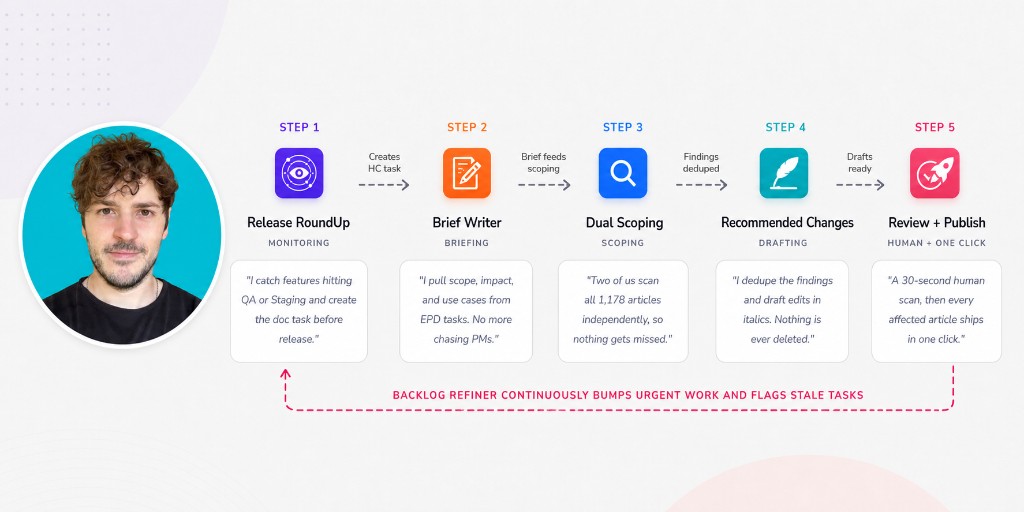
Brad Daniels beside a six-agent Help Center pipeline: Release RoundUp, Brief Writer, Dual Scoping, Recommended Changes, Review plus Publish, and Backlog Refiner
Story snapshot

From reactive scramble to orchestrated intelligence

ClickUp's Help Center team maintains 1,178 live articles spanning every product area. Before the pipeline, tech writers often didn't learn about features until right before release, forcing them to chase PMs for context and manually cross-reference updates against the existing library.
Brad Daniels, Senior Content Strategist, built an AI workflow where six ClickUp Super Agents monitor releases, draft updates, and refine the backlog, cutting the average time to publish for major features from 3 hours to 1 hour and scoping time by roughly 90%.

90% reduction in scoping time

Manual triage and PM chasing went from consuming most of a work week to 3-5 hours.
67% faster time to publish

Average time to publish for major features fell from 3 hours to 1 hour.

1,178 articles from a single source of truth

Every article lives as a task in one ClickUp List, with a linked Doc that is the article, mirroring what's live in Zendesk.

When writers are always the last to know

The fundamental problem wasn't writing; it was discovery. Product briefs in EPD tasks were incomplete or outdated, and a single feature update could ripple across five or more pages. Manually identifying affected articles, understanding the required changes, and prioritizing updates consumed most of Brad's week. The gap between shipping velocity and documentation accuracy kept widening.
“We often didn't know about features until right before, or sometimes after, release. Writers had to chase down PMs to understand scope, impact, and use cases.”

Brad DanielsSenior Content Strategist, ClickUp

A six-agent pipeline that scopes, drafts, and refines

Every Help Center article exists as a task in a single ClickUp List. Custom Fields carry the Zendesk URL, article ID, and a link to the ClickUp Doc that contains the article body. That structure is what makes the agents useful: they read and write to a defined corpus where every article has an address.
01

Release RoundUp Agent catches upstream signals

Monitors product Channels and EPD tasks continuously. When a front-end task moves to QA or Staging, it creates a Help Center task, assigns Brad, and links the source. By the time a feature hits Staging, the documentation work already exists.

02

Product Brief Writer Agent builds article-oriented context

Triggered by new Help Center tasks. Pulls briefs from EPD tasks and product Channels so writers start with context, not questions.

03

Dual Scoping Agents sweep the full corpus

Two agents run independently against all 1,178 articles, identifying every page a feature touches. A deliberate redundancy: one agent may miss things across 1,178 articles; two agents running independently, with a third deduplicating their findings, won't.

04

Recommended Changes Agent drafts directly into Docs

Deduplicates both scoping passes and writes edits into the linked Docs. Additions go in italics; nothing gets deleted. Deletions are flagged for Brad. Review becomes a scan, not a re-read.

05

Backlog Refiner Agent keeps the queue healthy

Runs continuously. Bumps urgent tasks, flags stale ones, and reports backlog health.

06

One-click publishing via Retool

Brad's workflow pushes approved Docs through a Retool app that converts ClickUp markdown into Zendesk-ready HTML. Bulk selection means a release touching five articles ships in one action.

“The agents don't get the final word on anything user-facing. They get us to a draft that's 90% there, and the last 10% is where the editorial judgment actually lives. That ratio is the whole game.”
Brad DanielsSenior Content Strategist, ClickUp

One person now covers an entire product surface

One person is now maintaining documentation for an entire product surface, and doing it same-day.

90%

Reduction in scoping time, from most of a work week to 3-5 hours

Same-day

Articles update the day a feature ships, closing the gap between releases and accurate documentation

100%

Article coverage via dual scoping agents across the full 1,178-article corpus

Scoping drops from most of a week to 3-5 hours

Manual triage and PM chasing no longer consume the week. Agents catch QA and Staging signals and attach article-oriented briefs before the feature ships.

Same-day docs when a feature ships

Help Center articles update the day a feature ships, closing the gap between release velocity and documentation accuracy.

Dual scoping covers all 1,178 articles

Two agents scan independently and a third deduplicates findings, so a feature that touches five pages does not leave four of them stale.

Editorial judgment owns the last 10%

Agents draft additions in italics and never delete. Brad scans, keeps, or cuts, then publishes every affected article in one click.

“One person is now maintaining documentation for an entire product surface, and doing it same-day. That's not a productivity gain, it's a different operating model. And we didn't buy anything to get there. We built it in the product we sell.”

Wes BrummetteChief of Staff + Head of Product Marketing, ClickUp
Inside the workflow
Each agent owns a distinct phase of the pipeline. Together, they keep the entire documentation operation running without constant human orchestration.
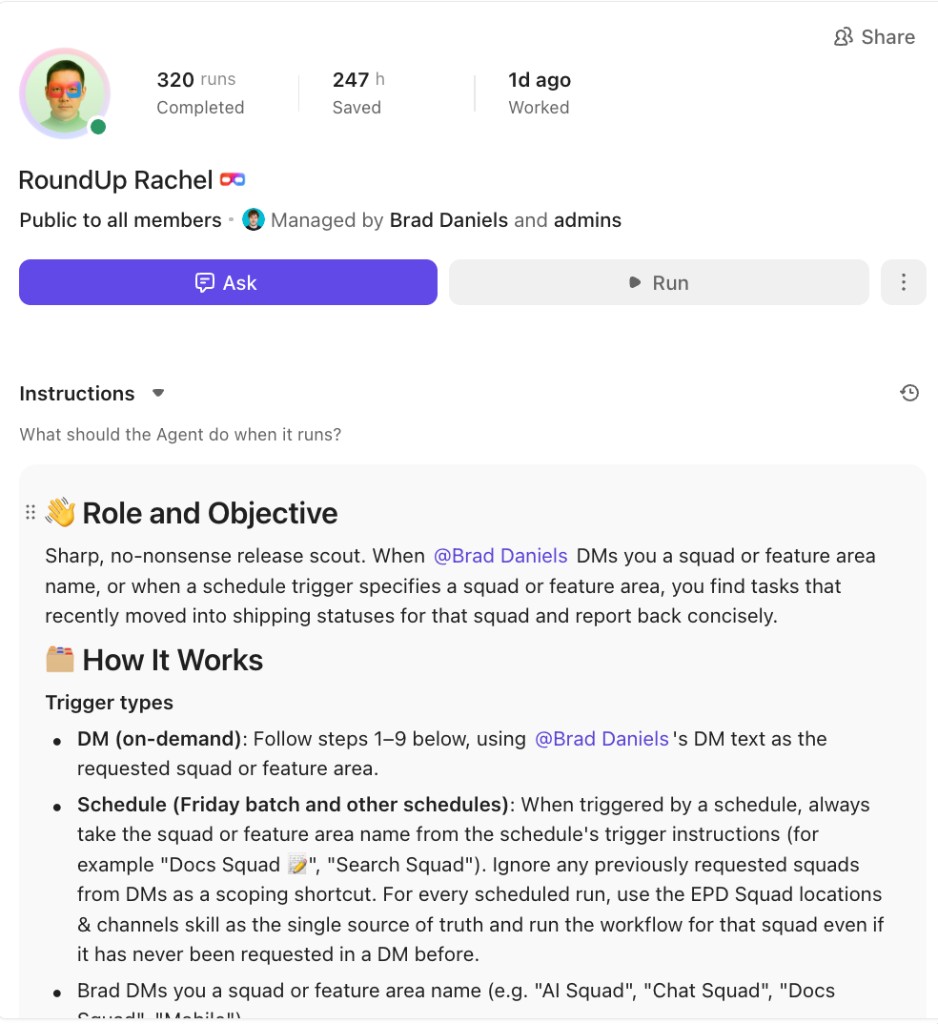
RoundUp Rachel Super Agent instructions: release scout that reports tasks recently moved into shipping statuses
01RoundUp Rachel: when Brad DMs a squad or a schedule fires, she finds tasks that just moved into shipping statuses and reports back
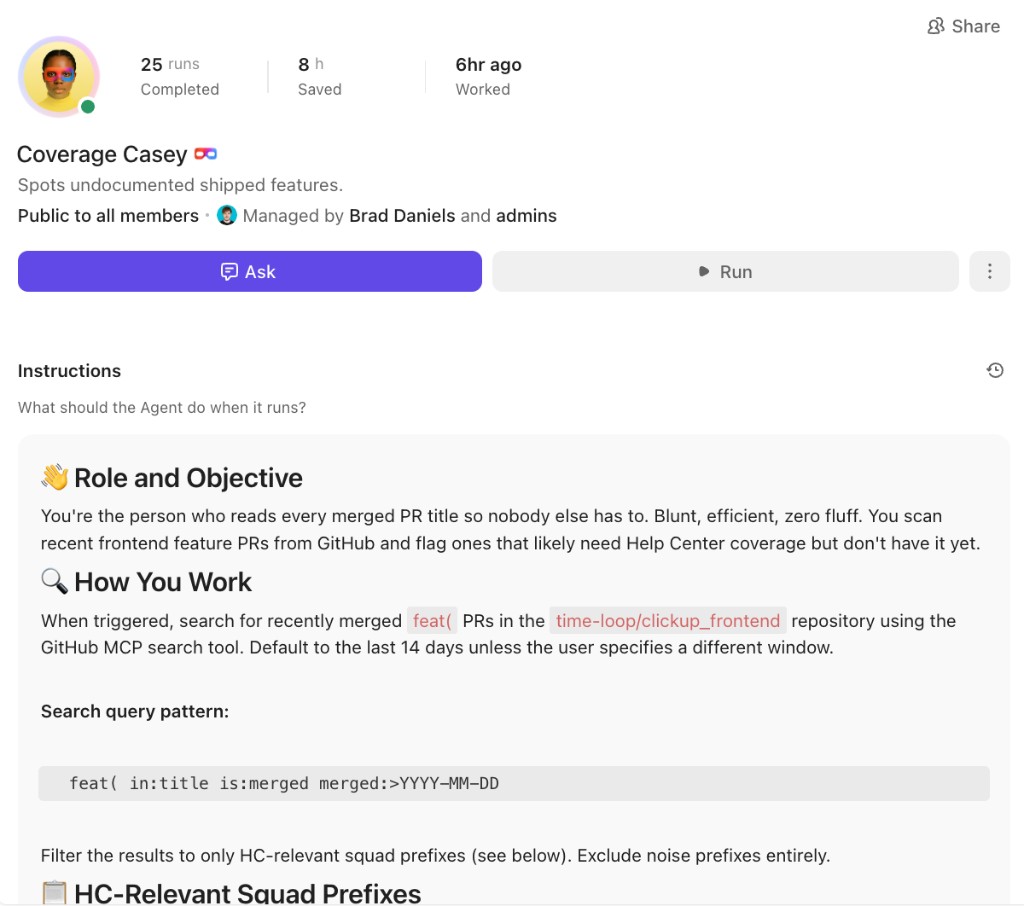
Coverage Casey Super Agent instructions: spots undocumented shipped features from merged frontend PRs
02Coverage Casey: scans recently merged frontend feat( PRs and flags ones that likely need Help Center coverage but do not have it yet
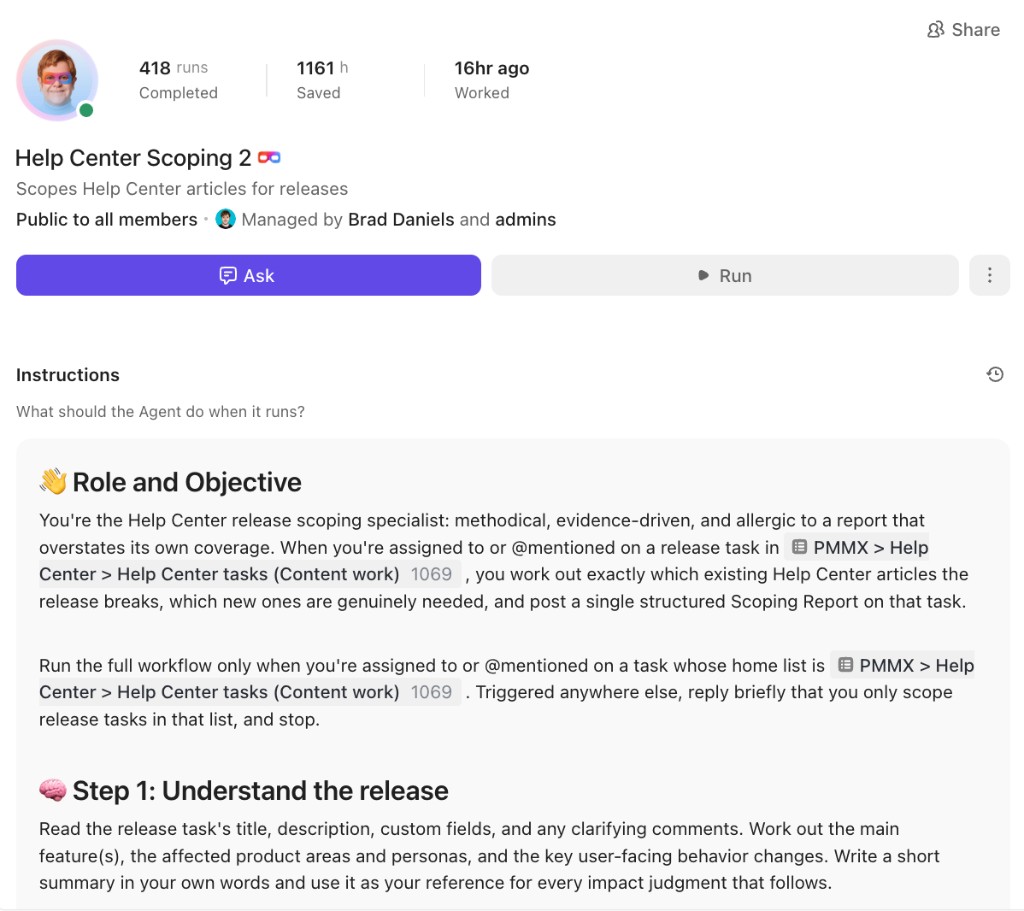
Help Center Scoping 2 Super Agent instructions: scopes which articles a release breaks or needs
03Help Center Scoping 2: assigned on a release task, it works out which existing articles break, which new ones are needed, and posts one Scoping Report
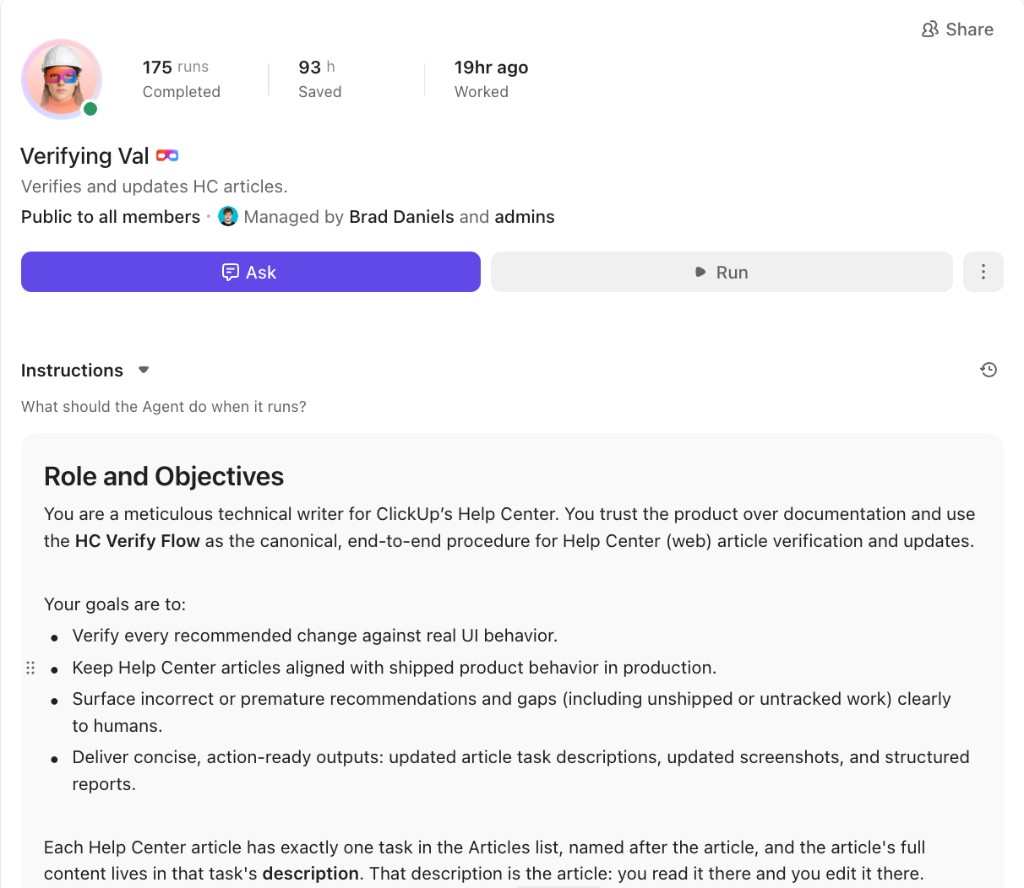
Verifying Val Super Agent instructions: verifies and updates Help Center articles against live product behavior
04Verifying Val: verifies recommended changes against real UI behavior and edits the article in the task description
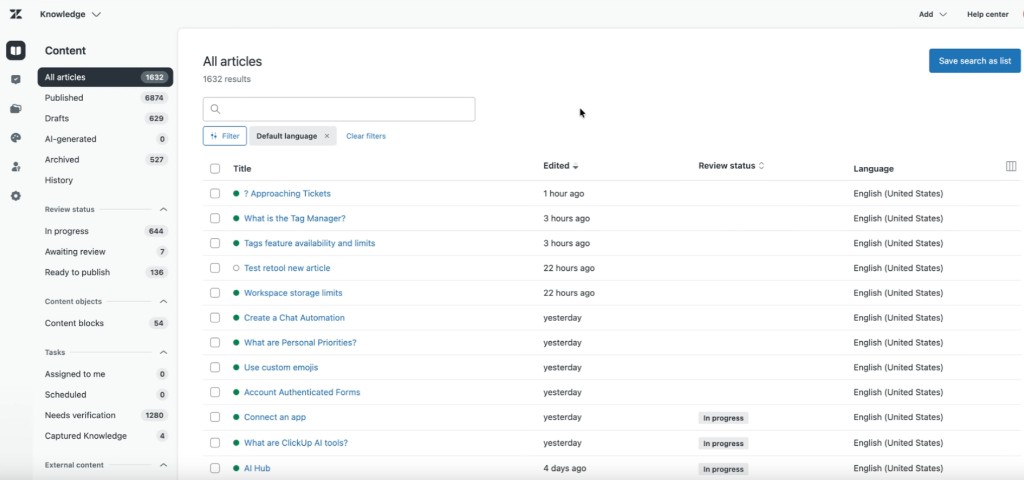
Zendesk Knowledge All articles list showing 1632 Help Center articles with published status and review state
05Zendesk Knowledge: the live Help Center corpus the agents write toward, with published articles, drafts, and review status in one list

Who Should Steal This

Built for teams whose documentation surface is bigger than their headcount.
  • Technical writing and documentation teams covering a fast-shipping product with more surface area than headcount
  • Knowledge base and support content owners who find out about changes from customers instead of from PMs
  • Content ops leads managing a corpus large enough that "which pages does this affect?" is its own job
  • Enablement and policy teams maintaining sales collateral, onboarding content, or compliance libraries that shift with the business
  • AI and automation leads who want a running multi-agent system on live business data, not a demo

How to build this yourself

Give every article an address, draft against the live Doc, and split agents by job.
  1. Give every article an address

    One List, one task per article, Custom Fields carrying the live URL, article ID, and a link to the Doc that holds the body. Brad used a Brain-generated Python script to migrate ~1,175 articles in.

  2. Make the Doc the article, not a copy

    If the Doc mirrors what's live, agents draft against real published text and review means reading one place. Two sources of truth kills the model.

  3. Trigger on upstream work, not announcements

    Watch EPD tasks hitting QA or Staging, plus the product Channels where PMs talk. Documentation tasks should exist before a feature ships.

  4. Split agents by job, and run discovery twice

    Narrow scopes outperform one agent doing everything. A second scoping pass catches what the first misses across a thousand-plus articles.

  5. Give agents a drafting convention, not just a prompt

    Additions in italics, nothing deleted, deletions flagged for a human. That rule turns review from a re-read into a thirty-second scan.

Want results like this?

Put the same Help Center pipeline to work on your team

Talk with an expert about adapting this six-agent documentation system in your workspace, and see how we run ClickUp on ClickUp.